mirror of
https://github.com/crewAIInc/crewAI.git
synced 2026-04-26 21:02:35 +00:00
Compare commits
20 Commits
devin/1735
...
joaomdmour
| Author | SHA1 | Date | |
|---|---|---|---|

|
7eee68d313 | ||
|
|
842e5fb70a | ||
|
|
afeb8ca1ee | ||
|
|
2bbcba1ccb | ||
|
|
75136fcd77 | ||
|
|
8e93f3aa5b | ||
|
|
ee9d7aea61 | ||
|
|
b5f2161e34 | ||
|
|
9a55b54977 | ||
|
|
5bd4fdc3d0 | ||
|
|
ffff182033 | ||
|
|
2e5bb3f856 | ||
|
|
8735b58fc6 | ||
|
|
d56db9f34f | ||
|
|
2eda5fdeed | ||
|
|
2357d3e8eb | ||
|
|
e61f2f50c9 | ||
|
|
93bee87324 | ||
|
|
e6be4ed66d | ||
|
|
3e58c995a4 |
158
README.md
158
README.md
@@ -4,7 +4,7 @@
|
||||
|
||||
# **CrewAI**
|
||||
|
||||
🤖 **CrewAI**: Production-grade framework for orchestrating sophisticated AI agent systems. From simple automations to complex real-world applications, CrewAI provides precise control and deep customization. By fostering collaborative intelligence through flexible, production-ready architecture, CrewAI empowers agents to work together seamlessly, tackling complex business challenges with predictable, consistent results.
|
||||
🤖 **CrewAI**: Cutting-edge framework for orchestrating role-playing, autonomous AI agents. By fostering collaborative intelligence, CrewAI empowers agents to work together seamlessly, tackling complex tasks.
|
||||
|
||||
<h3>
|
||||
|
||||
@@ -22,17 +22,13 @@
|
||||
- [Why CrewAI?](#why-crewai)
|
||||
- [Getting Started](#getting-started)
|
||||
- [Key Features](#key-features)
|
||||
- [Understanding Flows and Crews](#understanding-flows-and-crews)
|
||||
- [CrewAI vs LangGraph](#how-crewai-compares)
|
||||
- [Examples](#examples)
|
||||
- [Quick Tutorial](#quick-tutorial)
|
||||
- [Write Job Descriptions](#write-job-descriptions)
|
||||
- [Trip Planner](#trip-planner)
|
||||
- [Stock Analysis](#stock-analysis)
|
||||
- [Using Crews and Flows Together](#using-crews-and-flows-together)
|
||||
- [Connecting Your Crew to a Model](#connecting-your-crew-to-a-model)
|
||||
- [How CrewAI Compares](#how-crewai-compares)
|
||||
- [Frequently Asked Questions (FAQ)](#frequently-asked-questions-faq)
|
||||
- [Contribution](#contribution)
|
||||
- [Telemetry](#telemetry)
|
||||
- [License](#license)
|
||||
@@ -40,40 +36,10 @@
|
||||
## Why CrewAI?
|
||||
|
||||
The power of AI collaboration has too much to offer.
|
||||
CrewAI is a standalone framework, built from the ground up without dependencies on Langchain or other agent frameworks. It's designed to enable AI agents to assume roles, share goals, and operate in a cohesive unit - much like a well-oiled crew. Whether you're building a smart assistant platform, an automated customer service ensemble, or a multi-agent research team, CrewAI provides the backbone for sophisticated multi-agent interactions.
|
||||
CrewAI is designed to enable AI agents to assume roles, share goals, and operate in a cohesive unit - much like a well-oiled crew. Whether you're building a smart assistant platform, an automated customer service ensemble, or a multi-agent research team, CrewAI provides the backbone for sophisticated multi-agent interactions.
|
||||
|
||||
## Getting Started
|
||||
|
||||
### Learning Resources
|
||||
|
||||
Learn CrewAI through our comprehensive courses:
|
||||
- [Multi AI Agent Systems with CrewAI](https://www.deeplearning.ai/short-courses/multi-ai-agent-systems-with-crewai/) - Master the fundamentals of multi-agent systems
|
||||
- [Practical Multi AI Agents and Advanced Use Cases](https://www.deeplearning.ai/short-courses/practical-multi-ai-agents-and-advanced-use-cases-with-crewai/) - Deep dive into advanced implementations
|
||||
|
||||
### Understanding Flows and Crews
|
||||
|
||||
CrewAI offers two powerful, complementary approaches that work seamlessly together to build sophisticated AI applications:
|
||||
|
||||
1. **Crews**: Teams of AI agents with true autonomy and agency, working together to accomplish complex tasks through role-based collaboration. Crews enable:
|
||||
- Natural, autonomous decision-making between agents
|
||||
- Dynamic task delegation and collaboration
|
||||
- Specialized roles with defined goals and expertise
|
||||
- Flexible problem-solving approaches
|
||||
|
||||
2. **Flows**: Production-ready, event-driven workflows that deliver precise control over complex automations. Flows provide:
|
||||
- Fine-grained control over execution paths for real-world scenarios
|
||||
- Secure, consistent state management between tasks
|
||||
- Clean integration of AI agents with production Python code
|
||||
- Conditional branching for complex business logic
|
||||
|
||||
The true power of CrewAI emerges when combining Crews and Flows. This synergy allows you to:
|
||||
- Build complex, production-grade applications
|
||||
- Balance autonomy with precise control
|
||||
- Handle sophisticated real-world scenarios
|
||||
- Maintain clean, maintainable code structure
|
||||
|
||||
### Getting Started with Installation
|
||||
|
||||
To get started with CrewAI, follow these simple steps:
|
||||
|
||||
### 1. Installation
|
||||
@@ -298,16 +264,13 @@ In addition to the sequential process, you can use the hierarchical process, whi
|
||||
|
||||
## Key Features
|
||||
|
||||
**Note**: CrewAI is a standalone framework built from the ground up, without dependencies on Langchain or other agent frameworks.
|
||||
|
||||
- **Deep Customization**: Build sophisticated agents with full control over the system - from overriding inner prompts to accessing low-level APIs. Customize roles, goals, tools, and behaviors while maintaining clean abstractions.
|
||||
- **Autonomous Inter-Agent Delegation**: Agents can autonomously delegate tasks and inquire amongst themselves, enabling complex problem-solving in real-world scenarios.
|
||||
- **Flexible Task Management**: Define and customize tasks with granular control, from simple operations to complex multi-step processes.
|
||||
- **Production-Grade Architecture**: Support for both high-level abstractions and low-level customization, with robust error handling and state management.
|
||||
- **Predictable Results**: Ensure consistent, accurate outputs through programmatic guardrails, agent training capabilities, and flow-based execution control. See our [documentation on guardrails](https://docs.crewai.com/how-to/guardrails/) for implementation details.
|
||||
- **Model Flexibility**: Run your crew using OpenAI or open source models with production-ready integrations. See [Connect CrewAI to LLMs](https://docs.crewai.com/how-to/LLM-Connections/) for detailed configuration options.
|
||||
- **Event-Driven Flows**: Build complex, real-world workflows with precise control over execution paths, state management, and conditional logic.
|
||||
- **Process Orchestration**: Achieve any workflow pattern through flows - from simple sequential and hierarchical processes to complex, custom orchestration patterns with conditional branching and parallel execution.
|
||||
- **Role-Based Agent Design**: Customize agents with specific roles, goals, and tools.
|
||||
- **Autonomous Inter-Agent Delegation**: Agents can autonomously delegate tasks and inquire amongst themselves, enhancing problem-solving efficiency.
|
||||
- **Flexible Task Management**: Define tasks with customizable tools and assign them to agents dynamically.
|
||||
- **Processes Driven**: Currently only supports `sequential` task execution and `hierarchical` processes, but more complex processes like consensual and autonomous are being worked on.
|
||||
- **Save output as file**: Save the output of individual tasks as a file, so you can use it later.
|
||||
- **Parse output as Pydantic or Json**: Parse the output of individual tasks as a Pydantic model or as a Json if you want to.
|
||||
- **Works with Open Source Models**: Run your crew using Open AI or open source models refer to the [Connect CrewAI to LLMs](https://docs.crewai.com/how-to/LLM-Connections/) page for details on configuring your agents' connections to models, even ones running locally!
|
||||
|
||||

|
||||
|
||||
@@ -342,98 +305,6 @@ You can test different real life examples of AI crews in the [CrewAI-examples re
|
||||
|
||||
[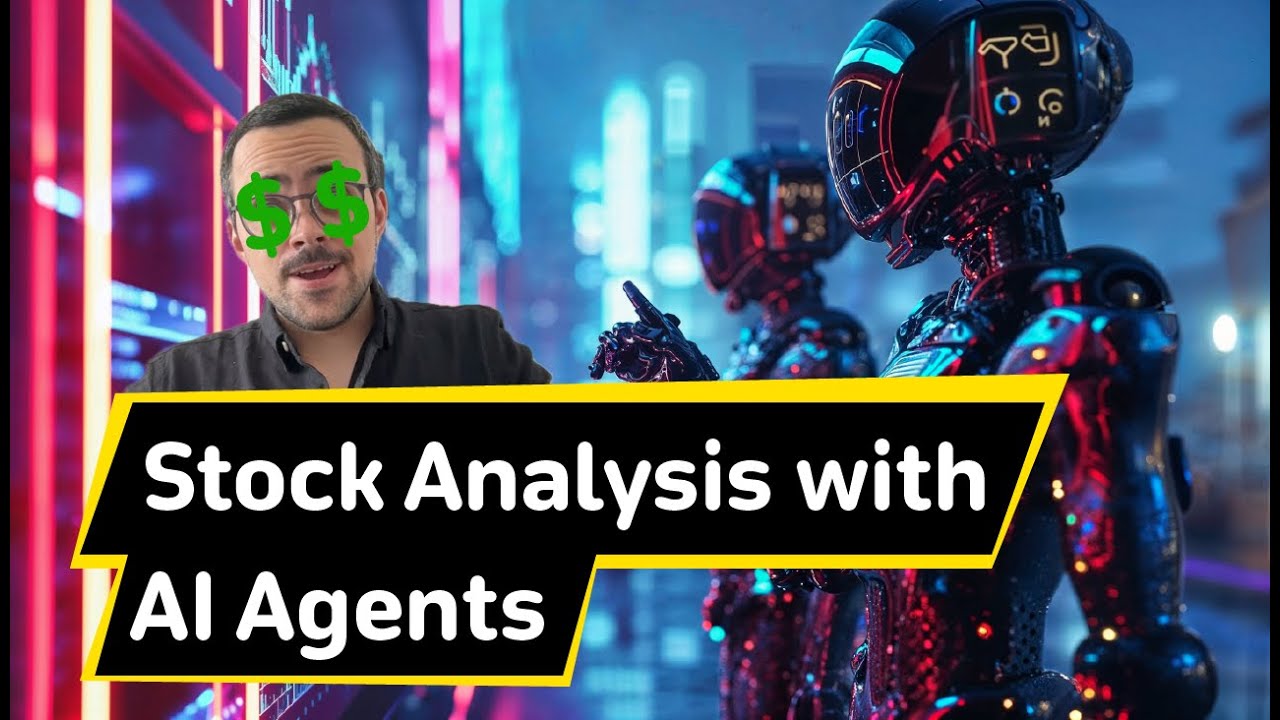](https://www.youtube.com/watch?v=e0Uj4yWdaAg "Stock Analysis")
|
||||
|
||||
### Using Crews and Flows Together
|
||||
|
||||
CrewAI's power truly shines when combining Crews with Flows to create sophisticated automation pipelines. Here's how you can orchestrate multiple Crews within a Flow:
|
||||
|
||||
```python
|
||||
from crewai.flow.flow import Flow, listen, start, router
|
||||
from crewai import Crew, Agent, Task
|
||||
from pydantic import BaseModel
|
||||
|
||||
# Define structured state for precise control
|
||||
class MarketState(BaseModel):
|
||||
sentiment: str = "neutral"
|
||||
confidence: float = 0.0
|
||||
recommendations: list = []
|
||||
|
||||
class AdvancedAnalysisFlow(Flow[MarketState]):
|
||||
@start()
|
||||
def fetch_market_data(self):
|
||||
# Demonstrate low-level control with structured state
|
||||
self.state.sentiment = "analyzing"
|
||||
return {"sector": "tech", "timeframe": "1W"} # These parameters match the task description template
|
||||
|
||||
@listen(fetch_market_data)
|
||||
def analyze_with_crew(self, market_data):
|
||||
# Show crew agency through specialized roles
|
||||
analyst = Agent(
|
||||
role="Senior Market Analyst",
|
||||
goal="Conduct deep market analysis with expert insight",
|
||||
backstory="You're a veteran analyst known for identifying subtle market patterns"
|
||||
)
|
||||
researcher = Agent(
|
||||
role="Data Researcher",
|
||||
goal="Gather and validate supporting market data",
|
||||
backstory="You excel at finding and correlating multiple data sources"
|
||||
)
|
||||
|
||||
analysis_task = Task(
|
||||
description="Analyze {sector} sector data for the past {timeframe}",
|
||||
expected_output="Detailed market analysis with confidence score",
|
||||
agent=analyst
|
||||
)
|
||||
research_task = Task(
|
||||
description="Find supporting data to validate the analysis",
|
||||
expected_output="Corroborating evidence and potential contradictions",
|
||||
agent=researcher
|
||||
)
|
||||
|
||||
# Demonstrate crew autonomy
|
||||
analysis_crew = Crew(
|
||||
agents=[analyst, researcher],
|
||||
tasks=[analysis_task, research_task],
|
||||
process=Process.sequential,
|
||||
verbose=True
|
||||
)
|
||||
return analysis_crew.kickoff(inputs=market_data) # Pass market_data as named inputs
|
||||
|
||||
@router(analyze_with_crew)
|
||||
def determine_next_steps(self):
|
||||
# Show flow control with conditional routing
|
||||
if self.state.confidence > 0.8:
|
||||
return "high_confidence"
|
||||
elif self.state.confidence > 0.5:
|
||||
return "medium_confidence"
|
||||
return "low_confidence"
|
||||
|
||||
@listen("high_confidence")
|
||||
def execute_strategy(self):
|
||||
# Demonstrate complex decision making
|
||||
strategy_crew = Crew(
|
||||
agents=[
|
||||
Agent(role="Strategy Expert",
|
||||
goal="Develop optimal market strategy")
|
||||
],
|
||||
tasks=[
|
||||
Task(description="Create detailed strategy based on analysis",
|
||||
expected_output="Step-by-step action plan")
|
||||
]
|
||||
)
|
||||
return strategy_crew.kickoff()
|
||||
|
||||
@listen("medium_confidence", "low_confidence")
|
||||
def request_additional_analysis(self):
|
||||
self.state.recommendations.append("Gather more data")
|
||||
return "Additional analysis required"
|
||||
```
|
||||
|
||||
This example demonstrates how to:
|
||||
1. Use Python code for basic data operations
|
||||
2. Create and execute Crews as steps in your workflow
|
||||
3. Use Flow decorators to manage the sequence of operations
|
||||
4. Implement conditional branching based on Crew results
|
||||
|
||||
## Connecting Your Crew to a Model
|
||||
|
||||
CrewAI supports using various LLMs through a variety of connection options. By default your agents will use the OpenAI API when querying the model. However, there are several other ways to allow your agents to connect to models. For example, you can configure your agents to use a local model via the Ollama tool.
|
||||
@@ -442,13 +313,9 @@ Please refer to the [Connect CrewAI to LLMs](https://docs.crewai.com/how-to/LLM-
|
||||
|
||||
## How CrewAI Compares
|
||||
|
||||
**CrewAI's Advantage**: CrewAI combines autonomous agent intelligence with precise workflow control through its unique Crews and Flows architecture. The framework excels at both high-level orchestration and low-level customization, enabling complex, production-grade systems with granular control.
|
||||
**CrewAI's Advantage**: CrewAI is built with production in mind. It offers the flexibility of Autogen's conversational agents and the structured process approach of ChatDev, but without the rigidity. CrewAI's processes are designed to be dynamic and adaptable, fitting seamlessly into both development and production workflows.
|
||||
|
||||
- **LangGraph**: While LangGraph provides a foundation for building agent workflows, its approach requires significant boilerplate code and complex state management patterns. The framework's tight coupling with LangChain can limit flexibility when implementing custom agent behaviors or integrating with external systems.
|
||||
|
||||
*P.S. CrewAI demonstrates significant performance advantages over LangGraph, executing 5.76x faster in certain cases like this QA task example ([see comparison](https://github.com/crewAIInc/crewAI-examples/tree/main/Notebooks/CrewAI%20Flows%20%26%20Langgraph/QA%20Agent)) while achieving higher evaluation scores with faster completion times in certain coding tasks, like in this example ([detailed analysis](https://github.com/crewAIInc/crewAI-examples/blob/main/Notebooks/CrewAI%20Flows%20%26%20Langgraph/Coding%20Assistant/coding_assistant_eval.ipynb)).*
|
||||
|
||||
- **Autogen**: While Autogen excels at creating conversational agents capable of working together, it lacks an inherent concept of process. In Autogen, orchestrating agents' interactions requires additional programming, which can become complex and cumbersome as the scale of tasks grows.
|
||||
- **Autogen**: While Autogen does good in creating conversational agents capable of working together, it lacks an inherent concept of process. In Autogen, orchestrating agents' interactions requires additional programming, which can become complex and cumbersome as the scale of tasks grows.
|
||||
|
||||
- **ChatDev**: ChatDev introduced the idea of processes into the realm of AI agents, but its implementation is quite rigid. Customizations in ChatDev are limited and not geared towards production environments, which can hinder scalability and flexibility in real-world applications.
|
||||
|
||||
@@ -573,8 +440,5 @@ A: CrewAI uses anonymous telemetry to collect usage data for improvement purpose
|
||||
### Q: Where can I find examples of CrewAI in action?
|
||||
A: You can find various real-life examples in the [CrewAI-examples repository](https://github.com/crewAIInc/crewAI-examples), including trip planners, stock analysis tools, and more.
|
||||
|
||||
### Q: What is the difference between Crews and Flows?
|
||||
A: Crews and Flows serve different but complementary purposes in CrewAI. Crews are teams of AI agents working together to accomplish specific tasks through role-based collaboration, delivering accurate and predictable results. Flows, on the other hand, are event-driven workflows that can orchestrate both Crews and regular Python code, allowing you to build complex automation pipelines with secure state management and conditional execution paths.
|
||||
|
||||
### Q: How can I contribute to CrewAI?
|
||||
A: Contributions are welcome! You can fork the repository, create a new branch for your feature, add your improvement, and send a pull request. Check the Contribution section in the README for more details.
|
||||
|
||||
@@ -171,58 +171,6 @@ crewai reset-memories --knowledge
|
||||
|
||||
This is useful when you've updated your knowledge sources and want to ensure that the agents are using the most recent information.
|
||||
|
||||
## Agent-Specific Knowledge
|
||||
|
||||
While knowledge can be provided at the crew level using `crew.knowledge_sources`, individual agents can also have their own knowledge sources using the `knowledge_sources` parameter:
|
||||
|
||||
```python Code
|
||||
from crewai import Agent, Task, Crew
|
||||
from crewai.knowledge.source.string_knowledge_source import StringKnowledgeSource
|
||||
|
||||
# Create agent-specific knowledge about a product
|
||||
product_specs = StringKnowledgeSource(
|
||||
content="""The XPS 13 laptop features:
|
||||
- 13.4-inch 4K display
|
||||
- Intel Core i7 processor
|
||||
- 16GB RAM
|
||||
- 512GB SSD storage
|
||||
- 12-hour battery life""",
|
||||
metadata={"category": "product_specs"}
|
||||
)
|
||||
|
||||
# Create a support agent with product knowledge
|
||||
support_agent = Agent(
|
||||
role="Technical Support Specialist",
|
||||
goal="Provide accurate product information and support.",
|
||||
backstory="You are an expert on our laptop products and specifications.",
|
||||
knowledge_sources=[product_specs] # Agent-specific knowledge
|
||||
)
|
||||
|
||||
# Create a task that requires product knowledge
|
||||
support_task = Task(
|
||||
description="Answer this customer question: {question}",
|
||||
agent=support_agent
|
||||
)
|
||||
|
||||
# Create and run the crew
|
||||
crew = Crew(
|
||||
agents=[support_agent],
|
||||
tasks=[support_task]
|
||||
)
|
||||
|
||||
# Get answer about the laptop's specifications
|
||||
result = crew.kickoff(
|
||||
inputs={"question": "What is the storage capacity of the XPS 13?"}
|
||||
)
|
||||
```
|
||||
|
||||
<Info>
|
||||
Benefits of agent-specific knowledge:
|
||||
- Give agents specialized information for their roles
|
||||
- Maintain separation of concerns between agents
|
||||
- Combine with crew-level knowledge for layered information access
|
||||
</Info>
|
||||
|
||||
## Custom Knowledge Sources
|
||||
|
||||
CrewAI allows you to create custom knowledge sources for any type of data by extending the `BaseKnowledgeSource` class. Let's create a practical example that fetches and processes space news articles.
|
||||
|
||||
@@ -10,26 +10,11 @@ icon: bars-staggered
|
||||
These processes ensure tasks are distributed and executed efficiently, in alignment with a predefined strategy.
|
||||
</Tip>
|
||||
|
||||
## Process Types
|
||||
## Process Implementations
|
||||
|
||||
CrewAI supports two process types that determine how tasks are assigned to agents:
|
||||
|
||||
- **Static/Assigned Process** (formerly "Sequential"): In this process, each task must be pre-assigned to a specific agent. While the name "Sequential" was previously used, it's important to note that tasks are always executed in the order they are defined, regardless of the process type chosen. The key characteristic of this process is that it requires explicit agent assignments for each task.
|
||||
|
||||
- **Dynamic/Unassigned Process** (formerly "Hierarchical"): In this process, you do not have to assign agents to tasks explicitly. Instead, the crew will assess available agents and automatically select the most suitable one for each task based on their roles and expertise. This requires specifying either a manager language model (`manager_llm`) or a custom manager agent (`manager_agent`) to handle the agent selection and task delegation.
|
||||
|
||||
- **Consensual Process** (Planned): Aiming for collaborative decision-making among agents on task execution, this process type introduces a democratic approach to task management within CrewAI. It is planned for future development and is not currently implemented in the codebase.
|
||||
|
||||
### Process Type Comparison
|
||||
|
||||
| Aspect | Static/Assigned Process | Dynamic/Unassigned Process |
|
||||
|--------|------------------------|---------------------------|
|
||||
| Agent Assignment | Pre-assigned by developer | Automatic based on agent capabilities |
|
||||
| Task Order | Sequential (defined order) | Sequential (defined order) |
|
||||
| Manager Required | No | Yes (manager_llm or manager_agent) |
|
||||
| Use Case | Fixed workflows with known agent assignments | Dynamic workflows needing flexible assignment |
|
||||
| Configuration | Simpler setup, explicit control | Requires manager configuration |
|
||||
| Task-Agent Mapping | One-to-one, defined at creation | Determined during execution |
|
||||
- **Sequential**: Executes tasks sequentially, ensuring tasks are completed in an orderly progression.
|
||||
- **Hierarchical**: Organizes tasks in a managerial hierarchy, where tasks are delegated and executed based on a structured chain of command. A manager language model (`manager_llm`) or a custom manager agent (`manager_agent`) must be specified in the crew to enable the hierarchical process, facilitating the creation and management of tasks by the manager.
|
||||
- **Consensual Process (Planned)**: Aiming for collaborative decision-making among agents on task execution, this process type introduces a democratic approach to task management within CrewAI. It is planned for future development and is not currently implemented in the codebase.
|
||||
|
||||
## The Role of Processes in Teamwork
|
||||
Processes enable individual agents to operate as a cohesive unit, streamlining their efforts to achieve common objectives with efficiency and coherence.
|
||||
@@ -38,149 +23,45 @@ Processes enable individual agents to operate as a cohesive unit, streamlining t
|
||||
To assign a process to a crew, specify the process type upon crew creation to set the execution strategy. For a hierarchical process, ensure to define `manager_llm` or `manager_agent` for the manager agent.
|
||||
|
||||
```python
|
||||
from crewai import Crew, Agent, Task
|
||||
from crewai import Crew
|
||||
from crewai.process import Process
|
||||
from langchain_openai import ChatOpenAI
|
||||
|
||||
# Define agents with specific roles and expertise
|
||||
researcher = Agent(
|
||||
role="Researcher",
|
||||
goal="Conduct thorough market analysis",
|
||||
backstory="Expert in data analysis and market research"
|
||||
# Example: Creating a crew with a sequential process
|
||||
crew = Crew(
|
||||
agents=my_agents,
|
||||
tasks=my_tasks,
|
||||
process=Process.sequential
|
||||
)
|
||||
|
||||
writer = Agent(
|
||||
role="Writer",
|
||||
goal="Create comprehensive reports",
|
||||
backstory="Technical writer with expertise in market analysis"
|
||||
)
|
||||
|
||||
# Example 1: Static/Assigned Process
|
||||
# Tasks must be explicitly assigned to agents
|
||||
research_task = Task(
|
||||
description="Research emerging market trends",
|
||||
agent=researcher # Explicit agent assignment required
|
||||
)
|
||||
|
||||
writing_task = Task(
|
||||
description="Create market analysis report",
|
||||
agent=writer, # Explicit agent assignment required
|
||||
context="Use research findings to create a detailed report"
|
||||
)
|
||||
|
||||
# Create crew with Static/Assigned process
|
||||
static_crew = Crew(
|
||||
agents=[researcher, writer],
|
||||
tasks=[research_task, writing_task],
|
||||
process=Process.sequential # Note: Using old enum value for backward compatibility
|
||||
)
|
||||
|
||||
# Example 2: Dynamic/Unassigned Process
|
||||
# Tasks without pre-assigned agents
|
||||
dynamic_research_task = Task(
|
||||
description="Research emerging market trends",
|
||||
required_skills=["market analysis", "data interpretation"] # Help manager select agent
|
||||
)
|
||||
|
||||
dynamic_writing_task = Task(
|
||||
description="Create market analysis report",
|
||||
context="Use research findings to create a detailed report",
|
||||
required_skills=["technical writing", "data visualization"]
|
||||
)
|
||||
|
||||
# Create crew with Dynamic/Unassigned process
|
||||
dynamic_crew = Crew(
|
||||
agents=[researcher, writer],
|
||||
tasks=[dynamic_research_task, dynamic_writing_task],
|
||||
process=Process.hierarchical, # Note: Using old enum value for backward compatibility
|
||||
manager_llm=ChatOpenAI(model="gpt-4") # Manager will assign tasks to suitable agents
|
||||
# Alternative: Use custom manager agent
|
||||
# manager_agent=custom_manager_agent
|
||||
# Example: Creating a crew with a hierarchical process
|
||||
# Ensure to provide a manager_llm or manager_agent
|
||||
crew = Crew(
|
||||
agents=my_agents,
|
||||
tasks=my_tasks,
|
||||
process=Process.hierarchical,
|
||||
manager_llm=ChatOpenAI(model="gpt-4")
|
||||
# or
|
||||
# manager_agent=my_manager_agent
|
||||
)
|
||||
```
|
||||
**Note:** Ensure `my_agents` and `my_tasks` are defined prior to creating a `Crew` object, and for the hierarchical process, either `manager_llm` or `manager_agent` is also required.
|
||||
|
||||
## Static/Assigned Process
|
||||
## Sequential Process
|
||||
|
||||
This process type requires explicit agent assignments for each task. Tasks are executed in their defined order, with the output of one task serving as context for the next. This approach provides direct control over which agent handles each specific task.
|
||||
This method mirrors dynamic team workflows, progressing through tasks in a thoughtful and systematic manner. Task execution follows the predefined order in the task list, with the output of one task serving as context for the next.
|
||||
|
||||
To customize task context, utilize the `context` parameter in the `Task` class to specify outputs that should be used as context for subsequent tasks.
|
||||
|
||||
## Dynamic/Unassigned Process
|
||||
## Hierarchical Process
|
||||
|
||||
This process type enables automatic agent selection through a manager component. You must specify either a custom manager agent or a manager language model (`manager_llm`). The manager oversees task execution by:
|
||||
- Analyzing task requirements
|
||||
- Selecting the most suitable agent based on roles and expertise
|
||||
- Delegating tasks automatically
|
||||
- Reviewing outputs and assessing task completion
|
||||
Emulates a corporate hierarchy, CrewAI allows specifying a custom manager agent or automatically creates one, requiring the specification of a manager language model (`manager_llm`). This agent oversees task execution, including planning, delegation, and validation. Tasks are not pre-assigned; the manager allocates tasks to agents based on their capabilities, reviews outputs, and assesses task completion.
|
||||
|
||||
## Choosing the Right Process
|
||||
## Process Class: Detailed Overview
|
||||
|
||||
When deciding between Static/Assigned and Dynamic/Unassigned processes, consider these technical factors:
|
||||
|
||||
### Static/Assigned Process
|
||||
Consider this process when:
|
||||
- Your workflow has predefined task-agent mappings
|
||||
- You need deterministic agent assignments for auditing or compliance
|
||||
- You want to minimize runtime overhead (no manager required)
|
||||
- You have specific agents optimized for particular tasks
|
||||
- You need fine-grained control over task execution
|
||||
|
||||
### Dynamic/Unassigned Process
|
||||
Consider this process when:
|
||||
- Your agent pool has overlapping capabilities
|
||||
- Task requirements are determined at runtime
|
||||
- You need failover capabilities between agents
|
||||
- You have a manager (LLM or agent) to handle assignment logic
|
||||
- You want to scale agent pools without modifying task definitions
|
||||
|
||||
### Technical Considerations
|
||||
- **Performance**: Static/Assigned processes have lower overhead as they skip the agent selection phase
|
||||
- **Scalability**: Dynamic/Unassigned processes better handle changes in agent availability
|
||||
- **Maintenance**: Static assignments require updating task definitions when agent roles change
|
||||
- **Error Handling**: Dynamic processes can potentially reassign tasks on agent failures
|
||||
|
||||
## Technical Implementation Details
|
||||
|
||||
### Process Class
|
||||
The `Process` class is implemented as an enumeration (`Enum`), ensuring type safety and restricting process values to the defined types:
|
||||
```python
|
||||
class Process(Enum):
|
||||
sequential = "sequential" # Static/Assigned process
|
||||
hierarchical = "hierarchical" # Dynamic/Unassigned process
|
||||
```
|
||||
|
||||
### Default Configuration
|
||||
- The default process type is `Process.sequential` (Static/Assigned)
|
||||
- When using `Process.hierarchical`, a manager (either `manager_llm` or `manager_agent`) must be provided
|
||||
|
||||
### Version Compatibility
|
||||
- Since v1.0.0: Original process types (`sequential`, `hierarchical`)
|
||||
- Current version maintains the same enum values for backward compatibility
|
||||
- Future versions will continue supporting these values while using new terminology in documentation
|
||||
|
||||
### Error Handling
|
||||
Common error scenarios and their solutions:
|
||||
```python
|
||||
# Error: Missing manager in Dynamic/Unassigned process
|
||||
crew = Crew(
|
||||
agents=[agent1, agent2],
|
||||
tasks=[task1, task2],
|
||||
process=Process.hierarchical
|
||||
# Error: ValueError: Manager (manager_llm or manager_agent) is required for hierarchical process
|
||||
)
|
||||
|
||||
# Error: Missing agent assignment in Static/Assigned process
|
||||
task = Task(description="Task without agent") # Missing agent assignment
|
||||
crew = Crew(
|
||||
agents=[agent1, agent2],
|
||||
tasks=[task],
|
||||
process=Process.sequential
|
||||
# Error: ValueError: Agent assignment required for all tasks in sequential process
|
||||
)
|
||||
```
|
||||
The `Process` class is implemented as an enumeration (`Enum`), ensuring type safety and restricting process values to the defined types (`sequential`, `hierarchical`). The consensual process is planned for future inclusion, emphasizing our commitment to continuous development and innovation.
|
||||
|
||||
## Conclusion
|
||||
|
||||
The structured collaboration facilitated by processes within CrewAI is crucial for enabling systematic teamwork among agents.
|
||||
This documentation has been updated to reflect the latest features, enhancements, and the planned integration of the Consensual Process, ensuring users have access to the most current and comprehensive information.
|
||||
This documentation has been updated to reflect the latest features, enhancements, and the planned integration of the Consensual Process, ensuring users have access to the most current and comprehensive information.
|
||||
@@ -12,8 +12,20 @@ Tasks provide all necessary details for execution, such as a description, the ag
|
||||
|
||||
Tasks within CrewAI can be collaborative, requiring multiple agents to work together. This is managed through the task properties and orchestrated by the Crew's process, enhancing teamwork and efficiency.
|
||||
|
||||
### Task Execution
|
||||
Tasks are always executed in the order they are defined. For information about how tasks are assigned to agents and the different process types available (Static/Assigned vs Dynamic/Unassigned), please refer to the [Processes](/concepts/processes) section.
|
||||
### Task Execution Flow
|
||||
|
||||
Tasks can be executed in two ways:
|
||||
- **Sequential**: Tasks are executed in the order they are defined
|
||||
- **Hierarchical**: Tasks are assigned to agents based on their roles and expertise
|
||||
|
||||
The execution flow is defined when creating the crew:
|
||||
```python Code
|
||||
crew = Crew(
|
||||
agents=[agent1, agent2],
|
||||
tasks=[task1, task2],
|
||||
process=Process.sequential # or Process.hierarchical
|
||||
)
|
||||
```
|
||||
|
||||
## Task Attributes
|
||||
|
||||
|
||||
@@ -1,211 +0,0 @@
|
||||
# Portkey Integration with CrewAI
|
||||
<img src="https://raw.githubusercontent.com/siddharthsambharia-portkey/Portkey-Product-Images/main/Portkey-CrewAI.png" alt="Portkey CrewAI Header Image" width="70%" />
|
||||
|
||||
|
||||
[Portkey](https://portkey.ai/?utm_source=crewai&utm_medium=crewai&utm_campaign=crewai) is a 2-line upgrade to make your CrewAI agents reliable, cost-efficient, and fast.
|
||||
|
||||
Portkey adds 4 core production capabilities to any CrewAI agent:
|
||||
1. Routing to **200+ LLMs**
|
||||
2. Making each LLM call more robust
|
||||
3. Full-stack tracing & cost, performance analytics
|
||||
4. Real-time guardrails to enforce behavior
|
||||
|
||||
|
||||
|
||||
|
||||
|
||||
## Getting Started
|
||||
|
||||
1. **Install Required Packages:**
|
||||
|
||||
```bash
|
||||
pip install -qU crewai portkey-ai
|
||||
```
|
||||
|
||||
2. **Configure the LLM Client:**
|
||||
|
||||
To build CrewAI Agents with Portkey, you'll need two keys:
|
||||
- **Portkey API Key**: Sign up on the [Portkey app](https://app.portkey.ai/?utm_source=crewai&utm_medium=crewai&utm_campaign=crewai) and copy your API key
|
||||
- **Virtual Key**: Virtual Keys securely manage your LLM API keys in one place. Store your LLM provider API keys securely in Portkey's vault
|
||||
|
||||
```python
|
||||
from crewai import LLM
|
||||
from portkey_ai import createHeaders, PORTKEY_GATEWAY_URL
|
||||
|
||||
gpt_llm = LLM(
|
||||
model="gpt-4",
|
||||
base_url=PORTKEY_GATEWAY_URL,
|
||||
api_key="dummy", # We are using Virtual key
|
||||
extra_headers=createHeaders(
|
||||
api_key="YOUR_PORTKEY_API_KEY",
|
||||
virtual_key="YOUR_VIRTUAL_KEY", # Enter your Virtual key from Portkey
|
||||
)
|
||||
)
|
||||
```
|
||||
|
||||
3. **Create and Run Your First Agent:**
|
||||
|
||||
```python
|
||||
from crewai import Agent, Task, Crew
|
||||
|
||||
# Define your agents with roles and goals
|
||||
coder = Agent(
|
||||
role='Software developer',
|
||||
goal='Write clear, concise code on demand',
|
||||
backstory='An expert coder with a keen eye for software trends.',
|
||||
llm=gpt_llm
|
||||
)
|
||||
|
||||
# Create tasks for your agents
|
||||
task1 = Task(
|
||||
description="Define the HTML for making a simple website with heading- Hello World! Portkey is working!",
|
||||
expected_output="A clear and concise HTML code",
|
||||
agent=coder
|
||||
)
|
||||
|
||||
# Instantiate your crew
|
||||
crew = Crew(
|
||||
agents=[coder],
|
||||
tasks=[task1],
|
||||
)
|
||||
|
||||
result = crew.kickoff()
|
||||
print(result)
|
||||
```
|
||||
|
||||
|
||||
## Key Features
|
||||
|
||||
| Feature | Description |
|
||||
|---------|-------------|
|
||||
| 🌐 Multi-LLM Support | Access OpenAI, Anthropic, Gemini, Azure, and 250+ providers through a unified interface |
|
||||
| 🛡️ Production Reliability | Implement retries, timeouts, load balancing, and fallbacks |
|
||||
| 📊 Advanced Observability | Track 40+ metrics including costs, tokens, latency, and custom metadata |
|
||||
| 🔍 Comprehensive Logging | Debug with detailed execution traces and function call logs |
|
||||
| 🚧 Security Controls | Set budget limits and implement role-based access control |
|
||||
| 🔄 Performance Analytics | Capture and analyze feedback for continuous improvement |
|
||||
| 💾 Intelligent Caching | Reduce costs and latency with semantic or simple caching |
|
||||
|
||||
|
||||
## Production Features with Portkey Configs
|
||||
|
||||
All features mentioned below are through Portkey's Config system. Portkey's Config system allows you to define routing strategies using simple JSON objects in your LLM API calls. You can create and manage Configs directly in your code or through the Portkey Dashboard. Each Config has a unique ID for easy reference.
|
||||
|
||||
<Frame>
|
||||
<img src="https://raw.githubusercontent.com/Portkey-AI/docs-core/refs/heads/main/images/libraries/libraries-3.avif"/>
|
||||
</Frame>
|
||||
|
||||
|
||||
### 1. Use 250+ LLMs
|
||||
Access various LLMs like Anthropic, Gemini, Mistral, Azure OpenAI, and more with minimal code changes. Switch between providers or use them together seamlessly. [Learn more about Universal API](https://portkey.ai/docs/product/ai-gateway/universal-api)
|
||||
|
||||
|
||||
Easily switch between different LLM providers:
|
||||
|
||||
```python
|
||||
# Anthropic Configuration
|
||||
anthropic_llm = LLM(
|
||||
model="claude-3-5-sonnet-latest",
|
||||
base_url=PORTKEY_GATEWAY_URL,
|
||||
api_key="dummy",
|
||||
extra_headers=createHeaders(
|
||||
api_key="YOUR_PORTKEY_API_KEY",
|
||||
virtual_key="YOUR_ANTHROPIC_VIRTUAL_KEY", #You don't need provider when using Virtual keys
|
||||
trace_id="anthropic_agent"
|
||||
)
|
||||
)
|
||||
|
||||
# Azure OpenAI Configuration
|
||||
azure_llm = LLM(
|
||||
model="gpt-4",
|
||||
base_url=PORTKEY_GATEWAY_URL,
|
||||
api_key="dummy",
|
||||
extra_headers=createHeaders(
|
||||
api_key="YOUR_PORTKEY_API_KEY",
|
||||
virtual_key="YOUR_AZURE_VIRTUAL_KEY", #You don't need provider when using Virtual keys
|
||||
trace_id="azure_agent"
|
||||
)
|
||||
)
|
||||
```
|
||||
|
||||
|
||||
### 2. Caching
|
||||
Improve response times and reduce costs with two powerful caching modes:
|
||||
- **Simple Cache**: Perfect for exact matches
|
||||
- **Semantic Cache**: Matches responses for requests that are semantically similar
|
||||
[Learn more about Caching](https://portkey.ai/docs/product/ai-gateway/cache-simple-and-semantic)
|
||||
|
||||
```py
|
||||
config = {
|
||||
"cache": {
|
||||
"mode": "semantic", # or "simple" for exact matching
|
||||
}
|
||||
}
|
||||
```
|
||||
|
||||
### 3. Production Reliability
|
||||
Portkey provides comprehensive reliability features:
|
||||
- **Automatic Retries**: Handle temporary failures gracefully
|
||||
- **Request Timeouts**: Prevent hanging operations
|
||||
- **Conditional Routing**: Route requests based on specific conditions
|
||||
- **Fallbacks**: Set up automatic provider failovers
|
||||
- **Load Balancing**: Distribute requests efficiently
|
||||
|
||||
[Learn more about Reliability Features](https://portkey.ai/docs/product/ai-gateway/)
|
||||
|
||||
|
||||
|
||||
### 4. Metrics
|
||||
|
||||
Agent runs are complex. Portkey automatically logs **40+ comprehensive metrics** for your AI agents, including cost, tokens used, latency, etc. Whether you need a broad overview or granular insights into your agent runs, Portkey's customizable filters provide the metrics you need.
|
||||
|
||||
|
||||
- Cost per agent interaction
|
||||
- Response times and latency
|
||||
- Token usage and efficiency
|
||||
- Success/failure rates
|
||||
- Cache hit rates
|
||||
|
||||
<img src="https://github.com/siddharthsambharia-portkey/Portkey-Product-Images/blob/main/Portkey-Dashboard.png?raw=true" width="70%" alt="Portkey Dashboard" />
|
||||
|
||||
### 5. Detailed Logging
|
||||
Logs are essential for understanding agent behavior, diagnosing issues, and improving performance. They provide a detailed record of agent activities and tool use, which is crucial for debugging and optimizing processes.
|
||||
|
||||
|
||||
Access a dedicated section to view records of agent executions, including parameters, outcomes, function calls, and errors. Filter logs based on multiple parameters such as trace ID, model, tokens used, and metadata.
|
||||
|
||||
<details>
|
||||
<summary><b>Traces</b></summary>
|
||||
<img src="https://raw.githubusercontent.com/siddharthsambharia-portkey/Portkey-Product-Images/main/Portkey-Traces.png" alt="Portkey Traces" width="70%" />
|
||||
</details>
|
||||
|
||||
<details>
|
||||
<summary><b>Logs</b></summary>
|
||||
<img src="https://raw.githubusercontent.com/siddharthsambharia-portkey/Portkey-Product-Images/main/Portkey-Logs.png" alt="Portkey Logs" width="70%" />
|
||||
</details>
|
||||
|
||||
### 6. Enterprise Security Features
|
||||
- Set budget limit and rate limts per Virtual Key (disposable API keys)
|
||||
- Implement role-based access control
|
||||
- Track system changes with audit logs
|
||||
- Configure data retention policies
|
||||
|
||||
|
||||
|
||||
For detailed information on creating and managing Configs, visit the [Portkey documentation](https://docs.portkey.ai/product/ai-gateway/configs).
|
||||
|
||||
## Resources
|
||||
|
||||
- [📘 Portkey Documentation](https://docs.portkey.ai)
|
||||
- [📊 Portkey Dashboard](https://app.portkey.ai/?utm_source=crewai&utm_medium=crewai&utm_campaign=crewai)
|
||||
- [🐦 Twitter](https://twitter.com/portkeyai)
|
||||
- [💬 Discord Community](https://discord.gg/DD7vgKK299)
|
||||
|
||||
|
||||
|
||||
|
||||
|
||||
|
||||
|
||||
|
||||
|
||||
@@ -1,138 +0,0 @@
|
||||
---
|
||||
title: Using Multimodal Agents
|
||||
description: Learn how to enable and use multimodal capabilities in your agents for processing images and other non-text content within the CrewAI framework.
|
||||
icon: image
|
||||
---
|
||||
|
||||
# Using Multimodal Agents
|
||||
|
||||
CrewAI supports multimodal agents that can process both text and non-text content like images. This guide will show you how to enable and use multimodal capabilities in your agents.
|
||||
|
||||
## Enabling Multimodal Capabilities
|
||||
|
||||
To create a multimodal agent, simply set the `multimodal` parameter to `True` when initializing your agent:
|
||||
|
||||
```python
|
||||
from crewai import Agent
|
||||
|
||||
agent = Agent(
|
||||
role="Image Analyst",
|
||||
goal="Analyze and extract insights from images",
|
||||
backstory="An expert in visual content interpretation with years of experience in image analysis",
|
||||
multimodal=True # This enables multimodal capabilities
|
||||
)
|
||||
```
|
||||
|
||||
When you set `multimodal=True`, the agent is automatically configured with the necessary tools for handling non-text content, including the `AddImageTool`.
|
||||
|
||||
## Working with Images
|
||||
|
||||
The multimodal agent comes pre-configured with the `AddImageTool`, which allows it to process images. You don't need to manually add this tool - it's automatically included when you enable multimodal capabilities.
|
||||
|
||||
Here's a complete example showing how to use a multimodal agent to analyze an image:
|
||||
|
||||
```python
|
||||
from crewai import Agent, Task, Crew
|
||||
|
||||
# Create a multimodal agent
|
||||
image_analyst = Agent(
|
||||
role="Product Analyst",
|
||||
goal="Analyze product images and provide detailed descriptions",
|
||||
backstory="Expert in visual product analysis with deep knowledge of design and features",
|
||||
multimodal=True
|
||||
)
|
||||
|
||||
# Create a task for image analysis
|
||||
task = Task(
|
||||
description="Analyze the product image at https://example.com/product.jpg and provide a detailed description",
|
||||
agent=image_analyst
|
||||
)
|
||||
|
||||
# Create and run the crew
|
||||
crew = Crew(
|
||||
agents=[image_analyst],
|
||||
tasks=[task]
|
||||
)
|
||||
|
||||
result = crew.kickoff()
|
||||
```
|
||||
|
||||
### Advanced Usage with Context
|
||||
|
||||
You can provide additional context or specific questions about the image when creating tasks for multimodal agents. The task description can include specific aspects you want the agent to focus on:
|
||||
|
||||
```python
|
||||
from crewai import Agent, Task, Crew
|
||||
|
||||
# Create a multimodal agent for detailed analysis
|
||||
expert_analyst = Agent(
|
||||
role="Visual Quality Inspector",
|
||||
goal="Perform detailed quality analysis of product images",
|
||||
backstory="Senior quality control expert with expertise in visual inspection",
|
||||
multimodal=True # AddImageTool is automatically included
|
||||
)
|
||||
|
||||
# Create a task with specific analysis requirements
|
||||
inspection_task = Task(
|
||||
description="""
|
||||
Analyze the product image at https://example.com/product.jpg with focus on:
|
||||
1. Quality of materials
|
||||
2. Manufacturing defects
|
||||
3. Compliance with standards
|
||||
Provide a detailed report highlighting any issues found.
|
||||
""",
|
||||
agent=expert_analyst
|
||||
)
|
||||
|
||||
# Create and run the crew
|
||||
crew = Crew(
|
||||
agents=[expert_analyst],
|
||||
tasks=[inspection_task]
|
||||
)
|
||||
|
||||
result = crew.kickoff()
|
||||
```
|
||||
|
||||
### Tool Details
|
||||
|
||||
When working with multimodal agents, the `AddImageTool` is automatically configured with the following schema:
|
||||
|
||||
```python
|
||||
class AddImageToolSchema:
|
||||
image_url: str # Required: The URL or path of the image to process
|
||||
action: Optional[str] = None # Optional: Additional context or specific questions about the image
|
||||
```
|
||||
|
||||
The multimodal agent will automatically handle the image processing through its built-in tools, allowing it to:
|
||||
- Access images via URLs or local file paths
|
||||
- Process image content with optional context or specific questions
|
||||
- Provide analysis and insights based on the visual information and task requirements
|
||||
|
||||
## Best Practices
|
||||
|
||||
When working with multimodal agents, keep these best practices in mind:
|
||||
|
||||
1. **Image Access**
|
||||
- Ensure your images are accessible via URLs that the agent can reach
|
||||
- For local images, consider hosting them temporarily or using absolute file paths
|
||||
- Verify that image URLs are valid and accessible before running tasks
|
||||
|
||||
2. **Task Description**
|
||||
- Be specific about what aspects of the image you want the agent to analyze
|
||||
- Include clear questions or requirements in the task description
|
||||
- Consider using the optional `action` parameter for focused analysis
|
||||
|
||||
3. **Resource Management**
|
||||
- Image processing may require more computational resources than text-only tasks
|
||||
- Some language models may require base64 encoding for image data
|
||||
- Consider batch processing for multiple images to optimize performance
|
||||
|
||||
4. **Environment Setup**
|
||||
- Verify that your environment has the necessary dependencies for image processing
|
||||
- Ensure your language model supports multimodal capabilities
|
||||
- Test with small images first to validate your setup
|
||||
|
||||
5. **Error Handling**
|
||||
- Implement proper error handling for image loading failures
|
||||
- Have fallback strategies for when image processing fails
|
||||
- Monitor and log image processing operations for debugging
|
||||
@@ -67,6 +67,7 @@ dev-dependencies = [
|
||||
"mkdocs-material-extensions>=1.3.1",
|
||||
"pillow>=10.2.0",
|
||||
"cairosvg>=2.7.1",
|
||||
"crewai-tools>=0.17.0",
|
||||
"pytest>=8.0.0",
|
||||
"pytest-vcr>=1.0.2",
|
||||
"python-dotenv>=1.0.0",
|
||||
|
||||
@@ -14,13 +14,13 @@ class Knowledge(BaseModel):
|
||||
Knowledge is a collection of sources and setup for the vector store to save and query relevant context.
|
||||
Args:
|
||||
sources: List[BaseKnowledgeSource] = Field(default_factory=list)
|
||||
storage: Optional[KnowledgeStorage] = Field(default=None)
|
||||
storage: KnowledgeStorage = Field(default_factory=KnowledgeStorage)
|
||||
embedder_config: Optional[Dict[str, Any]] = None
|
||||
"""
|
||||
|
||||
sources: List[BaseKnowledgeSource] = Field(default_factory=list)
|
||||
model_config = ConfigDict(arbitrary_types_allowed=True)
|
||||
storage: Optional[KnowledgeStorage] = Field(default=None)
|
||||
storage: KnowledgeStorage = Field(default_factory=KnowledgeStorage)
|
||||
embedder_config: Optional[Dict[str, Any]] = None
|
||||
collection_name: Optional[str] = None
|
||||
|
||||
@@ -49,13 +49,8 @@ class Knowledge(BaseModel):
|
||||
"""
|
||||
Query across all knowledge sources to find the most relevant information.
|
||||
Returns the top_k most relevant chunks.
|
||||
|
||||
Raises:
|
||||
ValueError: If storage is not initialized.
|
||||
"""
|
||||
if self.storage is None:
|
||||
raise ValueError("Storage is not initialized.")
|
||||
|
||||
|
||||
results = self.storage.search(
|
||||
query,
|
||||
limit,
|
||||
|
||||
@@ -22,14 +22,13 @@ class BaseFileKnowledgeSource(BaseKnowledgeSource, ABC):
|
||||
default_factory=list, description="The path to the file"
|
||||
)
|
||||
content: Dict[Path, str] = Field(init=False, default_factory=dict)
|
||||
storage: Optional[KnowledgeStorage] = Field(default=None)
|
||||
storage: KnowledgeStorage = Field(default_factory=KnowledgeStorage)
|
||||
safe_file_paths: List[Path] = Field(default_factory=list)
|
||||
|
||||
@field_validator("file_path", "file_paths", mode="before")
|
||||
def validate_file_path(cls, v, info):
|
||||
def validate_file_path(cls, v, values):
|
||||
"""Validate that at least one of file_path or file_paths is provided."""
|
||||
# Single check if both are None, O(1) instead of nested conditions
|
||||
if v is None and info.data.get("file_path" if info.field_name == "file_paths" else "file_paths") is None:
|
||||
if v is None and ("file_path" not in values or values.get("file_path") is None):
|
||||
raise ValueError("Either file_path or file_paths must be provided")
|
||||
return v
|
||||
|
||||
@@ -63,10 +62,7 @@ class BaseFileKnowledgeSource(BaseKnowledgeSource, ABC):
|
||||
|
||||
def _save_documents(self):
|
||||
"""Save the documents to the storage."""
|
||||
if self.storage:
|
||||
self.storage.save(self.chunks)
|
||||
else:
|
||||
raise ValueError("No storage found to save documents.")
|
||||
self.storage.save(self.chunks)
|
||||
|
||||
def convert_to_path(self, path: Union[Path, str]) -> Path:
|
||||
"""Convert a path to a Path object."""
|
||||
|
||||
@@ -16,7 +16,7 @@ class BaseKnowledgeSource(BaseModel, ABC):
|
||||
chunk_embeddings: List[np.ndarray] = Field(default_factory=list)
|
||||
|
||||
model_config = ConfigDict(arbitrary_types_allowed=True)
|
||||
storage: Optional[KnowledgeStorage] = Field(default=None)
|
||||
storage: KnowledgeStorage = Field(default_factory=KnowledgeStorage)
|
||||
metadata: Dict[str, Any] = Field(default_factory=dict) # Currently unused
|
||||
collection_name: Optional[str] = Field(default=None)
|
||||
|
||||
@@ -46,7 +46,4 @@ class BaseKnowledgeSource(BaseModel, ABC):
|
||||
Save the documents to the storage.
|
||||
This method should be called after the chunks and embeddings are generated.
|
||||
"""
|
||||
if self.storage:
|
||||
self.storage.save(self.chunks)
|
||||
else:
|
||||
raise ValueError("No storage found to save documents.")
|
||||
self.storage.save(self.chunks)
|
||||
|
||||
@@ -179,7 +179,6 @@ class Task(BaseModel):
|
||||
_execution_span: Optional[Span] = PrivateAttr(default=None)
|
||||
_original_description: Optional[str] = PrivateAttr(default=None)
|
||||
_original_expected_output: Optional[str] = PrivateAttr(default=None)
|
||||
_original_output_file: Optional[str] = PrivateAttr(default=None)
|
||||
_thread: Optional[threading.Thread] = PrivateAttr(default=None)
|
||||
_execution_time: Optional[float] = PrivateAttr(default=None)
|
||||
|
||||
@@ -214,46 +213,8 @@ class Task(BaseModel):
|
||||
|
||||
@field_validator("output_file")
|
||||
@classmethod
|
||||
def output_file_validation(cls, value: Optional[str]) -> Optional[str]:
|
||||
"""Validate the output file path.
|
||||
|
||||
Args:
|
||||
value: The output file path to validate. Can be None or a string.
|
||||
If the path contains template variables (e.g. {var}), leading slashes are preserved.
|
||||
For regular paths, leading slashes are stripped.
|
||||
|
||||
Returns:
|
||||
The validated and potentially modified path, or None if no path was provided.
|
||||
|
||||
Raises:
|
||||
ValueError: If the path contains invalid characters, path traversal attempts,
|
||||
or other security concerns.
|
||||
"""
|
||||
if value is None:
|
||||
return None
|
||||
|
||||
# Basic security checks
|
||||
if ".." in value:
|
||||
raise ValueError("Path traversal attempts are not allowed in output_file paths")
|
||||
|
||||
# Check for shell expansion first
|
||||
if value.startswith('~') or value.startswith('$'):
|
||||
raise ValueError("Shell expansion characters are not allowed in output_file paths")
|
||||
|
||||
# Then check other shell special characters
|
||||
if any(char in value for char in ['|', '>', '<', '&', ';']):
|
||||
raise ValueError("Shell special characters are not allowed in output_file paths")
|
||||
|
||||
# Don't strip leading slash if it's a template path with variables
|
||||
if "{" in value or "}" in value:
|
||||
# Validate template variable format
|
||||
template_vars = [part.split("}")[0] for part in value.split("{")[1:]]
|
||||
for var in template_vars:
|
||||
if not var.isidentifier():
|
||||
raise ValueError(f"Invalid template variable name: {var}")
|
||||
return value
|
||||
|
||||
# Strip leading slash for regular paths
|
||||
def output_file_validation(cls, value: str) -> str:
|
||||
"""Validate the output file path by removing the / from the beginning of the path."""
|
||||
if value.startswith("/"):
|
||||
return value[1:]
|
||||
return value
|
||||
@@ -432,89 +393,27 @@ class Task(BaseModel):
|
||||
tasks_slices = [self.description, output]
|
||||
return "\n".join(tasks_slices)
|
||||
|
||||
def interpolate_inputs(self, inputs: Dict[str, Union[str, int, float]]) -> None:
|
||||
"""Interpolate inputs into the task description, expected output, and output file path.
|
||||
|
||||
Args:
|
||||
inputs: Dictionary mapping template variables to their values.
|
||||
Supported value types are strings, integers, and floats.
|
||||
|
||||
Raises:
|
||||
ValueError: If a required template variable is missing from inputs.
|
||||
"""
|
||||
def interpolate_inputs(self, inputs: Dict[str, Any]) -> None:
|
||||
"""Interpolate inputs into the task description and expected output."""
|
||||
if self._original_description is None:
|
||||
self._original_description = self.description
|
||||
if self._original_expected_output is None:
|
||||
self._original_expected_output = self.expected_output
|
||||
if self.output_file is not None and self._original_output_file is None:
|
||||
self._original_output_file = self.output_file
|
||||
|
||||
if not inputs:
|
||||
return
|
||||
|
||||
try:
|
||||
if inputs:
|
||||
self.description = self._original_description.format(**inputs)
|
||||
except KeyError as e:
|
||||
raise ValueError(f"Missing required template variable '{e.args[0]}' in description") from e
|
||||
except ValueError as e:
|
||||
raise ValueError(f"Error interpolating description: {str(e)}") from e
|
||||
|
||||
try:
|
||||
self.expected_output = self.interpolate_only(
|
||||
input_string=self._original_expected_output, inputs=inputs
|
||||
)
|
||||
except (KeyError, ValueError) as e:
|
||||
raise ValueError(f"Error interpolating expected_output: {str(e)}") from e
|
||||
|
||||
if self.output_file is not None:
|
||||
try:
|
||||
self.output_file = self.interpolate_only(
|
||||
input_string=self._original_output_file, inputs=inputs
|
||||
)
|
||||
except (KeyError, ValueError) as e:
|
||||
raise ValueError(f"Error interpolating output_file path: {str(e)}") from e
|
||||
def interpolate_only(self, input_string: str, inputs: Dict[str, Any]) -> str:
|
||||
"""Interpolate placeholders (e.g., {key}) in a string while leaving JSON untouched."""
|
||||
escaped_string = input_string.replace("{", "{{").replace("}", "}}")
|
||||
|
||||
def interpolate_only(self, input_string: Optional[str], inputs: Dict[str, Union[str, int, float]]) -> str:
|
||||
"""Interpolate placeholders (e.g., {key}) in a string while leaving JSON untouched.
|
||||
|
||||
Args:
|
||||
input_string: The string containing template variables to interpolate.
|
||||
Can be None or empty, in which case an empty string is returned.
|
||||
inputs: Dictionary mapping template variables to their values.
|
||||
Supported value types are strings, integers, and floats.
|
||||
If input_string is empty or has no placeholders, inputs can be empty.
|
||||
|
||||
Returns:
|
||||
The interpolated string with all template variables replaced with their values.
|
||||
Empty string if input_string is None or empty.
|
||||
|
||||
Raises:
|
||||
ValueError: If a required template variable is missing from inputs.
|
||||
KeyError: If a template variable is not found in the inputs dictionary.
|
||||
"""
|
||||
if input_string is None or not input_string:
|
||||
return ""
|
||||
if "{" not in input_string and "}" not in input_string:
|
||||
return input_string
|
||||
if not inputs:
|
||||
raise ValueError("Inputs dictionary cannot be empty when interpolating variables")
|
||||
for key in inputs.keys():
|
||||
escaped_string = escaped_string.replace(f"{{{{{key}}}}}", f"{{{key}}}")
|
||||
|
||||
try:
|
||||
# Validate input types
|
||||
for key, value in inputs.items():
|
||||
if not isinstance(value, (str, int, float)):
|
||||
raise ValueError(f"Value for key '{key}' must be a string, integer, or float, got {type(value).__name__}")
|
||||
|
||||
escaped_string = input_string.replace("{", "{{").replace("}", "}}")
|
||||
|
||||
for key in inputs.keys():
|
||||
escaped_string = escaped_string.replace(f"{{{{{key}}}}}", f"{{{key}}}")
|
||||
|
||||
return escaped_string.format(**inputs)
|
||||
except KeyError as e:
|
||||
raise KeyError(f"Template variable '{e.args[0]}' not found in inputs dictionary") from e
|
||||
except ValueError as e:
|
||||
raise ValueError(f"Error during string interpolation: {str(e)}") from e
|
||||
return escaped_string.format(**inputs)
|
||||
|
||||
def increment_tools_errors(self) -> None:
|
||||
"""Increment the tools errors counter."""
|
||||
|
||||
@@ -1,243 +0,0 @@
|
||||
interactions:
|
||||
- request:
|
||||
body: !!binary |
|
||||
CuIcCiQKIgoMc2VydmljZS5uYW1lEhIKEGNyZXdBSS10ZWxlbWV0cnkSuRwKEgoQY3Jld2FpLnRl
|
||||
bGVtZXRyeRKjBwoQXK7w4+uvyEkrI9D5qyvcJxII5UmQ7hmczdIqDENyZXcgQ3JlYXRlZDABOfxQ
|
||||
/hs4jBUYQUi3DBw4jBUYShoKDmNyZXdhaV92ZXJzaW9uEggKBjAuODYuMEoaCg5weXRob25fdmVy
|
||||
c2lvbhIICgYzLjEyLjdKLgoIY3Jld19rZXkSIgogYzk3YjVmZWI1ZDFiNjZiYjU5MDA2YWFhMDFh
|
||||
MjljZDZKMQoHY3Jld19pZBImCiRkZjY3NGMwYi1hOTc0LTQ3NTAtYjlkMS0yZWQxNjM3MzFiNTZK
|
||||
HAoMY3Jld19wcm9jZXNzEgwKCnNlcXVlbnRpYWxKEQoLY3Jld19tZW1vcnkSAhAAShoKFGNyZXdf
|
||||
bnVtYmVyX29mX3Rhc2tzEgIYAUobChVjcmV3X251bWJlcl9vZl9hZ2VudHMSAhgBStECCgtjcmV3
|
||||
X2FnZW50cxLBAgq+Alt7ImtleSI6ICIwN2Q5OWI2MzA0MTFkMzVmZDkwNDdhNTMyZDUzZGRhNyIs
|
||||
ICJpZCI6ICI5MDYwYTQ2Zi02MDY3LTQ1N2MtOGU3ZC04NjAyN2YzY2U5ZDUiLCAicm9sZSI6ICJS
|
||||
ZXNlYXJjaGVyIiwgInZlcmJvc2U/IjogZmFsc2UsICJtYXhfaXRlciI6IDIwLCAibWF4X3JwbSI6
|
||||
IG51bGwsICJmdW5jdGlvbl9jYWxsaW5nX2xsbSI6ICIiLCAibGxtIjogImdwdC00by1taW5pIiwg
|
||||
ImRlbGVnYXRpb25fZW5hYmxlZD8iOiBmYWxzZSwgImFsbG93X2NvZGVfZXhlY3V0aW9uPyI6IGZh
|
||||
bHNlLCAibWF4X3JldHJ5X2xpbWl0IjogMiwgInRvb2xzX25hbWVzIjogW119XUr/AQoKY3Jld190
|
||||
YXNrcxLwAQrtAVt7ImtleSI6ICI2Mzk5NjUxN2YzZjNmMWM5NGQ2YmI2MTdhYTBiMWM0ZiIsICJp
|
||||
ZCI6ICJjYTA4ZjkyOS0yMmI0LTQyZmQtYjViMC05N2M3MjM0ZDk5OTEiLCAiYXN5bmNfZXhlY3V0
|
||||
aW9uPyI6IGZhbHNlLCAiaHVtYW5faW5wdXQ/IjogZmFsc2UsICJhZ2VudF9yb2xlIjogIlJlc2Vh
|
||||
cmNoZXIiLCAiYWdlbnRfa2V5IjogIjA3ZDk5YjYzMDQxMWQzNWZkOTA0N2E1MzJkNTNkZGE3Iiwg
|
||||
InRvb2xzX25hbWVzIjogW119XXoCGAGFAQABAAASjgIKEOTJZh9R45IwgGVg9cinZmISCJopKRMf
|
||||
bpMJKgxUYXNrIENyZWF0ZWQwATlG+zQcOIwVGEHk0zUcOIwVGEouCghjcmV3X2tleRIiCiBjOTdi
|
||||
NWZlYjVkMWI2NmJiNTkwMDZhYWEwMWEyOWNkNkoxCgdjcmV3X2lkEiYKJGRmNjc0YzBiLWE5NzQt
|
||||
NDc1MC1iOWQxLTJlZDE2MzczMWI1NkouCgh0YXNrX2tleRIiCiA2Mzk5NjUxN2YzZjNmMWM5NGQ2
|
||||
YmI2MTdhYTBiMWM0ZkoxCgd0YXNrX2lkEiYKJGNhMDhmOTI5LTIyYjQtNDJmZC1iNWIwLTk3Yzcy
|
||||
MzRkOTk5MXoCGAGFAQABAAASowcKEEvwrN8+tNMIBwtnA+ip7jASCI78Hrh2wlsBKgxDcmV3IENy
|
||||
ZWF0ZWQwATkcRqYeOIwVGEE8erQeOIwVGEoaCg5jcmV3YWlfdmVyc2lvbhIICgYwLjg2LjBKGgoO
|
||||
cHl0aG9uX3ZlcnNpb24SCAoGMy4xMi43Si4KCGNyZXdfa2V5EiIKIDhjMjc1MmY0OWU1YjlkMmI2
|
||||
OGNiMzVjYWM4ZmNjODZkSjEKB2NyZXdfaWQSJgokZmRkYzA4ZTMtNDUyNi00N2Q2LThlNWMtNjY0
|
||||
YzIyMjc4ZDgyShwKDGNyZXdfcHJvY2VzcxIMCgpzZXF1ZW50aWFsShEKC2NyZXdfbWVtb3J5EgIQ
|
||||
AEoaChRjcmV3X251bWJlcl9vZl90YXNrcxICGAFKGwoVY3Jld19udW1iZXJfb2ZfYWdlbnRzEgIY
|
||||
AUrRAgoLY3Jld19hZ2VudHMSwQIKvgJbeyJrZXkiOiAiOGJkMjEzOWI1OTc1MTgxNTA2ZTQxZmQ5
|
||||
YzQ1NjNkNzUiLCAiaWQiOiAiY2UxNjA2YjktMjdiOS00ZDc4LWEyODctNDZiMDNlZDg3ZTA1Iiwg
|
||||
InJvbGUiOiAiUmVzZWFyY2hlciIsICJ2ZXJib3NlPyI6IGZhbHNlLCAibWF4X2l0ZXIiOiAyMCwg
|
||||
Im1heF9ycG0iOiBudWxsLCAiZnVuY3Rpb25fY2FsbGluZ19sbG0iOiAiIiwgImxsbSI6ICJncHQt
|
||||
NG8tbWluaSIsICJkZWxlZ2F0aW9uX2VuYWJsZWQ/IjogZmFsc2UsICJhbGxvd19jb2RlX2V4ZWN1
|
||||
dGlvbj8iOiBmYWxzZSwgIm1heF9yZXRyeV9saW1pdCI6IDIsICJ0b29sc19uYW1lcyI6IFtdfV1K
|
||||
/wEKCmNyZXdfdGFza3MS8AEK7QFbeyJrZXkiOiAiMGQ2ODVhMjE5OTRkOTQ5MDk3YmM1YTU2ZDcz
|
||||
N2U2ZDEiLCAiaWQiOiAiNDdkMzRjZjktMGYxZS00Y2JkLTgzMzItNzRjZjY0YWRlOThlIiwgImFz
|
||||
eW5jX2V4ZWN1dGlvbj8iOiBmYWxzZSwgImh1bWFuX2lucHV0PyI6IGZhbHNlLCAiYWdlbnRfcm9s
|
||||
ZSI6ICJSZXNlYXJjaGVyIiwgImFnZW50X2tleSI6ICI4YmQyMTM5YjU5NzUxODE1MDZlNDFmZDlj
|
||||
NDU2M2Q3NSIsICJ0b29sc19uYW1lcyI6IFtdfV16AhgBhQEAAQAAEo4CChAf4TXS782b0PBJ4NSB
|
||||
JXwsEgjXnd13GkMzlyoMVGFzayBDcmVhdGVkMAE5mb/cHjiMFRhBGRTiHjiMFRhKLgoIY3Jld19r
|
||||
ZXkSIgogOGMyNzUyZjQ5ZTViOWQyYjY4Y2IzNWNhYzhmY2M4NmRKMQoHY3Jld19pZBImCiRmZGRj
|
||||
MDhlMy00NTI2LTQ3ZDYtOGU1Yy02NjRjMjIyNzhkODJKLgoIdGFza19rZXkSIgogMGQ2ODVhMjE5
|
||||
OTRkOTQ5MDk3YmM1YTU2ZDczN2U2ZDFKMQoHdGFza19pZBImCiQ0N2QzNGNmOS0wZjFlLTRjYmQt
|
||||
ODMzMi03NGNmNjRhZGU5OGV6AhgBhQEAAQAAEqMHChAyBGKhzDhROB5pmAoXrikyEgj6SCwzj1dU
|
||||
LyoMQ3JldyBDcmVhdGVkMAE5vkjTHziMFRhBRDbhHziMFRhKGgoOY3Jld2FpX3ZlcnNpb24SCAoG
|
||||
MC44Ni4wShoKDnB5dGhvbl92ZXJzaW9uEggKBjMuMTIuN0ouCghjcmV3X2tleRIiCiBiNjczNjg2
|
||||
ZmM4MjJjMjAzYzdlODc5YzY3NTQyNDY5OUoxCgdjcmV3X2lkEiYKJGYyYWVlYTYzLTU2OWUtNDUz
|
||||
NS1iZTY0LTRiZjYzZmU5NjhjN0ocCgxjcmV3X3Byb2Nlc3MSDAoKc2VxdWVudGlhbEoRCgtjcmV3
|
||||
X21lbW9yeRICEABKGgoUY3Jld19udW1iZXJfb2ZfdGFza3MSAhgBShsKFWNyZXdfbnVtYmVyX29m
|
||||
X2FnZW50cxICGAFK0QIKC2NyZXdfYWdlbnRzEsECCr4CW3sia2V5IjogImI1OWNmNzdiNmU3NjU4
|
||||
NDg3MGViMWMzODgyM2Q3ZTI4IiwgImlkIjogImJiZjNkM2E4LWEwMjUtNGI0ZC1hY2Q0LTFmNzcz
|
||||
NTI3MWJmMCIsICJyb2xlIjogIlJlc2VhcmNoZXIiLCAidmVyYm9zZT8iOiBmYWxzZSwgIm1heF9p
|
||||
dGVyIjogMjAsICJtYXhfcnBtIjogbnVsbCwgImZ1bmN0aW9uX2NhbGxpbmdfbGxtIjogIiIsICJs
|
||||
bG0iOiAiZ3B0LTRvLW1pbmkiLCAiZGVsZWdhdGlvbl9lbmFibGVkPyI6IGZhbHNlLCAiYWxsb3df
|
||||
Y29kZV9leGVjdXRpb24/IjogZmFsc2UsICJtYXhfcmV0cnlfbGltaXQiOiAyLCAidG9vbHNfbmFt
|
||||
ZXMiOiBbXX1dSv8BCgpjcmV3X3Rhc2tzEvABCu0BW3sia2V5IjogImE1ZTVjNThjZWExYjlkMDAz
|
||||
MzJlNjg0NDFkMzI3YmRmIiwgImlkIjogIjBiOTRiMTY0LTM5NTktNGFmYS05Njg4LWJjNmEwZWMy
|
||||
MWYzOCIsICJhc3luY19leGVjdXRpb24/IjogZmFsc2UsICJodW1hbl9pbnB1dD8iOiBmYWxzZSwg
|
||||
ImFnZW50X3JvbGUiOiAiUmVzZWFyY2hlciIsICJhZ2VudF9rZXkiOiAiYjU5Y2Y3N2I2ZTc2NTg0
|
||||
ODcwZWIxYzM4ODIzZDdlMjgiLCAidG9vbHNfbmFtZXMiOiBbXX1degIYAYUBAAEAABKOAgoQyYfi
|
||||
Ftim717svttBZY3p5hIIUxR5bBHzWWkqDFRhc2sgQ3JlYXRlZDABOV4OBiA4jBUYQbLjBiA4jBUY
|
||||
Si4KCGNyZXdfa2V5EiIKIGI2NzM2ODZmYzgyMmMyMDNjN2U4NzljNjc1NDI0Njk5SjEKB2NyZXdf
|
||||
aWQSJgokZjJhZWVhNjMtNTY5ZS00NTM1LWJlNjQtNGJmNjNmZTk2OGM3Si4KCHRhc2tfa2V5EiIK
|
||||
IGE1ZTVjNThjZWExYjlkMDAzMzJlNjg0NDFkMzI3YmRmSjEKB3Rhc2tfaWQSJgokMGI5NGIxNjQt
|
||||
Mzk1OS00YWZhLTk2ODgtYmM2YTBlYzIxZjM4egIYAYUBAAEAAA==
|
||||
headers:
|
||||
Accept:
|
||||
- '*/*'
|
||||
Accept-Encoding:
|
||||
- gzip, deflate
|
||||
Connection:
|
||||
- keep-alive
|
||||
Content-Length:
|
||||
- '3685'
|
||||
Content-Type:
|
||||
- application/x-protobuf
|
||||
User-Agent:
|
||||
- OTel-OTLP-Exporter-Python/1.27.0
|
||||
method: POST
|
||||
uri: https://telemetry.crewai.com:4319/v1/traces
|
||||
response:
|
||||
body:
|
||||
string: "\n\0"
|
||||
headers:
|
||||
Content-Length:
|
||||
- '2'
|
||||
Content-Type:
|
||||
- application/x-protobuf
|
||||
Date:
|
||||
- Sun, 29 Dec 2024 04:43:27 GMT
|
||||
status:
|
||||
code: 200
|
||||
message: OK
|
||||
- request:
|
||||
body: '{"messages": [{"role": "system", "content": "You are Researcher. You have
|
||||
extensive AI research experience.\nYour personal goal is: Analyze AI topics\nTo
|
||||
give my best complete final answer to the task use the exact following format:\n\nThought:
|
||||
I now can give a great answer\nFinal Answer: Your final answer must be the great
|
||||
and the most complete as possible, it must be outcome described.\n\nI MUST use
|
||||
these formats, my job depends on it!"}, {"role": "user", "content": "\nCurrent
|
||||
Task: Explain the advantages of AI.\n\nThis is the expect criteria for your
|
||||
final answer: A summary of the main advantages, bullet points recommended.\nyou
|
||||
MUST return the actual complete content as the final answer, not a summary.\n\nBegin!
|
||||
This is VERY important to you, use the tools available and give your best Final
|
||||
Answer, your job depends on it!\n\nThought:"}], "model": "gpt-4o-mini", "stop":
|
||||
["\nObservation:"], "stream": false}'
|
||||
headers:
|
||||
accept:
|
||||
- application/json
|
||||
accept-encoding:
|
||||
- gzip, deflate
|
||||
connection:
|
||||
- keep-alive
|
||||
content-length:
|
||||
- '922'
|
||||
content-type:
|
||||
- application/json
|
||||
cookie:
|
||||
- _cfuvid=eff7OIkJ0zWRunpA6z67LHqscmSe6XjNxXiPw1R3xCc-1733770413538-0.0.1.1-604800000
|
||||
host:
|
||||
- api.openai.com
|
||||
user-agent:
|
||||
- OpenAI/Python 1.52.1
|
||||
x-stainless-arch:
|
||||
- x64
|
||||
x-stainless-async:
|
||||
- 'false'
|
||||
x-stainless-lang:
|
||||
- python
|
||||
x-stainless-os:
|
||||
- Linux
|
||||
x-stainless-package-version:
|
||||
- 1.52.1
|
||||
x-stainless-raw-response:
|
||||
- 'true'
|
||||
x-stainless-retry-count:
|
||||
- '0'
|
||||
x-stainless-runtime:
|
||||
- CPython
|
||||
x-stainless-runtime-version:
|
||||
- 3.12.7
|
||||
method: POST
|
||||
uri: https://api.openai.com/v1/chat/completions
|
||||
response:
|
||||
content: "{\n \"id\": \"chatcmpl-AjfR6FDuTw7NGzy8w7sxjvOkUQlru\",\n \"object\":
|
||||
\"chat.completion\",\n \"created\": 1735447404,\n \"model\": \"gpt-4o-mini-2024-07-18\",\n
|
||||
\ \"choices\": [\n {\n \"index\": 0,\n \"message\": {\n \"role\":
|
||||
\"assistant\",\n \"content\": \"I now can give a great answer \\nFinal
|
||||
Answer: \\n**Advantages of AI** \\n\\n1. **Increased Efficiency and Productivity**
|
||||
\ \\n - AI systems can process large amounts of data quickly and accurately,
|
||||
leading to faster decision-making and increased productivity in various sectors.\\n\\n2.
|
||||
**Cost Savings** \\n - Automation of repetitive and time-consuming tasks
|
||||
reduces labor costs and increases operational efficiency, allowing businesses
|
||||
to allocate resources more effectively.\\n\\n3. **Enhanced Data Analysis** \\n
|
||||
\ - AI excels at analyzing big data, identifying patterns, and providing insights
|
||||
that support better strategic planning and business decision-making.\\n\\n4.
|
||||
**24/7 Availability** \\n - AI solutions, such as chatbots and virtual assistants,
|
||||
operate continuously without breaks, offering constant support and customer
|
||||
service, enhancing user experience.\\n\\n5. **Personalization** \\n - AI
|
||||
enables the customization of content, products, and services based on user preferences
|
||||
and behaviors, leading to improved customer satisfaction and loyalty.\\n\\n6.
|
||||
**Improved Accuracy** \\n - AI technologies, such as machine learning algorithms,
|
||||
reduce the likelihood of human error in various processes, leading to greater
|
||||
accuracy and reliability.\\n\\n7. **Enhanced Innovation** \\n - AI fosters
|
||||
innovative solutions by providing new tools and approaches to problem-solving,
|
||||
enabling companies to develop cutting-edge products and services.\\n\\n8. **Scalability**
|
||||
\ \\n - AI can be scaled to handle varying amounts of workloads without significant
|
||||
changes to infrastructure, making it easier for organizations to expand operations.\\n\\n9.
|
||||
**Predictive Capabilities** \\n - Advanced analytics powered by AI can anticipate
|
||||
trends and outcomes, allowing businesses to proactively adjust strategies and
|
||||
improve forecasting.\\n\\n10. **Health Benefits** \\n - In healthcare, AI
|
||||
assists in diagnostics, personalized treatment plans, and predictive analytics,
|
||||
leading to better patient care and improved health outcomes.\\n\\n11. **Safety
|
||||
and Risk Mitigation** \\n - AI can enhance safety in various industries
|
||||
by taking over dangerous tasks, monitoring for hazards, and predicting maintenance
|
||||
needs for critical machinery, thereby preventing accidents.\\n\\n12. **Reduced
|
||||
Environmental Impact** \\n - AI can optimize resource usage in areas such
|
||||
as energy consumption and supply chain logistics, contributing to sustainability
|
||||
efforts and reducing overall environmental footprints.\",\n \"refusal\":
|
||||
null\n },\n \"logprobs\": null,\n \"finish_reason\": \"stop\"\n
|
||||
\ }\n ],\n \"usage\": {\n \"prompt_tokens\": 168,\n \"completion_tokens\":
|
||||
440,\n \"total_tokens\": 608,\n \"prompt_tokens_details\": {\n \"cached_tokens\":
|
||||
0,\n \"audio_tokens\": 0\n },\n \"completion_tokens_details\": {\n
|
||||
\ \"reasoning_tokens\": 0,\n \"audio_tokens\": 0,\n \"accepted_prediction_tokens\":
|
||||
0,\n \"rejected_prediction_tokens\": 0\n }\n },\n \"system_fingerprint\":
|
||||
\"fp_0aa8d3e20b\"\n}\n"
|
||||
headers:
|
||||
CF-Cache-Status:
|
||||
- DYNAMIC
|
||||
CF-RAY:
|
||||
- 8f9721053d1eb9f1-SEA
|
||||
Connection:
|
||||
- keep-alive
|
||||
Content-Encoding:
|
||||
- gzip
|
||||
Content-Type:
|
||||
- application/json
|
||||
Date:
|
||||
- Sun, 29 Dec 2024 04:43:32 GMT
|
||||
Server:
|
||||
- cloudflare
|
||||
Set-Cookie:
|
||||
- __cf_bm=5enubNIoQSGMYEgy8Q2FpzzhphA0y.0lXukRZrWFvMk-1735447412-1.0.1.1-FIK1sMkUl3YnW1gTC6ftDtb2mKsbosb4mwabdFAlWCfJ6pXeavYq.bPsfKNvzAb5WYq60yVGH5lHsJT05bhSgw;
|
||||
path=/; expires=Sun, 29-Dec-24 05:13:32 GMT; domain=.api.openai.com; HttpOnly;
|
||||
Secure; SameSite=None
|
||||
- _cfuvid=63wmKMTuFamkLN8FBI4fP8JZWbjWiRxWm7wb3kz.z_A-1735447412038-0.0.1.1-604800000;
|
||||
path=/; domain=.api.openai.com; HttpOnly; Secure; SameSite=None
|
||||
Transfer-Encoding:
|
||||
- chunked
|
||||
X-Content-Type-Options:
|
||||
- nosniff
|
||||
access-control-expose-headers:
|
||||
- X-Request-ID
|
||||
alt-svc:
|
||||
- h3=":443"; ma=86400
|
||||
openai-organization:
|
||||
- crewai-iuxna1
|
||||
openai-processing-ms:
|
||||
- '7577'
|
||||
openai-version:
|
||||
- '2020-10-01'
|
||||
strict-transport-security:
|
||||
- max-age=31536000; includeSubDomains; preload
|
||||
x-ratelimit-limit-requests:
|
||||
- '30000'
|
||||
x-ratelimit-limit-tokens:
|
||||
- '150000000'
|
||||
x-ratelimit-remaining-requests:
|
||||
- '29999'
|
||||
x-ratelimit-remaining-tokens:
|
||||
- '149999793'
|
||||
x-ratelimit-reset-requests:
|
||||
- 2ms
|
||||
x-ratelimit-reset-tokens:
|
||||
- 0s
|
||||
x-request-id:
|
||||
- req_55b8d714656e8f10f4e23cbe9034d66b
|
||||
http_version: HTTP/1.1
|
||||
status_code: 200
|
||||
version: 1
|
||||
@@ -1941,90 +1941,6 @@ def test_crew_log_file_output(tmp_path):
|
||||
assert test_file.exists()
|
||||
|
||||
|
||||
@pytest.mark.vcr(filter_headers=["authorization"])
|
||||
def test_crew_output_file_end_to_end(tmp_path):
|
||||
"""Test output file functionality in a full crew context."""
|
||||
# Create an agent
|
||||
agent = Agent(
|
||||
role="Researcher",
|
||||
goal="Analyze AI topics",
|
||||
backstory="You have extensive AI research experience.",
|
||||
allow_delegation=False,
|
||||
)
|
||||
|
||||
# Create a task with dynamic output file path
|
||||
dynamic_path = tmp_path / "output_{topic}.txt"
|
||||
task = Task(
|
||||
description="Explain the advantages of {topic}.",
|
||||
expected_output="A summary of the main advantages, bullet points recommended.",
|
||||
agent=agent,
|
||||
output_file=str(dynamic_path),
|
||||
)
|
||||
|
||||
# Create and run the crew
|
||||
crew = Crew(
|
||||
agents=[agent],
|
||||
tasks=[task],
|
||||
process=Process.sequential,
|
||||
)
|
||||
crew.kickoff(inputs={"topic": "AI"})
|
||||
|
||||
# Verify file creation and cleanup
|
||||
expected_file = tmp_path / "output_AI.txt"
|
||||
assert expected_file.exists(), f"Output file {expected_file} was not created"
|
||||
|
||||
|
||||
@pytest.mark.vcr(filter_headers=["authorization"])
|
||||
def test_crew_output_file_validation_failures():
|
||||
"""Test output file validation failures in a crew context."""
|
||||
agent = Agent(
|
||||
role="Researcher",
|
||||
goal="Analyze data",
|
||||
backstory="You analyze data files.",
|
||||
allow_delegation=False,
|
||||
)
|
||||
|
||||
# Test path traversal
|
||||
with pytest.raises(ValueError, match="Path traversal"):
|
||||
task = Task(
|
||||
description="Analyze data",
|
||||
expected_output="Analysis results",
|
||||
agent=agent,
|
||||
output_file="../output.txt"
|
||||
)
|
||||
Crew(agents=[agent], tasks=[task]).kickoff()
|
||||
|
||||
# Test shell special characters
|
||||
with pytest.raises(ValueError, match="Shell special characters"):
|
||||
task = Task(
|
||||
description="Analyze data",
|
||||
expected_output="Analysis results",
|
||||
agent=agent,
|
||||
output_file="output.txt | rm -rf /"
|
||||
)
|
||||
Crew(agents=[agent], tasks=[task]).kickoff()
|
||||
|
||||
# Test shell expansion
|
||||
with pytest.raises(ValueError, match="Shell expansion"):
|
||||
task = Task(
|
||||
description="Analyze data",
|
||||
expected_output="Analysis results",
|
||||
agent=agent,
|
||||
output_file="~/output.txt"
|
||||
)
|
||||
Crew(agents=[agent], tasks=[task]).kickoff()
|
||||
|
||||
# Test invalid template variable
|
||||
with pytest.raises(ValueError, match="Invalid template variable"):
|
||||
task = Task(
|
||||
description="Analyze data",
|
||||
expected_output="Analysis results",
|
||||
agent=agent,
|
||||
output_file="{invalid-name}/output.txt"
|
||||
)
|
||||
Crew(agents=[agent], tasks=[task]).kickoff()
|
||||
|
||||
|
||||
@pytest.mark.vcr(filter_headers=["authorization"])
|
||||
def test_manager_agent():
|
||||
from unittest.mock import patch
|
||||
@@ -3209,4 +3125,4 @@ def test_multimodal_agent_live_image_analysis():
|
||||
# Verify we got a meaningful response
|
||||
assert isinstance(result.raw, str)
|
||||
assert len(result.raw) > 100 # Expecting a detailed analysis
|
||||
assert "error" not in result.raw.lower() # No error messages in response
|
||||
assert "error" not in result.raw.lower() # No error messages in response
|
||||
@@ -584,28 +584,3 @@ def test_docling_source_with_local_file():
|
||||
docling_source = CrewDoclingSource(file_paths=[pdf_path])
|
||||
assert docling_source.file_paths == [pdf_path]
|
||||
assert docling_source.content is not None
|
||||
|
||||
|
||||
def test_file_path_validation():
|
||||
"""Test file path validation for knowledge sources."""
|
||||
current_dir = Path(__file__).parent
|
||||
pdf_path = current_dir / "crewai_quickstart.pdf"
|
||||
|
||||
# Test valid single file_path
|
||||
source = PDFKnowledgeSource(file_path=pdf_path)
|
||||
assert source.safe_file_paths == [pdf_path]
|
||||
|
||||
# Test valid file_paths list
|
||||
source = PDFKnowledgeSource(file_paths=[pdf_path])
|
||||
assert source.safe_file_paths == [pdf_path]
|
||||
|
||||
# Test both file_path and file_paths provided (should use file_paths)
|
||||
source = PDFKnowledgeSource(file_path=pdf_path, file_paths=[pdf_path])
|
||||
assert source.safe_file_paths == [pdf_path]
|
||||
|
||||
# Test neither file_path nor file_paths provided
|
||||
with pytest.raises(
|
||||
ValueError,
|
||||
match="file_path/file_paths must be a Path, str, or a list of these types"
|
||||
):
|
||||
PDFKnowledgeSource()
|
||||
|
||||
@@ -719,24 +719,21 @@ def test_interpolate_inputs():
|
||||
task = Task(
|
||||
description="Give me a list of 5 interesting ideas about {topic} to explore for an article, what makes them unique and interesting.",
|
||||
expected_output="Bullet point list of 5 interesting ideas about {topic}.",
|
||||
output_file="/tmp/{topic}/output_{date}.txt"
|
||||
)
|
||||
|
||||
task.interpolate_inputs(inputs={"topic": "AI", "date": "2024"})
|
||||
task.interpolate_inputs(inputs={"topic": "AI"})
|
||||
assert (
|
||||
task.description
|
||||
== "Give me a list of 5 interesting ideas about AI to explore for an article, what makes them unique and interesting."
|
||||
)
|
||||
assert task.expected_output == "Bullet point list of 5 interesting ideas about AI."
|
||||
assert task.output_file == "/tmp/AI/output_2024.txt"
|
||||
|
||||
task.interpolate_inputs(inputs={"topic": "ML", "date": "2025"})
|
||||
task.interpolate_inputs(inputs={"topic": "ML"})
|
||||
assert (
|
||||
task.description
|
||||
== "Give me a list of 5 interesting ideas about ML to explore for an article, what makes them unique and interesting."
|
||||
)
|
||||
assert task.expected_output == "Bullet point list of 5 interesting ideas about ML."
|
||||
assert task.output_file == "/tmp/ML/output_2025.txt"
|
||||
|
||||
|
||||
def test_interpolate_only():
|
||||
@@ -875,61 +872,3 @@ def test_key():
|
||||
assert (
|
||||
task.key == hash
|
||||
), "The key should be the hash of the non-interpolated description."
|
||||
|
||||
|
||||
def test_output_file_validation():
|
||||
"""Test output file path validation."""
|
||||
# Valid paths
|
||||
assert Task(
|
||||
description="Test task",
|
||||
expected_output="Test output",
|
||||
output_file="output.txt"
|
||||
).output_file == "output.txt"
|
||||
assert Task(
|
||||
description="Test task",
|
||||
expected_output="Test output",
|
||||
output_file="/tmp/output.txt"
|
||||
).output_file == "tmp/output.txt"
|
||||
assert Task(
|
||||
description="Test task",
|
||||
expected_output="Test output",
|
||||
output_file="{dir}/output_{date}.txt"
|
||||
).output_file == "{dir}/output_{date}.txt"
|
||||
|
||||
# Invalid paths
|
||||
with pytest.raises(ValueError, match="Path traversal"):
|
||||
Task(
|
||||
description="Test task",
|
||||
expected_output="Test output",
|
||||
output_file="../output.txt"
|
||||
)
|
||||
with pytest.raises(ValueError, match="Path traversal"):
|
||||
Task(
|
||||
description="Test task",
|
||||
expected_output="Test output",
|
||||
output_file="folder/../output.txt"
|
||||
)
|
||||
with pytest.raises(ValueError, match="Shell special characters"):
|
||||
Task(
|
||||
description="Test task",
|
||||
expected_output="Test output",
|
||||
output_file="output.txt | rm -rf /"
|
||||
)
|
||||
with pytest.raises(ValueError, match="Shell expansion"):
|
||||
Task(
|
||||
description="Test task",
|
||||
expected_output="Test output",
|
||||
output_file="~/output.txt"
|
||||
)
|
||||
with pytest.raises(ValueError, match="Shell expansion"):
|
||||
Task(
|
||||
description="Test task",
|
||||
expected_output="Test output",
|
||||
output_file="$HOME/output.txt"
|
||||
)
|
||||
with pytest.raises(ValueError, match="Invalid template variable"):
|
||||
Task(
|
||||
description="Test task",
|
||||
expected_output="Test output",
|
||||
output_file="{invalid-name}/output.txt"
|
||||
)
|
||||
|
||||
Reference in New Issue
Block a user