mirror of
https://github.com/crewAIInc/crewAI.git
synced 2026-06-20 23:58:15 +00:00
Compare commits
152 Commits
bugfix/add
...
bugfix/flo
| Author | SHA1 | Date | |
|---|---|---|---|

|
38735cba99 | ||
|
|
bb3829a9ed | ||
|
|
cde67882b4 | ||
|
|
d3df545f1e | ||
|
|
0a116202f0 | ||
|
|
4daa88fa59 | ||
|
|
53067f8b92 | ||
|
|
d3a09c3180 | ||
|
|
4d7aacb5f2 | ||
|
|
6b1cf78e41 | ||
|
|
80f1a88b63 | ||
|
|
32da76a2ca | ||
|
|
3aa48dcd58 | ||
|
|
03f1d57463 | ||
|
|
4725d0de0d | ||
|
|
b766af75f2 | ||
|
|
b2c8779f4c | ||
|
|
df266bda01 | ||
|
|
2155acb3a3 | ||
|
|
794574957e | ||
|
|
66b19311a7 | ||
|
|
9fc84fc1ac | ||
|
|
f8f9df6d1d | ||
|
|
6e94edb777 | ||
|
|
bbe896d48c | ||
|
|
9298054436 | ||
|
|
90b7937796 | ||
|
|
520933b4c5 | ||
|
|
fe0813e831 | ||
|
|
33cebea15b | ||
|
|
e723e5ca3f | ||
|
|
24f1a19310 | ||
|
|
d0959573dc | ||
|
|
939afd5f82 | ||
|
|
d42e58e199 | ||
|
|
000bab4cf5 | ||
|
|
8df1042180 | ||
|
|
41a670166a | ||
|
|
a77496a217 | ||
|
|
430260c985 | ||
|
|
334b0959b0 | ||
|
|
2b31e26ba5 | ||
|
|
7122a29a20 | ||
|
|
b5067a2689 | ||
|
|
f3ddb430a7 | ||
|
|
435bfca186 | ||
|
|
2ef896bdd5 | ||
|
|
59c6c29706 | ||
|
|
362b20f052 | ||
|
|
a1f35e768f | ||
|
|
d5408ec461 | ||
|
|
6677c9c192 | ||
|
|
00eede0d5d | ||
|
|
a3d5c86218 | ||
|
|
60d13bf7e8 | ||
|
|
86825e1769 | ||
|
|
7afc531fbb | ||
|
|
ed0490112b | ||
|
|
66c66e3d84 | ||
|
|
b9b625a70d | ||
|
|
b58253cacc | ||
|
|
fbf8732784 | ||
|
|
8fedbe49cb | ||
|
|
1e8ee247ca | ||
|
|
34d2993456 | ||
|
|
e3c5c174ee | ||
|
|
b4e2db0306 | ||
|
|
9cc759ba32 | ||
|
|
ac9f8b9d5a | ||
|
|
3d4a1e4b18 | ||
|
|
123f302744 | ||
|
|
5bae78639e | ||
|
|
5235442a5b | ||
|
|
c62fb615b1 | ||
|
|
78797c64b0 | ||
|
|
8a7584798b | ||
|
|
b50772a38b | ||
|
|
96a7e8038f | ||
|
|
ec050e5d33 | ||
|
|
e2ce65fc5b | ||
|
|
14503bc43b | ||
|
|
00c2f5043e | ||
|
|
bcd90e26b0 | ||
|
|
4eaa8755eb | ||
|
|
ba66910fbd | ||
|
|
90f1bee602 | ||
|
|
1cb5f57864 | ||
|
|
7dc47adb5c | ||
|
|
ac819bcb6e | ||
|
|
b6d668fc66 | ||
|
|
1b488b6da7 | ||
|
|
d3b398ed52 | ||
|
|
d52fd09602 | ||
|
|
d6800d8957 | ||
|
|
2fd7506ed9 | ||
|
|
161084aff2 | ||
|
|
b145cb3247 | ||
|
|
1adbcf697d | ||
|
|
e51355200a | ||
|
|
47818f4f41 | ||
|
|
9b10fd47b0 | ||
|
|
c408368267 | ||
|
|
90b3145e92 | ||
|
|
fbd0e015d5 | ||
|
|
17e25fb842 | ||
|
|
d6d98ee969 | ||
|
|
e0600e3bb9 | ||
|
|
a79d77dfd7 | ||
|
|
56ec9bc224 | ||
|
|
8eef02739a | ||
|
|
6f4ad532e6 | ||
|
|
74a1de8550 | ||
|
|
e529766391 | ||
|
|
a7f5d574dc | ||
|
|
0cc02d9492 | ||
|
|
fa26f6ebae | ||
|
|
f6c2982619 | ||
|
|
5a8649a97f | ||
|
|
e6100debac | ||
|
|
abee94d056 | ||
|
|
92731544ae | ||
|
|
77c7b7dfa1 | ||
|
|
ea64c29fee | ||
|
|
f4bb040ad8 | ||
|
|
515478473a | ||
|
|
9cf3fadd0f | ||
|
|
89c4b3fe88 | ||
|
|
9e5c599f58 | ||
|
|
a950e67c7d | ||
|
|
de6933b2d2 | ||
|
|
748383d74c | ||
|
|
23b9e10323 | ||
|
|
ddb7958da7 | ||
|
|
477cce321f | ||
|
|
7bed63a693 | ||
|
|
2709a9205a | ||
|
|
d19d7b01ec | ||
|
|
a3ad2c1957 | ||
|
|
c3e7a3ec19 | ||
|
|
cba8c9faec | ||
|
|
bcb7fb27d0 | ||
|
|
c310044bec | ||
|
|
5263df24b6 | ||
|
|
dea6ed7ef0 | ||
|
|
d3a0dad323 | ||
|
|
67bf4aea56 | ||
|
|
8c76bad50f | ||
|
|
e27a15023c | ||
|
|
a836f466f4 | ||
|
|
67f0de1f90 | ||
|
|
c642ebf97e | ||
|
|
a21e310d78 |
6
.gitignore
vendored
6
.gitignore
vendored
@@ -21,4 +21,8 @@ crew_tasks_output.json
|
||||
.mypy_cache
|
||||
.ruff_cache
|
||||
.venv
|
||||
agentops.log
|
||||
agentops.log
|
||||
test_flow.html
|
||||
crewairules.mdc
|
||||
plan.md
|
||||
conceptual_plan.md
|
||||
2
LICENSE
2
LICENSE
@@ -1,4 +1,4 @@
|
||||
Copyright (c) 2018 The Python Packaging Authority
|
||||
Copyright (c) 2025 crewAI, Inc.
|
||||
|
||||
Permission is hereby granted, free of charge, to any person obtaining a copy
|
||||
of this software and associated documentation files (the "Software"), to deal
|
||||
|
||||
177
README.md
177
README.md
@@ -1,14 +1,47 @@
|
||||
<div align="center">
|
||||
|
||||

|
||||

|
||||
|
||||
# **CrewAI**
|
||||
|
||||
🤖 **CrewAI**: Production-grade framework for orchestrating sophisticated AI agent systems. From simple automations to complex real-world applications, CrewAI provides precise control and deep customization. By fostering collaborative intelligence through flexible, production-ready architecture, CrewAI empowers agents to work together seamlessly, tackling complex business challenges with predictable, consistent results.
|
||||
</div>
|
||||
|
||||
### Fast and Flexible Multi-Agent Automation Framework
|
||||
|
||||
CrewAI is a lean, lightning-fast Python framework built entirely from
|
||||
scratch—completely **independent of LangChain or other agent frameworks**.
|
||||
It empowers developers with both high-level simplicity and precise low-level
|
||||
control, ideal for creating autonomous AI agents tailored to any scenario.
|
||||
|
||||
- **CrewAI Crews**: Optimize for autonomy and collaborative intelligence.
|
||||
- **CrewAI Flows**: Enable granular, event-driven control, single LLM calls for precise task orchestration and supports Crews natively
|
||||
|
||||
With over 100,000 developers certified through our community courses at
|
||||
[learn.crewai.com](https://learn.crewai.com), CrewAI is rapidly becoming the
|
||||
standard for enterprise-ready AI automation.
|
||||
|
||||
# CrewAI Enterprise Suite
|
||||
|
||||
CrewAI Enterprise Suite is a comprehensive bundle tailored for organizations
|
||||
that require secure, scalable, and easy-to-manage agent-driven automation.
|
||||
|
||||
You can try one part of the suite the [Crew Control Plane for free](https://app.crewai.com)
|
||||
|
||||
## Crew Control Plane Key Features:
|
||||
- **Tracing & Observability**: Monitor and track your AI agents and workflows in real-time, including metrics, logs, and traces.
|
||||
- **Unified Control Plane**: A centralized platform for managing, monitoring, and scaling your AI agents and workflows.
|
||||
- **Seamless Integrations**: Easily connect with existing enterprise systems, data sources, and cloud infrastructure.
|
||||
- **Advanced Security**: Built-in robust security and compliance measures ensuring safe deployment and management.
|
||||
- **Actionable Insights**: Real-time analytics and reporting to optimize performance and decision-making.
|
||||
- **24/7 Support**: Dedicated enterprise support to ensure uninterrupted operation and quick resolution of issues.
|
||||
- **On-premise and Cloud Deployment Options**: Deploy CrewAI Enterprise on-premise or in the cloud, depending on your security and compliance requirements.
|
||||
|
||||
CrewAI Enterprise is designed for enterprises seeking a powerful,
|
||||
reliable solution to transform complex business processes into efficient,
|
||||
intelligent automations.
|
||||
|
||||
<h3>
|
||||
|
||||
[Homepage](https://www.crewai.com/) | [Documentation](https://docs.crewai.com/) | [Chat with Docs](https://chatg.pt/DWjSBZn) | [Examples](https://github.com/crewAIInc/crewAI-examples) | [Discourse](https://community.crewai.com)
|
||||
[Homepage](https://www.crewai.com/) | [Documentation](https://docs.crewai.com/) | [Chat with Docs](https://chatg.pt/DWjSBZn) | [Discourse](https://community.crewai.com)
|
||||
|
||||
</h3>
|
||||
|
||||
@@ -39,8 +72,19 @@
|
||||
|
||||
## Why CrewAI?
|
||||
|
||||
The power of AI collaboration has too much to offer.
|
||||
CrewAI is a standalone framework, built from the ground up without dependencies on Langchain or other agent frameworks. It's designed to enable AI agents to assume roles, share goals, and operate in a cohesive unit - much like a well-oiled crew. Whether you're building a smart assistant platform, an automated customer service ensemble, or a multi-agent research team, CrewAI provides the backbone for sophisticated multi-agent interactions.
|
||||
<div align="center" style="margin-bottom: 30px;">
|
||||
<img src="docs/asset.png" alt="CrewAI Logo" width="100%">
|
||||
</div>
|
||||
|
||||
CrewAI unlocks the true potential of multi-agent automation, delivering the best-in-class combination of speed, flexibility, and control with either Crews of AI Agents or Flows of Events:
|
||||
|
||||
- **Standalone Framework**: Built from scratch, independent of LangChain or any other agent framework.
|
||||
- **High Performance**: Optimized for speed and minimal resource usage, enabling faster execution.
|
||||
- **Flexible Low Level Customization**: Complete freedom to customize at both high and low levels - from overall workflows and system architecture to granular agent behaviors, internal prompts, and execution logic.
|
||||
- **Ideal for Every Use Case**: Proven effective for both simple tasks and highly complex, real-world, enterprise-grade scenarios.
|
||||
- **Robust Community**: Backed by a rapidly growing community of over **100,000 certified** developers offering comprehensive support and resources.
|
||||
|
||||
CrewAI empowers developers and enterprises to confidently build intelligent automations, bridging the gap between simplicity, flexibility, and performance.
|
||||
|
||||
## Getting Started
|
||||
|
||||
@@ -190,7 +234,7 @@ research_task:
|
||||
description: >
|
||||
Conduct a thorough research about {topic}
|
||||
Make sure you find any interesting and relevant information given
|
||||
the current year is 2024.
|
||||
the current year is 2025.
|
||||
expected_output: >
|
||||
A list with 10 bullet points of the most relevant information about {topic}
|
||||
agent: researcher
|
||||
@@ -313,18 +357,16 @@ In addition to the sequential process, you can use the hierarchical process, whi
|
||||
|
||||
## Key Features
|
||||
|
||||
**Note**: CrewAI is a standalone framework built from the ground up, without dependencies on Langchain or other agent frameworks.
|
||||
CrewAI stands apart as a lean, standalone, high-performance framework delivering simplicity, flexibility, and precise control—free from the complexity and limitations found in other agent frameworks.
|
||||
|
||||
- **Deep Customization**: Build sophisticated agents with full control over the system - from overriding inner prompts to accessing low-level APIs. Customize roles, goals, tools, and behaviors while maintaining clean abstractions.
|
||||
- **Autonomous Inter-Agent Delegation**: Agents can autonomously delegate tasks and inquire amongst themselves, enabling complex problem-solving in real-world scenarios.
|
||||
- **Flexible Task Management**: Define and customize tasks with granular control, from simple operations to complex multi-step processes.
|
||||
- **Production-Grade Architecture**: Support for both high-level abstractions and low-level customization, with robust error handling and state management.
|
||||
- **Predictable Results**: Ensure consistent, accurate outputs through programmatic guardrails, agent training capabilities, and flow-based execution control. See our [documentation on guardrails](https://docs.crewai.com/how-to/guardrails/) for implementation details.
|
||||
- **Model Flexibility**: Run your crew using OpenAI or open source models with production-ready integrations. See [Connect CrewAI to LLMs](https://docs.crewai.com/how-to/LLM-Connections/) for detailed configuration options.
|
||||
- **Event-Driven Flows**: Build complex, real-world workflows with precise control over execution paths, state management, and conditional logic.
|
||||
- **Process Orchestration**: Achieve any workflow pattern through flows - from simple sequential and hierarchical processes to complex, custom orchestration patterns with conditional branching and parallel execution.
|
||||
- **Standalone & Lean**: Completely independent from other frameworks like LangChain, offering faster execution and lighter resource demands.
|
||||
- **Flexible & Precise**: Easily orchestrate autonomous agents through intuitive [Crews](https://docs.crewai.com/concepts/crews) or precise [Flows](https://docs.crewai.com/concepts/flows), achieving perfect balance for your needs.
|
||||
- **Seamless Integration**: Effortlessly combine Crews (autonomy) and Flows (precision) to create complex, real-world automations.
|
||||
- **Deep Customization**: Tailor every aspect—from high-level workflows down to low-level internal prompts and agent behaviors.
|
||||
- **Reliable Performance**: Consistent results across simple tasks and complex, enterprise-level automations.
|
||||
- **Thriving Community**: Backed by robust documentation and over 100,000 certified developers, providing exceptional support and guidance.
|
||||
|
||||

|
||||
Choose CrewAI to easily build powerful, adaptable, and production-ready AI automations.
|
||||
|
||||
## Examples
|
||||
|
||||
@@ -392,7 +434,7 @@ class AdvancedAnalysisFlow(Flow[MarketState]):
|
||||
goal="Gather and validate supporting market data",
|
||||
backstory="You excel at finding and correlating multiple data sources"
|
||||
)
|
||||
|
||||
|
||||
analysis_task = Task(
|
||||
description="Analyze {sector} sector data for the past {timeframe}",
|
||||
expected_output="Detailed market analysis with confidence score",
|
||||
@@ -403,7 +445,7 @@ class AdvancedAnalysisFlow(Flow[MarketState]):
|
||||
expected_output="Corroborating evidence and potential contradictions",
|
||||
agent=researcher
|
||||
)
|
||||
|
||||
|
||||
# Demonstrate crew autonomy
|
||||
analysis_crew = Crew(
|
||||
agents=[analyst, researcher],
|
||||
@@ -555,13 +597,39 @@ Users can opt-in to Further Telemetry, sharing the complete telemetry data by se
|
||||
|
||||
CrewAI is released under the [MIT License](https://github.com/crewAIInc/crewAI/blob/main/LICENSE).
|
||||
|
||||
|
||||
## Frequently Asked Questions (FAQ)
|
||||
|
||||
### Q: What is CrewAI?
|
||||
A: CrewAI is a cutting-edge framework for orchestrating role-playing, autonomous AI agents. It enables agents to work together seamlessly, tackling complex tasks through collaborative intelligence.
|
||||
### General
|
||||
- [What exactly is CrewAI?](#q-what-exactly-is-crewai)
|
||||
- [How do I install CrewAI?](#q-how-do-i-install-crewai)
|
||||
- [Does CrewAI depend on LangChain?](#q-does-crewai-depend-on-langchain)
|
||||
- [Is CrewAI open-source?](#q-is-crewai-open-source)
|
||||
- [Does CrewAI collect data from users?](#q-does-crewai-collect-data-from-users)
|
||||
|
||||
### Features and Capabilities
|
||||
- [Can CrewAI handle complex use cases?](#q-can-crewai-handle-complex-use-cases)
|
||||
- [Can I use CrewAI with local AI models?](#q-can-i-use-crewai-with-local-ai-models)
|
||||
- [What makes Crews different from Flows?](#q-what-makes-crews-different-from-flows)
|
||||
- [How is CrewAI better than LangChain?](#q-how-is-crewai-better-than-langchain)
|
||||
- [Does CrewAI support fine-tuning or training custom models?](#q-does-crewai-support-fine-tuning-or-training-custom-models)
|
||||
|
||||
### Resources and Community
|
||||
- [Where can I find real-world CrewAI examples?](#q-where-can-i-find-real-world-crewai-examples)
|
||||
- [How can I contribute to CrewAI?](#q-how-can-i-contribute-to-crewai)
|
||||
|
||||
### Enterprise Features
|
||||
- [What additional features does CrewAI Enterprise offer?](#q-what-additional-features-does-crewai-enterprise-offer)
|
||||
- [Is CrewAI Enterprise available for cloud and on-premise deployments?](#q-is-crewai-enterprise-available-for-cloud-and-on-premise-deployments)
|
||||
- [Can I try CrewAI Enterprise for free?](#q-can-i-try-crewai-enterprise-for-free)
|
||||
|
||||
|
||||
|
||||
### Q: What exactly is CrewAI?
|
||||
A: CrewAI is a standalone, lean, and fast Python framework built specifically for orchestrating autonomous AI agents. Unlike frameworks like LangChain, CrewAI does not rely on external dependencies, making it leaner, faster, and simpler.
|
||||
|
||||
### Q: How do I install CrewAI?
|
||||
A: You can install CrewAI using pip:
|
||||
A: Install CrewAI using pip:
|
||||
```shell
|
||||
pip install crewai
|
||||
```
|
||||
@@ -569,27 +637,62 @@ For additional tools, use:
|
||||
```shell
|
||||
pip install 'crewai[tools]'
|
||||
```
|
||||
### Q: Does CrewAI depend on LangChain?
|
||||
A: No. CrewAI is built entirely from the ground up, with no dependencies on LangChain or other agent frameworks. This ensures a lean, fast, and flexible experience.
|
||||
|
||||
### Q: Can I use CrewAI with local models?
|
||||
A: Yes, CrewAI supports various LLMs, including local models. You can configure your agents to use local models via tools like Ollama & LM Studio. Check the [LLM Connections documentation](https://docs.crewai.com/how-to/LLM-Connections/) for more details.
|
||||
### Q: Can CrewAI handle complex use cases?
|
||||
A: Yes. CrewAI excels at both simple and highly complex real-world scenarios, offering deep customization options at both high and low levels, from internal prompts to sophisticated workflow orchestration.
|
||||
|
||||
### Q: What are the key features of CrewAI?
|
||||
A: Key features include role-based agent design, autonomous inter-agent delegation, flexible task management, process-driven execution, output saving as files, and compatibility with both open-source and proprietary models.
|
||||
### Q: Can I use CrewAI with local AI models?
|
||||
A: Absolutely! CrewAI supports various language models, including local ones. Tools like Ollama and LM Studio allow seamless integration. Check the [LLM Connections documentation](https://docs.crewai.com/how-to/LLM-Connections/) for more details.
|
||||
|
||||
### Q: How does CrewAI compare to other AI orchestration tools?
|
||||
A: CrewAI is designed with production in mind, offering flexibility similar to Autogen's conversational agents and structured processes like ChatDev, but with more adaptability for real-world applications.
|
||||
### Q: What makes Crews different from Flows?
|
||||
A: Crews provide autonomous agent collaboration, ideal for tasks requiring flexible decision-making and dynamic interaction. Flows offer precise, event-driven control, ideal for managing detailed execution paths and secure state management. You can seamlessly combine both for maximum effectiveness.
|
||||
|
||||
### Q: How is CrewAI better than LangChain?
|
||||
A: CrewAI provides simpler, more intuitive APIs, faster execution speeds, more reliable and consistent results, robust documentation, and an active community—addressing common criticisms and limitations associated with LangChain.
|
||||
|
||||
### Q: Is CrewAI open-source?
|
||||
A: Yes, CrewAI is open-source and welcomes contributions from the community.
|
||||
A: Yes, CrewAI is open-source and actively encourages community contributions and collaboration.
|
||||
|
||||
### Q: Does CrewAI collect any data?
|
||||
A: CrewAI uses anonymous telemetry to collect usage data for improvement purposes. No sensitive data (like prompts, task descriptions, or API calls) is collected. Users can opt-in to share more detailed data by setting `share_crew=True` on their Crews.
|
||||
### Q: Does CrewAI collect data from users?
|
||||
A: CrewAI collects anonymous telemetry data strictly for improvement purposes. Sensitive data such as prompts, tasks, or API responses are never collected unless explicitly enabled by the user.
|
||||
|
||||
### Q: Where can I find examples of CrewAI in action?
|
||||
A: You can find various real-life examples in the [CrewAI-examples repository](https://github.com/crewAIInc/crewAI-examples), including trip planners, stock analysis tools, and more.
|
||||
|
||||
### Q: What is the difference between Crews and Flows?
|
||||
A: Crews and Flows serve different but complementary purposes in CrewAI. Crews are teams of AI agents working together to accomplish specific tasks through role-based collaboration, delivering accurate and predictable results. Flows, on the other hand, are event-driven workflows that can orchestrate both Crews and regular Python code, allowing you to build complex automation pipelines with secure state management and conditional execution paths.
|
||||
### Q: Where can I find real-world CrewAI examples?
|
||||
A: Check out practical examples in the [CrewAI-examples repository](https://github.com/crewAIInc/crewAI-examples), covering use cases like trip planners, stock analysis, and job postings.
|
||||
|
||||
### Q: How can I contribute to CrewAI?
|
||||
A: Contributions are welcome! You can fork the repository, create a new branch for your feature, add your improvement, and send a pull request. Check the Contribution section in the README for more details.
|
||||
A: Contributions are warmly welcomed! Fork the repository, create your branch, implement your changes, and submit a pull request. See the Contribution section of the README for detailed guidelines.
|
||||
|
||||
### Q: What additional features does CrewAI Enterprise offer?
|
||||
A: CrewAI Enterprise provides advanced features such as a unified control plane, real-time observability, secure integrations, advanced security, actionable insights, and dedicated 24/7 enterprise support.
|
||||
|
||||
### Q: Is CrewAI Enterprise available for cloud and on-premise deployments?
|
||||
A: Yes, CrewAI Enterprise supports both cloud-based and on-premise deployment options, allowing enterprises to meet their specific security and compliance requirements.
|
||||
|
||||
### Q: Can I try CrewAI Enterprise for free?
|
||||
A: Yes, you can explore part of the CrewAI Enterprise Suite by accessing the [Crew Control Plane](https://app.crewai.com) for free.
|
||||
|
||||
### Q: Does CrewAI support fine-tuning or training custom models?
|
||||
A: Yes, CrewAI can integrate with custom-trained or fine-tuned models, allowing you to enhance your agents with domain-specific knowledge and accuracy.
|
||||
|
||||
### Q: Can CrewAI agents interact with external tools and APIs?
|
||||
A: Absolutely! CrewAI agents can easily integrate with external tools, APIs, and databases, empowering them to leverage real-world data and resources.
|
||||
|
||||
### Q: Is CrewAI suitable for production environments?
|
||||
A: Yes, CrewAI is explicitly designed with production-grade standards, ensuring reliability, stability, and scalability for enterprise deployments.
|
||||
|
||||
### Q: How scalable is CrewAI?
|
||||
A: CrewAI is highly scalable, supporting simple automations and large-scale enterprise workflows involving numerous agents and complex tasks simultaneously.
|
||||
|
||||
### Q: Does CrewAI offer debugging and monitoring tools?
|
||||
A: Yes, CrewAI Enterprise includes advanced debugging, tracing, and real-time observability features, simplifying the management and troubleshooting of your automations.
|
||||
|
||||
### Q: What programming languages does CrewAI support?
|
||||
A: CrewAI is primarily Python-based but easily integrates with services and APIs written in any programming language through its flexible API integration capabilities.
|
||||
|
||||
### Q: Does CrewAI offer educational resources for beginners?
|
||||
A: Yes, CrewAI provides extensive beginner-friendly tutorials, courses, and documentation through learn.crewai.com, supporting developers at all skill levels.
|
||||
|
||||
### Q: Can CrewAI automate human-in-the-loop workflows?
|
||||
A: Yes, CrewAI fully supports human-in-the-loop workflows, allowing seamless collaboration between human experts and AI agents for enhanced decision-making.
|
||||
|
||||
BIN
docs/asset.png
Normal file
BIN
docs/asset.png
Normal file

Binary file not shown.
|
After Width: | Height: | Size: 66 KiB |
187
docs/changelog.mdx
Normal file
187
docs/changelog.mdx
Normal file
@@ -0,0 +1,187 @@
|
||||
---
|
||||
title: Changelog
|
||||
description: View the latest updates and changes to CrewAI
|
||||
icon: timeline
|
||||
---
|
||||
|
||||
<Update label="2024-03-17" description="v0.108.0">
|
||||
**Features**
|
||||
- Converted tabs to spaces in `crew.py` template
|
||||
- Enhanced LLM Streaming Response Handling and Event System
|
||||
- Included `model_name`
|
||||
- Enhanced Event Listener with rich visualization and improved logging
|
||||
- Added fingerprints
|
||||
|
||||
**Bug Fixes**
|
||||
- Fixed Mistral issues
|
||||
- Fixed a bug in documentation
|
||||
- Fixed type check error in fingerprint property
|
||||
|
||||
**Documentation Updates**
|
||||
- Improved tool documentation
|
||||
- Updated installation guide for the `uv` tool package
|
||||
- Added instructions for upgrading crewAI with the `uv` tool
|
||||
- Added documentation for `ApifyActorsTool`
|
||||
</Update>
|
||||
|
||||
<Update label="2024-03-10" description="v0.105.0">
|
||||
**Core Improvements & Fixes**
|
||||
- Fixed issues with missing template variables and user memory configuration
|
||||
- Improved async flow support and addressed agent response formatting
|
||||
- Enhanced memory reset functionality and fixed CLI memory commands
|
||||
- Fixed type issues, tool calling properties, and telemetry decoupling
|
||||
|
||||
**New Features & Enhancements**
|
||||
- Added Flow state export and improved state utilities
|
||||
- Enhanced agent knowledge setup with optional crew embedder
|
||||
- Introduced event emitter for better observability and LLM call tracking
|
||||
- Added support for Python 3.10 and ChatOllama from langchain_ollama
|
||||
- Integrated context window size support for the o3-mini model
|
||||
- Added support for multiple router calls
|
||||
|
||||
**Documentation & Guides**
|
||||
- Improved documentation layout and hierarchical structure
|
||||
- Added QdrantVectorSearchTool guide and clarified event listener usage
|
||||
- Fixed typos in prompts and updated Amazon Bedrock model listings
|
||||
</Update>
|
||||
|
||||
<Update label="2024-02-12" description="v0.102.0">
|
||||
**Core Improvements & Fixes**
|
||||
- Enhanced LLM Support: Improved structured LLM output, parameter handling, and formatting for Anthropic models
|
||||
- Crew & Agent Stability: Fixed issues with cloning agents/crews using knowledge sources, multiple task outputs in conditional tasks, and ignored Crew task callbacks
|
||||
- Memory & Storage Fixes: Fixed short-term memory handling with Bedrock, ensured correct embedder initialization, and added a reset memories function in the crew class
|
||||
- Training & Execution Reliability: Fixed broken training and interpolation issues with dict and list input types
|
||||
|
||||
**New Features & Enhancements**
|
||||
- Advanced Knowledge Management: Improved naming conventions and enhanced embedding configuration with custom embedder support
|
||||
- Expanded Logging & Observability: Added JSON format support for logging and integrated MLflow tracing documentation
|
||||
- Data Handling Improvements: Updated excel_knowledge_source.py to process multi-tab files
|
||||
- General Performance & Codebase Clean-Up: Streamlined enterprise code alignment and resolved linting issues
|
||||
- Adding new tool: `QdrantVectorSearchTool`
|
||||
|
||||
**Documentation & Guides**
|
||||
- Updated AI & Memory Docs: Improved Bedrock, Google AI, and long-term memory documentation
|
||||
- Task & Workflow Clarity: Added "Human Input" row to Task Attributes, Langfuse guide, and FileWriterTool documentation
|
||||
- Fixed Various Typos & Formatting Issues
|
||||
</Update>
|
||||
|
||||
<Update label="2024-01-28" description="v0.100.0">
|
||||
**Features**
|
||||
- Add Composio docs
|
||||
- Add SageMaker as a LLM provider
|
||||
|
||||
**Fixes**
|
||||
- Overall LLM connection issues
|
||||
- Using safe accessors on training
|
||||
- Add version check to crew_chat.py
|
||||
|
||||
**Documentation**
|
||||
- New docs for crewai chat
|
||||
- Improve formatting and clarity in CLI and Composio Tool docs
|
||||
</Update>
|
||||
|
||||
<Update label="2024-01-20" description="v0.98.0">
|
||||
**Features**
|
||||
- Conversation crew v1
|
||||
- Add unique ID to flow states
|
||||
- Add @persist decorator with FlowPersistence interface
|
||||
|
||||
**Integrations**
|
||||
- Add SambaNova integration
|
||||
- Add NVIDIA NIM provider in cli
|
||||
- Introducing VoyageAI
|
||||
|
||||
**Fixes**
|
||||
- Fix API Key Behavior and Entity Handling in Mem0 Integration
|
||||
- Fixed core invoke loop logic and relevant tests
|
||||
- Make tool inputs actual objects and not strings
|
||||
- Add important missing parts to creating tools
|
||||
- Drop litellm version to prevent windows issue
|
||||
- Before kickoff if inputs are none
|
||||
- Fixed typos, nested pydantic model issue, and docling issues
|
||||
</Update>
|
||||
|
||||
<Update label="2024-01-04" description="v0.95.0">
|
||||
**New Features**
|
||||
- Adding Multimodal Abilities to Crew
|
||||
- Programatic Guardrails
|
||||
- HITL multiple rounds
|
||||
- Gemini 2.0 Support
|
||||
- CrewAI Flows Improvements
|
||||
- Add Workflow Permissions
|
||||
- Add support for langfuse with litellm
|
||||
- Portkey Integration with CrewAI
|
||||
- Add interpolate_only method and improve error handling
|
||||
- Docling Support
|
||||
- Weviate Support
|
||||
|
||||
**Fixes**
|
||||
- output_file not respecting system path
|
||||
- disk I/O error when resetting short-term memory
|
||||
- CrewJSONEncoder now accepts enums
|
||||
- Python max version
|
||||
- Interpolation for output_file in Task
|
||||
- Handle coworker role name case/whitespace properly
|
||||
- Add tiktoken as explicit dependency and document Rust requirement
|
||||
- Include agent knowledge in planning process
|
||||
- Change storage initialization to None for KnowledgeStorage
|
||||
- Fix optional storage checks
|
||||
- include event emitter in flows
|
||||
- Docstring, Error Handling, and Type Hints Improvements
|
||||
- Suppressed userWarnings from litellm pydantic issues
|
||||
</Update>
|
||||
|
||||
<Update label="2023-12-05" description="v0.86.0">
|
||||
**Changes**
|
||||
- Remove all references to pipeline and pipeline router
|
||||
- Add Nvidia NIM as provider in Custom LLM
|
||||
- Add knowledge demo + improve knowledge docs
|
||||
- Add HITL multiple rounds of followup
|
||||
- New docs about yaml crew with decorators
|
||||
- Simplify template crew
|
||||
</Update>
|
||||
|
||||
<Update label="2023-12-04" description="v0.85.0">
|
||||
**Features**
|
||||
- Added knowledge to agent level
|
||||
- Feat/remove langchain
|
||||
- Improve typed task outputs
|
||||
- Log in to Tool Repository on crewai login
|
||||
|
||||
**Fixes**
|
||||
- Fixes issues with result as answer not properly exiting LLM loop
|
||||
- Fix missing key name when running with ollama provider
|
||||
- Fix spelling issue found
|
||||
|
||||
**Documentation**
|
||||
- Update readme for running mypy
|
||||
- Add knowledge to mint.json
|
||||
- Update Github actions
|
||||
- Update Agents docs to include two approaches for creating an agent
|
||||
- Improvements to LLM Configuration and Usage
|
||||
</Update>
|
||||
|
||||
<Update label="2023-11-25" description="v0.83.0">
|
||||
**New Features**
|
||||
- New before_kickoff and after_kickoff crew callbacks
|
||||
- Support to pre-seed agents with Knowledge
|
||||
- Add support for retrieving user preferences and memories using Mem0
|
||||
|
||||
**Fixes**
|
||||
- Fix Async Execution
|
||||
- Upgrade chroma and adjust embedder function generator
|
||||
- Update CLI Watson supported models + docs
|
||||
- Reduce level for Bandit
|
||||
- Fixing all tests
|
||||
|
||||
**Documentation**
|
||||
- Update Docs
|
||||
</Update>
|
||||
|
||||
<Update label="2023-11-13" description="v0.80.0">
|
||||
**Fixes**
|
||||
- Fixing Tokens callback replacement bug
|
||||
- Fixing Step callback issue
|
||||
- Add cached prompt tokens info on usage metrics
|
||||
- Fix crew_train_success test
|
||||
</Update>
|
||||
BIN
docs/complexity_precision.png
Normal file
BIN
docs/complexity_precision.png
Normal file

Binary file not shown.
|
After Width: | Height: | Size: 16 KiB |
@@ -43,7 +43,7 @@ Think of an agent as a specialized team member with specific skills, expertise,
|
||||
| **Max Retry Limit** _(optional)_ | `max_retry_limit` | `int` | Maximum number of retries when an error occurs. Default is 2. |
|
||||
| **Respect Context Window** _(optional)_ | `respect_context_window` | `bool` | Keep messages under context window size by summarizing. Default is True. |
|
||||
| **Code Execution Mode** _(optional)_ | `code_execution_mode` | `Literal["safe", "unsafe"]` | Mode for code execution: 'safe' (using Docker) or 'unsafe' (direct). Default is 'safe'. |
|
||||
| **Embedder Config** _(optional)_ | `embedder_config` | `Optional[Dict[str, Any]]` | Configuration for the embedder used by the agent. |
|
||||
| **Embedder** _(optional)_ | `embedder` | `Optional[Dict[str, Any]]` | Configuration for the embedder used by the agent. |
|
||||
| **Knowledge Sources** _(optional)_ | `knowledge_sources` | `Optional[List[BaseKnowledgeSource]]` | Knowledge sources available to the agent. |
|
||||
| **Use System Prompt** _(optional)_ | `use_system_prompt` | `Optional[bool]` | Whether to use system prompt (for o1 model support). Default is True. |
|
||||
|
||||
@@ -152,7 +152,7 @@ agent = Agent(
|
||||
use_system_prompt=True, # Default: True
|
||||
tools=[SerperDevTool()], # Optional: List of tools
|
||||
knowledge_sources=None, # Optional: List of knowledge sources
|
||||
embedder_config=None, # Optional: Custom embedder configuration
|
||||
embedder=None, # Optional: Custom embedder configuration
|
||||
system_template=None, # Optional: Custom system prompt template
|
||||
prompt_template=None, # Optional: Custom prompt template
|
||||
response_template=None, # Optional: Custom response template
|
||||
|
||||
@@ -12,7 +12,7 @@ The CrewAI CLI provides a set of commands to interact with CrewAI, allowing you
|
||||
|
||||
To use the CrewAI CLI, make sure you have CrewAI installed:
|
||||
|
||||
```shell
|
||||
```shell Terminal
|
||||
pip install crewai
|
||||
```
|
||||
|
||||
@@ -20,7 +20,7 @@ pip install crewai
|
||||
|
||||
The basic structure of a CrewAI CLI command is:
|
||||
|
||||
```shell
|
||||
```shell Terminal
|
||||
crewai [COMMAND] [OPTIONS] [ARGUMENTS]
|
||||
```
|
||||
|
||||
@@ -30,7 +30,7 @@ crewai [COMMAND] [OPTIONS] [ARGUMENTS]
|
||||
|
||||
Create a new crew or flow.
|
||||
|
||||
```shell
|
||||
```shell Terminal
|
||||
crewai create [OPTIONS] TYPE NAME
|
||||
```
|
||||
|
||||
@@ -38,7 +38,7 @@ crewai create [OPTIONS] TYPE NAME
|
||||
- `NAME`: Name of the crew or flow
|
||||
|
||||
Example:
|
||||
```shell
|
||||
```shell Terminal
|
||||
crewai create crew my_new_crew
|
||||
crewai create flow my_new_flow
|
||||
```
|
||||
@@ -47,14 +47,14 @@ crewai create flow my_new_flow
|
||||
|
||||
Show the installed version of CrewAI.
|
||||
|
||||
```shell
|
||||
```shell Terminal
|
||||
crewai version [OPTIONS]
|
||||
```
|
||||
|
||||
- `--tools`: (Optional) Show the installed version of CrewAI tools
|
||||
|
||||
Example:
|
||||
```shell
|
||||
```shell Terminal
|
||||
crewai version
|
||||
crewai version --tools
|
||||
```
|
||||
@@ -63,7 +63,7 @@ crewai version --tools
|
||||
|
||||
Train the crew for a specified number of iterations.
|
||||
|
||||
```shell
|
||||
```shell Terminal
|
||||
crewai train [OPTIONS]
|
||||
```
|
||||
|
||||
@@ -71,7 +71,7 @@ crewai train [OPTIONS]
|
||||
- `-f, --filename TEXT`: Path to a custom file for training (default: "trained_agents_data.pkl")
|
||||
|
||||
Example:
|
||||
```shell
|
||||
```shell Terminal
|
||||
crewai train -n 10 -f my_training_data.pkl
|
||||
```
|
||||
|
||||
@@ -79,14 +79,14 @@ crewai train -n 10 -f my_training_data.pkl
|
||||
|
||||
Replay the crew execution from a specific task.
|
||||
|
||||
```shell
|
||||
```shell Terminal
|
||||
crewai replay [OPTIONS]
|
||||
```
|
||||
|
||||
- `-t, --task_id TEXT`: Replay the crew from this task ID, including all subsequent tasks
|
||||
|
||||
Example:
|
||||
```shell
|
||||
```shell Terminal
|
||||
crewai replay -t task_123456
|
||||
```
|
||||
|
||||
@@ -94,7 +94,7 @@ crewai replay -t task_123456
|
||||
|
||||
Retrieve your latest crew.kickoff() task outputs.
|
||||
|
||||
```shell
|
||||
```shell Terminal
|
||||
crewai log-tasks-outputs
|
||||
```
|
||||
|
||||
@@ -102,7 +102,7 @@ crewai log-tasks-outputs
|
||||
|
||||
Reset the crew memories (long, short, entity, latest_crew_kickoff_outputs).
|
||||
|
||||
```shell
|
||||
```shell Terminal
|
||||
crewai reset-memories [OPTIONS]
|
||||
```
|
||||
|
||||
@@ -113,7 +113,7 @@ crewai reset-memories [OPTIONS]
|
||||
- `-a, --all`: Reset ALL memories
|
||||
|
||||
Example:
|
||||
```shell
|
||||
```shell Terminal
|
||||
crewai reset-memories --long --short
|
||||
crewai reset-memories --all
|
||||
```
|
||||
@@ -122,7 +122,7 @@ crewai reset-memories --all
|
||||
|
||||
Test the crew and evaluate the results.
|
||||
|
||||
```shell
|
||||
```shell Terminal
|
||||
crewai test [OPTIONS]
|
||||
```
|
||||
|
||||
@@ -130,24 +130,56 @@ crewai test [OPTIONS]
|
||||
- `-m, --model TEXT`: LLM Model to run the tests on the Crew (default: "gpt-4o-mini")
|
||||
|
||||
Example:
|
||||
```shell
|
||||
```shell Terminal
|
||||
crewai test -n 5 -m gpt-3.5-turbo
|
||||
```
|
||||
|
||||
### 8. Run
|
||||
|
||||
Run the crew.
|
||||
Run the crew or flow.
|
||||
|
||||
```shell
|
||||
```shell Terminal
|
||||
crewai run
|
||||
```
|
||||
|
||||
<Note>
|
||||
Starting from version 0.103.0, the `crewai run` command can be used to run both standard crews and flows. For flows, it automatically detects the type from pyproject.toml and runs the appropriate command. This is now the recommended way to run both crews and flows.
|
||||
</Note>
|
||||
|
||||
<Note>
|
||||
Make sure to run these commands from the directory where your CrewAI project is set up.
|
||||
Some commands may require additional configuration or setup within your project structure.
|
||||
</Note>
|
||||
|
||||
### 9. Chat
|
||||
|
||||
### 9. API Keys
|
||||
Starting in version `0.98.0`, when you run the `crewai chat` command, you start an interactive session with your crew. The AI assistant will guide you by asking for necessary inputs to execute the crew. Once all inputs are provided, the crew will execute its tasks.
|
||||
|
||||
After receiving the results, you can continue interacting with the assistant for further instructions or questions.
|
||||
|
||||
```shell Terminal
|
||||
crewai chat
|
||||
```
|
||||
<Note>
|
||||
Ensure you execute these commands from your CrewAI project's root directory.
|
||||
</Note>
|
||||
<Note>
|
||||
IMPORTANT: Set the `chat_llm` property in your `crew.py` file to enable this command.
|
||||
|
||||
```python
|
||||
@crew
|
||||
def crew(self) -> Crew:
|
||||
return Crew(
|
||||
agents=self.agents,
|
||||
tasks=self.tasks,
|
||||
process=Process.sequential,
|
||||
verbose=True,
|
||||
chat_llm="gpt-4o", # LLM for chat orchestration
|
||||
)
|
||||
```
|
||||
</Note>
|
||||
|
||||
### 10. API Keys
|
||||
|
||||
When running ```crewai create crew``` command, the CLI will first show you the top 5 most common LLM providers and ask you to select one.
|
||||
|
||||
|
||||
@@ -23,14 +23,14 @@ A crew in crewAI represents a collaborative group of agents working together to
|
||||
| **Language** _(optional)_ | `language` | Language used for the crew, defaults to English. |
|
||||
| **Language File** _(optional)_ | `language_file` | Path to the language file to be used for the crew. |
|
||||
| **Memory** _(optional)_ | `memory` | Utilized for storing execution memories (short-term, long-term, entity memory). |
|
||||
| **Memory Config** _(optional)_ | `memory_config` | Configuration for the memory provider to be used by the crew. |
|
||||
| **Cache** _(optional)_ | `cache` | Specifies whether to use a cache for storing the results of tools' execution. Defaults to `True`. |
|
||||
| **Embedder** _(optional)_ | `embedder` | Configuration for the embedder to be used by the crew. Mostly used by memory for now. Default is `{"provider": "openai"}`. |
|
||||
| **Full Output** _(optional)_ | `full_output` | Whether the crew should return the full output with all tasks outputs or just the final output. Defaults to `False`. |
|
||||
| **Memory Config** _(optional)_ | `memory_config` | Configuration for the memory provider to be used by the crew. |
|
||||
| **Cache** _(optional)_ | `cache` | Specifies whether to use a cache for storing the results of tools' execution. Defaults to `True`. |
|
||||
| **Embedder** _(optional)_ | `embedder` | Configuration for the embedder to be used by the crew. Mostly used by memory for now. Default is `{"provider": "openai"}`. |
|
||||
| **Full Output** _(optional)_ | `full_output` | Whether the crew should return the full output with all tasks outputs or just the final output. Defaults to `False`. |
|
||||
| **Step Callback** _(optional)_ | `step_callback` | A function that is called after each step of every agent. This can be used to log the agent's actions or to perform other operations; it won't override the agent-specific `step_callback`. |
|
||||
| **Task Callback** _(optional)_ | `task_callback` | A function that is called after the completion of each task. Useful for monitoring or additional operations post-task execution. |
|
||||
| **Share Crew** _(optional)_ | `share_crew` | Whether you want to share the complete crew information and execution with the crewAI team to make the library better, and allow us to train models. |
|
||||
| **Output Log File** _(optional)_ | `output_log_file` | Whether you want to have a file with the complete crew output and execution. You can set it using True and it will default to the folder you are currently in and it will be called logs.txt or passing a string with the full path and name of the file. |
|
||||
| **Output Log File** _(optional)_ | `output_log_file` | Set to True to save logs as logs.txt in the current directory or provide a file path. Logs will be in JSON format if the filename ends in .json, otherwise .txt. Defautls to `None`. |
|
||||
| **Manager Agent** _(optional)_ | `manager_agent` | `manager` sets a custom agent that will be used as a manager. |
|
||||
| **Prompt File** _(optional)_ | `prompt_file` | Path to the prompt JSON file to be used for the crew. |
|
||||
| **Planning** *(optional)* | `planning` | Adds planning ability to the Crew. When activated before each Crew iteration, all Crew data is sent to an AgentPlanner that will plan the tasks and this plan will be added to each task description. |
|
||||
@@ -240,6 +240,23 @@ print(f"Tasks Output: {crew_output.tasks_output}")
|
||||
print(f"Token Usage: {crew_output.token_usage}")
|
||||
```
|
||||
|
||||
## Accessing Crew Logs
|
||||
|
||||
You can see real time log of the crew execution, by setting `output_log_file` as a `True(Boolean)` or a `file_name(str)`. Supports logging of events as both `file_name.txt` and `file_name.json`.
|
||||
In case of `True(Boolean)` will save as `logs.txt`.
|
||||
|
||||
In case of `output_log_file` is set as `False(Booelan)` or `None`, the logs will not be populated.
|
||||
|
||||
```python Code
|
||||
# Save crew logs
|
||||
crew = Crew(output_log_file = True) # Logs will be saved as logs.txt
|
||||
crew = Crew(output_log_file = file_name) # Logs will be saved as file_name.txt
|
||||
crew = Crew(output_log_file = file_name.txt) # Logs will be saved as file_name.txt
|
||||
crew = Crew(output_log_file = file_name.json) # Logs will be saved as file_name.json
|
||||
```
|
||||
|
||||
|
||||
|
||||
## Memory Utilization
|
||||
|
||||
Crews can utilize memory (short-term, long-term, and entity memory) to enhance their execution and learning over time. This feature allows crews to store and recall execution memories, aiding in decision-making and task execution strategies.
|
||||
@@ -279,9 +296,9 @@ print(result)
|
||||
Once your crew is assembled, initiate the workflow with the appropriate kickoff method. CrewAI provides several methods for better control over the kickoff process: `kickoff()`, `kickoff_for_each()`, `kickoff_async()`, and `kickoff_for_each_async()`.
|
||||
|
||||
- `kickoff()`: Starts the execution process according to the defined process flow.
|
||||
- `kickoff_for_each()`: Executes tasks for each agent individually.
|
||||
- `kickoff_for_each()`: Executes tasks sequentially for each provided input event or item in the collection.
|
||||
- `kickoff_async()`: Initiates the workflow asynchronously.
|
||||
- `kickoff_for_each_async()`: Executes tasks for each agent individually in an asynchronous manner.
|
||||
- `kickoff_for_each_async()`: Executes tasks concurrently for each provided input event or item, leveraging asynchronous processing.
|
||||
|
||||
```python Code
|
||||
# Start the crew's task execution
|
||||
|
||||
350
docs/concepts/event-listener.mdx
Normal file
350
docs/concepts/event-listener.mdx
Normal file
@@ -0,0 +1,350 @@
|
||||
---
|
||||
title: 'Event Listeners'
|
||||
description: 'Tap into CrewAI events to build custom integrations and monitoring'
|
||||
---
|
||||
|
||||
# Event Listeners
|
||||
|
||||
CrewAI provides a powerful event system that allows you to listen for and react to various events that occur during the execution of your Crew. This feature enables you to build custom integrations, monitoring solutions, logging systems, or any other functionality that needs to be triggered based on CrewAI's internal events.
|
||||
|
||||
## How It Works
|
||||
|
||||
CrewAI uses an event bus architecture to emit events throughout the execution lifecycle. The event system is built on the following components:
|
||||
|
||||
1. **CrewAIEventsBus**: A singleton event bus that manages event registration and emission
|
||||
2. **CrewEvent**: Base class for all events in the system
|
||||
3. **BaseEventListener**: Abstract base class for creating custom event listeners
|
||||
|
||||
When specific actions occur in CrewAI (like a Crew starting execution, an Agent completing a task, or a tool being used), the system emits corresponding events. You can register handlers for these events to execute custom code when they occur.
|
||||
|
||||
## Creating a Custom Event Listener
|
||||
|
||||
To create a custom event listener, you need to:
|
||||
|
||||
1. Create a class that inherits from `BaseEventListener`
|
||||
2. Implement the `setup_listeners` method
|
||||
3. Register handlers for the events you're interested in
|
||||
4. Create an instance of your listener in the appropriate file
|
||||
|
||||
Here's a simple example of a custom event listener class:
|
||||
|
||||
```python
|
||||
from crewai.utilities.events import (
|
||||
CrewKickoffStartedEvent,
|
||||
CrewKickoffCompletedEvent,
|
||||
AgentExecutionCompletedEvent,
|
||||
)
|
||||
from crewai.utilities.events.base_event_listener import BaseEventListener
|
||||
|
||||
class MyCustomListener(BaseEventListener):
|
||||
def __init__(self):
|
||||
super().__init__()
|
||||
|
||||
def setup_listeners(self, crewai_event_bus):
|
||||
@crewai_event_bus.on(CrewKickoffStartedEvent)
|
||||
def on_crew_started(source, event):
|
||||
print(f"Crew '{event.crew_name}' has started execution!")
|
||||
|
||||
@crewai_event_bus.on(CrewKickoffCompletedEvent)
|
||||
def on_crew_completed(source, event):
|
||||
print(f"Crew '{event.crew_name}' has completed execution!")
|
||||
print(f"Output: {event.output}")
|
||||
|
||||
@crewai_event_bus.on(AgentExecutionCompletedEvent)
|
||||
def on_agent_execution_completed(source, event):
|
||||
print(f"Agent '{event.agent.role}' completed task")
|
||||
print(f"Output: {event.output}")
|
||||
```
|
||||
|
||||
## Properly Registering Your Listener
|
||||
|
||||
Simply defining your listener class isn't enough. You need to create an instance of it and ensure it's imported in your application. This ensures that:
|
||||
|
||||
1. The event handlers are registered with the event bus
|
||||
2. The listener instance remains in memory (not garbage collected)
|
||||
3. The listener is active when events are emitted
|
||||
|
||||
### Option 1: Import and Instantiate in Your Crew or Flow Implementation
|
||||
|
||||
The most important thing is to create an instance of your listener in the file where your Crew or Flow is defined and executed:
|
||||
|
||||
#### For Crew-based Applications
|
||||
|
||||
Create and import your listener at the top of your Crew implementation file:
|
||||
|
||||
```python
|
||||
# In your crew.py file
|
||||
from crewai import Agent, Crew, Task
|
||||
from my_listeners import MyCustomListener
|
||||
|
||||
# Create an instance of your listener
|
||||
my_listener = MyCustomListener()
|
||||
|
||||
class MyCustomCrew:
|
||||
# Your crew implementation...
|
||||
|
||||
def crew(self):
|
||||
return Crew(
|
||||
agents=[...],
|
||||
tasks=[...],
|
||||
# ...
|
||||
)
|
||||
```
|
||||
|
||||
#### For Flow-based Applications
|
||||
|
||||
Create and import your listener at the top of your Flow implementation file:
|
||||
|
||||
```python
|
||||
# In your main.py or flow.py file
|
||||
from crewai.flow import Flow, listen, start
|
||||
from my_listeners import MyCustomListener
|
||||
|
||||
# Create an instance of your listener
|
||||
my_listener = MyCustomListener()
|
||||
|
||||
class MyCustomFlow(Flow):
|
||||
# Your flow implementation...
|
||||
|
||||
@start()
|
||||
def first_step(self):
|
||||
# ...
|
||||
```
|
||||
|
||||
This ensures that your listener is loaded and active when your Crew or Flow is executed.
|
||||
|
||||
### Option 2: Create a Package for Your Listeners
|
||||
|
||||
For a more structured approach, especially if you have multiple listeners:
|
||||
|
||||
1. Create a package for your listeners:
|
||||
|
||||
```
|
||||
my_project/
|
||||
├── listeners/
|
||||
│ ├── __init__.py
|
||||
│ ├── my_custom_listener.py
|
||||
│ └── another_listener.py
|
||||
```
|
||||
|
||||
2. In `my_custom_listener.py`, define your listener class and create an instance:
|
||||
|
||||
```python
|
||||
# my_custom_listener.py
|
||||
from crewai.utilities.events.base_event_listener import BaseEventListener
|
||||
# ... import events ...
|
||||
|
||||
class MyCustomListener(BaseEventListener):
|
||||
# ... implementation ...
|
||||
|
||||
# Create an instance of your listener
|
||||
my_custom_listener = MyCustomListener()
|
||||
```
|
||||
|
||||
3. In `__init__.py`, import the listener instances to ensure they're loaded:
|
||||
|
||||
```python
|
||||
# __init__.py
|
||||
from .my_custom_listener import my_custom_listener
|
||||
from .another_listener import another_listener
|
||||
|
||||
# Optionally export them if you need to access them elsewhere
|
||||
__all__ = ['my_custom_listener', 'another_listener']
|
||||
```
|
||||
|
||||
4. Import your listeners package in your Crew or Flow file:
|
||||
|
||||
```python
|
||||
# In your crew.py or flow.py file
|
||||
import my_project.listeners # This loads all your listeners
|
||||
|
||||
class MyCustomCrew:
|
||||
# Your crew implementation...
|
||||
```
|
||||
|
||||
This is exactly how CrewAI's built-in `agentops_listener` is registered. In the CrewAI codebase, you'll find:
|
||||
|
||||
```python
|
||||
# src/crewai/utilities/events/third_party/__init__.py
|
||||
from .agentops_listener import agentops_listener
|
||||
```
|
||||
|
||||
This ensures the `agentops_listener` is loaded when the `crewai.utilities.events` package is imported.
|
||||
|
||||
## Available Event Types
|
||||
|
||||
CrewAI provides a wide range of events that you can listen for:
|
||||
|
||||
### Crew Events
|
||||
|
||||
- **CrewKickoffStartedEvent**: Emitted when a Crew starts execution
|
||||
- **CrewKickoffCompletedEvent**: Emitted when a Crew completes execution
|
||||
- **CrewKickoffFailedEvent**: Emitted when a Crew fails to complete execution
|
||||
- **CrewTestStartedEvent**: Emitted when a Crew starts testing
|
||||
- **CrewTestCompletedEvent**: Emitted when a Crew completes testing
|
||||
- **CrewTestFailedEvent**: Emitted when a Crew fails to complete testing
|
||||
- **CrewTrainStartedEvent**: Emitted when a Crew starts training
|
||||
- **CrewTrainCompletedEvent**: Emitted when a Crew completes training
|
||||
- **CrewTrainFailedEvent**: Emitted when a Crew fails to complete training
|
||||
|
||||
### Agent Events
|
||||
|
||||
- **AgentExecutionStartedEvent**: Emitted when an Agent starts executing a task
|
||||
- **AgentExecutionCompletedEvent**: Emitted when an Agent completes executing a task
|
||||
- **AgentExecutionErrorEvent**: Emitted when an Agent encounters an error during execution
|
||||
|
||||
### Task Events
|
||||
|
||||
- **TaskStartedEvent**: Emitted when a Task starts execution
|
||||
- **TaskCompletedEvent**: Emitted when a Task completes execution
|
||||
- **TaskFailedEvent**: Emitted when a Task fails to complete execution
|
||||
- **TaskEvaluationEvent**: Emitted when a Task is evaluated
|
||||
|
||||
### Tool Usage Events
|
||||
|
||||
- **ToolUsageStartedEvent**: Emitted when a tool execution is started
|
||||
- **ToolUsageFinishedEvent**: Emitted when a tool execution is completed
|
||||
- **ToolUsageErrorEvent**: Emitted when a tool execution encounters an error
|
||||
- **ToolValidateInputErrorEvent**: Emitted when a tool input validation encounters an error
|
||||
- **ToolExecutionErrorEvent**: Emitted when a tool execution encounters an error
|
||||
- **ToolSelectionErrorEvent**: Emitted when there's an error selecting a tool
|
||||
|
||||
### Flow Events
|
||||
|
||||
- **FlowCreatedEvent**: Emitted when a Flow is created
|
||||
- **FlowStartedEvent**: Emitted when a Flow starts execution
|
||||
- **FlowFinishedEvent**: Emitted when a Flow completes execution
|
||||
- **FlowPlotEvent**: Emitted when a Flow is plotted
|
||||
- **MethodExecutionStartedEvent**: Emitted when a Flow method starts execution
|
||||
- **MethodExecutionFinishedEvent**: Emitted when a Flow method completes execution
|
||||
- **MethodExecutionFailedEvent**: Emitted when a Flow method fails to complete execution
|
||||
|
||||
### LLM Events
|
||||
|
||||
- **LLMCallStartedEvent**: Emitted when an LLM call starts
|
||||
- **LLMCallCompletedEvent**: Emitted when an LLM call completes
|
||||
- **LLMCallFailedEvent**: Emitted when an LLM call fails
|
||||
- **LLMStreamChunkEvent**: Emitted for each chunk received during streaming LLM responses
|
||||
|
||||
## Event Handler Structure
|
||||
|
||||
Each event handler receives two parameters:
|
||||
|
||||
1. **source**: The object that emitted the event
|
||||
2. **event**: The event instance, containing event-specific data
|
||||
|
||||
The structure of the event object depends on the event type, but all events inherit from `CrewEvent` and include:
|
||||
|
||||
- **timestamp**: The time when the event was emitted
|
||||
- **type**: A string identifier for the event type
|
||||
|
||||
Additional fields vary by event type. For example, `CrewKickoffCompletedEvent` includes `crew_name` and `output` fields.
|
||||
|
||||
## Real-World Example: Integration with AgentOps
|
||||
|
||||
CrewAI includes an example of a third-party integration with [AgentOps](https://github.com/AgentOps-AI/agentops), a monitoring and observability platform for AI agents. Here's how it's implemented:
|
||||
|
||||
```python
|
||||
from typing import Optional
|
||||
|
||||
from crewai.utilities.events import (
|
||||
CrewKickoffCompletedEvent,
|
||||
ToolUsageErrorEvent,
|
||||
ToolUsageStartedEvent,
|
||||
)
|
||||
from crewai.utilities.events.base_event_listener import BaseEventListener
|
||||
from crewai.utilities.events.crew_events import CrewKickoffStartedEvent
|
||||
from crewai.utilities.events.task_events import TaskEvaluationEvent
|
||||
|
||||
try:
|
||||
import agentops
|
||||
AGENTOPS_INSTALLED = True
|
||||
except ImportError:
|
||||
AGENTOPS_INSTALLED = False
|
||||
|
||||
class AgentOpsListener(BaseEventListener):
|
||||
tool_event: Optional["agentops.ToolEvent"] = None
|
||||
session: Optional["agentops.Session"] = None
|
||||
|
||||
def __init__(self):
|
||||
super().__init__()
|
||||
|
||||
def setup_listeners(self, crewai_event_bus):
|
||||
if not AGENTOPS_INSTALLED:
|
||||
return
|
||||
|
||||
@crewai_event_bus.on(CrewKickoffStartedEvent)
|
||||
def on_crew_kickoff_started(source, event: CrewKickoffStartedEvent):
|
||||
self.session = agentops.init()
|
||||
for agent in source.agents:
|
||||
if self.session:
|
||||
self.session.create_agent(
|
||||
name=agent.role,
|
||||
agent_id=str(agent.id),
|
||||
)
|
||||
|
||||
@crewai_event_bus.on(CrewKickoffCompletedEvent)
|
||||
def on_crew_kickoff_completed(source, event: CrewKickoffCompletedEvent):
|
||||
if self.session:
|
||||
self.session.end_session(
|
||||
end_state="Success",
|
||||
end_state_reason="Finished Execution",
|
||||
)
|
||||
|
||||
@crewai_event_bus.on(ToolUsageStartedEvent)
|
||||
def on_tool_usage_started(source, event: ToolUsageStartedEvent):
|
||||
self.tool_event = agentops.ToolEvent(name=event.tool_name)
|
||||
if self.session:
|
||||
self.session.record(self.tool_event)
|
||||
|
||||
@crewai_event_bus.on(ToolUsageErrorEvent)
|
||||
def on_tool_usage_error(source, event: ToolUsageErrorEvent):
|
||||
agentops.ErrorEvent(exception=event.error, trigger_event=self.tool_event)
|
||||
```
|
||||
|
||||
This listener initializes an AgentOps session when a Crew starts, registers agents with AgentOps, tracks tool usage, and ends the session when the Crew completes.
|
||||
|
||||
The AgentOps listener is registered in CrewAI's event system through the import in `src/crewai/utilities/events/third_party/__init__.py`:
|
||||
|
||||
```python
|
||||
from .agentops_listener import agentops_listener
|
||||
```
|
||||
|
||||
This ensures the `agentops_listener` is loaded when the `crewai.utilities.events` package is imported.
|
||||
|
||||
## Advanced Usage: Scoped Handlers
|
||||
|
||||
For temporary event handling (useful for testing or specific operations), you can use the `scoped_handlers` context manager:
|
||||
|
||||
```python
|
||||
from crewai.utilities.events import crewai_event_bus, CrewKickoffStartedEvent
|
||||
|
||||
with crewai_event_bus.scoped_handlers():
|
||||
@crewai_event_bus.on(CrewKickoffStartedEvent)
|
||||
def temp_handler(source, event):
|
||||
print("This handler only exists within this context")
|
||||
|
||||
# Do something that emits events
|
||||
|
||||
# Outside the context, the temporary handler is removed
|
||||
```
|
||||
|
||||
## Use Cases
|
||||
|
||||
Event listeners can be used for a variety of purposes:
|
||||
|
||||
1. **Logging and Monitoring**: Track the execution of your Crew and log important events
|
||||
2. **Analytics**: Collect data about your Crew's performance and behavior
|
||||
3. **Debugging**: Set up temporary listeners to debug specific issues
|
||||
4. **Integration**: Connect CrewAI with external systems like monitoring platforms, databases, or notification services
|
||||
5. **Custom Behavior**: Trigger custom actions based on specific events
|
||||
|
||||
## Best Practices
|
||||
|
||||
1. **Keep Handlers Light**: Event handlers should be lightweight and avoid blocking operations
|
||||
2. **Error Handling**: Include proper error handling in your event handlers to prevent exceptions from affecting the main execution
|
||||
3. **Cleanup**: If your listener allocates resources, ensure they're properly cleaned up
|
||||
4. **Selective Listening**: Only listen for events you actually need to handle
|
||||
5. **Testing**: Test your event listeners in isolation to ensure they behave as expected
|
||||
|
||||
By leveraging CrewAI's event system, you can extend its functionality and integrate it seamlessly with your existing infrastructure.
|
||||
@@ -150,12 +150,12 @@ final_output = flow.kickoff()
|
||||
|
||||
print("---- Final Output ----")
|
||||
print(final_output)
|
||||
````
|
||||
```
|
||||
|
||||
```text Output
|
||||
---- Final Output ----
|
||||
Second method received: Output from first_method
|
||||
````
|
||||
```
|
||||
|
||||
</CodeGroup>
|
||||
|
||||
@@ -232,18 +232,18 @@ class UnstructuredExampleFlow(Flow):
|
||||
def first_method(self):
|
||||
# The state automatically includes an 'id' field
|
||||
print(f"State ID: {self.state['id']}")
|
||||
self.state.message = "Hello from structured flow"
|
||||
self.state.counter = 0
|
||||
self.state['counter'] = 0
|
||||
self.state['message'] = "Hello from structured flow"
|
||||
|
||||
@listen(first_method)
|
||||
def second_method(self):
|
||||
self.state.counter += 1
|
||||
self.state.message += " - updated"
|
||||
self.state['counter'] += 1
|
||||
self.state['message'] += " - updated"
|
||||
|
||||
@listen(second_method)
|
||||
def third_method(self):
|
||||
self.state.counter += 1
|
||||
self.state.message += " - updated again"
|
||||
self.state['counter'] += 1
|
||||
self.state['message'] += " - updated again"
|
||||
|
||||
print(f"State after third_method: {self.state}")
|
||||
|
||||
@@ -738,3 +738,34 @@ Also, check out our YouTube video on how to use flows in CrewAI below!
|
||||
referrerpolicy="strict-origin-when-cross-origin"
|
||||
allowfullscreen
|
||||
></iframe>
|
||||
|
||||
## Running Flows
|
||||
|
||||
There are two ways to run a flow:
|
||||
|
||||
### Using the Flow API
|
||||
|
||||
You can run a flow programmatically by creating an instance of your flow class and calling the `kickoff()` method:
|
||||
|
||||
```python
|
||||
flow = ExampleFlow()
|
||||
result = flow.kickoff()
|
||||
```
|
||||
|
||||
### Using the CLI
|
||||
|
||||
Starting from version 0.103.0, you can run flows using the `crewai run` command:
|
||||
|
||||
```shell
|
||||
crewai run
|
||||
```
|
||||
|
||||
This command automatically detects if your project is a flow (based on the `type = "flow"` setting in your pyproject.toml) and runs it accordingly. This is the recommended way to run flows from the command line.
|
||||
|
||||
For backward compatibility, you can also use:
|
||||
|
||||
```shell
|
||||
crewai flow kickoff
|
||||
```
|
||||
|
||||
However, the `crewai run` command is now the preferred method as it works for both crews and flows.
|
||||
|
||||
@@ -91,7 +91,7 @@ result = crew.kickoff(inputs={"question": "What city does John live in and how o
|
||||
```
|
||||
|
||||
|
||||
Here's another example with the `CrewDoclingSource`. The CrewDoclingSource is actually quite versatile and can handle multiple file formats including TXT, PDF, DOCX, HTML, and more.
|
||||
Here's another example with the `CrewDoclingSource`. The CrewDoclingSource is actually quite versatile and can handle multiple file formats including MD, PDF, DOCX, HTML, and more.
|
||||
|
||||
<Note>
|
||||
You need to install `docling` for the following example to work: `uv add docling`
|
||||
@@ -150,12 +150,14 @@ result = crew.kickoff(
|
||||
|
||||
Here are examples of how to use different types of knowledge sources:
|
||||
|
||||
Note: Please ensure that you create the ./knowldge folder. All source files (e.g., .txt, .pdf, .xlsx, .json) should be placed in this folder for centralized management.
|
||||
|
||||
### Text File Knowledge Source
|
||||
```python
|
||||
from crewai.knowledge.source.crew_docling_source import CrewDoclingSource
|
||||
from crewai.knowledge.source.text_file_knowledge_source import TextFileKnowledgeSource
|
||||
|
||||
# Create a text file knowledge source
|
||||
text_source = CrewDoclingSource(
|
||||
text_source = TextFileKnowledgeSource(
|
||||
file_paths=["document.txt", "another.txt"]
|
||||
)
|
||||
|
||||
@@ -324,6 +326,13 @@ agent = Agent(
|
||||
verbose=True,
|
||||
allow_delegation=False,
|
||||
llm=gemini_llm,
|
||||
embedder={
|
||||
"provider": "google",
|
||||
"config": {
|
||||
"model": "models/text-embedding-004",
|
||||
"api_key": GEMINI_API_KEY,
|
||||
}
|
||||
}
|
||||
)
|
||||
|
||||
task = Task(
|
||||
@@ -453,12 +462,12 @@ class SpaceNewsKnowledgeSource(BaseKnowledgeSource):
|
||||
data = response.json()
|
||||
articles = data.get('results', [])
|
||||
|
||||
formatted_data = self._format_articles(articles)
|
||||
formatted_data = self.validate_content(articles)
|
||||
return {self.api_endpoint: formatted_data}
|
||||
except Exception as e:
|
||||
raise ValueError(f"Failed to fetch space news: {str(e)}")
|
||||
|
||||
def _format_articles(self, articles: list) -> str:
|
||||
def validate_content(self, articles: list) -> str:
|
||||
"""Format articles into readable text."""
|
||||
formatted = "Space News Articles:\n\n"
|
||||
for article in articles:
|
||||
|
||||
File diff suppressed because it is too large
Load Diff
@@ -58,41 +58,108 @@ my_crew = Crew(
|
||||
### Example: Use Custom Memory Instances e.g FAISS as the VectorDB
|
||||
|
||||
```python Code
|
||||
from crewai import Crew, Agent, Task, Process
|
||||
from crewai import Crew, Process
|
||||
from crewai.memory import LongTermMemory, ShortTermMemory, EntityMemory
|
||||
from crewai.memory.storage.rag_storage import RAGStorage
|
||||
from crewai.memory.storage.ltm_sqlite_storage import LTMSQLiteStorage
|
||||
from typing import List, Optional
|
||||
|
||||
# Assemble your crew with memory capabilities
|
||||
my_crew = Crew(
|
||||
agents=[...],
|
||||
tasks=[...],
|
||||
process="Process.sequential",
|
||||
memory=True,
|
||||
long_term_memory=EnhanceLongTermMemory(
|
||||
my_crew: Crew = Crew(
|
||||
agents = [...],
|
||||
tasks = [...],
|
||||
process = Process.sequential,
|
||||
memory = True,
|
||||
# Long-term memory for persistent storage across sessions
|
||||
long_term_memory = LongTermMemory(
|
||||
storage=LTMSQLiteStorage(
|
||||
db_path="/my_data_dir/my_crew1/long_term_memory_storage.db"
|
||||
db_path="/my_crew1/long_term_memory_storage.db"
|
||||
)
|
||||
),
|
||||
short_term_memory=EnhanceShortTermMemory(
|
||||
storage=CustomRAGStorage(
|
||||
crew_name="my_crew",
|
||||
storage_type="short_term",
|
||||
data_dir="//my_data_dir",
|
||||
model=embedder["model"],
|
||||
dimension=embedder["dimension"],
|
||||
# Short-term memory for current context using RAG
|
||||
short_term_memory = ShortTermMemory(
|
||||
storage = RAGStorage(
|
||||
embedder_config={
|
||||
"provider": "openai",
|
||||
"config": {
|
||||
"model": 'text-embedding-3-small'
|
||||
}
|
||||
},
|
||||
type="short_term",
|
||||
path="/my_crew1/"
|
||||
)
|
||||
),
|
||||
),
|
||||
entity_memory=EnhanceEntityMemory(
|
||||
storage=CustomRAGStorage(
|
||||
crew_name="my_crew",
|
||||
storage_type="entities",
|
||||
data_dir="//my_data_dir",
|
||||
model=embedder["model"],
|
||||
dimension=embedder["dimension"],
|
||||
),
|
||||
# Entity memory for tracking key information about entities
|
||||
entity_memory = EntityMemory(
|
||||
storage=RAGStorage(
|
||||
embedder_config={
|
||||
"provider": "openai",
|
||||
"config": {
|
||||
"model": 'text-embedding-3-small'
|
||||
}
|
||||
},
|
||||
type="short_term",
|
||||
path="/my_crew1/"
|
||||
)
|
||||
),
|
||||
verbose=True,
|
||||
)
|
||||
```
|
||||
|
||||
## Security Considerations
|
||||
|
||||
When configuring memory storage:
|
||||
- Use environment variables for storage paths (e.g., `CREWAI_STORAGE_DIR`)
|
||||
- Never hardcode sensitive information like database credentials
|
||||
- Consider access permissions for storage directories
|
||||
- Use relative paths when possible to maintain portability
|
||||
|
||||
Example using environment variables:
|
||||
```python
|
||||
import os
|
||||
from crewai import Crew
|
||||
from crewai.memory import LongTermMemory
|
||||
from crewai.memory.storage.ltm_sqlite_storage import LTMSQLiteStorage
|
||||
|
||||
# Configure storage path using environment variable
|
||||
storage_path = os.getenv("CREWAI_STORAGE_DIR", "./storage")
|
||||
crew = Crew(
|
||||
memory=True,
|
||||
long_term_memory=LongTermMemory(
|
||||
storage=LTMSQLiteStorage(
|
||||
db_path="{storage_path}/memory.db".format(storage_path=storage_path)
|
||||
)
|
||||
)
|
||||
)
|
||||
```
|
||||
|
||||
## Configuration Examples
|
||||
|
||||
### Basic Memory Configuration
|
||||
```python
|
||||
from crewai import Crew
|
||||
from crewai.memory import LongTermMemory
|
||||
|
||||
# Simple memory configuration
|
||||
crew = Crew(memory=True) # Uses default storage locations
|
||||
```
|
||||
|
||||
### Custom Storage Configuration
|
||||
```python
|
||||
from crewai import Crew
|
||||
from crewai.memory import LongTermMemory
|
||||
from crewai.memory.storage.ltm_sqlite_storage import LTMSQLiteStorage
|
||||
|
||||
# Configure custom storage paths
|
||||
crew = Crew(
|
||||
memory=True,
|
||||
long_term_memory=LongTermMemory(
|
||||
storage=LTMSQLiteStorage(db_path="./memory.db")
|
||||
)
|
||||
)
|
||||
```
|
||||
|
||||
## Integrating Mem0 for Enhanced User Memory
|
||||
|
||||
[Mem0](https://mem0.ai/) is a self-improving memory layer for LLM applications, enabling personalized AI experiences.
|
||||
@@ -185,7 +252,12 @@ my_crew = Crew(
|
||||
process=Process.sequential,
|
||||
memory=True,
|
||||
verbose=True,
|
||||
embedder=OpenAIEmbeddingFunction(api_key=os.getenv("OPENAI_API_KEY"), model_name="text-embedding-3-small"),
|
||||
embedder={
|
||||
"provider": "openai",
|
||||
"config": {
|
||||
"model": 'text-embedding-3-small'
|
||||
}
|
||||
}
|
||||
)
|
||||
```
|
||||
|
||||
@@ -211,6 +283,19 @@ my_crew = Crew(
|
||||
|
||||
### Using Google AI embeddings
|
||||
|
||||
#### Prerequisites
|
||||
Before using Google AI embeddings, ensure you have:
|
||||
- Access to the Gemini API
|
||||
- The necessary API keys and permissions
|
||||
|
||||
You will need to update your *pyproject.toml* dependencies:
|
||||
```YAML
|
||||
dependencies = [
|
||||
"google-generativeai>=0.8.4", #main version in January/2025 - crewai v.0.100.0 and crewai-tools 0.33.0
|
||||
"crewai[tools]>=0.100.0,<1.0.0"
|
||||
]
|
||||
```
|
||||
|
||||
```python Code
|
||||
from crewai import Crew, Agent, Task, Process
|
||||
|
||||
@@ -224,7 +309,7 @@ my_crew = Crew(
|
||||
"provider": "google",
|
||||
"config": {
|
||||
"api_key": "<YOUR_API_KEY>",
|
||||
"model_name": "<model_name>"
|
||||
"model": "<model_name>"
|
||||
}
|
||||
}
|
||||
)
|
||||
@@ -242,13 +327,15 @@ my_crew = Crew(
|
||||
process=Process.sequential,
|
||||
memory=True,
|
||||
verbose=True,
|
||||
embedder=OpenAIEmbeddingFunction(
|
||||
api_key="YOUR_API_KEY",
|
||||
api_base="YOUR_API_BASE_PATH",
|
||||
api_type="azure",
|
||||
api_version="YOUR_API_VERSION",
|
||||
model_name="text-embedding-3-small"
|
||||
)
|
||||
embedder={
|
||||
"provider": "openai",
|
||||
"config": {
|
||||
"api_key": "YOUR_API_KEY",
|
||||
"api_base": "YOUR_API_BASE_PATH",
|
||||
"api_version": "YOUR_API_VERSION",
|
||||
"model_name": 'text-embedding-3-small'
|
||||
}
|
||||
}
|
||||
)
|
||||
```
|
||||
|
||||
@@ -264,12 +351,15 @@ my_crew = Crew(
|
||||
process=Process.sequential,
|
||||
memory=True,
|
||||
verbose=True,
|
||||
embedder=GoogleVertexEmbeddingFunction(
|
||||
project_id="YOUR_PROJECT_ID",
|
||||
region="YOUR_REGION",
|
||||
api_key="YOUR_API_KEY",
|
||||
model_name="textembedding-gecko"
|
||||
)
|
||||
embedder={
|
||||
"provider": "vertexai",
|
||||
"config": {
|
||||
"project_id"="YOUR_PROJECT_ID",
|
||||
"region"="YOUR_REGION",
|
||||
"api_key"="YOUR_API_KEY",
|
||||
"model_name"="textembedding-gecko"
|
||||
}
|
||||
}
|
||||
)
|
||||
```
|
||||
|
||||
@@ -288,7 +378,7 @@ my_crew = Crew(
|
||||
"provider": "cohere",
|
||||
"config": {
|
||||
"api_key": "YOUR_API_KEY",
|
||||
"model_name": "<model_name>"
|
||||
"model": "<model_name>"
|
||||
}
|
||||
}
|
||||
)
|
||||
@@ -308,7 +398,7 @@ my_crew = Crew(
|
||||
"provider": "voyageai",
|
||||
"config": {
|
||||
"api_key": "YOUR_API_KEY",
|
||||
"model_name": "<model_name>"
|
||||
"model": "<model_name>"
|
||||
}
|
||||
}
|
||||
)
|
||||
@@ -358,7 +448,66 @@ my_crew = Crew(
|
||||
)
|
||||
```
|
||||
|
||||
### Resetting Memory
|
||||
### Using Amazon Bedrock embeddings
|
||||
|
||||
```python Code
|
||||
# Note: Ensure you have installed `boto3` for Bedrock embeddings to work.
|
||||
|
||||
import os
|
||||
import boto3
|
||||
from crewai import Crew, Agent, Task, Process
|
||||
|
||||
boto3_session = boto3.Session(
|
||||
region_name=os.environ.get("AWS_REGION_NAME"),
|
||||
aws_access_key_id=os.environ.get("AWS_ACCESS_KEY_ID"),
|
||||
aws_secret_access_key=os.environ.get("AWS_SECRET_ACCESS_KEY")
|
||||
)
|
||||
|
||||
my_crew = Crew(
|
||||
agents=[...],
|
||||
tasks=[...],
|
||||
process=Process.sequential,
|
||||
memory=True,
|
||||
embedder={
|
||||
"provider": "bedrock",
|
||||
"config":{
|
||||
"session": boto3_session,
|
||||
"model": "amazon.titan-embed-text-v2:0",
|
||||
"vector_dimension": 1024
|
||||
}
|
||||
}
|
||||
verbose=True
|
||||
)
|
||||
```
|
||||
|
||||
### Adding Custom Embedding Function
|
||||
|
||||
```python Code
|
||||
from crewai import Crew, Agent, Task, Process
|
||||
from chromadb import Documents, EmbeddingFunction, Embeddings
|
||||
|
||||
# Create a custom embedding function
|
||||
class CustomEmbedder(EmbeddingFunction):
|
||||
def __call__(self, input: Documents) -> Embeddings:
|
||||
# generate embeddings
|
||||
return [1, 2, 3] # this is a dummy embedding
|
||||
|
||||
my_crew = Crew(
|
||||
agents=[...],
|
||||
tasks=[...],
|
||||
process=Process.sequential,
|
||||
memory=True,
|
||||
verbose=True,
|
||||
embedder={
|
||||
"provider": "custom",
|
||||
"config": {
|
||||
"embedder": CustomEmbedder()
|
||||
}
|
||||
}
|
||||
)
|
||||
```
|
||||
|
||||
### Resetting Memory via cli
|
||||
|
||||
```shell
|
||||
crewai reset-memories [OPTIONS]
|
||||
@@ -372,8 +521,46 @@ crewai reset-memories [OPTIONS]
|
||||
| `-s`, `--short` | Reset SHORT TERM memory. | Flag (boolean) | False |
|
||||
| `-e`, `--entities` | Reset ENTITIES memory. | Flag (boolean) | False |
|
||||
| `-k`, `--kickoff-outputs` | Reset LATEST KICKOFF TASK OUTPUTS. | Flag (boolean) | False |
|
||||
| `-kn`, `--knowledge` | Reset KNOWLEDEGE storage | Flag (boolean) | False |
|
||||
| `-a`, `--all` | Reset ALL memories. | Flag (boolean) | False |
|
||||
|
||||
Note: To use the cli command you need to have your crew in a file called crew.py in the same directory.
|
||||
|
||||
|
||||
|
||||
|
||||
### Resetting Memory via crew object
|
||||
|
||||
```python
|
||||
|
||||
my_crew = Crew(
|
||||
agents=[...],
|
||||
tasks=[...],
|
||||
process=Process.sequential,
|
||||
memory=True,
|
||||
verbose=True,
|
||||
embedder={
|
||||
"provider": "custom",
|
||||
"config": {
|
||||
"embedder": CustomEmbedder()
|
||||
}
|
||||
}
|
||||
)
|
||||
|
||||
my_crew.reset_memories(command_type = 'all') # Resets all the memory
|
||||
```
|
||||
|
||||
#### Resetting Memory Options
|
||||
|
||||
| Command Type | Description |
|
||||
| :----------------- | :------------------------------- |
|
||||
| `long` | Reset LONG TERM memory. |
|
||||
| `short` | Reset SHORT TERM memory. |
|
||||
| `entities` | Reset ENTITIES memory. |
|
||||
| `kickoff_outputs` | Reset LATEST KICKOFF TASK OUTPUTS. |
|
||||
| `knowledge` | Reset KNOWLEDGE memory. |
|
||||
| `all` | Reset ALL memories. |
|
||||
|
||||
|
||||
## Benefits of Using CrewAI's Memory System
|
||||
|
||||
|
||||
@@ -81,8 +81,8 @@ my_crew.kickoff()
|
||||
|
||||
3. **Collect Data:**
|
||||
|
||||
- Search for the latest papers, articles, and reports published in 2023 and early 2024.
|
||||
- Use keywords like "Large Language Models 2024", "AI LLM advancements", "AI ethics 2024", etc.
|
||||
- Search for the latest papers, articles, and reports published in 2024 and early 2025.
|
||||
- Use keywords like "Large Language Models 2025", "AI LLM advancements", "AI ethics 2025", etc.
|
||||
|
||||
4. **Analyze Findings:**
|
||||
|
||||
|
||||
@@ -33,11 +33,12 @@ crew = Crew(
|
||||
| :------------------------------- | :---------------- | :---------------------------- | :------------------------------------------------------------------------------------------------------------------- |
|
||||
| **Description** | `description` | `str` | A clear, concise statement of what the task entails. |
|
||||
| **Expected Output** | `expected_output` | `str` | A detailed description of what the task's completion looks like. |
|
||||
| **Name** _(optional)_ | `name` | `Optional[str]` | A name identifier for the task. |
|
||||
| **Agent** _(optional)_ | `agent` | `Optional[BaseAgent]` | The agent responsible for executing the task. |
|
||||
| **Tools** _(optional)_ | `tools` | `List[BaseTool]` | The tools/resources the agent is limited to use for this task. |
|
||||
| **Name** _(optional)_ | `name` | `Optional[str]` | A name identifier for the task. |
|
||||
| **Agent** _(optional)_ | `agent` | `Optional[BaseAgent]` | The agent responsible for executing the task. |
|
||||
| **Tools** _(optional)_ | `tools` | `List[BaseTool]` | The tools/resources the agent is limited to use for this task. |
|
||||
| **Context** _(optional)_ | `context` | `Optional[List["Task"]]` | Other tasks whose outputs will be used as context for this task. |
|
||||
| **Async Execution** _(optional)_ | `async_execution` | `Optional[bool]` | Whether the task should be executed asynchronously. Defaults to False. |
|
||||
| **Human Input** _(optional)_ | `human_input` | `Optional[bool]` | Whether the task should have a human review the final answer of the agent. Defaults to False. |
|
||||
| **Config** _(optional)_ | `config` | `Optional[Dict[str, Any]]` | Task-specific configuration parameters. |
|
||||
| **Output File** _(optional)_ | `output_file` | `Optional[str]` | File path for storing the task output. |
|
||||
| **Output JSON** _(optional)_ | `output_json` | `Optional[Type[BaseModel]]` | A Pydantic model to structure the JSON output. |
|
||||
@@ -68,7 +69,7 @@ research_task:
|
||||
description: >
|
||||
Conduct a thorough research about {topic}
|
||||
Make sure you find any interesting and relevant information given
|
||||
the current year is 2024.
|
||||
the current year is 2025.
|
||||
expected_output: >
|
||||
A list with 10 bullet points of the most relevant information about {topic}
|
||||
agent: researcher
|
||||
@@ -154,7 +155,7 @@ research_task = Task(
|
||||
description="""
|
||||
Conduct a thorough research about AI Agents.
|
||||
Make sure you find any interesting and relevant information given
|
||||
the current year is 2024.
|
||||
the current year is 2025.
|
||||
""",
|
||||
expected_output="""
|
||||
A list with 10 bullet points of the most relevant information about AI Agents
|
||||
@@ -267,7 +268,7 @@ analysis_task = Task(
|
||||
|
||||
Task guardrails provide a way to validate and transform task outputs before they
|
||||
are passed to the next task. This feature helps ensure data quality and provides
|
||||
efeedback to agents when their output doesn't meet specific criteria.
|
||||
feedback to agents when their output doesn't meet specific criteria.
|
||||
|
||||
### Using Task Guardrails
|
||||
|
||||
@@ -875,6 +876,19 @@ save_output_task = Task(
|
||||
#...
|
||||
```
|
||||
|
||||
Check out the video below to see how to use structured outputs in CrewAI:
|
||||
|
||||
<iframe
|
||||
width="560"
|
||||
height="315"
|
||||
src="https://www.youtube.com/embed/dNpKQk5uxHw"
|
||||
title="YouTube video player"
|
||||
frameborder="0"
|
||||
allow="accelerometer; autoplay; clipboard-write; encrypted-media; gyroscope; picture-in-picture; web-share"
|
||||
referrerpolicy="strict-origin-when-cross-origin"
|
||||
allowfullscreen
|
||||
></iframe>
|
||||
|
||||
## Conclusion
|
||||
|
||||
Tasks are the driving force behind the actions of agents in CrewAI.
|
||||
|
||||
@@ -106,6 +106,7 @@ Here is a list of the available tools and their descriptions:
|
||||
|
||||
| Tool | Description |
|
||||
| :------------------------------- | :--------------------------------------------------------------------------------------------- |
|
||||
| **ApifyActorsTool** | A tool that integrates Apify Actors with your workflows for web scraping and automation tasks. |
|
||||
| **BrowserbaseLoadTool** | A tool for interacting with and extracting data from web browsers. |
|
||||
| **CodeDocsSearchTool** | A RAG tool optimized for searching through code documentation and related technical documents. |
|
||||
| **CodeInterpreterTool** | A tool for interpreting python code. |
|
||||
|
||||
BIN
docs/crews.png
Normal file
BIN
docs/crews.png
Normal file

Binary file not shown.
|
After Width: | Height: | Size: 29 KiB |
223
docs/docs.json
Normal file
223
docs/docs.json
Normal file
@@ -0,0 +1,223 @@
|
||||
{
|
||||
"$schema": "https://mintlify.com/docs.json",
|
||||
"theme": "palm",
|
||||
"name": "CrewAI",
|
||||
"colors": {
|
||||
"primary": "#EB6658",
|
||||
"light": "#F3A78B",
|
||||
"dark": "#C94C3C"
|
||||
},
|
||||
"favicon": "favicon.svg",
|
||||
"navigation": {
|
||||
"tabs": [
|
||||
{
|
||||
"tab": "Get Started",
|
||||
"groups": [
|
||||
{
|
||||
"group": "Get Started",
|
||||
"pages": [
|
||||
"introduction",
|
||||
"installation",
|
||||
"quickstart",
|
||||
"changelog"
|
||||
]
|
||||
},
|
||||
{
|
||||
"group": "Guides",
|
||||
"pages": [
|
||||
{
|
||||
"group": "Concepts",
|
||||
"pages": [
|
||||
"guides/concepts/evaluating-use-cases"
|
||||
]
|
||||
},
|
||||
{
|
||||
"group": "Agents",
|
||||
"pages": [
|
||||
"guides/agents/crafting-effective-agents"
|
||||
]
|
||||
},
|
||||
{
|
||||
"group": "Crews",
|
||||
"pages": [
|
||||
"guides/crews/first-crew"
|
||||
]
|
||||
},
|
||||
{
|
||||
"group": "Flows",
|
||||
"pages": [
|
||||
"guides/flows/first-flow",
|
||||
"guides/flows/mastering-flow-state"
|
||||
]
|
||||
},
|
||||
{
|
||||
"group": "Advanced",
|
||||
"pages": [
|
||||
"guides/advanced/customizing-prompts",
|
||||
"guides/advanced/fingerprinting"
|
||||
]
|
||||
}
|
||||
]
|
||||
},
|
||||
{
|
||||
"group": "Core Concepts",
|
||||
"pages": [
|
||||
"concepts/agents",
|
||||
"concepts/tasks",
|
||||
"concepts/crews",
|
||||
"concepts/flows",
|
||||
"concepts/knowledge",
|
||||
"concepts/llms",
|
||||
"concepts/processes",
|
||||
"concepts/collaboration",
|
||||
"concepts/training",
|
||||
"concepts/memory",
|
||||
"concepts/planning",
|
||||
"concepts/testing",
|
||||
"concepts/cli",
|
||||
"concepts/tools",
|
||||
"concepts/event-listener",
|
||||
"concepts/langchain-tools",
|
||||
"concepts/llamaindex-tools"
|
||||
]
|
||||
},
|
||||
{
|
||||
"group": "How to Guides",
|
||||
"pages": [
|
||||
"how-to/create-custom-tools",
|
||||
"how-to/sequential-process",
|
||||
"how-to/hierarchical-process",
|
||||
"how-to/custom-manager-agent",
|
||||
"how-to/llm-connections",
|
||||
"how-to/customizing-agents",
|
||||
"how-to/multimodal-agents",
|
||||
"how-to/coding-agents",
|
||||
"how-to/force-tool-output-as-result",
|
||||
"how-to/human-input-on-execution",
|
||||
"how-to/kickoff-async",
|
||||
"how-to/kickoff-for-each",
|
||||
"how-to/replay-tasks-from-latest-crew-kickoff",
|
||||
"how-to/conditional-tasks",
|
||||
"how-to/agentops-observability",
|
||||
"how-to/langtrace-observability",
|
||||
"how-to/mlflow-observability",
|
||||
"how-to/openlit-observability",
|
||||
"how-to/portkey-observability",
|
||||
"how-to/langfuse-observability"
|
||||
]
|
||||
},
|
||||
{
|
||||
"group": "Tools",
|
||||
"pages": [
|
||||
"tools/aimindtool",
|
||||
"tools/apifyactorstool",
|
||||
"tools/bravesearchtool",
|
||||
"tools/browserbaseloadtool",
|
||||
"tools/codedocssearchtool",
|
||||
"tools/codeinterpretertool",
|
||||
"tools/composiotool",
|
||||
"tools/csvsearchtool",
|
||||
"tools/dalletool",
|
||||
"tools/directorysearchtool",
|
||||
"tools/directoryreadtool",
|
||||
"tools/docxsearchtool",
|
||||
"tools/exasearchtool",
|
||||
"tools/filereadtool",
|
||||
"tools/filewritetool",
|
||||
"tools/firecrawlcrawlwebsitetool",
|
||||
"tools/firecrawlscrapewebsitetool",
|
||||
"tools/firecrawlsearchtool",
|
||||
"tools/githubsearchtool",
|
||||
"tools/hyperbrowserloadtool",
|
||||
"tools/linkupsearchtool",
|
||||
"tools/llamaindextool",
|
||||
"tools/serperdevtool",
|
||||
"tools/s3readertool",
|
||||
"tools/s3writertool",
|
||||
"tools/scrapegraphscrapetool",
|
||||
"tools/scrapeelementfromwebsitetool",
|
||||
"tools/jsonsearchtool",
|
||||
"tools/mdxsearchtool",
|
||||
"tools/mysqltool",
|
||||
"tools/multiontool",
|
||||
"tools/nl2sqltool",
|
||||
"tools/patronustools",
|
||||
"tools/pdfsearchtool",
|
||||
"tools/pgsearchtool",
|
||||
"tools/qdrantvectorsearchtool",
|
||||
"tools/ragtool",
|
||||
"tools/scrapewebsitetool",
|
||||
"tools/scrapflyscrapetool",
|
||||
"tools/seleniumscrapingtool",
|
||||
"tools/snowflakesearchtool",
|
||||
"tools/spidertool",
|
||||
"tools/txtsearchtool",
|
||||
"tools/visiontool",
|
||||
"tools/weaviatevectorsearchtool",
|
||||
"tools/websitesearchtool",
|
||||
"tools/xmlsearchtool",
|
||||
"tools/youtubechannelsearchtool",
|
||||
"tools/youtubevideosearchtool"
|
||||
]
|
||||
},
|
||||
{
|
||||
"group": "Telemetry",
|
||||
"pages": [
|
||||
"telemetry"
|
||||
]
|
||||
}
|
||||
]
|
||||
},
|
||||
{
|
||||
"tab": "Examples",
|
||||
"groups": [
|
||||
{
|
||||
"group": "Examples",
|
||||
"pages": [
|
||||
"examples/example"
|
||||
]
|
||||
}
|
||||
]
|
||||
}
|
||||
],
|
||||
"global": {
|
||||
"anchors": [
|
||||
{
|
||||
"anchor": "Community",
|
||||
"href": "https://community.crewai.com",
|
||||
"icon": "discourse"
|
||||
}
|
||||
]
|
||||
}
|
||||
},
|
||||
"logo": {
|
||||
"light": "crew_only_logo.png",
|
||||
"dark": "crew_only_logo.png"
|
||||
},
|
||||
"appearance": {
|
||||
"default": "dark",
|
||||
"strict": false
|
||||
},
|
||||
"navbar": {
|
||||
"primary": {
|
||||
"type": "github",
|
||||
"href": "https://github.com/crewAIInc/crewAI"
|
||||
}
|
||||
},
|
||||
"search": {
|
||||
"prompt": "Search CrewAI docs"
|
||||
},
|
||||
"seo": {
|
||||
"indexing": "navigable"
|
||||
},
|
||||
"footer": {
|
||||
"socials": {
|
||||
"website": "https://crewai.com",
|
||||
"x": "https://x.com/crewAIInc",
|
||||
"github": "https://github.com/crewAIInc/crewAI",
|
||||
"linkedin": "https://www.linkedin.com/company/crewai-inc",
|
||||
"youtube": "https://youtube.com/@crewAIInc",
|
||||
"reddit": "https://www.reddit.com/r/crewAIInc/"
|
||||
}
|
||||
}
|
||||
}
|
||||
BIN
docs/flows.png
Normal file
BIN
docs/flows.png
Normal file

Binary file not shown.
|
After Width: | Height: | Size: 27 KiB |
157
docs/guides/advanced/customizing-prompts.mdx
Normal file
157
docs/guides/advanced/customizing-prompts.mdx
Normal file
@@ -0,0 +1,157 @@
|
||||
---
|
||||
title: Customizing Prompts
|
||||
description: Dive deeper into low-level prompt customization for CrewAI, enabling super custom and complex use cases for different models and languages.
|
||||
icon: message-pen
|
||||
---
|
||||
|
||||
# Customizing Prompts at a Low Level
|
||||
|
||||
## Why Customize Prompts?
|
||||
|
||||
Although CrewAI's default prompts work well for many scenarios, low-level customization opens the door to significantly more flexible and powerful agent behavior. Here’s why you might want to take advantage of this deeper control:
|
||||
|
||||
1. **Optimize for specific LLMs** – Different models (such as GPT-4, Claude, or Llama) thrive with prompt formats tailored to their unique architectures.
|
||||
2. **Change the language** – Build agents that operate exclusively in languages beyond English, handling nuances with precision.
|
||||
3. **Specialize for complex domains** – Adapt prompts for highly specialized industries like healthcare, finance, or legal.
|
||||
4. **Adjust tone and style** – Make agents more formal, casual, creative, or analytical.
|
||||
5. **Support super custom use cases** – Utilize advanced prompt structures and formatting to meet intricate, project-specific requirements.
|
||||
|
||||
This guide explores how to tap into CrewAI's prompts at a lower level, giving you fine-grained control over how agents think and interact.
|
||||
|
||||
## Understanding CrewAI's Prompt System
|
||||
|
||||
Under the hood, CrewAI employs a modular prompt system that you can customize extensively:
|
||||
|
||||
- **Agent templates** – Govern each agent’s approach to their assigned role.
|
||||
- **Prompt slices** – Control specialized behaviors such as tasks, tool usage, and output structure.
|
||||
- **Error handling** – Direct how agents respond to failures, exceptions, or timeouts.
|
||||
- **Tool-specific prompts** – Define detailed instructions for how tools are invoked or utilized.
|
||||
|
||||
Check out the [original prompt templates in CrewAI's repository](https://github.com/crewAIInc/crewAI/blob/main/src/crewai/translations/en.json) to see how these elements are organized. From there, you can override or adapt them as needed to unlock advanced behaviors.
|
||||
|
||||
## Best Practices for Managing Prompt Files
|
||||
|
||||
When engaging in low-level prompt customization, follow these guidelines to keep things organized and maintainable:
|
||||
|
||||
1. **Keep files separate** – Store your customized prompts in dedicated JSON files outside your main codebase.
|
||||
2. **Version control** – Track changes within your repository, ensuring clear documentation of prompt adjustments over time.
|
||||
3. **Organize by model or language** – Use naming schemes like `prompts_llama.json` or `prompts_es.json` to quickly identify specialized configurations.
|
||||
4. **Document changes** – Provide comments or maintain a README detailing the purpose and scope of your customizations.
|
||||
5. **Minimize alterations** – Only override the specific slices you genuinely need to adjust, keeping default functionality intact for everything else.
|
||||
|
||||
## The Simplest Way to Customize Prompts
|
||||
|
||||
One straightforward approach is to create a JSON file for the prompts you want to override and then point your Crew at that file:
|
||||
|
||||
1. Craft a JSON file with your updated prompt slices.
|
||||
2. Reference that file via the `prompt_file` parameter in your Crew.
|
||||
|
||||
CrewAI then merges your customizations with the defaults, so you don’t have to redefine every prompt. Here’s how:
|
||||
|
||||
### Example: Basic Prompt Customization
|
||||
|
||||
Create a `custom_prompts.json` file with the prompts you want to modify. Ensure you list all top-level prompts it should contain, not just your changes:
|
||||
|
||||
```json
|
||||
{
|
||||
"slices": {
|
||||
"format": "When responding, follow this structure:\n\nTHOUGHTS: Your step-by-step thinking\nACTION: Any tool you're using\nRESULT: Your final answer or conclusion"
|
||||
}
|
||||
}
|
||||
```
|
||||
|
||||
Then integrate it like so:
|
||||
|
||||
```python
|
||||
from crewai import Agent, Crew, Task, Process
|
||||
|
||||
# Create agents and tasks as normal
|
||||
researcher = Agent(
|
||||
role="Research Specialist",
|
||||
goal="Find information on quantum computing",
|
||||
backstory="You are a quantum physics expert",
|
||||
verbose=True
|
||||
)
|
||||
|
||||
research_task = Task(
|
||||
description="Research quantum computing applications",
|
||||
expected_output="A summary of practical applications",
|
||||
agent=researcher
|
||||
)
|
||||
|
||||
# Create a crew with your custom prompt file
|
||||
crew = Crew(
|
||||
agents=[researcher],
|
||||
tasks=[research_task],
|
||||
prompt_file="path/to/custom_prompts.json",
|
||||
verbose=True
|
||||
)
|
||||
|
||||
# Run the crew
|
||||
result = crew.kickoff()
|
||||
```
|
||||
|
||||
With these few edits, you gain low-level control over how your agents communicate and solve tasks.
|
||||
|
||||
## Optimizing for Specific Models
|
||||
|
||||
Different models thrive on differently structured prompts. Making deeper adjustments can significantly boost performance by aligning your prompts with a model’s nuances.
|
||||
|
||||
### Example: Llama 3.3 Prompting Template
|
||||
|
||||
For instance, when dealing with Meta’s Llama 3.3, deeper-level customization may reflect the recommended structure described at:
|
||||
https://www.llama.com/docs/model-cards-and-prompt-formats/llama3_1/#prompt-template
|
||||
|
||||
Here’s an example to highlight how you might fine-tune an Agent to leverage Llama 3.3 in code:
|
||||
|
||||
```python
|
||||
from crewai import Agent, Crew, Task, Process
|
||||
from crewai_tools import DirectoryReadTool, FileReadTool
|
||||
|
||||
# Define templates for system, user (prompt), and assistant (response) messages
|
||||
system_template = """<|begin_of_text|><|start_header_id|>system<|end_header_id|>{{ .System }}<|eot_id|>"""
|
||||
prompt_template = """<|start_header_id|>user<|end_header_id|>{{ .Prompt }}<|eot_id|>"""
|
||||
response_template = """<|start_header_id|>assistant<|end_header_id|>{{ .Response }}<|eot_id|>"""
|
||||
|
||||
# Create an Agent using Llama-specific layouts
|
||||
principal_engineer = Agent(
|
||||
role="Principal Engineer",
|
||||
goal="Oversee AI architecture and make high-level decisions",
|
||||
backstory="You are the lead engineer responsible for critical AI systems",
|
||||
verbose=True,
|
||||
llm="groq/llama-3.3-70b-versatile", # Using the Llama 3 model
|
||||
system_template=system_template,
|
||||
prompt_template=prompt_template,
|
||||
response_template=response_template,
|
||||
tools=[DirectoryReadTool(), FileReadTool()]
|
||||
)
|
||||
|
||||
# Define a sample task
|
||||
engineering_task = Task(
|
||||
description="Review AI implementation files for potential improvements",
|
||||
expected_output="A summary of key findings and recommendations",
|
||||
agent=principal_engineer
|
||||
)
|
||||
|
||||
# Create a Crew for the task
|
||||
llama_crew = Crew(
|
||||
agents=[principal_engineer],
|
||||
tasks=[engineering_task],
|
||||
process=Process.sequential,
|
||||
verbose=True
|
||||
)
|
||||
|
||||
# Execute the crew
|
||||
result = llama_crew.kickoff()
|
||||
print(result.raw)
|
||||
```
|
||||
|
||||
Through this deeper configuration, you can exercise comprehensive, low-level control over your Llama-based workflows without needing a separate JSON file.
|
||||
|
||||
## Conclusion
|
||||
|
||||
Low-level prompt customization in CrewAI opens the door to super custom, complex use cases. By establishing well-organized prompt files (or direct inline templates), you can accommodate various models, languages, and specialized domains. This level of flexibility ensures you can craft precisely the AI behavior you need, all while knowing CrewAI still provides reliable defaults when you don’t override them.
|
||||
|
||||
<Check>
|
||||
You now have the foundation for advanced prompt customizations in CrewAI. Whether you’re adapting for model-specific structures or domain-specific constraints, this low-level approach lets you shape agent interactions in highly specialized ways.
|
||||
</Check>
|
||||
135
docs/guides/advanced/fingerprinting.mdx
Normal file
135
docs/guides/advanced/fingerprinting.mdx
Normal file
@@ -0,0 +1,135 @@
|
||||
---
|
||||
title: Fingerprinting
|
||||
description: Learn how to use CrewAI's fingerprinting system to uniquely identify and track components throughout their lifecycle.
|
||||
icon: fingerprint
|
||||
---
|
||||
|
||||
# Fingerprinting in CrewAI
|
||||
|
||||
## Overview
|
||||
|
||||
Fingerprints in CrewAI provide a way to uniquely identify and track components throughout their lifecycle. Each `Agent`, `Crew`, and `Task` automatically receives a unique fingerprint when created, which cannot be manually overridden.
|
||||
|
||||
These fingerprints can be used for:
|
||||
- Auditing and tracking component usage
|
||||
- Ensuring component identity integrity
|
||||
- Attaching metadata to components
|
||||
- Creating a traceable chain of operations
|
||||
|
||||
## How Fingerprints Work
|
||||
|
||||
A fingerprint is an instance of the `Fingerprint` class from the `crewai.security` module. Each fingerprint contains:
|
||||
|
||||
- A UUID string: A unique identifier for the component that is automatically generated and cannot be manually set
|
||||
- A creation timestamp: When the fingerprint was generated, automatically set and cannot be manually modified
|
||||
- Metadata: A dictionary of additional information that can be customized
|
||||
|
||||
Fingerprints are automatically generated and assigned when a component is created. Each component exposes its fingerprint through a read-only property.
|
||||
|
||||
## Basic Usage
|
||||
|
||||
### Accessing Fingerprints
|
||||
|
||||
```python
|
||||
from crewai import Agent, Crew, Task
|
||||
|
||||
# Create components - fingerprints are automatically generated
|
||||
agent = Agent(
|
||||
role="Data Scientist",
|
||||
goal="Analyze data",
|
||||
backstory="Expert in data analysis"
|
||||
)
|
||||
|
||||
crew = Crew(
|
||||
agents=[agent],
|
||||
tasks=[]
|
||||
)
|
||||
|
||||
task = Task(
|
||||
description="Analyze customer data",
|
||||
expected_output="Insights from data analysis",
|
||||
agent=agent
|
||||
)
|
||||
|
||||
# Access the fingerprints
|
||||
agent_fingerprint = agent.fingerprint
|
||||
crew_fingerprint = crew.fingerprint
|
||||
task_fingerprint = task.fingerprint
|
||||
|
||||
# Print the UUID strings
|
||||
print(f"Agent fingerprint: {agent_fingerprint.uuid_str}")
|
||||
print(f"Crew fingerprint: {crew_fingerprint.uuid_str}")
|
||||
print(f"Task fingerprint: {task_fingerprint.uuid_str}")
|
||||
```
|
||||
|
||||
### Working with Fingerprint Metadata
|
||||
|
||||
You can add metadata to fingerprints for additional context:
|
||||
|
||||
```python
|
||||
# Add metadata to the agent's fingerprint
|
||||
agent.security_config.fingerprint.metadata = {
|
||||
"version": "1.0",
|
||||
"department": "Data Science",
|
||||
"project": "Customer Analysis"
|
||||
}
|
||||
|
||||
# Access the metadata
|
||||
print(f"Agent metadata: {agent.fingerprint.metadata}")
|
||||
```
|
||||
|
||||
## Fingerprint Persistence
|
||||
|
||||
Fingerprints are designed to persist and remain unchanged throughout a component's lifecycle. If you modify a component, the fingerprint remains the same:
|
||||
|
||||
```python
|
||||
original_fingerprint = agent.fingerprint.uuid_str
|
||||
|
||||
# Modify the agent
|
||||
agent.goal = "New goal for analysis"
|
||||
|
||||
# The fingerprint remains unchanged
|
||||
assert agent.fingerprint.uuid_str == original_fingerprint
|
||||
```
|
||||
|
||||
## Deterministic Fingerprints
|
||||
|
||||
While you cannot directly set the UUID and creation timestamp, you can create deterministic fingerprints using the `generate` method with a seed:
|
||||
|
||||
```python
|
||||
from crewai.security import Fingerprint
|
||||
|
||||
# Create a deterministic fingerprint using a seed string
|
||||
deterministic_fingerprint = Fingerprint.generate(seed="my-agent-id")
|
||||
|
||||
# The same seed always produces the same fingerprint
|
||||
same_fingerprint = Fingerprint.generate(seed="my-agent-id")
|
||||
assert deterministic_fingerprint.uuid_str == same_fingerprint.uuid_str
|
||||
|
||||
# You can also set metadata
|
||||
custom_fingerprint = Fingerprint.generate(
|
||||
seed="my-agent-id",
|
||||
metadata={"version": "1.0"}
|
||||
)
|
||||
```
|
||||
|
||||
## Advanced Usage
|
||||
|
||||
### Fingerprint Structure
|
||||
|
||||
Each fingerprint has the following structure:
|
||||
|
||||
```python
|
||||
from crewai.security import Fingerprint
|
||||
|
||||
fingerprint = agent.fingerprint
|
||||
|
||||
# UUID string - the unique identifier (auto-generated)
|
||||
uuid_str = fingerprint.uuid_str # e.g., "123e4567-e89b-12d3-a456-426614174000"
|
||||
|
||||
# Creation timestamp (auto-generated)
|
||||
created_at = fingerprint.created_at # A datetime object
|
||||
|
||||
# Metadata - for additional information (can be customized)
|
||||
metadata = fingerprint.metadata # A dictionary, defaults to {}
|
||||
```
|
||||
454
docs/guides/agents/crafting-effective-agents.mdx
Normal file
454
docs/guides/agents/crafting-effective-agents.mdx
Normal file
@@ -0,0 +1,454 @@
|
||||
---
|
||||
title: Crafting Effective Agents
|
||||
description: Learn best practices for designing powerful, specialized AI agents that collaborate effectively to solve complex problems.
|
||||
icon: robot
|
||||
---
|
||||
|
||||
# Crafting Effective Agents
|
||||
|
||||
## The Art and Science of Agent Design
|
||||
|
||||
At the heart of CrewAI lies the agent - a specialized AI entity designed to perform specific roles within a collaborative framework. While creating basic agents is simple, crafting truly effective agents that produce exceptional results requires understanding key design principles and best practices.
|
||||
|
||||
This guide will help you master the art of agent design, enabling you to create specialized AI personas that collaborate effectively, think critically, and produce high-quality outputs tailored to your specific needs.
|
||||
|
||||
### Why Agent Design Matters
|
||||
|
||||
The way you define your agents significantly impacts:
|
||||
|
||||
1. **Output quality**: Well-designed agents produce more relevant, high-quality results
|
||||
2. **Collaboration effectiveness**: Agents with complementary skills work together more efficiently
|
||||
3. **Task performance**: Agents with clear roles and goals execute tasks more effectively
|
||||
4. **System scalability**: Thoughtfully designed agents can be reused across multiple crews and contexts
|
||||
|
||||
Let's explore best practices for creating agents that excel in these dimensions.
|
||||
|
||||
## The 80/20 Rule: Focus on Tasks Over Agents
|
||||
|
||||
When building effective AI systems, remember this crucial principle: **80% of your effort should go into designing tasks, and only 20% into defining agents**.
|
||||
|
||||
Why? Because even the most perfectly defined agent will fail with poorly designed tasks, but well-designed tasks can elevate even a simple agent. This means:
|
||||
|
||||
- Spend most of your time writing clear task instructions
|
||||
- Define detailed inputs and expected outputs
|
||||
- Add examples and context to guide execution
|
||||
- Dedicate the remaining time to agent role, goal, and backstory
|
||||
|
||||
This doesn't mean agent design isn't important - it absolutely is. But task design is where most execution failures occur, so prioritize accordingly.
|
||||
|
||||
## Core Principles of Effective Agent Design
|
||||
|
||||
### 1. The Role-Goal-Backstory Framework
|
||||
|
||||
The most powerful agents in CrewAI are built on a strong foundation of three key elements:
|
||||
|
||||
#### Role: The Agent's Specialized Function
|
||||
|
||||
The role defines what the agent does and their area of expertise. When crafting roles:
|
||||
|
||||
- **Be specific and specialized**: Instead of "Writer," use "Technical Documentation Specialist" or "Creative Storyteller"
|
||||
- **Align with real-world professions**: Base roles on recognizable professional archetypes
|
||||
- **Include domain expertise**: Specify the agent's field of knowledge (e.g., "Financial Analyst specializing in market trends")
|
||||
|
||||
**Examples of effective roles:**
|
||||
```yaml
|
||||
role: "Senior UX Researcher specializing in user interview analysis"
|
||||
role: "Full-Stack Software Architect with expertise in distributed systems"
|
||||
role: "Corporate Communications Director specializing in crisis management"
|
||||
```
|
||||
|
||||
#### Goal: The Agent's Purpose and Motivation
|
||||
|
||||
The goal directs the agent's efforts and shapes their decision-making process. Effective goals should:
|
||||
|
||||
- **Be clear and outcome-focused**: Define what the agent is trying to achieve
|
||||
- **Emphasize quality standards**: Include expectations about the quality of work
|
||||
- **Incorporate success criteria**: Help the agent understand what "good" looks like
|
||||
|
||||
**Examples of effective goals:**
|
||||
```yaml
|
||||
goal: "Uncover actionable user insights by analyzing interview data and identifying recurring patterns, unmet needs, and improvement opportunities"
|
||||
goal: "Design robust, scalable system architectures that balance performance, maintainability, and cost-effectiveness"
|
||||
goal: "Craft clear, empathetic crisis communications that address stakeholder concerns while protecting organizational reputation"
|
||||
```
|
||||
|
||||
#### Backstory: The Agent's Experience and Perspective
|
||||
|
||||
The backstory gives depth to the agent, influencing how they approach problems and interact with others. Good backstories:
|
||||
|
||||
- **Establish expertise and experience**: Explain how the agent gained their skills
|
||||
- **Define working style and values**: Describe how the agent approaches their work
|
||||
- **Create a cohesive persona**: Ensure all elements of the backstory align with the role and goal
|
||||
|
||||
**Examples of effective backstories:**
|
||||
```yaml
|
||||
backstory: "You have spent 15 years conducting and analyzing user research for top tech companies. You have a talent for reading between the lines and identifying patterns that others miss. You believe that good UX is invisible and that the best insights come from listening to what users don't say as much as what they do say."
|
||||
|
||||
backstory: "With 20+ years of experience building distributed systems at scale, you've developed a pragmatic approach to software architecture. You've seen both successful and failed systems and have learned valuable lessons from each. You balance theoretical best practices with practical constraints and always consider the maintenance and operational aspects of your designs."
|
||||
|
||||
backstory: "As a seasoned communications professional who has guided multiple organizations through high-profile crises, you understand the importance of transparency, speed, and empathy in crisis response. You have a methodical approach to crafting messages that address concerns while maintaining organizational credibility."
|
||||
```
|
||||
|
||||
### 2. Specialists Over Generalists
|
||||
|
||||
Agents perform significantly better when given specialized roles rather than general ones. A highly focused agent delivers more precise, relevant outputs:
|
||||
|
||||
**Generic (Less Effective):**
|
||||
```yaml
|
||||
role: "Writer"
|
||||
```
|
||||
|
||||
**Specialized (More Effective):**
|
||||
```yaml
|
||||
role: "Technical Blog Writer specializing in explaining complex AI concepts to non-technical audiences"
|
||||
```
|
||||
|
||||
**Specialist Benefits:**
|
||||
- Clearer understanding of expected output
|
||||
- More consistent performance
|
||||
- Better alignment with specific tasks
|
||||
- Improved ability to make domain-specific judgments
|
||||
|
||||
### 3. Balancing Specialization and Versatility
|
||||
|
||||
Effective agents strike the right balance between specialization (doing one thing extremely well) and versatility (being adaptable to various situations):
|
||||
|
||||
- **Specialize in role, versatile in application**: Create agents with specialized skills that can be applied across multiple contexts
|
||||
- **Avoid overly narrow definitions**: Ensure agents can handle variations within their domain of expertise
|
||||
- **Consider the collaborative context**: Design agents whose specializations complement the other agents they'll work with
|
||||
|
||||
### 4. Setting Appropriate Expertise Levels
|
||||
|
||||
The expertise level you assign to your agent shapes how they approach tasks:
|
||||
|
||||
- **Novice agents**: Good for straightforward tasks, brainstorming, or initial drafts
|
||||
- **Intermediate agents**: Suitable for most standard tasks with reliable execution
|
||||
- **Expert agents**: Best for complex, specialized tasks requiring depth and nuance
|
||||
- **World-class agents**: Reserved for critical tasks where exceptional quality is needed
|
||||
|
||||
Choose the appropriate expertise level based on task complexity and quality requirements. For most collaborative crews, a mix of expertise levels often works best, with higher expertise assigned to core specialized functions.
|
||||
|
||||
## Practical Examples: Before and After
|
||||
|
||||
Let's look at some examples of agent definitions before and after applying these best practices:
|
||||
|
||||
### Example 1: Content Creation Agent
|
||||
|
||||
**Before:**
|
||||
```yaml
|
||||
role: "Writer"
|
||||
goal: "Write good content"
|
||||
backstory: "You are a writer who creates content for websites."
|
||||
```
|
||||
|
||||
**After:**
|
||||
```yaml
|
||||
role: "B2B Technology Content Strategist"
|
||||
goal: "Create compelling, technically accurate content that explains complex topics in accessible language while driving reader engagement and supporting business objectives"
|
||||
backstory: "You have spent a decade creating content for leading technology companies, specializing in translating technical concepts for business audiences. You excel at research, interviewing subject matter experts, and structuring information for maximum clarity and impact. You believe that the best B2B content educates first and sells second, building trust through genuine expertise rather than marketing hype."
|
||||
```
|
||||
|
||||
### Example 2: Research Agent
|
||||
|
||||
**Before:**
|
||||
```yaml
|
||||
role: "Researcher"
|
||||
goal: "Find information"
|
||||
backstory: "You are good at finding information online."
|
||||
```
|
||||
|
||||
**After:**
|
||||
```yaml
|
||||
role: "Academic Research Specialist in Emerging Technologies"
|
||||
goal: "Discover and synthesize cutting-edge research, identifying key trends, methodologies, and findings while evaluating the quality and reliability of sources"
|
||||
backstory: "With a background in both computer science and library science, you've mastered the art of digital research. You've worked with research teams at prestigious universities and know how to navigate academic databases, evaluate research quality, and synthesize findings across disciplines. You're methodical in your approach, always cross-referencing information and tracing claims to primary sources before drawing conclusions."
|
||||
```
|
||||
|
||||
## Crafting Effective Tasks for Your Agents
|
||||
|
||||
While agent design is important, task design is critical for successful execution. Here are best practices for designing tasks that set your agents up for success:
|
||||
|
||||
### The Anatomy of an Effective Task
|
||||
|
||||
A well-designed task has two key components that serve different purposes:
|
||||
|
||||
#### Task Description: The Process
|
||||
The description should focus on what to do and how to do it, including:
|
||||
- Detailed instructions for execution
|
||||
- Context and background information
|
||||
- Scope and constraints
|
||||
- Process steps to follow
|
||||
|
||||
#### Expected Output: The Deliverable
|
||||
The expected output should define what the final result should look like:
|
||||
- Format specifications (markdown, JSON, etc.)
|
||||
- Structure requirements
|
||||
- Quality criteria
|
||||
- Examples of good outputs (when possible)
|
||||
|
||||
### Task Design Best Practices
|
||||
|
||||
#### 1. Single Purpose, Single Output
|
||||
Tasks perform best when focused on one clear objective:
|
||||
|
||||
**Bad Example (Too Broad):**
|
||||
```yaml
|
||||
task_description: "Research market trends, analyze the data, and create a visualization."
|
||||
```
|
||||
|
||||
**Good Example (Focused):**
|
||||
```yaml
|
||||
# Task 1
|
||||
research_task:
|
||||
description: "Research the top 5 market trends in the AI industry for 2024."
|
||||
expected_output: "A markdown list of the 5 trends with supporting evidence."
|
||||
|
||||
# Task 2
|
||||
analysis_task:
|
||||
description: "Analyze the identified trends to determine potential business impacts."
|
||||
expected_output: "A structured analysis with impact ratings (High/Medium/Low)."
|
||||
|
||||
# Task 3
|
||||
visualization_task:
|
||||
description: "Create a visual representation of the analyzed trends."
|
||||
expected_output: "A description of a chart showing trends and their impact ratings."
|
||||
```
|
||||
|
||||
#### 2. Be Explicit About Inputs and Outputs
|
||||
Always clearly specify what inputs the task will use and what the output should look like:
|
||||
|
||||
**Example:**
|
||||
```yaml
|
||||
analysis_task:
|
||||
description: >
|
||||
Analyze the customer feedback data from the CSV file.
|
||||
Focus on identifying recurring themes related to product usability.
|
||||
Consider sentiment and frequency when determining importance.
|
||||
expected_output: >
|
||||
A markdown report with the following sections:
|
||||
1. Executive summary (3-5 bullet points)
|
||||
2. Top 3 usability issues with supporting data
|
||||
3. Recommendations for improvement
|
||||
```
|
||||
|
||||
#### 3. Include Purpose and Context
|
||||
Explain why the task matters and how it fits into the larger workflow:
|
||||
|
||||
**Example:**
|
||||
```yaml
|
||||
competitor_analysis_task:
|
||||
description: >
|
||||
Analyze our three main competitors' pricing strategies.
|
||||
This analysis will inform our upcoming pricing model revision.
|
||||
Focus on identifying patterns in how they price premium features
|
||||
and how they structure their tiered offerings.
|
||||
```
|
||||
|
||||
#### 4. Use Structured Output Tools
|
||||
For machine-readable outputs, specify the format clearly:
|
||||
|
||||
**Example:**
|
||||
```yaml
|
||||
data_extraction_task:
|
||||
description: "Extract key metrics from the quarterly report."
|
||||
expected_output: "JSON object with the following keys: revenue, growth_rate, customer_acquisition_cost, and retention_rate."
|
||||
```
|
||||
|
||||
## Common Mistakes to Avoid
|
||||
|
||||
Based on lessons learned from real-world implementations, here are the most common pitfalls in agent and task design:
|
||||
|
||||
### 1. Unclear Task Instructions
|
||||
|
||||
**Problem:** Tasks lack sufficient detail, making it difficult for agents to execute effectively.
|
||||
|
||||
**Example of Poor Design:**
|
||||
```yaml
|
||||
research_task:
|
||||
description: "Research AI trends."
|
||||
expected_output: "A report on AI trends."
|
||||
```
|
||||
|
||||
**Improved Version:**
|
||||
```yaml
|
||||
research_task:
|
||||
description: >
|
||||
Research the top emerging AI trends for 2024 with a focus on:
|
||||
1. Enterprise adoption patterns
|
||||
2. Technical breakthroughs in the past 6 months
|
||||
3. Regulatory developments affecting implementation
|
||||
|
||||
For each trend, identify key companies, technologies, and potential business impacts.
|
||||
expected_output: >
|
||||
A comprehensive markdown report with:
|
||||
- Executive summary (5 bullet points)
|
||||
- 5-7 major trends with supporting evidence
|
||||
- For each trend: definition, examples, and business implications
|
||||
- References to authoritative sources
|
||||
```
|
||||
|
||||
### 2. "God Tasks" That Try to Do Too Much
|
||||
|
||||
**Problem:** Tasks that combine multiple complex operations into one instruction set.
|
||||
|
||||
**Example of Poor Design:**
|
||||
```yaml
|
||||
comprehensive_task:
|
||||
description: "Research market trends, analyze competitor strategies, create a marketing plan, and design a launch timeline."
|
||||
```
|
||||
|
||||
**Improved Version:**
|
||||
Break this into sequential, focused tasks:
|
||||
```yaml
|
||||
# Task 1: Research
|
||||
market_research_task:
|
||||
description: "Research current market trends in the SaaS project management space."
|
||||
expected_output: "A markdown summary of key market trends."
|
||||
|
||||
# Task 2: Competitive Analysis
|
||||
competitor_analysis_task:
|
||||
description: "Analyze strategies of the top 3 competitors based on the market research."
|
||||
expected_output: "A comparison table of competitor strategies."
|
||||
context: [market_research_task]
|
||||
|
||||
# Continue with additional focused tasks...
|
||||
```
|
||||
|
||||
### 3. Misaligned Description and Expected Output
|
||||
|
||||
**Problem:** The task description asks for one thing while the expected output specifies something different.
|
||||
|
||||
**Example of Poor Design:**
|
||||
```yaml
|
||||
analysis_task:
|
||||
description: "Analyze customer feedback to find areas of improvement."
|
||||
expected_output: "A marketing plan for the next quarter."
|
||||
```
|
||||
|
||||
**Improved Version:**
|
||||
```yaml
|
||||
analysis_task:
|
||||
description: "Analyze customer feedback to identify the top 3 areas for product improvement."
|
||||
expected_output: "A report listing the 3 priority improvement areas with supporting customer quotes and data points."
|
||||
```
|
||||
|
||||
### 4. Not Understanding the Process Yourself
|
||||
|
||||
**Problem:** Asking agents to execute tasks that you yourself don't fully understand.
|
||||
|
||||
**Solution:**
|
||||
1. Try to perform the task manually first
|
||||
2. Document your process, decision points, and information sources
|
||||
3. Use this documentation as the basis for your task description
|
||||
|
||||
### 5. Premature Use of Hierarchical Structures
|
||||
|
||||
**Problem:** Creating unnecessarily complex agent hierarchies where sequential processes would work better.
|
||||
|
||||
**Solution:** Start with sequential processes and only move to hierarchical models when the workflow complexity truly requires it.
|
||||
|
||||
### 6. Vague or Generic Agent Definitions
|
||||
|
||||
**Problem:** Generic agent definitions lead to generic outputs.
|
||||
|
||||
**Example of Poor Design:**
|
||||
```yaml
|
||||
agent:
|
||||
role: "Business Analyst"
|
||||
goal: "Analyze business data"
|
||||
backstory: "You are good at business analysis."
|
||||
```
|
||||
|
||||
**Improved Version:**
|
||||
```yaml
|
||||
agent:
|
||||
role: "SaaS Metrics Specialist focusing on growth-stage startups"
|
||||
goal: "Identify actionable insights from business data that can directly impact customer retention and revenue growth"
|
||||
backstory: "With 10+ years analyzing SaaS business models, you've developed a keen eye for the metrics that truly matter for sustainable growth. You've helped numerous companies identify the leverage points that turned around their business trajectory. You believe in connecting data to specific, actionable recommendations rather than general observations."
|
||||
```
|
||||
|
||||
## Advanced Agent Design Strategies
|
||||
|
||||
### Designing for Collaboration
|
||||
|
||||
When creating agents that will work together in a crew, consider:
|
||||
|
||||
- **Complementary skills**: Design agents with distinct but complementary abilities
|
||||
- **Handoff points**: Define clear interfaces for how work passes between agents
|
||||
- **Constructive tension**: Sometimes, creating agents with slightly different perspectives can lead to better outcomes through productive dialogue
|
||||
|
||||
For example, a content creation crew might include:
|
||||
|
||||
```yaml
|
||||
# Research Agent
|
||||
role: "Research Specialist for technical topics"
|
||||
goal: "Gather comprehensive, accurate information from authoritative sources"
|
||||
backstory: "You are a meticulous researcher with a background in library science..."
|
||||
|
||||
# Writer Agent
|
||||
role: "Technical Content Writer"
|
||||
goal: "Transform research into engaging, clear content that educates and informs"
|
||||
backstory: "You are an experienced writer who excels at explaining complex concepts..."
|
||||
|
||||
# Editor Agent
|
||||
role: "Content Quality Editor"
|
||||
goal: "Ensure content is accurate, well-structured, and polished while maintaining consistency"
|
||||
backstory: "With years of experience in publishing, you have a keen eye for detail..."
|
||||
```
|
||||
|
||||
### Creating Specialized Tool Users
|
||||
|
||||
Some agents can be designed specifically to leverage certain tools effectively:
|
||||
|
||||
```yaml
|
||||
role: "Data Analysis Specialist"
|
||||
goal: "Derive meaningful insights from complex datasets through statistical analysis"
|
||||
backstory: "With a background in data science, you excel at working with structured and unstructured data..."
|
||||
tools: [PythonREPLTool, DataVisualizationTool, CSVAnalysisTool]
|
||||
```
|
||||
|
||||
### Tailoring Agents to LLM Capabilities
|
||||
|
||||
Different LLMs have different strengths. Design your agents with these capabilities in mind:
|
||||
|
||||
```yaml
|
||||
# For complex reasoning tasks
|
||||
analyst:
|
||||
role: "Data Insights Analyst"
|
||||
goal: "..."
|
||||
backstory: "..."
|
||||
llm: openai/gpt-4o
|
||||
|
||||
# For creative content
|
||||
writer:
|
||||
role: "Creative Content Writer"
|
||||
goal: "..."
|
||||
backstory: "..."
|
||||
llm: anthropic/claude-3-opus
|
||||
```
|
||||
|
||||
## Testing and Iterating on Agent Design
|
||||
|
||||
Agent design is often an iterative process. Here's a practical approach:
|
||||
|
||||
1. **Start with a prototype**: Create an initial agent definition
|
||||
2. **Test with sample tasks**: Evaluate performance on representative tasks
|
||||
3. **Analyze outputs**: Identify strengths and weaknesses
|
||||
4. **Refine the definition**: Adjust role, goal, and backstory based on observations
|
||||
5. **Test in collaboration**: Evaluate how the agent performs in a crew setting
|
||||
|
||||
## Conclusion
|
||||
|
||||
Crafting effective agents is both an art and a science. By carefully defining roles, goals, and backstories that align with your specific needs, and combining them with well-designed tasks, you can create specialized AI collaborators that produce exceptional results.
|
||||
|
||||
Remember that agent and task design is an iterative process. Start with these best practices, observe your agents in action, and refine your approach based on what you learn. And always keep in mind the 80/20 rule - focus most of your effort on creating clear, focused tasks to get the best results from your agents.
|
||||
|
||||
<Check>
|
||||
Congratulations! You now understand the principles and practices of effective agent design. Apply these techniques to create powerful, specialized agents that work together seamlessly to accomplish complex tasks.
|
||||
</Check>
|
||||
|
||||
## Next Steps
|
||||
|
||||
- Experiment with different agent configurations for your specific use case
|
||||
- Learn about [building your first crew](/guides/crews/first-crew) to see how agents work together
|
||||
- Explore [CrewAI Flows](/guides/flows/first-flow) for more advanced orchestration
|
||||
505
docs/guides/concepts/evaluating-use-cases.mdx
Normal file
505
docs/guides/concepts/evaluating-use-cases.mdx
Normal file
@@ -0,0 +1,505 @@
|
||||
---
|
||||
title: Evaluating Use Cases for CrewAI
|
||||
description: Learn how to assess your AI application needs and choose the right approach between Crews and Flows based on complexity and precision requirements.
|
||||
icon: scale-balanced
|
||||
---
|
||||
|
||||
# Evaluating Use Cases for CrewAI
|
||||
|
||||
## Understanding the Decision Framework
|
||||
|
||||
When building AI applications with CrewAI, one of the most important decisions you'll make is choosing the right approach for your specific use case. Should you use a Crew? A Flow? A combination of both? This guide will help you evaluate your requirements and make informed architectural decisions.
|
||||
|
||||
At the heart of this decision is understanding the relationship between **complexity** and **precision** in your application:
|
||||
|
||||
<Frame caption="Complexity vs. Precision Matrix for CrewAI Applications">
|
||||
<img src="../..//complexity_precision.png" alt="Complexity vs. Precision Matrix" />
|
||||
</Frame>
|
||||
|
||||
This matrix helps visualize how different approaches align with varying requirements for complexity and precision. Let's explore what each quadrant means and how it guides your architectural choices.
|
||||
|
||||
## The Complexity-Precision Matrix Explained
|
||||
|
||||
### What is Complexity?
|
||||
|
||||
In the context of CrewAI applications, **complexity** refers to:
|
||||
|
||||
- The number of distinct steps or operations required
|
||||
- The diversity of tasks that need to be performed
|
||||
- The interdependencies between different components
|
||||
- The need for conditional logic and branching
|
||||
- The sophistication of the overall workflow
|
||||
|
||||
### What is Precision?
|
||||
|
||||
**Precision** in this context refers to:
|
||||
|
||||
- The accuracy required in the final output
|
||||
- The need for structured, predictable results
|
||||
- The importance of reproducibility
|
||||
- The level of control needed over each step
|
||||
- The tolerance for variation in outputs
|
||||
|
||||
### The Four Quadrants
|
||||
|
||||
#### 1. Low Complexity, Low Precision
|
||||
|
||||
**Characteristics:**
|
||||
- Simple, straightforward tasks
|
||||
- Tolerance for some variation in outputs
|
||||
- Limited number of steps
|
||||
- Creative or exploratory applications
|
||||
|
||||
**Recommended Approach:** Simple Crews with minimal agents
|
||||
|
||||
**Example Use Cases:**
|
||||
- Basic content generation
|
||||
- Idea brainstorming
|
||||
- Simple summarization tasks
|
||||
- Creative writing assistance
|
||||
|
||||
#### 2. Low Complexity, High Precision
|
||||
|
||||
**Characteristics:**
|
||||
- Simple workflows that require exact, structured outputs
|
||||
- Need for reproducible results
|
||||
- Limited steps but high accuracy requirements
|
||||
- Often involves data processing or transformation
|
||||
|
||||
**Recommended Approach:** Flows with direct LLM calls or simple Crews with structured outputs
|
||||
|
||||
**Example Use Cases:**
|
||||
- Data extraction and transformation
|
||||
- Form filling and validation
|
||||
- Structured content generation (JSON, XML)
|
||||
- Simple classification tasks
|
||||
|
||||
#### 3. High Complexity, Low Precision
|
||||
|
||||
**Characteristics:**
|
||||
- Multi-stage processes with many steps
|
||||
- Creative or exploratory outputs
|
||||
- Complex interactions between components
|
||||
- Tolerance for variation in final results
|
||||
|
||||
**Recommended Approach:** Complex Crews with multiple specialized agents
|
||||
|
||||
**Example Use Cases:**
|
||||
- Research and analysis
|
||||
- Content creation pipelines
|
||||
- Exploratory data analysis
|
||||
- Creative problem-solving
|
||||
|
||||
#### 4. High Complexity, High Precision
|
||||
|
||||
**Characteristics:**
|
||||
- Complex workflows requiring structured outputs
|
||||
- Multiple interdependent steps with strict accuracy requirements
|
||||
- Need for both sophisticated processing and precise results
|
||||
- Often mission-critical applications
|
||||
|
||||
**Recommended Approach:** Flows orchestrating multiple Crews with validation steps
|
||||
|
||||
**Example Use Cases:**
|
||||
- Enterprise decision support systems
|
||||
- Complex data processing pipelines
|
||||
- Multi-stage document processing
|
||||
- Regulated industry applications
|
||||
|
||||
## Choosing Between Crews and Flows
|
||||
|
||||
### When to Choose Crews
|
||||
|
||||
Crews are ideal when:
|
||||
|
||||
1. **You need collaborative intelligence** - Multiple agents with different specializations need to work together
|
||||
2. **The problem requires emergent thinking** - The solution benefits from different perspectives and approaches
|
||||
3. **The task is primarily creative or analytical** - The work involves research, content creation, or analysis
|
||||
4. **You value adaptability over strict structure** - The workflow can benefit from agent autonomy
|
||||
5. **The output format can be somewhat flexible** - Some variation in output structure is acceptable
|
||||
|
||||
```python
|
||||
# Example: Research Crew for market analysis
|
||||
from crewai import Agent, Crew, Process, Task
|
||||
|
||||
# Create specialized agents
|
||||
researcher = Agent(
|
||||
role="Market Research Specialist",
|
||||
goal="Find comprehensive market data on emerging technologies",
|
||||
backstory="You are an expert at discovering market trends and gathering data."
|
||||
)
|
||||
|
||||
analyst = Agent(
|
||||
role="Market Analyst",
|
||||
goal="Analyze market data and identify key opportunities",
|
||||
backstory="You excel at interpreting market data and spotting valuable insights."
|
||||
)
|
||||
|
||||
# Define their tasks
|
||||
research_task = Task(
|
||||
description="Research the current market landscape for AI-powered healthcare solutions",
|
||||
expected_output="Comprehensive market data including key players, market size, and growth trends",
|
||||
agent=researcher
|
||||
)
|
||||
|
||||
analysis_task = Task(
|
||||
description="Analyze the market data and identify the top 3 investment opportunities",
|
||||
expected_output="Analysis report with 3 recommended investment opportunities and rationale",
|
||||
agent=analyst,
|
||||
context=[research_task]
|
||||
)
|
||||
|
||||
# Create the crew
|
||||
market_analysis_crew = Crew(
|
||||
agents=[researcher, analyst],
|
||||
tasks=[research_task, analysis_task],
|
||||
process=Process.sequential,
|
||||
verbose=True
|
||||
)
|
||||
|
||||
# Run the crew
|
||||
result = market_analysis_crew.kickoff()
|
||||
```
|
||||
|
||||
### When to Choose Flows
|
||||
|
||||
Flows are ideal when:
|
||||
|
||||
1. **You need precise control over execution** - The workflow requires exact sequencing and state management
|
||||
2. **The application has complex state requirements** - You need to maintain and transform state across multiple steps
|
||||
3. **You need structured, predictable outputs** - The application requires consistent, formatted results
|
||||
4. **The workflow involves conditional logic** - Different paths need to be taken based on intermediate results
|
||||
5. **You need to combine AI with procedural code** - The solution requires both AI capabilities and traditional programming
|
||||
|
||||
```python
|
||||
# Example: Customer Support Flow with structured processing
|
||||
from crewai.flow.flow import Flow, listen, router, start
|
||||
from pydantic import BaseModel
|
||||
from typing import List, Dict
|
||||
|
||||
# Define structured state
|
||||
class SupportTicketState(BaseModel):
|
||||
ticket_id: str = ""
|
||||
customer_name: str = ""
|
||||
issue_description: str = ""
|
||||
category: str = ""
|
||||
priority: str = "medium"
|
||||
resolution: str = ""
|
||||
satisfaction_score: int = 0
|
||||
|
||||
class CustomerSupportFlow(Flow[SupportTicketState]):
|
||||
@start()
|
||||
def receive_ticket(self):
|
||||
# In a real app, this might come from an API
|
||||
self.state.ticket_id = "TKT-12345"
|
||||
self.state.customer_name = "Alex Johnson"
|
||||
self.state.issue_description = "Unable to access premium features after payment"
|
||||
return "Ticket received"
|
||||
|
||||
@listen(receive_ticket)
|
||||
def categorize_ticket(self, _):
|
||||
# Use a direct LLM call for categorization
|
||||
from crewai import LLM
|
||||
llm = LLM(model="openai/gpt-4o-mini")
|
||||
|
||||
prompt = f"""
|
||||
Categorize the following customer support issue into one of these categories:
|
||||
- Billing
|
||||
- Account Access
|
||||
- Technical Issue
|
||||
- Feature Request
|
||||
- Other
|
||||
|
||||
Issue: {self.state.issue_description}
|
||||
|
||||
Return only the category name.
|
||||
"""
|
||||
|
||||
self.state.category = llm.call(prompt).strip()
|
||||
return self.state.category
|
||||
|
||||
@router(categorize_ticket)
|
||||
def route_by_category(self, category):
|
||||
# Route to different handlers based on category
|
||||
return category.lower().replace(" ", "_")
|
||||
|
||||
@listen("billing")
|
||||
def handle_billing_issue(self):
|
||||
# Handle billing-specific logic
|
||||
self.state.priority = "high"
|
||||
# More billing-specific processing...
|
||||
return "Billing issue handled"
|
||||
|
||||
@listen("account_access")
|
||||
def handle_access_issue(self):
|
||||
# Handle access-specific logic
|
||||
self.state.priority = "high"
|
||||
# More access-specific processing...
|
||||
return "Access issue handled"
|
||||
|
||||
# Additional category handlers...
|
||||
|
||||
@listen("billing", "account_access", "technical_issue", "feature_request", "other")
|
||||
def resolve_ticket(self, resolution_info):
|
||||
# Final resolution step
|
||||
self.state.resolution = f"Issue resolved: {resolution_info}"
|
||||
return self.state.resolution
|
||||
|
||||
# Run the flow
|
||||
support_flow = CustomerSupportFlow()
|
||||
result = support_flow.kickoff()
|
||||
```
|
||||
|
||||
### When to Combine Crews and Flows
|
||||
|
||||
The most sophisticated applications often benefit from combining Crews and Flows:
|
||||
|
||||
1. **Complex multi-stage processes** - Use Flows to orchestrate the overall process and Crews for complex subtasks
|
||||
2. **Applications requiring both creativity and structure** - Use Crews for creative tasks and Flows for structured processing
|
||||
3. **Enterprise-grade AI applications** - Use Flows to manage state and process flow while leveraging Crews for specialized work
|
||||
|
||||
```python
|
||||
# Example: Content Production Pipeline combining Crews and Flows
|
||||
from crewai.flow.flow import Flow, listen, start
|
||||
from crewai import Agent, Crew, Process, Task
|
||||
from pydantic import BaseModel
|
||||
from typing import List, Dict
|
||||
|
||||
class ContentState(BaseModel):
|
||||
topic: str = ""
|
||||
target_audience: str = ""
|
||||
content_type: str = ""
|
||||
outline: Dict = {}
|
||||
draft_content: str = ""
|
||||
final_content: str = ""
|
||||
seo_score: int = 0
|
||||
|
||||
class ContentProductionFlow(Flow[ContentState]):
|
||||
@start()
|
||||
def initialize_project(self):
|
||||
# Set initial parameters
|
||||
self.state.topic = "Sustainable Investing"
|
||||
self.state.target_audience = "Millennial Investors"
|
||||
self.state.content_type = "Blog Post"
|
||||
return "Project initialized"
|
||||
|
||||
@listen(initialize_project)
|
||||
def create_outline(self, _):
|
||||
# Use a research crew to create an outline
|
||||
researcher = Agent(
|
||||
role="Content Researcher",
|
||||
goal=f"Research {self.state.topic} for {self.state.target_audience}",
|
||||
backstory="You are an expert researcher with deep knowledge of content creation."
|
||||
)
|
||||
|
||||
outliner = Agent(
|
||||
role="Content Strategist",
|
||||
goal=f"Create an engaging outline for a {self.state.content_type}",
|
||||
backstory="You excel at structuring content for maximum engagement."
|
||||
)
|
||||
|
||||
research_task = Task(
|
||||
description=f"Research {self.state.topic} focusing on what would interest {self.state.target_audience}",
|
||||
expected_output="Comprehensive research notes with key points and statistics",
|
||||
agent=researcher
|
||||
)
|
||||
|
||||
outline_task = Task(
|
||||
description=f"Create an outline for a {self.state.content_type} about {self.state.topic}",
|
||||
expected_output="Detailed content outline with sections and key points",
|
||||
agent=outliner,
|
||||
context=[research_task]
|
||||
)
|
||||
|
||||
outline_crew = Crew(
|
||||
agents=[researcher, outliner],
|
||||
tasks=[research_task, outline_task],
|
||||
process=Process.sequential,
|
||||
verbose=True
|
||||
)
|
||||
|
||||
# Run the crew and store the result
|
||||
result = outline_crew.kickoff()
|
||||
|
||||
# Parse the outline (in a real app, you might use a more robust parsing approach)
|
||||
import json
|
||||
try:
|
||||
self.state.outline = json.loads(result.raw)
|
||||
except:
|
||||
# Fallback if not valid JSON
|
||||
self.state.outline = {"sections": result.raw}
|
||||
|
||||
return "Outline created"
|
||||
|
||||
@listen(create_outline)
|
||||
def write_content(self, _):
|
||||
# Use a writing crew to create the content
|
||||
writer = Agent(
|
||||
role="Content Writer",
|
||||
goal=f"Write engaging content for {self.state.target_audience}",
|
||||
backstory="You are a skilled writer who creates compelling content."
|
||||
)
|
||||
|
||||
editor = Agent(
|
||||
role="Content Editor",
|
||||
goal="Ensure content is polished, accurate, and engaging",
|
||||
backstory="You have a keen eye for detail and a talent for improving content."
|
||||
)
|
||||
|
||||
writing_task = Task(
|
||||
description=f"Write a {self.state.content_type} about {self.state.topic} following this outline: {self.state.outline}",
|
||||
expected_output="Complete draft content in markdown format",
|
||||
agent=writer
|
||||
)
|
||||
|
||||
editing_task = Task(
|
||||
description="Edit and improve the draft content for clarity, engagement, and accuracy",
|
||||
expected_output="Polished final content in markdown format",
|
||||
agent=editor,
|
||||
context=[writing_task]
|
||||
)
|
||||
|
||||
writing_crew = Crew(
|
||||
agents=[writer, editor],
|
||||
tasks=[writing_task, editing_task],
|
||||
process=Process.sequential,
|
||||
verbose=True
|
||||
)
|
||||
|
||||
# Run the crew and store the result
|
||||
result = writing_crew.kickoff()
|
||||
self.state.final_content = result.raw
|
||||
|
||||
return "Content created"
|
||||
|
||||
@listen(write_content)
|
||||
def optimize_for_seo(self, _):
|
||||
# Use a direct LLM call for SEO optimization
|
||||
from crewai import LLM
|
||||
llm = LLM(model="openai/gpt-4o-mini")
|
||||
|
||||
prompt = f"""
|
||||
Analyze this content for SEO effectiveness for the keyword "{self.state.topic}".
|
||||
Rate it on a scale of 1-100 and provide 3 specific recommendations for improvement.
|
||||
|
||||
Content: {self.state.final_content[:1000]}... (truncated for brevity)
|
||||
|
||||
Format your response as JSON with the following structure:
|
||||
{{
|
||||
"score": 85,
|
||||
"recommendations": [
|
||||
"Recommendation 1",
|
||||
"Recommendation 2",
|
||||
"Recommendation 3"
|
||||
]
|
||||
}}
|
||||
"""
|
||||
|
||||
seo_analysis = llm.call(prompt)
|
||||
|
||||
# Parse the SEO analysis
|
||||
import json
|
||||
try:
|
||||
analysis = json.loads(seo_analysis)
|
||||
self.state.seo_score = analysis.get("score", 0)
|
||||
return analysis
|
||||
except:
|
||||
self.state.seo_score = 50
|
||||
return {"score": 50, "recommendations": ["Unable to parse SEO analysis"]}
|
||||
|
||||
# Run the flow
|
||||
content_flow = ContentProductionFlow()
|
||||
result = content_flow.kickoff()
|
||||
```
|
||||
|
||||
## Practical Evaluation Framework
|
||||
|
||||
To determine the right approach for your specific use case, follow this step-by-step evaluation framework:
|
||||
|
||||
### Step 1: Assess Complexity
|
||||
|
||||
Rate your application's complexity on a scale of 1-10 by considering:
|
||||
|
||||
1. **Number of steps**: How many distinct operations are required?
|
||||
- 1-3 steps: Low complexity (1-3)
|
||||
- 4-7 steps: Medium complexity (4-7)
|
||||
- 8+ steps: High complexity (8-10)
|
||||
|
||||
2. **Interdependencies**: How interconnected are the different parts?
|
||||
- Few dependencies: Low complexity (1-3)
|
||||
- Some dependencies: Medium complexity (4-7)
|
||||
- Many complex dependencies: High complexity (8-10)
|
||||
|
||||
3. **Conditional logic**: How much branching and decision-making is needed?
|
||||
- Linear process: Low complexity (1-3)
|
||||
- Some branching: Medium complexity (4-7)
|
||||
- Complex decision trees: High complexity (8-10)
|
||||
|
||||
4. **Domain knowledge**: How specialized is the knowledge required?
|
||||
- General knowledge: Low complexity (1-3)
|
||||
- Some specialized knowledge: Medium complexity (4-7)
|
||||
- Deep expertise in multiple domains: High complexity (8-10)
|
||||
|
||||
Calculate your average score to determine overall complexity.
|
||||
|
||||
### Step 2: Assess Precision Requirements
|
||||
|
||||
Rate your precision requirements on a scale of 1-10 by considering:
|
||||
|
||||
1. **Output structure**: How structured must the output be?
|
||||
- Free-form text: Low precision (1-3)
|
||||
- Semi-structured: Medium precision (4-7)
|
||||
- Strictly formatted (JSON, XML): High precision (8-10)
|
||||
|
||||
2. **Accuracy needs**: How important is factual accuracy?
|
||||
- Creative content: Low precision (1-3)
|
||||
- Informational content: Medium precision (4-7)
|
||||
- Critical information: High precision (8-10)
|
||||
|
||||
3. **Reproducibility**: How consistent must results be across runs?
|
||||
- Variation acceptable: Low precision (1-3)
|
||||
- Some consistency needed: Medium precision (4-7)
|
||||
- Exact reproducibility required: High precision (8-10)
|
||||
|
||||
4. **Error tolerance**: What is the impact of errors?
|
||||
- Low impact: Low precision (1-3)
|
||||
- Moderate impact: Medium precision (4-7)
|
||||
- High impact: High precision (8-10)
|
||||
|
||||
Calculate your average score to determine overall precision requirements.
|
||||
|
||||
### Step 3: Map to the Matrix
|
||||
|
||||
Plot your complexity and precision scores on the matrix:
|
||||
|
||||
- **Low Complexity (1-4), Low Precision (1-4)**: Simple Crews
|
||||
- **Low Complexity (1-4), High Precision (5-10)**: Flows with direct LLM calls
|
||||
- **High Complexity (5-10), Low Precision (1-4)**: Complex Crews
|
||||
- **High Complexity (5-10), High Precision (5-10)**: Flows orchestrating Crews
|
||||
|
||||
### Step 4: Consider Additional Factors
|
||||
|
||||
Beyond complexity and precision, consider:
|
||||
|
||||
1. **Development time**: Crews are often faster to prototype
|
||||
2. **Maintenance needs**: Flows provide better long-term maintainability
|
||||
3. **Team expertise**: Consider your team's familiarity with different approaches
|
||||
4. **Scalability requirements**: Flows typically scale better for complex applications
|
||||
5. **Integration needs**: Consider how the solution will integrate with existing systems
|
||||
|
||||
## Conclusion
|
||||
|
||||
Choosing between Crews and Flows—or combining them—is a critical architectural decision that impacts the effectiveness, maintainability, and scalability of your CrewAI application. By evaluating your use case along the dimensions of complexity and precision, you can make informed decisions that align with your specific requirements.
|
||||
|
||||
Remember that the best approach often evolves as your application matures. Start with the simplest solution that meets your needs, and be prepared to refine your architecture as you gain experience and your requirements become clearer.
|
||||
|
||||
<Check>
|
||||
You now have a framework for evaluating CrewAI use cases and choosing the right approach based on complexity and precision requirements. This will help you build more effective, maintainable, and scalable AI applications.
|
||||
</Check>
|
||||
|
||||
## Next Steps
|
||||
|
||||
- Learn more about [crafting effective agents](/guides/agents/crafting-effective-agents)
|
||||
- Explore [building your first crew](/guides/crews/first-crew)
|
||||
- Dive into [mastering flow state management](/guides/flows/mastering-flow-state)
|
||||
- Check out the [core concepts](/concepts/agents) for deeper understanding
|
||||
390
docs/guides/crews/first-crew.mdx
Normal file
390
docs/guides/crews/first-crew.mdx
Normal file
@@ -0,0 +1,390 @@
|
||||
---
|
||||
title: Build Your First Crew
|
||||
description: Step-by-step tutorial to create a collaborative AI team that works together to solve complex problems.
|
||||
icon: users-gear
|
||||
---
|
||||
|
||||
# Build Your First Crew
|
||||
|
||||
## Unleashing the Power of Collaborative AI
|
||||
|
||||
Imagine having a team of specialized AI agents working together seamlessly to solve complex problems, each contributing their unique skills to achieve a common goal. This is the power of CrewAI - a framework that enables you to create collaborative AI systems that can accomplish tasks far beyond what a single AI could achieve alone.
|
||||
|
||||
In this guide, we'll walk through creating a research crew that will help us research and analyze a topic, then create a comprehensive report. This practical example demonstrates how AI agents can collaborate to accomplish complex tasks, but it's just the beginning of what's possible with CrewAI.
|
||||
|
||||
### What You'll Build and Learn
|
||||
|
||||
By the end of this guide, you'll have:
|
||||
|
||||
1. **Created a specialized AI research team** with distinct roles and responsibilities
|
||||
2. **Orchestrated collaboration** between multiple AI agents
|
||||
3. **Automated a complex workflow** that involves gathering information, analysis, and report generation
|
||||
4. **Built foundational skills** that you can apply to more ambitious projects
|
||||
|
||||
While we're building a simple research crew in this guide, the same patterns and techniques can be applied to create much more sophisticated teams for tasks like:
|
||||
|
||||
- Multi-stage content creation with specialized writers, editors, and fact-checkers
|
||||
- Complex customer service systems with tiered support agents
|
||||
- Autonomous business analysts that gather data, create visualizations, and generate insights
|
||||
- Product development teams that ideate, design, and plan implementation
|
||||
|
||||
Let's get started building your first crew!
|
||||
|
||||
### Prerequisites
|
||||
|
||||
Before starting, make sure you have:
|
||||
|
||||
1. Installed CrewAI following the [installation guide](/installation)
|
||||
2. Set up your OpenAI API key in your environment variables
|
||||
3. Basic understanding of Python
|
||||
|
||||
## Step 1: Create a New CrewAI Project
|
||||
|
||||
First, let's create a new CrewAI project using the CLI. This command will set up a complete project structure with all the necessary files, allowing you to focus on defining your agents and their tasks rather than setting up boilerplate code.
|
||||
|
||||
```bash
|
||||
crewai create crew research_crew
|
||||
cd research_crew
|
||||
```
|
||||
|
||||
This will generate a project with the basic structure needed for your crew. The CLI automatically creates:
|
||||
|
||||
- A project directory with the necessary files
|
||||
- Configuration files for agents and tasks
|
||||
- A basic crew implementation
|
||||
- A main script to run the crew
|
||||
|
||||
<Frame caption="CrewAI Framework Overview">
|
||||
<img src="../../crews.png" alt="CrewAI Framework Overview" />
|
||||
</Frame>
|
||||
|
||||
|
||||
## Step 2: Explore the Project Structure
|
||||
|
||||
Let's take a moment to understand the project structure created by the CLI. CrewAI follows best practices for Python projects, making it easy to maintain and extend your code as your crews become more complex.
|
||||
|
||||
```
|
||||
research_crew/
|
||||
├── .gitignore
|
||||
├── pyproject.toml
|
||||
├── README.md
|
||||
├── .env
|
||||
└── src/
|
||||
└── research_crew/
|
||||
├── __init__.py
|
||||
├── main.py
|
||||
├── crew.py
|
||||
├── tools/
|
||||
│ ├── custom_tool.py
|
||||
│ └── __init__.py
|
||||
└── config/
|
||||
├── agents.yaml
|
||||
└── tasks.yaml
|
||||
```
|
||||
|
||||
This structure follows best practices for Python projects and makes it easy to organize your code. The separation of configuration files (in YAML) from implementation code (in Python) makes it easy to modify your crew's behavior without changing the underlying code.
|
||||
|
||||
## Step 3: Configure Your Agents
|
||||
|
||||
Now comes the fun part - defining your AI agents! In CrewAI, agents are specialized entities with specific roles, goals, and backstories that shape their behavior. Think of them as characters in a play, each with their own personality and purpose.
|
||||
|
||||
For our research crew, we'll create two agents:
|
||||
1. A **researcher** who excels at finding and organizing information
|
||||
2. An **analyst** who can interpret research findings and create insightful reports
|
||||
|
||||
Let's modify the `agents.yaml` file to define these specialized agents:
|
||||
|
||||
```yaml
|
||||
# src/research_crew/config/agents.yaml
|
||||
researcher:
|
||||
role: >
|
||||
Senior Research Specialist for {topic}
|
||||
goal: >
|
||||
Find comprehensive and accurate information about {topic}
|
||||
with a focus on recent developments and key insights
|
||||
backstory: >
|
||||
You are an experienced research specialist with a talent for
|
||||
finding relevant information from various sources. You excel at
|
||||
organizing information in a clear and structured manner, making
|
||||
complex topics accessible to others.
|
||||
llm: openai/gpt-4o-mini
|
||||
|
||||
analyst:
|
||||
role: >
|
||||
Data Analyst and Report Writer for {topic}
|
||||
goal: >
|
||||
Analyze research findings and create a comprehensive, well-structured
|
||||
report that presents insights in a clear and engaging way
|
||||
backstory: >
|
||||
You are a skilled analyst with a background in data interpretation
|
||||
and technical writing. You have a talent for identifying patterns
|
||||
and extracting meaningful insights from research data, then
|
||||
communicating those insights effectively through well-crafted reports.
|
||||
llm: openai/gpt-4o-mini
|
||||
```
|
||||
|
||||
Notice how each agent has a distinct role, goal, and backstory. These elements aren't just descriptive - they actively shape how the agent approaches its tasks. By crafting these carefully, you can create agents with specialized skills and perspectives that complement each other.
|
||||
|
||||
## Step 4: Define Your Tasks
|
||||
|
||||
With our agents defined, we now need to give them specific tasks to perform. Tasks in CrewAI represent the concrete work that agents will perform, with detailed instructions and expected outputs.
|
||||
|
||||
For our research crew, we'll define two main tasks:
|
||||
1. A **research task** for gathering comprehensive information
|
||||
2. An **analysis task** for creating an insightful report
|
||||
|
||||
Let's modify the `tasks.yaml` file:
|
||||
|
||||
```yaml
|
||||
# src/research_crew/config/tasks.yaml
|
||||
research_task:
|
||||
description: >
|
||||
Conduct thorough research on {topic}. Focus on:
|
||||
1. Key concepts and definitions
|
||||
2. Historical development and recent trends
|
||||
3. Major challenges and opportunities
|
||||
4. Notable applications or case studies
|
||||
5. Future outlook and potential developments
|
||||
|
||||
Make sure to organize your findings in a structured format with clear sections.
|
||||
expected_output: >
|
||||
A comprehensive research document with well-organized sections covering
|
||||
all the requested aspects of {topic}. Include specific facts, figures,
|
||||
and examples where relevant.
|
||||
agent: researcher
|
||||
|
||||
analysis_task:
|
||||
description: >
|
||||
Analyze the research findings and create a comprehensive report on {topic}.
|
||||
Your report should:
|
||||
1. Begin with an executive summary
|
||||
2. Include all key information from the research
|
||||
3. Provide insightful analysis of trends and patterns
|
||||
4. Offer recommendations or future considerations
|
||||
5. Be formatted in a professional, easy-to-read style with clear headings
|
||||
expected_output: >
|
||||
A polished, professional report on {topic} that presents the research
|
||||
findings with added analysis and insights. The report should be well-structured
|
||||
with an executive summary, main sections, and conclusion.
|
||||
agent: analyst
|
||||
context:
|
||||
- research_task
|
||||
output_file: output/report.md
|
||||
```
|
||||
|
||||
Note the `context` field in the analysis task - this is a powerful feature that allows the analyst to access the output of the research task. This creates a workflow where information flows naturally between agents, just as it would in a human team.
|
||||
|
||||
## Step 5: Configure Your Crew
|
||||
|
||||
Now it's time to bring everything together by configuring our crew. The crew is the container that orchestrates how agents work together to complete tasks.
|
||||
|
||||
Let's modify the `crew.py` file:
|
||||
|
||||
```python
|
||||
# src/research_crew/crew.py
|
||||
from crewai import Agent, Crew, Process, Task
|
||||
from crewai.project import CrewBase, agent, crew, task
|
||||
from crewai_tools import SerperDevTool
|
||||
|
||||
@CrewBase
|
||||
class ResearchCrew():
|
||||
"""Research crew for comprehensive topic analysis and reporting"""
|
||||
|
||||
@agent
|
||||
def researcher(self) -> Agent:
|
||||
return Agent(
|
||||
config=self.agents_config['researcher'],
|
||||
verbose=True,
|
||||
tools=[SerperDevTool()]
|
||||
)
|
||||
|
||||
@agent
|
||||
def analyst(self) -> Agent:
|
||||
return Agent(
|
||||
config=self.agents_config['analyst'],
|
||||
verbose=True
|
||||
)
|
||||
|
||||
@task
|
||||
def research_task(self) -> Task:
|
||||
return Task(
|
||||
config=self.tasks_config['research_task']
|
||||
)
|
||||
|
||||
@task
|
||||
def analysis_task(self) -> Task:
|
||||
return Task(
|
||||
config=self.tasks_config['analysis_task'],
|
||||
output_file='output/report.md'
|
||||
)
|
||||
|
||||
@crew
|
||||
def crew(self) -> Crew:
|
||||
"""Creates the research crew"""
|
||||
return Crew(
|
||||
agents=self.agents,
|
||||
tasks=self.tasks,
|
||||
process=Process.sequential,
|
||||
verbose=True,
|
||||
)
|
||||
```
|
||||
|
||||
In this code, we're:
|
||||
1. Creating the researcher agent and equipping it with the SerperDevTool to search the web
|
||||
2. Creating the analyst agent
|
||||
3. Setting up the research and analysis tasks
|
||||
4. Configuring the crew to run tasks sequentially (the analyst will wait for the researcher to finish)
|
||||
|
||||
This is where the magic happens - with just a few lines of code, we've defined a collaborative AI system where specialized agents work together in a coordinated process.
|
||||
|
||||
## Step 6: Set Up Your Main Script
|
||||
|
||||
Now, let's set up the main script that will run our crew. This is where we provide the specific topic we want our crew to research.
|
||||
|
||||
```python
|
||||
#!/usr/bin/env python
|
||||
# src/research_crew/main.py
|
||||
import os
|
||||
from research_crew.crew import ResearchCrew
|
||||
|
||||
# Create output directory if it doesn't exist
|
||||
os.makedirs('output', exist_ok=True)
|
||||
|
||||
def run():
|
||||
"""
|
||||
Run the research crew.
|
||||
"""
|
||||
inputs = {
|
||||
'topic': 'Artificial Intelligence in Healthcare'
|
||||
}
|
||||
|
||||
# Create and run the crew
|
||||
result = ResearchCrew().crew().kickoff(inputs=inputs)
|
||||
|
||||
# Print the result
|
||||
print("\n\n=== FINAL REPORT ===\n\n")
|
||||
print(result.raw)
|
||||
|
||||
print("\n\nReport has been saved to output/report.md")
|
||||
|
||||
if __name__ == "__main__":
|
||||
run()
|
||||
```
|
||||
|
||||
This script prepares the environment, specifies our research topic, and kicks off the crew's work. The power of CrewAI is evident in how simple this code is - all the complexity of managing multiple AI agents is handled by the framework.
|
||||
|
||||
## Step 7: Set Up Your Environment Variables
|
||||
|
||||
Create a `.env` file in your project root with your API keys:
|
||||
|
||||
```
|
||||
OPENAI_API_KEY=your_openai_api_key
|
||||
SERPER_API_KEY=your_serper_api_key
|
||||
```
|
||||
|
||||
You can get a Serper API key from [Serper.dev](https://serper.dev/).
|
||||
|
||||
## Step 8: Install Dependencies
|
||||
|
||||
Install the required dependencies using the CrewAI CLI:
|
||||
|
||||
```bash
|
||||
crewai install
|
||||
```
|
||||
|
||||
This command will:
|
||||
1. Read the dependencies from your project configuration
|
||||
2. Create a virtual environment if needed
|
||||
3. Install all required packages
|
||||
|
||||
## Step 9: Run Your Crew
|
||||
|
||||
Now for the exciting moment - it's time to run your crew and see AI collaboration in action!
|
||||
|
||||
```bash
|
||||
crewai run
|
||||
```
|
||||
|
||||
When you run this command, you'll see your crew spring to life. The researcher will gather information about the specified topic, and the analyst will then create a comprehensive report based on that research. You'll see the agents' thought processes, actions, and outputs in real-time as they work together to complete their tasks.
|
||||
|
||||
## Step 10: Review the Output
|
||||
|
||||
Once the crew completes its work, you'll find the final report in the `output/report.md` file. The report will include:
|
||||
|
||||
1. An executive summary
|
||||
2. Detailed information about the topic
|
||||
3. Analysis and insights
|
||||
4. Recommendations or future considerations
|
||||
|
||||
Take a moment to appreciate what you've accomplished - you've created a system where multiple AI agents collaborated on a complex task, each contributing their specialized skills to produce a result that's greater than what any single agent could achieve alone.
|
||||
|
||||
## Exploring Other CLI Commands
|
||||
|
||||
CrewAI offers several other useful CLI commands for working with crews:
|
||||
|
||||
```bash
|
||||
# View all available commands
|
||||
crewai --help
|
||||
|
||||
# Run the crew
|
||||
crewai run
|
||||
|
||||
# Test the crew
|
||||
crewai test
|
||||
|
||||
# Reset crew memories
|
||||
crewai reset-memories
|
||||
|
||||
# Replay from a specific task
|
||||
crewai replay -t <task_id>
|
||||
```
|
||||
|
||||
## The Art of the Possible: Beyond Your First Crew
|
||||
|
||||
What you've built in this guide is just the beginning. The skills and patterns you've learned can be applied to create increasingly sophisticated AI systems. Here are some ways you could extend this basic research crew:
|
||||
|
||||
### Expanding Your Crew
|
||||
|
||||
You could add more specialized agents to your crew:
|
||||
- A **fact-checker** to verify research findings
|
||||
- A **data visualizer** to create charts and graphs
|
||||
- A **domain expert** with specialized knowledge in a particular area
|
||||
- A **critic** to identify weaknesses in the analysis
|
||||
|
||||
### Adding Tools and Capabilities
|
||||
|
||||
You could enhance your agents with additional tools:
|
||||
- Web browsing tools for real-time research
|
||||
- CSV/database tools for data analysis
|
||||
- Code execution tools for data processing
|
||||
- API connections to external services
|
||||
|
||||
### Creating More Complex Workflows
|
||||
|
||||
You could implement more sophisticated processes:
|
||||
- Hierarchical processes where manager agents delegate to worker agents
|
||||
- Iterative processes with feedback loops for refinement
|
||||
- Parallel processes where multiple agents work simultaneously
|
||||
- Dynamic processes that adapt based on intermediate results
|
||||
|
||||
### Applying to Different Domains
|
||||
|
||||
The same patterns can be applied to create crews for:
|
||||
- **Content creation**: Writers, editors, fact-checkers, and designers working together
|
||||
- **Customer service**: Triage agents, specialists, and quality control working together
|
||||
- **Product development**: Researchers, designers, and planners collaborating
|
||||
- **Data analysis**: Data collectors, analysts, and visualization specialists
|
||||
|
||||
## Next Steps
|
||||
|
||||
Now that you've built your first crew, you can:
|
||||
|
||||
1. Experiment with different agent configurations and personalities
|
||||
2. Try more complex task structures and workflows
|
||||
3. Implement custom tools to give your agents new capabilities
|
||||
4. Apply your crew to different topics or problem domains
|
||||
5. Explore [CrewAI Flows](/guides/flows/first-flow) for more advanced workflows with procedural programming
|
||||
|
||||
<Check>
|
||||
Congratulations! You've successfully built your first CrewAI crew that can research and analyze any topic you provide. This foundational experience has equipped you with the skills to create increasingly sophisticated AI systems that can tackle complex, multi-stage problems through collaborative intelligence.
|
||||
</Check>
|
||||
604
docs/guides/flows/first-flow.mdx
Normal file
604
docs/guides/flows/first-flow.mdx
Normal file
@@ -0,0 +1,604 @@
|
||||
---
|
||||
title: Build Your First Flow
|
||||
description: Learn how to create structured, event-driven workflows with precise control over execution.
|
||||
icon: diagram-project
|
||||
---
|
||||
|
||||
# Build Your First Flow
|
||||
|
||||
## Taking Control of AI Workflows with Flows
|
||||
|
||||
CrewAI Flows represent the next level in AI orchestration - combining the collaborative power of AI agent crews with the precision and flexibility of procedural programming. While crews excel at agent collaboration, flows give you fine-grained control over exactly how and when different components of your AI system interact.
|
||||
|
||||
In this guide, we'll walk through creating a powerful CrewAI Flow that generates a comprehensive learning guide on any topic. This tutorial will demonstrate how Flows provide structured, event-driven control over your AI workflows by combining regular code, direct LLM calls, and crew-based processing.
|
||||
|
||||
### What Makes Flows Powerful
|
||||
|
||||
Flows enable you to:
|
||||
|
||||
1. **Combine different AI interaction patterns** - Use crews for complex collaborative tasks, direct LLM calls for simpler operations, and regular code for procedural logic
|
||||
2. **Build event-driven systems** - Define how components respond to specific events and data changes
|
||||
3. **Maintain state across components** - Share and transform data between different parts of your application
|
||||
4. **Integrate with external systems** - Seamlessly connect your AI workflow with databases, APIs, and user interfaces
|
||||
5. **Create complex execution paths** - Design conditional branches, parallel processing, and dynamic workflows
|
||||
|
||||
### What You'll Build and Learn
|
||||
|
||||
By the end of this guide, you'll have:
|
||||
|
||||
1. **Created a sophisticated content generation system** that combines user input, AI planning, and multi-agent content creation
|
||||
2. **Orchestrated the flow of information** between different components of your system
|
||||
3. **Implemented event-driven architecture** where each step responds to the completion of previous steps
|
||||
4. **Built a foundation for more complex AI applications** that you can expand and customize
|
||||
|
||||
This guide creator flow demonstrates fundamental patterns that can be applied to create much more advanced applications, such as:
|
||||
|
||||
- Interactive AI assistants that combine multiple specialized subsystems
|
||||
- Complex data processing pipelines with AI-enhanced transformations
|
||||
- Autonomous agents that integrate with external services and APIs
|
||||
- Multi-stage decision-making systems with human-in-the-loop processes
|
||||
|
||||
Let's dive in and build your first flow!
|
||||
|
||||
## Prerequisites
|
||||
|
||||
Before starting, make sure you have:
|
||||
|
||||
1. Installed CrewAI following the [installation guide](/installation)
|
||||
2. Set up your OpenAI API key in your environment variables
|
||||
3. Basic understanding of Python
|
||||
|
||||
## Step 1: Create a New CrewAI Flow Project
|
||||
|
||||
First, let's create a new CrewAI Flow project using the CLI. This command sets up a scaffolded project with all the necessary directories and template files for your flow.
|
||||
|
||||
```bash
|
||||
crewai create flow guide_creator_flow
|
||||
cd guide_creator_flow
|
||||
```
|
||||
|
||||
This will generate a project with the basic structure needed for your flow.
|
||||
|
||||
<Frame caption="CrewAI Framework Overview">
|
||||
<img src="../../flows.png" alt="CrewAI Framework Overview" />
|
||||
</Frame>
|
||||
|
||||
## Step 2: Understanding the Project Structure
|
||||
|
||||
The generated project has the following structure. Take a moment to familiarize yourself with it, as understanding this structure will help you create more complex flows in the future.
|
||||
|
||||
```
|
||||
guide_creator_flow/
|
||||
├── .gitignore
|
||||
├── pyproject.toml
|
||||
├── README.md
|
||||
├── .env
|
||||
├── main.py
|
||||
├── crews/
|
||||
│ └── poem_crew/
|
||||
│ ├── config/
|
||||
│ │ ├── agents.yaml
|
||||
│ │ └── tasks.yaml
|
||||
│ └── poem_crew.py
|
||||
└── tools/
|
||||
└── custom_tool.py
|
||||
```
|
||||
|
||||
This structure provides a clear separation between different components of your flow:
|
||||
- The main flow logic in the `main.py` file
|
||||
- Specialized crews in the `crews` directory
|
||||
- Custom tools in the `tools` directory
|
||||
|
||||
We'll modify this structure to create our guide creator flow, which will orchestrate the process of generating comprehensive learning guides.
|
||||
|
||||
## Step 3: Add a Content Writer Crew
|
||||
|
||||
Our flow will need a specialized crew to handle the content creation process. Let's use the CrewAI CLI to add a content writer crew:
|
||||
|
||||
```bash
|
||||
crewai flow add-crew content-crew
|
||||
```
|
||||
|
||||
This command automatically creates the necessary directories and template files for your crew. The content writer crew will be responsible for writing and reviewing sections of our guide, working within the overall flow orchestrated by our main application.
|
||||
|
||||
## Step 4: Configure the Content Writer Crew
|
||||
|
||||
Now, let's modify the generated files for the content writer crew. We'll set up two specialized agents - a writer and a reviewer - that will collaborate to create high-quality content for our guide.
|
||||
|
||||
1. First, update the agents configuration file to define our content creation team:
|
||||
|
||||
```yaml
|
||||
# src/guide_creator_flow/crews/content_crew/config/agents.yaml
|
||||
content_writer:
|
||||
role: >
|
||||
Educational Content Writer
|
||||
goal: >
|
||||
Create engaging, informative content that thoroughly explains the assigned topic
|
||||
and provides valuable insights to the reader
|
||||
backstory: >
|
||||
You are a talented educational writer with expertise in creating clear, engaging
|
||||
content. You have a gift for explaining complex concepts in accessible language
|
||||
and organizing information in a way that helps readers build their understanding.
|
||||
llm: openai/gpt-4o-mini
|
||||
|
||||
content_reviewer:
|
||||
role: >
|
||||
Educational Content Reviewer and Editor
|
||||
goal: >
|
||||
Ensure content is accurate, comprehensive, well-structured, and maintains
|
||||
consistency with previously written sections
|
||||
backstory: >
|
||||
You are a meticulous editor with years of experience reviewing educational
|
||||
content. You have an eye for detail, clarity, and coherence. You excel at
|
||||
improving content while maintaining the original author's voice and ensuring
|
||||
consistent quality across multiple sections.
|
||||
llm: openai/gpt-4o-mini
|
||||
```
|
||||
|
||||
These agent definitions establish the specialized roles and perspectives that will shape how our AI agents approach content creation. Notice how each agent has a distinct purpose and expertise.
|
||||
|
||||
2. Next, update the tasks configuration file to define the specific writing and reviewing tasks:
|
||||
|
||||
```yaml
|
||||
# src/guide_creator_flow/crews/content_crew/config/tasks.yaml
|
||||
write_section_task:
|
||||
description: >
|
||||
Write a comprehensive section on the topic: "{section_title}"
|
||||
|
||||
Section description: {section_description}
|
||||
Target audience: {audience_level} level learners
|
||||
|
||||
Your content should:
|
||||
1. Begin with a brief introduction to the section topic
|
||||
2. Explain all key concepts clearly with examples
|
||||
3. Include practical applications or exercises where appropriate
|
||||
4. End with a summary of key points
|
||||
5. Be approximately 500-800 words in length
|
||||
|
||||
Format your content in Markdown with appropriate headings, lists, and emphasis.
|
||||
|
||||
Previously written sections:
|
||||
{previous_sections}
|
||||
|
||||
Make sure your content maintains consistency with previously written sections
|
||||
and builds upon concepts that have already been explained.
|
||||
expected_output: >
|
||||
A well-structured, comprehensive section in Markdown format that thoroughly
|
||||
explains the topic and is appropriate for the target audience.
|
||||
agent: content_writer
|
||||
|
||||
review_section_task:
|
||||
description: >
|
||||
Review and improve the following section on "{section_title}":
|
||||
|
||||
{draft_content}
|
||||
|
||||
Target audience: {audience_level} level learners
|
||||
|
||||
Previously written sections:
|
||||
{previous_sections}
|
||||
|
||||
Your review should:
|
||||
1. Fix any grammatical or spelling errors
|
||||
2. Improve clarity and readability
|
||||
3. Ensure content is comprehensive and accurate
|
||||
4. Verify consistency with previously written sections
|
||||
5. Enhance the structure and flow
|
||||
6. Add any missing key information
|
||||
|
||||
Provide the improved version of the section in Markdown format.
|
||||
expected_output: >
|
||||
An improved, polished version of the section that maintains the original
|
||||
structure but enhances clarity, accuracy, and consistency.
|
||||
agent: content_reviewer
|
||||
context:
|
||||
- write_section_task
|
||||
```
|
||||
|
||||
These task definitions provide detailed instructions to our agents, ensuring they produce content that meets our quality standards. Note how the `context` parameter in the review task creates a workflow where the reviewer has access to the writer's output.
|
||||
|
||||
3. Now, update the crew implementation file to define how our agents and tasks work together:
|
||||
|
||||
```python
|
||||
# src/guide_creator_flow/crews/content_crew/content_crew.py
|
||||
from crewai import Agent, Crew, Process, Task
|
||||
from crewai.project import CrewBase, agent, crew, task
|
||||
|
||||
@CrewBase
|
||||
class ContentCrew():
|
||||
"""Content writing crew"""
|
||||
|
||||
@agent
|
||||
def content_writer(self) -> Agent:
|
||||
return Agent(
|
||||
config=self.agents_config['content_writer'],
|
||||
verbose=True
|
||||
)
|
||||
|
||||
@agent
|
||||
def content_reviewer(self) -> Agent:
|
||||
return Agent(
|
||||
config=self.agents_config['content_reviewer'],
|
||||
verbose=True
|
||||
)
|
||||
|
||||
@task
|
||||
def write_section_task(self) -> Task:
|
||||
return Task(
|
||||
config=self.tasks_config['write_section_task']
|
||||
)
|
||||
|
||||
@task
|
||||
def review_section_task(self) -> Task:
|
||||
return Task(
|
||||
config=self.tasks_config['review_section_task'],
|
||||
context=[self.write_section_task()]
|
||||
)
|
||||
|
||||
@crew
|
||||
def crew(self) -> Crew:
|
||||
"""Creates the content writing crew"""
|
||||
return Crew(
|
||||
agents=self.agents,
|
||||
tasks=self.tasks,
|
||||
process=Process.sequential,
|
||||
verbose=True,
|
||||
)
|
||||
```
|
||||
|
||||
This crew definition establishes the relationship between our agents and tasks, setting up a sequential process where the content writer creates a draft and then the reviewer improves it. While this crew can function independently, in our flow it will be orchestrated as part of a larger system.
|
||||
|
||||
## Step 5: Create the Flow
|
||||
|
||||
Now comes the exciting part - creating the flow that will orchestrate the entire guide creation process. This is where we'll combine regular Python code, direct LLM calls, and our content creation crew into a cohesive system.
|
||||
|
||||
Our flow will:
|
||||
1. Get user input for a topic and audience level
|
||||
2. Make a direct LLM call to create a structured guide outline
|
||||
3. Process each section sequentially using the content writer crew
|
||||
4. Combine everything into a final comprehensive document
|
||||
|
||||
Let's create our flow in the `main.py` file:
|
||||
|
||||
```python
|
||||
#!/usr/bin/env python
|
||||
import json
|
||||
from typing import List, Dict
|
||||
from pydantic import BaseModel, Field
|
||||
from crewai import LLM
|
||||
from crewai.flow.flow import Flow, listen, start
|
||||
from guide_creator_flow.crews.content_crew.content_crew import ContentCrew
|
||||
|
||||
# Define our models for structured data
|
||||
class Section(BaseModel):
|
||||
title: str = Field(description="Title of the section")
|
||||
description: str = Field(description="Brief description of what the section should cover")
|
||||
|
||||
class GuideOutline(BaseModel):
|
||||
title: str = Field(description="Title of the guide")
|
||||
introduction: str = Field(description="Introduction to the topic")
|
||||
target_audience: str = Field(description="Description of the target audience")
|
||||
sections: List[Section] = Field(description="List of sections in the guide")
|
||||
conclusion: str = Field(description="Conclusion or summary of the guide")
|
||||
|
||||
# Define our flow state
|
||||
class GuideCreatorState(BaseModel):
|
||||
topic: str = ""
|
||||
audience_level: str = ""
|
||||
guide_outline: GuideOutline = None
|
||||
sections_content: Dict[str, str] = {}
|
||||
|
||||
class GuideCreatorFlow(Flow[GuideCreatorState]):
|
||||
"""Flow for creating a comprehensive guide on any topic"""
|
||||
|
||||
@start()
|
||||
def get_user_input(self):
|
||||
"""Get input from the user about the guide topic and audience"""
|
||||
print("\n=== Create Your Comprehensive Guide ===\n")
|
||||
|
||||
# Get user input
|
||||
self.state.topic = input("What topic would you like to create a guide for? ")
|
||||
|
||||
# Get audience level with validation
|
||||
while True:
|
||||
audience = input("Who is your target audience? (beginner/intermediate/advanced) ").lower()
|
||||
if audience in ["beginner", "intermediate", "advanced"]:
|
||||
self.state.audience_level = audience
|
||||
break
|
||||
print("Please enter 'beginner', 'intermediate', or 'advanced'")
|
||||
|
||||
print(f"\nCreating a guide on {self.state.topic} for {self.state.audience_level} audience...\n")
|
||||
return self.state
|
||||
|
||||
@listen(get_user_input)
|
||||
def create_guide_outline(self, state):
|
||||
"""Create a structured outline for the guide using a direct LLM call"""
|
||||
print("Creating guide outline...")
|
||||
|
||||
# Initialize the LLM
|
||||
llm = LLM(model="openai/gpt-4o-mini", response_format=GuideOutline)
|
||||
|
||||
# Create the messages for the outline
|
||||
messages = [
|
||||
{"role": "system", "content": "You are a helpful assistant designed to output JSON."},
|
||||
{"role": "user", "content": f"""
|
||||
Create a detailed outline for a comprehensive guide on "{state.topic}" for {state.audience_level} level learners.
|
||||
|
||||
The outline should include:
|
||||
1. A compelling title for the guide
|
||||
2. An introduction to the topic
|
||||
3. 4-6 main sections that cover the most important aspects of the topic
|
||||
4. A conclusion or summary
|
||||
|
||||
For each section, provide a clear title and a brief description of what it should cover.
|
||||
"""}
|
||||
]
|
||||
|
||||
# Make the LLM call with JSON response format
|
||||
response = llm.call(messages=messages)
|
||||
|
||||
# Parse the JSON response
|
||||
outline_dict = json.loads(response)
|
||||
self.state.guide_outline = GuideOutline(**outline_dict)
|
||||
|
||||
# Save the outline to a file
|
||||
with open("output/guide_outline.json", "w") as f:
|
||||
json.dump(outline_dict, f, indent=2)
|
||||
|
||||
print(f"Guide outline created with {len(self.state.guide_outline.sections)} sections")
|
||||
return self.state.guide_outline
|
||||
|
||||
@listen(create_guide_outline)
|
||||
def write_and_compile_guide(self, outline):
|
||||
"""Write all sections and compile the guide"""
|
||||
print("Writing guide sections and compiling...")
|
||||
completed_sections = []
|
||||
|
||||
# Process sections one by one to maintain context flow
|
||||
for section in outline.sections:
|
||||
print(f"Processing section: {section.title}")
|
||||
|
||||
# Build context from previous sections
|
||||
previous_sections_text = ""
|
||||
if completed_sections:
|
||||
previous_sections_text = "# Previously Written Sections\n\n"
|
||||
for title in completed_sections:
|
||||
previous_sections_text += f"## {title}\n\n"
|
||||
previous_sections_text += self.state.sections_content.get(title, "") + "\n\n"
|
||||
else:
|
||||
previous_sections_text = "No previous sections written yet."
|
||||
|
||||
# Run the content crew for this section
|
||||
result = ContentCrew().crew().kickoff(inputs={
|
||||
"section_title": section.title,
|
||||
"section_description": section.description,
|
||||
"audience_level": self.state.audience_level,
|
||||
"previous_sections": previous_sections_text,
|
||||
"draft_content": ""
|
||||
})
|
||||
|
||||
# Store the content
|
||||
self.state.sections_content[section.title] = result.raw
|
||||
completed_sections.append(section.title)
|
||||
print(f"Section completed: {section.title}")
|
||||
|
||||
# Compile the final guide
|
||||
guide_content = f"# {outline.title}\n\n"
|
||||
guide_content += f"## Introduction\n\n{outline.introduction}\n\n"
|
||||
|
||||
# Add each section in order
|
||||
for section in outline.sections:
|
||||
section_content = self.state.sections_content.get(section.title, "")
|
||||
guide_content += f"\n\n{section_content}\n\n"
|
||||
|
||||
# Add conclusion
|
||||
guide_content += f"## Conclusion\n\n{outline.conclusion}\n\n"
|
||||
|
||||
# Save the guide
|
||||
with open("output/complete_guide.md", "w") as f:
|
||||
f.write(guide_content)
|
||||
|
||||
print("\nComplete guide compiled and saved to output/complete_guide.md")
|
||||
return "Guide creation completed successfully"
|
||||
|
||||
def kickoff():
|
||||
"""Run the guide creator flow"""
|
||||
GuideCreatorFlow().kickoff()
|
||||
print("\n=== Flow Complete ===")
|
||||
print("Your comprehensive guide is ready in the output directory.")
|
||||
print("Open output/complete_guide.md to view it.")
|
||||
|
||||
def plot():
|
||||
"""Generate a visualization of the flow"""
|
||||
flow = GuideCreatorFlow()
|
||||
flow.plot("guide_creator_flow")
|
||||
print("Flow visualization saved to guide_creator_flow.html")
|
||||
|
||||
if __name__ == "__main__":
|
||||
kickoff()
|
||||
```
|
||||
|
||||
Let's analyze what's happening in this flow:
|
||||
|
||||
1. We define Pydantic models for structured data, ensuring type safety and clear data representation
|
||||
2. We create a state class to maintain data across different steps of the flow
|
||||
3. We implement three main flow steps:
|
||||
- Getting user input with the `@start()` decorator
|
||||
- Creating a guide outline with a direct LLM call
|
||||
- Processing sections with our content crew
|
||||
4. We use the `@listen()` decorator to establish event-driven relationships between steps
|
||||
|
||||
This is the power of flows - combining different types of processing (user interaction, direct LLM calls, crew-based tasks) into a coherent, event-driven system.
|
||||
|
||||
## Step 6: Set Up Your Environment Variables
|
||||
|
||||
Create a `.env` file in your project root with your API keys:
|
||||
|
||||
```
|
||||
OPENAI_API_KEY=your_openai_api_key
|
||||
```
|
||||
|
||||
## Step 7: Install Dependencies
|
||||
|
||||
Install the required dependencies:
|
||||
|
||||
```bash
|
||||
crewai install
|
||||
```
|
||||
|
||||
## Step 8: Run Your Flow
|
||||
|
||||
Now it's time to see your flow in action! Run it using the CrewAI CLI:
|
||||
|
||||
```bash
|
||||
crewai flow kickoff
|
||||
```
|
||||
|
||||
When you run this command, you'll see your flow spring to life:
|
||||
1. It will prompt you for a topic and audience level
|
||||
2. It will create a structured outline for your guide
|
||||
3. It will process each section, with the content writer and reviewer collaborating on each
|
||||
4. Finally, it will compile everything into a comprehensive guide
|
||||
|
||||
This demonstrates the power of flows to orchestrate complex processes involving multiple components, both AI and non-AI.
|
||||
|
||||
## Step 9: Visualize Your Flow
|
||||
|
||||
One of the powerful features of flows is the ability to visualize their structure:
|
||||
|
||||
```bash
|
||||
crewai flow plot
|
||||
```
|
||||
|
||||
This will create an HTML file that shows the structure of your flow, including the relationships between different steps and the data that flows between them. This visualization can be invaluable for understanding and debugging complex flows.
|
||||
|
||||
## Step 10: Review the Output
|
||||
|
||||
Once the flow completes, you'll find two files in the `output` directory:
|
||||
|
||||
1. `guide_outline.json`: Contains the structured outline of the guide
|
||||
2. `complete_guide.md`: The comprehensive guide with all sections
|
||||
|
||||
Take a moment to review these files and appreciate what you've built - a system that combines user input, direct AI interactions, and collaborative agent work to produce a complex, high-quality output.
|
||||
|
||||
## The Art of the Possible: Beyond Your First Flow
|
||||
|
||||
What you've learned in this guide provides a foundation for creating much more sophisticated AI systems. Here are some ways you could extend this basic flow:
|
||||
|
||||
### Enhancing User Interaction
|
||||
|
||||
You could create more interactive flows with:
|
||||
- Web interfaces for input and output
|
||||
- Real-time progress updates
|
||||
- Interactive feedback and refinement loops
|
||||
- Multi-stage user interactions
|
||||
|
||||
### Adding More Processing Steps
|
||||
|
||||
You could expand your flow with additional steps for:
|
||||
- Research before outline creation
|
||||
- Image generation for illustrations
|
||||
- Code snippet generation for technical guides
|
||||
- Final quality assurance and fact-checking
|
||||
|
||||
### Creating More Complex Flows
|
||||
|
||||
You could implement more sophisticated flow patterns:
|
||||
- Conditional branching based on user preferences or content type
|
||||
- Parallel processing of independent sections
|
||||
- Iterative refinement loops with feedback
|
||||
- Integration with external APIs and services
|
||||
|
||||
### Applying to Different Domains
|
||||
|
||||
The same patterns can be applied to create flows for:
|
||||
- **Interactive storytelling**: Create personalized stories based on user input
|
||||
- **Business intelligence**: Process data, generate insights, and create reports
|
||||
- **Product development**: Facilitate ideation, design, and planning
|
||||
- **Educational systems**: Create personalized learning experiences
|
||||
|
||||
## Key Features Demonstrated
|
||||
|
||||
This guide creator flow demonstrates several powerful features of CrewAI:
|
||||
|
||||
1. **User interaction**: The flow collects input directly from the user
|
||||
2. **Direct LLM calls**: Uses the LLM class for efficient, single-purpose AI interactions
|
||||
3. **Structured data with Pydantic**: Uses Pydantic models to ensure type safety
|
||||
4. **Sequential processing with context**: Writes sections in order, providing previous sections for context
|
||||
5. **Multi-agent crews**: Leverages specialized agents (writer and reviewer) for content creation
|
||||
6. **State management**: Maintains state across different steps of the process
|
||||
7. **Event-driven architecture**: Uses the `@listen` decorator to respond to events
|
||||
|
||||
## Understanding the Flow Structure
|
||||
|
||||
Let's break down the key components of flows to help you understand how to build your own:
|
||||
|
||||
### 1. Direct LLM Calls
|
||||
|
||||
Flows allow you to make direct calls to language models when you need simple, structured responses:
|
||||
|
||||
```python
|
||||
llm = LLM(model="openai/gpt-4o-mini", response_format=GuideOutline)
|
||||
response = llm.call(messages=messages)
|
||||
```
|
||||
|
||||
This is more efficient than using a crew when you need a specific, structured output.
|
||||
|
||||
### 2. Event-Driven Architecture
|
||||
|
||||
Flows use decorators to establish relationships between components:
|
||||
|
||||
```python
|
||||
@start()
|
||||
def get_user_input(self):
|
||||
# First step in the flow
|
||||
# ...
|
||||
|
||||
@listen(get_user_input)
|
||||
def create_guide_outline(self, state):
|
||||
# This runs when get_user_input completes
|
||||
# ...
|
||||
```
|
||||
|
||||
This creates a clear, declarative structure for your application.
|
||||
|
||||
### 3. State Management
|
||||
|
||||
Flows maintain state across steps, making it easy to share data:
|
||||
|
||||
```python
|
||||
class GuideCreatorState(BaseModel):
|
||||
topic: str = ""
|
||||
audience_level: str = ""
|
||||
guide_outline: GuideOutline = None
|
||||
sections_content: Dict[str, str] = {}
|
||||
```
|
||||
|
||||
This provides a type-safe way to track and transform data throughout your flow.
|
||||
|
||||
### 4. Crew Integration
|
||||
|
||||
Flows can seamlessly integrate with crews for complex collaborative tasks:
|
||||
|
||||
```python
|
||||
result = ContentCrew().crew().kickoff(inputs={
|
||||
"section_title": section.title,
|
||||
# ...
|
||||
})
|
||||
```
|
||||
|
||||
This allows you to use the right tool for each part of your application - direct LLM calls for simple tasks and crews for complex collaboration.
|
||||
|
||||
## Next Steps
|
||||
|
||||
Now that you've built your first flow, you can:
|
||||
|
||||
1. Experiment with more complex flow structures and patterns
|
||||
2. Try using `@router()` to create conditional branches in your flows
|
||||
3. Explore the `and_` and `or_` functions for more complex parallel execution
|
||||
4. Connect your flow to external APIs, databases, or user interfaces
|
||||
5. Combine multiple specialized crews in a single flow
|
||||
|
||||
<Check>
|
||||
Congratulations! You've successfully built your first CrewAI Flow that combines regular code, direct LLM calls, and crew-based processing to create a comprehensive guide. These foundational skills enable you to create increasingly sophisticated AI applications that can tackle complex, multi-stage problems through a combination of procedural control and collaborative intelligence.
|
||||
</Check>
|
||||
771
docs/guides/flows/mastering-flow-state.mdx
Normal file
771
docs/guides/flows/mastering-flow-state.mdx
Normal file
@@ -0,0 +1,771 @@
|
||||
---
|
||||
title: Mastering Flow State Management
|
||||
description: A comprehensive guide to managing, persisting, and leveraging state in CrewAI Flows for building robust AI applications.
|
||||
icon: diagram-project
|
||||
---
|
||||
|
||||
# Mastering Flow State Management
|
||||
|
||||
## Understanding the Power of State in Flows
|
||||
|
||||
State management is the backbone of any sophisticated AI workflow. In CrewAI Flows, the state system allows you to maintain context, share data between steps, and build complex application logic. Mastering state management is essential for creating reliable, maintainable, and powerful AI applications.
|
||||
|
||||
This guide will walk you through everything you need to know about managing state in CrewAI Flows, from basic concepts to advanced techniques, with practical code examples along the way.
|
||||
|
||||
### Why State Management Matters
|
||||
|
||||
Effective state management enables you to:
|
||||
|
||||
1. **Maintain context across execution steps** - Pass information seamlessly between different stages of your workflow
|
||||
2. **Build complex conditional logic** - Make decisions based on accumulated data
|
||||
3. **Create persistent applications** - Save and restore workflow progress
|
||||
4. **Handle errors gracefully** - Implement recovery patterns for more robust applications
|
||||
5. **Scale your applications** - Support complex workflows with proper data organization
|
||||
6. **Enable conversational applications** - Store and access conversation history for context-aware AI interactions
|
||||
|
||||
Let's explore how to leverage these capabilities effectively.
|
||||
|
||||
## State Management Fundamentals
|
||||
|
||||
### The Flow State Lifecycle
|
||||
|
||||
In CrewAI Flows, the state follows a predictable lifecycle:
|
||||
|
||||
1. **Initialization** - When a flow is created, its state is initialized (either as an empty dictionary or a Pydantic model instance)
|
||||
2. **Modification** - Flow methods access and modify the state as they execute
|
||||
3. **Transmission** - State is passed automatically between flow methods
|
||||
4. **Persistence** (optional) - State can be saved to storage and later retrieved
|
||||
5. **Completion** - The final state reflects the cumulative changes from all executed methods
|
||||
|
||||
Understanding this lifecycle is crucial for designing effective flows.
|
||||
|
||||
### Two Approaches to State Management
|
||||
|
||||
CrewAI offers two ways to manage state in your flows:
|
||||
|
||||
1. **Unstructured State** - Using dictionary-like objects for flexibility
|
||||
2. **Structured State** - Using Pydantic models for type safety and validation
|
||||
|
||||
Let's examine each approach in detail.
|
||||
|
||||
## Unstructured State Management
|
||||
|
||||
Unstructured state uses a dictionary-like approach, offering flexibility and simplicity for straightforward applications.
|
||||
|
||||
### How It Works
|
||||
|
||||
With unstructured state:
|
||||
- You access state via `self.state` which behaves like a dictionary
|
||||
- You can freely add, modify, or remove keys at any point
|
||||
- All state is automatically available to all flow methods
|
||||
|
||||
### Basic Example
|
||||
|
||||
Here's a simple example of unstructured state management:
|
||||
|
||||
```python
|
||||
from crewai.flow.flow import Flow, listen, start
|
||||
|
||||
class UnstructuredStateFlow(Flow):
|
||||
@start()
|
||||
def initialize_data(self):
|
||||
print("Initializing flow data")
|
||||
# Add key-value pairs to state
|
||||
self.state["user_name"] = "Alex"
|
||||
self.state["preferences"] = {
|
||||
"theme": "dark",
|
||||
"language": "English"
|
||||
}
|
||||
self.state["items"] = []
|
||||
|
||||
# The flow state automatically gets a unique ID
|
||||
print(f"Flow ID: {self.state['id']}")
|
||||
|
||||
return "Initialized"
|
||||
|
||||
@listen(initialize_data)
|
||||
def process_data(self, previous_result):
|
||||
print(f"Previous step returned: {previous_result}")
|
||||
|
||||
# Access and modify state
|
||||
user = self.state["user_name"]
|
||||
print(f"Processing data for {user}")
|
||||
|
||||
# Add items to a list in state
|
||||
self.state["items"].append("item1")
|
||||
self.state["items"].append("item2")
|
||||
|
||||
# Add a new key-value pair
|
||||
self.state["processed"] = True
|
||||
|
||||
return "Processed"
|
||||
|
||||
@listen(process_data)
|
||||
def generate_summary(self, previous_result):
|
||||
# Access multiple state values
|
||||
user = self.state["user_name"]
|
||||
theme = self.state["preferences"]["theme"]
|
||||
items = self.state["items"]
|
||||
processed = self.state.get("processed", False)
|
||||
|
||||
summary = f"User {user} has {len(items)} items with {theme} theme. "
|
||||
summary += "Data is processed." if processed else "Data is not processed."
|
||||
|
||||
return summary
|
||||
|
||||
# Run the flow
|
||||
flow = UnstructuredStateFlow()
|
||||
result = flow.kickoff()
|
||||
print(f"Final result: {result}")
|
||||
print(f"Final state: {flow.state}")
|
||||
```
|
||||
|
||||
### When to Use Unstructured State
|
||||
|
||||
Unstructured state is ideal for:
|
||||
- Quick prototyping and simple flows
|
||||
- Dynamically evolving state needs
|
||||
- Cases where the structure may not be known in advance
|
||||
- Flows with simple state requirements
|
||||
|
||||
While flexible, unstructured state lacks type checking and schema validation, which can lead to errors in complex applications.
|
||||
|
||||
## Structured State Management
|
||||
|
||||
Structured state uses Pydantic models to define a schema for your flow's state, providing type safety, validation, and better developer experience.
|
||||
|
||||
### How It Works
|
||||
|
||||
With structured state:
|
||||
- You define a Pydantic model that represents your state structure
|
||||
- You pass this model type to your Flow class as a type parameter
|
||||
- You access state via `self.state`, which behaves like a Pydantic model instance
|
||||
- All fields are validated according to their defined types
|
||||
- You get IDE autocompletion and type checking support
|
||||
|
||||
### Basic Example
|
||||
|
||||
Here's how to implement structured state management:
|
||||
|
||||
```python
|
||||
from crewai.flow.flow import Flow, listen, start
|
||||
from pydantic import BaseModel, Field
|
||||
from typing import List, Dict, Optional
|
||||
|
||||
# Define your state model
|
||||
class UserPreferences(BaseModel):
|
||||
theme: str = "light"
|
||||
language: str = "English"
|
||||
|
||||
class AppState(BaseModel):
|
||||
user_name: str = ""
|
||||
preferences: UserPreferences = UserPreferences()
|
||||
items: List[str] = []
|
||||
processed: bool = False
|
||||
completion_percentage: float = 0.0
|
||||
|
||||
# Create a flow with typed state
|
||||
class StructuredStateFlow(Flow[AppState]):
|
||||
@start()
|
||||
def initialize_data(self):
|
||||
print("Initializing flow data")
|
||||
# Set state values (type-checked)
|
||||
self.state.user_name = "Taylor"
|
||||
self.state.preferences.theme = "dark"
|
||||
|
||||
# The ID field is automatically available
|
||||
print(f"Flow ID: {self.state.id}")
|
||||
|
||||
return "Initialized"
|
||||
|
||||
@listen(initialize_data)
|
||||
def process_data(self, previous_result):
|
||||
print(f"Processing data for {self.state.user_name}")
|
||||
|
||||
# Modify state (with type checking)
|
||||
self.state.items.append("item1")
|
||||
self.state.items.append("item2")
|
||||
self.state.processed = True
|
||||
self.state.completion_percentage = 50.0
|
||||
|
||||
return "Processed"
|
||||
|
||||
@listen(process_data)
|
||||
def generate_summary(self, previous_result):
|
||||
# Access state (with autocompletion)
|
||||
summary = f"User {self.state.user_name} has {len(self.state.items)} items "
|
||||
summary += f"with {self.state.preferences.theme} theme. "
|
||||
summary += "Data is processed." if self.state.processed else "Data is not processed."
|
||||
summary += f" Completion: {self.state.completion_percentage}%"
|
||||
|
||||
return summary
|
||||
|
||||
# Run the flow
|
||||
flow = StructuredStateFlow()
|
||||
result = flow.kickoff()
|
||||
print(f"Final result: {result}")
|
||||
print(f"Final state: {flow.state}")
|
||||
```
|
||||
|
||||
### Benefits of Structured State
|
||||
|
||||
Using structured state provides several advantages:
|
||||
|
||||
1. **Type Safety** - Catch type errors at development time
|
||||
2. **Self-Documentation** - The state model clearly documents what data is available
|
||||
3. **Validation** - Automatic validation of data types and constraints
|
||||
4. **IDE Support** - Get autocomplete and inline documentation
|
||||
5. **Default Values** - Easily define fallbacks for missing data
|
||||
|
||||
### When to Use Structured State
|
||||
|
||||
Structured state is recommended for:
|
||||
- Complex flows with well-defined data schemas
|
||||
- Team projects where multiple developers work on the same code
|
||||
- Applications where data validation is important
|
||||
- Flows that need to enforce specific data types and constraints
|
||||
|
||||
## The Automatic State ID
|
||||
|
||||
Both unstructured and structured states automatically receive a unique identifier (UUID) to help track and manage state instances.
|
||||
|
||||
### How It Works
|
||||
|
||||
- For unstructured state, the ID is accessible as `self.state["id"]`
|
||||
- For structured state, the ID is accessible as `self.state.id`
|
||||
- This ID is generated automatically when the flow is created
|
||||
- The ID remains the same throughout the flow's lifecycle
|
||||
- The ID can be used for tracking, logging, and retrieving persisted states
|
||||
|
||||
This UUID is particularly valuable when implementing persistence or tracking multiple flow executions.
|
||||
|
||||
## Dynamic State Updates
|
||||
|
||||
Regardless of whether you're using structured or unstructured state, you can update state dynamically throughout your flow's execution.
|
||||
|
||||
### Passing Data Between Steps
|
||||
|
||||
Flow methods can return values that are then passed as arguments to listening methods:
|
||||
|
||||
```python
|
||||
from crewai.flow.flow import Flow, listen, start
|
||||
|
||||
class DataPassingFlow(Flow):
|
||||
@start()
|
||||
def generate_data(self):
|
||||
# This return value will be passed to listening methods
|
||||
return "Generated data"
|
||||
|
||||
@listen(generate_data)
|
||||
def process_data(self, data_from_previous_step):
|
||||
print(f"Received: {data_from_previous_step}")
|
||||
# You can modify the data and pass it along
|
||||
processed_data = f"{data_from_previous_step} - processed"
|
||||
# Also update state
|
||||
self.state["last_processed"] = processed_data
|
||||
return processed_data
|
||||
|
||||
@listen(process_data)
|
||||
def finalize_data(self, processed_data):
|
||||
print(f"Received processed data: {processed_data}")
|
||||
# Access both the passed data and state
|
||||
last_processed = self.state.get("last_processed", "")
|
||||
return f"Final: {processed_data} (from state: {last_processed})"
|
||||
```
|
||||
|
||||
This pattern allows you to combine direct data passing with state updates for maximum flexibility.
|
||||
|
||||
## Persisting Flow State
|
||||
|
||||
One of CrewAI's most powerful features is the ability to persist flow state across executions. This enables workflows that can be paused, resumed, and even recovered after failures.
|
||||
|
||||
### The @persist Decorator
|
||||
|
||||
The `@persist` decorator automates state persistence, saving your flow's state at key points in execution.
|
||||
|
||||
#### Class-Level Persistence
|
||||
|
||||
When applied at the class level, `@persist` saves state after every method execution:
|
||||
|
||||
```python
|
||||
from crewai.flow.flow import Flow, listen, persist, start
|
||||
from pydantic import BaseModel
|
||||
|
||||
class CounterState(BaseModel):
|
||||
value: int = 0
|
||||
|
||||
@persist # Apply to the entire flow class
|
||||
class PersistentCounterFlow(Flow[CounterState]):
|
||||
@start()
|
||||
def increment(self):
|
||||
self.state.value += 1
|
||||
print(f"Incremented to {self.state.value}")
|
||||
return self.state.value
|
||||
|
||||
@listen(increment)
|
||||
def double(self, value):
|
||||
self.state.value = value * 2
|
||||
print(f"Doubled to {self.state.value}")
|
||||
return self.state.value
|
||||
|
||||
# First run
|
||||
flow1 = PersistentCounterFlow()
|
||||
result1 = flow1.kickoff()
|
||||
print(f"First run result: {result1}")
|
||||
|
||||
# Second run - state is automatically loaded
|
||||
flow2 = PersistentCounterFlow()
|
||||
result2 = flow2.kickoff()
|
||||
print(f"Second run result: {result2}") # Will be higher due to persisted state
|
||||
```
|
||||
|
||||
#### Method-Level Persistence
|
||||
|
||||
For more granular control, you can apply `@persist` to specific methods:
|
||||
|
||||
```python
|
||||
from crewai.flow.flow import Flow, listen, persist, start
|
||||
|
||||
class SelectivePersistFlow(Flow):
|
||||
@start()
|
||||
def first_step(self):
|
||||
self.state["count"] = 1
|
||||
return "First step"
|
||||
|
||||
@persist # Only persist after this method
|
||||
@listen(first_step)
|
||||
def important_step(self, prev_result):
|
||||
self.state["count"] += 1
|
||||
self.state["important_data"] = "This will be persisted"
|
||||
return "Important step completed"
|
||||
|
||||
@listen(important_step)
|
||||
def final_step(self, prev_result):
|
||||
self.state["count"] += 1
|
||||
return f"Complete with count {self.state['count']}"
|
||||
```
|
||||
|
||||
|
||||
## Advanced State Patterns
|
||||
|
||||
### State-Based Conditional Logic
|
||||
|
||||
You can use state to implement complex conditional logic in your flows:
|
||||
|
||||
```python
|
||||
from crewai.flow.flow import Flow, listen, router, start
|
||||
from pydantic import BaseModel
|
||||
|
||||
class PaymentState(BaseModel):
|
||||
amount: float = 0.0
|
||||
is_approved: bool = False
|
||||
retry_count: int = 0
|
||||
|
||||
class PaymentFlow(Flow[PaymentState]):
|
||||
@start()
|
||||
def process_payment(self):
|
||||
# Simulate payment processing
|
||||
self.state.amount = 100.0
|
||||
self.state.is_approved = self.state.amount < 1000
|
||||
return "Payment processed"
|
||||
|
||||
@router(process_payment)
|
||||
def check_approval(self, previous_result):
|
||||
if self.state.is_approved:
|
||||
return "approved"
|
||||
elif self.state.retry_count < 3:
|
||||
return "retry"
|
||||
else:
|
||||
return "rejected"
|
||||
|
||||
@listen("approved")
|
||||
def handle_approval(self):
|
||||
return f"Payment of ${self.state.amount} approved!"
|
||||
|
||||
@listen("retry")
|
||||
def handle_retry(self):
|
||||
self.state.retry_count += 1
|
||||
print(f"Retrying payment (attempt {self.state.retry_count})...")
|
||||
# Could implement retry logic here
|
||||
return "Retry initiated"
|
||||
|
||||
@listen("rejected")
|
||||
def handle_rejection(self):
|
||||
return f"Payment of ${self.state.amount} rejected after {self.state.retry_count} retries."
|
||||
```
|
||||
|
||||
### Handling Complex State Transformations
|
||||
|
||||
For complex state transformations, you can create dedicated methods:
|
||||
|
||||
```python
|
||||
from crewai.flow.flow import Flow, listen, start
|
||||
from pydantic import BaseModel
|
||||
from typing import List, Dict
|
||||
|
||||
class UserData(BaseModel):
|
||||
name: str
|
||||
active: bool = True
|
||||
login_count: int = 0
|
||||
|
||||
class ComplexState(BaseModel):
|
||||
users: Dict[str, UserData] = {}
|
||||
active_user_count: int = 0
|
||||
|
||||
class TransformationFlow(Flow[ComplexState]):
|
||||
@start()
|
||||
def initialize(self):
|
||||
# Add some users
|
||||
self.add_user("alice", "Alice")
|
||||
self.add_user("bob", "Bob")
|
||||
self.add_user("charlie", "Charlie")
|
||||
return "Initialized"
|
||||
|
||||
@listen(initialize)
|
||||
def process_users(self, _):
|
||||
# Increment login counts
|
||||
for user_id in self.state.users:
|
||||
self.increment_login(user_id)
|
||||
|
||||
# Deactivate one user
|
||||
self.deactivate_user("bob")
|
||||
|
||||
# Update active count
|
||||
self.update_active_count()
|
||||
|
||||
return f"Processed {len(self.state.users)} users"
|
||||
|
||||
# Helper methods for state transformations
|
||||
def add_user(self, user_id: str, name: str):
|
||||
self.state.users[user_id] = UserData(name=name)
|
||||
self.update_active_count()
|
||||
|
||||
def increment_login(self, user_id: str):
|
||||
if user_id in self.state.users:
|
||||
self.state.users[user_id].login_count += 1
|
||||
|
||||
def deactivate_user(self, user_id: str):
|
||||
if user_id in self.state.users:
|
||||
self.state.users[user_id].active = False
|
||||
self.update_active_count()
|
||||
|
||||
def update_active_count(self):
|
||||
self.state.active_user_count = sum(
|
||||
1 for user in self.state.users.values() if user.active
|
||||
)
|
||||
```
|
||||
|
||||
This pattern of creating helper methods keeps your flow methods clean while enabling complex state manipulations.
|
||||
|
||||
## State Management with Crews
|
||||
|
||||
One of the most powerful patterns in CrewAI is combining flow state management with crew execution.
|
||||
|
||||
### Passing State to Crews
|
||||
|
||||
You can use flow state to parameterize crews:
|
||||
|
||||
```python
|
||||
from crewai.flow.flow import Flow, listen, start
|
||||
from crewai import Agent, Crew, Process, Task
|
||||
from pydantic import BaseModel
|
||||
|
||||
class ResearchState(BaseModel):
|
||||
topic: str = ""
|
||||
depth: str = "medium"
|
||||
results: str = ""
|
||||
|
||||
class ResearchFlow(Flow[ResearchState]):
|
||||
@start()
|
||||
def get_parameters(self):
|
||||
# In a real app, this might come from user input
|
||||
self.state.topic = "Artificial Intelligence Ethics"
|
||||
self.state.depth = "deep"
|
||||
return "Parameters set"
|
||||
|
||||
@listen(get_parameters)
|
||||
def execute_research(self, _):
|
||||
# Create agents
|
||||
researcher = Agent(
|
||||
role="Research Specialist",
|
||||
goal=f"Research {self.state.topic} in {self.state.depth} detail",
|
||||
backstory="You are an expert researcher with a talent for finding accurate information."
|
||||
)
|
||||
|
||||
writer = Agent(
|
||||
role="Content Writer",
|
||||
goal="Transform research into clear, engaging content",
|
||||
backstory="You excel at communicating complex ideas clearly and concisely."
|
||||
)
|
||||
|
||||
# Create tasks
|
||||
research_task = Task(
|
||||
description=f"Research {self.state.topic} with {self.state.depth} analysis",
|
||||
expected_output="Comprehensive research notes in markdown format",
|
||||
agent=researcher
|
||||
)
|
||||
|
||||
writing_task = Task(
|
||||
description=f"Create a summary on {self.state.topic} based on the research",
|
||||
expected_output="Well-written article in markdown format",
|
||||
agent=writer,
|
||||
context=[research_task]
|
||||
)
|
||||
|
||||
# Create and run crew
|
||||
research_crew = Crew(
|
||||
agents=[researcher, writer],
|
||||
tasks=[research_task, writing_task],
|
||||
process=Process.sequential,
|
||||
verbose=True
|
||||
)
|
||||
|
||||
# Run crew and store result in state
|
||||
result = research_crew.kickoff()
|
||||
self.state.results = result.raw
|
||||
|
||||
return "Research completed"
|
||||
|
||||
@listen(execute_research)
|
||||
def summarize_results(self, _):
|
||||
# Access the stored results
|
||||
result_length = len(self.state.results)
|
||||
return f"Research on {self.state.topic} completed with {result_length} characters of results."
|
||||
```
|
||||
|
||||
### Handling Crew Outputs in State
|
||||
|
||||
When a crew completes, you can process its output and store it in your flow state:
|
||||
|
||||
```python
|
||||
@listen(execute_crew)
|
||||
def process_crew_results(self, _):
|
||||
# Parse the raw results (assuming JSON output)
|
||||
import json
|
||||
try:
|
||||
results_dict = json.loads(self.state.raw_results)
|
||||
self.state.processed_results = {
|
||||
"title": results_dict.get("title", ""),
|
||||
"main_points": results_dict.get("main_points", []),
|
||||
"conclusion": results_dict.get("conclusion", "")
|
||||
}
|
||||
return "Results processed successfully"
|
||||
except json.JSONDecodeError:
|
||||
self.state.error = "Failed to parse crew results as JSON"
|
||||
return "Error processing results"
|
||||
```
|
||||
|
||||
## Best Practices for State Management
|
||||
|
||||
### 1. Keep State Focused
|
||||
|
||||
Design your state to contain only what's necessary:
|
||||
|
||||
```python
|
||||
# Too broad
|
||||
class BloatedState(BaseModel):
|
||||
user_data: Dict = {}
|
||||
system_settings: Dict = {}
|
||||
temporary_calculations: List = []
|
||||
debug_info: Dict = {}
|
||||
# ...many more fields
|
||||
|
||||
# Better: Focused state
|
||||
class FocusedState(BaseModel):
|
||||
user_id: str
|
||||
preferences: Dict[str, str]
|
||||
completion_status: Dict[str, bool]
|
||||
```
|
||||
|
||||
### 2. Use Structured State for Complex Flows
|
||||
|
||||
As your flows grow in complexity, structured state becomes increasingly valuable:
|
||||
|
||||
```python
|
||||
# Simple flow can use unstructured state
|
||||
class SimpleGreetingFlow(Flow):
|
||||
@start()
|
||||
def greet(self):
|
||||
self.state["name"] = "World"
|
||||
return f"Hello, {self.state['name']}!"
|
||||
|
||||
# Complex flow benefits from structured state
|
||||
class UserRegistrationState(BaseModel):
|
||||
username: str
|
||||
email: str
|
||||
verification_status: bool = False
|
||||
registration_date: datetime = Field(default_factory=datetime.now)
|
||||
last_login: Optional[datetime] = None
|
||||
|
||||
class RegistrationFlow(Flow[UserRegistrationState]):
|
||||
# Methods with strongly-typed state access
|
||||
```
|
||||
|
||||
### 3. Document State Transitions
|
||||
|
||||
For complex flows, document how state changes throughout the execution:
|
||||
|
||||
```python
|
||||
@start()
|
||||
def initialize_order(self):
|
||||
"""
|
||||
Initialize order state with empty values.
|
||||
|
||||
State before: {}
|
||||
State after: {order_id: str, items: [], status: 'new'}
|
||||
"""
|
||||
self.state.order_id = str(uuid.uuid4())
|
||||
self.state.items = []
|
||||
self.state.status = "new"
|
||||
return "Order initialized"
|
||||
```
|
||||
|
||||
### 4. Handle State Errors Gracefully
|
||||
|
||||
Implement error handling for state access:
|
||||
|
||||
```python
|
||||
@listen(previous_step)
|
||||
def process_data(self, _):
|
||||
try:
|
||||
# Try to access a value that might not exist
|
||||
user_preference = self.state.preferences.get("theme", "default")
|
||||
except (AttributeError, KeyError):
|
||||
# Handle the error gracefully
|
||||
self.state.errors = self.state.get("errors", [])
|
||||
self.state.errors.append("Failed to access preferences")
|
||||
user_preference = "default"
|
||||
|
||||
return f"Used preference: {user_preference}"
|
||||
```
|
||||
|
||||
### 5. Use State for Progress Tracking
|
||||
|
||||
Leverage state to track progress in long-running flows:
|
||||
|
||||
```python
|
||||
class ProgressTrackingFlow(Flow):
|
||||
@start()
|
||||
def initialize(self):
|
||||
self.state["total_steps"] = 3
|
||||
self.state["current_step"] = 0
|
||||
self.state["progress"] = 0.0
|
||||
self.update_progress()
|
||||
return "Initialized"
|
||||
|
||||
def update_progress(self):
|
||||
"""Helper method to calculate and update progress"""
|
||||
if self.state.get("total_steps", 0) > 0:
|
||||
self.state["progress"] = (self.state.get("current_step", 0) /
|
||||
self.state["total_steps"]) * 100
|
||||
print(f"Progress: {self.state['progress']:.1f}%")
|
||||
|
||||
@listen(initialize)
|
||||
def step_one(self, _):
|
||||
# Do work...
|
||||
self.state["current_step"] = 1
|
||||
self.update_progress()
|
||||
return "Step 1 complete"
|
||||
|
||||
# Additional steps...
|
||||
```
|
||||
|
||||
### 6. Use Immutable Operations When Possible
|
||||
|
||||
Especially with structured state, prefer immutable operations for clarity:
|
||||
|
||||
```python
|
||||
# Instead of modifying lists in place:
|
||||
self.state.items.append(new_item) # Mutable operation
|
||||
|
||||
# Consider creating new state:
|
||||
from pydantic import BaseModel
|
||||
from typing import List
|
||||
|
||||
class ItemState(BaseModel):
|
||||
items: List[str] = []
|
||||
|
||||
class ImmutableFlow(Flow[ItemState]):
|
||||
@start()
|
||||
def add_item(self):
|
||||
# Create new list with the added item
|
||||
self.state.items = [*self.state.items, "new item"]
|
||||
return "Item added"
|
||||
```
|
||||
|
||||
## Debugging Flow State
|
||||
|
||||
### Logging State Changes
|
||||
|
||||
When developing, add logging to track state changes:
|
||||
|
||||
```python
|
||||
import logging
|
||||
logging.basicConfig(level=logging.INFO)
|
||||
|
||||
class LoggingFlow(Flow):
|
||||
def log_state(self, step_name):
|
||||
logging.info(f"State after {step_name}: {self.state}")
|
||||
|
||||
@start()
|
||||
def initialize(self):
|
||||
self.state["counter"] = 0
|
||||
self.log_state("initialize")
|
||||
return "Initialized"
|
||||
|
||||
@listen(initialize)
|
||||
def increment(self, _):
|
||||
self.state["counter"] += 1
|
||||
self.log_state("increment")
|
||||
return f"Incremented to {self.state['counter']}"
|
||||
```
|
||||
|
||||
### State Visualization
|
||||
|
||||
You can add methods to visualize your state for debugging:
|
||||
|
||||
```python
|
||||
def visualize_state(self):
|
||||
"""Create a simple visualization of the current state"""
|
||||
import json
|
||||
from rich.console import Console
|
||||
from rich.panel import Panel
|
||||
|
||||
console = Console()
|
||||
|
||||
if hasattr(self.state, "model_dump"):
|
||||
# Pydantic v2
|
||||
state_dict = self.state.model_dump()
|
||||
elif hasattr(self.state, "dict"):
|
||||
# Pydantic v1
|
||||
state_dict = self.state.dict()
|
||||
else:
|
||||
# Unstructured state
|
||||
state_dict = dict(self.state)
|
||||
|
||||
# Remove id for cleaner output
|
||||
if "id" in state_dict:
|
||||
state_dict.pop("id")
|
||||
|
||||
state_json = json.dumps(state_dict, indent=2, default=str)
|
||||
console.print(Panel(state_json, title="Current Flow State"))
|
||||
```
|
||||
|
||||
## Conclusion
|
||||
|
||||
Mastering state management in CrewAI Flows gives you the power to build sophisticated, robust AI applications that maintain context, make complex decisions, and deliver consistent results.
|
||||
|
||||
Whether you choose unstructured or structured state, implementing proper state management practices will help you create flows that are maintainable, extensible, and effective at solving real-world problems.
|
||||
|
||||
As you develop more complex flows, remember that good state management is about finding the right balance between flexibility and structure, making your code both powerful and easy to understand.
|
||||
|
||||
<Check>
|
||||
You've now mastered the concepts and practices of state management in CrewAI Flows! With this knowledge, you can create robust AI workflows that effectively maintain context, share data between steps, and build sophisticated application logic.
|
||||
</Check>
|
||||
|
||||
## Next Steps
|
||||
|
||||
- Experiment with both structured and unstructured state in your flows
|
||||
- Try implementing state persistence for long-running workflows
|
||||
- Explore [building your first crew](/guides/crews/first-crew) to see how crews and flows can work together
|
||||
- Check out the [Flow reference documentation](/concepts/flows) for more advanced features
|
||||
@@ -48,7 +48,6 @@ Define a crew with a designated manager and establish a clear chain of command.
|
||||
</Tip>
|
||||
|
||||
```python Code
|
||||
from langchain_openai import ChatOpenAI
|
||||
from crewai import Crew, Process, Agent
|
||||
|
||||
# Agents are defined with attributes for backstory, cache, and verbose mode
|
||||
@@ -56,38 +55,51 @@ researcher = Agent(
|
||||
role='Researcher',
|
||||
goal='Conduct in-depth analysis',
|
||||
backstory='Experienced data analyst with a knack for uncovering hidden trends.',
|
||||
cache=True,
|
||||
verbose=False,
|
||||
# tools=[] # This can be optionally specified; defaults to an empty list
|
||||
use_system_prompt=True, # Enable or disable system prompts for this agent
|
||||
max_rpm=30, # Limit on the number of requests per minute
|
||||
max_iter=5 # Maximum number of iterations for a final answer
|
||||
)
|
||||
writer = Agent(
|
||||
role='Writer',
|
||||
goal='Create engaging content',
|
||||
backstory='Creative writer passionate about storytelling in technical domains.',
|
||||
cache=True,
|
||||
verbose=False,
|
||||
# tools=[] # Optionally specify tools; defaults to an empty list
|
||||
use_system_prompt=True, # Enable or disable system prompts for this agent
|
||||
max_rpm=30, # Limit on the number of requests per minute
|
||||
max_iter=5 # Maximum number of iterations for a final answer
|
||||
)
|
||||
|
||||
# Establishing the crew with a hierarchical process and additional configurations
|
||||
project_crew = Crew(
|
||||
tasks=[...], # Tasks to be delegated and executed under the manager's supervision
|
||||
agents=[researcher, writer],
|
||||
manager_llm=ChatOpenAI(temperature=0, model="gpt-4"), # Mandatory if manager_agent is not set
|
||||
process=Process.hierarchical, # Specifies the hierarchical management approach
|
||||
respect_context_window=True, # Enable respect of the context window for tasks
|
||||
memory=True, # Enable memory usage for enhanced task execution
|
||||
manager_agent=None, # Optional: explicitly set a specific agent as manager instead of the manager_llm
|
||||
planning=True, # Enable planning feature for pre-execution strategy
|
||||
manager_llm="gpt-4o", # Specify which LLM the manager should use
|
||||
process=Process.hierarchical,
|
||||
planning=True,
|
||||
)
|
||||
```
|
||||
|
||||
### Using a Custom Manager Agent
|
||||
|
||||
Alternatively, you can create a custom manager agent with specific attributes tailored to your project's management needs. This gives you more control over the manager's behavior and capabilities.
|
||||
|
||||
```python
|
||||
# Define a custom manager agent
|
||||
manager = Agent(
|
||||
role="Project Manager",
|
||||
goal="Efficiently manage the crew and ensure high-quality task completion",
|
||||
backstory="You're an experienced project manager, skilled in overseeing complex projects and guiding teams to success.",
|
||||
allow_delegation=True,
|
||||
)
|
||||
|
||||
# Use the custom manager in your crew
|
||||
project_crew = Crew(
|
||||
tasks=[...],
|
||||
agents=[researcher, writer],
|
||||
manager_agent=manager, # Use your custom manager agent
|
||||
process=Process.hierarchical,
|
||||
planning=True,
|
||||
)
|
||||
```
|
||||
|
||||
<Tip>
|
||||
For more details on creating and customizing a manager agent, check out the [Custom Manager Agent documentation](https://docs.crewai.com/how-to/custom-manager-agent#custom-manager-agent).
|
||||
</Tip>
|
||||
|
||||
|
||||
### Workflow in Action
|
||||
|
||||
1. **Task Assignment**: The manager assigns tasks strategically, considering each agent's capabilities and available tools.
|
||||
@@ -97,4 +109,4 @@ project_crew = Crew(
|
||||
## Conclusion
|
||||
|
||||
Adopting the hierarchical process in CrewAI, with the correct configurations and understanding of the system's capabilities, facilitates an organized and efficient approach to project management.
|
||||
Utilize the advanced features and customizations to tailor the workflow to your specific needs, ensuring optimal task execution and project success.
|
||||
Utilize the advanced features and customizations to tailor the workflow to your specific needs, ensuring optimal task execution and project success.
|
||||
|
||||
@@ -60,12 +60,12 @@ writer = Agent(
|
||||
# Create tasks for your agents
|
||||
task1 = Task(
|
||||
description=(
|
||||
"Conduct a comprehensive analysis of the latest advancements in AI in 2024. "
|
||||
"Conduct a comprehensive analysis of the latest advancements in AI in 2025. "
|
||||
"Identify key trends, breakthrough technologies, and potential industry impacts. "
|
||||
"Compile your findings in a detailed report. "
|
||||
"Make sure to check with a human if the draft is good before finalizing your answer."
|
||||
),
|
||||
expected_output='A comprehensive full report on the latest AI advancements in 2024, leave nothing out',
|
||||
expected_output='A comprehensive full report on the latest AI advancements in 2025, leave nothing out',
|
||||
agent=researcher,
|
||||
human_input=True
|
||||
)
|
||||
@@ -76,7 +76,7 @@ task2 = Task(
|
||||
"Your post should be informative yet accessible, catering to a tech-savvy audience. "
|
||||
"Aim for a narrative that captures the essence of these breakthroughs and their implications for the future."
|
||||
),
|
||||
expected_output='A compelling 3 paragraphs blog post formatted as markdown about the latest AI advancements in 2024',
|
||||
expected_output='A compelling 3 paragraphs blog post formatted as markdown about the latest AI advancements in 2025',
|
||||
agent=writer,
|
||||
human_input=True
|
||||
)
|
||||
|
||||
@@ -54,7 +54,8 @@ coding_agent = Agent(
|
||||
# Create a task that requires code execution
|
||||
data_analysis_task = Task(
|
||||
description="Analyze the given dataset and calculate the average age of participants. Ages: {ages}",
|
||||
agent=coding_agent
|
||||
agent=coding_agent,
|
||||
expected_output="The average age of the participants."
|
||||
)
|
||||
|
||||
# Create a crew and add the task
|
||||
@@ -116,4 +117,4 @@ async def async_multiple_crews():
|
||||
|
||||
# Run the async function
|
||||
asyncio.run(async_multiple_crews())
|
||||
```
|
||||
```
|
||||
|
||||
100
docs/how-to/langfuse-observability.mdx
Normal file
100
docs/how-to/langfuse-observability.mdx
Normal file
@@ -0,0 +1,100 @@
|
||||
---
|
||||
title: Agent Monitoring with Langfuse
|
||||
description: Learn how to integrate Langfuse with CrewAI via OpenTelemetry using OpenLit
|
||||
icon: magnifying-glass-chart
|
||||
---
|
||||
|
||||
# Integrate Langfuse with CrewAI
|
||||
|
||||
This notebook demonstrates how to integrate **Langfuse** with **CrewAI** using OpenTelemetry via the **OpenLit** SDK. By the end of this notebook, you will be able to trace your CrewAI applications with Langfuse for improved observability and debugging.
|
||||
|
||||
> **What is Langfuse?** [Langfuse](https://langfuse.com) is an open-source LLM engineering platform. It provides tracing and monitoring capabilities for LLM applications, helping developers debug, analyze, and optimize their AI systems. Langfuse integrates with various tools and frameworks via native integrations, OpenTelemetry, and APIs/SDKs.
|
||||
|
||||
[](https://langfuse.com/watch-demo)
|
||||
|
||||
## Get Started
|
||||
|
||||
We'll walk through a simple example of using CrewAI and integrating it with Langfuse via OpenTelemetry using OpenLit.
|
||||
|
||||
### Step 1: Install Dependencies
|
||||
|
||||
|
||||
```python
|
||||
%pip install langfuse openlit crewai crewai_tools
|
||||
```
|
||||
|
||||
### Step 2: Set Up Environment Variables
|
||||
|
||||
Set your Langfuse API keys and configure OpenTelemetry export settings to send traces to Langfuse. Please refer to the [Langfuse OpenTelemetry Docs](https://langfuse.com/docs/opentelemetry/get-started) for more information on the Langfuse OpenTelemetry endpoint `/api/public/otel` and authentication.
|
||||
|
||||
|
||||
```python
|
||||
import os
|
||||
import base64
|
||||
|
||||
LANGFUSE_PUBLIC_KEY="pk-lf-..."
|
||||
LANGFUSE_SECRET_KEY="sk-lf-..."
|
||||
LANGFUSE_AUTH=base64.b64encode(f"{LANGFUSE_PUBLIC_KEY}:{LANGFUSE_SECRET_KEY}".encode()).decode()
|
||||
|
||||
os.environ["OTEL_EXPORTER_OTLP_ENDPOINT"] = "https://cloud.langfuse.com/api/public/otel" # EU data region
|
||||
# os.environ["OTEL_EXPORTER_OTLP_ENDPOINT"] = "https://us.cloud.langfuse.com/api/public/otel" # US data region
|
||||
os.environ["OTEL_EXPORTER_OTLP_HEADERS"] = f"Authorization=Basic {LANGFUSE_AUTH}"
|
||||
|
||||
# your openai key
|
||||
os.environ["OPENAI_API_KEY"] = "sk-..."
|
||||
```
|
||||
|
||||
### Step 3: Initialize OpenLit
|
||||
|
||||
Initialize the OpenLit OpenTelemetry instrumentation SDK to start capturing OpenTelemetry traces.
|
||||
|
||||
|
||||
```python
|
||||
import openlit
|
||||
|
||||
openlit.init()
|
||||
```
|
||||
|
||||
### Step 4: Create a Simple CrewAI Application
|
||||
|
||||
We'll create a simple CrewAI application where multiple agents collaborate to answer a user's question.
|
||||
|
||||
|
||||
```python
|
||||
from crewai import Agent, Task, Crew
|
||||
|
||||
from crewai_tools import (
|
||||
WebsiteSearchTool
|
||||
)
|
||||
|
||||
web_rag_tool = WebsiteSearchTool()
|
||||
|
||||
writer = Agent(
|
||||
role="Writer",
|
||||
goal="You make math engaging and understandable for young children through poetry",
|
||||
backstory="You're an expert in writing haikus but you know nothing of math.",
|
||||
tools=[web_rag_tool],
|
||||
)
|
||||
|
||||
task = Task(description=("What is {multiplication}?"),
|
||||
expected_output=("Compose a haiku that includes the answer."),
|
||||
agent=writer)
|
||||
|
||||
crew = Crew(
|
||||
agents=[writer],
|
||||
tasks=[task],
|
||||
share_crew=False
|
||||
)
|
||||
```
|
||||
|
||||
### Step 5: See Traces in Langfuse
|
||||
|
||||
After running the agent, you can view the traces generated by your CrewAI application in [Langfuse](https://cloud.langfuse.com). You should see detailed steps of the LLM interactions, which can help you debug and optimize your AI agent.
|
||||
|
||||
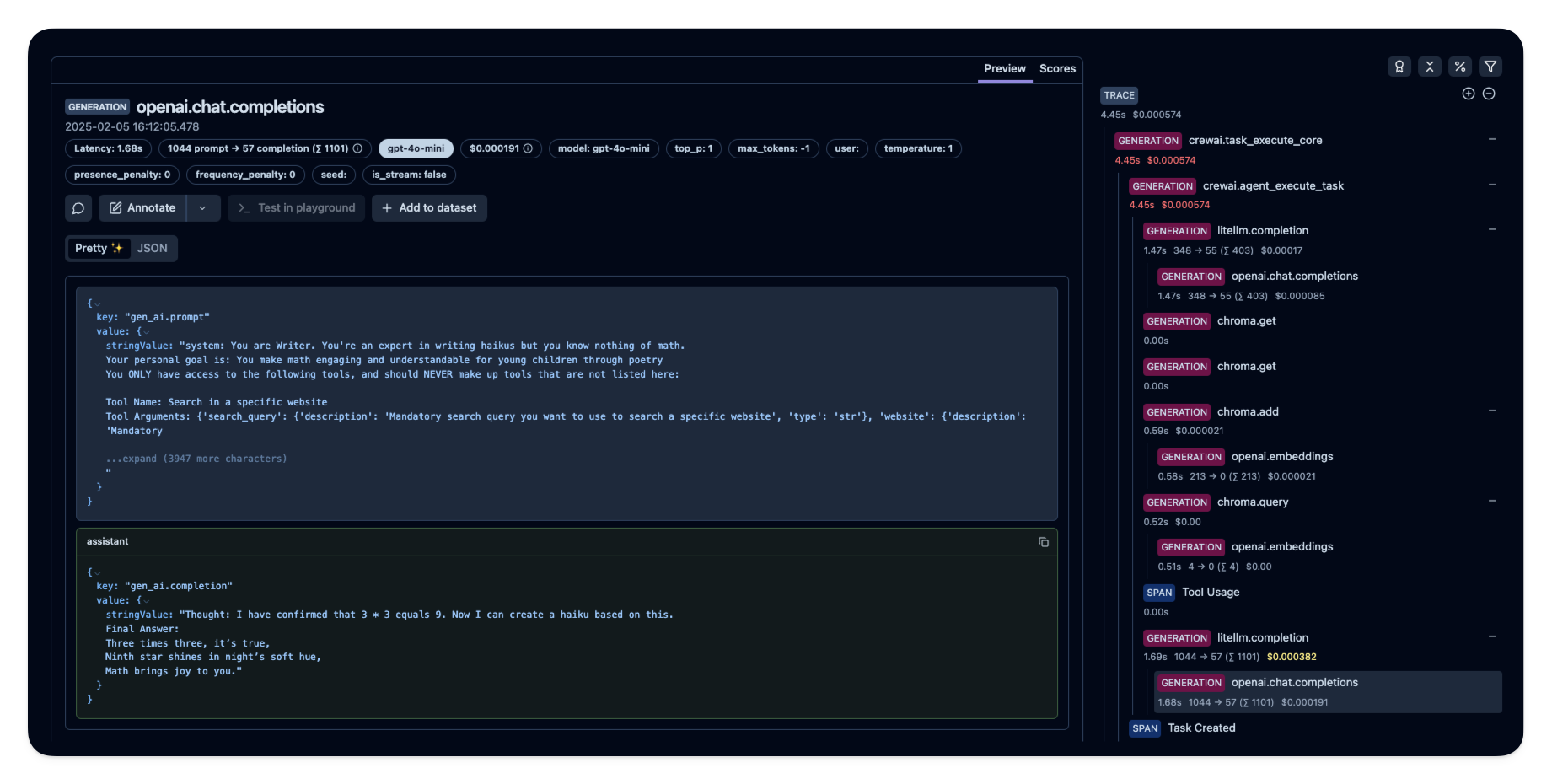
|
||||
|
||||
_[Public example trace in Langfuse](https://cloud.langfuse.com/project/cloramnkj0002jz088vzn1ja4/traces/e2cf380ffc8d47d28da98f136140642b?timestamp=2025-02-05T15%3A12%3A02.717Z&observation=3b32338ee6a5d9af)_
|
||||
|
||||
## References
|
||||
|
||||
- [Langfuse OpenTelemetry Docs](https://langfuse.com/docs/opentelemetry/get-started)
|
||||
206
docs/how-to/mlflow-observability.mdx
Normal file
206
docs/how-to/mlflow-observability.mdx
Normal file
@@ -0,0 +1,206 @@
|
||||
---
|
||||
title: Agent Monitoring with MLflow
|
||||
description: Quickly start monitoring your Agents with MLflow.
|
||||
icon: bars-staggered
|
||||
---
|
||||
|
||||
# MLflow Overview
|
||||
|
||||
[MLflow](https://mlflow.org/) is an open-source platform to assist machine learning practitioners and teams in handling the complexities of the machine learning process.
|
||||
|
||||
It provides a tracing feature that enhances LLM observability in your Generative AI applications by capturing detailed information about the execution of your application’s services.
|
||||
Tracing provides a way to record the inputs, outputs, and metadata associated with each intermediate step of a request, enabling you to easily pinpoint the source of bugs and unexpected behaviors.
|
||||
|
||||

|
||||
|
||||
### Features
|
||||
|
||||
- **Tracing Dashboard**: Monitor activities of your crewAI agents with detailed dashboards that include inputs, outputs and metadata of spans.
|
||||
- **Automated Tracing**: A fully automated integration with crewAI, which can be enabled by running `mlflow.crewai.autolog()`.
|
||||
- **Manual Trace Instrumentation with minor efforts**: Customize trace instrumentation through MLflow's high-level fluent APIs such as decorators, function wrappers and context managers.
|
||||
- **OpenTelemetry Compatibility**: MLflow Tracing supports exporting traces to an OpenTelemetry Collector, which can then be used to export traces to various backends such as Jaeger, Zipkin, and AWS X-Ray.
|
||||
- **Package and Deploy Agents**: Package and deploy your crewAI agents to an inference server with a variety of deployment targets.
|
||||
- **Securely Host LLMs**: Host multiple LLM from various providers in one unified endpoint through MFflow gateway.
|
||||
- **Evaluation**: Evaluate your crewAI agents with a wide range of metrics using a convenient API `mlflow.evaluate()`.
|
||||
|
||||
## Setup Instructions
|
||||
|
||||
<Steps>
|
||||
<Step title="Install MLflow package">
|
||||
```shell
|
||||
# The crewAI integration is available in mlflow>=2.19.0
|
||||
pip install mlflow
|
||||
```
|
||||
</Step>
|
||||
<Step title="Start MFflow tracking server">
|
||||
```shell
|
||||
# This process is optional, but it is recommended to use MLflow tracking server for better visualization and broader features.
|
||||
mlflow server
|
||||
```
|
||||
</Step>
|
||||
<Step title="Initialize MLflow in Your Application">
|
||||
Add the following two lines to your application code:
|
||||
|
||||
```python
|
||||
import mlflow
|
||||
|
||||
mlflow.crewai.autolog()
|
||||
|
||||
# Optional: Set a tracking URI and an experiment name if you have a tracking server
|
||||
mlflow.set_tracking_uri("http://localhost:5000")
|
||||
mlflow.set_experiment("CrewAI")
|
||||
```
|
||||
|
||||
Example Usage for tracing CrewAI Agents:
|
||||
|
||||
```python
|
||||
from crewai import Agent, Crew, Task
|
||||
from crewai.knowledge.source.string_knowledge_source import StringKnowledgeSource
|
||||
from crewai_tools import SerperDevTool, WebsiteSearchTool
|
||||
|
||||
from textwrap import dedent
|
||||
|
||||
content = "Users name is John. He is 30 years old and lives in San Francisco."
|
||||
string_source = StringKnowledgeSource(
|
||||
content=content, metadata={"preference": "personal"}
|
||||
)
|
||||
|
||||
search_tool = WebsiteSearchTool()
|
||||
|
||||
|
||||
class TripAgents:
|
||||
def city_selection_agent(self):
|
||||
return Agent(
|
||||
role="City Selection Expert",
|
||||
goal="Select the best city based on weather, season, and prices",
|
||||
backstory="An expert in analyzing travel data to pick ideal destinations",
|
||||
tools=[
|
||||
search_tool,
|
||||
],
|
||||
verbose=True,
|
||||
)
|
||||
|
||||
def local_expert(self):
|
||||
return Agent(
|
||||
role="Local Expert at this city",
|
||||
goal="Provide the BEST insights about the selected city",
|
||||
backstory="""A knowledgeable local guide with extensive information
|
||||
about the city, it's attractions and customs""",
|
||||
tools=[search_tool],
|
||||
verbose=True,
|
||||
)
|
||||
|
||||
|
||||
class TripTasks:
|
||||
def identify_task(self, agent, origin, cities, interests, range):
|
||||
return Task(
|
||||
description=dedent(
|
||||
f"""
|
||||
Analyze and select the best city for the trip based
|
||||
on specific criteria such as weather patterns, seasonal
|
||||
events, and travel costs. This task involves comparing
|
||||
multiple cities, considering factors like current weather
|
||||
conditions, upcoming cultural or seasonal events, and
|
||||
overall travel expenses.
|
||||
Your final answer must be a detailed
|
||||
report on the chosen city, and everything you found out
|
||||
about it, including the actual flight costs, weather
|
||||
forecast and attractions.
|
||||
|
||||
Traveling from: {origin}
|
||||
City Options: {cities}
|
||||
Trip Date: {range}
|
||||
Traveler Interests: {interests}
|
||||
"""
|
||||
),
|
||||
agent=agent,
|
||||
expected_output="Detailed report on the chosen city including flight costs, weather forecast, and attractions",
|
||||
)
|
||||
|
||||
def gather_task(self, agent, origin, interests, range):
|
||||
return Task(
|
||||
description=dedent(
|
||||
f"""
|
||||
As a local expert on this city you must compile an
|
||||
in-depth guide for someone traveling there and wanting
|
||||
to have THE BEST trip ever!
|
||||
Gather information about key attractions, local customs,
|
||||
special events, and daily activity recommendations.
|
||||
Find the best spots to go to, the kind of place only a
|
||||
local would know.
|
||||
This guide should provide a thorough overview of what
|
||||
the city has to offer, including hidden gems, cultural
|
||||
hotspots, must-visit landmarks, weather forecasts, and
|
||||
high level costs.
|
||||
The final answer must be a comprehensive city guide,
|
||||
rich in cultural insights and practical tips,
|
||||
tailored to enhance the travel experience.
|
||||
|
||||
Trip Date: {range}
|
||||
Traveling from: {origin}
|
||||
Traveler Interests: {interests}
|
||||
"""
|
||||
),
|
||||
agent=agent,
|
||||
expected_output="Comprehensive city guide including hidden gems, cultural hotspots, and practical travel tips",
|
||||
)
|
||||
|
||||
|
||||
class TripCrew:
|
||||
def __init__(self, origin, cities, date_range, interests):
|
||||
self.cities = cities
|
||||
self.origin = origin
|
||||
self.interests = interests
|
||||
self.date_range = date_range
|
||||
|
||||
def run(self):
|
||||
agents = TripAgents()
|
||||
tasks = TripTasks()
|
||||
|
||||
city_selector_agent = agents.city_selection_agent()
|
||||
local_expert_agent = agents.local_expert()
|
||||
|
||||
identify_task = tasks.identify_task(
|
||||
city_selector_agent,
|
||||
self.origin,
|
||||
self.cities,
|
||||
self.interests,
|
||||
self.date_range,
|
||||
)
|
||||
gather_task = tasks.gather_task(
|
||||
local_expert_agent, self.origin, self.interests, self.date_range
|
||||
)
|
||||
|
||||
crew = Crew(
|
||||
agents=[city_selector_agent, local_expert_agent],
|
||||
tasks=[identify_task, gather_task],
|
||||
verbose=True,
|
||||
memory=True,
|
||||
knowledge={
|
||||
"sources": [string_source],
|
||||
"metadata": {"preference": "personal"},
|
||||
},
|
||||
)
|
||||
|
||||
result = crew.kickoff()
|
||||
return result
|
||||
|
||||
|
||||
trip_crew = TripCrew("California", "Tokyo", "Dec 12 - Dec 20", "sports")
|
||||
result = trip_crew.run()
|
||||
|
||||
print(result)
|
||||
```
|
||||
Refer to [MLflow Tracing Documentation](https://mlflow.org/docs/latest/llms/tracing/index.html) for more configurations and use cases.
|
||||
</Step>
|
||||
<Step title="Visualize Activities of Agents">
|
||||
Now traces for your crewAI agents are captured by MLflow.
|
||||
Let's visit MLflow tracking server to view the traces and get insights into your Agents.
|
||||
|
||||
Open `127.0.0.1:5000` on your browser to visit MLflow tracking server.
|
||||
<Frame caption="MLflow Tracing Dashboard">
|
||||
<img src="/images/mlflow1.png" alt="MLflow tracing example with crewai" />
|
||||
</Frame>
|
||||
</Step>
|
||||
</Steps>
|
||||
|
||||
@@ -45,6 +45,7 @@ image_analyst = Agent(
|
||||
# Create a task for image analysis
|
||||
task = Task(
|
||||
description="Analyze the product image at https://example.com/product.jpg and provide a detailed description",
|
||||
expected_output="A detailed description of the product image",
|
||||
agent=image_analyst
|
||||
)
|
||||
|
||||
@@ -81,6 +82,7 @@ inspection_task = Task(
|
||||
3. Compliance with standards
|
||||
Provide a detailed report highlighting any issues found.
|
||||
""",
|
||||
expected_output="A detailed report highlighting any issues found",
|
||||
agent=expert_analyst
|
||||
)
|
||||
|
||||
|
||||
@@ -1,211 +0,0 @@
|
||||
# Portkey Integration with CrewAI
|
||||
<img src="https://raw.githubusercontent.com/siddharthsambharia-portkey/Portkey-Product-Images/main/Portkey-CrewAI.png" alt="Portkey CrewAI Header Image" width="70%" />
|
||||
|
||||
|
||||
[Portkey](https://portkey.ai/?utm_source=crewai&utm_medium=crewai&utm_campaign=crewai) is a 2-line upgrade to make your CrewAI agents reliable, cost-efficient, and fast.
|
||||
|
||||
Portkey adds 4 core production capabilities to any CrewAI agent:
|
||||
1. Routing to **200+ LLMs**
|
||||
2. Making each LLM call more robust
|
||||
3. Full-stack tracing & cost, performance analytics
|
||||
4. Real-time guardrails to enforce behavior
|
||||
|
||||
|
||||
|
||||
|
||||
|
||||
## Getting Started
|
||||
|
||||
1. **Install Required Packages:**
|
||||
|
||||
```bash
|
||||
pip install -qU crewai portkey-ai
|
||||
```
|
||||
|
||||
2. **Configure the LLM Client:**
|
||||
|
||||
To build CrewAI Agents with Portkey, you'll need two keys:
|
||||
- **Portkey API Key**: Sign up on the [Portkey app](https://app.portkey.ai/?utm_source=crewai&utm_medium=crewai&utm_campaign=crewai) and copy your API key
|
||||
- **Virtual Key**: Virtual Keys securely manage your LLM API keys in one place. Store your LLM provider API keys securely in Portkey's vault
|
||||
|
||||
```python
|
||||
from crewai import LLM
|
||||
from portkey_ai import createHeaders, PORTKEY_GATEWAY_URL
|
||||
|
||||
gpt_llm = LLM(
|
||||
model="gpt-4",
|
||||
base_url=PORTKEY_GATEWAY_URL,
|
||||
api_key="dummy", # We are using Virtual key
|
||||
extra_headers=createHeaders(
|
||||
api_key="YOUR_PORTKEY_API_KEY",
|
||||
virtual_key="YOUR_VIRTUAL_KEY", # Enter your Virtual key from Portkey
|
||||
)
|
||||
)
|
||||
```
|
||||
|
||||
3. **Create and Run Your First Agent:**
|
||||
|
||||
```python
|
||||
from crewai import Agent, Task, Crew
|
||||
|
||||
# Define your agents with roles and goals
|
||||
coder = Agent(
|
||||
role='Software developer',
|
||||
goal='Write clear, concise code on demand',
|
||||
backstory='An expert coder with a keen eye for software trends.',
|
||||
llm=gpt_llm
|
||||
)
|
||||
|
||||
# Create tasks for your agents
|
||||
task1 = Task(
|
||||
description="Define the HTML for making a simple website with heading- Hello World! Portkey is working!",
|
||||
expected_output="A clear and concise HTML code",
|
||||
agent=coder
|
||||
)
|
||||
|
||||
# Instantiate your crew
|
||||
crew = Crew(
|
||||
agents=[coder],
|
||||
tasks=[task1],
|
||||
)
|
||||
|
||||
result = crew.kickoff()
|
||||
print(result)
|
||||
```
|
||||
|
||||
|
||||
## Key Features
|
||||
|
||||
| Feature | Description |
|
||||
|---------|-------------|
|
||||
| 🌐 Multi-LLM Support | Access OpenAI, Anthropic, Gemini, Azure, and 250+ providers through a unified interface |
|
||||
| 🛡️ Production Reliability | Implement retries, timeouts, load balancing, and fallbacks |
|
||||
| 📊 Advanced Observability | Track 40+ metrics including costs, tokens, latency, and custom metadata |
|
||||
| 🔍 Comprehensive Logging | Debug with detailed execution traces and function call logs |
|
||||
| 🚧 Security Controls | Set budget limits and implement role-based access control |
|
||||
| 🔄 Performance Analytics | Capture and analyze feedback for continuous improvement |
|
||||
| 💾 Intelligent Caching | Reduce costs and latency with semantic or simple caching |
|
||||
|
||||
|
||||
## Production Features with Portkey Configs
|
||||
|
||||
All features mentioned below are through Portkey's Config system. Portkey's Config system allows you to define routing strategies using simple JSON objects in your LLM API calls. You can create and manage Configs directly in your code or through the Portkey Dashboard. Each Config has a unique ID for easy reference.
|
||||
|
||||
<Frame>
|
||||
<img src="https://raw.githubusercontent.com/Portkey-AI/docs-core/refs/heads/main/images/libraries/libraries-3.avif"/>
|
||||
</Frame>
|
||||
|
||||
|
||||
### 1. Use 250+ LLMs
|
||||
Access various LLMs like Anthropic, Gemini, Mistral, Azure OpenAI, and more with minimal code changes. Switch between providers or use them together seamlessly. [Learn more about Universal API](https://portkey.ai/docs/product/ai-gateway/universal-api)
|
||||
|
||||
|
||||
Easily switch between different LLM providers:
|
||||
|
||||
```python
|
||||
# Anthropic Configuration
|
||||
anthropic_llm = LLM(
|
||||
model="claude-3-5-sonnet-latest",
|
||||
base_url=PORTKEY_GATEWAY_URL,
|
||||
api_key="dummy",
|
||||
extra_headers=createHeaders(
|
||||
api_key="YOUR_PORTKEY_API_KEY",
|
||||
virtual_key="YOUR_ANTHROPIC_VIRTUAL_KEY", #You don't need provider when using Virtual keys
|
||||
trace_id="anthropic_agent"
|
||||
)
|
||||
)
|
||||
|
||||
# Azure OpenAI Configuration
|
||||
azure_llm = LLM(
|
||||
model="gpt-4",
|
||||
base_url=PORTKEY_GATEWAY_URL,
|
||||
api_key="dummy",
|
||||
extra_headers=createHeaders(
|
||||
api_key="YOUR_PORTKEY_API_KEY",
|
||||
virtual_key="YOUR_AZURE_VIRTUAL_KEY", #You don't need provider when using Virtual keys
|
||||
trace_id="azure_agent"
|
||||
)
|
||||
)
|
||||
```
|
||||
|
||||
|
||||
### 2. Caching
|
||||
Improve response times and reduce costs with two powerful caching modes:
|
||||
- **Simple Cache**: Perfect for exact matches
|
||||
- **Semantic Cache**: Matches responses for requests that are semantically similar
|
||||
[Learn more about Caching](https://portkey.ai/docs/product/ai-gateway/cache-simple-and-semantic)
|
||||
|
||||
```py
|
||||
config = {
|
||||
"cache": {
|
||||
"mode": "semantic", # or "simple" for exact matching
|
||||
}
|
||||
}
|
||||
```
|
||||
|
||||
### 3. Production Reliability
|
||||
Portkey provides comprehensive reliability features:
|
||||
- **Automatic Retries**: Handle temporary failures gracefully
|
||||
- **Request Timeouts**: Prevent hanging operations
|
||||
- **Conditional Routing**: Route requests based on specific conditions
|
||||
- **Fallbacks**: Set up automatic provider failovers
|
||||
- **Load Balancing**: Distribute requests efficiently
|
||||
|
||||
[Learn more about Reliability Features](https://portkey.ai/docs/product/ai-gateway/)
|
||||
|
||||
|
||||
|
||||
### 4. Metrics
|
||||
|
||||
Agent runs are complex. Portkey automatically logs **40+ comprehensive metrics** for your AI agents, including cost, tokens used, latency, etc. Whether you need a broad overview or granular insights into your agent runs, Portkey's customizable filters provide the metrics you need.
|
||||
|
||||
|
||||
- Cost per agent interaction
|
||||
- Response times and latency
|
||||
- Token usage and efficiency
|
||||
- Success/failure rates
|
||||
- Cache hit rates
|
||||
|
||||
<img src="https://github.com/siddharthsambharia-portkey/Portkey-Product-Images/blob/main/Portkey-Dashboard.png?raw=true" width="70%" alt="Portkey Dashboard" />
|
||||
|
||||
### 5. Detailed Logging
|
||||
Logs are essential for understanding agent behavior, diagnosing issues, and improving performance. They provide a detailed record of agent activities and tool use, which is crucial for debugging and optimizing processes.
|
||||
|
||||
|
||||
Access a dedicated section to view records of agent executions, including parameters, outcomes, function calls, and errors. Filter logs based on multiple parameters such as trace ID, model, tokens used, and metadata.
|
||||
|
||||
<details>
|
||||
<summary><b>Traces</b></summary>
|
||||
<img src="https://raw.githubusercontent.com/siddharthsambharia-portkey/Portkey-Product-Images/main/Portkey-Traces.png" alt="Portkey Traces" width="70%" />
|
||||
</details>
|
||||
|
||||
<details>
|
||||
<summary><b>Logs</b></summary>
|
||||
<img src="https://raw.githubusercontent.com/siddharthsambharia-portkey/Portkey-Product-Images/main/Portkey-Logs.png" alt="Portkey Logs" width="70%" />
|
||||
</details>
|
||||
|
||||
### 6. Enterprise Security Features
|
||||
- Set budget limit and rate limts per Virtual Key (disposable API keys)
|
||||
- Implement role-based access control
|
||||
- Track system changes with audit logs
|
||||
- Configure data retention policies
|
||||
|
||||
|
||||
|
||||
For detailed information on creating and managing Configs, visit the [Portkey documentation](https://docs.portkey.ai/product/ai-gateway/configs).
|
||||
|
||||
## Resources
|
||||
|
||||
- [📘 Portkey Documentation](https://docs.portkey.ai)
|
||||
- [📊 Portkey Dashboard](https://app.portkey.ai/?utm_source=crewai&utm_medium=crewai&utm_campaign=crewai)
|
||||
- [🐦 Twitter](https://twitter.com/portkeyai)
|
||||
- [💬 Discord Community](https://discord.gg/DD7vgKK299)
|
||||
|
||||
|
||||
|
||||
|
||||
|
||||
|
||||
|
||||
|
||||
|
||||
@@ -1,5 +1,5 @@
|
||||
---
|
||||
title: Portkey Observability and Guardrails
|
||||
title: Agent Monitoring with Portkey
|
||||
description: How to use Portkey with CrewAI
|
||||
icon: key
|
||||
---
|
||||
|
||||
BIN
docs/images/mlflow-tracing.gif
Normal file
BIN
docs/images/mlflow-tracing.gif
Normal file

Binary file not shown.
|
After Width: | Height: | Size: 16 MiB |
BIN
docs/images/mlflow1.png
Normal file
BIN
docs/images/mlflow1.png
Normal file

Binary file not shown.
|
After Width: | Height: | Size: 382 KiB |
@@ -15,113 +15,128 @@ icon: wrench
|
||||
If you need to update Python, visit [python.org/downloads](https://python.org/downloads)
|
||||
</Note>
|
||||
|
||||
# Installing CrewAI
|
||||
CrewAI uses the `uv` as its dependency management and package handling tool. It simplifies project setup and execution, offering a seamless experience.
|
||||
|
||||
CrewAI is a flexible and powerful AI framework that enables you to create and manage AI agents, tools, and tasks efficiently.
|
||||
Let's get you set up! 🚀
|
||||
If you haven't installed `uv` yet, follow **step 1** to quickly get it set up on your system, else you can skip to **step 2**.
|
||||
|
||||
<Steps>
|
||||
<Step title="Install CrewAI">
|
||||
Install CrewAI with all recommended tools using either method:
|
||||
```shell Terminal
|
||||
pip install 'crewai[tools]'
|
||||
<Step title="Install uv">
|
||||
- **On macOS/Linux:**
|
||||
|
||||
Use `curl` to download the script and execute it with `sh`:
|
||||
|
||||
```shell
|
||||
curl -LsSf https://astral.sh/uv/install.sh | sh
|
||||
```
|
||||
or
|
||||
```shell Terminal
|
||||
pip install crewai crewai-tools
|
||||
If your system doesn't have `curl`, you can use `wget`:
|
||||
|
||||
```shell
|
||||
wget -qO- https://astral.sh/uv/install.sh | sh
|
||||
```
|
||||
|
||||
<Note>
|
||||
Both methods install the core package and additional tools needed for most use cases.
|
||||
</Note>
|
||||
- **On Windows:**
|
||||
|
||||
Use `irm` to download the script and `iex` to execute it:
|
||||
|
||||
```shell
|
||||
powershell -ExecutionPolicy ByPass -c "irm https://astral.sh/uv/install.ps1 | iex"
|
||||
```
|
||||
If you run into any issues, refer to [UV's installation guide](https://docs.astral.sh/uv/getting-started/installation/) for more information.
|
||||
</Step>
|
||||
|
||||
<Step title="Upgrade CrewAI (Existing Installations Only)">
|
||||
If you have an older version of CrewAI installed, you can upgrade it:
|
||||
```shell Terminal
|
||||
pip install --upgrade crewai crewai-tools
|
||||
<Step title="Install CrewAI 🚀">
|
||||
- Run the following command to install `crewai` CLI:
|
||||
```shell
|
||||
uv tool install crewai
|
||||
```
|
||||
|
||||
<Warning>
|
||||
If you see a Poetry-related warning, you'll need to migrate to our new dependency manager:
|
||||
```shell Terminal
|
||||
crewai update
|
||||
<Warning>
|
||||
If you encounter a `PATH` warning, run this command to update your shell:
|
||||
```shell
|
||||
uv tool update-shell
|
||||
```
|
||||
This will update your project to use [UV](https://github.com/astral-sh/uv), our new faster dependency manager.
|
||||
</Warning>
|
||||
</Warning>
|
||||
|
||||
<Note>
|
||||
Skip this step if you're doing a fresh installation.
|
||||
</Note>
|
||||
</Step>
|
||||
|
||||
<Step title="Verify Installation">
|
||||
Check your installed versions:
|
||||
```shell Terminal
|
||||
pip freeze | grep crewai
|
||||
- To verify that `crewai` is installed, run:
|
||||
```shell
|
||||
uv tool list
|
||||
```
|
||||
|
||||
You should see something like:
|
||||
```markdown Output
|
||||
crewai==X.X.X
|
||||
crewai-tools==X.X.X
|
||||
- You should see something like:
|
||||
```shell
|
||||
crewai v0.102.0
|
||||
- crewai
|
||||
```
|
||||
<Check>Installation successful! You're ready to create your first crew.</Check>
|
||||
- If you need to update `crewai`, run:
|
||||
```shell
|
||||
uv tool install crewai --upgrade
|
||||
```
|
||||
<Check>Installation successful! You're ready to create your first crew! 🎉</Check>
|
||||
</Step>
|
||||
</Steps>
|
||||
|
||||
# Creating a New Project
|
||||
# Creating a CrewAI Project
|
||||
|
||||
<Info>
|
||||
We recommend using the YAML Template scaffolding for a structured approach to defining agents and tasks.
|
||||
</Info>
|
||||
We recommend using the `YAML` template scaffolding for a structured approach to defining agents and tasks. Here's how to get started:
|
||||
|
||||
<Steps>
|
||||
<Step title="Generate Project Structure">
|
||||
Run the CrewAI CLI command:
|
||||
```shell Terminal
|
||||
crewai create crew <project_name>
|
||||
```
|
||||
<Step title="Generate Project Scaffolding">
|
||||
- Run the `crewai` CLI command:
|
||||
```shell
|
||||
crewai create crew <your_project_name>
|
||||
```
|
||||
|
||||
This creates a new project with the following structure:
|
||||
<Frame>
|
||||
```
|
||||
my_project/
|
||||
├── .gitignore
|
||||
├── pyproject.toml
|
||||
├── README.md
|
||||
├── .env
|
||||
└── src/
|
||||
└── my_project/
|
||||
├── __init__.py
|
||||
├── main.py
|
||||
├── crew.py
|
||||
├── tools/
|
||||
│ ├── custom_tool.py
|
||||
│ └── __init__.py
|
||||
└── config/
|
||||
├── agents.yaml
|
||||
└── tasks.yaml
|
||||
```
|
||||
</Frame>
|
||||
</Step>
|
||||
- This creates a new project with the following structure:
|
||||
<Frame>
|
||||
```
|
||||
my_project/
|
||||
├── .gitignore
|
||||
├── knowledge/
|
||||
├── pyproject.toml
|
||||
├── README.md
|
||||
├── .env
|
||||
└── src/
|
||||
└── my_project/
|
||||
├── __init__.py
|
||||
├── main.py
|
||||
├── crew.py
|
||||
├── tools/
|
||||
│ ├── custom_tool.py
|
||||
│ └── __init__.py
|
||||
└── config/
|
||||
├── agents.yaml
|
||||
└── tasks.yaml
|
||||
```
|
||||
</Frame>
|
||||
</Step>
|
||||
|
||||
<Step title="Customize Your Project">
|
||||
Your project will contain these essential files:
|
||||
- Your project will contain these essential files:
|
||||
| File | Purpose |
|
||||
| --- | --- |
|
||||
| `agents.yaml` | Define your AI agents and their roles |
|
||||
| `tasks.yaml` | Set up agent tasks and workflows |
|
||||
| `.env` | Store API keys and environment variables |
|
||||
| `main.py` | Project entry point and execution flow |
|
||||
| `crew.py` | Crew orchestration and coordination |
|
||||
| `tools/` | Directory for custom agent tools |
|
||||
| `knowledge/` | Directory for knowledge base |
|
||||
|
||||
| File | Purpose |
|
||||
| --- | --- |
|
||||
| `agents.yaml` | Define your AI agents and their roles |
|
||||
| `tasks.yaml` | Set up agent tasks and workflows |
|
||||
| `.env` | Store API keys and environment variables |
|
||||
| `main.py` | Project entry point and execution flow |
|
||||
| `crew.py` | Crew orchestration and coordination |
|
||||
| `tools/` | Directory for custom agent tools |
|
||||
- Start by editing `agents.yaml` and `tasks.yaml` to define your crew's behavior.
|
||||
- Keep sensitive information like API keys in `.env`.
|
||||
</Step>
|
||||
|
||||
<Tip>
|
||||
Start by editing `agents.yaml` and `tasks.yaml` to define your crew's behavior.
|
||||
Keep sensitive information like API keys in `.env`.
|
||||
</Tip>
|
||||
<Step title="Run your Crew">
|
||||
- Before you run your crew, make sure to run:
|
||||
```bash
|
||||
crewai install
|
||||
```
|
||||
- If you need to install additional packages, use:
|
||||
```shell
|
||||
uv add <package-name>
|
||||
```
|
||||
- To run your crew, execute the following command in the root of your project:
|
||||
```bash
|
||||
crewai run
|
||||
```
|
||||
</Step>
|
||||
</Steps>
|
||||
|
||||
|
||||
@@ -6,20 +6,23 @@ icon: handshake
|
||||
|
||||
# What is CrewAI?
|
||||
|
||||
**CrewAI is a cutting-edge framework for orchestrating autonomous AI agents.**
|
||||
**CrewAI is a lean, lightning-fast Python framework built entirely from scratch—completely independent of LangChain or other agent frameworks.**
|
||||
|
||||
CrewAI enables you to create AI teams where each agent has specific roles, tools, and goals, working together to accomplish complex tasks.
|
||||
CrewAI empowers developers with both high-level simplicity and precise low-level control, ideal for creating autonomous AI agents tailored to any scenario:
|
||||
|
||||
Think of it as assembling your dream team - each member (agent) brings unique skills and expertise, collaborating seamlessly to achieve your objectives.
|
||||
- **[CrewAI Crews](/guides/crews/first-crew)**: Optimize for autonomy and collaborative intelligence, enabling you to create AI teams where each agent has specific roles, tools, and goals.
|
||||
- **[CrewAI Flows](/guides/flows/first-flow)**: Enable granular, event-driven control, single LLM calls for precise task orchestration and supports Crews natively.
|
||||
|
||||
## How CrewAI Works
|
||||
With over 100,000 developers certified through our community courses, CrewAI is rapidly becoming the standard for enterprise-ready AI automation.
|
||||
|
||||
## How Crews Work
|
||||
|
||||
<Note>
|
||||
Just like a company has departments (Sales, Engineering, Marketing) working together under leadership to achieve business goals, CrewAI helps you create an organization of AI agents with specialized roles collaborating to accomplish complex tasks.
|
||||
</Note>
|
||||
|
||||
<Frame caption="CrewAI Framework Overview">
|
||||
<img src="crewAI-mindmap.png" alt="CrewAI Framework Overview" />
|
||||
<img src="crews.png" alt="CrewAI Framework Overview" />
|
||||
</Frame>
|
||||
|
||||
| Component | Description | Key Features |
|
||||
@@ -53,12 +56,87 @@ Think of it as assembling your dream team - each member (agent) brings unique sk
|
||||
</Card>
|
||||
</CardGroup>
|
||||
|
||||
## How Flows Work
|
||||
|
||||
<Note>
|
||||
While Crews excel at autonomous collaboration, Flows provide structured automations, offering granular control over workflow execution. Flows ensure tasks are executed reliably, securely, and efficiently, handling conditional logic, loops, and dynamic state management with precision. Flows integrate seamlessly with Crews, enabling you to balance high autonomy with exacting control.
|
||||
</Note>
|
||||
|
||||
<Frame caption="CrewAI Framework Overview">
|
||||
<img src="flows.png" alt="CrewAI Framework Overview" />
|
||||
</Frame>
|
||||
|
||||
| Component | Description | Key Features |
|
||||
|:----------|:-----------:|:------------|
|
||||
| **Flow** | Structured workflow orchestration | • Manages execution paths<br/>• Handles state transitions<br/>• Controls task sequencing<br/>• Ensures reliable execution |
|
||||
| **Events** | Triggers for workflow actions | • Initiate specific processes<br/>• Enable dynamic responses<br/>• Support conditional branching<br/>• Allow for real-time adaptation |
|
||||
| **States** | Workflow execution contexts | • Maintain execution data<br/>• Enable persistence<br/>• Support resumability<br/>• Ensure execution integrity |
|
||||
| **Crew Support** | Enhances workflow automation | • Injects pockets of agency when needed<br/>• Complements structured workflows<br/>• Balances automation with intelligence<br/>• Enables adaptive decision-making |
|
||||
|
||||
### Key Capabilities
|
||||
|
||||
<CardGroup cols={2}>
|
||||
<Card title="Event-Driven Orchestration" icon="bolt">
|
||||
Define precise execution paths responding dynamically to events
|
||||
</Card>
|
||||
<Card title="Fine-Grained Control" icon="sliders">
|
||||
Manage workflow states and conditional execution securely and efficiently
|
||||
</Card>
|
||||
<Card title="Native Crew Integration" icon="puzzle-piece">
|
||||
Effortlessly combine with Crews for enhanced autonomy and intelligence
|
||||
</Card>
|
||||
<Card title="Deterministic Execution" icon="route">
|
||||
Ensure predictable outcomes with explicit control flow and error handling
|
||||
</Card>
|
||||
</CardGroup>
|
||||
|
||||
## When to Use Crews vs. Flows
|
||||
|
||||
<Note>
|
||||
Understanding when to use [Crews](/guides/crews/first-crew) versus [Flows](/guides/flows/first-flow) is key to maximizing the potential of CrewAI in your applications.
|
||||
</Note>
|
||||
|
||||
| Use Case | Recommended Approach | Why? |
|
||||
|:---------|:---------------------|:-----|
|
||||
| **Open-ended research** | [Crews](/guides/crews/first-crew) | When tasks require creative thinking, exploration, and adaptation |
|
||||
| **Content generation** | [Crews](/guides/crews/first-crew) | For collaborative creation of articles, reports, or marketing materials |
|
||||
| **Decision workflows** | [Flows](/guides/flows/first-flow) | When you need predictable, auditable decision paths with precise control |
|
||||
| **API orchestration** | [Flows](/guides/flows/first-flow) | For reliable integration with multiple external services in a specific sequence |
|
||||
| **Hybrid applications** | Combined approach | Use [Flows](/guides/flows/first-flow) to orchestrate overall process with [Crews](/guides/crews/first-crew) handling complex subtasks |
|
||||
|
||||
### Decision Framework
|
||||
|
||||
- **Choose [Crews](/guides/crews/first-crew) when:** You need autonomous problem-solving, creative collaboration, or exploratory tasks
|
||||
- **Choose [Flows](/guides/flows/first-flow) when:** You require deterministic outcomes, auditability, or precise control over execution
|
||||
- **Combine both when:** Your application needs both structured processes and pockets of autonomous intelligence
|
||||
|
||||
## Why Choose CrewAI?
|
||||
|
||||
- 🧠 **Autonomous Operation**: Agents make intelligent decisions based on their roles and available tools
|
||||
- 📝 **Natural Interaction**: Agents communicate and collaborate like human team members
|
||||
- 🛠️ **Extensible Design**: Easy to add new tools, roles, and capabilities
|
||||
- 🚀 **Production Ready**: Built for reliability and scalability in real-world applications
|
||||
- 🔒 **Security-Focused**: Designed with enterprise security requirements in mind
|
||||
- 💰 **Cost-Efficient**: Optimized to minimize token usage and API calls
|
||||
|
||||
## Ready to Start Building?
|
||||
|
||||
<CardGroup cols={2}>
|
||||
<Card
|
||||
title="Build Your First Crew"
|
||||
icon="users-gear"
|
||||
href="/guides/crews/first-crew"
|
||||
>
|
||||
Step-by-step tutorial to create a collaborative AI team that works together to solve complex problems.
|
||||
</Card>
|
||||
<Card
|
||||
title="Build Your First Flow"
|
||||
icon="diagram-project"
|
||||
href="/guides/flows/first-flow"
|
||||
>
|
||||
Learn how to create structured, event-driven workflows with precise control over execution.
|
||||
</Card>
|
||||
</CardGroup>
|
||||
|
||||
<CardGroup cols={3}>
|
||||
<Card
|
||||
|
||||
168
docs/mint.json
168
docs/mint.json
@@ -1,168 +0,0 @@
|
||||
{
|
||||
"name": "CrewAI",
|
||||
"theme": "venus",
|
||||
"logo": {
|
||||
"dark": "crew_only_logo.png",
|
||||
"light": "crew_only_logo.png"
|
||||
},
|
||||
"favicon": "favicon.svg",
|
||||
"colors": {
|
||||
"primary": "#EB6658",
|
||||
"light": "#F3A78B",
|
||||
"dark": "#C94C3C",
|
||||
"anchors": {
|
||||
"from": "#737373",
|
||||
"to": "#EB6658"
|
||||
}
|
||||
},
|
||||
"seo": {
|
||||
"indexHiddenPages": false
|
||||
},
|
||||
"modeToggle": {
|
||||
"default": "dark",
|
||||
"isHidden": false
|
||||
},
|
||||
"feedback": {
|
||||
"suggestEdit": true,
|
||||
"raiseIssue": true,
|
||||
"thumbsRating": true
|
||||
},
|
||||
"topbarCtaButton": {
|
||||
"type": "github",
|
||||
"url": "https://github.com/crewAIInc/crewAI"
|
||||
},
|
||||
"primaryTab": {
|
||||
"name": "Get Started"
|
||||
},
|
||||
"tabs": [
|
||||
{
|
||||
"name": "Examples",
|
||||
"url": "examples"
|
||||
}
|
||||
],
|
||||
"anchors": [
|
||||
{
|
||||
"name": "Community",
|
||||
"icon": "discourse",
|
||||
"url": "https://community.crewai.com"
|
||||
},
|
||||
{
|
||||
"name": "Changelog",
|
||||
"icon": "timeline",
|
||||
"url": "https://github.com/crewAIInc/crewAI/releases"
|
||||
}
|
||||
],
|
||||
"navigation": [
|
||||
{
|
||||
"group": "Get Started",
|
||||
"pages": [
|
||||
"introduction",
|
||||
"installation",
|
||||
"quickstart"
|
||||
]
|
||||
},
|
||||
{
|
||||
"group": "Core Concepts",
|
||||
"pages": [
|
||||
"concepts/agents",
|
||||
"concepts/tasks",
|
||||
"concepts/crews",
|
||||
"concepts/flows",
|
||||
"concepts/knowledge",
|
||||
"concepts/llms",
|
||||
"concepts/processes",
|
||||
"concepts/collaboration",
|
||||
"concepts/training",
|
||||
"concepts/memory",
|
||||
"concepts/planning",
|
||||
"concepts/testing",
|
||||
"concepts/cli",
|
||||
"concepts/tools",
|
||||
"concepts/langchain-tools",
|
||||
"concepts/llamaindex-tools"
|
||||
]
|
||||
},
|
||||
{
|
||||
"group": "How to Guides",
|
||||
"pages": [
|
||||
"how-to/create-custom-tools",
|
||||
"how-to/sequential-process",
|
||||
"how-to/hierarchical-process",
|
||||
"how-to/custom-manager-agent",
|
||||
"how-to/llm-connections",
|
||||
"how-to/customizing-agents",
|
||||
"how-to/multimodal-agents",
|
||||
"how-to/coding-agents",
|
||||
"how-to/force-tool-output-as-result",
|
||||
"how-to/human-input-on-execution",
|
||||
"how-to/kickoff-async",
|
||||
"how-to/kickoff-for-each",
|
||||
"how-to/replay-tasks-from-latest-crew-kickoff",
|
||||
"how-to/conditional-tasks",
|
||||
"how-to/agentops-observability",
|
||||
"how-to/langtrace-observability",
|
||||
"how-to/openlit-observability",
|
||||
"how-to/portkey-observability"
|
||||
]
|
||||
},
|
||||
{
|
||||
"group": "Examples",
|
||||
"pages": [
|
||||
"examples/example"
|
||||
]
|
||||
},
|
||||
{
|
||||
"group": "Tools",
|
||||
"pages": [
|
||||
"tools/browserbaseloadtool",
|
||||
"tools/codedocssearchtool",
|
||||
"tools/codeinterpretertool",
|
||||
"tools/composiotool",
|
||||
"tools/csvsearchtool",
|
||||
"tools/dalletool",
|
||||
"tools/directorysearchtool",
|
||||
"tools/directoryreadtool",
|
||||
"tools/docxsearchtool",
|
||||
"tools/exasearchtool",
|
||||
"tools/filereadtool",
|
||||
"tools/filewritetool",
|
||||
"tools/firecrawlcrawlwebsitetool",
|
||||
"tools/firecrawlscrapewebsitetool",
|
||||
"tools/firecrawlsearchtool",
|
||||
"tools/githubsearchtool",
|
||||
"tools/serperdevtool",
|
||||
"tools/jsonsearchtool",
|
||||
"tools/mdxsearchtool",
|
||||
"tools/mysqltool",
|
||||
"tools/nl2sqltool",
|
||||
"tools/pdfsearchtool",
|
||||
"tools/pgsearchtool",
|
||||
"tools/scrapewebsitetool",
|
||||
"tools/seleniumscrapingtool",
|
||||
"tools/spidertool",
|
||||
"tools/txtsearchtool",
|
||||
"tools/visiontool",
|
||||
"tools/websitesearchtool",
|
||||
"tools/xmlsearchtool",
|
||||
"tools/youtubechannelsearchtool",
|
||||
"tools/youtubevideosearchtool"
|
||||
]
|
||||
},
|
||||
{
|
||||
"group": "Telemetry",
|
||||
"pages": [
|
||||
"telemetry"
|
||||
]
|
||||
}
|
||||
],
|
||||
"search": {
|
||||
"prompt": "Search CrewAI docs"
|
||||
},
|
||||
"footerSocials": {
|
||||
"website": "https://crewai.com",
|
||||
"x": "https://x.com/crewAIInc",
|
||||
"github": "https://github.com/crewAIInc/crewAI",
|
||||
"linkedin": "https://www.linkedin.com/company/crewai-inc",
|
||||
"youtube": "https://youtube.com/@crewAIInc"
|
||||
}
|
||||
}
|
||||
@@ -8,10 +8,10 @@ icon: rocket
|
||||
|
||||
Let's create a simple crew that will help us `research` and `report` on the `latest AI developments` for a given topic or subject.
|
||||
|
||||
Before we proceed, make sure you have `crewai` and `crewai-tools` installed.
|
||||
Before we proceed, make sure you have finished installing CrewAI.
|
||||
If you haven't installed them yet, you can do so by following the [installation guide](/installation).
|
||||
|
||||
Follow the steps below to get crewing! 🚣♂️
|
||||
Follow the steps below to get Crewing! 🚣♂️
|
||||
|
||||
<Steps>
|
||||
<Step title="Create your crew">
|
||||
@@ -23,6 +23,13 @@ Follow the steps below to get crewing! 🚣♂️
|
||||
```
|
||||
</CodeGroup>
|
||||
</Step>
|
||||
<Step title="Navigate to your new crew project">
|
||||
<CodeGroup>
|
||||
```shell Terminal
|
||||
cd latest-ai-development
|
||||
```
|
||||
</CodeGroup>
|
||||
</Step>
|
||||
<Step title="Modify your `agents.yaml` file">
|
||||
<Tip>
|
||||
You can also modify the agents as needed to fit your use case or copy and paste as is to your project.
|
||||
@@ -58,7 +65,7 @@ Follow the steps below to get crewing! 🚣♂️
|
||||
description: >
|
||||
Conduct a thorough research about {topic}
|
||||
Make sure you find any interesting and relevant information given
|
||||
the current year is 2024.
|
||||
the current year is 2025.
|
||||
expected_output: >
|
||||
A list with 10 bullet points of the most relevant information about {topic}
|
||||
agent: researcher
|
||||
@@ -172,21 +179,26 @@ Follow the steps below to get crewing! 🚣♂️
|
||||
- A [Serper.dev](https://serper.dev/) API key: `SERPER_API_KEY=YOUR_KEY_HERE`
|
||||
</Step>
|
||||
<Step title="Lock and install the dependencies">
|
||||
Lock the dependencies and install them by using the CLI command but first, navigate to your project directory:
|
||||
<CodeGroup>
|
||||
```shell Terminal
|
||||
cd latest-ai-development
|
||||
crewai install
|
||||
```
|
||||
</CodeGroup>
|
||||
- Lock the dependencies and install them by using the CLI command:
|
||||
<CodeGroup>
|
||||
```shell Terminal
|
||||
crewai install
|
||||
```
|
||||
</CodeGroup>
|
||||
- If you have additional packages that you want to install, you can do so by running:
|
||||
<CodeGroup>
|
||||
```shell Terminal
|
||||
uv add <package-name>
|
||||
```
|
||||
</CodeGroup>
|
||||
</Step>
|
||||
<Step title="Run your crew">
|
||||
To run your crew, execute the following command in the root of your project:
|
||||
<CodeGroup>
|
||||
```bash Terminal
|
||||
crewai run
|
||||
```
|
||||
</CodeGroup>
|
||||
- To run your crew, execute the following command in the root of your project:
|
||||
<CodeGroup>
|
||||
```bash Terminal
|
||||
crewai run
|
||||
```
|
||||
</CodeGroup>
|
||||
</Step>
|
||||
<Step title="View your final report">
|
||||
You should see the output in the console and the `report.md` file should be created in the root of your project with the final report.
|
||||
@@ -195,10 +207,10 @@ Follow the steps below to get crewing! 🚣♂️
|
||||
|
||||
<CodeGroup>
|
||||
```markdown output/report.md
|
||||
# Comprehensive Report on the Rise and Impact of AI Agents in 2024
|
||||
# Comprehensive Report on the Rise and Impact of AI Agents in 2025
|
||||
|
||||
## 1. Introduction to AI Agents
|
||||
In 2024, Artificial Intelligence (AI) agents are at the forefront of innovation across various industries. As intelligent systems that can perform tasks typically requiring human cognition, AI agents are paving the way for significant advancements in operational efficiency, decision-making, and overall productivity within sectors like Human Resources (HR) and Finance. This report aims to detail the rise of AI agents, their frameworks, applications, and potential implications on the workforce.
|
||||
In 2025, Artificial Intelligence (AI) agents are at the forefront of innovation across various industries. As intelligent systems that can perform tasks typically requiring human cognition, AI agents are paving the way for significant advancements in operational efficiency, decision-making, and overall productivity within sectors like Human Resources (HR) and Finance. This report aims to detail the rise of AI agents, their frameworks, applications, and potential implications on the workforce.
|
||||
|
||||
## 2. Benefits of AI Agents
|
||||
AI agents bring numerous advantages that are transforming traditional work environments. Key benefits include:
|
||||
@@ -252,12 +264,18 @@ Follow the steps below to get crewing! 🚣♂️
|
||||
To stay competitive and harness the full potential of AI agents, organizations must remain vigilant about latest developments in AI technology and consider continuous learning and adaptation in their strategic planning.
|
||||
|
||||
## 8. Conclusion
|
||||
The emergence of AI agents is undeniably reshaping the workplace landscape in 2024. With their ability to automate tasks, enhance efficiency, and improve decision-making, AI agents are critical in driving operational success. Organizations must embrace and adapt to AI developments to thrive in an increasingly digital business environment.
|
||||
The emergence of AI agents is undeniably reshaping the workplace landscape in 5. With their ability to automate tasks, enhance efficiency, and improve decision-making, AI agents are critical in driving operational success. Organizations must embrace and adapt to AI developments to thrive in an increasingly digital business environment.
|
||||
```
|
||||
</CodeGroup>
|
||||
</Step>
|
||||
</Steps>
|
||||
|
||||
<Check>
|
||||
Congratulations!
|
||||
|
||||
You have successfully set up your crew project and are ready to start building your own agentic workflows!
|
||||
</Check>
|
||||
|
||||
### Note on Consistency in Naming
|
||||
|
||||
The names you use in your YAML files (`agents.yaml` and `tasks.yaml`) should match the method names in your Python code.
|
||||
@@ -282,7 +300,7 @@ email_summarizer:
|
||||
```
|
||||
|
||||
<Tip>
|
||||
Note how we use the same name for the agent in the `tasks.yaml` (`email_summarizer_task`) file as the method name in the `crew.py` (`email_summarizer_task`) file.
|
||||
Note how we use the same name for the task in the `tasks.yaml` (`email_summarizer_task`) file as the method name in the `crew.py` (`email_summarizer_task`) file.
|
||||
</Tip>
|
||||
|
||||
```yaml tasks.yaml
|
||||
@@ -297,194 +315,9 @@ email_summarizer_task:
|
||||
- research_task
|
||||
```
|
||||
|
||||
Use the annotations to properly reference the agent and task in the `crew.py` file.
|
||||
|
||||
### Annotations include:
|
||||
|
||||
Here are examples of how to use each annotation in your CrewAI project, and when you should use them:
|
||||
|
||||
#### @agent
|
||||
Used to define an agent in your crew. Use this when:
|
||||
- You need to create a specialized AI agent with a specific role
|
||||
- You want the agent to be automatically collected and managed by the crew
|
||||
- You need to reuse the same agent configuration across multiple tasks
|
||||
|
||||
```python
|
||||
@agent
|
||||
def research_agent(self) -> Agent:
|
||||
return Agent(
|
||||
role="Research Analyst",
|
||||
goal="Conduct thorough research on given topics",
|
||||
backstory="Expert researcher with years of experience in data analysis",
|
||||
tools=[SerperDevTool()],
|
||||
verbose=True
|
||||
)
|
||||
```
|
||||
|
||||
#### @task
|
||||
Used to define a task that can be executed by agents. Use this when:
|
||||
- You need to define a specific piece of work for an agent
|
||||
- You want tasks to be automatically sequenced and managed
|
||||
- You need to establish dependencies between different tasks
|
||||
|
||||
```python
|
||||
@task
|
||||
def research_task(self) -> Task:
|
||||
return Task(
|
||||
description="Research the latest developments in AI technology",
|
||||
expected_output="A comprehensive report on AI advancements",
|
||||
agent=self.research_agent(),
|
||||
output_file="output/research.md"
|
||||
)
|
||||
```
|
||||
|
||||
#### @crew
|
||||
Used to define your crew configuration. Use this when:
|
||||
- You want to automatically collect all @agent and @task definitions
|
||||
- You need to specify how tasks should be processed (sequential or hierarchical)
|
||||
- You want to set up crew-wide configurations
|
||||
|
||||
```python
|
||||
@crew
|
||||
def research_crew(self) -> Crew:
|
||||
return Crew(
|
||||
agents=self.agents, # Automatically collected from @agent methods
|
||||
tasks=self.tasks, # Automatically collected from @task methods
|
||||
process=Process.sequential,
|
||||
verbose=True
|
||||
)
|
||||
```
|
||||
|
||||
#### @tool
|
||||
Used to create custom tools for your agents. Use this when:
|
||||
- You need to give agents specific capabilities (like web search, data analysis)
|
||||
- You want to encapsulate external API calls or complex operations
|
||||
- You need to share functionality across multiple agents
|
||||
|
||||
```python
|
||||
@tool
|
||||
def web_search_tool(query: str, max_results: int = 5) -> list[str]:
|
||||
"""
|
||||
Search the web for information.
|
||||
|
||||
Args:
|
||||
query: The search query
|
||||
max_results: Maximum number of results to return
|
||||
|
||||
Returns:
|
||||
List of search results
|
||||
"""
|
||||
# Implement your search logic here
|
||||
return [f"Result {i} for: {query}" for i in range(max_results)]
|
||||
```
|
||||
|
||||
#### @before_kickoff
|
||||
Used to execute logic before the crew starts. Use this when:
|
||||
- You need to validate or preprocess input data
|
||||
- You want to set up resources or configurations before execution
|
||||
- You need to perform any initialization logic
|
||||
|
||||
```python
|
||||
@before_kickoff
|
||||
def validate_inputs(self, inputs: Optional[Dict[str, Any]]) -> Optional[Dict[str, Any]]:
|
||||
"""Validate and preprocess inputs before the crew starts."""
|
||||
if inputs is None:
|
||||
return None
|
||||
|
||||
if 'topic' not in inputs:
|
||||
raise ValueError("Topic is required")
|
||||
|
||||
# Add additional context
|
||||
inputs['timestamp'] = datetime.now().isoformat()
|
||||
inputs['topic'] = inputs['topic'].strip().lower()
|
||||
return inputs
|
||||
```
|
||||
|
||||
#### @after_kickoff
|
||||
Used to process results after the crew completes. Use this when:
|
||||
- You need to format or transform the final output
|
||||
- You want to perform cleanup operations
|
||||
- You need to save or log the results in a specific way
|
||||
|
||||
```python
|
||||
@after_kickoff
|
||||
def process_results(self, result: CrewOutput) -> CrewOutput:
|
||||
"""Process and format the results after the crew completes."""
|
||||
result.raw = result.raw.strip()
|
||||
result.raw = f"""
|
||||
# Research Results
|
||||
Generated on: {datetime.now().isoformat()}
|
||||
|
||||
{result.raw}
|
||||
"""
|
||||
return result
|
||||
```
|
||||
|
||||
#### @callback
|
||||
Used to handle events during crew execution. Use this when:
|
||||
- You need to monitor task progress
|
||||
- You want to log intermediate results
|
||||
- You need to implement custom progress tracking or metrics
|
||||
|
||||
```python
|
||||
@callback
|
||||
def log_task_completion(self, task: Task, output: str):
|
||||
"""Log task completion details for monitoring."""
|
||||
print(f"Task '{task.description}' completed")
|
||||
print(f"Output length: {len(output)} characters")
|
||||
print(f"Agent used: {task.agent.role}")
|
||||
print("-" * 50)
|
||||
```
|
||||
|
||||
#### @cache_handler
|
||||
Used to implement custom caching for task results. Use this when:
|
||||
- You want to avoid redundant expensive operations
|
||||
- You need to implement custom cache storage or expiration logic
|
||||
- You want to persist results between runs
|
||||
|
||||
```python
|
||||
@cache_handler
|
||||
def custom_cache(self, key: str) -> Optional[str]:
|
||||
"""Custom cache implementation for storing task results."""
|
||||
cache_file = f"cache/{key}.json"
|
||||
|
||||
if os.path.exists(cache_file):
|
||||
with open(cache_file, 'r') as f:
|
||||
data = json.load(f)
|
||||
# Check if cache is still valid (e.g., not expired)
|
||||
if datetime.fromisoformat(data['timestamp']) > datetime.now() - timedelta(days=1):
|
||||
return data['result']
|
||||
return None
|
||||
```
|
||||
|
||||
<Note>
|
||||
These decorators are part of the CrewAI framework and help organize your crew's structure by automatically collecting agents, tasks, and handling various lifecycle events.
|
||||
They should be used within a class decorated with `@CrewBase`.
|
||||
</Note>
|
||||
|
||||
### Replay Tasks from Latest Crew Kickoff
|
||||
|
||||
CrewAI now includes a replay feature that allows you to list the tasks from the last run and replay from a specific one. To use this feature, run.
|
||||
|
||||
```shell
|
||||
crewai replay <task_id>
|
||||
```
|
||||
|
||||
Replace `<task_id>` with the ID of the task you want to replay.
|
||||
|
||||
### Reset Crew Memory
|
||||
|
||||
If you need to reset the memory of your crew before running it again, you can do so by calling the reset memory feature:
|
||||
|
||||
```shell
|
||||
crewai reset-memories --all
|
||||
```
|
||||
|
||||
This will clear the crew's memory, allowing for a fresh start.
|
||||
|
||||
## Deploying Your Project
|
||||
|
||||
The easiest way to deploy your crew is through CrewAI Enterprise, where you can deploy your crew in a few clicks.
|
||||
The easiest way to deploy your crew is through [CrewAI Enterprise](http://app.crewai.com), where you can deploy your crew in a few clicks.
|
||||
|
||||
<CardGroup cols={2}>
|
||||
<Card
|
||||
|
||||
118
docs/tools/aimindtool.mdx
Normal file
118
docs/tools/aimindtool.mdx
Normal file
@@ -0,0 +1,118 @@
|
||||
---
|
||||
title: AI Mind Tool
|
||||
description: The `AIMindTool` is designed to query data sources in natural language.
|
||||
icon: brain
|
||||
---
|
||||
|
||||
# `AIMindTool`
|
||||
|
||||
## Description
|
||||
|
||||
The `AIMindTool` is a wrapper around [AI-Minds](https://mindsdb.com/minds) provided by [MindsDB](https://mindsdb.com/). It allows you to query data sources in natural language by simply configuring their connection parameters. This tool is useful when you need answers to questions from your data stored in various data sources including PostgreSQL, MySQL, MariaDB, ClickHouse, Snowflake, and Google BigQuery.
|
||||
|
||||
Minds are AI systems that work similarly to large language models (LLMs) but go beyond by answering any question from any data. This is accomplished by:
|
||||
- Selecting the most relevant data for an answer using parametric search
|
||||
- Understanding the meaning and providing responses within the correct context through semantic search
|
||||
- Delivering precise answers by analyzing data and using machine learning (ML) models
|
||||
|
||||
## Installation
|
||||
|
||||
To incorporate this tool into your project, you need to install the Minds SDK:
|
||||
|
||||
```shell
|
||||
uv add minds-sdk
|
||||
```
|
||||
|
||||
## Steps to Get Started
|
||||
|
||||
To effectively use the `AIMindTool`, follow these steps:
|
||||
|
||||
1. **Package Installation**: Confirm that the `crewai[tools]` and `minds-sdk` packages are installed in your Python environment.
|
||||
2. **API Key Acquisition**: Sign up for a Minds account [here](https://mdb.ai/register), and obtain an API key.
|
||||
3. **Environment Configuration**: Store your obtained API key in an environment variable named `MINDS_API_KEY` to facilitate its use by the tool.
|
||||
|
||||
## Example
|
||||
|
||||
The following example demonstrates how to initialize the tool and execute a query:
|
||||
|
||||
```python Code
|
||||
from crewai_tools import AIMindTool
|
||||
|
||||
# Initialize the AIMindTool
|
||||
aimind_tool = AIMindTool(
|
||||
datasources=[
|
||||
{
|
||||
"description": "house sales data",
|
||||
"engine": "postgres",
|
||||
"connection_data": {
|
||||
"user": "demo_user",
|
||||
"password": "demo_password",
|
||||
"host": "samples.mindsdb.com",
|
||||
"port": 5432,
|
||||
"database": "demo",
|
||||
"schema": "demo_data"
|
||||
},
|
||||
"tables": ["house_sales"]
|
||||
}
|
||||
]
|
||||
)
|
||||
|
||||
# Run a natural language query
|
||||
result = aimind_tool.run("How many 3 bedroom houses were sold in 2008?")
|
||||
print(result)
|
||||
```
|
||||
|
||||
## Parameters
|
||||
|
||||
The `AIMindTool` accepts the following parameters:
|
||||
|
||||
- **api_key**: Optional. Your Minds API key. If not provided, it will be read from the `MINDS_API_KEY` environment variable.
|
||||
- **datasources**: A list of dictionaries, each containing the following keys:
|
||||
- **description**: A description of the data contained in the datasource.
|
||||
- **engine**: The engine (or type) of the datasource.
|
||||
- **connection_data**: A dictionary containing the connection parameters for the datasource.
|
||||
- **tables**: A list of tables that the data source will use. This is optional and can be omitted if all tables in the data source are to be used.
|
||||
|
||||
A list of supported data sources and their connection parameters can be found [here](https://docs.mdb.ai/docs/data_sources).
|
||||
|
||||
## Agent Integration Example
|
||||
|
||||
Here's how to integrate the `AIMindTool` with a CrewAI agent:
|
||||
|
||||
```python Code
|
||||
from crewai import Agent
|
||||
from crewai.project import agent
|
||||
from crewai_tools import AIMindTool
|
||||
|
||||
# Initialize the tool
|
||||
aimind_tool = AIMindTool(
|
||||
datasources=[
|
||||
{
|
||||
"description": "sales data",
|
||||
"engine": "postgres",
|
||||
"connection_data": {
|
||||
"user": "your_user",
|
||||
"password": "your_password",
|
||||
"host": "your_host",
|
||||
"port": 5432,
|
||||
"database": "your_db",
|
||||
"schema": "your_schema"
|
||||
},
|
||||
"tables": ["sales"]
|
||||
}
|
||||
]
|
||||
)
|
||||
|
||||
# Define an agent with the AIMindTool
|
||||
@agent
|
||||
def data_analyst(self) -> Agent:
|
||||
return Agent(
|
||||
config=self.agents_config["data_analyst"],
|
||||
allow_delegation=False,
|
||||
tools=[aimind_tool]
|
||||
)
|
||||
```
|
||||
|
||||
## Conclusion
|
||||
|
||||
The `AIMindTool` provides a powerful way to query your data sources using natural language, making it easier to extract insights without writing complex SQL queries. By connecting to various data sources and leveraging AI-Minds technology, this tool enables agents to access and analyze data efficiently.
|
||||
99
docs/tools/apifyactorstool.mdx
Normal file
99
docs/tools/apifyactorstool.mdx
Normal file
@@ -0,0 +1,99 @@
|
||||
---
|
||||
title: Apify Actors
|
||||
description: "`ApifyActorsTool` lets you call Apify Actors to provide your CrewAI workflows with web scraping, crawling, data extraction, and web automation capabilities."
|
||||
# hack to use custom Apify icon
|
||||
icon: "); -webkit-mask-image: url('https://upload.wikimedia.org/wikipedia/commons/a/ae/Apify.svg');/*"
|
||||
---
|
||||
|
||||
# `ApifyActorsTool`
|
||||
|
||||
Integrate [Apify Actors](https://apify.com/actors) into your CrewAI workflows.
|
||||
|
||||
## Description
|
||||
|
||||
The `ApifyActorsTool` connects [Apify Actors](https://apify.com/actors), cloud-based programs for web scraping and automation, to your CrewAI workflows.
|
||||
Use any of the 4,000+ Actors on [Apify Store](https://apify.com/store) for use cases such as extracting data from social media, search engines, online maps, e-commerce sites, travel portals, or general websites.
|
||||
|
||||
For details, see the [Apify CrewAI integration](https://docs.apify.com/platform/integrations/crewai) in Apify documentation.
|
||||
|
||||
## Steps to get started
|
||||
|
||||
<Steps>
|
||||
<Step title="Install dependencies">
|
||||
Install `crewai[tools]` and `langchain-apify` using pip: `pip install 'crewai[tools]' langchain-apify`.
|
||||
</Step>
|
||||
<Step title="Obtain an Apify API token">
|
||||
Sign up to [Apify Console](https://console.apify.com/) and get your [Apify API token](https://console.apify.com/settings/integrations)..
|
||||
</Step>
|
||||
<Step title="Configure environment">
|
||||
Set your Apify API token as the `APIFY_API_TOKEN` environment variable to enable the tool's functionality.
|
||||
</Step>
|
||||
</Steps>
|
||||
|
||||
## Usage example
|
||||
|
||||
Use the `ApifyActorsTool` manually to run the [RAG Web Browser Actor](https://apify.com/apify/rag-web-browser) to perform a web search:
|
||||
|
||||
```python
|
||||
from crewai_tools import ApifyActorsTool
|
||||
|
||||
# Initialize the tool with an Apify Actor
|
||||
tool = ApifyActorsTool(actor_name="apify/rag-web-browser")
|
||||
|
||||
# Run the tool with input parameters
|
||||
results = tool.run(run_input={"query": "What is CrewAI?", "maxResults": 5})
|
||||
|
||||
# Process the results
|
||||
for result in results:
|
||||
print(f"URL: {result['metadata']['url']}")
|
||||
print(f"Content: {result.get('markdown', 'N/A')[:100]}...")
|
||||
```
|
||||
|
||||
### Expected output
|
||||
|
||||
Here is the output from running the code above:
|
||||
|
||||
```text
|
||||
URL: https://www.example.com/crewai-intro
|
||||
Content: CrewAI is a framework for building AI-powered workflows...
|
||||
URL: https://docs.crewai.com/
|
||||
Content: Official documentation for CrewAI...
|
||||
```
|
||||
|
||||
The `ApifyActorsTool` automatically fetches the Actor definition and input schema from Apify using the provided `actor_name` and then constructs the tool description and argument schema. This means you need to specify only a valid `actor_name`, and the tool handles the rest when used with agents—no need to specify the `run_input`. Here's how it works:
|
||||
|
||||
```python
|
||||
from crewai import Agent
|
||||
from crewai_tools import ApifyActorsTool
|
||||
|
||||
rag_browser = ApifyActorsTool(actor_name="apify/rag-web-browser")
|
||||
|
||||
agent = Agent(
|
||||
role="Research Analyst",
|
||||
goal="Find and summarize information about specific topics",
|
||||
backstory="You are an experienced researcher with attention to detail",
|
||||
tools=[rag_browser],
|
||||
)
|
||||
```
|
||||
|
||||
You can run other Actors from [Apify Store](https://apify.com/store) simply by changing the `actor_name` and, when using it manually, adjusting the `run_input` based on the Actor input schema.
|
||||
|
||||
For an example of usage with agents, see the [CrewAI Actor template](https://apify.com/templates/python-crewai).
|
||||
|
||||
## Configuration
|
||||
|
||||
The `ApifyActorsTool` requires these inputs to work:
|
||||
|
||||
- **`actor_name`**
|
||||
The ID of the Apify Actor to run, e.g., `"apify/rag-web-browser"`. Browse all Actors on [Apify Store](https://apify.com/store).
|
||||
- **`run_input`**
|
||||
A dictionary of input parameters for the Actor when running the tool manually.
|
||||
- For example, for the `apify/rag-web-browser` Actor: `{"query": "search term", "maxResults": 5}`
|
||||
- See the Actor's [input schema](https://apify.com/apify/rag-web-browser/input-schema) for the list of input parameters.
|
||||
|
||||
## Resources
|
||||
|
||||
- **[Apify](https://apify.com/)**: Explore the Apify platform.
|
||||
- **[How to build an AI agent on Apify](https://blog.apify.com/how-to-build-an-ai-agent/)** - A complete step-by-step guide to creating, publishing, and monetizing AI agents on the Apify platform.
|
||||
- **[RAG Web Browser Actor](https://apify.com/apify/rag-web-browser)**: A popular Actor for web search for LLMs.
|
||||
- **[CrewAI Integration Guide](https://docs.apify.com/platform/integrations/crewai)**: Follow the official guide for integrating Apify and CrewAI.
|
||||
96
docs/tools/bravesearchtool.mdx
Normal file
96
docs/tools/bravesearchtool.mdx
Normal file
@@ -0,0 +1,96 @@
|
||||
---
|
||||
title: Brave Search
|
||||
description: The `BraveSearchTool` is designed to search the internet using the Brave Search API.
|
||||
icon: searchengin
|
||||
---
|
||||
|
||||
# `BraveSearchTool`
|
||||
|
||||
## Description
|
||||
|
||||
This tool is designed to perform web searches using the Brave Search API. It allows you to search the internet with a specified query and retrieve relevant results. The tool supports customizable result counts and country-specific searches.
|
||||
|
||||
## Installation
|
||||
|
||||
To incorporate this tool into your project, follow the installation instructions below:
|
||||
|
||||
```shell
|
||||
pip install 'crewai[tools]'
|
||||
```
|
||||
|
||||
## Steps to Get Started
|
||||
|
||||
To effectively use the `BraveSearchTool`, follow these steps:
|
||||
|
||||
1. **Package Installation**: Confirm that the `crewai[tools]` package is installed in your Python environment.
|
||||
2. **API Key Acquisition**: Acquire a Brave Search API key by registering at [Brave Search API](https://api.search.brave.com/app/keys).
|
||||
3. **Environment Configuration**: Store your obtained API key in an environment variable named `BRAVE_API_KEY` to facilitate its use by the tool.
|
||||
|
||||
## Example
|
||||
|
||||
The following example demonstrates how to initialize the tool and execute a search with a given query:
|
||||
|
||||
```python Code
|
||||
from crewai_tools import BraveSearchTool
|
||||
|
||||
# Initialize the tool for internet searching capabilities
|
||||
tool = BraveSearchTool()
|
||||
|
||||
# Execute a search
|
||||
results = tool.run(search_query="CrewAI agent framework")
|
||||
print(results)
|
||||
```
|
||||
|
||||
## Parameters
|
||||
|
||||
The `BraveSearchTool` accepts the following parameters:
|
||||
|
||||
- **search_query**: Mandatory. The search query you want to use to search the internet.
|
||||
- **country**: Optional. Specify the country for the search results. Default is empty string.
|
||||
- **n_results**: Optional. Number of search results to return. Default is `10`.
|
||||
- **save_file**: Optional. Whether to save the search results to a file. Default is `False`.
|
||||
|
||||
## Example with Parameters
|
||||
|
||||
Here is an example demonstrating how to use the tool with additional parameters:
|
||||
|
||||
```python Code
|
||||
from crewai_tools import BraveSearchTool
|
||||
|
||||
# Initialize the tool with custom parameters
|
||||
tool = BraveSearchTool(
|
||||
country="US",
|
||||
n_results=5,
|
||||
save_file=True
|
||||
)
|
||||
|
||||
# Execute a search
|
||||
results = tool.run(search_query="Latest AI developments")
|
||||
print(results)
|
||||
```
|
||||
|
||||
## Agent Integration Example
|
||||
|
||||
Here's how to integrate the `BraveSearchTool` with a CrewAI agent:
|
||||
|
||||
```python Code
|
||||
from crewai import Agent
|
||||
from crewai.project import agent
|
||||
from crewai_tools import BraveSearchTool
|
||||
|
||||
# Initialize the tool
|
||||
brave_search_tool = BraveSearchTool()
|
||||
|
||||
# Define an agent with the BraveSearchTool
|
||||
@agent
|
||||
def researcher(self) -> Agent:
|
||||
return Agent(
|
||||
config=self.agents_config["researcher"],
|
||||
allow_delegation=False,
|
||||
tools=[brave_search_tool]
|
||||
)
|
||||
```
|
||||
|
||||
## Conclusion
|
||||
|
||||
By integrating the `BraveSearchTool` into Python projects, users gain the ability to conduct real-time, relevant searches across the internet directly from their applications. The tool provides a simple interface to the powerful Brave Search API, making it easy to retrieve and process search results programmatically. By adhering to the setup and usage guidelines provided, incorporating this tool into projects is streamlined and straightforward.
|
||||
@@ -8,18 +8,15 @@ icon: code-simple
|
||||
|
||||
## Description
|
||||
|
||||
This tool enables the Agent to execute Python 3 code that it has generated autonomously. The code is run in a secure, isolated environment, ensuring safety regardless of the content.
|
||||
|
||||
This functionality is particularly valuable as it allows the Agent to create code, execute it within the same ecosystem,
|
||||
obtain the results, and utilize that information to inform subsequent decisions and actions.
|
||||
The `CodeInterpreterTool` enables CrewAI agents to execute Python 3 code that they generate autonomously. The code is run in a secure, isolated Docker container, ensuring safety regardless of the content. This functionality is particularly valuable as it allows agents to create code, execute it, obtain the results, and utilize that information to inform subsequent decisions and actions.
|
||||
|
||||
## Requirements
|
||||
|
||||
- Docker
|
||||
- Docker must be installed and running on your system. If you don't have it, you can install it from [here](https://docs.docker.com/get-docker/).
|
||||
|
||||
## Installation
|
||||
|
||||
Install the `crewai_tools` package
|
||||
To use this tool, you need to install the CrewAI tools package:
|
||||
|
||||
```shell
|
||||
pip install 'crewai[tools]'
|
||||
@@ -27,27 +24,153 @@ pip install 'crewai[tools]'
|
||||
|
||||
## Example
|
||||
|
||||
Remember that when using this tool, the code must be generated by the Agent itself.
|
||||
The code must be a Python3 code. And it will take some time for the first time to run
|
||||
because it needs to build the Docker image.
|
||||
The following example demonstrates how to use the `CodeInterpreterTool` with a CrewAI agent:
|
||||
|
||||
```python Code
|
||||
from crewai import Agent
|
||||
from crewai import Agent, Task, Crew, Process
|
||||
from crewai_tools import CodeInterpreterTool
|
||||
|
||||
Agent(
|
||||
...
|
||||
tools=[CodeInterpreterTool()],
|
||||
# Initialize the tool
|
||||
code_interpreter = CodeInterpreterTool()
|
||||
|
||||
# Define an agent that uses the tool
|
||||
programmer_agent = Agent(
|
||||
role="Python Programmer",
|
||||
goal="Write and execute Python code to solve problems",
|
||||
backstory="An expert Python programmer who can write efficient code to solve complex problems.",
|
||||
tools=[code_interpreter],
|
||||
verbose=True,
|
||||
)
|
||||
|
||||
# Example task to generate and execute code
|
||||
coding_task = Task(
|
||||
description="Write a Python function to calculate the Fibonacci sequence up to the 10th number and print the result.",
|
||||
expected_output="The Fibonacci sequence up to the 10th number.",
|
||||
agent=programmer_agent,
|
||||
)
|
||||
|
||||
# Create and run the crew
|
||||
crew = Crew(
|
||||
agents=[programmer_agent],
|
||||
tasks=[coding_task],
|
||||
verbose=True,
|
||||
process=Process.sequential,
|
||||
)
|
||||
result = crew.kickoff()
|
||||
```
|
||||
|
||||
We also provide a simple way to use it directly from the Agent.
|
||||
You can also enable code execution directly when creating an agent:
|
||||
|
||||
```python Code
|
||||
from crewai import Agent
|
||||
|
||||
agent = Agent(
|
||||
...
|
||||
allow_code_execution=True,
|
||||
# Create an agent with code execution enabled
|
||||
programmer_agent = Agent(
|
||||
role="Python Programmer",
|
||||
goal="Write and execute Python code to solve problems",
|
||||
backstory="An expert Python programmer who can write efficient code to solve complex problems.",
|
||||
allow_code_execution=True, # This automatically adds the CodeInterpreterTool
|
||||
verbose=True,
|
||||
)
|
||||
```
|
||||
|
||||
## Parameters
|
||||
|
||||
The `CodeInterpreterTool` accepts the following parameters during initialization:
|
||||
|
||||
- **user_dockerfile_path**: Optional. Path to a custom Dockerfile to use for the code interpreter container.
|
||||
- **user_docker_base_url**: Optional. URL to the Docker daemon to use for running the container.
|
||||
- **unsafe_mode**: Optional. Whether to run code directly on the host machine instead of in a Docker container. Default is `False`. Use with caution!
|
||||
|
||||
When using the tool with an agent, the agent will need to provide:
|
||||
|
||||
- **code**: Required. The Python 3 code to execute.
|
||||
- **libraries_used**: Required. A list of libraries used in the code that need to be installed.
|
||||
|
||||
## Agent Integration Example
|
||||
|
||||
Here's a more detailed example of how to integrate the `CodeInterpreterTool` with a CrewAI agent:
|
||||
|
||||
```python Code
|
||||
from crewai import Agent, Task, Crew
|
||||
from crewai_tools import CodeInterpreterTool
|
||||
|
||||
# Initialize the tool
|
||||
code_interpreter = CodeInterpreterTool()
|
||||
|
||||
# Define an agent that uses the tool
|
||||
data_analyst = Agent(
|
||||
role="Data Analyst",
|
||||
goal="Analyze data using Python code",
|
||||
backstory="""You are an expert data analyst who specializes in using Python
|
||||
to analyze and visualize data. You can write efficient code to process
|
||||
large datasets and extract meaningful insights.""",
|
||||
tools=[code_interpreter],
|
||||
verbose=True,
|
||||
)
|
||||
|
||||
# Create a task for the agent
|
||||
analysis_task = Task(
|
||||
description="""
|
||||
Write Python code to:
|
||||
1. Generate a random dataset of 100 points with x and y coordinates
|
||||
2. Calculate the correlation coefficient between x and y
|
||||
3. Create a scatter plot of the data
|
||||
4. Print the correlation coefficient and save the plot as 'scatter.png'
|
||||
|
||||
Make sure to handle any necessary imports and print the results.
|
||||
""",
|
||||
expected_output="The correlation coefficient and confirmation that the scatter plot has been saved.",
|
||||
agent=data_analyst,
|
||||
)
|
||||
|
||||
# Run the task
|
||||
crew = Crew(
|
||||
agents=[data_analyst],
|
||||
tasks=[analysis_task],
|
||||
verbose=True,
|
||||
process=Process.sequential,
|
||||
)
|
||||
result = crew.kickoff()
|
||||
```
|
||||
|
||||
## Implementation Details
|
||||
|
||||
The `CodeInterpreterTool` uses Docker to create a secure environment for code execution:
|
||||
|
||||
```python Code
|
||||
class CodeInterpreterTool(BaseTool):
|
||||
name: str = "Code Interpreter"
|
||||
description: str = "Interprets Python3 code strings with a final print statement."
|
||||
args_schema: Type[BaseModel] = CodeInterpreterSchema
|
||||
default_image_tag: str = "code-interpreter:latest"
|
||||
|
||||
def _run(self, **kwargs) -> str:
|
||||
code = kwargs.get("code", self.code)
|
||||
libraries_used = kwargs.get("libraries_used", [])
|
||||
|
||||
if self.unsafe_mode:
|
||||
return self.run_code_unsafe(code, libraries_used)
|
||||
else:
|
||||
return self.run_code_in_docker(code, libraries_used)
|
||||
```
|
||||
|
||||
The tool performs the following steps:
|
||||
1. Verifies that the Docker image exists or builds it if necessary
|
||||
2. Creates a Docker container with the current working directory mounted
|
||||
3. Installs any required libraries specified by the agent
|
||||
4. Executes the Python code in the container
|
||||
5. Returns the output of the code execution
|
||||
6. Cleans up by stopping and removing the container
|
||||
|
||||
## Security Considerations
|
||||
|
||||
By default, the `CodeInterpreterTool` runs code in an isolated Docker container, which provides a layer of security. However, there are still some security considerations to keep in mind:
|
||||
|
||||
1. The Docker container has access to the current working directory, so sensitive files could potentially be accessed.
|
||||
2. The `unsafe_mode` parameter allows code to be executed directly on the host machine, which should only be used in trusted environments.
|
||||
3. Be cautious when allowing agents to install arbitrary libraries, as they could potentially include malicious code.
|
||||
|
||||
## Conclusion
|
||||
|
||||
The `CodeInterpreterTool` provides a powerful way for CrewAI agents to execute Python code in a relatively secure environment. By enabling agents to write and run code, it significantly expands their problem-solving capabilities, especially for tasks involving data analysis, calculations, or other computational work. This tool is particularly useful for agents that need to perform complex operations that are more efficiently expressed in code than in natural language.
|
||||
|
||||
@@ -1,5 +1,5 @@
|
||||
---
|
||||
title: Composio
|
||||
title: Composio Tool
|
||||
description: Composio provides 250+ production-ready tools for AI agents with flexible authentication management.
|
||||
icon: gear-code
|
||||
---
|
||||
@@ -75,7 +75,8 @@ filtered_action_enums = toolset.find_actions_by_use_case(
|
||||
)
|
||||
|
||||
tools = toolset.get_tools(actions=filtered_action_enums)
|
||||
```<Tip>Set `advanced` to True to get actions for complex use cases</Tip>
|
||||
```
|
||||
<Tip>Set `advanced` to True to get actions for complex use cases</Tip>
|
||||
|
||||
- Using specific tools:
|
||||
|
||||
|
||||
@@ -8,9 +8,9 @@ icon: file-pen
|
||||
|
||||
## Description
|
||||
|
||||
The `FileWriterTool` is a component of the crewai_tools package, designed to simplify the process of writing content to files.
|
||||
The `FileWriterTool` is a component of the crewai_tools package, designed to simplify the process of writing content to files with cross-platform compatibility (Windows, Linux, macOS).
|
||||
It is particularly useful in scenarios such as generating reports, saving logs, creating configuration files, and more.
|
||||
This tool supports creating new directories if they don't exist, making it easier to organize your output.
|
||||
This tool handles path differences across operating systems, supports UTF-8 encoding, and automatically creates directories if they don't exist, making it easier to organize your output reliably across different platforms.
|
||||
|
||||
## Installation
|
||||
|
||||
@@ -43,6 +43,8 @@ print(result)
|
||||
|
||||
## Conclusion
|
||||
|
||||
By integrating the `FileWriterTool` into your crews, the agents can execute the process of writing content to files and creating directories.
|
||||
This tool is essential for tasks that require saving output data, creating structured file systems, and more. By adhering to the setup and usage guidelines provided,
|
||||
incorporating this tool into projects is straightforward and efficient.
|
||||
By integrating the `FileWriterTool` into your crews, the agents can reliably write content to files across different operating systems.
|
||||
This tool is essential for tasks that require saving output data, creating structured file systems, and handling cross-platform file operations.
|
||||
It's particularly recommended for Windows users who may encounter file writing issues with standard Python file operations.
|
||||
|
||||
By adhering to the setup and usage guidelines provided, incorporating this tool into projects is straightforward and ensures consistent file writing behavior across all platforms.
|
||||
|
||||
86
docs/tools/hyperbrowserloadtool.mdx
Normal file
86
docs/tools/hyperbrowserloadtool.mdx
Normal file
@@ -0,0 +1,86 @@
|
||||
---
|
||||
title: Hyperbrowser Load Tool
|
||||
description: The `HyperbrowserLoadTool` enables web scraping and crawling using Hyperbrowser.
|
||||
icon: globe
|
||||
---
|
||||
|
||||
# `HyperbrowserLoadTool`
|
||||
|
||||
## Description
|
||||
|
||||
The `HyperbrowserLoadTool` enables web scraping and crawling using [Hyperbrowser](https://hyperbrowser.ai), a platform for running and scaling headless browsers. This tool allows you to scrape a single page or crawl an entire site, returning the content in properly formatted markdown or HTML.
|
||||
|
||||
Key Features:
|
||||
- Instant Scalability - Spin up hundreds of browser sessions in seconds without infrastructure headaches
|
||||
- Simple Integration - Works seamlessly with popular tools like Puppeteer and Playwright
|
||||
- Powerful APIs - Easy to use APIs for scraping/crawling any site
|
||||
- Bypass Anti-Bot Measures - Built-in stealth mode, ad blocking, automatic CAPTCHA solving, and rotating proxies
|
||||
|
||||
## Installation
|
||||
|
||||
To use this tool, you need to install the Hyperbrowser SDK:
|
||||
|
||||
```shell
|
||||
uv add hyperbrowser
|
||||
```
|
||||
|
||||
## Steps to Get Started
|
||||
|
||||
To effectively use the `HyperbrowserLoadTool`, follow these steps:
|
||||
|
||||
1. **Sign Up**: Head to [Hyperbrowser](https://app.hyperbrowser.ai/) to sign up and generate an API key.
|
||||
2. **API Key**: Set the `HYPERBROWSER_API_KEY` environment variable or pass it directly to the tool constructor.
|
||||
3. **Install SDK**: Install the Hyperbrowser SDK using the command above.
|
||||
|
||||
## Example
|
||||
|
||||
The following example demonstrates how to initialize the tool and use it to scrape a website:
|
||||
|
||||
```python Code
|
||||
from crewai_tools import HyperbrowserLoadTool
|
||||
from crewai import Agent
|
||||
|
||||
# Initialize the tool with your API key
|
||||
tool = HyperbrowserLoadTool(api_key="your_api_key") # Or use environment variable
|
||||
|
||||
# Define an agent that uses the tool
|
||||
@agent
|
||||
def web_researcher(self) -> Agent:
|
||||
'''
|
||||
This agent uses the HyperbrowserLoadTool to scrape websites
|
||||
and extract information.
|
||||
'''
|
||||
return Agent(
|
||||
config=self.agents_config["web_researcher"],
|
||||
tools=[tool]
|
||||
)
|
||||
```
|
||||
|
||||
## Parameters
|
||||
|
||||
The `HyperbrowserLoadTool` accepts the following parameters:
|
||||
|
||||
### Constructor Parameters
|
||||
- **api_key**: Optional. Your Hyperbrowser API key. If not provided, it will be read from the `HYPERBROWSER_API_KEY` environment variable.
|
||||
|
||||
### Run Parameters
|
||||
- **url**: Required. The website URL to scrape or crawl.
|
||||
- **operation**: Optional. The operation to perform on the website. Either 'scrape' or 'crawl'. Default is 'scrape'.
|
||||
- **params**: Optional. Additional parameters for the scrape or crawl operation.
|
||||
|
||||
## Supported Parameters
|
||||
|
||||
For detailed information on all supported parameters, visit:
|
||||
- [Scrape Parameters](https://docs.hyperbrowser.ai/reference/sdks/python/scrape#start-scrape-job-and-wait)
|
||||
- [Crawl Parameters](https://docs.hyperbrowser.ai/reference/sdks/python/crawl#start-crawl-job-and-wait)
|
||||
|
||||
## Return Format
|
||||
|
||||
The tool returns content in the following format:
|
||||
|
||||
- For **scrape** operations: The content of the page in markdown or HTML format.
|
||||
- For **crawl** operations: The content of each page separated by dividers, including the URL of each page.
|
||||
|
||||
## Conclusion
|
||||
|
||||
The `HyperbrowserLoadTool` provides a powerful way to scrape and crawl websites, handling complex scenarios like anti-bot measures, CAPTCHAs, and more. By leveraging Hyperbrowser's platform, this tool enables agents to access and extract web content efficiently.
|
||||
@@ -7,8 +7,10 @@ icon: file-code
|
||||
# `JSONSearchTool`
|
||||
|
||||
<Note>
|
||||
The JSONSearchTool is currently in an experimental phase. This means the tool is under active development, and users might encounter unexpected behavior or changes.
|
||||
We highly encourage feedback on any issues or suggestions for improvements.
|
||||
The JSONSearchTool is currently in an experimental phase. This means the tool
|
||||
is under active development, and users might encounter unexpected behavior or
|
||||
changes. We highly encourage feedback on any issues or suggestions for
|
||||
improvements.
|
||||
</Note>
|
||||
|
||||
## Description
|
||||
@@ -60,7 +62,7 @@ tool = JSONSearchTool(
|
||||
# stream=true,
|
||||
},
|
||||
},
|
||||
"embedder": {
|
||||
"embedding_model": {
|
||||
"provider": "google", # or openai, ollama, ...
|
||||
"config": {
|
||||
"model": "models/embedding-001",
|
||||
@@ -70,4 +72,4 @@ tool = JSONSearchTool(
|
||||
},
|
||||
}
|
||||
)
|
||||
```
|
||||
```
|
||||
|
||||
112
docs/tools/linkupsearchtool.mdx
Normal file
112
docs/tools/linkupsearchtool.mdx
Normal file
@@ -0,0 +1,112 @@
|
||||
---
|
||||
title: Linkup Search Tool
|
||||
description: The `LinkupSearchTool` enables querying the Linkup API for contextual information.
|
||||
icon: link
|
||||
---
|
||||
|
||||
# `LinkupSearchTool`
|
||||
|
||||
## Description
|
||||
|
||||
The `LinkupSearchTool` provides the ability to query the Linkup API for contextual information and retrieve structured results. This tool is ideal for enriching workflows with up-to-date and reliable information from Linkup, allowing agents to access relevant data during their tasks.
|
||||
|
||||
## Installation
|
||||
|
||||
To use this tool, you need to install the Linkup SDK:
|
||||
|
||||
```shell
|
||||
uv add linkup-sdk
|
||||
```
|
||||
|
||||
## Steps to Get Started
|
||||
|
||||
To effectively use the `LinkupSearchTool`, follow these steps:
|
||||
|
||||
1. **API Key**: Obtain a Linkup API key.
|
||||
2. **Environment Setup**: Set up your environment with the API key.
|
||||
3. **Install SDK**: Install the Linkup SDK using the command above.
|
||||
|
||||
## Example
|
||||
|
||||
The following example demonstrates how to initialize the tool and use it in an agent:
|
||||
|
||||
```python Code
|
||||
from crewai_tools import LinkupSearchTool
|
||||
from crewai import Agent
|
||||
import os
|
||||
|
||||
# Initialize the tool with your API key
|
||||
linkup_tool = LinkupSearchTool(api_key=os.getenv("LINKUP_API_KEY"))
|
||||
|
||||
# Define an agent that uses the tool
|
||||
@agent
|
||||
def researcher(self) -> Agent:
|
||||
'''
|
||||
This agent uses the LinkupSearchTool to retrieve contextual information
|
||||
from the Linkup API.
|
||||
'''
|
||||
return Agent(
|
||||
config=self.agents_config["researcher"],
|
||||
tools=[linkup_tool]
|
||||
)
|
||||
```
|
||||
|
||||
## Parameters
|
||||
|
||||
The `LinkupSearchTool` accepts the following parameters:
|
||||
|
||||
### Constructor Parameters
|
||||
- **api_key**: Required. Your Linkup API key.
|
||||
|
||||
### Run Parameters
|
||||
- **query**: Required. The search term or phrase.
|
||||
- **depth**: Optional. The search depth. Default is "standard".
|
||||
- **output_type**: Optional. The type of output. Default is "searchResults".
|
||||
|
||||
## Advanced Usage
|
||||
|
||||
You can customize the search parameters for more specific results:
|
||||
|
||||
```python Code
|
||||
# Perform a search with custom parameters
|
||||
results = linkup_tool.run(
|
||||
query="Women Nobel Prize Physics",
|
||||
depth="deep",
|
||||
output_type="searchResults"
|
||||
)
|
||||
```
|
||||
|
||||
## Return Format
|
||||
|
||||
The tool returns results in the following format:
|
||||
|
||||
```json
|
||||
{
|
||||
"success": true,
|
||||
"results": [
|
||||
{
|
||||
"name": "Result Title",
|
||||
"url": "https://example.com/result",
|
||||
"content": "Content of the result..."
|
||||
},
|
||||
// Additional results...
|
||||
]
|
||||
}
|
||||
```
|
||||
|
||||
If an error occurs, the response will be:
|
||||
|
||||
```json
|
||||
{
|
||||
"success": false,
|
||||
"error": "Error message"
|
||||
}
|
||||
```
|
||||
|
||||
## Error Handling
|
||||
|
||||
The tool gracefully handles API errors and provides structured feedback. If the API request fails, the tool will return a dictionary with `success: false` and an error message.
|
||||
|
||||
## Conclusion
|
||||
|
||||
The `LinkupSearchTool` provides a seamless way to integrate Linkup's contextual information retrieval capabilities into your CrewAI agents. By leveraging this tool, agents can access relevant and up-to-date information to enhance their decision-making and task execution.
|
||||
146
docs/tools/llamaindextool.mdx
Normal file
146
docs/tools/llamaindextool.mdx
Normal file
@@ -0,0 +1,146 @@
|
||||
---
|
||||
title: LlamaIndex Tool
|
||||
description: The `LlamaIndexTool` is a wrapper for LlamaIndex tools and query engines.
|
||||
icon: address-book
|
||||
---
|
||||
|
||||
# `LlamaIndexTool`
|
||||
|
||||
## Description
|
||||
|
||||
The `LlamaIndexTool` is designed to be a general wrapper around LlamaIndex tools and query engines, enabling you to leverage LlamaIndex resources in terms of RAG/agentic pipelines as tools to plug into CrewAI agents. This tool allows you to seamlessly integrate LlamaIndex's powerful data processing and retrieval capabilities into your CrewAI workflows.
|
||||
|
||||
## Installation
|
||||
|
||||
To use this tool, you need to install LlamaIndex:
|
||||
|
||||
```shell
|
||||
uv add llama-index
|
||||
```
|
||||
|
||||
## Steps to Get Started
|
||||
|
||||
To effectively use the `LlamaIndexTool`, follow these steps:
|
||||
|
||||
1. **Install LlamaIndex**: Install the LlamaIndex package using the command above.
|
||||
2. **Set Up LlamaIndex**: Follow the [LlamaIndex documentation](https://docs.llamaindex.ai/) to set up a RAG/agent pipeline.
|
||||
3. **Create a Tool or Query Engine**: Create a LlamaIndex tool or query engine that you want to use with CrewAI.
|
||||
|
||||
## Example
|
||||
|
||||
The following examples demonstrate how to initialize the tool from different LlamaIndex components:
|
||||
|
||||
### From a LlamaIndex Tool
|
||||
|
||||
```python Code
|
||||
from crewai_tools import LlamaIndexTool
|
||||
from crewai import Agent
|
||||
from llama_index.core.tools import FunctionTool
|
||||
|
||||
# Example 1: Initialize from FunctionTool
|
||||
def search_data(query: str) -> str:
|
||||
"""Search for information in the data."""
|
||||
# Your implementation here
|
||||
return f"Results for: {query}"
|
||||
|
||||
# Create a LlamaIndex FunctionTool
|
||||
og_tool = FunctionTool.from_defaults(
|
||||
search_data,
|
||||
name="DataSearchTool",
|
||||
description="Search for information in the data"
|
||||
)
|
||||
|
||||
# Wrap it with LlamaIndexTool
|
||||
tool = LlamaIndexTool.from_tool(og_tool)
|
||||
|
||||
# Define an agent that uses the tool
|
||||
@agent
|
||||
def researcher(self) -> Agent:
|
||||
'''
|
||||
This agent uses the LlamaIndexTool to search for information.
|
||||
'''
|
||||
return Agent(
|
||||
config=self.agents_config["researcher"],
|
||||
tools=[tool]
|
||||
)
|
||||
```
|
||||
|
||||
### From LlamaHub Tools
|
||||
|
||||
```python Code
|
||||
from crewai_tools import LlamaIndexTool
|
||||
from llama_index.tools.wolfram_alpha import WolframAlphaToolSpec
|
||||
|
||||
# Initialize from LlamaHub Tools
|
||||
wolfram_spec = WolframAlphaToolSpec(app_id="your_app_id")
|
||||
wolfram_tools = wolfram_spec.to_tool_list()
|
||||
tools = [LlamaIndexTool.from_tool(t) for t in wolfram_tools]
|
||||
```
|
||||
|
||||
### From a LlamaIndex Query Engine
|
||||
|
||||
```python Code
|
||||
from crewai_tools import LlamaIndexTool
|
||||
from llama_index.core import VectorStoreIndex
|
||||
from llama_index.core.readers import SimpleDirectoryReader
|
||||
|
||||
# Load documents
|
||||
documents = SimpleDirectoryReader("./data").load_data()
|
||||
|
||||
# Create an index
|
||||
index = VectorStoreIndex.from_documents(documents)
|
||||
|
||||
# Create a query engine
|
||||
query_engine = index.as_query_engine()
|
||||
|
||||
# Create a LlamaIndexTool from the query engine
|
||||
query_tool = LlamaIndexTool.from_query_engine(
|
||||
query_engine,
|
||||
name="Company Data Query Tool",
|
||||
description="Use this tool to lookup information in company documents"
|
||||
)
|
||||
```
|
||||
|
||||
## Class Methods
|
||||
|
||||
The `LlamaIndexTool` provides two main class methods for creating instances:
|
||||
|
||||
### from_tool
|
||||
|
||||
Creates a `LlamaIndexTool` from a LlamaIndex tool.
|
||||
|
||||
```python Code
|
||||
@classmethod
|
||||
def from_tool(cls, tool: Any, **kwargs: Any) -> "LlamaIndexTool":
|
||||
# Implementation details
|
||||
```
|
||||
|
||||
### from_query_engine
|
||||
|
||||
Creates a `LlamaIndexTool` from a LlamaIndex query engine.
|
||||
|
||||
```python Code
|
||||
@classmethod
|
||||
def from_query_engine(
|
||||
cls,
|
||||
query_engine: Any,
|
||||
name: Optional[str] = None,
|
||||
description: Optional[str] = None,
|
||||
return_direct: bool = False,
|
||||
**kwargs: Any,
|
||||
) -> "LlamaIndexTool":
|
||||
# Implementation details
|
||||
```
|
||||
|
||||
## Parameters
|
||||
|
||||
The `from_query_engine` method accepts the following parameters:
|
||||
|
||||
- **query_engine**: Required. The LlamaIndex query engine to wrap.
|
||||
- **name**: Optional. The name of the tool.
|
||||
- **description**: Optional. The description of the tool.
|
||||
- **return_direct**: Optional. Whether to return the response directly. Default is `False`.
|
||||
|
||||
## Conclusion
|
||||
|
||||
The `LlamaIndexTool` provides a powerful way to integrate LlamaIndex's capabilities into CrewAI agents. By wrapping LlamaIndex tools and query engines, it enables agents to leverage sophisticated data retrieval and processing functionalities, enhancing their ability to work with complex information sources.
|
||||
128
docs/tools/multiontool.mdx
Normal file
128
docs/tools/multiontool.mdx
Normal file
@@ -0,0 +1,128 @@
|
||||
---
|
||||
title: MultiOn Tool
|
||||
description: The `MultiOnTool` empowers CrewAI agents with the capability to navigate and interact with the web through natural language instructions.
|
||||
icon: globe
|
||||
---
|
||||
|
||||
# `MultiOnTool`
|
||||
|
||||
## Description
|
||||
|
||||
The `MultiOnTool` is designed to wrap [MultiOn's](https://docs.multion.ai/welcome) web browsing capabilities, enabling CrewAI agents to control web browsers using natural language instructions. This tool facilitates seamless web browsing, making it an essential asset for projects requiring dynamic web data interaction and automation of web-based tasks.
|
||||
|
||||
## Installation
|
||||
|
||||
To use this tool, you need to install the MultiOn package:
|
||||
|
||||
```shell
|
||||
uv add multion
|
||||
```
|
||||
|
||||
You'll also need to install the MultiOn browser extension and enable API usage.
|
||||
|
||||
## Steps to Get Started
|
||||
|
||||
To effectively use the `MultiOnTool`, follow these steps:
|
||||
|
||||
1. **Install CrewAI**: Ensure that the `crewai[tools]` package is installed in your Python environment.
|
||||
2. **Install and use MultiOn**: Follow [MultiOn documentation](https://docs.multion.ai/learn/browser-extension) for installing the MultiOn Browser Extension.
|
||||
3. **Enable API Usage**: Click on the MultiOn extension in the extensions folder of your browser (not the hovering MultiOn icon on the web page) to open the extension configurations. Click the API Enabled toggle to enable the API.
|
||||
|
||||
## Example
|
||||
|
||||
The following example demonstrates how to initialize the tool and execute a web browsing task:
|
||||
|
||||
```python Code
|
||||
from crewai import Agent, Task, Crew
|
||||
from crewai_tools import MultiOnTool
|
||||
|
||||
# Initialize the tool
|
||||
multion_tool = MultiOnTool(api_key="YOUR_MULTION_API_KEY", local=False)
|
||||
|
||||
# Define an agent that uses the tool
|
||||
browser_agent = Agent(
|
||||
role="Browser Agent",
|
||||
goal="Control web browsers using natural language",
|
||||
backstory="An expert browsing agent.",
|
||||
tools=[multion_tool],
|
||||
verbose=True,
|
||||
)
|
||||
|
||||
# Example task to search and summarize news
|
||||
browse_task = Task(
|
||||
description="Summarize the top 3 trending AI News headlines",
|
||||
expected_output="A summary of the top 3 trending AI News headlines",
|
||||
agent=browser_agent,
|
||||
)
|
||||
|
||||
# Create and run the crew
|
||||
crew = Crew(agents=[browser_agent], tasks=[browse_task])
|
||||
result = crew.kickoff()
|
||||
```
|
||||
|
||||
## Parameters
|
||||
|
||||
The `MultiOnTool` accepts the following parameters during initialization:
|
||||
|
||||
- **api_key**: Optional. Specifies the MultiOn API key. If not provided, it will look for the `MULTION_API_KEY` environment variable.
|
||||
- **local**: Optional. Set to `True` to run the agent locally on your browser. Make sure the MultiOn browser extension is installed and API Enabled is checked. Default is `False`.
|
||||
- **max_steps**: Optional. Sets the maximum number of steps the MultiOn agent can take for a command. Default is `3`.
|
||||
|
||||
## Usage
|
||||
|
||||
When using the `MultiOnTool`, the agent will provide natural language instructions that the tool translates into web browsing actions. The tool returns the results of the browsing session along with a status.
|
||||
|
||||
```python Code
|
||||
# Example of using the tool with an agent
|
||||
browser_agent = Agent(
|
||||
role="Web Browser Agent",
|
||||
goal="Search for and summarize information from the web",
|
||||
backstory="An expert at finding and extracting information from websites.",
|
||||
tools=[multion_tool],
|
||||
verbose=True,
|
||||
)
|
||||
|
||||
# Create a task for the agent
|
||||
search_task = Task(
|
||||
description="Search for the latest AI news on TechCrunch and summarize the top 3 headlines",
|
||||
expected_output="A summary of the top 3 AI news headlines from TechCrunch",
|
||||
agent=browser_agent,
|
||||
)
|
||||
|
||||
# Run the task
|
||||
crew = Crew(agents=[browser_agent], tasks=[search_task])
|
||||
result = crew.kickoff()
|
||||
```
|
||||
|
||||
If the status returned is `CONTINUE`, the agent should be instructed to reissue the same instruction to continue execution.
|
||||
|
||||
## Implementation Details
|
||||
|
||||
The `MultiOnTool` is implemented as a subclass of `BaseTool` from CrewAI. It wraps the MultiOn client to provide web browsing capabilities:
|
||||
|
||||
```python Code
|
||||
class MultiOnTool(BaseTool):
|
||||
"""Tool to wrap MultiOn Browse Capabilities."""
|
||||
|
||||
name: str = "Multion Browse Tool"
|
||||
description: str = """Multion gives the ability for LLMs to control web browsers using natural language instructions.
|
||||
If the status is 'CONTINUE', reissue the same instruction to continue execution
|
||||
"""
|
||||
|
||||
# Implementation details...
|
||||
|
||||
def _run(self, cmd: str, *args: Any, **kwargs: Any) -> str:
|
||||
"""
|
||||
Run the Multion client with the given command.
|
||||
|
||||
Args:
|
||||
cmd (str): The detailed and specific natural language instruction for web browsing
|
||||
*args (Any): Additional arguments to pass to the Multion client
|
||||
**kwargs (Any): Additional keyword arguments to pass to the Multion client
|
||||
"""
|
||||
# Implementation details...
|
||||
```
|
||||
|
||||
## Conclusion
|
||||
|
||||
The `MultiOnTool` provides a powerful way to integrate web browsing capabilities into CrewAI agents. By enabling agents to interact with websites through natural language instructions, it opens up a wide range of possibilities for web-based tasks, from data collection and research to automated interactions with web services.
|
||||
195
docs/tools/patronustools.mdx
Normal file
195
docs/tools/patronustools.mdx
Normal file
@@ -0,0 +1,195 @@
|
||||
---
|
||||
title: Patronus Evaluation Tools
|
||||
description: The Patronus evaluation tools enable CrewAI agents to evaluate and score model inputs and outputs using the Patronus AI platform.
|
||||
icon: check
|
||||
---
|
||||
|
||||
# `Patronus Evaluation Tools`
|
||||
|
||||
## Description
|
||||
|
||||
The [Patronus evaluation tools](https://patronus.ai) are designed to enable CrewAI agents to evaluate and score model inputs and outputs using the Patronus AI platform. These tools provide different levels of control over the evaluation process, from allowing agents to select the most appropriate evaluator and criteria to using predefined criteria or custom local evaluators.
|
||||
|
||||
There are three main Patronus evaluation tools:
|
||||
|
||||
1. **PatronusEvalTool**: Allows agents to select the most appropriate evaluator and criteria for the evaluation task.
|
||||
2. **PatronusPredefinedCriteriaEvalTool**: Uses predefined evaluator and criteria specified by the user.
|
||||
3. **PatronusLocalEvaluatorTool**: Uses custom function evaluators defined by the user.
|
||||
|
||||
## Installation
|
||||
|
||||
To use these tools, you need to install the Patronus package:
|
||||
|
||||
```shell
|
||||
uv add patronus
|
||||
```
|
||||
|
||||
You'll also need to set up your Patronus API key as an environment variable:
|
||||
|
||||
```shell
|
||||
export PATRONUS_API_KEY="your_patronus_api_key"
|
||||
```
|
||||
|
||||
## Steps to Get Started
|
||||
|
||||
To effectively use the Patronus evaluation tools, follow these steps:
|
||||
|
||||
1. **Install Patronus**: Install the Patronus package using the command above.
|
||||
2. **Set Up API Key**: Set your Patronus API key as an environment variable.
|
||||
3. **Choose the Right Tool**: Select the appropriate Patronus evaluation tool based on your needs.
|
||||
4. **Configure the Tool**: Configure the tool with the necessary parameters.
|
||||
|
||||
## Examples
|
||||
|
||||
### Using PatronusEvalTool
|
||||
|
||||
The following example demonstrates how to use the `PatronusEvalTool`, which allows agents to select the most appropriate evaluator and criteria:
|
||||
|
||||
```python Code
|
||||
from crewai import Agent, Task, Crew
|
||||
from crewai_tools import PatronusEvalTool
|
||||
|
||||
# Initialize the tool
|
||||
patronus_eval_tool = PatronusEvalTool()
|
||||
|
||||
# Define an agent that uses the tool
|
||||
coding_agent = Agent(
|
||||
role="Coding Agent",
|
||||
goal="Generate high quality code and verify that the output is code",
|
||||
backstory="An experienced coder who can generate high quality python code.",
|
||||
tools=[patronus_eval_tool],
|
||||
verbose=True,
|
||||
)
|
||||
|
||||
# Example task to generate and evaluate code
|
||||
generate_code_task = Task(
|
||||
description="Create a simple program to generate the first N numbers in the Fibonacci sequence. Select the most appropriate evaluator and criteria for evaluating your output.",
|
||||
expected_output="Program that generates the first N numbers in the Fibonacci sequence.",
|
||||
agent=coding_agent,
|
||||
)
|
||||
|
||||
# Create and run the crew
|
||||
crew = Crew(agents=[coding_agent], tasks=[generate_code_task])
|
||||
result = crew.kickoff()
|
||||
```
|
||||
|
||||
### Using PatronusPredefinedCriteriaEvalTool
|
||||
|
||||
The following example demonstrates how to use the `PatronusPredefinedCriteriaEvalTool`, which uses predefined evaluator and criteria:
|
||||
|
||||
```python Code
|
||||
from crewai import Agent, Task, Crew
|
||||
from crewai_tools import PatronusPredefinedCriteriaEvalTool
|
||||
|
||||
# Initialize the tool with predefined criteria
|
||||
patronus_eval_tool = PatronusPredefinedCriteriaEvalTool(
|
||||
evaluators=[{"evaluator": "judge", "criteria": "contains-code"}]
|
||||
)
|
||||
|
||||
# Define an agent that uses the tool
|
||||
coding_agent = Agent(
|
||||
role="Coding Agent",
|
||||
goal="Generate high quality code",
|
||||
backstory="An experienced coder who can generate high quality python code.",
|
||||
tools=[patronus_eval_tool],
|
||||
verbose=True,
|
||||
)
|
||||
|
||||
# Example task to generate code
|
||||
generate_code_task = Task(
|
||||
description="Create a simple program to generate the first N numbers in the Fibonacci sequence.",
|
||||
expected_output="Program that generates the first N numbers in the Fibonacci sequence.",
|
||||
agent=coding_agent,
|
||||
)
|
||||
|
||||
# Create and run the crew
|
||||
crew = Crew(agents=[coding_agent], tasks=[generate_code_task])
|
||||
result = crew.kickoff()
|
||||
```
|
||||
|
||||
### Using PatronusLocalEvaluatorTool
|
||||
|
||||
The following example demonstrates how to use the `PatronusLocalEvaluatorTool`, which uses custom function evaluators:
|
||||
|
||||
```python Code
|
||||
from crewai import Agent, Task, Crew
|
||||
from crewai_tools import PatronusLocalEvaluatorTool
|
||||
from patronus import Client, EvaluationResult
|
||||
import random
|
||||
|
||||
# Initialize the Patronus client
|
||||
client = Client()
|
||||
|
||||
# Register a custom evaluator
|
||||
@client.register_local_evaluator("random_evaluator")
|
||||
def random_evaluator(**kwargs):
|
||||
score = random.random()
|
||||
return EvaluationResult(
|
||||
score_raw=score,
|
||||
pass_=score >= 0.5,
|
||||
explanation="example explanation",
|
||||
)
|
||||
|
||||
# Initialize the tool with the custom evaluator
|
||||
patronus_eval_tool = PatronusLocalEvaluatorTool(
|
||||
patronus_client=client,
|
||||
evaluator="random_evaluator",
|
||||
evaluated_model_gold_answer="example label",
|
||||
)
|
||||
|
||||
# Define an agent that uses the tool
|
||||
coding_agent = Agent(
|
||||
role="Coding Agent",
|
||||
goal="Generate high quality code",
|
||||
backstory="An experienced coder who can generate high quality python code.",
|
||||
tools=[patronus_eval_tool],
|
||||
verbose=True,
|
||||
)
|
||||
|
||||
# Example task to generate code
|
||||
generate_code_task = Task(
|
||||
description="Create a simple program to generate the first N numbers in the Fibonacci sequence.",
|
||||
expected_output="Program that generates the first N numbers in the Fibonacci sequence.",
|
||||
agent=coding_agent,
|
||||
)
|
||||
|
||||
# Create and run the crew
|
||||
crew = Crew(agents=[coding_agent], tasks=[generate_code_task])
|
||||
result = crew.kickoff()
|
||||
```
|
||||
|
||||
## Parameters
|
||||
|
||||
### PatronusEvalTool
|
||||
|
||||
The `PatronusEvalTool` does not require any parameters during initialization. It automatically fetches available evaluators and criteria from the Patronus API.
|
||||
|
||||
### PatronusPredefinedCriteriaEvalTool
|
||||
|
||||
The `PatronusPredefinedCriteriaEvalTool` accepts the following parameters during initialization:
|
||||
|
||||
- **evaluators**: Required. A list of dictionaries containing the evaluator and criteria to use. For example: `[{"evaluator": "judge", "criteria": "contains-code"}]`.
|
||||
|
||||
### PatronusLocalEvaluatorTool
|
||||
|
||||
The `PatronusLocalEvaluatorTool` accepts the following parameters during initialization:
|
||||
|
||||
- **patronus_client**: Required. The Patronus client instance.
|
||||
- **evaluator**: Optional. The name of the registered local evaluator to use. Default is an empty string.
|
||||
- **evaluated_model_gold_answer**: Optional. The gold answer to use for evaluation. Default is an empty string.
|
||||
|
||||
## Usage
|
||||
|
||||
When using the Patronus evaluation tools, you provide the model input, output, and context, and the tool returns the evaluation results from the Patronus API.
|
||||
|
||||
For the `PatronusEvalTool` and `PatronusPredefinedCriteriaEvalTool`, the following parameters are required when calling the tool:
|
||||
|
||||
- **evaluated_model_input**: The agent's task description in simple text.
|
||||
- **evaluated_model_output**: The agent's output of the task.
|
||||
- **evaluated_model_retrieved_context**: The agent's context.
|
||||
|
||||
For the `PatronusLocalEvaluatorTool`, the same parameters are required, but the evaluator and gold answer are specified during initialization.
|
||||
|
||||
## Conclusion
|
||||
|
||||
The Patronus evaluation tools provide a powerful way to evaluate and score model inputs and outputs using the Patronus AI platform. By enabling agents to evaluate their own outputs or the outputs of other agents, these tools can help improve the quality and reliability of CrewAI workflows.
|
||||
271
docs/tools/qdrantvectorsearchtool.mdx
Normal file
271
docs/tools/qdrantvectorsearchtool.mdx
Normal file
@@ -0,0 +1,271 @@
|
||||
---
|
||||
title: 'Qdrant Vector Search Tool'
|
||||
description: 'Semantic search capabilities for CrewAI agents using Qdrant vector database'
|
||||
icon: magnifying-glass-plus
|
||||
---
|
||||
|
||||
# `QdrantVectorSearchTool`
|
||||
|
||||
The Qdrant Vector Search Tool enables semantic search capabilities in your CrewAI agents by leveraging [Qdrant](https://qdrant.tech/), a vector similarity search engine. This tool allows your agents to search through documents stored in a Qdrant collection using semantic similarity.
|
||||
|
||||
## Installation
|
||||
|
||||
Install the required packages:
|
||||
|
||||
```bash
|
||||
uv add qdrant-client
|
||||
```
|
||||
|
||||
## Basic Usage
|
||||
|
||||
Here's a minimal example of how to use the tool:
|
||||
|
||||
```python
|
||||
from crewai import Agent
|
||||
from crewai_tools import QdrantVectorSearchTool
|
||||
|
||||
# Initialize the tool
|
||||
qdrant_tool = QdrantVectorSearchTool(
|
||||
qdrant_url="your_qdrant_url",
|
||||
qdrant_api_key="your_qdrant_api_key",
|
||||
collection_name="your_collection"
|
||||
)
|
||||
|
||||
# Create an agent that uses the tool
|
||||
agent = Agent(
|
||||
role="Research Assistant",
|
||||
goal="Find relevant information in documents",
|
||||
tools=[qdrant_tool]
|
||||
)
|
||||
|
||||
# The tool will automatically use OpenAI embeddings
|
||||
# and return the 3 most relevant results with scores > 0.35
|
||||
```
|
||||
|
||||
## Complete Working Example
|
||||
|
||||
Here's a complete example showing how to:
|
||||
1. Extract text from a PDF
|
||||
2. Generate embeddings using OpenAI
|
||||
3. Store in Qdrant
|
||||
4. Create a CrewAI agentic RAG workflow for semantic search
|
||||
|
||||
```python
|
||||
import os
|
||||
import uuid
|
||||
import pdfplumber
|
||||
from openai import OpenAI
|
||||
from dotenv import load_dotenv
|
||||
from crewai import Agent, Task, Crew, Process, LLM
|
||||
from crewai_tools import QdrantVectorSearchTool
|
||||
from qdrant_client import QdrantClient
|
||||
from qdrant_client.models import PointStruct, Distance, VectorParams
|
||||
|
||||
# Load environment variables
|
||||
load_dotenv()
|
||||
|
||||
# Initialize OpenAI client
|
||||
client = OpenAI(api_key=os.getenv("OPENAI_API_KEY"))
|
||||
|
||||
# Extract text from PDF
|
||||
def extract_text_from_pdf(pdf_path):
|
||||
text = []
|
||||
with pdfplumber.open(pdf_path) as pdf:
|
||||
for page in pdf.pages:
|
||||
page_text = page.extract_text()
|
||||
if page_text:
|
||||
text.append(page_text.strip())
|
||||
return text
|
||||
|
||||
# Generate OpenAI embeddings
|
||||
def get_openai_embedding(text):
|
||||
response = client.embeddings.create(
|
||||
input=text,
|
||||
model="text-embedding-3-small"
|
||||
)
|
||||
return response.data[0].embedding
|
||||
|
||||
# Store text and embeddings in Qdrant
|
||||
def load_pdf_to_qdrant(pdf_path, qdrant, collection_name):
|
||||
# Extract text from PDF
|
||||
text_chunks = extract_text_from_pdf(pdf_path)
|
||||
|
||||
# Create Qdrant collection
|
||||
if qdrant.collection_exists(collection_name):
|
||||
qdrant.delete_collection(collection_name)
|
||||
qdrant.create_collection(
|
||||
collection_name=collection_name,
|
||||
vectors_config=VectorParams(size=1536, distance=Distance.COSINE)
|
||||
)
|
||||
|
||||
# Store embeddings
|
||||
points = []
|
||||
for chunk in text_chunks:
|
||||
embedding = get_openai_embedding(chunk)
|
||||
points.append(PointStruct(
|
||||
id=str(uuid.uuid4()),
|
||||
vector=embedding,
|
||||
payload={"text": chunk}
|
||||
))
|
||||
qdrant.upsert(collection_name=collection_name, points=points)
|
||||
|
||||
# Initialize Qdrant client and load data
|
||||
qdrant = QdrantClient(
|
||||
url=os.getenv("QDRANT_URL"),
|
||||
api_key=os.getenv("QDRANT_API_KEY")
|
||||
)
|
||||
collection_name = "example_collection"
|
||||
pdf_path = "path/to/your/document.pdf"
|
||||
load_pdf_to_qdrant(pdf_path, qdrant, collection_name)
|
||||
|
||||
# Initialize Qdrant search tool
|
||||
qdrant_tool = QdrantVectorSearchTool(
|
||||
qdrant_url=os.getenv("QDRANT_URL"),
|
||||
qdrant_api_key=os.getenv("QDRANT_API_KEY"),
|
||||
collection_name=collection_name,
|
||||
limit=3,
|
||||
score_threshold=0.35
|
||||
)
|
||||
|
||||
# Create CrewAI agents
|
||||
search_agent = Agent(
|
||||
role="Senior Semantic Search Agent",
|
||||
goal="Find and analyze documents based on semantic search",
|
||||
backstory="""You are an expert research assistant who can find relevant
|
||||
information using semantic search in a Qdrant database.""",
|
||||
tools=[qdrant_tool],
|
||||
verbose=True
|
||||
)
|
||||
|
||||
answer_agent = Agent(
|
||||
role="Senior Answer Assistant",
|
||||
goal="Generate answers to questions based on the context provided",
|
||||
backstory="""You are an expert answer assistant who can generate
|
||||
answers to questions based on the context provided.""",
|
||||
tools=[qdrant_tool],
|
||||
verbose=True
|
||||
)
|
||||
|
||||
# Define tasks
|
||||
search_task = Task(
|
||||
description="""Search for relevant documents about the {query}.
|
||||
Your final answer should include:
|
||||
- The relevant information found
|
||||
- The similarity scores of the results
|
||||
- The metadata of the relevant documents""",
|
||||
agent=search_agent
|
||||
)
|
||||
|
||||
answer_task = Task(
|
||||
description="""Given the context and metadata of relevant documents,
|
||||
generate a final answer based on the context.""",
|
||||
agent=answer_agent
|
||||
)
|
||||
|
||||
# Run CrewAI workflow
|
||||
crew = Crew(
|
||||
agents=[search_agent, answer_agent],
|
||||
tasks=[search_task, answer_task],
|
||||
process=Process.sequential,
|
||||
verbose=True
|
||||
)
|
||||
|
||||
result = crew.kickoff(
|
||||
inputs={"query": "What is the role of X in the document?"}
|
||||
)
|
||||
print(result)
|
||||
```
|
||||
|
||||
## Tool Parameters
|
||||
|
||||
### Required Parameters
|
||||
- `qdrant_url` (str): The URL of your Qdrant server
|
||||
- `qdrant_api_key` (str): API key for authentication with Qdrant
|
||||
- `collection_name` (str): Name of the Qdrant collection to search
|
||||
|
||||
### Optional Parameters
|
||||
- `limit` (int): Maximum number of results to return (default: 3)
|
||||
- `score_threshold` (float): Minimum similarity score threshold (default: 0.35)
|
||||
- `custom_embedding_fn` (Callable[[str], list[float]]): Custom function for text vectorization
|
||||
|
||||
## Search Parameters
|
||||
|
||||
The tool accepts these parameters in its schema:
|
||||
- `query` (str): The search query to find similar documents
|
||||
- `filter_by` (str, optional): Metadata field to filter on
|
||||
- `filter_value` (str, optional): Value to filter by
|
||||
|
||||
## Return Format
|
||||
|
||||
The tool returns results in JSON format:
|
||||
|
||||
```json
|
||||
[
|
||||
{
|
||||
"metadata": {
|
||||
// Any metadata stored with the document
|
||||
},
|
||||
"context": "The actual text content of the document",
|
||||
"distance": 0.95 // Similarity score
|
||||
}
|
||||
]
|
||||
```
|
||||
|
||||
## Default Embedding
|
||||
|
||||
By default, the tool uses OpenAI's `text-embedding-3-small` model for vectorization. This requires:
|
||||
- OpenAI API key set in environment: `OPENAI_API_KEY`
|
||||
|
||||
## Custom Embeddings
|
||||
|
||||
Instead of using the default embedding model, you might want to use your own embedding function in cases where you:
|
||||
|
||||
1. Want to use a different embedding model (e.g., Cohere, HuggingFace, Ollama models)
|
||||
2. Need to reduce costs by using open-source embedding models
|
||||
3. Have specific requirements for vector dimensions or embedding quality
|
||||
4. Want to use domain-specific embeddings (e.g., for medical or legal text)
|
||||
|
||||
Here's an example using a HuggingFace model:
|
||||
|
||||
```python
|
||||
from transformers import AutoTokenizer, AutoModel
|
||||
import torch
|
||||
|
||||
# Load model and tokenizer
|
||||
tokenizer = AutoTokenizer.from_pretrained('sentence-transformers/all-MiniLM-L6-v2')
|
||||
model = AutoModel.from_pretrained('sentence-transformers/all-MiniLM-L6-v2')
|
||||
|
||||
def custom_embeddings(text: str) -> list[float]:
|
||||
# Tokenize and get model outputs
|
||||
inputs = tokenizer(text, return_tensors="pt", padding=True, truncation=True)
|
||||
outputs = model(**inputs)
|
||||
|
||||
# Use mean pooling to get text embedding
|
||||
embeddings = outputs.last_hidden_state.mean(dim=1)
|
||||
|
||||
# Convert to list of floats and return
|
||||
return embeddings[0].tolist()
|
||||
|
||||
# Use custom embeddings with the tool
|
||||
tool = QdrantVectorSearchTool(
|
||||
qdrant_url="your_url",
|
||||
qdrant_api_key="your_key",
|
||||
collection_name="your_collection",
|
||||
custom_embedding_fn=custom_embeddings # Pass your custom function
|
||||
)
|
||||
```
|
||||
|
||||
## Error Handling
|
||||
|
||||
The tool handles these specific errors:
|
||||
- Raises ImportError if `qdrant-client` is not installed (with option to auto-install)
|
||||
- Raises ValueError if `QDRANT_URL` is not set
|
||||
- Prompts to install `qdrant-client` if missing using `uv add qdrant-client`
|
||||
|
||||
## Environment Variables
|
||||
|
||||
Required environment variables:
|
||||
```bash
|
||||
export QDRANT_URL="your_qdrant_url" # If not provided in constructor
|
||||
export QDRANT_API_KEY="your_api_key" # If not provided in constructor
|
||||
export OPENAI_API_KEY="your_openai_key" # If using default embeddings
|
||||
154
docs/tools/ragtool.mdx
Normal file
154
docs/tools/ragtool.mdx
Normal file
@@ -0,0 +1,154 @@
|
||||
---
|
||||
title: RAG Tool
|
||||
description: The `RagTool` is a dynamic knowledge base tool for answering questions using Retrieval-Augmented Generation.
|
||||
icon: vector-square
|
||||
---
|
||||
|
||||
# `RagTool`
|
||||
|
||||
## Description
|
||||
|
||||
The `RagTool` is designed to answer questions by leveraging the power of Retrieval-Augmented Generation (RAG) through EmbedChain.
|
||||
It provides a dynamic knowledge base that can be queried to retrieve relevant information from various data sources.
|
||||
This tool is particularly useful for applications that require access to a vast array of information and need to provide contextually relevant answers.
|
||||
|
||||
## Example
|
||||
|
||||
The following example demonstrates how to initialize the tool and use it with different data sources:
|
||||
|
||||
```python Code
|
||||
from crewai_tools import RagTool
|
||||
|
||||
# Create a RAG tool with default settings
|
||||
rag_tool = RagTool()
|
||||
|
||||
# Add content from a file
|
||||
rag_tool.add(data_type="file", path="path/to/your/document.pdf")
|
||||
|
||||
# Add content from a web page
|
||||
rag_tool.add(data_type="web_page", url="https://example.com")
|
||||
|
||||
# Define an agent with the RagTool
|
||||
@agent
|
||||
def knowledge_expert(self) -> Agent:
|
||||
'''
|
||||
This agent uses the RagTool to answer questions about the knowledge base.
|
||||
'''
|
||||
return Agent(
|
||||
config=self.agents_config["knowledge_expert"],
|
||||
allow_delegation=False,
|
||||
tools=[rag_tool]
|
||||
)
|
||||
```
|
||||
|
||||
## Supported Data Sources
|
||||
|
||||
The `RagTool` can be used with a wide variety of data sources, including:
|
||||
|
||||
- 📰 PDF files
|
||||
- 📊 CSV files
|
||||
- 📃 JSON files
|
||||
- 📝 Text
|
||||
- 📁 Directories/Folders
|
||||
- 🌐 HTML Web pages
|
||||
- 📽️ YouTube Channels
|
||||
- 📺 YouTube Videos
|
||||
- 📚 Documentation websites
|
||||
- 📝 MDX files
|
||||
- 📄 DOCX files
|
||||
- 🧾 XML files
|
||||
- 📬 Gmail
|
||||
- 📝 GitHub repositories
|
||||
- 🐘 PostgreSQL databases
|
||||
- 🐬 MySQL databases
|
||||
- 🤖 Slack conversations
|
||||
- 💬 Discord messages
|
||||
- 🗨️ Discourse forums
|
||||
- 📝 Substack newsletters
|
||||
- 🐝 Beehiiv content
|
||||
- 💾 Dropbox files
|
||||
- 🖼️ Images
|
||||
- ⚙️ Custom data sources
|
||||
|
||||
## Parameters
|
||||
|
||||
The `RagTool` accepts the following parameters:
|
||||
|
||||
- **summarize**: Optional. Whether to summarize the retrieved content. Default is `False`.
|
||||
- **adapter**: Optional. A custom adapter for the knowledge base. If not provided, an EmbedchainAdapter will be used.
|
||||
- **config**: Optional. Configuration for the underlying EmbedChain App.
|
||||
|
||||
## Adding Content
|
||||
|
||||
You can add content to the knowledge base using the `add` method:
|
||||
|
||||
```python Code
|
||||
# Add a PDF file
|
||||
rag_tool.add(data_type="file", path="path/to/your/document.pdf")
|
||||
|
||||
# Add a web page
|
||||
rag_tool.add(data_type="web_page", url="https://example.com")
|
||||
|
||||
# Add a YouTube video
|
||||
rag_tool.add(data_type="youtube_video", url="https://www.youtube.com/watch?v=VIDEO_ID")
|
||||
|
||||
# Add a directory of files
|
||||
rag_tool.add(data_type="directory", path="path/to/your/directory")
|
||||
```
|
||||
|
||||
## Agent Integration Example
|
||||
|
||||
Here's how to integrate the `RagTool` with a CrewAI agent:
|
||||
|
||||
```python Code
|
||||
from crewai import Agent
|
||||
from crewai.project import agent
|
||||
from crewai_tools import RagTool
|
||||
|
||||
# Initialize the tool and add content
|
||||
rag_tool = RagTool()
|
||||
rag_tool.add(data_type="web_page", url="https://docs.crewai.com")
|
||||
rag_tool.add(data_type="file", path="company_data.pdf")
|
||||
|
||||
# Define an agent with the RagTool
|
||||
@agent
|
||||
def knowledge_expert(self) -> Agent:
|
||||
return Agent(
|
||||
config=self.agents_config["knowledge_expert"],
|
||||
allow_delegation=False,
|
||||
tools=[rag_tool]
|
||||
)
|
||||
```
|
||||
|
||||
## Advanced Configuration
|
||||
|
||||
You can customize the behavior of the `RagTool` by providing a configuration dictionary:
|
||||
|
||||
```python Code
|
||||
from crewai_tools import RagTool
|
||||
|
||||
# Create a RAG tool with custom configuration
|
||||
config = {
|
||||
"app": {
|
||||
"name": "custom_app",
|
||||
},
|
||||
"llm": {
|
||||
"provider": "openai",
|
||||
"config": {
|
||||
"model": "gpt-4",
|
||||
}
|
||||
},
|
||||
"embedding_model": {
|
||||
"provider": "openai",
|
||||
"config": {
|
||||
"model": "text-embedding-ada-002"
|
||||
}
|
||||
}
|
||||
}
|
||||
|
||||
rag_tool = RagTool(config=config, summarize=True)
|
||||
```
|
||||
|
||||
## Conclusion
|
||||
|
||||
The `RagTool` provides a powerful way to create and query knowledge bases from various data sources. By leveraging Retrieval-Augmented Generation, it enables agents to access and retrieve relevant information efficiently, enhancing their ability to provide accurate and contextually appropriate responses.
|
||||
144
docs/tools/s3readertool.mdx
Normal file
144
docs/tools/s3readertool.mdx
Normal file
@@ -0,0 +1,144 @@
|
||||
---
|
||||
title: S3 Reader Tool
|
||||
description: The `S3ReaderTool` enables CrewAI agents to read files from Amazon S3 buckets.
|
||||
icon: aws
|
||||
---
|
||||
|
||||
# `S3ReaderTool`
|
||||
|
||||
## Description
|
||||
|
||||
The `S3ReaderTool` is designed to read files from Amazon S3 buckets. This tool allows CrewAI agents to access and retrieve content stored in S3, making it ideal for workflows that require reading data, configuration files, or any other content stored in AWS S3 storage.
|
||||
|
||||
## Installation
|
||||
|
||||
To use this tool, you need to install the required dependencies:
|
||||
|
||||
```shell
|
||||
uv add boto3
|
||||
```
|
||||
|
||||
## Steps to Get Started
|
||||
|
||||
To effectively use the `S3ReaderTool`, follow these steps:
|
||||
|
||||
1. **Install Dependencies**: Install the required packages using the command above.
|
||||
2. **Configure AWS Credentials**: Set up your AWS credentials as environment variables.
|
||||
3. **Initialize the Tool**: Create an instance of the tool.
|
||||
4. **Specify S3 Path**: Provide the S3 path to the file you want to read.
|
||||
|
||||
## Example
|
||||
|
||||
The following example demonstrates how to use the `S3ReaderTool` to read a file from an S3 bucket:
|
||||
|
||||
```python Code
|
||||
from crewai import Agent, Task, Crew
|
||||
from crewai_tools.aws.s3 import S3ReaderTool
|
||||
|
||||
# Initialize the tool
|
||||
s3_reader_tool = S3ReaderTool()
|
||||
|
||||
# Define an agent that uses the tool
|
||||
file_reader_agent = Agent(
|
||||
role="File Reader",
|
||||
goal="Read files from S3 buckets",
|
||||
backstory="An expert in retrieving and processing files from cloud storage.",
|
||||
tools=[s3_reader_tool],
|
||||
verbose=True,
|
||||
)
|
||||
|
||||
# Example task to read a configuration file
|
||||
read_task = Task(
|
||||
description="Read the configuration file from {my_bucket} and summarize its contents.",
|
||||
expected_output="A summary of the configuration file contents.",
|
||||
agent=file_reader_agent,
|
||||
)
|
||||
|
||||
# Create and run the crew
|
||||
crew = Crew(agents=[file_reader_agent], tasks=[read_task])
|
||||
result = crew.kickoff(inputs={"my_bucket": "s3://my-bucket/config/app-config.json"})
|
||||
```
|
||||
|
||||
## Parameters
|
||||
|
||||
The `S3ReaderTool` accepts the following parameter when used by an agent:
|
||||
|
||||
- **file_path**: Required. The S3 file path in the format `s3://bucket-name/file-name`.
|
||||
|
||||
## AWS Credentials
|
||||
|
||||
The tool requires AWS credentials to access S3 buckets. You can configure these credentials using environment variables:
|
||||
|
||||
- **CREW_AWS_REGION**: The AWS region where your S3 bucket is located. Default is `us-east-1`.
|
||||
- **CREW_AWS_ACCESS_KEY_ID**: Your AWS access key ID.
|
||||
- **CREW_AWS_SEC_ACCESS_KEY**: Your AWS secret access key.
|
||||
|
||||
## Usage
|
||||
|
||||
When using the `S3ReaderTool` with an agent, the agent will need to provide the S3 file path:
|
||||
|
||||
```python Code
|
||||
# Example of using the tool with an agent
|
||||
file_reader_agent = Agent(
|
||||
role="File Reader",
|
||||
goal="Read files from S3 buckets",
|
||||
backstory="An expert in retrieving and processing files from cloud storage.",
|
||||
tools=[s3_reader_tool],
|
||||
verbose=True,
|
||||
)
|
||||
|
||||
# Create a task for the agent to read a specific file
|
||||
read_config_task = Task(
|
||||
description="Read the application configuration file from {my_bucket} and extract the database connection settings.",
|
||||
expected_output="The database connection settings from the configuration file.",
|
||||
agent=file_reader_agent,
|
||||
)
|
||||
|
||||
# Run the task
|
||||
crew = Crew(agents=[file_reader_agent], tasks=[read_config_task])
|
||||
result = crew.kickoff(inputs={"my_bucket": "s3://my-bucket/config/app-config.json"})
|
||||
```
|
||||
|
||||
## Error Handling
|
||||
|
||||
The `S3ReaderTool` includes error handling for common S3 issues:
|
||||
|
||||
- Invalid S3 path format
|
||||
- Missing or inaccessible files
|
||||
- Permission issues
|
||||
- AWS credential problems
|
||||
|
||||
When an error occurs, the tool will return an error message that includes details about the issue.
|
||||
|
||||
## Implementation Details
|
||||
|
||||
The `S3ReaderTool` uses the AWS SDK for Python (boto3) to interact with S3:
|
||||
|
||||
```python Code
|
||||
class S3ReaderTool(BaseTool):
|
||||
name: str = "S3 Reader Tool"
|
||||
description: str = "Reads a file from Amazon S3 given an S3 file path"
|
||||
|
||||
def _run(self, file_path: str) -> str:
|
||||
try:
|
||||
bucket_name, object_key = self._parse_s3_path(file_path)
|
||||
|
||||
s3 = boto3.client(
|
||||
's3',
|
||||
region_name=os.getenv('CREW_AWS_REGION', 'us-east-1'),
|
||||
aws_access_key_id=os.getenv('CREW_AWS_ACCESS_KEY_ID'),
|
||||
aws_secret_access_key=os.getenv('CREW_AWS_SEC_ACCESS_KEY')
|
||||
)
|
||||
|
||||
# Read file content from S3
|
||||
response = s3.get_object(Bucket=bucket_name, Key=object_key)
|
||||
file_content = response['Body'].read().decode('utf-8')
|
||||
|
||||
return file_content
|
||||
except ClientError as e:
|
||||
return f"Error reading file from S3: {str(e)}"
|
||||
```
|
||||
|
||||
## Conclusion
|
||||
|
||||
The `S3ReaderTool` provides a straightforward way to read files from Amazon S3 buckets. By enabling agents to access content stored in S3, it facilitates workflows that require cloud-based file access. This tool is particularly useful for data processing, configuration management, and any task that involves retrieving information from AWS S3 storage.
|
||||
150
docs/tools/s3writertool.mdx
Normal file
150
docs/tools/s3writertool.mdx
Normal file
@@ -0,0 +1,150 @@
|
||||
---
|
||||
title: S3 Writer Tool
|
||||
description: The `S3WriterTool` enables CrewAI agents to write content to files in Amazon S3 buckets.
|
||||
icon: aws
|
||||
---
|
||||
|
||||
# `S3WriterTool`
|
||||
|
||||
## Description
|
||||
|
||||
The `S3WriterTool` is designed to write content to files in Amazon S3 buckets. This tool allows CrewAI agents to create or update files in S3, making it ideal for workflows that require storing data, saving configuration files, or persisting any other content to AWS S3 storage.
|
||||
|
||||
## Installation
|
||||
|
||||
To use this tool, you need to install the required dependencies:
|
||||
|
||||
```shell
|
||||
uv add boto3
|
||||
```
|
||||
|
||||
## Steps to Get Started
|
||||
|
||||
To effectively use the `S3WriterTool`, follow these steps:
|
||||
|
||||
1. **Install Dependencies**: Install the required packages using the command above.
|
||||
2. **Configure AWS Credentials**: Set up your AWS credentials as environment variables.
|
||||
3. **Initialize the Tool**: Create an instance of the tool.
|
||||
4. **Specify S3 Path and Content**: Provide the S3 path where you want to write the file and the content to be written.
|
||||
|
||||
## Example
|
||||
|
||||
The following example demonstrates how to use the `S3WriterTool` to write content to a file in an S3 bucket:
|
||||
|
||||
```python Code
|
||||
from crewai import Agent, Task, Crew
|
||||
from crewai_tools.aws.s3 import S3WriterTool
|
||||
|
||||
# Initialize the tool
|
||||
s3_writer_tool = S3WriterTool()
|
||||
|
||||
# Define an agent that uses the tool
|
||||
file_writer_agent = Agent(
|
||||
role="File Writer",
|
||||
goal="Write content to files in S3 buckets",
|
||||
backstory="An expert in storing and managing files in cloud storage.",
|
||||
tools=[s3_writer_tool],
|
||||
verbose=True,
|
||||
)
|
||||
|
||||
# Example task to write a report
|
||||
write_task = Task(
|
||||
description="Generate a summary report of the quarterly sales data and save it to {my_bucket}.",
|
||||
expected_output="Confirmation that the report was successfully saved to S3.",
|
||||
agent=file_writer_agent,
|
||||
)
|
||||
|
||||
# Create and run the crew
|
||||
crew = Crew(agents=[file_writer_agent], tasks=[write_task])
|
||||
result = crew.kickoff(inputs={"my_bucket": "s3://my-bucket/reports/quarterly-summary.txt"})
|
||||
```
|
||||
|
||||
## Parameters
|
||||
|
||||
The `S3WriterTool` accepts the following parameters when used by an agent:
|
||||
|
||||
- **file_path**: Required. The S3 file path in the format `s3://bucket-name/file-name`.
|
||||
- **content**: Required. The content to write to the file.
|
||||
|
||||
## AWS Credentials
|
||||
|
||||
The tool requires AWS credentials to access S3 buckets. You can configure these credentials using environment variables:
|
||||
|
||||
- **CREW_AWS_REGION**: The AWS region where your S3 bucket is located. Default is `us-east-1`.
|
||||
- **CREW_AWS_ACCESS_KEY_ID**: Your AWS access key ID.
|
||||
- **CREW_AWS_SEC_ACCESS_KEY**: Your AWS secret access key.
|
||||
|
||||
## Usage
|
||||
|
||||
When using the `S3WriterTool` with an agent, the agent will need to provide both the S3 file path and the content to write:
|
||||
|
||||
```python Code
|
||||
# Example of using the tool with an agent
|
||||
file_writer_agent = Agent(
|
||||
role="File Writer",
|
||||
goal="Write content to files in S3 buckets",
|
||||
backstory="An expert in storing and managing files in cloud storage.",
|
||||
tools=[s3_writer_tool],
|
||||
verbose=True,
|
||||
)
|
||||
|
||||
# Create a task for the agent to write a specific file
|
||||
write_config_task = Task(
|
||||
description="""
|
||||
Create a configuration file with the following database settings:
|
||||
- host: db.example.com
|
||||
- port: 5432
|
||||
- username: app_user
|
||||
- password: secure_password
|
||||
|
||||
Save this configuration as JSON to {my_bucket}.
|
||||
""",
|
||||
expected_output="Confirmation that the configuration file was successfully saved to S3.",
|
||||
agent=file_writer_agent,
|
||||
)
|
||||
|
||||
# Run the task
|
||||
crew = Crew(agents=[file_writer_agent], tasks=[write_config_task])
|
||||
result = crew.kickoff(inputs={"my_bucket": "s3://my-bucket/config/db-config.json"})
|
||||
```
|
||||
|
||||
## Error Handling
|
||||
|
||||
The `S3WriterTool` includes error handling for common S3 issues:
|
||||
|
||||
- Invalid S3 path format
|
||||
- Permission issues (e.g., no write access to the bucket)
|
||||
- AWS credential problems
|
||||
- Bucket does not exist
|
||||
|
||||
When an error occurs, the tool will return an error message that includes details about the issue.
|
||||
|
||||
## Implementation Details
|
||||
|
||||
The `S3WriterTool` uses the AWS SDK for Python (boto3) to interact with S3:
|
||||
|
||||
```python Code
|
||||
class S3WriterTool(BaseTool):
|
||||
name: str = "S3 Writer Tool"
|
||||
description: str = "Writes content to a file in Amazon S3 given an S3 file path"
|
||||
|
||||
def _run(self, file_path: str, content: str) -> str:
|
||||
try:
|
||||
bucket_name, object_key = self._parse_s3_path(file_path)
|
||||
|
||||
s3 = boto3.client(
|
||||
's3',
|
||||
region_name=os.getenv('CREW_AWS_REGION', 'us-east-1'),
|
||||
aws_access_key_id=os.getenv('CREW_AWS_ACCESS_KEY_ID'),
|
||||
aws_secret_access_key=os.getenv('CREW_AWS_SEC_ACCESS_KEY')
|
||||
)
|
||||
|
||||
s3.put_object(Bucket=bucket_name, Key=object_key, Body=content.encode('utf-8'))
|
||||
return f"Successfully wrote content to {file_path}"
|
||||
except ClientError as e:
|
||||
return f"Error writing file to S3: {str(e)}"
|
||||
```
|
||||
|
||||
## Conclusion
|
||||
|
||||
The `S3WriterTool` provides a straightforward way to write content to files in Amazon S3 buckets. By enabling agents to create and update files in S3, it facilitates workflows that require cloud-based file storage. This tool is particularly useful for data persistence, configuration management, report generation, and any task that involves storing information in AWS S3 storage.
|
||||
139
docs/tools/scrapeelementfromwebsitetool.mdx
Normal file
139
docs/tools/scrapeelementfromwebsitetool.mdx
Normal file
@@ -0,0 +1,139 @@
|
||||
---
|
||||
title: Scrape Element From Website Tool
|
||||
description: The `ScrapeElementFromWebsiteTool` enables CrewAI agents to extract specific elements from websites using CSS selectors.
|
||||
icon: code
|
||||
---
|
||||
|
||||
# `ScrapeElementFromWebsiteTool`
|
||||
|
||||
## Description
|
||||
|
||||
The `ScrapeElementFromWebsiteTool` is designed to extract specific elements from websites using CSS selectors. This tool allows CrewAI agents to scrape targeted content from web pages, making it useful for data extraction tasks where only specific parts of a webpage are needed.
|
||||
|
||||
## Installation
|
||||
|
||||
To use this tool, you need to install the required dependencies:
|
||||
|
||||
```shell
|
||||
uv add requests beautifulsoup4
|
||||
```
|
||||
|
||||
## Steps to Get Started
|
||||
|
||||
To effectively use the `ScrapeElementFromWebsiteTool`, follow these steps:
|
||||
|
||||
1. **Install Dependencies**: Install the required packages using the command above.
|
||||
2. **Identify CSS Selectors**: Determine the CSS selectors for the elements you want to extract from the website.
|
||||
3. **Initialize the Tool**: Create an instance of the tool with the necessary parameters.
|
||||
|
||||
## Example
|
||||
|
||||
The following example demonstrates how to use the `ScrapeElementFromWebsiteTool` to extract specific elements from a website:
|
||||
|
||||
```python Code
|
||||
from crewai import Agent, Task, Crew
|
||||
from crewai_tools import ScrapeElementFromWebsiteTool
|
||||
|
||||
# Initialize the tool
|
||||
scrape_tool = ScrapeElementFromWebsiteTool()
|
||||
|
||||
# Define an agent that uses the tool
|
||||
web_scraper_agent = Agent(
|
||||
role="Web Scraper",
|
||||
goal="Extract specific information from websites",
|
||||
backstory="An expert in web scraping who can extract targeted content from web pages.",
|
||||
tools=[scrape_tool],
|
||||
verbose=True,
|
||||
)
|
||||
|
||||
# Example task to extract headlines from a news website
|
||||
scrape_task = Task(
|
||||
description="Extract the main headlines from the CNN homepage. Use the CSS selector '.headline' to target the headline elements.",
|
||||
expected_output="A list of the main headlines from CNN.",
|
||||
agent=web_scraper_agent,
|
||||
)
|
||||
|
||||
# Create and run the crew
|
||||
crew = Crew(agents=[web_scraper_agent], tasks=[scrape_task])
|
||||
result = crew.kickoff()
|
||||
```
|
||||
|
||||
You can also initialize the tool with predefined parameters:
|
||||
|
||||
```python Code
|
||||
# Initialize the tool with predefined parameters
|
||||
scrape_tool = ScrapeElementFromWebsiteTool(
|
||||
website_url="https://www.example.com",
|
||||
css_element=".main-content"
|
||||
)
|
||||
```
|
||||
|
||||
## Parameters
|
||||
|
||||
The `ScrapeElementFromWebsiteTool` accepts the following parameters during initialization:
|
||||
|
||||
- **website_url**: Optional. The URL of the website to scrape. If provided during initialization, the agent won't need to specify it when using the tool.
|
||||
- **css_element**: Optional. The CSS selector for the elements to extract. If provided during initialization, the agent won't need to specify it when using the tool.
|
||||
- **cookies**: Optional. A dictionary containing cookies to be sent with the request. This can be useful for websites that require authentication.
|
||||
|
||||
## Usage
|
||||
|
||||
When using the `ScrapeElementFromWebsiteTool` with an agent, the agent will need to provide the following parameters (unless they were specified during initialization):
|
||||
|
||||
- **website_url**: The URL of the website to scrape.
|
||||
- **css_element**: The CSS selector for the elements to extract.
|
||||
|
||||
The tool will return the text content of all elements matching the CSS selector, joined by newlines.
|
||||
|
||||
```python Code
|
||||
# Example of using the tool with an agent
|
||||
web_scraper_agent = Agent(
|
||||
role="Web Scraper",
|
||||
goal="Extract specific elements from websites",
|
||||
backstory="An expert in web scraping who can extract targeted content using CSS selectors.",
|
||||
tools=[scrape_tool],
|
||||
verbose=True,
|
||||
)
|
||||
|
||||
# Create a task for the agent to extract specific elements
|
||||
extract_task = Task(
|
||||
description="""
|
||||
Extract all product titles from the featured products section on example.com.
|
||||
Use the CSS selector '.product-title' to target the title elements.
|
||||
""",
|
||||
expected_output="A list of product titles from the website",
|
||||
agent=web_scraper_agent,
|
||||
)
|
||||
|
||||
# Run the task through a crew
|
||||
crew = Crew(agents=[web_scraper_agent], tasks=[extract_task])
|
||||
result = crew.kickoff()
|
||||
```
|
||||
|
||||
## Implementation Details
|
||||
|
||||
The `ScrapeElementFromWebsiteTool` uses the `requests` library to fetch the web page and `BeautifulSoup` to parse the HTML and extract the specified elements:
|
||||
|
||||
```python Code
|
||||
class ScrapeElementFromWebsiteTool(BaseTool):
|
||||
name: str = "Read a website content"
|
||||
description: str = "A tool that can be used to read a website content."
|
||||
|
||||
# Implementation details...
|
||||
|
||||
def _run(self, **kwargs: Any) -> Any:
|
||||
website_url = kwargs.get("website_url", self.website_url)
|
||||
css_element = kwargs.get("css_element", self.css_element)
|
||||
page = requests.get(
|
||||
website_url,
|
||||
headers=self.headers,
|
||||
cookies=self.cookies if self.cookies else {},
|
||||
)
|
||||
parsed = BeautifulSoup(page.content, "html.parser")
|
||||
elements = parsed.select(css_element)
|
||||
return "\n".join([element.get_text() for element in elements])
|
||||
```
|
||||
|
||||
## Conclusion
|
||||
|
||||
The `ScrapeElementFromWebsiteTool` provides a powerful way to extract specific elements from websites using CSS selectors. By enabling agents to target only the content they need, it makes web scraping tasks more efficient and focused. This tool is particularly useful for data extraction, content monitoring, and research tasks where specific information needs to be extracted from web pages.
|
||||
196
docs/tools/scrapegraphscrapetool.mdx
Normal file
196
docs/tools/scrapegraphscrapetool.mdx
Normal file
@@ -0,0 +1,196 @@
|
||||
---
|
||||
title: Scrapegraph Scrape Tool
|
||||
description: The `ScrapegraphScrapeTool` leverages Scrapegraph AI's SmartScraper API to intelligently extract content from websites.
|
||||
icon: chart-area
|
||||
---
|
||||
|
||||
# `ScrapegraphScrapeTool`
|
||||
|
||||
## Description
|
||||
|
||||
The `ScrapegraphScrapeTool` is designed to leverage Scrapegraph AI's SmartScraper API to intelligently extract content from websites. This tool provides advanced web scraping capabilities with AI-powered content extraction, making it ideal for targeted data collection and content analysis tasks. Unlike traditional web scrapers, it can understand the context and structure of web pages to extract the most relevant information based on natural language prompts.
|
||||
|
||||
## Installation
|
||||
|
||||
To use this tool, you need to install the Scrapegraph Python client:
|
||||
|
||||
```shell
|
||||
uv add scrapegraph-py
|
||||
```
|
||||
|
||||
You'll also need to set up your Scrapegraph API key as an environment variable:
|
||||
|
||||
```shell
|
||||
export SCRAPEGRAPH_API_KEY="your_api_key"
|
||||
```
|
||||
|
||||
You can obtain an API key from [Scrapegraph AI](https://scrapegraphai.com).
|
||||
|
||||
## Steps to Get Started
|
||||
|
||||
To effectively use the `ScrapegraphScrapeTool`, follow these steps:
|
||||
|
||||
1. **Install Dependencies**: Install the required package using the command above.
|
||||
2. **Set Up API Key**: Set your Scrapegraph API key as an environment variable or provide it during initialization.
|
||||
3. **Initialize the Tool**: Create an instance of the tool with the necessary parameters.
|
||||
4. **Define Extraction Prompts**: Create natural language prompts to guide the extraction of specific content.
|
||||
|
||||
## Example
|
||||
|
||||
The following example demonstrates how to use the `ScrapegraphScrapeTool` to extract content from a website:
|
||||
|
||||
```python Code
|
||||
from crewai import Agent, Task, Crew
|
||||
from crewai_tools import ScrapegraphScrapeTool
|
||||
|
||||
# Initialize the tool
|
||||
scrape_tool = ScrapegraphScrapeTool(api_key="your_api_key")
|
||||
|
||||
# Define an agent that uses the tool
|
||||
web_scraper_agent = Agent(
|
||||
role="Web Scraper",
|
||||
goal="Extract specific information from websites",
|
||||
backstory="An expert in web scraping who can extract targeted content from web pages.",
|
||||
tools=[scrape_tool],
|
||||
verbose=True,
|
||||
)
|
||||
|
||||
# Example task to extract product information from an e-commerce site
|
||||
scrape_task = Task(
|
||||
description="Extract product names, prices, and descriptions from the featured products section of example.com.",
|
||||
expected_output="A structured list of product information including names, prices, and descriptions.",
|
||||
agent=web_scraper_agent,
|
||||
)
|
||||
|
||||
# Create and run the crew
|
||||
crew = Crew(agents=[web_scraper_agent], tasks=[scrape_task])
|
||||
result = crew.kickoff()
|
||||
```
|
||||
|
||||
You can also initialize the tool with predefined parameters:
|
||||
|
||||
```python Code
|
||||
# Initialize the tool with predefined parameters
|
||||
scrape_tool = ScrapegraphScrapeTool(
|
||||
website_url="https://www.example.com",
|
||||
user_prompt="Extract all product prices and descriptions",
|
||||
api_key="your_api_key"
|
||||
)
|
||||
```
|
||||
|
||||
## Parameters
|
||||
|
||||
The `ScrapegraphScrapeTool` accepts the following parameters during initialization:
|
||||
|
||||
- **api_key**: Optional. Your Scrapegraph API key. If not provided, it will look for the `SCRAPEGRAPH_API_KEY` environment variable.
|
||||
- **website_url**: Optional. The URL of the website to scrape. If provided during initialization, the agent won't need to specify it when using the tool.
|
||||
- **user_prompt**: Optional. Custom instructions for content extraction. If provided during initialization, the agent won't need to specify it when using the tool.
|
||||
- **enable_logging**: Optional. Whether to enable logging for the Scrapegraph client. Default is `False`.
|
||||
|
||||
## Usage
|
||||
|
||||
When using the `ScrapegraphScrapeTool` with an agent, the agent will need to provide the following parameters (unless they were specified during initialization):
|
||||
|
||||
- **website_url**: The URL of the website to scrape.
|
||||
- **user_prompt**: Optional. Custom instructions for content extraction. Default is "Extract the main content of the webpage".
|
||||
|
||||
The tool will return the extracted content based on the provided prompt.
|
||||
|
||||
```python Code
|
||||
# Example of using the tool with an agent
|
||||
web_scraper_agent = Agent(
|
||||
role="Web Scraper",
|
||||
goal="Extract specific information from websites",
|
||||
backstory="An expert in web scraping who can extract targeted content from web pages.",
|
||||
tools=[scrape_tool],
|
||||
verbose=True,
|
||||
)
|
||||
|
||||
# Create a task for the agent to extract specific content
|
||||
extract_task = Task(
|
||||
description="Extract the main heading and summary from example.com",
|
||||
expected_output="The main heading and summary from the website",
|
||||
agent=web_scraper_agent,
|
||||
)
|
||||
|
||||
# Run the task
|
||||
crew = Crew(agents=[web_scraper_agent], tasks=[extract_task])
|
||||
result = crew.kickoff()
|
||||
```
|
||||
|
||||
## Error Handling
|
||||
|
||||
The `ScrapegraphScrapeTool` may raise the following exceptions:
|
||||
|
||||
- **ValueError**: When API key is missing or URL format is invalid.
|
||||
- **RateLimitError**: When API rate limits are exceeded.
|
||||
- **RuntimeError**: When scraping operation fails (network issues, API errors).
|
||||
|
||||
It's recommended to instruct agents to handle potential errors gracefully:
|
||||
|
||||
```python Code
|
||||
# Create a task that includes error handling instructions
|
||||
robust_extract_task = Task(
|
||||
description="""
|
||||
Extract the main heading from example.com.
|
||||
Be aware that you might encounter errors such as:
|
||||
- Invalid URL format
|
||||
- Missing API key
|
||||
- Rate limit exceeded
|
||||
- Network or API errors
|
||||
|
||||
If you encounter any errors, provide a clear explanation of what went wrong
|
||||
and suggest possible solutions.
|
||||
""",
|
||||
expected_output="Either the extracted heading or a clear error explanation",
|
||||
agent=web_scraper_agent,
|
||||
)
|
||||
```
|
||||
|
||||
## Rate Limiting
|
||||
|
||||
The Scrapegraph API has rate limits that vary based on your subscription plan. Consider the following best practices:
|
||||
|
||||
- Implement appropriate delays between requests when processing multiple URLs.
|
||||
- Handle rate limit errors gracefully in your application.
|
||||
- Check your API plan limits on the Scrapegraph dashboard.
|
||||
|
||||
## Implementation Details
|
||||
|
||||
The `ScrapegraphScrapeTool` uses the Scrapegraph Python client to interact with the SmartScraper API:
|
||||
|
||||
```python Code
|
||||
class ScrapegraphScrapeTool(BaseTool):
|
||||
"""
|
||||
A tool that uses Scrapegraph AI to intelligently scrape website content.
|
||||
"""
|
||||
|
||||
# Implementation details...
|
||||
|
||||
def _run(self, **kwargs: Any) -> Any:
|
||||
website_url = kwargs.get("website_url", self.website_url)
|
||||
user_prompt = (
|
||||
kwargs.get("user_prompt", self.user_prompt)
|
||||
or "Extract the main content of the webpage"
|
||||
)
|
||||
|
||||
if not website_url:
|
||||
raise ValueError("website_url is required")
|
||||
|
||||
# Validate URL format
|
||||
self._validate_url(website_url)
|
||||
|
||||
try:
|
||||
# Make the SmartScraper request
|
||||
response = self._client.smartscraper(
|
||||
website_url=website_url,
|
||||
user_prompt=user_prompt,
|
||||
)
|
||||
|
||||
return response
|
||||
# Error handling...
|
||||
```
|
||||
|
||||
## Conclusion
|
||||
|
||||
The `ScrapegraphScrapeTool` provides a powerful way to extract content from websites using AI-powered understanding of web page structure. By enabling agents to target specific information using natural language prompts, it makes web scraping tasks more efficient and focused. This tool is particularly useful for data extraction, content monitoring, and research tasks where specific information needs to be extracted from web pages.
|
||||
220
docs/tools/scrapflyscrapetool.mdx
Normal file
220
docs/tools/scrapflyscrapetool.mdx
Normal file
@@ -0,0 +1,220 @@
|
||||
---
|
||||
title: Scrapfly Scrape Website Tool
|
||||
description: The `ScrapflyScrapeWebsiteTool` leverages Scrapfly's web scraping API to extract content from websites in various formats.
|
||||
icon: spider
|
||||
---
|
||||
|
||||
# `ScrapflyScrapeWebsiteTool`
|
||||
|
||||
## Description
|
||||
|
||||
The `ScrapflyScrapeWebsiteTool` is designed to leverage [Scrapfly](https://scrapfly.io/)'s web scraping API to extract content from websites. This tool provides advanced web scraping capabilities with headless browser support, proxies, and anti-bot bypass features. It allows for extracting web page data in various formats, including raw HTML, markdown, and plain text, making it ideal for a wide range of web scraping tasks.
|
||||
|
||||
## Installation
|
||||
|
||||
To use this tool, you need to install the Scrapfly SDK:
|
||||
|
||||
```shell
|
||||
uv add scrapfly-sdk
|
||||
```
|
||||
|
||||
You'll also need to obtain a Scrapfly API key by registering at [scrapfly.io/register](https://www.scrapfly.io/register/).
|
||||
|
||||
## Steps to Get Started
|
||||
|
||||
To effectively use the `ScrapflyScrapeWebsiteTool`, follow these steps:
|
||||
|
||||
1. **Install Dependencies**: Install the Scrapfly SDK using the command above.
|
||||
2. **Obtain API Key**: Register at Scrapfly to get your API key.
|
||||
3. **Initialize the Tool**: Create an instance of the tool with your API key.
|
||||
4. **Configure Scraping Parameters**: Customize the scraping parameters based on your needs.
|
||||
|
||||
## Example
|
||||
|
||||
The following example demonstrates how to use the `ScrapflyScrapeWebsiteTool` to extract content from a website:
|
||||
|
||||
```python Code
|
||||
from crewai import Agent, Task, Crew
|
||||
from crewai_tools import ScrapflyScrapeWebsiteTool
|
||||
|
||||
# Initialize the tool
|
||||
scrape_tool = ScrapflyScrapeWebsiteTool(api_key="your_scrapfly_api_key")
|
||||
|
||||
# Define an agent that uses the tool
|
||||
web_scraper_agent = Agent(
|
||||
role="Web Scraper",
|
||||
goal="Extract information from websites",
|
||||
backstory="An expert in web scraping who can extract content from any website.",
|
||||
tools=[scrape_tool],
|
||||
verbose=True,
|
||||
)
|
||||
|
||||
# Example task to extract content from a website
|
||||
scrape_task = Task(
|
||||
description="Extract the main content from the product page at https://web-scraping.dev/products and summarize the available products.",
|
||||
expected_output="A summary of the products available on the website.",
|
||||
agent=web_scraper_agent,
|
||||
)
|
||||
|
||||
# Create and run the crew
|
||||
crew = Crew(agents=[web_scraper_agent], tasks=[scrape_task])
|
||||
result = crew.kickoff()
|
||||
```
|
||||
|
||||
You can also customize the scraping parameters:
|
||||
|
||||
```python Code
|
||||
# Example with custom scraping parameters
|
||||
web_scraper_agent = Agent(
|
||||
role="Web Scraper",
|
||||
goal="Extract information from websites with custom parameters",
|
||||
backstory="An expert in web scraping who can extract content from any website.",
|
||||
tools=[scrape_tool],
|
||||
verbose=True,
|
||||
)
|
||||
|
||||
# The agent will use the tool with parameters like:
|
||||
# url="https://web-scraping.dev/products"
|
||||
# scrape_format="markdown"
|
||||
# ignore_scrape_failures=True
|
||||
# scrape_config={
|
||||
# "asp": True, # Bypass scraping blocking solutions, like Cloudflare
|
||||
# "render_js": True, # Enable JavaScript rendering with a cloud headless browser
|
||||
# "proxy_pool": "public_residential_pool", # Select a proxy pool
|
||||
# "country": "us", # Select a proxy location
|
||||
# "auto_scroll": True, # Auto scroll the page
|
||||
# }
|
||||
|
||||
scrape_task = Task(
|
||||
description="Extract the main content from the product page at https://web-scraping.dev/products using advanced scraping options including JavaScript rendering and proxy settings.",
|
||||
expected_output="A detailed summary of the products with all available information.",
|
||||
agent=web_scraper_agent,
|
||||
)
|
||||
```
|
||||
|
||||
## Parameters
|
||||
|
||||
The `ScrapflyScrapeWebsiteTool` accepts the following parameters:
|
||||
|
||||
### Initialization Parameters
|
||||
|
||||
- **api_key**: Required. Your Scrapfly API key.
|
||||
|
||||
### Run Parameters
|
||||
|
||||
- **url**: Required. The URL of the website to scrape.
|
||||
- **scrape_format**: Optional. The format in which to extract the web page content. Options are "raw" (HTML), "markdown", or "text". Default is "markdown".
|
||||
- **scrape_config**: Optional. A dictionary containing additional Scrapfly scraping configuration options.
|
||||
- **ignore_scrape_failures**: Optional. Whether to ignore failures during scraping. If set to `True`, the tool will return `None` instead of raising an exception when scraping fails.
|
||||
|
||||
## Scrapfly Configuration Options
|
||||
|
||||
The `scrape_config` parameter allows you to customize the scraping behavior with the following options:
|
||||
|
||||
- **asp**: Enable anti-scraping protection bypass.
|
||||
- **render_js**: Enable JavaScript rendering with a cloud headless browser.
|
||||
- **proxy_pool**: Select a proxy pool (e.g., "public_residential_pool", "datacenter").
|
||||
- **country**: Select a proxy location (e.g., "us", "uk").
|
||||
- **auto_scroll**: Automatically scroll the page to load lazy-loaded content.
|
||||
- **js**: Execute custom JavaScript code by the headless browser.
|
||||
|
||||
For a complete list of configuration options, refer to the [Scrapfly API documentation](https://scrapfly.io/docs/scrape-api/getting-started).
|
||||
|
||||
## Usage
|
||||
|
||||
When using the `ScrapflyScrapeWebsiteTool` with an agent, the agent will need to provide the URL of the website to scrape and can optionally specify the format and additional configuration options:
|
||||
|
||||
```python Code
|
||||
# Example of using the tool with an agent
|
||||
web_scraper_agent = Agent(
|
||||
role="Web Scraper",
|
||||
goal="Extract information from websites",
|
||||
backstory="An expert in web scraping who can extract content from any website.",
|
||||
tools=[scrape_tool],
|
||||
verbose=True,
|
||||
)
|
||||
|
||||
# Create a task for the agent
|
||||
scrape_task = Task(
|
||||
description="Extract the main content from example.com in markdown format.",
|
||||
expected_output="The main content of example.com in markdown format.",
|
||||
agent=web_scraper_agent,
|
||||
)
|
||||
|
||||
# Run the task
|
||||
crew = Crew(agents=[web_scraper_agent], tasks=[scrape_task])
|
||||
result = crew.kickoff()
|
||||
```
|
||||
|
||||
For more advanced usage with custom configuration:
|
||||
|
||||
```python Code
|
||||
# Create a task with more specific instructions
|
||||
advanced_scrape_task = Task(
|
||||
description="""
|
||||
Extract content from example.com with the following requirements:
|
||||
- Convert the content to plain text format
|
||||
- Enable JavaScript rendering
|
||||
- Use a US-based proxy
|
||||
- Handle any scraping failures gracefully
|
||||
""",
|
||||
expected_output="The extracted content from example.com",
|
||||
agent=web_scraper_agent,
|
||||
)
|
||||
```
|
||||
|
||||
## Error Handling
|
||||
|
||||
By default, the `ScrapflyScrapeWebsiteTool` will raise an exception if scraping fails. Agents can be instructed to handle failures gracefully by specifying the `ignore_scrape_failures` parameter:
|
||||
|
||||
```python Code
|
||||
# Create a task that instructs the agent to handle errors
|
||||
error_handling_task = Task(
|
||||
description="""
|
||||
Extract content from a potentially problematic website and make sure to handle any
|
||||
scraping failures gracefully by setting ignore_scrape_failures to True.
|
||||
""",
|
||||
expected_output="Either the extracted content or a graceful error message",
|
||||
agent=web_scraper_agent,
|
||||
)
|
||||
```
|
||||
|
||||
## Implementation Details
|
||||
|
||||
The `ScrapflyScrapeWebsiteTool` uses the Scrapfly SDK to interact with the Scrapfly API:
|
||||
|
||||
```python Code
|
||||
class ScrapflyScrapeWebsiteTool(BaseTool):
|
||||
name: str = "Scrapfly web scraping API tool"
|
||||
description: str = (
|
||||
"Scrape a webpage url using Scrapfly and return its content as markdown or text"
|
||||
)
|
||||
|
||||
# Implementation details...
|
||||
|
||||
def _run(
|
||||
self,
|
||||
url: str,
|
||||
scrape_format: str = "markdown",
|
||||
scrape_config: Optional[Dict[str, Any]] = None,
|
||||
ignore_scrape_failures: Optional[bool] = None,
|
||||
):
|
||||
from scrapfly import ScrapeApiResponse, ScrapeConfig
|
||||
|
||||
scrape_config = scrape_config if scrape_config is not None else {}
|
||||
try:
|
||||
response: ScrapeApiResponse = self.scrapfly.scrape(
|
||||
ScrapeConfig(url, format=scrape_format, **scrape_config)
|
||||
)
|
||||
return response.scrape_result["content"]
|
||||
except Exception as e:
|
||||
if ignore_scrape_failures:
|
||||
logger.error(f"Error fetching data from {url}, exception: {e}")
|
||||
return None
|
||||
else:
|
||||
raise e
|
||||
```
|
||||
|
||||
## Conclusion
|
||||
|
||||
The `ScrapflyScrapeWebsiteTool` provides a powerful way to extract content from websites using Scrapfly's advanced web scraping capabilities. With features like headless browser support, proxies, and anti-bot bypass, it can handle complex websites and extract content in various formats. This tool is particularly useful for data extraction, content monitoring, and research tasks where reliable web scraping is required.
|
||||
@@ -13,64 +13,183 @@ icon: clipboard-user
|
||||
|
||||
## Description
|
||||
|
||||
The SeleniumScrapingTool is crafted for high-efficiency web scraping tasks.
|
||||
The `SeleniumScrapingTool` is crafted for high-efficiency web scraping tasks.
|
||||
It allows for precise extraction of content from web pages by using CSS selectors to target specific elements.
|
||||
Its design caters to a wide range of scraping needs, offering flexibility to work with any provided website URL.
|
||||
|
||||
## Installation
|
||||
|
||||
To get started with the SeleniumScrapingTool, install the crewai_tools package using pip:
|
||||
To use this tool, you need to install the CrewAI tools package and Selenium:
|
||||
|
||||
```shell
|
||||
pip install 'crewai[tools]'
|
||||
uv add selenium webdriver-manager
|
||||
```
|
||||
|
||||
## Usage Examples
|
||||
You'll also need to have Chrome installed on your system, as the tool uses Chrome WebDriver for browser automation.
|
||||
|
||||
Below are some scenarios where the SeleniumScrapingTool can be utilized:
|
||||
## Example
|
||||
|
||||
The following example demonstrates how to use the `SeleniumScrapingTool` with a CrewAI agent:
|
||||
|
||||
```python Code
|
||||
from crewai import Agent, Task, Crew, Process
|
||||
from crewai_tools import SeleniumScrapingTool
|
||||
|
||||
# Example 1:
|
||||
# Initialize the tool without any parameters to scrape
|
||||
# the current page it navigates to
|
||||
tool = SeleniumScrapingTool()
|
||||
# Initialize the tool
|
||||
selenium_tool = SeleniumScrapingTool()
|
||||
|
||||
# Example 2:
|
||||
# Scrape the entire webpage of a given URL
|
||||
tool = SeleniumScrapingTool(website_url='https://example.com')
|
||||
|
||||
# Example 3:
|
||||
# Target and scrape a specific CSS element from a webpage
|
||||
tool = SeleniumScrapingTool(
|
||||
website_url='https://example.com',
|
||||
css_element='.main-content'
|
||||
# Define an agent that uses the tool
|
||||
web_scraper_agent = Agent(
|
||||
role="Web Scraper",
|
||||
goal="Extract information from websites using Selenium",
|
||||
backstory="An expert web scraper who can extract content from dynamic websites.",
|
||||
tools=[selenium_tool],
|
||||
verbose=True,
|
||||
)
|
||||
|
||||
# Example 4:
|
||||
# Perform scraping with additional parameters for a customized experience
|
||||
tool = SeleniumScrapingTool(
|
||||
# Example task to scrape content from a website
|
||||
scrape_task = Task(
|
||||
description="Extract the main content from the homepage of example.com. Use the CSS selector 'main' to target the main content area.",
|
||||
expected_output="The main content from example.com's homepage.",
|
||||
agent=web_scraper_agent,
|
||||
)
|
||||
|
||||
# Create and run the crew
|
||||
crew = Crew(
|
||||
agents=[web_scraper_agent],
|
||||
tasks=[scrape_task],
|
||||
verbose=True,
|
||||
process=Process.sequential,
|
||||
)
|
||||
result = crew.kickoff()
|
||||
```
|
||||
|
||||
You can also initialize the tool with predefined parameters:
|
||||
|
||||
```python Code
|
||||
# Initialize the tool with predefined parameters
|
||||
selenium_tool = SeleniumScrapingTool(
|
||||
website_url='https://example.com',
|
||||
css_element='.main-content',
|
||||
cookie={'name': 'user', 'value': 'John Doe'},
|
||||
wait_time=10
|
||||
wait_time=5
|
||||
)
|
||||
|
||||
# Define an agent that uses the tool
|
||||
web_scraper_agent = Agent(
|
||||
role="Web Scraper",
|
||||
goal="Extract information from websites using Selenium",
|
||||
backstory="An expert web scraper who can extract content from dynamic websites.",
|
||||
tools=[selenium_tool],
|
||||
verbose=True,
|
||||
)
|
||||
```
|
||||
|
||||
## Arguments
|
||||
## Parameters
|
||||
|
||||
The following parameters can be used to customize the SeleniumScrapingTool's scraping process:
|
||||
The `SeleniumScrapingTool` accepts the following parameters during initialization:
|
||||
|
||||
| Argument | Type | Description |
|
||||
|:---------------|:---------|:-------------------------------------------------------------------------------------------------------------------------------------|
|
||||
| **website_url** | `string` | **Mandatory**. Specifies the URL of the website from which content is to be scraped. |
|
||||
| **css_element** | `string` | **Mandatory**. The CSS selector for a specific element to target on the website, enabling focused scraping of a particular part of a webpage. |
|
||||
| **cookie** | `object` | **Optional**. A dictionary containing cookie information, useful for simulating a logged-in session to access restricted content. |
|
||||
| **wait_time** | `int` | **Optional**. Specifies the delay (in seconds) before scraping, allowing the website and any dynamic content to fully load. |
|
||||
- **website_url**: Optional. The URL of the website to scrape. If provided during initialization, the agent won't need to specify it when using the tool.
|
||||
- **css_element**: Optional. The CSS selector for the elements to extract. If provided during initialization, the agent won't need to specify it when using the tool.
|
||||
- **cookie**: Optional. A dictionary containing cookie information, useful for simulating a logged-in session to access restricted content.
|
||||
- **wait_time**: Optional. Specifies the delay (in seconds) before scraping, allowing the website and any dynamic content to fully load. Default is `3` seconds.
|
||||
- **return_html**: Optional. Whether to return the HTML content instead of just the text. Default is `False`.
|
||||
|
||||
When using the tool with an agent, the agent will need to provide the following parameters (unless they were specified during initialization):
|
||||
|
||||
<Warning>
|
||||
Since the `SeleniumScrapingTool` is under active development, the parameters and functionality may evolve over time.
|
||||
Users are encouraged to keep the tool updated and report any issues or suggestions for enhancements.
|
||||
</Warning>
|
||||
- **website_url**: Required. The URL of the website to scrape.
|
||||
- **css_element**: Required. The CSS selector for the elements to extract.
|
||||
|
||||
## Agent Integration Example
|
||||
|
||||
Here's a more detailed example of how to integrate the `SeleniumScrapingTool` with a CrewAI agent:
|
||||
|
||||
```python Code
|
||||
from crewai import Agent, Task, Crew, Process
|
||||
from crewai_tools import SeleniumScrapingTool
|
||||
|
||||
# Initialize the tool
|
||||
selenium_tool = SeleniumScrapingTool()
|
||||
|
||||
# Define an agent that uses the tool
|
||||
web_scraper_agent = Agent(
|
||||
role="Web Scraper",
|
||||
goal="Extract and analyze information from dynamic websites",
|
||||
backstory="""You are an expert web scraper who specializes in extracting
|
||||
content from dynamic websites that require browser automation. You have
|
||||
extensive knowledge of CSS selectors and can identify the right selectors
|
||||
to target specific content on any website.""",
|
||||
tools=[selenium_tool],
|
||||
verbose=True,
|
||||
)
|
||||
|
||||
# Create a task for the agent
|
||||
scrape_task = Task(
|
||||
description="""
|
||||
Extract the following information from the news website at {website_url}:
|
||||
|
||||
1. The headlines of all featured articles (CSS selector: '.headline')
|
||||
2. The publication dates of these articles (CSS selector: '.pub-date')
|
||||
3. The author names where available (CSS selector: '.author')
|
||||
|
||||
Compile this information into a structured format with each article's details grouped together.
|
||||
""",
|
||||
expected_output="A structured list of articles with their headlines, publication dates, and authors.",
|
||||
agent=web_scraper_agent,
|
||||
)
|
||||
|
||||
# Run the task
|
||||
crew = Crew(
|
||||
agents=[web_scraper_agent],
|
||||
tasks=[scrape_task],
|
||||
verbose=True,
|
||||
process=Process.sequential,
|
||||
)
|
||||
result = crew.kickoff(inputs={"website_url": "https://news-example.com"})
|
||||
```
|
||||
|
||||
## Implementation Details
|
||||
|
||||
The `SeleniumScrapingTool` uses Selenium WebDriver to automate browser interactions:
|
||||
|
||||
```python Code
|
||||
class SeleniumScrapingTool(BaseTool):
|
||||
name: str = "Read a website content"
|
||||
description: str = "A tool that can be used to read a website content."
|
||||
args_schema: Type[BaseModel] = SeleniumScrapingToolSchema
|
||||
|
||||
def _run(self, **kwargs: Any) -> Any:
|
||||
website_url = kwargs.get("website_url", self.website_url)
|
||||
css_element = kwargs.get("css_element", self.css_element)
|
||||
return_html = kwargs.get("return_html", self.return_html)
|
||||
driver = self._create_driver(website_url, self.cookie, self.wait_time)
|
||||
|
||||
content = self._get_content(driver, css_element, return_html)
|
||||
driver.close()
|
||||
|
||||
return "\n".join(content)
|
||||
```
|
||||
|
||||
The tool performs the following steps:
|
||||
1. Creates a headless Chrome browser instance
|
||||
2. Navigates to the specified URL
|
||||
3. Waits for the specified time to allow the page to load
|
||||
4. Adds any cookies if provided
|
||||
5. Extracts content based on the CSS selector
|
||||
6. Returns the extracted content as text or HTML
|
||||
7. Closes the browser instance
|
||||
|
||||
## Handling Dynamic Content
|
||||
|
||||
The `SeleniumScrapingTool` is particularly useful for scraping websites with dynamic content that is loaded via JavaScript. By using a real browser instance, it can:
|
||||
|
||||
1. Execute JavaScript on the page
|
||||
2. Wait for dynamic content to load
|
||||
3. Interact with elements if needed
|
||||
4. Extract content that would not be available with simple HTTP requests
|
||||
|
||||
You can adjust the `wait_time` parameter to ensure that all dynamic content has loaded before extraction.
|
||||
|
||||
## Conclusion
|
||||
|
||||
The `SeleniumScrapingTool` provides a powerful way to extract content from websites using browser automation. By enabling agents to interact with websites as a real user would, it facilitates scraping of dynamic content that would be difficult or impossible to extract using simpler methods. This tool is particularly useful for research, data collection, and monitoring tasks that involve modern web applications with JavaScript-rendered content.
|
||||
|
||||
202
docs/tools/snowflakesearchtool.mdx
Normal file
202
docs/tools/snowflakesearchtool.mdx
Normal file
@@ -0,0 +1,202 @@
|
||||
---
|
||||
title: Snowflake Search Tool
|
||||
description: The `SnowflakeSearchTool` enables CrewAI agents to execute SQL queries and perform semantic search on Snowflake data warehouses.
|
||||
icon: snowflake
|
||||
---
|
||||
|
||||
# `SnowflakeSearchTool`
|
||||
|
||||
## Description
|
||||
|
||||
The `SnowflakeSearchTool` is designed to connect to Snowflake data warehouses and execute SQL queries with advanced features like connection pooling, retry logic, and asynchronous execution. This tool allows CrewAI agents to interact with Snowflake databases, making it ideal for data analysis, reporting, and business intelligence tasks that require access to enterprise data stored in Snowflake.
|
||||
|
||||
## Installation
|
||||
|
||||
To use this tool, you need to install the required dependencies:
|
||||
|
||||
```shell
|
||||
uv add cryptography snowflake-connector-python snowflake-sqlalchemy
|
||||
```
|
||||
|
||||
Or alternatively:
|
||||
|
||||
```shell
|
||||
uv sync --extra snowflake
|
||||
```
|
||||
|
||||
## Steps to Get Started
|
||||
|
||||
To effectively use the `SnowflakeSearchTool`, follow these steps:
|
||||
|
||||
1. **Install Dependencies**: Install the required packages using one of the commands above.
|
||||
2. **Configure Snowflake Connection**: Create a `SnowflakeConfig` object with your Snowflake credentials.
|
||||
3. **Initialize the Tool**: Create an instance of the tool with the necessary configuration.
|
||||
4. **Execute Queries**: Use the tool to run SQL queries against your Snowflake database.
|
||||
|
||||
## Example
|
||||
|
||||
The following example demonstrates how to use the `SnowflakeSearchTool` to query data from a Snowflake database:
|
||||
|
||||
```python Code
|
||||
from crewai import Agent, Task, Crew
|
||||
from crewai_tools import SnowflakeSearchTool, SnowflakeConfig
|
||||
|
||||
# Create Snowflake configuration
|
||||
config = SnowflakeConfig(
|
||||
account="your_account",
|
||||
user="your_username",
|
||||
password="your_password",
|
||||
warehouse="COMPUTE_WH",
|
||||
database="your_database",
|
||||
snowflake_schema="your_schema"
|
||||
)
|
||||
|
||||
# Initialize the tool
|
||||
snowflake_tool = SnowflakeSearchTool(config=config)
|
||||
|
||||
# Define an agent that uses the tool
|
||||
data_analyst_agent = Agent(
|
||||
role="Data Analyst",
|
||||
goal="Analyze data from Snowflake database",
|
||||
backstory="An expert data analyst who can extract insights from enterprise data.",
|
||||
tools=[snowflake_tool],
|
||||
verbose=True,
|
||||
)
|
||||
|
||||
# Example task to query sales data
|
||||
query_task = Task(
|
||||
description="Query the sales data for the last quarter and summarize the top 5 products by revenue.",
|
||||
expected_output="A summary of the top 5 products by revenue for the last quarter.",
|
||||
agent=data_analyst_agent,
|
||||
)
|
||||
|
||||
# Create and run the crew
|
||||
crew = Crew(agents=[data_analyst_agent],
|
||||
tasks=[query_task])
|
||||
result = crew.kickoff()
|
||||
```
|
||||
|
||||
You can also customize the tool with additional parameters:
|
||||
|
||||
```python Code
|
||||
# Initialize the tool with custom parameters
|
||||
snowflake_tool = SnowflakeSearchTool(
|
||||
config=config,
|
||||
pool_size=10,
|
||||
max_retries=5,
|
||||
retry_delay=2.0,
|
||||
enable_caching=True
|
||||
)
|
||||
```
|
||||
|
||||
## Parameters
|
||||
|
||||
### SnowflakeConfig Parameters
|
||||
|
||||
The `SnowflakeConfig` class accepts the following parameters:
|
||||
|
||||
- **account**: Required. Snowflake account identifier.
|
||||
- **user**: Required. Snowflake username.
|
||||
- **password**: Optional*. Snowflake password.
|
||||
- **private_key_path**: Optional*. Path to private key file (alternative to password).
|
||||
- **warehouse**: Required. Snowflake warehouse name.
|
||||
- **database**: Required. Default database.
|
||||
- **snowflake_schema**: Required. Default schema.
|
||||
- **role**: Optional. Snowflake role.
|
||||
- **session_parameters**: Optional. Custom session parameters as a dictionary.
|
||||
|
||||
*Either `password` or `private_key_path` must be provided.
|
||||
|
||||
### SnowflakeSearchTool Parameters
|
||||
|
||||
The `SnowflakeSearchTool` accepts the following parameters during initialization:
|
||||
|
||||
- **config**: Required. A `SnowflakeConfig` object containing connection details.
|
||||
- **pool_size**: Optional. Number of connections in the pool. Default is 5.
|
||||
- **max_retries**: Optional. Maximum retry attempts for failed queries. Default is 3.
|
||||
- **retry_delay**: Optional. Delay between retries in seconds. Default is 1.0.
|
||||
- **enable_caching**: Optional. Whether to enable query result caching. Default is True.
|
||||
|
||||
## Usage
|
||||
|
||||
When using the `SnowflakeSearchTool`, you need to provide the following parameters:
|
||||
|
||||
- **query**: Required. The SQL query to execute.
|
||||
- **database**: Optional. Override the default database specified in the config.
|
||||
- **snowflake_schema**: Optional. Override the default schema specified in the config.
|
||||
- **timeout**: Optional. Query timeout in seconds. Default is 300.
|
||||
|
||||
The tool will return the query results as a list of dictionaries, where each dictionary represents a row with column names as keys.
|
||||
|
||||
```python Code
|
||||
# Example of using the tool with an agent
|
||||
data_analyst = Agent(
|
||||
role="Data Analyst",
|
||||
goal="Analyze sales data from Snowflake",
|
||||
backstory="An expert data analyst with experience in SQL and data visualization.",
|
||||
tools=[snowflake_tool],
|
||||
verbose=True
|
||||
)
|
||||
|
||||
# The agent will use the tool with parameters like:
|
||||
# query="SELECT product_name, SUM(revenue) as total_revenue FROM sales GROUP BY product_name ORDER BY total_revenue DESC LIMIT 5"
|
||||
# timeout=600
|
||||
|
||||
# Create a task for the agent
|
||||
analysis_task = Task(
|
||||
description="Query the sales database and identify the top 5 products by revenue for the last quarter.",
|
||||
expected_output="A detailed analysis of the top 5 products by revenue.",
|
||||
agent=data_analyst
|
||||
)
|
||||
|
||||
# Run the task
|
||||
crew = Crew(
|
||||
agents=[data_analyst],
|
||||
tasks=[analysis_task]
|
||||
)
|
||||
result = crew.kickoff()
|
||||
```
|
||||
|
||||
## Advanced Features
|
||||
|
||||
### Connection Pooling
|
||||
|
||||
The `SnowflakeSearchTool` implements connection pooling to improve performance by reusing database connections. You can control the pool size with the `pool_size` parameter.
|
||||
|
||||
### Automatic Retries
|
||||
|
||||
The tool automatically retries failed queries with exponential backoff. You can configure the retry behavior with the `max_retries` and `retry_delay` parameters.
|
||||
|
||||
### Query Result Caching
|
||||
|
||||
To improve performance for repeated queries, the tool can cache query results. This feature is enabled by default but can be disabled by setting `enable_caching=False`.
|
||||
|
||||
### Key-Pair Authentication
|
||||
|
||||
In addition to password authentication, the tool supports key-pair authentication for enhanced security:
|
||||
|
||||
```python Code
|
||||
config = SnowflakeConfig(
|
||||
account="your_account",
|
||||
user="your_username",
|
||||
private_key_path="/path/to/your/private/key.p8",
|
||||
warehouse="COMPUTE_WH",
|
||||
database="your_database",
|
||||
snowflake_schema="your_schema"
|
||||
)
|
||||
```
|
||||
|
||||
## Error Handling
|
||||
|
||||
The `SnowflakeSearchTool` includes comprehensive error handling for common Snowflake issues:
|
||||
|
||||
- Connection failures
|
||||
- Query timeouts
|
||||
- Authentication errors
|
||||
- Database and schema errors
|
||||
|
||||
When an error occurs, the tool will attempt to retry the operation (if configured) and provide detailed error information.
|
||||
|
||||
## Conclusion
|
||||
|
||||
The `SnowflakeSearchTool` provides a powerful way to integrate Snowflake data warehouses with CrewAI agents. With features like connection pooling, automatic retries, and query caching, it enables efficient and reliable access to enterprise data. This tool is particularly useful for data analysis, reporting, and business intelligence tasks that require access to structured data stored in Snowflake.
|
||||
164
docs/tools/weaviatevectorsearchtool.mdx
Normal file
164
docs/tools/weaviatevectorsearchtool.mdx
Normal file
@@ -0,0 +1,164 @@
|
||||
---
|
||||
title: Weaviate Vector Search
|
||||
description: The `WeaviateVectorSearchTool` is designed to search a Weaviate vector database for semantically similar documents.
|
||||
icon: database
|
||||
---
|
||||
|
||||
# `WeaviateVectorSearchTool`
|
||||
|
||||
## Description
|
||||
|
||||
The `WeaviateVectorSearchTool` is specifically crafted for conducting semantic searches within documents stored in a Weaviate vector database. This tool allows you to find semantically similar documents to a given query, leveraging the power of vector embeddings for more accurate and contextually relevant search results.
|
||||
|
||||
[Weaviate](https://weaviate.io/) is a vector database that stores and queries vector embeddings, enabling semantic search capabilities.
|
||||
|
||||
## Installation
|
||||
|
||||
To incorporate this tool into your project, you need to install the Weaviate client:
|
||||
|
||||
```shell
|
||||
uv add weaviate-client
|
||||
```
|
||||
|
||||
## Steps to Get Started
|
||||
|
||||
To effectively use the `WeaviateVectorSearchTool`, follow these steps:
|
||||
|
||||
1. **Package Installation**: Confirm that the `crewai[tools]` and `weaviate-client` packages are installed in your Python environment.
|
||||
2. **Weaviate Setup**: Set up a Weaviate cluster. You can follow the [Weaviate documentation](https://weaviate.io/developers/wcs/connect) for instructions.
|
||||
3. **API Keys**: Obtain your Weaviate cluster URL and API key.
|
||||
4. **OpenAI API Key**: Ensure you have an OpenAI API key set in your environment variables as `OPENAI_API_KEY`.
|
||||
|
||||
## Example
|
||||
|
||||
The following example demonstrates how to initialize the tool and execute a search:
|
||||
|
||||
```python Code
|
||||
from crewai_tools import WeaviateVectorSearchTool
|
||||
|
||||
# Initialize the tool
|
||||
tool = WeaviateVectorSearchTool(
|
||||
collection_name='example_collections',
|
||||
limit=3,
|
||||
weaviate_cluster_url="https://your-weaviate-cluster-url.com",
|
||||
weaviate_api_key="your-weaviate-api-key",
|
||||
)
|
||||
|
||||
@agent
|
||||
def search_agent(self) -> Agent:
|
||||
'''
|
||||
This agent uses the WeaviateVectorSearchTool to search for
|
||||
semantically similar documents in a Weaviate vector database.
|
||||
'''
|
||||
return Agent(
|
||||
config=self.agents_config["search_agent"],
|
||||
tools=[tool]
|
||||
)
|
||||
```
|
||||
|
||||
## Parameters
|
||||
|
||||
The `WeaviateVectorSearchTool` accepts the following parameters:
|
||||
|
||||
- **collection_name**: Required. The name of the collection to search within.
|
||||
- **weaviate_cluster_url**: Required. The URL of the Weaviate cluster.
|
||||
- **weaviate_api_key**: Required. The API key for the Weaviate cluster.
|
||||
- **limit**: Optional. The number of results to return. Default is `3`.
|
||||
- **vectorizer**: Optional. The vectorizer to use. If not provided, it will use `text2vec_openai` with the `nomic-embed-text` model.
|
||||
- **generative_model**: Optional. The generative model to use. If not provided, it will use OpenAI's `gpt-4o`.
|
||||
|
||||
## Advanced Configuration
|
||||
|
||||
You can customize the vectorizer and generative model used by the tool:
|
||||
|
||||
```python Code
|
||||
from crewai_tools import WeaviateVectorSearchTool
|
||||
from weaviate.classes.config import Configure
|
||||
|
||||
# Setup custom model for vectorizer and generative model
|
||||
tool = WeaviateVectorSearchTool(
|
||||
collection_name='example_collections',
|
||||
limit=3,
|
||||
vectorizer=Configure.Vectorizer.text2vec_openai(model="nomic-embed-text"),
|
||||
generative_model=Configure.Generative.openai(model="gpt-4o-mini"),
|
||||
weaviate_cluster_url="https://your-weaviate-cluster-url.com",
|
||||
weaviate_api_key="your-weaviate-api-key",
|
||||
)
|
||||
```
|
||||
|
||||
## Preloading Documents
|
||||
|
||||
You can preload your Weaviate database with documents before using the tool:
|
||||
|
||||
```python Code
|
||||
import os
|
||||
from crewai_tools import WeaviateVectorSearchTool
|
||||
import weaviate
|
||||
from weaviate.classes.init import Auth
|
||||
|
||||
# Connect to Weaviate
|
||||
client = weaviate.connect_to_weaviate_cloud(
|
||||
cluster_url="https://your-weaviate-cluster-url.com",
|
||||
auth_credentials=Auth.api_key("your-weaviate-api-key"),
|
||||
headers={"X-OpenAI-Api-Key": "your-openai-api-key"}
|
||||
)
|
||||
|
||||
# Get or create collection
|
||||
test_docs = client.collections.get("example_collections")
|
||||
if not test_docs:
|
||||
test_docs = client.collections.create(
|
||||
name="example_collections",
|
||||
vectorizer_config=Configure.Vectorizer.text2vec_openai(model="nomic-embed-text"),
|
||||
generative_config=Configure.Generative.openai(model="gpt-4o"),
|
||||
)
|
||||
|
||||
# Load documents
|
||||
docs_to_load = os.listdir("knowledge")
|
||||
with test_docs.batch.dynamic() as batch:
|
||||
for d in docs_to_load:
|
||||
with open(os.path.join("knowledge", d), "r") as f:
|
||||
content = f.read()
|
||||
batch.add_object(
|
||||
{
|
||||
"content": content,
|
||||
"year": d.split("_")[0],
|
||||
}
|
||||
)
|
||||
|
||||
# Initialize the tool
|
||||
tool = WeaviateVectorSearchTool(
|
||||
collection_name='example_collections',
|
||||
limit=3,
|
||||
weaviate_cluster_url="https://your-weaviate-cluster-url.com",
|
||||
weaviate_api_key="your-weaviate-api-key",
|
||||
)
|
||||
```
|
||||
|
||||
## Agent Integration Example
|
||||
|
||||
Here's how to integrate the `WeaviateVectorSearchTool` with a CrewAI agent:
|
||||
|
||||
```python Code
|
||||
from crewai import Agent
|
||||
from crewai_tools import WeaviateVectorSearchTool
|
||||
|
||||
# Initialize the tool
|
||||
weaviate_tool = WeaviateVectorSearchTool(
|
||||
collection_name='example_collections',
|
||||
limit=3,
|
||||
weaviate_cluster_url="https://your-weaviate-cluster-url.com",
|
||||
weaviate_api_key="your-weaviate-api-key",
|
||||
)
|
||||
|
||||
# Create an agent with the tool
|
||||
rag_agent = Agent(
|
||||
name="rag_agent",
|
||||
role="You are a helpful assistant that can answer questions with the help of the WeaviateVectorSearchTool.",
|
||||
llm="gpt-4o-mini",
|
||||
tools=[weaviate_tool],
|
||||
)
|
||||
```
|
||||
|
||||
## Conclusion
|
||||
|
||||
The `WeaviateVectorSearchTool` provides a powerful way to search for semantically similar documents in a Weaviate vector database. By leveraging vector embeddings, it enables more accurate and contextually relevant search results compared to traditional keyword-based searches. This tool is particularly useful for applications that require finding information based on meaning rather than exact matches.
|
||||
@@ -27,31 +27,73 @@ pip install 'crewai[tools]'
|
||||
|
||||
## Example
|
||||
|
||||
To begin using the YoutubeChannelSearchTool, follow the example below.
|
||||
This demonstrates initializing the tool with a specific Youtube channel handle and conducting a search within that channel's content.
|
||||
The following example demonstrates how to use the `YoutubeChannelSearchTool` with a CrewAI agent:
|
||||
|
||||
```python Code
|
||||
from crewai import Agent, Task, Crew
|
||||
from crewai_tools import YoutubeChannelSearchTool
|
||||
|
||||
# Initialize the tool to search within any Youtube channel's content the agent learns about during its execution
|
||||
tool = YoutubeChannelSearchTool()
|
||||
# Initialize the tool for general YouTube channel searches
|
||||
youtube_channel_tool = YoutubeChannelSearchTool()
|
||||
|
||||
# OR
|
||||
# Define an agent that uses the tool
|
||||
channel_researcher = Agent(
|
||||
role="Channel Researcher",
|
||||
goal="Extract relevant information from YouTube channels",
|
||||
backstory="An expert researcher who specializes in analyzing YouTube channel content.",
|
||||
tools=[youtube_channel_tool],
|
||||
verbose=True,
|
||||
)
|
||||
|
||||
# Initialize the tool with a specific Youtube channel handle to target your search
|
||||
tool = YoutubeChannelSearchTool(youtube_channel_handle='@exampleChannel')
|
||||
# Example task to search for information in a specific channel
|
||||
research_task = Task(
|
||||
description="Search for information about machine learning tutorials in the YouTube channel {youtube_channel_handle}",
|
||||
expected_output="A summary of the key machine learning tutorials available on the channel.",
|
||||
agent=channel_researcher,
|
||||
)
|
||||
|
||||
# Create and run the crew
|
||||
crew = Crew(agents=[channel_researcher], tasks=[research_task])
|
||||
result = crew.kickoff(inputs={"youtube_channel_handle": "@exampleChannel"})
|
||||
```
|
||||
|
||||
## Arguments
|
||||
You can also initialize the tool with a specific YouTube channel handle:
|
||||
|
||||
- `youtube_channel_handle` : A mandatory string representing the Youtube channel handle. This parameter is crucial for initializing the tool to specify the channel you want to search within. The tool is designed to only search within the content of the provided channel handle.
|
||||
```python Code
|
||||
# Initialize the tool with a specific YouTube channel handle
|
||||
youtube_channel_tool = YoutubeChannelSearchTool(
|
||||
youtube_channel_handle='@exampleChannel'
|
||||
)
|
||||
|
||||
## Custom model and embeddings
|
||||
# Define an agent that uses the tool
|
||||
channel_researcher = Agent(
|
||||
role="Channel Researcher",
|
||||
goal="Extract relevant information from a specific YouTube channel",
|
||||
backstory="An expert researcher who specializes in analyzing YouTube channel content.",
|
||||
tools=[youtube_channel_tool],
|
||||
verbose=True,
|
||||
)
|
||||
```
|
||||
|
||||
## Parameters
|
||||
|
||||
The `YoutubeChannelSearchTool` accepts the following parameters:
|
||||
|
||||
- **youtube_channel_handle**: Optional. The handle of the YouTube channel to search within. If provided during initialization, the agent won't need to specify it when using the tool. If the handle doesn't start with '@', it will be automatically added.
|
||||
- **config**: Optional. Configuration for the underlying RAG system, including LLM and embedder settings.
|
||||
- **summarize**: Optional. Whether to summarize the retrieved content. Default is `False`.
|
||||
|
||||
When using the tool with an agent, the agent will need to provide:
|
||||
|
||||
- **search_query**: Required. The search query to find relevant information in the channel content.
|
||||
- **youtube_channel_handle**: Required only if not provided during initialization. The handle of the YouTube channel to search within.
|
||||
|
||||
## Custom Model and Embeddings
|
||||
|
||||
By default, the tool uses OpenAI for both embeddings and summarization. To customize the model, you can use a config dictionary as follows:
|
||||
|
||||
```python Code
|
||||
tool = YoutubeChannelSearchTool(
|
||||
```python Code
|
||||
youtube_channel_tool = YoutubeChannelSearchTool(
|
||||
config=dict(
|
||||
llm=dict(
|
||||
provider="ollama", # or google, openai, anthropic, llama2, ...
|
||||
@@ -72,4 +114,81 @@ tool = YoutubeChannelSearchTool(
|
||||
),
|
||||
)
|
||||
)
|
||||
```
|
||||
```
|
||||
|
||||
## Agent Integration Example
|
||||
|
||||
Here's a more detailed example of how to integrate the `YoutubeChannelSearchTool` with a CrewAI agent:
|
||||
|
||||
```python Code
|
||||
from crewai import Agent, Task, Crew
|
||||
from crewai_tools import YoutubeChannelSearchTool
|
||||
|
||||
# Initialize the tool
|
||||
youtube_channel_tool = YoutubeChannelSearchTool()
|
||||
|
||||
# Define an agent that uses the tool
|
||||
channel_researcher = Agent(
|
||||
role="Channel Researcher",
|
||||
goal="Extract and analyze information from YouTube channels",
|
||||
backstory="""You are an expert channel researcher who specializes in extracting
|
||||
and analyzing information from YouTube channels. You have a keen eye for detail
|
||||
and can quickly identify key points and insights from video content across an entire channel.""",
|
||||
tools=[youtube_channel_tool],
|
||||
verbose=True,
|
||||
)
|
||||
|
||||
# Create a task for the agent
|
||||
research_task = Task(
|
||||
description="""
|
||||
Search for information about data science projects and tutorials
|
||||
in the YouTube channel {youtube_channel_handle}.
|
||||
|
||||
Focus on:
|
||||
1. Key data science techniques covered
|
||||
2. Popular tutorial series
|
||||
3. Most viewed or recommended videos
|
||||
|
||||
Provide a comprehensive summary of these points.
|
||||
""",
|
||||
expected_output="A detailed summary of data science content available on the channel.",
|
||||
agent=channel_researcher,
|
||||
)
|
||||
|
||||
# Run the task
|
||||
crew = Crew(agents=[channel_researcher], tasks=[research_task])
|
||||
result = crew.kickoff(inputs={"youtube_channel_handle": "@exampleDataScienceChannel"})
|
||||
```
|
||||
|
||||
## Implementation Details
|
||||
|
||||
The `YoutubeChannelSearchTool` is implemented as a subclass of `RagTool`, which provides the base functionality for Retrieval-Augmented Generation:
|
||||
|
||||
```python Code
|
||||
class YoutubeChannelSearchTool(RagTool):
|
||||
name: str = "Search a Youtube Channels content"
|
||||
description: str = "A tool that can be used to semantic search a query from a Youtube Channels content."
|
||||
args_schema: Type[BaseModel] = YoutubeChannelSearchToolSchema
|
||||
|
||||
def __init__(self, youtube_channel_handle: Optional[str] = None, **kwargs):
|
||||
super().__init__(**kwargs)
|
||||
if youtube_channel_handle is not None:
|
||||
kwargs["data_type"] = DataType.YOUTUBE_CHANNEL
|
||||
self.add(youtube_channel_handle)
|
||||
self.description = f"A tool that can be used to semantic search a query the {youtube_channel_handle} Youtube Channels content."
|
||||
self.args_schema = FixedYoutubeChannelSearchToolSchema
|
||||
self._generate_description()
|
||||
|
||||
def add(
|
||||
self,
|
||||
youtube_channel_handle: str,
|
||||
**kwargs: Any,
|
||||
) -> None:
|
||||
if not youtube_channel_handle.startswith("@"):
|
||||
youtube_channel_handle = f"@{youtube_channel_handle}"
|
||||
super().add(youtube_channel_handle, **kwargs)
|
||||
```
|
||||
|
||||
## Conclusion
|
||||
|
||||
The `YoutubeChannelSearchTool` provides a powerful way to search and extract information from YouTube channel content using RAG techniques. By enabling agents to search across an entire channel's videos, it facilitates information extraction and analysis tasks that would otherwise be difficult to perform. This tool is particularly useful for research, content analysis, and knowledge extraction from YouTube channels.
|
||||
@@ -29,35 +29,73 @@ pip install 'crewai[tools]'
|
||||
|
||||
## Example
|
||||
|
||||
To integrate the YoutubeVideoSearchTool into your Python projects, follow the example below.
|
||||
This demonstrates how to use the tool both for general Youtube content searches and for targeted searches within a specific video's content.
|
||||
The following example demonstrates how to use the `YoutubeVideoSearchTool` with a CrewAI agent:
|
||||
|
||||
```python Code
|
||||
from crewai import Agent, Task, Crew
|
||||
from crewai_tools import YoutubeVideoSearchTool
|
||||
|
||||
# General search across Youtube content without specifying a video URL,
|
||||
# so the agent can search within any Youtube video content
|
||||
# it learns about its url during its operation
|
||||
tool = YoutubeVideoSearchTool()
|
||||
# Initialize the tool for general YouTube video searches
|
||||
youtube_search_tool = YoutubeVideoSearchTool()
|
||||
|
||||
# Targeted search within a specific Youtube video's content
|
||||
tool = YoutubeVideoSearchTool(
|
||||
# Define an agent that uses the tool
|
||||
video_researcher = Agent(
|
||||
role="Video Researcher",
|
||||
goal="Extract relevant information from YouTube videos",
|
||||
backstory="An expert researcher who specializes in analyzing video content.",
|
||||
tools=[youtube_search_tool],
|
||||
verbose=True,
|
||||
)
|
||||
|
||||
# Example task to search for information in a specific video
|
||||
research_task = Task(
|
||||
description="Search for information about machine learning frameworks in the YouTube video at {youtube_video_url}",
|
||||
expected_output="A summary of the key machine learning frameworks mentioned in the video.",
|
||||
agent=video_researcher,
|
||||
)
|
||||
|
||||
# Create and run the crew
|
||||
crew = Crew(agents=[video_researcher], tasks=[research_task])
|
||||
result = crew.kickoff(inputs={"youtube_video_url": "https://youtube.com/watch?v=example"})
|
||||
```
|
||||
|
||||
You can also initialize the tool with a specific YouTube video URL:
|
||||
|
||||
```python Code
|
||||
# Initialize the tool with a specific YouTube video URL
|
||||
youtube_search_tool = YoutubeVideoSearchTool(
|
||||
youtube_video_url='https://youtube.com/watch?v=example'
|
||||
)
|
||||
|
||||
# Define an agent that uses the tool
|
||||
video_researcher = Agent(
|
||||
role="Video Researcher",
|
||||
goal="Extract relevant information from a specific YouTube video",
|
||||
backstory="An expert researcher who specializes in analyzing video content.",
|
||||
tools=[youtube_search_tool],
|
||||
verbose=True,
|
||||
)
|
||||
```
|
||||
|
||||
## Arguments
|
||||
## Parameters
|
||||
|
||||
The YoutubeVideoSearchTool accepts the following initialization arguments:
|
||||
The `YoutubeVideoSearchTool` accepts the following parameters:
|
||||
|
||||
- `youtube_video_url`: An optional argument at initialization but required if targeting a specific Youtube video. It specifies the Youtube video URL path you want to search within.
|
||||
- **youtube_video_url**: Optional. The URL of the YouTube video to search within. If provided during initialization, the agent won't need to specify it when using the tool.
|
||||
- **config**: Optional. Configuration for the underlying RAG system, including LLM and embedder settings.
|
||||
- **summarize**: Optional. Whether to summarize the retrieved content. Default is `False`.
|
||||
|
||||
## Custom model and embeddings
|
||||
When using the tool with an agent, the agent will need to provide:
|
||||
|
||||
- **search_query**: Required. The search query to find relevant information in the video content.
|
||||
- **youtube_video_url**: Required only if not provided during initialization. The URL of the YouTube video to search within.
|
||||
|
||||
## Custom Model and Embeddings
|
||||
|
||||
By default, the tool uses OpenAI for both embeddings and summarization. To customize the model, you can use a config dictionary as follows:
|
||||
|
||||
```python Code
|
||||
tool = YoutubeVideoSearchTool(
|
||||
youtube_search_tool = YoutubeVideoSearchTool(
|
||||
config=dict(
|
||||
llm=dict(
|
||||
provider="ollama", # or google, openai, anthropic, llama2, ...
|
||||
@@ -78,4 +116,72 @@ tool = YoutubeVideoSearchTool(
|
||||
),
|
||||
)
|
||||
)
|
||||
```
|
||||
```
|
||||
|
||||
## Agent Integration Example
|
||||
|
||||
Here's a more detailed example of how to integrate the `YoutubeVideoSearchTool` with a CrewAI agent:
|
||||
|
||||
```python Code
|
||||
from crewai import Agent, Task, Crew
|
||||
from crewai_tools import YoutubeVideoSearchTool
|
||||
|
||||
# Initialize the tool
|
||||
youtube_search_tool = YoutubeVideoSearchTool()
|
||||
|
||||
# Define an agent that uses the tool
|
||||
video_researcher = Agent(
|
||||
role="Video Researcher",
|
||||
goal="Extract and analyze information from YouTube videos",
|
||||
backstory="""You are an expert video researcher who specializes in extracting
|
||||
and analyzing information from YouTube videos. You have a keen eye for detail
|
||||
and can quickly identify key points and insights from video content.""",
|
||||
tools=[youtube_search_tool],
|
||||
verbose=True,
|
||||
)
|
||||
|
||||
# Create a task for the agent
|
||||
research_task = Task(
|
||||
description="""
|
||||
Search for information about recent advancements in artificial intelligence
|
||||
in the YouTube video at {youtube_video_url}.
|
||||
|
||||
Focus on:
|
||||
1. Key AI technologies mentioned
|
||||
2. Real-world applications discussed
|
||||
3. Future predictions made by the speaker
|
||||
|
||||
Provide a comprehensive summary of these points.
|
||||
""",
|
||||
expected_output="A detailed summary of AI advancements, applications, and future predictions from the video.",
|
||||
agent=video_researcher,
|
||||
)
|
||||
|
||||
# Run the task
|
||||
crew = Crew(agents=[video_researcher], tasks=[research_task])
|
||||
result = crew.kickoff(inputs={"youtube_video_url": "https://youtube.com/watch?v=example"})
|
||||
```
|
||||
|
||||
## Implementation Details
|
||||
|
||||
The `YoutubeVideoSearchTool` is implemented as a subclass of `RagTool`, which provides the base functionality for Retrieval-Augmented Generation:
|
||||
|
||||
```python Code
|
||||
class YoutubeVideoSearchTool(RagTool):
|
||||
name: str = "Search a Youtube Video content"
|
||||
description: str = "A tool that can be used to semantic search a query from a Youtube Video content."
|
||||
args_schema: Type[BaseModel] = YoutubeVideoSearchToolSchema
|
||||
|
||||
def __init__(self, youtube_video_url: Optional[str] = None, **kwargs):
|
||||
super().__init__(**kwargs)
|
||||
if youtube_video_url is not None:
|
||||
kwargs["data_type"] = DataType.YOUTUBE_VIDEO
|
||||
self.add(youtube_video_url)
|
||||
self.description = f"A tool that can be used to semantic search a query the {youtube_video_url} Youtube Video content."
|
||||
self.args_schema = FixedYoutubeVideoSearchToolSchema
|
||||
self._generate_description()
|
||||
```
|
||||
|
||||
## Conclusion
|
||||
|
||||
The `YoutubeVideoSearchTool` provides a powerful way to search and extract information from YouTube video content using RAG techniques. By enabling agents to search within video content, it facilitates information extraction and analysis tasks that would otherwise be difficult to perform. This tool is particularly useful for research, content analysis, and knowledge extraction from video sources.
|
||||
@@ -152,6 +152,7 @@ nav:
|
||||
- Agent Monitoring with AgentOps: 'how-to/AgentOps-Observability.md'
|
||||
- Agent Monitoring with LangTrace: 'how-to/Langtrace-Observability.md'
|
||||
- Agent Monitoring with OpenLIT: 'how-to/openlit-Observability.md'
|
||||
- Agent Monitoring with MLflow: 'how-to/mlflow-Observability.md'
|
||||
- Tools Docs:
|
||||
- Browserbase Web Loader: 'tools/BrowserbaseLoadTool.md'
|
||||
- Code Docs RAG Search: 'tools/CodeDocsSearchTool.md'
|
||||
|
||||
@@ -1,6 +1,6 @@
|
||||
[project]
|
||||
name = "crewai"
|
||||
version = "0.98.0"
|
||||
version = "0.108.0"
|
||||
description = "Cutting-edge framework for orchestrating role-playing, autonomous AI agents. By fostering collaborative intelligence, CrewAI empowers agents to work together seamlessly, tackling complex tasks."
|
||||
readme = "README.md"
|
||||
requires-python = ">=3.10,<3.13"
|
||||
@@ -11,15 +11,15 @@ dependencies = [
|
||||
# Core Dependencies
|
||||
"pydantic>=2.4.2",
|
||||
"openai>=1.13.3",
|
||||
"litellm==1.57.4",
|
||||
"litellm==1.60.2",
|
||||
"instructor>=1.3.3",
|
||||
# Text Processing
|
||||
"pdfplumber>=0.11.4",
|
||||
"regex>=2024.9.11",
|
||||
# Telemetry and Monitoring
|
||||
"opentelemetry-api>=1.22.0",
|
||||
"opentelemetry-sdk>=1.22.0",
|
||||
"opentelemetry-exporter-otlp-proto-http>=1.22.0",
|
||||
"opentelemetry-api>=1.30.0",
|
||||
"opentelemetry-sdk>=1.30.0",
|
||||
"opentelemetry-exporter-otlp-proto-http>=1.30.0",
|
||||
# Data Handling
|
||||
"chromadb>=0.5.23",
|
||||
"openpyxl>=3.1.5",
|
||||
@@ -36,6 +36,7 @@ dependencies = [
|
||||
"tomli-w>=1.1.0",
|
||||
"tomli>=2.0.2",
|
||||
"blinker>=1.9.0",
|
||||
"json5>=0.10.0",
|
||||
]
|
||||
|
||||
[project.urls]
|
||||
@@ -44,7 +45,7 @@ Documentation = "https://docs.crewai.com"
|
||||
Repository = "https://github.com/crewAIInc/crewAI"
|
||||
|
||||
[project.optional-dependencies]
|
||||
tools = ["crewai-tools>=0.32.1"]
|
||||
tools = ["crewai-tools>=0.37.0"]
|
||||
embeddings = [
|
||||
"tiktoken~=0.7.0"
|
||||
]
|
||||
|
||||
@@ -14,7 +14,7 @@ warnings.filterwarnings(
|
||||
category=UserWarning,
|
||||
module="pydantic.main",
|
||||
)
|
||||
__version__ = "0.98.0"
|
||||
__version__ = "0.108.0"
|
||||
__all__ = [
|
||||
"Agent",
|
||||
"Crew",
|
||||
|
||||
@@ -1,45 +1,36 @@
|
||||
import os
|
||||
import re
|
||||
import shutil
|
||||
import subprocess
|
||||
from typing import Any, Dict, List, Literal, Optional, Union
|
||||
from typing import Any, Dict, List, Literal, Optional, Sequence, Union
|
||||
|
||||
from pydantic import Field, InstanceOf, PrivateAttr, model_validator
|
||||
|
||||
from crewai.agents import CacheHandler
|
||||
from crewai.agents.agent_builder.base_agent import BaseAgent
|
||||
from crewai.agents.crew_agent_executor import CrewAgentExecutor
|
||||
from crewai.cli.constants import ENV_VARS, LITELLM_PARAMS
|
||||
from crewai.knowledge.knowledge import Knowledge
|
||||
from crewai.knowledge.source.base_knowledge_source import BaseKnowledgeSource
|
||||
from crewai.knowledge.utils.knowledge_utils import extract_knowledge_context
|
||||
from crewai.llm import LLM
|
||||
from crewai.memory.contextual.contextual_memory import ContextualMemory
|
||||
from crewai.security import Fingerprint
|
||||
from crewai.task import Task
|
||||
from crewai.tools import BaseTool
|
||||
from crewai.tools.agent_tools.agent_tools import AgentTools
|
||||
from crewai.tools.base_tool import Tool
|
||||
from crewai.utilities import Converter, Prompts
|
||||
from crewai.utilities.constants import TRAINED_AGENTS_DATA_FILE, TRAINING_DATA_FILE
|
||||
from crewai.utilities.converter import generate_model_description
|
||||
from crewai.utilities.events.agent_events import (
|
||||
AgentExecutionCompletedEvent,
|
||||
AgentExecutionErrorEvent,
|
||||
AgentExecutionStartedEvent,
|
||||
)
|
||||
from crewai.utilities.events.crewai_event_bus import crewai_event_bus
|
||||
from crewai.utilities.llm_utils import create_llm
|
||||
from crewai.utilities.token_counter_callback import TokenCalcHandler
|
||||
from crewai.utilities.training_handler import CrewTrainingHandler
|
||||
|
||||
agentops = None
|
||||
|
||||
try:
|
||||
import agentops # type: ignore # Name "agentops" is already defined
|
||||
from agentops import track_agent # type: ignore
|
||||
except ImportError:
|
||||
|
||||
def track_agent():
|
||||
def noop(f):
|
||||
return f
|
||||
|
||||
return noop
|
||||
|
||||
|
||||
@track_agent()
|
||||
class Agent(BaseAgent):
|
||||
"""Represents an agent in a system.
|
||||
|
||||
@@ -56,13 +47,13 @@ class Agent(BaseAgent):
|
||||
llm: The language model that will run the agent.
|
||||
function_calling_llm: The language model that will handle the tool calling for this agent, it overrides the crew function_calling_llm.
|
||||
max_iter: Maximum number of iterations for an agent to execute a task.
|
||||
memory: Whether the agent should have memory or not.
|
||||
max_rpm: Maximum number of requests per minute for the agent execution to be respected.
|
||||
verbose: Whether the agent execution should be in verbose mode.
|
||||
allow_delegation: Whether the agent is allowed to delegate tasks to other agents.
|
||||
tools: Tools at agents disposal
|
||||
step_callback: Callback to be executed after each step of the agent execution.
|
||||
knowledge_sources: Knowledge sources for the agent.
|
||||
embedder: Embedder configuration for the agent.
|
||||
"""
|
||||
|
||||
_times_executed: int = PrivateAttr(default=0)
|
||||
@@ -72,9 +63,6 @@ class Agent(BaseAgent):
|
||||
)
|
||||
agent_ops_agent_name: str = None # type: ignore # Incompatible types in assignment (expression has type "None", variable has type "str")
|
||||
agent_ops_agent_id: str = None # type: ignore # Incompatible types in assignment (expression has type "None", variable has type "str")
|
||||
cache_handler: InstanceOf[CacheHandler] = Field(
|
||||
default=None, description="An instance of the CacheHandler class."
|
||||
)
|
||||
step_callback: Optional[Any] = Field(
|
||||
default=None,
|
||||
description="Callback to be executed after each step of the agent execution.",
|
||||
@@ -108,10 +96,6 @@ class Agent(BaseAgent):
|
||||
default=True,
|
||||
description="Keep messages under the context window size by summarizing content.",
|
||||
)
|
||||
max_iter: int = Field(
|
||||
default=20,
|
||||
description="Maximum number of iterations for an agent to execute a task before giving it's best answer",
|
||||
)
|
||||
max_retry_limit: int = Field(
|
||||
default=2,
|
||||
description="Maximum number of retries for an agent to execute a task when an error occurs.",
|
||||
@@ -124,21 +108,13 @@ class Agent(BaseAgent):
|
||||
default="safe",
|
||||
description="Mode for code execution: 'safe' (using Docker) or 'unsafe' (direct execution).",
|
||||
)
|
||||
embedder_config: Optional[Dict[str, Any]] = Field(
|
||||
embedder: Optional[Dict[str, Any]] = Field(
|
||||
default=None,
|
||||
description="Embedder configuration for the agent.",
|
||||
)
|
||||
knowledge_sources: Optional[List[BaseKnowledgeSource]] = Field(
|
||||
default=None,
|
||||
description="Knowledge sources for the agent.",
|
||||
)
|
||||
_knowledge: Optional[Knowledge] = PrivateAttr(
|
||||
default=None,
|
||||
)
|
||||
|
||||
@model_validator(mode="after")
|
||||
def post_init_setup(self):
|
||||
self._set_knowledge()
|
||||
self.agent_ops_agent_name = self.role
|
||||
|
||||
self.llm = create_llm(self.llm)
|
||||
@@ -158,17 +134,22 @@ class Agent(BaseAgent):
|
||||
self.cache_handler = CacheHandler()
|
||||
self.set_cache_handler(self.cache_handler)
|
||||
|
||||
def _set_knowledge(self):
|
||||
def set_knowledge(self, crew_embedder: Optional[Dict[str, Any]] = None):
|
||||
try:
|
||||
if self.embedder is None and crew_embedder:
|
||||
self.embedder = crew_embedder
|
||||
|
||||
if self.knowledge_sources:
|
||||
knowledge_agent_name = f"{self.role.replace(' ', '_')}"
|
||||
full_pattern = re.compile(r"[^a-zA-Z0-9\-_\r\n]|(\.\.)")
|
||||
knowledge_agent_name = f"{re.sub(full_pattern, '_', self.role)}"
|
||||
if isinstance(self.knowledge_sources, list) and all(
|
||||
isinstance(k, BaseKnowledgeSource) for k in self.knowledge_sources
|
||||
):
|
||||
self._knowledge = Knowledge(
|
||||
self.knowledge = Knowledge(
|
||||
sources=self.knowledge_sources,
|
||||
embedder_config=self.embedder_config,
|
||||
embedder=self.embedder,
|
||||
collection_name=knowledge_agent_name,
|
||||
storage=self.knowledge_storage or None,
|
||||
)
|
||||
except (TypeError, ValueError) as e:
|
||||
raise ValueError(f"Invalid Knowledge Configuration: {str(e)}")
|
||||
@@ -202,13 +183,15 @@ class Agent(BaseAgent):
|
||||
if task.output_json:
|
||||
# schema = json.dumps(task.output_json, indent=2)
|
||||
schema = generate_model_description(task.output_json)
|
||||
task_prompt += "\n" + self.i18n.slice(
|
||||
"formatted_task_instructions"
|
||||
).format(output_format=schema)
|
||||
|
||||
elif task.output_pydantic:
|
||||
schema = generate_model_description(task.output_pydantic)
|
||||
|
||||
task_prompt += "\n" + self.i18n.slice("formatted_task_instructions").format(
|
||||
output_format=schema
|
||||
)
|
||||
task_prompt += "\n" + self.i18n.slice(
|
||||
"formatted_task_instructions"
|
||||
).format(output_format=schema)
|
||||
|
||||
if context:
|
||||
task_prompt = self.i18n.slice("task_with_context").format(
|
||||
@@ -227,8 +210,8 @@ class Agent(BaseAgent):
|
||||
if memory.strip() != "":
|
||||
task_prompt += self.i18n.slice("memory").format(memory=memory)
|
||||
|
||||
if self._knowledge:
|
||||
agent_knowledge_snippets = self._knowledge.query([task.prompt()])
|
||||
if self.knowledge:
|
||||
agent_knowledge_snippets = self.knowledge.query([task.prompt()])
|
||||
if agent_knowledge_snippets:
|
||||
agent_knowledge_context = extract_knowledge_context(
|
||||
agent_knowledge_snippets
|
||||
@@ -252,6 +235,15 @@ class Agent(BaseAgent):
|
||||
task_prompt = self._use_trained_data(task_prompt=task_prompt)
|
||||
|
||||
try:
|
||||
crewai_event_bus.emit(
|
||||
self,
|
||||
event=AgentExecutionStartedEvent(
|
||||
agent=self,
|
||||
tools=self.tools,
|
||||
task_prompt=task_prompt,
|
||||
task=task,
|
||||
),
|
||||
)
|
||||
result = self.agent_executor.invoke(
|
||||
{
|
||||
"input": task_prompt,
|
||||
@@ -261,8 +253,27 @@ class Agent(BaseAgent):
|
||||
}
|
||||
)["output"]
|
||||
except Exception as e:
|
||||
if e.__class__.__module__.startswith("litellm"):
|
||||
# Do not retry on litellm errors
|
||||
crewai_event_bus.emit(
|
||||
self,
|
||||
event=AgentExecutionErrorEvent(
|
||||
agent=self,
|
||||
task=task,
|
||||
error=str(e),
|
||||
),
|
||||
)
|
||||
raise e
|
||||
self._times_executed += 1
|
||||
if self._times_executed > self.max_retry_limit:
|
||||
crewai_event_bus.emit(
|
||||
self,
|
||||
event=AgentExecutionErrorEvent(
|
||||
agent=self,
|
||||
task=task,
|
||||
error=str(e),
|
||||
),
|
||||
)
|
||||
raise e
|
||||
result = self.execute_task(task, context, tools)
|
||||
|
||||
@@ -275,7 +286,10 @@ class Agent(BaseAgent):
|
||||
for tool_result in self.tools_results: # type: ignore # Item "None" of "list[Any] | None" has no attribute "__iter__" (not iterable)
|
||||
if tool_result.get("result_as_answer", False):
|
||||
result = tool_result["result"]
|
||||
|
||||
crewai_event_bus.emit(
|
||||
self,
|
||||
event=AgentExecutionCompletedEvent(agent=self, task=task, output=result),
|
||||
)
|
||||
return result
|
||||
|
||||
def create_agent_executor(
|
||||
@@ -333,14 +347,14 @@ class Agent(BaseAgent):
|
||||
tools = agent_tools.tools()
|
||||
return tools
|
||||
|
||||
def get_multimodal_tools(self) -> List[Tool]:
|
||||
def get_multimodal_tools(self) -> Sequence[BaseTool]:
|
||||
from crewai.tools.agent_tools.add_image_tool import AddImageTool
|
||||
|
||||
return [AddImageTool()]
|
||||
|
||||
def get_code_execution_tools(self):
|
||||
try:
|
||||
from crewai_tools import CodeInterpreterTool
|
||||
from crewai_tools import CodeInterpreterTool # type: ignore
|
||||
|
||||
# Set the unsafe_mode based on the code_execution_mode attribute
|
||||
unsafe_mode = self.code_execution_mode == "unsafe"
|
||||
@@ -459,3 +473,13 @@ class Agent(BaseAgent):
|
||||
|
||||
def __repr__(self):
|
||||
return f"Agent(role={self.role}, goal={self.goal}, backstory={self.backstory})"
|
||||
|
||||
@property
|
||||
def fingerprint(self) -> Fingerprint:
|
||||
"""
|
||||
Get the agent's fingerprint.
|
||||
|
||||
Returns:
|
||||
Fingerprint: The agent's fingerprint
|
||||
"""
|
||||
return self.security_config.fingerprint
|
||||
|
||||
@@ -18,10 +18,13 @@ from pydantic_core import PydanticCustomError
|
||||
from crewai.agents.agent_builder.utilities.base_token_process import TokenProcess
|
||||
from crewai.agents.cache.cache_handler import CacheHandler
|
||||
from crewai.agents.tools_handler import ToolsHandler
|
||||
from crewai.tools import BaseTool
|
||||
from crewai.tools.base_tool import Tool
|
||||
from crewai.knowledge.knowledge import Knowledge
|
||||
from crewai.knowledge.source.base_knowledge_source import BaseKnowledgeSource
|
||||
from crewai.security.security_config import SecurityConfig
|
||||
from crewai.tools.base_tool import BaseTool, Tool
|
||||
from crewai.utilities import I18N, Logger, RPMController
|
||||
from crewai.utilities.config import process_config
|
||||
from crewai.utilities.converter import Converter
|
||||
|
||||
T = TypeVar("T", bound="BaseAgent")
|
||||
|
||||
@@ -40,7 +43,7 @@ class BaseAgent(ABC, BaseModel):
|
||||
max_rpm (Optional[int]): Maximum number of requests per minute for the agent execution.
|
||||
allow_delegation (bool): Allow delegation of tasks to agents.
|
||||
tools (Optional[List[Any]]): Tools at the agent's disposal.
|
||||
max_iter (Optional[int]): Maximum iterations for an agent to execute a task.
|
||||
max_iter (int): Maximum iterations for an agent to execute a task.
|
||||
agent_executor (InstanceOf): An instance of the CrewAgentExecutor class.
|
||||
llm (Any): Language model that will run the agent.
|
||||
crew (Any): Crew to which the agent belongs.
|
||||
@@ -48,6 +51,9 @@ class BaseAgent(ABC, BaseModel):
|
||||
cache_handler (InstanceOf[CacheHandler]): An instance of the CacheHandler class.
|
||||
tools_handler (InstanceOf[ToolsHandler]): An instance of the ToolsHandler class.
|
||||
max_tokens: Maximum number of tokens for the agent to generate in a response.
|
||||
knowledge_sources: Knowledge sources for the agent.
|
||||
knowledge_storage: Custom knowledge storage for the agent.
|
||||
security_config: Security configuration for the agent, including fingerprinting.
|
||||
|
||||
|
||||
Methods:
|
||||
@@ -107,10 +113,10 @@ class BaseAgent(ABC, BaseModel):
|
||||
default=False,
|
||||
description="Enable agent to delegate and ask questions among each other.",
|
||||
)
|
||||
tools: Optional[List[Any]] = Field(
|
||||
tools: Optional[List[BaseTool]] = Field(
|
||||
default_factory=list, description="Tools at agents' disposal"
|
||||
)
|
||||
max_iter: Optional[int] = Field(
|
||||
max_iter: int = Field(
|
||||
default=25, description="Maximum iterations for an agent to execute a task"
|
||||
)
|
||||
agent_executor: InstanceOf = Field(
|
||||
@@ -121,15 +127,31 @@ class BaseAgent(ABC, BaseModel):
|
||||
)
|
||||
crew: Any = Field(default=None, description="Crew to which the agent belongs.")
|
||||
i18n: I18N = Field(default=I18N(), description="Internationalization settings.")
|
||||
cache_handler: InstanceOf[CacheHandler] = Field(
|
||||
cache_handler: Optional[InstanceOf[CacheHandler]] = Field(
|
||||
default=None, description="An instance of the CacheHandler class."
|
||||
)
|
||||
tools_handler: InstanceOf[ToolsHandler] = Field(
|
||||
default=None, description="An instance of the ToolsHandler class."
|
||||
default_factory=ToolsHandler,
|
||||
description="An instance of the ToolsHandler class.",
|
||||
)
|
||||
max_tokens: Optional[int] = Field(
|
||||
default=None, description="Maximum number of tokens for the agent's execution."
|
||||
)
|
||||
knowledge: Optional[Knowledge] = Field(
|
||||
default=None, description="Knowledge for the agent."
|
||||
)
|
||||
knowledge_sources: Optional[List[BaseKnowledgeSource]] = Field(
|
||||
default=None,
|
||||
description="Knowledge sources for the agent.",
|
||||
)
|
||||
knowledge_storage: Optional[Any] = Field(
|
||||
default=None,
|
||||
description="Custom knowledge storage for the agent.",
|
||||
)
|
||||
security_config: SecurityConfig = Field(
|
||||
default_factory=SecurityConfig,
|
||||
description="Security configuration for the agent, including fingerprinting.",
|
||||
)
|
||||
|
||||
@model_validator(mode="before")
|
||||
@classmethod
|
||||
@@ -183,6 +205,10 @@ class BaseAgent(ABC, BaseModel):
|
||||
if not self._token_process:
|
||||
self._token_process = TokenProcess()
|
||||
|
||||
# Initialize security_config if not provided
|
||||
if self.security_config is None:
|
||||
self.security_config = SecurityConfig()
|
||||
|
||||
return self
|
||||
|
||||
@field_validator("id", mode="before")
|
||||
@@ -239,7 +265,7 @@ class BaseAgent(ABC, BaseModel):
|
||||
@abstractmethod
|
||||
def get_output_converter(
|
||||
self, llm: Any, text: str, model: type[BaseModel] | None, instructions: str
|
||||
):
|
||||
) -> Converter:
|
||||
"""Get the converter class for the agent to create json/pydantic outputs."""
|
||||
pass
|
||||
|
||||
@@ -256,13 +282,44 @@ class BaseAgent(ABC, BaseModel):
|
||||
"tools_handler",
|
||||
"cache_handler",
|
||||
"llm",
|
||||
"knowledge_sources",
|
||||
"knowledge_storage",
|
||||
"knowledge",
|
||||
}
|
||||
|
||||
# Copy llm and clear callbacks
|
||||
# Copy llm
|
||||
existing_llm = shallow_copy(self.llm)
|
||||
copied_knowledge = shallow_copy(self.knowledge)
|
||||
copied_knowledge_storage = shallow_copy(self.knowledge_storage)
|
||||
# Properly copy knowledge sources if they exist
|
||||
existing_knowledge_sources = None
|
||||
if self.knowledge_sources:
|
||||
# Create a shared storage instance for all knowledge sources
|
||||
shared_storage = (
|
||||
self.knowledge_sources[0].storage if self.knowledge_sources else None
|
||||
)
|
||||
|
||||
existing_knowledge_sources = []
|
||||
for source in self.knowledge_sources:
|
||||
copied_source = (
|
||||
source.model_copy()
|
||||
if hasattr(source, "model_copy")
|
||||
else shallow_copy(source)
|
||||
)
|
||||
# Ensure all copied sources use the same storage instance
|
||||
copied_source.storage = shared_storage
|
||||
existing_knowledge_sources.append(copied_source)
|
||||
|
||||
copied_data = self.model_dump(exclude=exclude)
|
||||
copied_data = {k: v for k, v in copied_data.items() if v is not None}
|
||||
copied_agent = type(self)(**copied_data, llm=existing_llm, tools=self.tools)
|
||||
copied_agent = type(self)(
|
||||
**copied_data,
|
||||
llm=existing_llm,
|
||||
tools=self.tools,
|
||||
knowledge_sources=existing_knowledge_sources,
|
||||
knowledge=copied_knowledge,
|
||||
knowledge_storage=copied_knowledge_storage,
|
||||
)
|
||||
|
||||
return copied_agent
|
||||
|
||||
@@ -304,3 +361,6 @@ class BaseAgent(ABC, BaseModel):
|
||||
if not self._rpm_controller:
|
||||
self._rpm_controller = rpm_controller
|
||||
self.create_agent_executor()
|
||||
|
||||
def set_knowledge(self, crew_embedder: Optional[Dict[str, Any]] = None):
|
||||
pass
|
||||
|
||||
@@ -95,18 +95,34 @@ class CrewAgentExecutorMixin:
|
||||
pass
|
||||
|
||||
def _ask_human_input(self, final_answer: str) -> str:
|
||||
"""Prompt human input for final decision making."""
|
||||
"""Prompt human input with mode-appropriate messaging."""
|
||||
self._printer.print(
|
||||
content=f"\033[1m\033[95m ## Final Result:\033[00m \033[92m{final_answer}\033[00m"
|
||||
)
|
||||
|
||||
self._printer.print(
|
||||
content=(
|
||||
# Training mode prompt (single iteration)
|
||||
if self.crew and getattr(self.crew, "_train", False):
|
||||
prompt = (
|
||||
"\n\n=====\n"
|
||||
"## Please provide feedback on the Final Result and the Agent's actions. "
|
||||
"Respond with 'looks good' or a similar phrase when you're satisfied.\n"
|
||||
"## TRAINING MODE: Provide feedback to improve the agent's performance.\n"
|
||||
"This will be used to train better versions of the agent.\n"
|
||||
"Please provide detailed feedback about the result quality and reasoning process.\n"
|
||||
"=====\n"
|
||||
),
|
||||
color="bold_yellow",
|
||||
)
|
||||
return input()
|
||||
)
|
||||
# Regular human-in-the-loop prompt (multiple iterations)
|
||||
else:
|
||||
prompt = (
|
||||
"\n\n=====\n"
|
||||
"## HUMAN FEEDBACK: Provide feedback on the Final Result and Agent's actions.\n"
|
||||
"Please follow these guidelines:\n"
|
||||
" - If you are happy with the result, simply hit Enter without typing anything.\n"
|
||||
" - Otherwise, provide specific improvement requests.\n"
|
||||
" - You can provide multiple rounds of feedback until satisfied.\n"
|
||||
"=====\n"
|
||||
)
|
||||
|
||||
self._printer.print(content=prompt, color="bold_yellow")
|
||||
response = input()
|
||||
if response.strip() != "":
|
||||
self._printer.print(content="\nProcessing your feedback...", color="cyan")
|
||||
return response
|
||||
|
||||
@@ -31,11 +31,11 @@ class OutputConverter(BaseModel, ABC):
|
||||
)
|
||||
|
||||
@abstractmethod
|
||||
def to_pydantic(self, current_attempt=1):
|
||||
def to_pydantic(self, current_attempt=1) -> BaseModel:
|
||||
"""Convert text to pydantic."""
|
||||
pass
|
||||
|
||||
@abstractmethod
|
||||
def to_json(self, current_attempt=1):
|
||||
def to_json(self, current_attempt=1) -> dict:
|
||||
"""Convert text to json."""
|
||||
pass
|
||||
|
||||
@@ -13,10 +13,17 @@ from crewai.agents.parser import (
|
||||
OutputParserException,
|
||||
)
|
||||
from crewai.agents.tools_handler import ToolsHandler
|
||||
from crewai.llm import LLM
|
||||
from crewai.tools.base_tool import BaseTool
|
||||
from crewai.tools.tool_usage import ToolUsage, ToolUsageErrorException
|
||||
from crewai.utilities import I18N, Printer
|
||||
from crewai.utilities.constants import MAX_LLM_RETRY, TRAINING_DATA_FILE
|
||||
from crewai.utilities.events import (
|
||||
ToolUsageErrorEvent,
|
||||
ToolUsageStartedEvent,
|
||||
crewai_event_bus,
|
||||
)
|
||||
from crewai.utilities.events.tool_usage_events import ToolUsageStartedEvent
|
||||
from crewai.utilities.exceptions.context_window_exceeding_exception import (
|
||||
LLMContextLengthExceededException,
|
||||
)
|
||||
@@ -54,7 +61,7 @@ class CrewAgentExecutor(CrewAgentExecutorMixin):
|
||||
callbacks: List[Any] = [],
|
||||
):
|
||||
self._i18n: I18N = I18N()
|
||||
self.llm = llm
|
||||
self.llm: LLM = llm
|
||||
self.task = task
|
||||
self.agent = agent
|
||||
self.crew = crew
|
||||
@@ -80,10 +87,8 @@ class CrewAgentExecutor(CrewAgentExecutorMixin):
|
||||
self.tool_name_to_tool_map: Dict[str, BaseTool] = {
|
||||
tool.name: tool for tool in self.tools
|
||||
}
|
||||
if self.llm.stop:
|
||||
self.llm.stop = list(set(self.llm.stop + self.stop))
|
||||
else:
|
||||
self.llm.stop = self.stop
|
||||
self.stop = stop_words
|
||||
self.llm.stop = list(set(self.llm.stop + self.stop))
|
||||
|
||||
def invoke(self, inputs: Dict[str, str]) -> Dict[str, Any]:
|
||||
if "system" in self.prompt:
|
||||
@@ -98,7 +103,22 @@ class CrewAgentExecutor(CrewAgentExecutorMixin):
|
||||
self._show_start_logs()
|
||||
|
||||
self.ask_for_human_input = bool(inputs.get("ask_for_human_input", False))
|
||||
formatted_answer = self._invoke_loop()
|
||||
|
||||
try:
|
||||
formatted_answer = self._invoke_loop()
|
||||
except AssertionError:
|
||||
self._printer.print(
|
||||
content="Agent failed to reach a final answer. This is likely a bug - please report it.",
|
||||
color="red",
|
||||
)
|
||||
raise
|
||||
except Exception as e:
|
||||
self._handle_unknown_error(e)
|
||||
if e.__class__.__module__.startswith("litellm"):
|
||||
# Do not retry on litellm errors
|
||||
raise e
|
||||
else:
|
||||
raise e
|
||||
|
||||
if self.ask_for_human_input:
|
||||
formatted_answer = self._handle_human_feedback(formatted_answer)
|
||||
@@ -107,7 +127,7 @@ class CrewAgentExecutor(CrewAgentExecutorMixin):
|
||||
self._create_long_term_memory(formatted_answer)
|
||||
return {"output": formatted_answer.output}
|
||||
|
||||
def _invoke_loop(self):
|
||||
def _invoke_loop(self) -> AgentFinish:
|
||||
"""
|
||||
Main loop to invoke the agent's thought process until it reaches a conclusion
|
||||
or the maximum number of iterations is reached.
|
||||
@@ -124,7 +144,6 @@ class CrewAgentExecutor(CrewAgentExecutorMixin):
|
||||
self._enforce_rpm_limit()
|
||||
|
||||
answer = self._get_llm_response()
|
||||
|
||||
formatted_answer = self._process_llm_response(answer)
|
||||
|
||||
if isinstance(formatted_answer, AgentAction):
|
||||
@@ -142,13 +161,37 @@ class CrewAgentExecutor(CrewAgentExecutorMixin):
|
||||
formatted_answer = self._handle_output_parser_exception(e)
|
||||
|
||||
except Exception as e:
|
||||
if e.__class__.__module__.startswith("litellm"):
|
||||
# Do not retry on litellm errors
|
||||
raise e
|
||||
if self._is_context_length_exceeded(e):
|
||||
self._handle_context_length()
|
||||
continue
|
||||
else:
|
||||
self._handle_unknown_error(e)
|
||||
raise e
|
||||
finally:
|
||||
self.iterations += 1
|
||||
|
||||
# During the invoke loop, formatted_answer alternates between AgentAction
|
||||
# (when the agent is using tools) and eventually becomes AgentFinish
|
||||
# (when the agent reaches a final answer). This assertion confirms we've
|
||||
# reached a final answer and helps type checking understand this transition.
|
||||
assert isinstance(formatted_answer, AgentFinish)
|
||||
self._show_logs(formatted_answer)
|
||||
return formatted_answer
|
||||
|
||||
def _handle_unknown_error(self, exception: Exception) -> None:
|
||||
"""Handle unknown errors by informing the user."""
|
||||
self._printer.print(
|
||||
content="An unknown error occurred. Please check the details below.",
|
||||
color="red",
|
||||
)
|
||||
self._printer.print(
|
||||
content=f"Error details: {exception}",
|
||||
color="red",
|
||||
)
|
||||
|
||||
def _has_reached_max_iterations(self) -> bool:
|
||||
"""Check if the maximum number of iterations has been reached."""
|
||||
return self.iterations >= self.max_iter
|
||||
@@ -160,10 +203,17 @@ class CrewAgentExecutor(CrewAgentExecutorMixin):
|
||||
|
||||
def _get_llm_response(self) -> str:
|
||||
"""Call the LLM and return the response, handling any invalid responses."""
|
||||
answer = self.llm.call(
|
||||
self.messages,
|
||||
callbacks=self.callbacks,
|
||||
)
|
||||
try:
|
||||
answer = self.llm.call(
|
||||
self.messages,
|
||||
callbacks=self.callbacks,
|
||||
)
|
||||
except Exception as e:
|
||||
self._printer.print(
|
||||
content=f"Error during LLM call: {e}",
|
||||
color="red",
|
||||
)
|
||||
raise e
|
||||
|
||||
if not answer:
|
||||
self._printer.print(
|
||||
@@ -184,7 +234,6 @@ class CrewAgentExecutor(CrewAgentExecutorMixin):
|
||||
if FINAL_ANSWER_AND_PARSABLE_ACTION_ERROR_MESSAGE in e.error:
|
||||
answer = answer.split("Observation:")[0].strip()
|
||||
|
||||
self.iterations += 1
|
||||
return self._format_answer(answer)
|
||||
|
||||
def _handle_agent_action(
|
||||
@@ -260,8 +309,11 @@ class CrewAgentExecutor(CrewAgentExecutorMixin):
|
||||
self._printer.print(
|
||||
content=f"\033[1m\033[95m# Agent:\033[00m \033[1m\033[92m{agent_role}\033[00m"
|
||||
)
|
||||
description = (
|
||||
getattr(self.task, "description") if self.task else "Not Found"
|
||||
)
|
||||
self._printer.print(
|
||||
content=f"\033[95m## Task:\033[00m \033[92m{self.task.description}\033[00m"
|
||||
content=f"\033[95m## Task:\033[00m \033[92m{description}\033[00m"
|
||||
)
|
||||
|
||||
def _show_logs(self, formatted_answer: Union[AgentAction, AgentFinish]):
|
||||
@@ -303,40 +355,68 @@ class CrewAgentExecutor(CrewAgentExecutorMixin):
|
||||
)
|
||||
|
||||
def _execute_tool_and_check_finality(self, agent_action: AgentAction) -> ToolResult:
|
||||
tool_usage = ToolUsage(
|
||||
tools_handler=self.tools_handler,
|
||||
tools=self.tools,
|
||||
original_tools=self.original_tools,
|
||||
tools_description=self.tools_description,
|
||||
tools_names=self.tools_names,
|
||||
function_calling_llm=self.function_calling_llm,
|
||||
task=self.task, # type: ignore[arg-type]
|
||||
agent=self.agent,
|
||||
action=agent_action,
|
||||
)
|
||||
tool_calling = tool_usage.parse_tool_calling(agent_action.text)
|
||||
|
||||
if isinstance(tool_calling, ToolUsageErrorException):
|
||||
tool_result = tool_calling.message
|
||||
return ToolResult(result=tool_result, result_as_answer=False)
|
||||
else:
|
||||
if tool_calling.tool_name.casefold().strip() in [
|
||||
name.casefold().strip() for name in self.tool_name_to_tool_map
|
||||
] or tool_calling.tool_name.casefold().replace("_", " ") in [
|
||||
name.casefold().strip() for name in self.tool_name_to_tool_map
|
||||
]:
|
||||
tool_result = tool_usage.use(tool_calling, agent_action.text)
|
||||
tool = self.tool_name_to_tool_map.get(tool_calling.tool_name)
|
||||
if tool:
|
||||
return ToolResult(
|
||||
result=tool_result, result_as_answer=tool.result_as_answer
|
||||
)
|
||||
else:
|
||||
tool_result = self._i18n.errors("wrong_tool_name").format(
|
||||
tool=tool_calling.tool_name,
|
||||
tools=", ".join([tool.name.casefold() for tool in self.tools]),
|
||||
try:
|
||||
if self.agent:
|
||||
crewai_event_bus.emit(
|
||||
self,
|
||||
event=ToolUsageStartedEvent(
|
||||
agent_key=self.agent.key,
|
||||
agent_role=self.agent.role,
|
||||
tool_name=agent_action.tool,
|
||||
tool_args=agent_action.tool_input,
|
||||
tool_class=agent_action.tool,
|
||||
),
|
||||
)
|
||||
return ToolResult(result=tool_result, result_as_answer=False)
|
||||
tool_usage = ToolUsage(
|
||||
tools_handler=self.tools_handler,
|
||||
tools=self.tools,
|
||||
original_tools=self.original_tools,
|
||||
tools_description=self.tools_description,
|
||||
tools_names=self.tools_names,
|
||||
function_calling_llm=self.function_calling_llm,
|
||||
task=self.task, # type: ignore[arg-type]
|
||||
agent=self.agent,
|
||||
action=agent_action,
|
||||
)
|
||||
tool_calling = tool_usage.parse_tool_calling(agent_action.text)
|
||||
|
||||
if isinstance(tool_calling, ToolUsageErrorException):
|
||||
tool_result = tool_calling.message
|
||||
return ToolResult(result=tool_result, result_as_answer=False)
|
||||
else:
|
||||
if tool_calling.tool_name.casefold().strip() in [
|
||||
name.casefold().strip() for name in self.tool_name_to_tool_map
|
||||
] or tool_calling.tool_name.casefold().replace("_", " ") in [
|
||||
name.casefold().strip() for name in self.tool_name_to_tool_map
|
||||
]:
|
||||
tool_result = tool_usage.use(tool_calling, agent_action.text)
|
||||
tool = self.tool_name_to_tool_map.get(tool_calling.tool_name)
|
||||
if tool:
|
||||
return ToolResult(
|
||||
result=tool_result, result_as_answer=tool.result_as_answer
|
||||
)
|
||||
else:
|
||||
tool_result = self._i18n.errors("wrong_tool_name").format(
|
||||
tool=tool_calling.tool_name,
|
||||
tools=", ".join([tool.name.casefold() for tool in self.tools]),
|
||||
)
|
||||
return ToolResult(result=tool_result, result_as_answer=False)
|
||||
|
||||
except Exception as e:
|
||||
# TODO: drop
|
||||
if self.agent:
|
||||
crewai_event_bus.emit(
|
||||
self,
|
||||
event=ToolUsageErrorEvent( # validation error
|
||||
agent_key=self.agent.key,
|
||||
agent_role=self.agent.role,
|
||||
tool_name=agent_action.tool,
|
||||
tool_args=agent_action.tool_input,
|
||||
tool_class=agent_action.tool,
|
||||
error=str(e),
|
||||
),
|
||||
)
|
||||
raise e
|
||||
|
||||
def _summarize_messages(self) -> None:
|
||||
messages_groups = []
|
||||
@@ -386,58 +466,50 @@ class CrewAgentExecutor(CrewAgentExecutorMixin):
|
||||
)
|
||||
|
||||
def _handle_crew_training_output(
|
||||
self, result: AgentFinish, human_feedback: str | None = None
|
||||
self, result: AgentFinish, human_feedback: Optional[str] = None
|
||||
) -> None:
|
||||
"""Function to handle the process of the training data."""
|
||||
"""Handle the process of saving training data."""
|
||||
agent_id = str(self.agent.id) # type: ignore
|
||||
train_iteration = (
|
||||
getattr(self.crew, "_train_iteration", None) if self.crew else None
|
||||
)
|
||||
|
||||
if train_iteration is None or not isinstance(train_iteration, int):
|
||||
self._printer.print(
|
||||
content="Invalid or missing train iteration. Cannot save training data.",
|
||||
color="red",
|
||||
)
|
||||
return
|
||||
|
||||
# Load training data
|
||||
training_handler = CrewTrainingHandler(TRAINING_DATA_FILE)
|
||||
training_data = training_handler.load()
|
||||
training_data = training_handler.load() or {}
|
||||
|
||||
# Check if training data exists, human input is not requested, and self.crew is valid
|
||||
if training_data and not self.ask_for_human_input:
|
||||
if self.crew is not None and hasattr(self.crew, "_train_iteration"):
|
||||
train_iteration = self.crew._train_iteration
|
||||
if agent_id in training_data and isinstance(train_iteration, int):
|
||||
training_data[agent_id][train_iteration][
|
||||
"improved_output"
|
||||
] = result.output
|
||||
training_handler.save(training_data)
|
||||
else:
|
||||
self._printer.print(
|
||||
content="Invalid train iteration type or agent_id not in training data.",
|
||||
color="red",
|
||||
)
|
||||
else:
|
||||
self._printer.print(
|
||||
content="Crew is None or does not have _train_iteration attribute.",
|
||||
color="red",
|
||||
)
|
||||
# Initialize or retrieve agent's training data
|
||||
agent_training_data = training_data.get(agent_id, {})
|
||||
|
||||
if self.ask_for_human_input and human_feedback is not None:
|
||||
training_data = {
|
||||
if human_feedback is not None:
|
||||
# Save initial output and human feedback
|
||||
agent_training_data[train_iteration] = {
|
||||
"initial_output": result.output,
|
||||
"human_feedback": human_feedback,
|
||||
"agent": agent_id,
|
||||
"agent_role": self.agent.role, # type: ignore
|
||||
}
|
||||
if self.crew is not None and hasattr(self.crew, "_train_iteration"):
|
||||
train_iteration = self.crew._train_iteration
|
||||
if isinstance(train_iteration, int):
|
||||
CrewTrainingHandler(TRAINING_DATA_FILE).append(
|
||||
train_iteration, agent_id, training_data
|
||||
)
|
||||
else:
|
||||
self._printer.print(
|
||||
content="Invalid train iteration type. Expected int.",
|
||||
color="red",
|
||||
)
|
||||
else:
|
||||
# Save improved output
|
||||
if train_iteration in agent_training_data:
|
||||
agent_training_data[train_iteration]["improved_output"] = result.output
|
||||
else:
|
||||
self._printer.print(
|
||||
content="Crew is None or does not have _train_iteration attribute.",
|
||||
content=(
|
||||
f"No existing training data for agent {agent_id} and iteration "
|
||||
f"{train_iteration}. Cannot save improved output."
|
||||
),
|
||||
color="red",
|
||||
)
|
||||
return
|
||||
|
||||
# Update the training data and save
|
||||
training_data[agent_id] = agent_training_data
|
||||
training_handler.save(training_data)
|
||||
|
||||
def _format_prompt(self, prompt: str, inputs: Dict[str, str]) -> str:
|
||||
prompt = prompt.replace("{input}", inputs["input"])
|
||||
@@ -453,82 +525,85 @@ class CrewAgentExecutor(CrewAgentExecutorMixin):
|
||||
return {"role": role, "content": prompt}
|
||||
|
||||
def _handle_human_feedback(self, formatted_answer: AgentFinish) -> AgentFinish:
|
||||
"""
|
||||
Handles the human feedback loop, allowing the user to provide feedback
|
||||
on the agent's output and determining if additional iterations are needed.
|
||||
"""Handle human feedback with different flows for training vs regular use.
|
||||
|
||||
Parameters:
|
||||
formatted_answer (AgentFinish): The initial output from the agent.
|
||||
Args:
|
||||
formatted_answer: The initial AgentFinish result to get feedback on
|
||||
|
||||
Returns:
|
||||
AgentFinish: The final output after incorporating human feedback.
|
||||
AgentFinish: The final answer after processing feedback
|
||||
"""
|
||||
human_feedback = self._ask_human_input(formatted_answer.output)
|
||||
|
||||
if self._is_training_mode():
|
||||
return self._handle_training_feedback(formatted_answer, human_feedback)
|
||||
|
||||
return self._handle_regular_feedback(formatted_answer, human_feedback)
|
||||
|
||||
def _is_training_mode(self) -> bool:
|
||||
"""Check if crew is in training mode."""
|
||||
return bool(self.crew and self.crew._train)
|
||||
|
||||
def _handle_training_feedback(
|
||||
self, initial_answer: AgentFinish, feedback: str
|
||||
) -> AgentFinish:
|
||||
"""Process feedback for training scenarios with single iteration."""
|
||||
self._handle_crew_training_output(initial_answer, feedback)
|
||||
self.messages.append(
|
||||
self._format_msg(
|
||||
self._i18n.slice("feedback_instructions").format(feedback=feedback)
|
||||
)
|
||||
)
|
||||
improved_answer = self._invoke_loop()
|
||||
self._handle_crew_training_output(improved_answer)
|
||||
self.ask_for_human_input = False
|
||||
return improved_answer
|
||||
|
||||
def _handle_regular_feedback(
|
||||
self, current_answer: AgentFinish, initial_feedback: str
|
||||
) -> AgentFinish:
|
||||
"""Process feedback for regular use with potential multiple iterations."""
|
||||
feedback = initial_feedback
|
||||
answer = current_answer
|
||||
|
||||
while self.ask_for_human_input:
|
||||
human_feedback = self._ask_human_input(formatted_answer.output)
|
||||
|
||||
if self.crew and self.crew._train:
|
||||
self._handle_crew_training_output(formatted_answer, human_feedback)
|
||||
|
||||
# Make an LLM call to verify if additional changes are requested based on human feedback
|
||||
additional_changes_prompt = self._i18n.slice(
|
||||
"human_feedback_classification"
|
||||
).format(feedback=human_feedback)
|
||||
|
||||
retry_count = 0
|
||||
llm_call_successful = False
|
||||
additional_changes_response = None
|
||||
|
||||
while retry_count < MAX_LLM_RETRY and not llm_call_successful:
|
||||
try:
|
||||
additional_changes_response = (
|
||||
self.llm.call(
|
||||
[
|
||||
self._format_msg(
|
||||
additional_changes_prompt, role="system"
|
||||
)
|
||||
],
|
||||
callbacks=self.callbacks,
|
||||
)
|
||||
.strip()
|
||||
.lower()
|
||||
)
|
||||
llm_call_successful = True
|
||||
except Exception as e:
|
||||
retry_count += 1
|
||||
|
||||
self._printer.print(
|
||||
content=f"Error during LLM call to classify human feedback: {e}. Retrying... ({retry_count}/{MAX_LLM_RETRY})",
|
||||
color="red",
|
||||
)
|
||||
|
||||
if not llm_call_successful:
|
||||
self._printer.print(
|
||||
content="Error processing feedback after multiple attempts.",
|
||||
color="red",
|
||||
)
|
||||
# If the user provides a blank response, assume they are happy with the result
|
||||
if feedback.strip() == "":
|
||||
self.ask_for_human_input = False
|
||||
break
|
||||
|
||||
if additional_changes_response == "false":
|
||||
self.ask_for_human_input = False
|
||||
elif additional_changes_response == "true":
|
||||
self.ask_for_human_input = True
|
||||
# Add human feedback to messages
|
||||
self.messages.append(self._format_msg(f"Feedback: {human_feedback}"))
|
||||
# Invoke the loop again with updated messages
|
||||
formatted_answer = self._invoke_loop()
|
||||
|
||||
if self.crew and self.crew._train:
|
||||
self._handle_crew_training_output(formatted_answer)
|
||||
else:
|
||||
# Unexpected response
|
||||
self._printer.print(
|
||||
content=f"Unexpected response from LLM: '{additional_changes_response}'. Assuming no additional changes requested.",
|
||||
color="red",
|
||||
)
|
||||
self.ask_for_human_input = False
|
||||
answer = self._process_feedback_iteration(feedback)
|
||||
feedback = self._ask_human_input(answer.output)
|
||||
|
||||
return formatted_answer
|
||||
return answer
|
||||
|
||||
def _process_feedback_iteration(self, feedback: str) -> AgentFinish:
|
||||
"""Process a single feedback iteration."""
|
||||
self.messages.append(
|
||||
self._format_msg(
|
||||
self._i18n.slice("feedback_instructions").format(feedback=feedback)
|
||||
)
|
||||
)
|
||||
return self._invoke_loop()
|
||||
|
||||
def _log_feedback_error(self, retry_count: int, error: Exception) -> None:
|
||||
"""Log feedback processing errors."""
|
||||
self._printer.print(
|
||||
content=(
|
||||
f"Error processing feedback: {error}. "
|
||||
f"Retrying... ({retry_count + 1}/{MAX_LLM_RETRY})"
|
||||
),
|
||||
color="red",
|
||||
)
|
||||
|
||||
def _log_max_retries_exceeded(self) -> None:
|
||||
"""Log when max retries for feedback processing are exceeded."""
|
||||
self._printer.print(
|
||||
content=(
|
||||
f"Failed to process feedback after {MAX_LLM_RETRY} attempts. "
|
||||
"Ending feedback loop."
|
||||
),
|
||||
color="red",
|
||||
)
|
||||
|
||||
def _handle_max_iterations_exceeded(self, formatted_answer):
|
||||
"""
|
||||
|
||||
@@ -94,6 +94,13 @@ class CrewAgentParser:
|
||||
|
||||
elif includes_answer:
|
||||
final_answer = text.split(FINAL_ANSWER_ACTION)[-1].strip()
|
||||
# Check whether the final answer ends with triple backticks.
|
||||
if final_answer.endswith("```"):
|
||||
# Count occurrences of triple backticks in the final answer.
|
||||
count = final_answer.count("```")
|
||||
# If count is odd then it's an unmatched trailing set; remove it.
|
||||
if count % 2 != 0:
|
||||
final_answer = final_answer[:-3].rstrip()
|
||||
return AgentFinish(thought, final_answer, text)
|
||||
|
||||
if not re.search(r"Action\s*\d*\s*:[\s]*(.*?)", text, re.DOTALL):
|
||||
@@ -117,15 +124,19 @@ class CrewAgentParser:
|
||||
)
|
||||
|
||||
def _extract_thought(self, text: str) -> str:
|
||||
regex = r"(.*?)(?:\n\nAction|\n\nFinal Answer)"
|
||||
thought_match = re.search(regex, text, re.DOTALL)
|
||||
if thought_match:
|
||||
return thought_match.group(1).strip()
|
||||
return ""
|
||||
thought_index = text.find("\nAction")
|
||||
if thought_index == -1:
|
||||
thought_index = text.find("\nFinal Answer")
|
||||
if thought_index == -1:
|
||||
return ""
|
||||
thought = text[:thought_index].strip()
|
||||
# Remove any triple backticks from the thought string
|
||||
thought = thought.replace("```", "").strip()
|
||||
return thought
|
||||
|
||||
def _clean_action(self, text: str) -> str:
|
||||
"""Clean action string by removing non-essential formatting characters."""
|
||||
return re.sub(r"^\s*\*+\s*|\s*\*+\s*$", "", text).strip()
|
||||
return text.strip().strip("*").strip()
|
||||
|
||||
def _safe_repair_json(self, tool_input: str) -> str:
|
||||
UNABLE_TO_REPAIR_JSON_RESULTS = ['""', "{}"]
|
||||
|
||||
@@ -203,7 +203,6 @@ def install(context):
|
||||
@crewai.command()
|
||||
def run():
|
||||
"""Run the Crew."""
|
||||
click.echo("Running the Crew")
|
||||
run_crew()
|
||||
|
||||
|
||||
@@ -350,7 +349,10 @@ def chat():
|
||||
Start a conversation with the Crew, collecting user-supplied inputs,
|
||||
and using the Chat LLM to generate responses.
|
||||
"""
|
||||
click.echo("Starting a conversation with the Crew")
|
||||
click.secho(
|
||||
"\nStarting a conversation with the Crew\n" "Type 'exit' or Ctrl+C to quit.\n",
|
||||
)
|
||||
|
||||
run_chat()
|
||||
|
||||
|
||||
|
||||
@@ -216,10 +216,43 @@ MODELS = {
|
||||
"watsonx/ibm/granite-3-8b-instruct",
|
||||
],
|
||||
"bedrock": [
|
||||
"bedrock/us.amazon.nova-pro-v1:0",
|
||||
"bedrock/us.amazon.nova-micro-v1:0",
|
||||
"bedrock/us.amazon.nova-lite-v1:0",
|
||||
"bedrock/us.anthropic.claude-3-5-sonnet-20240620-v1:0",
|
||||
"bedrock/us.anthropic.claude-3-5-haiku-20241022-v1:0",
|
||||
"bedrock/us.anthropic.claude-3-5-sonnet-20241022-v2:0",
|
||||
"bedrock/us.anthropic.claude-3-7-sonnet-20250219-v1:0",
|
||||
"bedrock/us.anthropic.claude-3-sonnet-20240229-v1:0",
|
||||
"bedrock/us.anthropic.claude-3-opus-20240229-v1:0",
|
||||
"bedrock/us.anthropic.claude-3-haiku-20240307-v1:0",
|
||||
"bedrock/us.meta.llama3-2-11b-instruct-v1:0",
|
||||
"bedrock/us.meta.llama3-2-3b-instruct-v1:0",
|
||||
"bedrock/us.meta.llama3-2-90b-instruct-v1:0",
|
||||
"bedrock/us.meta.llama3-2-1b-instruct-v1:0",
|
||||
"bedrock/us.meta.llama3-1-8b-instruct-v1:0",
|
||||
"bedrock/us.meta.llama3-1-70b-instruct-v1:0",
|
||||
"bedrock/us.meta.llama3-3-70b-instruct-v1:0",
|
||||
"bedrock/us.meta.llama3-1-405b-instruct-v1:0",
|
||||
"bedrock/eu.anthropic.claude-3-5-sonnet-20240620-v1:0",
|
||||
"bedrock/eu.anthropic.claude-3-sonnet-20240229-v1:0",
|
||||
"bedrock/eu.anthropic.claude-3-haiku-20240307-v1:0",
|
||||
"bedrock/eu.meta.llama3-2-3b-instruct-v1:0",
|
||||
"bedrock/eu.meta.llama3-2-1b-instruct-v1:0",
|
||||
"bedrock/apac.anthropic.claude-3-5-sonnet-20240620-v1:0",
|
||||
"bedrock/apac.anthropic.claude-3-5-sonnet-20241022-v2:0",
|
||||
"bedrock/apac.anthropic.claude-3-sonnet-20240229-v1:0",
|
||||
"bedrock/apac.anthropic.claude-3-haiku-20240307-v1:0",
|
||||
"bedrock/amazon.nova-pro-v1:0",
|
||||
"bedrock/amazon.nova-micro-v1:0",
|
||||
"bedrock/amazon.nova-lite-v1:0",
|
||||
"bedrock/anthropic.claude-3-5-sonnet-20240620-v1:0",
|
||||
"bedrock/anthropic.claude-3-5-haiku-20241022-v1:0",
|
||||
"bedrock/anthropic.claude-3-5-sonnet-20241022-v2:0",
|
||||
"bedrock/anthropic.claude-3-7-sonnet-20250219-v1:0",
|
||||
"bedrock/anthropic.claude-3-sonnet-20240229-v1:0",
|
||||
"bedrock/anthropic.claude-3-haiku-20240307-v1:0",
|
||||
"bedrock/anthropic.claude-3-opus-20240229-v1:0",
|
||||
"bedrock/anthropic.claude-3-haiku-20240307-v1:0",
|
||||
"bedrock/anthropic.claude-v2:1",
|
||||
"bedrock/anthropic.claude-v2",
|
||||
"bedrock/anthropic.claude-instant-v1",
|
||||
@@ -234,8 +267,6 @@ MODELS = {
|
||||
"bedrock/ai21.j2-mid-v1",
|
||||
"bedrock/ai21.j2-ultra-v1",
|
||||
"bedrock/ai21.jamba-instruct-v1:0",
|
||||
"bedrock/meta.llama2-13b-chat-v1",
|
||||
"bedrock/meta.llama2-70b-chat-v1",
|
||||
"bedrock/mistral.mistral-7b-instruct-v0:2",
|
||||
"bedrock/mistral.mixtral-8x7b-instruct-v0:1",
|
||||
],
|
||||
|
||||
@@ -1,17 +1,52 @@
|
||||
import json
|
||||
import platform
|
||||
import re
|
||||
import sys
|
||||
import threading
|
||||
import time
|
||||
from pathlib import Path
|
||||
from typing import Any, Dict, List, Optional, Set, Tuple
|
||||
|
||||
import click
|
||||
import tomli
|
||||
from packaging import version
|
||||
|
||||
from crewai.cli.utils import read_toml
|
||||
from crewai.cli.version import get_crewai_version
|
||||
from crewai.crew import Crew
|
||||
from crewai.llm import LLM
|
||||
from crewai.types.crew_chat import ChatInputField, ChatInputs
|
||||
from crewai.utilities.llm_utils import create_llm
|
||||
|
||||
MIN_REQUIRED_VERSION = "0.98.0"
|
||||
|
||||
|
||||
def check_conversational_crews_version(
|
||||
crewai_version: str, pyproject_data: dict
|
||||
) -> bool:
|
||||
"""
|
||||
Check if the installed crewAI version supports conversational crews.
|
||||
|
||||
Args:
|
||||
crewai_version: The current version of crewAI.
|
||||
pyproject_data: Dictionary containing pyproject.toml data.
|
||||
|
||||
Returns:
|
||||
bool: True if version check passes, False otherwise.
|
||||
"""
|
||||
try:
|
||||
if version.parse(crewai_version) < version.parse(MIN_REQUIRED_VERSION):
|
||||
click.secho(
|
||||
"You are using an older version of crewAI that doesn't support conversational crews. "
|
||||
"Run 'uv upgrade crewai' to get the latest version.",
|
||||
fg="red",
|
||||
)
|
||||
return False
|
||||
except version.InvalidVersion:
|
||||
click.secho("Invalid crewAI version format detected.", fg="red")
|
||||
return False
|
||||
return True
|
||||
|
||||
|
||||
def run_chat():
|
||||
"""
|
||||
@@ -19,20 +54,47 @@ def run_chat():
|
||||
Incorporates crew_name, crew_description, and input fields to build a tool schema.
|
||||
Exits if crew_name or crew_description are missing.
|
||||
"""
|
||||
crewai_version = get_crewai_version()
|
||||
pyproject_data = read_toml()
|
||||
|
||||
if not check_conversational_crews_version(crewai_version, pyproject_data):
|
||||
return
|
||||
|
||||
crew, crew_name = load_crew_and_name()
|
||||
chat_llm = initialize_chat_llm(crew)
|
||||
if not chat_llm:
|
||||
return
|
||||
|
||||
crew_chat_inputs = generate_crew_chat_inputs(crew, crew_name, chat_llm)
|
||||
crew_tool_schema = generate_crew_tool_schema(crew_chat_inputs)
|
||||
system_message = build_system_message(crew_chat_inputs)
|
||||
|
||||
# Call the LLM to generate the introductory message
|
||||
introductory_message = chat_llm.call(
|
||||
messages=[{"role": "system", "content": system_message}]
|
||||
# Indicate that the crew is being analyzed
|
||||
click.secho(
|
||||
"\nAnalyzing crew and required inputs - this may take 3 to 30 seconds "
|
||||
"depending on the complexity of your crew.",
|
||||
fg="white",
|
||||
)
|
||||
click.secho(f"\nAssistant: {introductory_message}\n", fg="green")
|
||||
|
||||
# Start loading indicator
|
||||
loading_complete = threading.Event()
|
||||
loading_thread = threading.Thread(target=show_loading, args=(loading_complete,))
|
||||
loading_thread.start()
|
||||
|
||||
try:
|
||||
crew_chat_inputs = generate_crew_chat_inputs(crew, crew_name, chat_llm)
|
||||
crew_tool_schema = generate_crew_tool_schema(crew_chat_inputs)
|
||||
system_message = build_system_message(crew_chat_inputs)
|
||||
|
||||
# Call the LLM to generate the introductory message
|
||||
introductory_message = chat_llm.call(
|
||||
messages=[{"role": "system", "content": system_message}]
|
||||
)
|
||||
finally:
|
||||
# Stop loading indicator
|
||||
loading_complete.set()
|
||||
loading_thread.join()
|
||||
|
||||
# Indicate that the analysis is complete
|
||||
click.secho("\nFinished analyzing crew.\n", fg="white")
|
||||
|
||||
click.secho(f"Assistant: {introductory_message}\n", fg="green")
|
||||
|
||||
messages = [
|
||||
{"role": "system", "content": system_message},
|
||||
@@ -43,15 +105,17 @@ def run_chat():
|
||||
crew_chat_inputs.crew_name: create_tool_function(crew, messages),
|
||||
}
|
||||
|
||||
click.secho(
|
||||
"\nEntering an interactive chat loop with function-calling.\n"
|
||||
"Type 'exit' or Ctrl+C to quit.\n",
|
||||
fg="cyan",
|
||||
)
|
||||
|
||||
chat_loop(chat_llm, messages, crew_tool_schema, available_functions)
|
||||
|
||||
|
||||
def show_loading(event: threading.Event):
|
||||
"""Display animated loading dots while processing."""
|
||||
while not event.is_set():
|
||||
print(".", end="", flush=True)
|
||||
time.sleep(1)
|
||||
print()
|
||||
|
||||
|
||||
def initialize_chat_llm(crew: Crew) -> Optional[LLM]:
|
||||
"""Initializes the chat LLM and handles exceptions."""
|
||||
try:
|
||||
@@ -85,7 +149,7 @@ def build_system_message(crew_chat_inputs: ChatInputs) -> str:
|
||||
"Please keep your responses concise and friendly. "
|
||||
"If a user asks a question outside the crew's scope, provide a brief answer and remind them of the crew's purpose. "
|
||||
"After calling the tool, be prepared to take user feedback and make adjustments as needed. "
|
||||
"If you are ever unsure about a user's request or need clarification, ask the user for more information."
|
||||
"If you are ever unsure about a user's request or need clarification, ask the user for more information. "
|
||||
"Before doing anything else, introduce yourself with a friendly message like: 'Hey! I'm here to help you with [crew's purpose]. Could you please provide me with [inputs] so we can get started?' "
|
||||
"For example: 'Hey! I'm here to help you with uncovering and reporting cutting-edge developments through thorough research and detailed analysis. Could you please provide me with a topic you're interested in? This will help us generate a comprehensive research report and detailed analysis.'"
|
||||
f"\nCrew Name: {crew_chat_inputs.crew_name}"
|
||||
@@ -102,25 +166,33 @@ def create_tool_function(crew: Crew, messages: List[Dict[str, str]]) -> Any:
|
||||
return run_crew_tool_with_messages
|
||||
|
||||
|
||||
def flush_input():
|
||||
"""Flush any pending input from the user."""
|
||||
if platform.system() == "Windows":
|
||||
# Windows platform
|
||||
import msvcrt
|
||||
|
||||
while msvcrt.kbhit():
|
||||
msvcrt.getch()
|
||||
else:
|
||||
# Unix-like platforms (Linux, macOS)
|
||||
import termios
|
||||
|
||||
termios.tcflush(sys.stdin, termios.TCIFLUSH)
|
||||
|
||||
|
||||
def chat_loop(chat_llm, messages, crew_tool_schema, available_functions):
|
||||
"""Main chat loop for interacting with the user."""
|
||||
while True:
|
||||
try:
|
||||
user_input = click.prompt("You", type=str)
|
||||
if user_input.strip().lower() in ["exit", "quit"]:
|
||||
click.echo("Exiting chat. Goodbye!")
|
||||
break
|
||||
# Flush any pending input before accepting new input
|
||||
flush_input()
|
||||
|
||||
messages.append({"role": "user", "content": user_input})
|
||||
final_response = chat_llm.call(
|
||||
messages=messages,
|
||||
tools=[crew_tool_schema],
|
||||
available_functions=available_functions,
|
||||
user_input = get_user_input()
|
||||
handle_user_input(
|
||||
user_input, chat_llm, messages, crew_tool_schema, available_functions
|
||||
)
|
||||
|
||||
messages.append({"role": "assistant", "content": final_response})
|
||||
click.secho(f"\nAssistant: {final_response}\n", fg="green")
|
||||
|
||||
except KeyboardInterrupt:
|
||||
click.echo("\nExiting chat. Goodbye!")
|
||||
break
|
||||
@@ -129,6 +201,55 @@ def chat_loop(chat_llm, messages, crew_tool_schema, available_functions):
|
||||
break
|
||||
|
||||
|
||||
def get_user_input() -> str:
|
||||
"""Collect multi-line user input with exit handling."""
|
||||
click.secho(
|
||||
"\nYou (type your message below. Press 'Enter' twice when you're done):",
|
||||
fg="blue",
|
||||
)
|
||||
user_input_lines = []
|
||||
while True:
|
||||
line = input()
|
||||
if line.strip().lower() == "exit":
|
||||
return "exit"
|
||||
if line == "":
|
||||
break
|
||||
user_input_lines.append(line)
|
||||
return "\n".join(user_input_lines)
|
||||
|
||||
|
||||
def handle_user_input(
|
||||
user_input: str,
|
||||
chat_llm: LLM,
|
||||
messages: List[Dict[str, str]],
|
||||
crew_tool_schema: Dict[str, Any],
|
||||
available_functions: Dict[str, Any],
|
||||
) -> None:
|
||||
if user_input.strip().lower() == "exit":
|
||||
click.echo("Exiting chat. Goodbye!")
|
||||
return
|
||||
|
||||
if not user_input.strip():
|
||||
click.echo("Empty message. Please provide input or type 'exit' to quit.")
|
||||
return
|
||||
|
||||
messages.append({"role": "user", "content": user_input})
|
||||
|
||||
# Indicate that assistant is processing
|
||||
click.echo()
|
||||
click.secho("Assistant is processing your input. Please wait...", fg="green")
|
||||
|
||||
# Process assistant's response
|
||||
final_response = chat_llm.call(
|
||||
messages=messages,
|
||||
tools=[crew_tool_schema],
|
||||
available_functions=available_functions,
|
||||
)
|
||||
|
||||
messages.append({"role": "assistant", "content": final_response})
|
||||
click.secho(f"\nAssistant: {final_response}\n", fg="green")
|
||||
|
||||
|
||||
def generate_crew_tool_schema(crew_inputs: ChatInputs) -> dict:
|
||||
"""
|
||||
Dynamically build a Littellm 'function' schema for the given crew.
|
||||
@@ -323,10 +444,10 @@ def generate_input_description_with_ai(input_name: str, crew: Crew, chat_llm) ->
|
||||
):
|
||||
# Replace placeholders with input names
|
||||
task_description = placeholder_pattern.sub(
|
||||
lambda m: m.group(1), task.description
|
||||
lambda m: m.group(1), task.description or ""
|
||||
)
|
||||
expected_output = placeholder_pattern.sub(
|
||||
lambda m: m.group(1), task.expected_output
|
||||
lambda m: m.group(1), task.expected_output or ""
|
||||
)
|
||||
context_texts.append(f"Task Description: {task_description}")
|
||||
context_texts.append(f"Expected Output: {expected_output}")
|
||||
@@ -337,10 +458,10 @@ def generate_input_description_with_ai(input_name: str, crew: Crew, chat_llm) ->
|
||||
or f"{{{input_name}}}" in agent.backstory
|
||||
):
|
||||
# Replace placeholders with input names
|
||||
agent_role = placeholder_pattern.sub(lambda m: m.group(1), agent.role)
|
||||
agent_goal = placeholder_pattern.sub(lambda m: m.group(1), agent.goal)
|
||||
agent_role = placeholder_pattern.sub(lambda m: m.group(1), agent.role or "")
|
||||
agent_goal = placeholder_pattern.sub(lambda m: m.group(1), agent.goal or "")
|
||||
agent_backstory = placeholder_pattern.sub(
|
||||
lambda m: m.group(1), agent.backstory
|
||||
lambda m: m.group(1), agent.backstory or ""
|
||||
)
|
||||
context_texts.append(f"Agent Role: {agent_role}")
|
||||
context_texts.append(f"Agent Goal: {agent_goal}")
|
||||
@@ -381,18 +502,20 @@ def generate_crew_description_with_ai(crew: Crew, chat_llm) -> str:
|
||||
for task in crew.tasks:
|
||||
# Replace placeholders with input names
|
||||
task_description = placeholder_pattern.sub(
|
||||
lambda m: m.group(1), task.description
|
||||
lambda m: m.group(1), task.description or ""
|
||||
)
|
||||
expected_output = placeholder_pattern.sub(
|
||||
lambda m: m.group(1), task.expected_output
|
||||
lambda m: m.group(1), task.expected_output or ""
|
||||
)
|
||||
context_texts.append(f"Task Description: {task_description}")
|
||||
context_texts.append(f"Expected Output: {expected_output}")
|
||||
for agent in crew.agents:
|
||||
# Replace placeholders with input names
|
||||
agent_role = placeholder_pattern.sub(lambda m: m.group(1), agent.role)
|
||||
agent_goal = placeholder_pattern.sub(lambda m: m.group(1), agent.goal)
|
||||
agent_backstory = placeholder_pattern.sub(lambda m: m.group(1), agent.backstory)
|
||||
agent_role = placeholder_pattern.sub(lambda m: m.group(1), agent.role or "")
|
||||
agent_goal = placeholder_pattern.sub(lambda m: m.group(1), agent.goal or "")
|
||||
agent_backstory = placeholder_pattern.sub(
|
||||
lambda m: m.group(1), agent.backstory or ""
|
||||
)
|
||||
context_texts.append(f"Agent Role: {agent_role}")
|
||||
context_texts.append(f"Agent Goal: {agent_goal}")
|
||||
context_texts.append(f"Agent Backstory: {agent_backstory}")
|
||||
|
||||
@@ -1,4 +1,5 @@
|
||||
import subprocess
|
||||
from functools import lru_cache
|
||||
|
||||
|
||||
class Repository:
|
||||
@@ -35,6 +36,7 @@ class Repository:
|
||||
encoding="utf-8",
|
||||
).strip()
|
||||
|
||||
@lru_cache(maxsize=None)
|
||||
def is_git_repo(self) -> bool:
|
||||
"""Check if the current directory is a git repository."""
|
||||
try:
|
||||
|
||||
@@ -2,11 +2,7 @@ import subprocess
|
||||
|
||||
import click
|
||||
|
||||
from crewai.knowledge.storage.knowledge_storage import KnowledgeStorage
|
||||
from crewai.memory.entity.entity_memory import EntityMemory
|
||||
from crewai.memory.long_term.long_term_memory import LongTermMemory
|
||||
from crewai.memory.short_term.short_term_memory import ShortTermMemory
|
||||
from crewai.utilities.task_output_storage_handler import TaskOutputStorageHandler
|
||||
from crewai.cli.utils import get_crew
|
||||
|
||||
|
||||
def reset_memories_command(
|
||||
@@ -30,30 +26,35 @@ def reset_memories_command(
|
||||
"""
|
||||
|
||||
try:
|
||||
crew = get_crew()
|
||||
if not crew:
|
||||
raise ValueError("No crew found.")
|
||||
if all:
|
||||
ShortTermMemory().reset()
|
||||
EntityMemory().reset()
|
||||
LongTermMemory().reset()
|
||||
TaskOutputStorageHandler().reset()
|
||||
KnowledgeStorage().reset()
|
||||
crew.reset_memories(command_type="all")
|
||||
click.echo("All memories have been reset.")
|
||||
else:
|
||||
if long:
|
||||
LongTermMemory().reset()
|
||||
click.echo("Long term memory has been reset.")
|
||||
return
|
||||
|
||||
if short:
|
||||
ShortTermMemory().reset()
|
||||
click.echo("Short term memory has been reset.")
|
||||
if entity:
|
||||
EntityMemory().reset()
|
||||
click.echo("Entity memory has been reset.")
|
||||
if kickoff_outputs:
|
||||
TaskOutputStorageHandler().reset()
|
||||
click.echo("Latest Kickoff outputs stored has been reset.")
|
||||
if knowledge:
|
||||
KnowledgeStorage().reset()
|
||||
click.echo("Knowledge has been reset.")
|
||||
if not any([long, short, entity, kickoff_outputs, knowledge]):
|
||||
click.echo(
|
||||
"No memory type specified. Please specify at least one type to reset."
|
||||
)
|
||||
return
|
||||
|
||||
if long:
|
||||
crew.reset_memories(command_type="long")
|
||||
click.echo("Long term memory has been reset.")
|
||||
if short:
|
||||
crew.reset_memories(command_type="short")
|
||||
click.echo("Short term memory has been reset.")
|
||||
if entity:
|
||||
crew.reset_memories(command_type="entity")
|
||||
click.echo("Entity memory has been reset.")
|
||||
if kickoff_outputs:
|
||||
crew.reset_memories(command_type="kickoff_outputs")
|
||||
click.echo("Latest Kickoff outputs stored has been reset.")
|
||||
if knowledge:
|
||||
crew.reset_memories(command_type="knowledge")
|
||||
click.echo("Knowledge has been reset.")
|
||||
|
||||
except subprocess.CalledProcessError as e:
|
||||
click.echo(f"An error occurred while resetting the memories: {e}", err=True)
|
||||
|
||||
@@ -1,4 +1,6 @@
|
||||
import subprocess
|
||||
from enum import Enum
|
||||
from typing import List, Optional
|
||||
|
||||
import click
|
||||
from packaging import version
|
||||
@@ -7,16 +9,24 @@ from crewai.cli.utils import read_toml
|
||||
from crewai.cli.version import get_crewai_version
|
||||
|
||||
|
||||
class CrewType(Enum):
|
||||
STANDARD = "standard"
|
||||
FLOW = "flow"
|
||||
|
||||
|
||||
def run_crew() -> None:
|
||||
"""
|
||||
Run the crew by running a command in the UV environment.
|
||||
Run the crew or flow by running a command in the UV environment.
|
||||
|
||||
Starting from version 0.103.0, this command can be used to run both
|
||||
standard crews and flows. For flows, it detects the type from pyproject.toml
|
||||
and automatically runs the appropriate command.
|
||||
"""
|
||||
command = ["uv", "run", "run_crew"]
|
||||
crewai_version = get_crewai_version()
|
||||
min_required_version = "0.71.0"
|
||||
|
||||
pyproject_data = read_toml()
|
||||
|
||||
# Check for legacy poetry configuration
|
||||
if pyproject_data.get("tool", {}).get("poetry") and (
|
||||
version.parse(crewai_version) < version.parse(min_required_version)
|
||||
):
|
||||
@@ -26,18 +36,54 @@ def run_crew() -> None:
|
||||
fg="red",
|
||||
)
|
||||
|
||||
# Determine crew type
|
||||
is_flow = pyproject_data.get("tool", {}).get("crewai", {}).get("type") == "flow"
|
||||
crew_type = CrewType.FLOW if is_flow else CrewType.STANDARD
|
||||
|
||||
# Display appropriate message
|
||||
click.echo(f"Running the {'Flow' if is_flow else 'Crew'}")
|
||||
|
||||
# Execute the appropriate command
|
||||
execute_command(crew_type)
|
||||
|
||||
|
||||
def execute_command(crew_type: CrewType) -> None:
|
||||
"""
|
||||
Execute the appropriate command based on crew type.
|
||||
|
||||
Args:
|
||||
crew_type: The type of crew to run
|
||||
"""
|
||||
command = ["uv", "run", "kickoff" if crew_type == CrewType.FLOW else "run_crew"]
|
||||
|
||||
try:
|
||||
subprocess.run(command, capture_output=False, text=True, check=True)
|
||||
|
||||
except subprocess.CalledProcessError as e:
|
||||
click.echo(f"An error occurred while running the crew: {e}", err=True)
|
||||
click.echo(e.output, err=True, nl=True)
|
||||
|
||||
if pyproject_data.get("tool", {}).get("poetry"):
|
||||
click.secho(
|
||||
"It's possible that you are using an old version of crewAI that uses poetry, please run `crewai update` to update your pyproject.toml to use uv.",
|
||||
fg="yellow",
|
||||
)
|
||||
handle_error(e, crew_type)
|
||||
|
||||
except Exception as e:
|
||||
click.echo(f"An unexpected error occurred: {e}", err=True)
|
||||
|
||||
|
||||
def handle_error(error: subprocess.CalledProcessError, crew_type: CrewType) -> None:
|
||||
"""
|
||||
Handle subprocess errors with appropriate messaging.
|
||||
|
||||
Args:
|
||||
error: The subprocess error that occurred
|
||||
crew_type: The type of crew that was being run
|
||||
"""
|
||||
entity_type = "flow" if crew_type == CrewType.FLOW else "crew"
|
||||
click.echo(f"An error occurred while running the {entity_type}: {error}", err=True)
|
||||
|
||||
if error.output:
|
||||
click.echo(error.output, err=True, nl=True)
|
||||
|
||||
pyproject_data = read_toml()
|
||||
if pyproject_data.get("tool", {}).get("poetry"):
|
||||
click.secho(
|
||||
"It's possible that you are using an old version of crewAI that uses poetry, "
|
||||
"please run `crewai update` to update your pyproject.toml to use uv.",
|
||||
fg="yellow",
|
||||
)
|
||||
|
||||
1
src/crewai/cli/templates/crew/.gitignore
vendored
1
src/crewai/cli/templates/crew/.gitignore
vendored
@@ -1,2 +1,3 @@
|
||||
.env
|
||||
__pycache__/
|
||||
.DS_Store
|
||||
|
||||
@@ -1,62 +1,62 @@
|
||||
from crewai import Agent, Crew, Process, Task
|
||||
from crewai.project import CrewBase, agent, crew, task
|
||||
|
||||
# If you want to run a snippet of code before or after the crew starts,
|
||||
# If you want to run a snippet of code before or after the crew starts,
|
||||
# you can use the @before_kickoff and @after_kickoff decorators
|
||||
# https://docs.crewai.com/concepts/crews#example-crew-class-with-decorators
|
||||
|
||||
@CrewBase
|
||||
class {{crew_name}}():
|
||||
"""{{crew_name}} crew"""
|
||||
"""{{crew_name}} crew"""
|
||||
|
||||
# Learn more about YAML configuration files here:
|
||||
# Agents: https://docs.crewai.com/concepts/agents#yaml-configuration-recommended
|
||||
# Tasks: https://docs.crewai.com/concepts/tasks#yaml-configuration-recommended
|
||||
agents_config = 'config/agents.yaml'
|
||||
tasks_config = 'config/tasks.yaml'
|
||||
# Learn more about YAML configuration files here:
|
||||
# Agents: https://docs.crewai.com/concepts/agents#yaml-configuration-recommended
|
||||
# Tasks: https://docs.crewai.com/concepts/tasks#yaml-configuration-recommended
|
||||
agents_config = 'config/agents.yaml'
|
||||
tasks_config = 'config/tasks.yaml'
|
||||
|
||||
# If you would like to add tools to your agents, you can learn more about it here:
|
||||
# https://docs.crewai.com/concepts/agents#agent-tools
|
||||
@agent
|
||||
def researcher(self) -> Agent:
|
||||
return Agent(
|
||||
config=self.agents_config['researcher'],
|
||||
verbose=True
|
||||
)
|
||||
# If you would like to add tools to your agents, you can learn more about it here:
|
||||
# https://docs.crewai.com/concepts/agents#agent-tools
|
||||
@agent
|
||||
def researcher(self) -> Agent:
|
||||
return Agent(
|
||||
config=self.agents_config['researcher'],
|
||||
verbose=True
|
||||
)
|
||||
|
||||
@agent
|
||||
def reporting_analyst(self) -> Agent:
|
||||
return Agent(
|
||||
config=self.agents_config['reporting_analyst'],
|
||||
verbose=True
|
||||
)
|
||||
@agent
|
||||
def reporting_analyst(self) -> Agent:
|
||||
return Agent(
|
||||
config=self.agents_config['reporting_analyst'],
|
||||
verbose=True
|
||||
)
|
||||
|
||||
# To learn more about structured task outputs,
|
||||
# task dependencies, and task callbacks, check out the documentation:
|
||||
# https://docs.crewai.com/concepts/tasks#overview-of-a-task
|
||||
@task
|
||||
def research_task(self) -> Task:
|
||||
return Task(
|
||||
config=self.tasks_config['research_task'],
|
||||
)
|
||||
# To learn more about structured task outputs,
|
||||
# task dependencies, and task callbacks, check out the documentation:
|
||||
# https://docs.crewai.com/concepts/tasks#overview-of-a-task
|
||||
@task
|
||||
def research_task(self) -> Task:
|
||||
return Task(
|
||||
config=self.tasks_config['research_task'],
|
||||
)
|
||||
|
||||
@task
|
||||
def reporting_task(self) -> Task:
|
||||
return Task(
|
||||
config=self.tasks_config['reporting_task'],
|
||||
output_file='report.md'
|
||||
)
|
||||
@task
|
||||
def reporting_task(self) -> Task:
|
||||
return Task(
|
||||
config=self.tasks_config['reporting_task'],
|
||||
output_file='report.md'
|
||||
)
|
||||
|
||||
@crew
|
||||
def crew(self) -> Crew:
|
||||
"""Creates the {{crew_name}} crew"""
|
||||
# To learn how to add knowledge sources to your crew, check out the documentation:
|
||||
# https://docs.crewai.com/concepts/knowledge#what-is-knowledge
|
||||
@crew
|
||||
def crew(self) -> Crew:
|
||||
"""Creates the {{crew_name}} crew"""
|
||||
# To learn how to add knowledge sources to your crew, check out the documentation:
|
||||
# https://docs.crewai.com/concepts/knowledge#what-is-knowledge
|
||||
|
||||
return Crew(
|
||||
agents=self.agents, # Automatically created by the @agent decorator
|
||||
tasks=self.tasks, # Automatically created by the @task decorator
|
||||
process=Process.sequential,
|
||||
verbose=True,
|
||||
# process=Process.hierarchical, # In case you wanna use that instead https://docs.crewai.com/how-to/Hierarchical/
|
||||
)
|
||||
return Crew(
|
||||
agents=self.agents, # Automatically created by the @agent decorator
|
||||
tasks=self.tasks, # Automatically created by the @task decorator
|
||||
process=Process.sequential,
|
||||
verbose=True,
|
||||
# process=Process.hierarchical, # In case you wanna use that instead https://docs.crewai.com/how-to/Hierarchical/
|
||||
)
|
||||
|
||||
@@ -56,7 +56,8 @@ def test():
|
||||
Test the crew execution and returns the results.
|
||||
"""
|
||||
inputs = {
|
||||
"topic": "AI LLMs"
|
||||
"topic": "AI LLMs",
|
||||
"current_year": str(datetime.now().year)
|
||||
}
|
||||
try:
|
||||
{{crew_name}}().crew().test(n_iterations=int(sys.argv[1]), openai_model_name=sys.argv[2], inputs=inputs)
|
||||
|
||||
@@ -5,7 +5,7 @@ description = "{{name}} using crewAI"
|
||||
authors = [{ name = "Your Name", email = "you@example.com" }]
|
||||
requires-python = ">=3.10,<3.13"
|
||||
dependencies = [
|
||||
"crewai[tools]>=0.98.0,<1.0.0"
|
||||
"crewai[tools]>=0.108.0,<1.0.0"
|
||||
]
|
||||
|
||||
[project.scripts]
|
||||
|
||||
1
src/crewai/cli/templates/flow/.gitignore
vendored
1
src/crewai/cli/templates/flow/.gitignore
vendored
@@ -1,3 +1,4 @@
|
||||
.env
|
||||
__pycache__/
|
||||
lib/
|
||||
.DS_Store
|
||||
|
||||
@@ -30,13 +30,13 @@ crewai install
|
||||
|
||||
## Running the Project
|
||||
|
||||
To kickstart your crew of AI agents and begin task execution, run this from the root folder of your project:
|
||||
To kickstart your flow and begin execution, run this from the root folder of your project:
|
||||
|
||||
```bash
|
||||
crewai run
|
||||
```
|
||||
|
||||
This command initializes the {{name}} Crew, assembling the agents and assigning them tasks as defined in your configuration.
|
||||
This command initializes the {{name}} Flow as defined in your configuration.
|
||||
|
||||
This example, unmodified, will run the create a `report.md` file with the output of a research on LLMs in the root folder.
|
||||
|
||||
|
||||
@@ -5,11 +5,12 @@ description = "{{name}} using crewAI"
|
||||
authors = [{ name = "Your Name", email = "you@example.com" }]
|
||||
requires-python = ">=3.10,<3.13"
|
||||
dependencies = [
|
||||
"crewai[tools]>=0.98.0,<1.0.0",
|
||||
"crewai[tools]>=0.108.0,<1.0.0",
|
||||
]
|
||||
|
||||
[project.scripts]
|
||||
kickoff = "{{folder_name}}.main:kickoff"
|
||||
run_crew = "{{folder_name}}.main:kickoff"
|
||||
plot = "{{folder_name}}.main:plot"
|
||||
|
||||
[build-system]
|
||||
|
||||
@@ -5,7 +5,7 @@ description = "Power up your crews with {{folder_name}}"
|
||||
readme = "README.md"
|
||||
requires-python = ">=3.10,<3.13"
|
||||
dependencies = [
|
||||
"crewai[tools]>=0.98.0"
|
||||
"crewai[tools]>=0.108.0"
|
||||
]
|
||||
|
||||
[tool.crewai]
|
||||
|
||||
@@ -9,6 +9,7 @@ import tomli
|
||||
from rich.console import Console
|
||||
|
||||
from crewai.cli.constants import ENV_VARS
|
||||
from crewai.crew import Crew
|
||||
|
||||
if sys.version_info >= (3, 11):
|
||||
import tomllib
|
||||
@@ -247,3 +248,66 @@ def write_env_file(folder_path, env_vars):
|
||||
with open(env_file_path, "w") as file:
|
||||
for key, value in env_vars.items():
|
||||
file.write(f"{key}={value}\n")
|
||||
|
||||
|
||||
def get_crew(crew_path: str = "crew.py", require: bool = False) -> Crew | None:
|
||||
"""Get the crew instance from the crew.py file."""
|
||||
try:
|
||||
import importlib.util
|
||||
import os
|
||||
|
||||
for root, _, files in os.walk("."):
|
||||
if crew_path in files:
|
||||
crew_os_path = os.path.join(root, crew_path)
|
||||
try:
|
||||
spec = importlib.util.spec_from_file_location(
|
||||
"crew_module", crew_os_path
|
||||
)
|
||||
if not spec or not spec.loader:
|
||||
continue
|
||||
module = importlib.util.module_from_spec(spec)
|
||||
try:
|
||||
sys.modules[spec.name] = module
|
||||
spec.loader.exec_module(module)
|
||||
|
||||
for attr_name in dir(module):
|
||||
attr = getattr(module, attr_name)
|
||||
try:
|
||||
if isinstance(attr, Crew) and hasattr(attr, "kickoff"):
|
||||
print(
|
||||
f"Found valid crew object in attribute '{attr_name}' at {crew_os_path}."
|
||||
)
|
||||
return attr
|
||||
|
||||
except Exception as e:
|
||||
print(f"Error processing attribute {attr_name}: {e}")
|
||||
continue
|
||||
|
||||
except Exception as exec_error:
|
||||
print(f"Error executing module: {exec_error}")
|
||||
import traceback
|
||||
|
||||
print(f"Traceback: {traceback.format_exc()}")
|
||||
|
||||
except (ImportError, AttributeError) as e:
|
||||
if require:
|
||||
console.print(
|
||||
f"Error importing crew from {crew_path}: {str(e)}",
|
||||
style="bold red",
|
||||
)
|
||||
continue
|
||||
|
||||
break
|
||||
|
||||
if require:
|
||||
console.print("No valid Crew instance found in crew.py", style="bold red")
|
||||
raise SystemExit
|
||||
return None
|
||||
|
||||
except Exception as e:
|
||||
if require:
|
||||
console.print(
|
||||
f"Unexpected error while loading crew: {str(e)}", style="bold red"
|
||||
)
|
||||
raise SystemExit
|
||||
return None
|
||||
|
||||
@@ -4,6 +4,7 @@ import re
|
||||
import uuid
|
||||
import warnings
|
||||
from concurrent.futures import Future
|
||||
from copy import copy as shallow_copy
|
||||
from hashlib import md5
|
||||
from typing import Any, Callable, Dict, List, Optional, Set, Tuple, Union
|
||||
|
||||
@@ -31,18 +32,30 @@ from crewai.memory.long_term.long_term_memory import LongTermMemory
|
||||
from crewai.memory.short_term.short_term_memory import ShortTermMemory
|
||||
from crewai.memory.user.user_memory import UserMemory
|
||||
from crewai.process import Process
|
||||
from crewai.security import Fingerprint, SecurityConfig
|
||||
from crewai.task import Task
|
||||
from crewai.tasks.conditional_task import ConditionalTask
|
||||
from crewai.tasks.task_output import TaskOutput
|
||||
from crewai.telemetry import Telemetry
|
||||
from crewai.tools.agent_tools.agent_tools import AgentTools
|
||||
from crewai.tools.base_tool import Tool
|
||||
from crewai.types.crew_chat import ChatInputs
|
||||
from crewai.types.usage_metrics import UsageMetrics
|
||||
from crewai.utilities import I18N, FileHandler, Logger, RPMController
|
||||
from crewai.utilities.constants import TRAINING_DATA_FILE
|
||||
from crewai.utilities.evaluators.crew_evaluator_handler import CrewEvaluator
|
||||
from crewai.utilities.evaluators.task_evaluator import TaskEvaluator
|
||||
from crewai.utilities.events.crew_events import (
|
||||
CrewKickoffCompletedEvent,
|
||||
CrewKickoffFailedEvent,
|
||||
CrewKickoffStartedEvent,
|
||||
CrewTestCompletedEvent,
|
||||
CrewTestFailedEvent,
|
||||
CrewTestStartedEvent,
|
||||
CrewTrainCompletedEvent,
|
||||
CrewTrainFailedEvent,
|
||||
CrewTrainStartedEvent,
|
||||
)
|
||||
from crewai.utilities.events.crewai_event_bus import crewai_event_bus
|
||||
from crewai.utilities.events.event_listener import EventListener
|
||||
from crewai.utilities.formatter import (
|
||||
aggregate_raw_outputs_from_task_outputs,
|
||||
aggregate_raw_outputs_from_tasks,
|
||||
@@ -52,12 +65,6 @@ from crewai.utilities.planning_handler import CrewPlanner
|
||||
from crewai.utilities.task_output_storage_handler import TaskOutputStorageHandler
|
||||
from crewai.utilities.training_handler import CrewTrainingHandler
|
||||
|
||||
try:
|
||||
import agentops # type: ignore
|
||||
except ImportError:
|
||||
agentops = None
|
||||
|
||||
|
||||
warnings.filterwarnings("ignore", category=SyntaxWarning, module="pysbd")
|
||||
|
||||
|
||||
@@ -84,6 +91,8 @@ class Crew(BaseModel):
|
||||
step_callback: Callback to be executed after each step for every agents execution.
|
||||
share_crew: Whether you want to share the complete crew information and execution with crewAI to make the library better, and allow us to train models.
|
||||
planning: Plan the crew execution and add the plan to the crew.
|
||||
chat_llm: The language model used for orchestrating chat interactions with the crew.
|
||||
security_config: Security configuration for the crew, including fingerprinting.
|
||||
"""
|
||||
|
||||
__hash__ = object.__hash__ # type: ignore
|
||||
@@ -182,9 +191,9 @@ class Crew(BaseModel):
|
||||
default=None,
|
||||
description="Path to the prompt json file to be used for the crew.",
|
||||
)
|
||||
output_log_file: Optional[str] = Field(
|
||||
output_log_file: Optional[Union[bool, str]] = Field(
|
||||
default=None,
|
||||
description="output_log_file",
|
||||
description="Path to the log file to be saved",
|
||||
)
|
||||
planning: Optional[bool] = Field(
|
||||
default=False,
|
||||
@@ -210,8 +219,13 @@ class Crew(BaseModel):
|
||||
default=None,
|
||||
description="LLM used to handle chatting with the crew.",
|
||||
)
|
||||
_knowledge: Optional[Knowledge] = PrivateAttr(
|
||||
knowledge: Optional[Knowledge] = Field(
|
||||
default=None,
|
||||
description="Knowledge for the crew.",
|
||||
)
|
||||
security_config: SecurityConfig = Field(
|
||||
default_factory=SecurityConfig,
|
||||
description="Security configuration for the crew, including fingerprinting.",
|
||||
)
|
||||
|
||||
@field_validator("id", mode="before")
|
||||
@@ -241,7 +255,11 @@ class Crew(BaseModel):
|
||||
@model_validator(mode="after")
|
||||
def set_private_attrs(self) -> "Crew":
|
||||
"""Set private attributes."""
|
||||
|
||||
self._cache_handler = CacheHandler()
|
||||
event_listener = EventListener()
|
||||
event_listener.verbose = self.verbose
|
||||
event_listener.formatter.verbose = self.verbose
|
||||
self._logger = Logger(verbose=self.verbose)
|
||||
if self.output_log_file:
|
||||
self._file_handler = FileHandler(self.output_log_file)
|
||||
@@ -249,8 +267,6 @@ class Crew(BaseModel):
|
||||
if self.function_calling_llm and not isinstance(self.function_calling_llm, LLM):
|
||||
self.function_calling_llm = create_llm(self.function_calling_llm)
|
||||
|
||||
self._telemetry = Telemetry()
|
||||
self._telemetry.set_tracer()
|
||||
return self
|
||||
|
||||
@model_validator(mode="after")
|
||||
@@ -273,12 +289,26 @@ class Crew(BaseModel):
|
||||
if self.entity_memory
|
||||
else EntityMemory(crew=self, embedder_config=self.embedder)
|
||||
)
|
||||
if hasattr(self, "memory_config") and self.memory_config is not None:
|
||||
self._user_memory = (
|
||||
self.user_memory if self.user_memory else UserMemory(crew=self)
|
||||
)
|
||||
if (
|
||||
self.memory_config and "user_memory" in self.memory_config
|
||||
): # Check for user_memory in config
|
||||
user_memory_config = self.memory_config["user_memory"]
|
||||
if isinstance(
|
||||
user_memory_config, UserMemory
|
||||
): # Check if it is already an instance
|
||||
self._user_memory = user_memory_config
|
||||
elif isinstance(
|
||||
user_memory_config, dict
|
||||
): # Check if it's a configuration dict
|
||||
self._user_memory = UserMemory(
|
||||
crew=self, **user_memory_config
|
||||
) # Initialize with config
|
||||
else:
|
||||
raise TypeError(
|
||||
"user_memory must be a UserMemory instance or a configuration dictionary"
|
||||
)
|
||||
else:
|
||||
self._user_memory = None
|
||||
self._user_memory = None # No user memory if not in config
|
||||
return self
|
||||
|
||||
@model_validator(mode="after")
|
||||
@@ -289,9 +319,9 @@ class Crew(BaseModel):
|
||||
if isinstance(self.knowledge_sources, list) and all(
|
||||
isinstance(k, BaseKnowledgeSource) for k in self.knowledge_sources
|
||||
):
|
||||
self._knowledge = Knowledge(
|
||||
self.knowledge = Knowledge(
|
||||
sources=self.knowledge_sources,
|
||||
embedder_config=self.embedder,
|
||||
embedder=self.embedder,
|
||||
collection_name="crew",
|
||||
)
|
||||
|
||||
@@ -378,6 +408,22 @@ class Crew(BaseModel):
|
||||
|
||||
return self
|
||||
|
||||
@model_validator(mode="after")
|
||||
def validate_must_have_non_conditional_task(self) -> "Crew":
|
||||
"""Ensure that a crew has at least one non-conditional task."""
|
||||
if not self.tasks:
|
||||
return self
|
||||
non_conditional_count = sum(
|
||||
1 for task in self.tasks if not isinstance(task, ConditionalTask)
|
||||
)
|
||||
if non_conditional_count == 0:
|
||||
raise PydanticCustomError(
|
||||
"only_conditional_tasks",
|
||||
"Crew must include at least one non-conditional task",
|
||||
{},
|
||||
)
|
||||
return self
|
||||
|
||||
@model_validator(mode="after")
|
||||
def validate_first_task(self) -> "Crew":
|
||||
"""Ensure the first task is not a ConditionalTask."""
|
||||
@@ -439,10 +485,20 @@ class Crew(BaseModel):
|
||||
|
||||
@property
|
||||
def key(self) -> str:
|
||||
source = [agent.key for agent in self.agents] + [
|
||||
source: List[str] = [agent.key for agent in self.agents] + [
|
||||
task.key for task in self.tasks
|
||||
]
|
||||
return md5("|".join(source).encode(), usedforsecurity=False).hexdigest()
|
||||
|
||||
@property
|
||||
def fingerprint(self) -> Fingerprint:
|
||||
"""
|
||||
Get the crew's fingerprint.
|
||||
|
||||
Returns:
|
||||
Fingerprint: The crew's fingerprint
|
||||
"""
|
||||
return self.security_config.fingerprint
|
||||
|
||||
def _setup_from_config(self):
|
||||
assert self.config is not None, "Config should not be None."
|
||||
@@ -489,83 +545,121 @@ class Crew(BaseModel):
|
||||
self, n_iterations: int, filename: str, inputs: Optional[Dict[str, Any]] = {}
|
||||
) -> None:
|
||||
"""Trains the crew for a given number of iterations."""
|
||||
train_crew = self.copy()
|
||||
train_crew._setup_for_training(filename)
|
||||
try:
|
||||
crewai_event_bus.emit(
|
||||
self,
|
||||
CrewTrainStartedEvent(
|
||||
crew_name=self.name or "crew",
|
||||
n_iterations=n_iterations,
|
||||
filename=filename,
|
||||
inputs=inputs,
|
||||
),
|
||||
)
|
||||
train_crew = self.copy()
|
||||
train_crew._setup_for_training(filename)
|
||||
|
||||
for n_iteration in range(n_iterations):
|
||||
train_crew._train_iteration = n_iteration
|
||||
train_crew.kickoff(inputs=inputs)
|
||||
for n_iteration in range(n_iterations):
|
||||
train_crew._train_iteration = n_iteration
|
||||
train_crew.kickoff(inputs=inputs)
|
||||
|
||||
training_data = CrewTrainingHandler(TRAINING_DATA_FILE).load()
|
||||
training_data = CrewTrainingHandler(TRAINING_DATA_FILE).load()
|
||||
|
||||
for agent in train_crew.agents:
|
||||
if training_data.get(str(agent.id)):
|
||||
result = TaskEvaluator(agent).evaluate_training_data(
|
||||
training_data=training_data, agent_id=str(agent.id)
|
||||
)
|
||||
for agent in train_crew.agents:
|
||||
if training_data.get(str(agent.id)):
|
||||
result = TaskEvaluator(agent).evaluate_training_data(
|
||||
training_data=training_data, agent_id=str(agent.id)
|
||||
)
|
||||
CrewTrainingHandler(filename).save_trained_data(
|
||||
agent_id=str(agent.role), trained_data=result.model_dump()
|
||||
)
|
||||
|
||||
CrewTrainingHandler(filename).save_trained_data(
|
||||
agent_id=str(agent.role), trained_data=result.model_dump()
|
||||
)
|
||||
crewai_event_bus.emit(
|
||||
self,
|
||||
CrewTrainCompletedEvent(
|
||||
crew_name=self.name or "crew",
|
||||
n_iterations=n_iterations,
|
||||
filename=filename,
|
||||
),
|
||||
)
|
||||
except Exception as e:
|
||||
crewai_event_bus.emit(
|
||||
self,
|
||||
CrewTrainFailedEvent(error=str(e), crew_name=self.name or "crew"),
|
||||
)
|
||||
self._logger.log("error", f"Training failed: {e}", color="red")
|
||||
CrewTrainingHandler(TRAINING_DATA_FILE).clear()
|
||||
CrewTrainingHandler(filename).clear()
|
||||
raise
|
||||
|
||||
def kickoff(
|
||||
self,
|
||||
inputs: Optional[Dict[str, Any]] = None,
|
||||
) -> CrewOutput:
|
||||
for before_callback in self.before_kickoff_callbacks:
|
||||
if inputs is None:
|
||||
inputs = {}
|
||||
inputs = before_callback(inputs)
|
||||
try:
|
||||
for before_callback in self.before_kickoff_callbacks:
|
||||
if inputs is None:
|
||||
inputs = {}
|
||||
inputs = before_callback(inputs)
|
||||
|
||||
"""Starts the crew to work on its assigned tasks."""
|
||||
self._execution_span = self._telemetry.crew_execution_span(self, inputs)
|
||||
self._task_output_handler.reset()
|
||||
self._logging_color = "bold_purple"
|
||||
|
||||
if inputs is not None:
|
||||
self._inputs = inputs
|
||||
self._interpolate_inputs(inputs)
|
||||
self._set_tasks_callbacks()
|
||||
|
||||
i18n = I18N(prompt_file=self.prompt_file)
|
||||
|
||||
for agent in self.agents:
|
||||
agent.i18n = i18n
|
||||
# type: ignore[attr-defined] # Argument 1 to "_interpolate_inputs" of "Crew" has incompatible type "dict[str, Any] | None"; expected "dict[str, Any]"
|
||||
agent.crew = self # type: ignore[attr-defined]
|
||||
# TODO: Create an AgentFunctionCalling protocol for future refactoring
|
||||
if not agent.function_calling_llm: # type: ignore # "BaseAgent" has no attribute "function_calling_llm"
|
||||
agent.function_calling_llm = self.function_calling_llm # type: ignore # "BaseAgent" has no attribute "function_calling_llm"
|
||||
|
||||
if not agent.step_callback: # type: ignore # "BaseAgent" has no attribute "step_callback"
|
||||
agent.step_callback = self.step_callback # type: ignore # "BaseAgent" has no attribute "step_callback"
|
||||
|
||||
agent.create_agent_executor()
|
||||
|
||||
if self.planning:
|
||||
self._handle_crew_planning()
|
||||
|
||||
metrics: List[UsageMetrics] = []
|
||||
|
||||
if self.process == Process.sequential:
|
||||
result = self._run_sequential_process()
|
||||
elif self.process == Process.hierarchical:
|
||||
result = self._run_hierarchical_process()
|
||||
else:
|
||||
raise NotImplementedError(
|
||||
f"The process '{self.process}' is not implemented yet."
|
||||
crewai_event_bus.emit(
|
||||
self,
|
||||
CrewKickoffStartedEvent(crew_name=self.name or "crew", inputs=inputs),
|
||||
)
|
||||
|
||||
for after_callback in self.after_kickoff_callbacks:
|
||||
result = after_callback(result)
|
||||
# Starts the crew to work on its assigned tasks.
|
||||
self._task_output_handler.reset()
|
||||
self._logging_color = "bold_purple"
|
||||
|
||||
metrics += [agent._token_process.get_summary() for agent in self.agents]
|
||||
if inputs is not None:
|
||||
self._inputs = inputs
|
||||
self._interpolate_inputs(inputs)
|
||||
self._set_tasks_callbacks()
|
||||
|
||||
self.usage_metrics = UsageMetrics()
|
||||
for metric in metrics:
|
||||
self.usage_metrics.add_usage_metrics(metric)
|
||||
i18n = I18N(prompt_file=self.prompt_file)
|
||||
|
||||
return result
|
||||
for agent in self.agents:
|
||||
agent.i18n = i18n
|
||||
# type: ignore[attr-defined] # Argument 1 to "_interpolate_inputs" of "Crew" has incompatible type "dict[str, Any] | None"; expected "dict[str, Any]"
|
||||
agent.crew = self # type: ignore[attr-defined]
|
||||
agent.set_knowledge(crew_embedder=self.embedder)
|
||||
# TODO: Create an AgentFunctionCalling protocol for future refactoring
|
||||
if not agent.function_calling_llm: # type: ignore # "BaseAgent" has no attribute "function_calling_llm"
|
||||
agent.function_calling_llm = self.function_calling_llm # type: ignore # "BaseAgent" has no attribute "function_calling_llm"
|
||||
|
||||
if not agent.step_callback: # type: ignore # "BaseAgent" has no attribute "step_callback"
|
||||
agent.step_callback = self.step_callback # type: ignore # "BaseAgent" has no attribute "step_callback"
|
||||
|
||||
agent.create_agent_executor()
|
||||
|
||||
if self.planning:
|
||||
self._handle_crew_planning()
|
||||
|
||||
metrics: List[UsageMetrics] = []
|
||||
|
||||
if self.process == Process.sequential:
|
||||
result = self._run_sequential_process()
|
||||
elif self.process == Process.hierarchical:
|
||||
result = self._run_hierarchical_process()
|
||||
else:
|
||||
raise NotImplementedError(
|
||||
f"The process '{self.process}' is not implemented yet."
|
||||
)
|
||||
|
||||
for after_callback in self.after_kickoff_callbacks:
|
||||
result = after_callback(result)
|
||||
|
||||
metrics += [agent._token_process.get_summary() for agent in self.agents]
|
||||
|
||||
self.usage_metrics = UsageMetrics()
|
||||
for metric in metrics:
|
||||
self.usage_metrics.add_usage_metrics(metric)
|
||||
return result
|
||||
except Exception as e:
|
||||
crewai_event_bus.emit(
|
||||
self,
|
||||
CrewKickoffFailedEvent(error=str(e), crew_name=self.name or "crew"),
|
||||
)
|
||||
raise
|
||||
|
||||
def kickoff_for_each(self, inputs: List[Dict[str, Any]]) -> List[CrewOutput]:
|
||||
"""Executes the Crew's workflow for each input in the list and aggregates results."""
|
||||
@@ -674,12 +768,7 @@ class Crew(BaseModel):
|
||||
manager.tools = []
|
||||
raise Exception("Manager agent should not have tools")
|
||||
else:
|
||||
self.manager_llm = (
|
||||
getattr(self.manager_llm, "model_name", None)
|
||||
or getattr(self.manager_llm, "model", None)
|
||||
or getattr(self.manager_llm, "deployment_name", None)
|
||||
or self.manager_llm
|
||||
)
|
||||
self.manager_llm = create_llm(self.manager_llm)
|
||||
manager = Agent(
|
||||
role=i18n.retrieve("hierarchical_manager_agent", "role"),
|
||||
goal=i18n.retrieve("hierarchical_manager_agent", "goal"),
|
||||
@@ -739,6 +828,7 @@ class Crew(BaseModel):
|
||||
task, task_outputs, futures, task_index, was_replayed
|
||||
)
|
||||
if skipped_task_output:
|
||||
task_outputs.append(skipped_task_output)
|
||||
continue
|
||||
|
||||
if task.async_execution:
|
||||
@@ -762,7 +852,7 @@ class Crew(BaseModel):
|
||||
context=context,
|
||||
tools=tools_for_task,
|
||||
)
|
||||
task_outputs = [task_output]
|
||||
task_outputs.append(task_output)
|
||||
self._process_task_result(task, task_output)
|
||||
self._store_execution_log(task, task_output, task_index, was_replayed)
|
||||
|
||||
@@ -783,7 +873,7 @@ class Crew(BaseModel):
|
||||
task_outputs = self._process_async_tasks(futures, was_replayed)
|
||||
futures.clear()
|
||||
|
||||
previous_output = task_outputs[task_index - 1] if task_outputs else None
|
||||
previous_output = task_outputs[-1] if task_outputs else None
|
||||
if previous_output is not None and not task.should_execute(previous_output):
|
||||
self._logger.log(
|
||||
"debug",
|
||||
@@ -905,20 +995,29 @@ class Crew(BaseModel):
|
||||
)
|
||||
|
||||
def _create_crew_output(self, task_outputs: List[TaskOutput]) -> CrewOutput:
|
||||
if len(task_outputs) != 1:
|
||||
raise ValueError(
|
||||
"Something went wrong. Kickoff should return only one task output."
|
||||
)
|
||||
final_task_output = task_outputs[0]
|
||||
if not task_outputs:
|
||||
raise ValueError("No task outputs available to create crew output.")
|
||||
|
||||
# Filter out empty outputs and get the last valid one as the main output
|
||||
valid_outputs = [t for t in task_outputs if t.raw]
|
||||
if not valid_outputs:
|
||||
raise ValueError("No valid task outputs available to create crew output.")
|
||||
final_task_output = valid_outputs[-1]
|
||||
|
||||
final_string_output = final_task_output.raw
|
||||
self._finish_execution(final_string_output)
|
||||
token_usage = self.calculate_usage_metrics()
|
||||
|
||||
crewai_event_bus.emit(
|
||||
self,
|
||||
CrewKickoffCompletedEvent(
|
||||
crew_name=self.name or "crew", output=final_task_output
|
||||
),
|
||||
)
|
||||
return CrewOutput(
|
||||
raw=final_task_output.raw,
|
||||
pydantic=final_task_output.pydantic,
|
||||
json_dict=final_task_output.json_dict,
|
||||
tasks_output=[task.output for task in self.tasks if task.output],
|
||||
tasks_output=task_outputs,
|
||||
token_usage=token_usage,
|
||||
)
|
||||
|
||||
@@ -991,8 +1090,8 @@ class Crew(BaseModel):
|
||||
return result
|
||||
|
||||
def query_knowledge(self, query: List[str]) -> Union[List[Dict[str, Any]], None]:
|
||||
if self._knowledge:
|
||||
return self._knowledge.query(query)
|
||||
if self.knowledge:
|
||||
return self.knowledge.query(query)
|
||||
return None
|
||||
|
||||
def fetch_inputs(self) -> Set[str]:
|
||||
@@ -1033,9 +1132,10 @@ class Crew(BaseModel):
|
||||
"_short_term_memory",
|
||||
"_long_term_memory",
|
||||
"_entity_memory",
|
||||
"_telemetry",
|
||||
"agents",
|
||||
"tasks",
|
||||
"knowledge_sources",
|
||||
"knowledge",
|
||||
}
|
||||
|
||||
cloned_agents = [agent.copy() for agent in self.agents]
|
||||
@@ -1043,6 +1143,9 @@ class Crew(BaseModel):
|
||||
task_mapping = {}
|
||||
|
||||
cloned_tasks = []
|
||||
existing_knowledge_sources = shallow_copy(self.knowledge_sources)
|
||||
existing_knowledge = shallow_copy(self.knowledge)
|
||||
|
||||
for task in self.tasks:
|
||||
cloned_task = task.copy(cloned_agents, task_mapping)
|
||||
cloned_tasks.append(cloned_task)
|
||||
@@ -1062,7 +1165,13 @@ class Crew(BaseModel):
|
||||
copied_data.pop("agents", None)
|
||||
copied_data.pop("tasks", None)
|
||||
|
||||
copied_crew = Crew(**copied_data, agents=cloned_agents, tasks=cloned_tasks)
|
||||
copied_crew = Crew(
|
||||
**copied_data,
|
||||
agents=cloned_agents,
|
||||
tasks=cloned_tasks,
|
||||
knowledge_sources=existing_knowledge_sources,
|
||||
knowledge=existing_knowledge,
|
||||
)
|
||||
|
||||
return copied_crew
|
||||
|
||||
@@ -1088,13 +1197,6 @@ class Crew(BaseModel):
|
||||
def _finish_execution(self, final_string_output: str) -> None:
|
||||
if self.max_rpm:
|
||||
self._rpm_controller.stop_rpm_counter()
|
||||
if agentops:
|
||||
agentops.end_session(
|
||||
end_state="Success",
|
||||
end_state_reason="Finished Execution",
|
||||
is_auto_end=True,
|
||||
)
|
||||
self._telemetry.end_crew(self, final_string_output)
|
||||
|
||||
def calculate_usage_metrics(self) -> UsageMetrics:
|
||||
"""Calculates and returns the usage metrics."""
|
||||
@@ -1112,25 +1214,122 @@ class Crew(BaseModel):
|
||||
def test(
|
||||
self,
|
||||
n_iterations: int,
|
||||
openai_model_name: Optional[str] = None,
|
||||
eval_llm: Union[str, InstanceOf[LLM]],
|
||||
inputs: Optional[Dict[str, Any]] = None,
|
||||
) -> None:
|
||||
"""Test and evaluate the Crew with the given inputs for n iterations concurrently using concurrent.futures."""
|
||||
test_crew = self.copy()
|
||||
try:
|
||||
eval_llm = create_llm(eval_llm)
|
||||
if not eval_llm:
|
||||
raise ValueError("Failed to create LLM instance.")
|
||||
|
||||
self._test_execution_span = test_crew._telemetry.test_execution_span(
|
||||
test_crew,
|
||||
n_iterations,
|
||||
inputs,
|
||||
openai_model_name, # type: ignore[arg-type]
|
||||
) # type: ignore[arg-type]
|
||||
evaluator = CrewEvaluator(test_crew, openai_model_name) # type: ignore[arg-type]
|
||||
crewai_event_bus.emit(
|
||||
self,
|
||||
CrewTestStartedEvent(
|
||||
crew_name=self.name or "crew",
|
||||
n_iterations=n_iterations,
|
||||
eval_llm=eval_llm,
|
||||
inputs=inputs,
|
||||
),
|
||||
)
|
||||
test_crew = self.copy()
|
||||
evaluator = CrewEvaluator(test_crew, eval_llm) # type: ignore[arg-type]
|
||||
|
||||
for i in range(1, n_iterations + 1):
|
||||
evaluator.set_iteration(i)
|
||||
test_crew.kickoff(inputs=inputs)
|
||||
for i in range(1, n_iterations + 1):
|
||||
evaluator.set_iteration(i)
|
||||
test_crew.kickoff(inputs=inputs)
|
||||
|
||||
evaluator.print_crew_evaluation_result()
|
||||
evaluator.print_crew_evaluation_result()
|
||||
|
||||
crewai_event_bus.emit(
|
||||
self,
|
||||
CrewTestCompletedEvent(
|
||||
crew_name=self.name or "crew",
|
||||
),
|
||||
)
|
||||
except Exception as e:
|
||||
crewai_event_bus.emit(
|
||||
self,
|
||||
CrewTestFailedEvent(error=str(e), crew_name=self.name or "crew"),
|
||||
)
|
||||
raise
|
||||
|
||||
def __repr__(self):
|
||||
return f"Crew(id={self.id}, process={self.process}, number_of_agents={len(self.agents)}, number_of_tasks={len(self.tasks)})"
|
||||
|
||||
def reset_memories(self, command_type: str) -> None:
|
||||
"""Reset specific or all memories for the crew.
|
||||
|
||||
Args:
|
||||
command_type: Type of memory to reset.
|
||||
Valid options: 'long', 'short', 'entity', 'knowledge',
|
||||
'kickoff_outputs', or 'all'
|
||||
|
||||
Raises:
|
||||
ValueError: If an invalid command type is provided.
|
||||
RuntimeError: If memory reset operation fails.
|
||||
"""
|
||||
VALID_TYPES = frozenset(
|
||||
["long", "short", "entity", "knowledge", "kickoff_outputs", "all"]
|
||||
)
|
||||
|
||||
if command_type not in VALID_TYPES:
|
||||
raise ValueError(
|
||||
f"Invalid command type. Must be one of: {', '.join(sorted(VALID_TYPES))}"
|
||||
)
|
||||
|
||||
try:
|
||||
if command_type == "all":
|
||||
self._reset_all_memories()
|
||||
else:
|
||||
self._reset_specific_memory(command_type)
|
||||
|
||||
self._logger.log("info", f"{command_type} memory has been reset")
|
||||
|
||||
except Exception as e:
|
||||
error_msg = f"Failed to reset {command_type} memory: {str(e)}"
|
||||
self._logger.log("error", error_msg)
|
||||
raise RuntimeError(error_msg) from e
|
||||
|
||||
def _reset_all_memories(self) -> None:
|
||||
"""Reset all available memory systems."""
|
||||
memory_systems = [
|
||||
("short term", getattr(self, "_short_term_memory", None)),
|
||||
("entity", getattr(self, "_entity_memory", None)),
|
||||
("long term", getattr(self, "_long_term_memory", None)),
|
||||
("task output", getattr(self, "_task_output_handler", None)),
|
||||
("knowledge", getattr(self, "knowledge", None)),
|
||||
]
|
||||
|
||||
for name, system in memory_systems:
|
||||
if system is not None:
|
||||
try:
|
||||
system.reset()
|
||||
except Exception as e:
|
||||
raise RuntimeError(f"Failed to reset {name} memory") from e
|
||||
|
||||
def _reset_specific_memory(self, memory_type: str) -> None:
|
||||
"""Reset a specific memory system.
|
||||
|
||||
Args:
|
||||
memory_type: Type of memory to reset
|
||||
|
||||
Raises:
|
||||
RuntimeError: If the specified memory system fails to reset
|
||||
"""
|
||||
reset_functions = {
|
||||
"long": (self._long_term_memory, "long term"),
|
||||
"short": (self._short_term_memory, "short term"),
|
||||
"entity": (self._entity_memory, "entity"),
|
||||
"knowledge": (self.knowledge, "knowledge"),
|
||||
"kickoff_outputs": (self._task_output_handler, "task output"),
|
||||
}
|
||||
|
||||
memory_system, name = reset_functions[memory_type]
|
||||
if memory_system is None:
|
||||
raise RuntimeError(f"{name} memory system is not initialized")
|
||||
|
||||
try:
|
||||
memory_system.reset()
|
||||
except Exception as e:
|
||||
raise RuntimeError(f"Failed to reset {name} memory") from e
|
||||
|
||||
@@ -1,4 +1,5 @@
|
||||
import asyncio
|
||||
import copy
|
||||
import inspect
|
||||
import logging
|
||||
from typing import (
|
||||
@@ -16,19 +17,21 @@ from typing import (
|
||||
)
|
||||
from uuid import uuid4
|
||||
|
||||
from blinker import Signal
|
||||
from pydantic import BaseModel, Field, ValidationError
|
||||
|
||||
from crewai.flow.flow_events import (
|
||||
FlowFinishedEvent,
|
||||
FlowStartedEvent,
|
||||
MethodExecutionFinishedEvent,
|
||||
MethodExecutionStartedEvent,
|
||||
)
|
||||
from crewai.flow.flow_visualizer import plot_flow
|
||||
from crewai.flow.persistence.base import FlowPersistence
|
||||
from crewai.flow.utils import get_possible_return_constants
|
||||
from crewai.telemetry import Telemetry
|
||||
from crewai.utilities.events.crewai_event_bus import crewai_event_bus
|
||||
from crewai.utilities.events.flow_events import (
|
||||
FlowCreatedEvent,
|
||||
FlowFinishedEvent,
|
||||
FlowPlotEvent,
|
||||
FlowStartedEvent,
|
||||
MethodExecutionFailedEvent,
|
||||
MethodExecutionFinishedEvent,
|
||||
MethodExecutionStartedEvent,
|
||||
)
|
||||
from crewai.utilities.printer import Printer
|
||||
|
||||
logger = logging.getLogger(__name__)
|
||||
@@ -394,7 +397,6 @@ class FlowMeta(type):
|
||||
or hasattr(attr_value, "__trigger_methods__")
|
||||
or hasattr(attr_value, "__is_router__")
|
||||
):
|
||||
|
||||
# Register start methods
|
||||
if hasattr(attr_value, "__is_start_method__"):
|
||||
start_methods.append(attr_name)
|
||||
@@ -427,7 +429,6 @@ class Flow(Generic[T], metaclass=FlowMeta):
|
||||
|
||||
Type parameter T must be either Dict[str, Any] or a subclass of BaseModel."""
|
||||
|
||||
_telemetry = Telemetry()
|
||||
_printer = Printer()
|
||||
|
||||
_start_methods: List[str] = []
|
||||
@@ -435,7 +436,6 @@ class Flow(Generic[T], metaclass=FlowMeta):
|
||||
_routers: Set[str] = set()
|
||||
_router_paths: Dict[str, List[str]] = {}
|
||||
initial_state: Union[Type[T], T, None] = None
|
||||
event_emitter = Signal("event_emitter")
|
||||
|
||||
def __class_getitem__(cls: Type["Flow"], item: Type[T]) -> Type["Flow"]:
|
||||
class _FlowGeneric(cls): # type: ignore
|
||||
@@ -469,7 +469,13 @@ class Flow(Generic[T], metaclass=FlowMeta):
|
||||
if kwargs:
|
||||
self._initialize_state(kwargs)
|
||||
|
||||
self._telemetry.flow_creation_span(self.__class__.__name__)
|
||||
crewai_event_bus.emit(
|
||||
self,
|
||||
FlowCreatedEvent(
|
||||
type="flow_created",
|
||||
flow_name=self.__class__.__name__,
|
||||
),
|
||||
)
|
||||
|
||||
# Register all flow-related methods
|
||||
for method_name in dir(self):
|
||||
@@ -569,6 +575,9 @@ class Flow(Generic[T], metaclass=FlowMeta):
|
||||
f"Initial state must be dict or BaseModel, got {type(self.initial_state)}"
|
||||
)
|
||||
|
||||
def _copy_state(self) -> T:
|
||||
return copy.deepcopy(self._state)
|
||||
|
||||
@property
|
||||
def state(self) -> T:
|
||||
return self._state
|
||||
@@ -600,7 +609,7 @@ class Flow(Generic[T], metaclass=FlowMeta):
|
||||
```
|
||||
"""
|
||||
try:
|
||||
if not hasattr(self, '_state'):
|
||||
if not hasattr(self, "_state"):
|
||||
return ""
|
||||
|
||||
if isinstance(self._state, dict):
|
||||
@@ -700,58 +709,77 @@ class Flow(Generic[T], metaclass=FlowMeta):
|
||||
raise TypeError(f"State must be dict or BaseModel, got {type(self._state)}")
|
||||
|
||||
def kickoff(self, inputs: Optional[Dict[str, Any]] = None) -> Any:
|
||||
"""Start the flow execution.
|
||||
"""
|
||||
Start the flow execution in a synchronous context.
|
||||
|
||||
This method wraps kickoff_async so that all state initialization and event
|
||||
emission is handled in the asynchronous method.
|
||||
"""
|
||||
|
||||
async def run_flow():
|
||||
return await self.kickoff_async(inputs)
|
||||
|
||||
return asyncio.run(run_flow())
|
||||
|
||||
async def kickoff_async(self, inputs: Optional[Dict[str, Any]] = None) -> Any:
|
||||
"""
|
||||
Start the flow execution asynchronously.
|
||||
|
||||
This method performs state restoration (if an 'id' is provided and persistence is available)
|
||||
and updates the flow state with any additional inputs. It then emits the FlowStartedEvent,
|
||||
logs the flow startup, and executes all start methods. Once completed, it emits the
|
||||
FlowFinishedEvent and returns the final output.
|
||||
|
||||
Args:
|
||||
inputs: Optional dictionary containing input values and potentially a state ID to restore
|
||||
inputs: Optional dictionary containing input values and/or a state ID for restoration.
|
||||
|
||||
Returns:
|
||||
The final output from the flow, which is the result of the last executed method.
|
||||
"""
|
||||
# Handle state restoration if ID is provided in inputs
|
||||
if inputs and 'id' in inputs and self._persistence is not None:
|
||||
restore_uuid = inputs['id']
|
||||
stored_state = self._persistence.load_state(restore_uuid)
|
||||
|
||||
if inputs:
|
||||
# Override the id in the state if it exists in inputs
|
||||
if 'id' in inputs:
|
||||
if "id" in inputs:
|
||||
if isinstance(self._state, dict):
|
||||
self._state['id'] = inputs['id']
|
||||
self._state["id"] = inputs["id"]
|
||||
elif isinstance(self._state, BaseModel):
|
||||
setattr(self._state, 'id', inputs['id'])
|
||||
setattr(self._state, "id", inputs["id"])
|
||||
|
||||
if stored_state:
|
||||
self._log_flow_event(f"Loading flow state from memory for UUID: {restore_uuid}", color="yellow")
|
||||
# Restore the state
|
||||
self._restore_state(stored_state)
|
||||
else:
|
||||
self._log_flow_event(f"No flow state found for UUID: {restore_uuid}", color="red")
|
||||
# If persistence is enabled, attempt to restore the stored state using the provided id.
|
||||
if "id" in inputs and self._persistence is not None:
|
||||
restore_uuid = inputs["id"]
|
||||
stored_state = self._persistence.load_state(restore_uuid)
|
||||
if stored_state:
|
||||
self._log_flow_event(
|
||||
f"Loading flow state from memory for UUID: {restore_uuid}",
|
||||
color="yellow",
|
||||
)
|
||||
self._restore_state(stored_state)
|
||||
else:
|
||||
self._log_flow_event(
|
||||
f"No flow state found for UUID: {restore_uuid}", color="red"
|
||||
)
|
||||
|
||||
# Apply any additional inputs after restoration
|
||||
filtered_inputs = {k: v for k, v in inputs.items() if k != 'id'}
|
||||
# Update state with any additional inputs (ignoring the 'id' key)
|
||||
filtered_inputs = {k: v for k, v in inputs.items() if k != "id"}
|
||||
if filtered_inputs:
|
||||
self._initialize_state(filtered_inputs)
|
||||
|
||||
# Start flow execution
|
||||
self.event_emitter.send(
|
||||
# Emit FlowStartedEvent and log the start of the flow.
|
||||
crewai_event_bus.emit(
|
||||
self,
|
||||
event=FlowStartedEvent(
|
||||
FlowStartedEvent(
|
||||
type="flow_started",
|
||||
flow_name=self.__class__.__name__,
|
||||
inputs=inputs,
|
||||
),
|
||||
)
|
||||
self._log_flow_event(f"Flow started with ID: {self.flow_id}", color="bold_magenta")
|
||||
|
||||
if inputs is not None and 'id' not in inputs:
|
||||
self._initialize_state(inputs)
|
||||
|
||||
return asyncio.run(self.kickoff_async())
|
||||
|
||||
async def kickoff_async(self, inputs: Optional[Dict[str, Any]] = None) -> Any:
|
||||
if not self._start_methods:
|
||||
raise ValueError("No start method defined")
|
||||
|
||||
self._telemetry.flow_execution_span(
|
||||
self.__class__.__name__, list(self._methods.keys())
|
||||
self._log_flow_event(
|
||||
f"Flow started with ID: {self.flow_id}", color="bold_magenta"
|
||||
)
|
||||
|
||||
if inputs is not None and "id" not in inputs:
|
||||
self._initialize_state(inputs)
|
||||
|
||||
tasks = [
|
||||
self._execute_start_method(start_method)
|
||||
for start_method in self._start_methods
|
||||
@@ -760,14 +788,15 @@ class Flow(Generic[T], metaclass=FlowMeta):
|
||||
|
||||
final_output = self._method_outputs[-1] if self._method_outputs else None
|
||||
|
||||
self.event_emitter.send(
|
||||
crewai_event_bus.emit(
|
||||
self,
|
||||
event=FlowFinishedEvent(
|
||||
FlowFinishedEvent(
|
||||
type="flow_finished",
|
||||
flow_name=self.__class__.__name__,
|
||||
result=final_output,
|
||||
),
|
||||
)
|
||||
|
||||
return final_output
|
||||
|
||||
async def _execute_start_method(self, start_method_name: str) -> None:
|
||||
@@ -796,16 +825,55 @@ class Flow(Generic[T], metaclass=FlowMeta):
|
||||
async def _execute_method(
|
||||
self, method_name: str, method: Callable, *args: Any, **kwargs: Any
|
||||
) -> Any:
|
||||
result = (
|
||||
await method(*args, **kwargs)
|
||||
if asyncio.iscoroutinefunction(method)
|
||||
else method(*args, **kwargs)
|
||||
)
|
||||
self._method_outputs.append(result)
|
||||
self._method_execution_counts[method_name] = (
|
||||
self._method_execution_counts.get(method_name, 0) + 1
|
||||
)
|
||||
return result
|
||||
try:
|
||||
dumped_params = {f"_{i}": arg for i, arg in enumerate(args)} | (
|
||||
kwargs or {}
|
||||
)
|
||||
crewai_event_bus.emit(
|
||||
self,
|
||||
MethodExecutionStartedEvent(
|
||||
type="method_execution_started",
|
||||
method_name=method_name,
|
||||
flow_name=self.__class__.__name__,
|
||||
params=dumped_params,
|
||||
state=self._copy_state(),
|
||||
),
|
||||
)
|
||||
|
||||
result = (
|
||||
await method(*args, **kwargs)
|
||||
if asyncio.iscoroutinefunction(method)
|
||||
else method(*args, **kwargs)
|
||||
)
|
||||
|
||||
self._method_outputs.append(result)
|
||||
self._method_execution_counts[method_name] = (
|
||||
self._method_execution_counts.get(method_name, 0) + 1
|
||||
)
|
||||
|
||||
crewai_event_bus.emit(
|
||||
self,
|
||||
MethodExecutionFinishedEvent(
|
||||
type="method_execution_finished",
|
||||
method_name=method_name,
|
||||
flow_name=self.__class__.__name__,
|
||||
state=self._copy_state(),
|
||||
result=result,
|
||||
),
|
||||
)
|
||||
|
||||
return result
|
||||
except Exception as e:
|
||||
crewai_event_bus.emit(
|
||||
self,
|
||||
MethodExecutionFailedEvent(
|
||||
type="method_execution_failed",
|
||||
method_name=method_name,
|
||||
flow_name=self.__class__.__name__,
|
||||
error=e,
|
||||
),
|
||||
)
|
||||
raise e
|
||||
|
||||
async def _execute_listeners(self, trigger_method: str, result: Any) -> None:
|
||||
"""
|
||||
@@ -826,35 +894,45 @@ class Flow(Generic[T], metaclass=FlowMeta):
|
||||
Notes
|
||||
-----
|
||||
- Routers are executed sequentially to maintain flow control
|
||||
- Each router's result becomes the new trigger_method
|
||||
- Each router's result becomes a new trigger_method
|
||||
- Normal listeners are executed in parallel for efficiency
|
||||
- Listeners can receive the trigger method's result as a parameter
|
||||
"""
|
||||
# First, handle routers repeatedly until no router triggers anymore
|
||||
router_results = []
|
||||
current_trigger = trigger_method
|
||||
|
||||
while True:
|
||||
routers_triggered = self._find_triggered_methods(
|
||||
trigger_method, router_only=True
|
||||
current_trigger, router_only=True
|
||||
)
|
||||
if not routers_triggered:
|
||||
break
|
||||
|
||||
for router_name in routers_triggered:
|
||||
await self._execute_single_listener(router_name, result)
|
||||
# After executing router, the router's result is the path
|
||||
# The last router executed sets the trigger_method
|
||||
# The router result is the last element in self._method_outputs
|
||||
trigger_method = self._method_outputs[-1]
|
||||
router_result = self._method_outputs[-1]
|
||||
if router_result: # Only add non-None results
|
||||
router_results.append(router_result)
|
||||
current_trigger = (
|
||||
router_result # Update for next iteration of router chain
|
||||
)
|
||||
|
||||
# Now that no more routers are triggered by current trigger_method,
|
||||
# execute normal listeners
|
||||
listeners_triggered = self._find_triggered_methods(
|
||||
trigger_method, router_only=False
|
||||
)
|
||||
if listeners_triggered:
|
||||
tasks = [
|
||||
self._execute_single_listener(listener_name, result)
|
||||
for listener_name in listeners_triggered
|
||||
]
|
||||
await asyncio.gather(*tasks)
|
||||
# Now execute normal listeners for all router results and the original trigger
|
||||
all_triggers = [trigger_method] + router_results
|
||||
|
||||
for current_trigger in all_triggers:
|
||||
if current_trigger: # Skip None results
|
||||
listeners_triggered = self._find_triggered_methods(
|
||||
current_trigger, router_only=False
|
||||
)
|
||||
if listeners_triggered:
|
||||
tasks = [
|
||||
self._execute_single_listener(listener_name, result)
|
||||
for listener_name in listeners_triggered
|
||||
]
|
||||
await asyncio.gather(*tasks)
|
||||
|
||||
def _find_triggered_methods(
|
||||
self, trigger_method: str, router_only: bool
|
||||
@@ -944,15 +1022,6 @@ class Flow(Generic[T], metaclass=FlowMeta):
|
||||
try:
|
||||
method = self._methods[listener_name]
|
||||
|
||||
self.event_emitter.send(
|
||||
self,
|
||||
event=MethodExecutionStartedEvent(
|
||||
type="method_execution_started",
|
||||
method_name=listener_name,
|
||||
flow_name=self.__class__.__name__,
|
||||
),
|
||||
)
|
||||
|
||||
sig = inspect.signature(method)
|
||||
params = list(sig.parameters.values())
|
||||
method_params = [p for p in params if p.name != "self"]
|
||||
@@ -964,15 +1033,6 @@ class Flow(Generic[T], metaclass=FlowMeta):
|
||||
else:
|
||||
listener_result = await self._execute_method(listener_name, method)
|
||||
|
||||
self.event_emitter.send(
|
||||
self,
|
||||
event=MethodExecutionFinishedEvent(
|
||||
type="method_execution_finished",
|
||||
method_name=listener_name,
|
||||
flow_name=self.__class__.__name__,
|
||||
),
|
||||
)
|
||||
|
||||
# Execute listeners (and possibly routers) of this listener
|
||||
await self._execute_listeners(listener_name, listener_result)
|
||||
|
||||
@@ -984,7 +1044,9 @@ class Flow(Generic[T], metaclass=FlowMeta):
|
||||
|
||||
traceback.print_exc()
|
||||
|
||||
def _log_flow_event(self, message: str, color: str = "yellow", level: str = "info") -> None:
|
||||
def _log_flow_event(
|
||||
self, message: str, color: str = "yellow", level: str = "info"
|
||||
) -> None:
|
||||
"""Centralized logging method for flow events.
|
||||
|
||||
This method provides a consistent interface for logging flow-related events,
|
||||
@@ -1009,7 +1071,11 @@ class Flow(Generic[T], metaclass=FlowMeta):
|
||||
logger.warning(message)
|
||||
|
||||
def plot(self, filename: str = "crewai_flow") -> None:
|
||||
self._telemetry.flow_plotting_span(
|
||||
self.__class__.__name__, list(self._methods.keys())
|
||||
crewai_event_bus.emit(
|
||||
self,
|
||||
FlowPlotEvent(
|
||||
type="flow_plot",
|
||||
flow_name=self.__class__.__name__,
|
||||
),
|
||||
)
|
||||
plot_flow(self, filename)
|
||||
|
||||
@@ -1,33 +0,0 @@
|
||||
from dataclasses import dataclass, field
|
||||
from datetime import datetime
|
||||
from typing import Any, Optional
|
||||
|
||||
|
||||
@dataclass
|
||||
class Event:
|
||||
type: str
|
||||
flow_name: str
|
||||
timestamp: datetime = field(init=False)
|
||||
|
||||
def __post_init__(self):
|
||||
self.timestamp = datetime.now()
|
||||
|
||||
|
||||
@dataclass
|
||||
class FlowStartedEvent(Event):
|
||||
pass
|
||||
|
||||
|
||||
@dataclass
|
||||
class MethodExecutionStartedEvent(Event):
|
||||
method_name: str
|
||||
|
||||
|
||||
@dataclass
|
||||
class MethodExecutionFinishedEvent(Event):
|
||||
method_name: str
|
||||
|
||||
|
||||
@dataclass
|
||||
class FlowFinishedEvent(Event):
|
||||
result: Optional[Any] = None
|
||||
@@ -8,45 +8,45 @@ from pydantic import BaseModel
|
||||
|
||||
class FlowPersistence(abc.ABC):
|
||||
"""Abstract base class for flow state persistence.
|
||||
|
||||
|
||||
This class defines the interface that all persistence implementations must follow.
|
||||
It supports both structured (Pydantic BaseModel) and unstructured (dict) states.
|
||||
"""
|
||||
|
||||
|
||||
@abc.abstractmethod
|
||||
def init_db(self) -> None:
|
||||
"""Initialize the persistence backend.
|
||||
|
||||
|
||||
This method should handle any necessary setup, such as:
|
||||
- Creating tables
|
||||
- Establishing connections
|
||||
- Setting up indexes
|
||||
"""
|
||||
pass
|
||||
|
||||
|
||||
@abc.abstractmethod
|
||||
def save_state(
|
||||
self,
|
||||
flow_uuid: str,
|
||||
method_name: str,
|
||||
state_data: Union[Dict[str, Any], BaseModel]
|
||||
state_data: Union[Dict[str, Any], BaseModel],
|
||||
) -> None:
|
||||
"""Persist the flow state after method completion.
|
||||
|
||||
|
||||
Args:
|
||||
flow_uuid: Unique identifier for the flow instance
|
||||
method_name: Name of the method that just completed
|
||||
state_data: Current state data (either dict or Pydantic model)
|
||||
"""
|
||||
pass
|
||||
|
||||
|
||||
@abc.abstractmethod
|
||||
def load_state(self, flow_uuid: str) -> Optional[Dict[str, Any]]:
|
||||
"""Load the most recent state for a given flow UUID.
|
||||
|
||||
|
||||
Args:
|
||||
flow_uuid: Unique identifier for the flow instance
|
||||
|
||||
|
||||
Returns:
|
||||
The most recent state as a dictionary, or None if no state exists
|
||||
"""
|
||||
|
||||
@@ -58,7 +58,7 @@ class PersistenceDecorator:
|
||||
_printer = Printer() # Class-level printer instance
|
||||
|
||||
@classmethod
|
||||
def persist_state(cls, flow_instance: Any, method_name: str, persistence_instance: FlowPersistence) -> None:
|
||||
def persist_state(cls, flow_instance: Any, method_name: str, persistence_instance: FlowPersistence, verbose: bool = False) -> None:
|
||||
"""Persist flow state with proper error handling and logging.
|
||||
|
||||
This method handles the persistence of flow state data, including proper
|
||||
@@ -68,6 +68,7 @@ class PersistenceDecorator:
|
||||
flow_instance: The flow instance whose state to persist
|
||||
method_name: Name of the method that triggered persistence
|
||||
persistence_instance: The persistence backend to use
|
||||
verbose: Whether to log persistence operations
|
||||
|
||||
Raises:
|
||||
ValueError: If flow has no state or state lacks an ID
|
||||
@@ -88,9 +89,10 @@ class PersistenceDecorator:
|
||||
if not flow_uuid:
|
||||
raise ValueError("Flow state must have an 'id' field for persistence")
|
||||
|
||||
# Log state saving with consistent message
|
||||
cls._printer.print(LOG_MESSAGES["save_state"].format(flow_uuid), color="cyan")
|
||||
logger.info(LOG_MESSAGES["save_state"].format(flow_uuid))
|
||||
# Log state saving only if verbose is True
|
||||
if verbose:
|
||||
cls._printer.print(LOG_MESSAGES["save_state"].format(flow_uuid), color="cyan")
|
||||
logger.info(LOG_MESSAGES["save_state"].format(flow_uuid))
|
||||
|
||||
try:
|
||||
persistence_instance.save_state(
|
||||
@@ -115,7 +117,7 @@ class PersistenceDecorator:
|
||||
raise ValueError(error_msg) from e
|
||||
|
||||
|
||||
def persist(persistence: Optional[FlowPersistence] = None):
|
||||
def persist(persistence: Optional[FlowPersistence] = None, verbose: bool = False):
|
||||
"""Decorator to persist flow state.
|
||||
|
||||
This decorator can be applied at either the class level or method level.
|
||||
@@ -126,6 +128,7 @@ def persist(persistence: Optional[FlowPersistence] = None):
|
||||
Args:
|
||||
persistence: Optional FlowPersistence implementation to use.
|
||||
If not provided, uses SQLiteFlowPersistence.
|
||||
verbose: Whether to log persistence operations. Defaults to False.
|
||||
|
||||
Returns:
|
||||
A decorator that can be applied to either a class or method
|
||||
@@ -135,13 +138,12 @@ def persist(persistence: Optional[FlowPersistence] = None):
|
||||
RuntimeError: If state persistence fails
|
||||
|
||||
Example:
|
||||
@persist # Class-level persistence with default SQLite
|
||||
@persist(verbose=True) # Class-level persistence with logging
|
||||
class MyFlow(Flow[MyState]):
|
||||
@start()
|
||||
def begin(self):
|
||||
pass
|
||||
"""
|
||||
|
||||
def decorator(target: Union[Type, Callable[..., T]]) -> Union[Type, Callable[..., T]]:
|
||||
"""Decorator that handles both class and method decoration."""
|
||||
actual_persistence = persistence or SQLiteFlowPersistence()
|
||||
@@ -179,7 +181,7 @@ def persist(persistence: Optional[FlowPersistence] = None):
|
||||
@functools.wraps(original_method)
|
||||
async def method_wrapper(self: Any, *args: Any, **kwargs: Any) -> Any:
|
||||
result = await original_method(self, *args, **kwargs)
|
||||
PersistenceDecorator.persist_state(self, method_name, actual_persistence)
|
||||
PersistenceDecorator.persist_state(self, method_name, actual_persistence, verbose)
|
||||
return result
|
||||
return method_wrapper
|
||||
|
||||
@@ -199,7 +201,7 @@ def persist(persistence: Optional[FlowPersistence] = None):
|
||||
@functools.wraps(original_method)
|
||||
def method_wrapper(self: Any, *args: Any, **kwargs: Any) -> Any:
|
||||
result = original_method(self, *args, **kwargs)
|
||||
PersistenceDecorator.persist_state(self, method_name, actual_persistence)
|
||||
PersistenceDecorator.persist_state(self, method_name, actual_persistence, verbose)
|
||||
return result
|
||||
return method_wrapper
|
||||
|
||||
@@ -228,7 +230,7 @@ def persist(persistence: Optional[FlowPersistence] = None):
|
||||
result = await method_coro
|
||||
else:
|
||||
result = method_coro
|
||||
PersistenceDecorator.persist_state(flow_instance, method.__name__, actual_persistence)
|
||||
PersistenceDecorator.persist_state(flow_instance, method.__name__, actual_persistence, verbose)
|
||||
return result
|
||||
|
||||
for attr in ["__is_start_method__", "__trigger_methods__", "__condition_type__", "__is_router__"]:
|
||||
@@ -240,7 +242,7 @@ def persist(persistence: Optional[FlowPersistence] = None):
|
||||
@functools.wraps(method)
|
||||
def method_sync_wrapper(flow_instance: Any, *args: Any, **kwargs: Any) -> T:
|
||||
result = method(flow_instance, *args, **kwargs)
|
||||
PersistenceDecorator.persist_state(flow_instance, method.__name__, actual_persistence)
|
||||
PersistenceDecorator.persist_state(flow_instance, method.__name__, actual_persistence, verbose)
|
||||
return result
|
||||
|
||||
for attr in ["__is_start_method__", "__trigger_methods__", "__condition_type__", "__is_router__"]:
|
||||
|
||||
@@ -4,13 +4,14 @@ SQLite-based implementation of flow state persistence.
|
||||
|
||||
import json
|
||||
import sqlite3
|
||||
from datetime import datetime
|
||||
from datetime import datetime, timezone
|
||||
from pathlib import Path
|
||||
from typing import Any, Dict, Optional, Union
|
||||
|
||||
from pydantic import BaseModel
|
||||
|
||||
from crewai.flow.persistence.base import FlowPersistence
|
||||
from crewai.flow.state_utils import to_serializable
|
||||
|
||||
|
||||
class SQLiteFlowPersistence(FlowPersistence):
|
||||
@@ -34,6 +35,7 @@ class SQLiteFlowPersistence(FlowPersistence):
|
||||
ValueError: If db_path is invalid
|
||||
"""
|
||||
from crewai.utilities.paths import db_storage_path
|
||||
|
||||
# Get path from argument or default location
|
||||
path = db_path or str(Path(db_storage_path()) / "flow_states.db")
|
||||
|
||||
@@ -46,7 +48,8 @@ class SQLiteFlowPersistence(FlowPersistence):
|
||||
def init_db(self) -> None:
|
||||
"""Create the necessary tables if they don't exist."""
|
||||
with sqlite3.connect(self.db_path) as conn:
|
||||
conn.execute("""
|
||||
conn.execute(
|
||||
"""
|
||||
CREATE TABLE IF NOT EXISTS flow_states (
|
||||
id INTEGER PRIMARY KEY AUTOINCREMENT,
|
||||
flow_uuid TEXT NOT NULL,
|
||||
@@ -54,12 +57,15 @@ class SQLiteFlowPersistence(FlowPersistence):
|
||||
timestamp DATETIME NOT NULL,
|
||||
state_json TEXT NOT NULL
|
||||
)
|
||||
""")
|
||||
"""
|
||||
)
|
||||
# Add index for faster UUID lookups
|
||||
conn.execute("""
|
||||
conn.execute(
|
||||
"""
|
||||
CREATE INDEX IF NOT EXISTS idx_flow_states_uuid
|
||||
ON flow_states(flow_uuid)
|
||||
""")
|
||||
"""
|
||||
)
|
||||
|
||||
def save_state(
|
||||
self,
|
||||
@@ -73,31 +79,53 @@ class SQLiteFlowPersistence(FlowPersistence):
|
||||
flow_uuid: Unique identifier for the flow instance
|
||||
method_name: Name of the method that just completed
|
||||
state_data: Current state data (either dict or Pydantic model)
|
||||
"""
|
||||
# Convert state_data to dict, handling both Pydantic and dict cases
|
||||
if isinstance(state_data, BaseModel):
|
||||
state_dict = dict(state_data) # Use dict() for better type compatibility
|
||||
elif isinstance(state_data, dict):
|
||||
state_dict = state_data
|
||||
else:
|
||||
raise ValueError(
|
||||
f"state_data must be either a Pydantic BaseModel or dict, got {type(state_data)}"
|
||||
)
|
||||
|
||||
with sqlite3.connect(self.db_path) as conn:
|
||||
conn.execute("""
|
||||
INSERT INTO flow_states (
|
||||
flow_uuid,
|
||||
method_name,
|
||||
timestamp,
|
||||
state_json
|
||||
) VALUES (?, ?, ?, ?)
|
||||
""", (
|
||||
flow_uuid,
|
||||
method_name,
|
||||
datetime.utcnow().isoformat(),
|
||||
json.dumps(state_dict),
|
||||
))
|
||||
Raises:
|
||||
ValueError: If state_data is neither a dict nor a BaseModel
|
||||
RuntimeError: If database operations fail
|
||||
TypeError: If JSON serialization fails
|
||||
"""
|
||||
try:
|
||||
# Convert state_data to a JSON-serializable dict using the helper method
|
||||
state_dict = to_serializable(state_data)
|
||||
|
||||
# Try to serialize to JSON to catch any serialization issues early
|
||||
try:
|
||||
state_json = json.dumps(state_dict)
|
||||
except (TypeError, ValueError, OverflowError) as json_err:
|
||||
raise TypeError(
|
||||
f"Failed to serialize state to JSON: {json_err}"
|
||||
) from json_err
|
||||
|
||||
# Perform database operation with error handling
|
||||
try:
|
||||
with sqlite3.connect(self.db_path) as conn:
|
||||
conn.execute(
|
||||
"""
|
||||
INSERT INTO flow_states (
|
||||
flow_uuid,
|
||||
method_name,
|
||||
timestamp,
|
||||
state_json
|
||||
) VALUES (?, ?, ?, ?)
|
||||
""",
|
||||
(
|
||||
flow_uuid,
|
||||
method_name,
|
||||
datetime.now(timezone.utc).isoformat(),
|
||||
state_json,
|
||||
),
|
||||
)
|
||||
except sqlite3.Error as db_err:
|
||||
raise RuntimeError(f"Database operation failed: {db_err}") from db_err
|
||||
|
||||
except Exception as e:
|
||||
# Log the error but don't crash the application
|
||||
import logging
|
||||
|
||||
logging.error(f"Failed to save flow state: {e}")
|
||||
# Re-raise to allow caller to handle or ignore
|
||||
raise
|
||||
|
||||
def load_state(self, flow_uuid: str) -> Optional[Dict[str, Any]]:
|
||||
"""Load the most recent state for a given flow UUID.
|
||||
@@ -109,13 +137,16 @@ class SQLiteFlowPersistence(FlowPersistence):
|
||||
The most recent state as a dictionary, or None if no state exists
|
||||
"""
|
||||
with sqlite3.connect(self.db_path) as conn:
|
||||
cursor = conn.execute("""
|
||||
cursor = conn.execute(
|
||||
"""
|
||||
SELECT state_json
|
||||
FROM flow_states
|
||||
WHERE flow_uuid = ?
|
||||
ORDER BY id DESC
|
||||
LIMIT 1
|
||||
""", (flow_uuid,))
|
||||
""",
|
||||
(flow_uuid,),
|
||||
)
|
||||
row = cursor.fetchone()
|
||||
|
||||
if row:
|
||||
|
||||
73
src/crewai/flow/state_utils.py
Normal file
73
src/crewai/flow/state_utils.py
Normal file
@@ -0,0 +1,73 @@
|
||||
import json
|
||||
from datetime import date, datetime
|
||||
from enum import Enum
|
||||
from typing import Any, Dict, List, Union
|
||||
|
||||
from pydantic import BaseModel
|
||||
|
||||
SerializablePrimitive = Union[str, int, float, bool, None]
|
||||
Serializable = Union[
|
||||
SerializablePrimitive, List["Serializable"], Dict[str, "Serializable"]
|
||||
]
|
||||
|
||||
|
||||
def to_serializable(
|
||||
obj: Any, max_depth: int = 5, _current_depth: int = 0
|
||||
) -> Serializable:
|
||||
"""Converts a Python object into a JSON-compatible representation.
|
||||
|
||||
Supports primitives, datetime objects, collections, dictionaries, and
|
||||
Pydantic models. Recursion depth is limited to prevent infinite nesting.
|
||||
Non-convertible objects default to their string representations.
|
||||
|
||||
Args:
|
||||
obj (Any): Object to transform.
|
||||
max_depth (int, optional): Maximum recursion depth. Defaults to 5.
|
||||
|
||||
Returns:
|
||||
Serializable: A JSON-compatible structure.
|
||||
"""
|
||||
if _current_depth >= max_depth:
|
||||
return repr(obj)
|
||||
|
||||
if isinstance(obj, (str, int, float, bool, type(None))):
|
||||
return obj
|
||||
elif isinstance(obj, Enum):
|
||||
return obj.value
|
||||
elif isinstance(obj, (date, datetime)):
|
||||
return obj.isoformat()
|
||||
elif isinstance(obj, (list, tuple, set)):
|
||||
return [to_serializable(item, max_depth, _current_depth + 1) for item in obj]
|
||||
elif isinstance(obj, dict):
|
||||
return {
|
||||
_to_serializable_key(key): to_serializable(
|
||||
value, max_depth, _current_depth + 1
|
||||
)
|
||||
for key, value in obj.items()
|
||||
}
|
||||
elif isinstance(obj, BaseModel):
|
||||
return to_serializable(obj.model_dump(), max_depth, _current_depth + 1)
|
||||
else:
|
||||
return repr(obj)
|
||||
|
||||
|
||||
def _to_serializable_key(key: Any) -> str:
|
||||
if isinstance(key, (str, int)):
|
||||
return str(key)
|
||||
return f"key_{id(key)}_{repr(key)}"
|
||||
|
||||
|
||||
def to_string(obj: Any) -> str | None:
|
||||
"""Serializes an object into a JSON string.
|
||||
|
||||
Args:
|
||||
obj (Any): Object to serialize.
|
||||
|
||||
Returns:
|
||||
str | None: A JSON-formatted string or `None` if empty.
|
||||
"""
|
||||
serializable = to_serializable(obj)
|
||||
if serializable is None:
|
||||
return None
|
||||
else:
|
||||
return json.dumps(serializable)
|
||||
@@ -16,7 +16,8 @@ Example
|
||||
import ast
|
||||
import inspect
|
||||
import textwrap
|
||||
from typing import Any, Dict, List, Optional, Set, Union
|
||||
from collections import defaultdict, deque
|
||||
from typing import Any, Deque, Dict, List, Optional, Set, Union
|
||||
|
||||
|
||||
def get_possible_return_constants(function: Any) -> Optional[List[str]]:
|
||||
@@ -118,7 +119,7 @@ def calculate_node_levels(flow: Any) -> Dict[str, int]:
|
||||
- Processes router paths separately
|
||||
"""
|
||||
levels: Dict[str, int] = {}
|
||||
queue: List[str] = []
|
||||
queue: Deque[str] = deque()
|
||||
visited: Set[str] = set()
|
||||
pending_and_listeners: Dict[str, Set[str]] = {}
|
||||
|
||||
@@ -128,28 +129,35 @@ def calculate_node_levels(flow: Any) -> Dict[str, int]:
|
||||
levels[method_name] = 0
|
||||
queue.append(method_name)
|
||||
|
||||
# Precompute listener dependencies
|
||||
or_listeners = defaultdict(list)
|
||||
and_listeners = defaultdict(set)
|
||||
for listener_name, (condition_type, trigger_methods) in flow._listeners.items():
|
||||
if condition_type == "OR":
|
||||
for method in trigger_methods:
|
||||
or_listeners[method].append(listener_name)
|
||||
elif condition_type == "AND":
|
||||
and_listeners[listener_name] = set(trigger_methods)
|
||||
|
||||
# Breadth-first traversal to assign levels
|
||||
while queue:
|
||||
current = queue.pop(0)
|
||||
current = queue.popleft()
|
||||
current_level = levels[current]
|
||||
visited.add(current)
|
||||
|
||||
for listener_name, (condition_type, trigger_methods) in flow._listeners.items():
|
||||
if condition_type == "OR":
|
||||
if current in trigger_methods:
|
||||
if (
|
||||
listener_name not in levels
|
||||
or levels[listener_name] > current_level + 1
|
||||
):
|
||||
levels[listener_name] = current_level + 1
|
||||
if listener_name not in visited:
|
||||
queue.append(listener_name)
|
||||
elif condition_type == "AND":
|
||||
for listener_name in or_listeners[current]:
|
||||
if listener_name not in levels or levels[listener_name] > current_level + 1:
|
||||
levels[listener_name] = current_level + 1
|
||||
if listener_name not in visited:
|
||||
queue.append(listener_name)
|
||||
|
||||
for listener_name, required_methods in and_listeners.items():
|
||||
if current in required_methods:
|
||||
if listener_name not in pending_and_listeners:
|
||||
pending_and_listeners[listener_name] = set()
|
||||
if current in trigger_methods:
|
||||
pending_and_listeners[listener_name].add(current)
|
||||
if set(trigger_methods) == pending_and_listeners[listener_name]:
|
||||
pending_and_listeners[listener_name].add(current)
|
||||
|
||||
if required_methods == pending_and_listeners[listener_name]:
|
||||
if (
|
||||
listener_name not in levels
|
||||
or levels[listener_name] > current_level + 1
|
||||
@@ -159,22 +167,7 @@ def calculate_node_levels(flow: Any) -> Dict[str, int]:
|
||||
queue.append(listener_name)
|
||||
|
||||
# Handle router connections
|
||||
if current in flow._routers:
|
||||
router_method_name = current
|
||||
paths = flow._router_paths.get(router_method_name, [])
|
||||
for path in paths:
|
||||
for listener_name, (
|
||||
condition_type,
|
||||
trigger_methods,
|
||||
) in flow._listeners.items():
|
||||
if path in trigger_methods:
|
||||
if (
|
||||
listener_name not in levels
|
||||
or levels[listener_name] > current_level + 1
|
||||
):
|
||||
levels[listener_name] = current_level + 1
|
||||
if listener_name not in visited:
|
||||
queue.append(listener_name)
|
||||
process_router_paths(flow, current, current_level, levels, queue)
|
||||
|
||||
return levels
|
||||
|
||||
@@ -227,10 +220,7 @@ def build_ancestor_dict(flow: Any) -> Dict[str, Set[str]]:
|
||||
|
||||
|
||||
def dfs_ancestors(
|
||||
node: str,
|
||||
ancestors: Dict[str, Set[str]],
|
||||
visited: Set[str],
|
||||
flow: Any
|
||||
node: str, ancestors: Dict[str, Set[str]], visited: Set[str], flow: Any
|
||||
) -> None:
|
||||
"""
|
||||
Perform depth-first search to build ancestor relationships.
|
||||
@@ -274,7 +264,9 @@ def dfs_ancestors(
|
||||
dfs_ancestors(listener_name, ancestors, visited, flow)
|
||||
|
||||
|
||||
def is_ancestor(node: str, ancestor_candidate: str, ancestors: Dict[str, Set[str]]) -> bool:
|
||||
def is_ancestor(
|
||||
node: str, ancestor_candidate: str, ancestors: Dict[str, Set[str]]
|
||||
) -> bool:
|
||||
"""
|
||||
Check if one node is an ancestor of another.
|
||||
|
||||
@@ -339,7 +331,9 @@ def build_parent_children_dict(flow: Any) -> Dict[str, List[str]]:
|
||||
return parent_children
|
||||
|
||||
|
||||
def get_child_index(parent: str, child: str, parent_children: Dict[str, List[str]]) -> int:
|
||||
def get_child_index(
|
||||
parent: str, child: str, parent_children: Dict[str, List[str]]
|
||||
) -> int:
|
||||
"""
|
||||
Get the index of a child node in its parent's sorted children list.
|
||||
|
||||
@@ -360,3 +354,23 @@ def get_child_index(parent: str, child: str, parent_children: Dict[str, List[str
|
||||
children = parent_children.get(parent, [])
|
||||
children.sort()
|
||||
return children.index(child)
|
||||
|
||||
|
||||
def process_router_paths(flow, current, current_level, levels, queue):
|
||||
"""
|
||||
Handle the router connections for the current node.
|
||||
"""
|
||||
if current in flow._routers:
|
||||
paths = flow._router_paths.get(current, [])
|
||||
for path in paths:
|
||||
for listener_name, (
|
||||
condition_type,
|
||||
trigger_methods,
|
||||
) in flow._listeners.items():
|
||||
if path in trigger_methods:
|
||||
if (
|
||||
listener_name not in levels
|
||||
or levels[listener_name] > current_level + 1
|
||||
):
|
||||
levels[listener_name] = current_level + 1
|
||||
queue.append(listener_name)
|
||||
|
||||
@@ -15,20 +15,20 @@ class Knowledge(BaseModel):
|
||||
Args:
|
||||
sources: List[BaseKnowledgeSource] = Field(default_factory=list)
|
||||
storage: Optional[KnowledgeStorage] = Field(default=None)
|
||||
embedder_config: Optional[Dict[str, Any]] = None
|
||||
embedder: Optional[Dict[str, Any]] = None
|
||||
"""
|
||||
|
||||
sources: List[BaseKnowledgeSource] = Field(default_factory=list)
|
||||
model_config = ConfigDict(arbitrary_types_allowed=True)
|
||||
storage: Optional[KnowledgeStorage] = Field(default=None)
|
||||
embedder_config: Optional[Dict[str, Any]] = None
|
||||
embedder: Optional[Dict[str, Any]] = None
|
||||
collection_name: Optional[str] = None
|
||||
|
||||
def __init__(
|
||||
self,
|
||||
collection_name: str,
|
||||
sources: List[BaseKnowledgeSource],
|
||||
embedder_config: Optional[Dict[str, Any]] = None,
|
||||
embedder: Optional[Dict[str, Any]] = None,
|
||||
storage: Optional[KnowledgeStorage] = None,
|
||||
**data,
|
||||
):
|
||||
@@ -37,25 +37,23 @@ class Knowledge(BaseModel):
|
||||
self.storage = storage
|
||||
else:
|
||||
self.storage = KnowledgeStorage(
|
||||
embedder_config=embedder_config, collection_name=collection_name
|
||||
embedder=embedder, collection_name=collection_name
|
||||
)
|
||||
self.sources = sources
|
||||
self.storage.initialize_knowledge_storage()
|
||||
for source in sources:
|
||||
source.storage = self.storage
|
||||
source.add()
|
||||
self._add_sources()
|
||||
|
||||
def query(self, query: List[str], limit: int = 3) -> List[Dict[str, Any]]:
|
||||
"""
|
||||
Query across all knowledge sources to find the most relevant information.
|
||||
Returns the top_k most relevant chunks.
|
||||
|
||||
|
||||
Raises:
|
||||
ValueError: If storage is not initialized.
|
||||
"""
|
||||
if self.storage is None:
|
||||
raise ValueError("Storage is not initialized.")
|
||||
|
||||
|
||||
results = self.storage.search(
|
||||
query,
|
||||
limit,
|
||||
@@ -63,6 +61,15 @@ class Knowledge(BaseModel):
|
||||
return results
|
||||
|
||||
def _add_sources(self):
|
||||
for source in self.sources:
|
||||
source.storage = self.storage
|
||||
source.add()
|
||||
try:
|
||||
for source in self.sources:
|
||||
source.storage = self.storage
|
||||
source.add()
|
||||
except Exception as e:
|
||||
raise e
|
||||
|
||||
def reset(self) -> None:
|
||||
if self.storage:
|
||||
self.storage.reset()
|
||||
else:
|
||||
raise ValueError("Storage is not initialized.")
|
||||
|
||||
@@ -29,7 +29,13 @@ class BaseFileKnowledgeSource(BaseKnowledgeSource, ABC):
|
||||
def validate_file_path(cls, v, info):
|
||||
"""Validate that at least one of file_path or file_paths is provided."""
|
||||
# Single check if both are None, O(1) instead of nested conditions
|
||||
if v is None and info.data.get("file_path" if info.field_name == "file_paths" else "file_paths") is None:
|
||||
if (
|
||||
v is None
|
||||
and info.data.get(
|
||||
"file_path" if info.field_name == "file_paths" else "file_paths"
|
||||
)
|
||||
is None
|
||||
):
|
||||
raise ValueError("Either file_path or file_paths must be provided")
|
||||
return v
|
||||
|
||||
|
||||
@@ -1,28 +1,138 @@
|
||||
from pathlib import Path
|
||||
from typing import Dict, List
|
||||
from typing import Dict, Iterator, List, Optional, Union
|
||||
from urllib.parse import urlparse
|
||||
|
||||
from crewai.knowledge.source.base_file_knowledge_source import BaseFileKnowledgeSource
|
||||
from pydantic import Field, field_validator
|
||||
|
||||
from crewai.knowledge.source.base_knowledge_source import BaseKnowledgeSource
|
||||
from crewai.utilities.constants import KNOWLEDGE_DIRECTORY
|
||||
from crewai.utilities.logger import Logger
|
||||
|
||||
|
||||
class ExcelKnowledgeSource(BaseFileKnowledgeSource):
|
||||
class ExcelKnowledgeSource(BaseKnowledgeSource):
|
||||
"""A knowledge source that stores and queries Excel file content using embeddings."""
|
||||
|
||||
def load_content(self) -> Dict[Path, str]:
|
||||
"""Load and preprocess Excel file content."""
|
||||
pd = self._import_dependencies()
|
||||
# override content to be a dict of file paths to sheet names to csv content
|
||||
|
||||
_logger: Logger = Logger(verbose=True)
|
||||
|
||||
file_path: Optional[Union[Path, List[Path], str, List[str]]] = Field(
|
||||
default=None,
|
||||
description="[Deprecated] The path to the file. Use file_paths instead.",
|
||||
)
|
||||
file_paths: Optional[Union[Path, List[Path], str, List[str]]] = Field(
|
||||
default_factory=list, description="The path to the file"
|
||||
)
|
||||
chunks: List[str] = Field(default_factory=list)
|
||||
content: Dict[Path, Dict[str, str]] = Field(default_factory=dict)
|
||||
safe_file_paths: List[Path] = Field(default_factory=list)
|
||||
|
||||
@field_validator("file_path", "file_paths", mode="before")
|
||||
def validate_file_path(cls, v, info):
|
||||
"""Validate that at least one of file_path or file_paths is provided."""
|
||||
# Single check if both are None, O(1) instead of nested conditions
|
||||
if (
|
||||
v is None
|
||||
and info.data.get(
|
||||
"file_path" if info.field_name == "file_paths" else "file_paths"
|
||||
)
|
||||
is None
|
||||
):
|
||||
raise ValueError("Either file_path or file_paths must be provided")
|
||||
return v
|
||||
|
||||
def _process_file_paths(self) -> List[Path]:
|
||||
"""Convert file_path to a list of Path objects."""
|
||||
|
||||
if hasattr(self, "file_path") and self.file_path is not None:
|
||||
self._logger.log(
|
||||
"warning",
|
||||
"The 'file_path' attribute is deprecated and will be removed in a future version. Please use 'file_paths' instead.",
|
||||
color="yellow",
|
||||
)
|
||||
self.file_paths = self.file_path
|
||||
|
||||
if self.file_paths is None:
|
||||
raise ValueError("Your source must be provided with a file_paths: []")
|
||||
|
||||
# Convert single path to list
|
||||
path_list: List[Union[Path, str]] = (
|
||||
[self.file_paths]
|
||||
if isinstance(self.file_paths, (str, Path))
|
||||
else list(self.file_paths)
|
||||
if isinstance(self.file_paths, list)
|
||||
else []
|
||||
)
|
||||
|
||||
if not path_list:
|
||||
raise ValueError(
|
||||
"file_path/file_paths must be a Path, str, or a list of these types"
|
||||
)
|
||||
|
||||
return [self.convert_to_path(path) for path in path_list]
|
||||
|
||||
def validate_content(self):
|
||||
"""Validate the paths."""
|
||||
for path in self.safe_file_paths:
|
||||
if not path.exists():
|
||||
self._logger.log(
|
||||
"error",
|
||||
f"File not found: {path}. Try adding sources to the knowledge directory. If it's inside the knowledge directory, use the relative path.",
|
||||
color="red",
|
||||
)
|
||||
raise FileNotFoundError(f"File not found: {path}")
|
||||
if not path.is_file():
|
||||
self._logger.log(
|
||||
"error",
|
||||
f"Path is not a file: {path}",
|
||||
color="red",
|
||||
)
|
||||
|
||||
def model_post_init(self, _) -> None:
|
||||
if self.file_path:
|
||||
self._logger.log(
|
||||
"warning",
|
||||
"The 'file_path' attribute is deprecated and will be removed in a future version. Please use 'file_paths' instead.",
|
||||
color="yellow",
|
||||
)
|
||||
self.file_paths = self.file_path
|
||||
self.safe_file_paths = self._process_file_paths()
|
||||
self.validate_content()
|
||||
self.content = self._load_content()
|
||||
|
||||
def _load_content(self) -> Dict[Path, Dict[str, str]]:
|
||||
"""Load and preprocess Excel file content from multiple sheets.
|
||||
|
||||
Each sheet's content is converted to CSV format and stored.
|
||||
|
||||
Returns:
|
||||
Dict[Path, Dict[str, str]]: A mapping of file paths to their respective sheet contents.
|
||||
|
||||
Raises:
|
||||
ImportError: If required dependencies are missing.
|
||||
FileNotFoundError: If the specified Excel file cannot be opened.
|
||||
"""
|
||||
pd = self._import_dependencies()
|
||||
content_dict = {}
|
||||
for file_path in self.safe_file_paths:
|
||||
file_path = self.convert_to_path(file_path)
|
||||
df = pd.read_excel(file_path)
|
||||
content = df.to_csv(index=False)
|
||||
content_dict[file_path] = content
|
||||
with pd.ExcelFile(file_path) as xl:
|
||||
sheet_dict = {
|
||||
str(sheet_name): str(
|
||||
pd.read_excel(xl, sheet_name).to_csv(index=False)
|
||||
)
|
||||
for sheet_name in xl.sheet_names
|
||||
}
|
||||
content_dict[file_path] = sheet_dict
|
||||
return content_dict
|
||||
|
||||
def convert_to_path(self, path: Union[Path, str]) -> Path:
|
||||
"""Convert a path to a Path object."""
|
||||
return Path(KNOWLEDGE_DIRECTORY + "/" + path) if isinstance(path, str) else path
|
||||
|
||||
def _import_dependencies(self):
|
||||
"""Dynamically import dependencies."""
|
||||
try:
|
||||
import openpyxl # noqa
|
||||
import pandas as pd
|
||||
|
||||
return pd
|
||||
@@ -38,10 +148,14 @@ class ExcelKnowledgeSource(BaseFileKnowledgeSource):
|
||||
and save the embeddings.
|
||||
"""
|
||||
# Convert dictionary values to a single string if content is a dictionary
|
||||
if isinstance(self.content, dict):
|
||||
content_str = "\n".join(str(value) for value in self.content.values())
|
||||
else:
|
||||
content_str = str(self.content)
|
||||
# Updated to account for .xlsx workbooks with multiple tabs/sheets
|
||||
content_str = ""
|
||||
for value in self.content.values():
|
||||
if isinstance(value, dict):
|
||||
for sheet_value in value.values():
|
||||
content_str += str(sheet_value) + "\n"
|
||||
else:
|
||||
content_str += str(value) + "\n"
|
||||
|
||||
new_chunks = self._chunk_text(content_str)
|
||||
self.chunks.extend(new_chunks)
|
||||
|
||||
Some files were not shown because too many files have changed in this diff Show More
Reference in New Issue
Block a user