Compare commits
| Author | SHA1 | Date | |
|---|---|---|---|
 Devin AIandJoe Moura Devin AIandJoe Moura
|
27c107bb64 | ||
|
Devin AIandJoe Moura
|
6e99f2f2cd | ||
|
Devin AIandJoe Moura
|
f7cca439cc |
No files matched your search

|
Before Width: | Height: | Size: 28 KiB |

|
Before Width: | Height: | Size: 35 KiB |

|
Before Width: | Height: | Size: 37 KiB |

|
Before Width: | Height: | Size: 27 KiB |

|
Before Width: | Height: | Size: 42 KiB |

|
Before Width: | Height: | Size: 44 KiB |

|
Before Width: | Height: | Size: 45 KiB |

|
Before Width: | Height: | Size: 48 KiB |

|
Before Width: | Height: | Size: 35 KiB |

|
Before Width: | Height: | Size: 23 KiB |

|
Before Width: | Height: | Size: 43 KiB |

|
Before Width: | Height: | Size: 39 KiB |

|
Before Width: | Height: | Size: 30 KiB |

|
Before Width: | Height: | Size: 27 KiB |

|
Before Width: | Height: | Size: 24 KiB |

|
Before Width: | Height: | Size: 44 KiB |

|
Before Width: | Height: | Size: 25 KiB |

|
Before Width: | Height: | Size: 49 KiB |

|
Before Width: | Height: | Size: 18 KiB |

|
Before Width: | Height: | Size: 35 KiB |

|
Before Width: | Height: | Size: 34 KiB |

|
Before Width: | Height: | Size: 42 KiB |

|
Before Width: | Height: | Size: 30 KiB |

|
Before Width: | Height: | Size: 30 KiB |

|
Before Width: | Height: | Size: 33 KiB |

|
Before Width: | Height: | Size: 39 KiB |

|
Before Width: | Height: | Size: 39 KiB |

|
Before Width: | Height: | Size: 45 KiB |

|
Before Width: | Height: | Size: 33 KiB |

|
Before Width: | Height: | Size: 44 KiB |

|
Before Width: | Height: | Size: 52 KiB |

|
Before Width: | Height: | Size: 40 KiB |

|
Before Width: | Height: | Size: 29 KiB |

|
Before Width: | Height: | Size: 40 KiB |

|
Before Width: | Height: | Size: 29 KiB |

|
Before Width: | Height: | Size: 40 KiB |

|
Before Width: | Height: | Size: 47 KiB |

|
Before Width: | Height: | Size: 17 KiB |

|
Before Width: | Height: | Size: 18 KiB |

|
Before Width: | Height: | Size: 21 KiB |

|
Before Width: | Height: | Size: 55 KiB |

|
Before Width: | Height: | Size: 29 KiB |

|
Before Width: | Height: | Size: 36 KiB |

|
Before Width: | Height: | Size: 39 KiB |

|
Before Width: | Height: | Size: 28 KiB |

|
Before Width: | Height: | Size: 44 KiB |

|
Before Width: | Height: | Size: 39 KiB |

|
Before Width: | Height: | Size: 28 KiB |

|
Before Width: | Height: | Size: 37 KiB |

|
Before Width: | Height: | Size: 33 KiB |
@@ -1,14 +0,0 @@
|
||||
# .editorconfig
|
||||
root = true
|
||||
|
||||
# All files
|
||||
[*]
|
||||
charset = utf-8
|
||||
end_of_line = lf
|
||||
insert_final_newline = true
|
||||
trim_trailing_whitespace = true
|
||||
|
||||
# Python files
|
||||
[*.py]
|
||||
indent_style = space
|
||||
indent_size = 2
|
||||
@@ -1,10 +0,0 @@
|
||||
name: Lint
|
||||
|
||||
on: [pull_request]
|
||||
|
||||
jobs:
|
||||
lint:
|
||||
runs-on: ubuntu-latest
|
||||
steps:
|
||||
- uses: actions/checkout@v3
|
||||
- uses: psf/black@stable
|
||||
@@ -1,47 +0,0 @@
|
||||
name: Deploy MkDocs
|
||||
|
||||
on:
|
||||
workflow_dispatch:
|
||||
push:
|
||||
branches:
|
||||
- main
|
||||
|
||||
permissions:
|
||||
contents: write
|
||||
|
||||
jobs:
|
||||
deploy:
|
||||
runs-on: ubuntu-latest
|
||||
|
||||
steps:
|
||||
- name: Checkout code
|
||||
uses: actions/checkout@v2
|
||||
|
||||
- name: Setup Python
|
||||
uses: actions/setup-python@v4
|
||||
with:
|
||||
python-version: '3.10'
|
||||
|
||||
- name: Calculate requirements hash
|
||||
id: req-hash
|
||||
run: echo "::set-output name=hash::$(sha256sum requirements-doc.txt | awk '{print $1}')"
|
||||
|
||||
- name: Setup cache
|
||||
uses: actions/cache@v3
|
||||
with:
|
||||
key: mkdocs-material-${{ steps.req-hash.outputs.hash }}
|
||||
path: .cache
|
||||
restore-keys: |
|
||||
mkdocs-material-
|
||||
|
||||
- name: Install Requirements
|
||||
run: |
|
||||
sudo apt-get update &&
|
||||
sudo apt-get install pngquant &&
|
||||
pip install mkdocs-material mkdocs-material-extensions pillow cairosvg
|
||||
|
||||
env:
|
||||
GH_TOKEN: ${{ secrets.GH_TOKEN }}
|
||||
|
||||
- name: Build and deploy MkDocs
|
||||
run: mkdocs gh-deploy --force
|
||||
@@ -1,32 +0,0 @@
|
||||
name: Run Tests
|
||||
|
||||
on: [pull_request]
|
||||
|
||||
permissions:
|
||||
contents: write
|
||||
|
||||
env:
|
||||
OPENAI_API_KEY: fake-api-key
|
||||
|
||||
jobs:
|
||||
deploy:
|
||||
runs-on: ubuntu-latest
|
||||
|
||||
steps:
|
||||
- name: Checkout code
|
||||
uses: actions/checkout@v2
|
||||
|
||||
- name: Setup Python
|
||||
uses: actions/setup-python@v4
|
||||
with:
|
||||
python-version: '3.10'
|
||||
|
||||
- name: Install Requirements
|
||||
run: |
|
||||
sudo apt-get update &&
|
||||
pip install poetry &&
|
||||
poetry lock &&
|
||||
poetry install
|
||||
|
||||
- name: Run tests
|
||||
run: poetry run pytest
|
||||
@@ -1,30 +0,0 @@
|
||||
|
||||
name: Run Type Checks
|
||||
|
||||
on: [pull_request]
|
||||
|
||||
permissions:
|
||||
contents: write
|
||||
|
||||
jobs:
|
||||
type-checker:
|
||||
runs-on: ubuntu-latest
|
||||
|
||||
steps:
|
||||
- name: Checkout code
|
||||
uses: actions/checkout@v2
|
||||
|
||||
- name: Setup Python
|
||||
uses: actions/setup-python@v4
|
||||
with:
|
||||
python-version: '3.10'
|
||||
|
||||
- name: Install Requirements
|
||||
run: |
|
||||
sudo apt-get update &&
|
||||
pip install poetry &&
|
||||
poetry lock &&
|
||||
poetry install
|
||||
|
||||
- name: Run type checks
|
||||
run: poetry run pyright
|
||||
@@ -1,11 +1,42 @@
|
||||
.DS_Store
|
||||
.pytest_cache
|
||||
__pycache__
|
||||
# Python
|
||||
__pycache__/
|
||||
*.py[cod]
|
||||
*$py.class
|
||||
*.so
|
||||
.Python
|
||||
build/
|
||||
develop-eggs/
|
||||
dist/
|
||||
downloads/
|
||||
eggs/
|
||||
.eggs/
|
||||
lib/
|
||||
lib64/
|
||||
parts/
|
||||
sdist/
|
||||
var/
|
||||
wheels/
|
||||
*.egg-info/
|
||||
.installed.cfg
|
||||
*.egg
|
||||
|
||||
# Virtual Environment
|
||||
.env
|
||||
assets/*
|
||||
.idea
|
||||
test/
|
||||
docs_crew/
|
||||
chroma.sqlite3
|
||||
old_en.json
|
||||
.venv
|
||||
env/
|
||||
venv/
|
||||
ENV/
|
||||
|
||||
# IDE
|
||||
.idea/
|
||||
.vscode/
|
||||
*.swp
|
||||
*.swo
|
||||
|
||||
# Testing
|
||||
.coverage
|
||||
htmlcov/
|
||||
.pytest_cache/
|
||||
|
||||
# Package Management
|
||||
uv.lock
|
||||
@@ -1,21 +0,0 @@
|
||||
repos:
|
||||
- repo: https://github.com/psf/black-pre-commit-mirror
|
||||
rev: 23.12.1
|
||||
hooks:
|
||||
- id: black
|
||||
language_version: python3.11
|
||||
files: \.(py)$
|
||||
exclude: 'src/crewai/cli/templates/(crew|main)\.py'
|
||||
|
||||
- repo: https://github.com/pycqa/isort
|
||||
rev: 5.13.2
|
||||
hooks:
|
||||
- id: isort
|
||||
name: isort (python)
|
||||
args: ["--profile", "black", "--filter-files"]
|
||||
|
||||
- repo: https://github.com/PyCQA/autoflake
|
||||
rev: v2.2.1
|
||||
hooks:
|
||||
- id: autoflake
|
||||
args: ['--in-place', '--remove-all-unused-imports', '--remove-unused-variables', '--ignore-init-module-imports']
|
||||
@@ -1,19 +0,0 @@
|
||||
Copyright (c) 2018 The Python Packaging Authority
|
||||
|
||||
Permission is hereby granted, free of charge, to any person obtaining a copy
|
||||
of this software and associated documentation files (the "Software"), to deal
|
||||
in the Software without restriction, including without limitation the rights
|
||||
to use, copy, modify, merge, publish, distribute, sublicense, and/or sell
|
||||
copies of the Software, and to permit persons to whom the Software is
|
||||
furnished to do so, subject to the following conditions:
|
||||
|
||||
The above copyright notice and this permission notice shall be included in all
|
||||
copies or substantial portions of the Software.
|
||||
|
||||
THE SOFTWARE IS PROVIDED "AS IS", WITHOUT WARRANTY OF ANY KIND, EXPRESS OR
|
||||
IMPLIED, INCLUDING BUT NOT LIMITED TO THE WARRANTIES OF MERCHANTABILITY,
|
||||
FITNESS FOR A PARTICULAR PURPOSE AND NONINFRINGEMENT. IN NO EVENT SHALL THE
|
||||
AUTHORS OR COPYRIGHT HOLDERS BE LIABLE FOR ANY CLAIM, DAMAGES OR OTHER
|
||||
LIABILITY, WHETHER IN AN ACTION OF CONTRACT, TORT OR OTHERWISE, ARISING FROM,
|
||||
OUT OF OR IN CONNECTION WITH THE SOFTWARE OR THE USE OR OTHER DEALINGS IN THE
|
||||
SOFTWARE.
|
||||
@@ -1,287 +1,172 @@
|
||||
<div align="center">
|
||||
# Email Processor
|
||||
|
||||

|
||||
A CrewAI-powered email processing system that analyzes and responds to emails intelligently.
|
||||
|
||||
# **crewAI**
|
||||
## Features
|
||||
|
||||
🤖 **crewAI**: Cutting-edge framework for orchestrating role-playing, autonomous AI agents. By fostering collaborative intelligence, CrewAI empowers agents to work together seamlessly, tackling complex tasks.
|
||||
- Automated email analysis using AI agents
|
||||
- Smart response generation based on context
|
||||
- Thread history analysis
|
||||
- Sender research and profiling
|
||||
- Priority-based response handling
|
||||
|
||||
<h3>
|
||||
## Installation
|
||||
|
||||
[Homepage](https://www.crewai.io/) | [Documentation](https://docs.crewai.com/) | [Chat with Docs](https://chatg.pt/DWjSBZn) | [Examples](https://github.com/joaomdmoura/crewai-examples) | [Discord](https://discord.com/invite/X4JWnZnxPb)
|
||||
```bash
|
||||
# Clone the repository
|
||||
git clone https://github.com/yourusername/email-processor.git
|
||||
cd email-processor
|
||||
|
||||
</h3>
|
||||
# Install using UV package manager (recommended)
|
||||
uv sync --dev --all-extras
|
||||
uv build
|
||||
pip install dist/*.whl
|
||||
|
||||
[](https://github.com/joaomdmoura/crewAI)
|
||||
[](https://opensource.org/licenses/MIT)
|
||||
|
||||
</div>
|
||||
|
||||
## Table of contents
|
||||
|
||||
- [Why CrewAI?](#why-crewai)
|
||||
- [Getting Started](#getting-started)
|
||||
- [Key Features](#key-features)
|
||||
- [Examples](#examples)
|
||||
- [Quick Tutorial](#quick-tutorial)
|
||||
- [Write Job Descriptions](#write-job-descriptions)
|
||||
- [Trip Planner](#trip-planner)
|
||||
- [Stock Analysis](#stock-analysis)
|
||||
- [Connecting Your Crew to a Model](#connecting-your-crew-to-a-model)
|
||||
- [How CrewAI Compares](#how-crewai-compares)
|
||||
- [Contribution](#contribution)
|
||||
- [Hire CrewAI](#hire-crewai)
|
||||
- [Telemetry](#telemetry)
|
||||
- [License](#license)
|
||||
|
||||
## Why CrewAI?
|
||||
|
||||
The power of AI collaboration has too much to offer.
|
||||
CrewAI is designed to enable AI agents to assume roles, share goals, and operate in a cohesive unit - much like a well-oiled crew. Whether you're building a smart assistant platform, an automated customer service ensemble, or a multi-agent research team, CrewAI provides the backbone for sophisticated multi-agent interactions.
|
||||
|
||||
## Getting Started
|
||||
|
||||
To get started with CrewAI, follow these simple steps:
|
||||
|
||||
### 1. Installation
|
||||
|
||||
```shell
|
||||
pip install crewai
|
||||
# Or install using pip
|
||||
pip install -r requirements.txt
|
||||
python setup.py install
|
||||
```
|
||||
|
||||
If you want to also install crewai-tools, which is a package with tools that can be used by the agents, but more dependencies, you can install it with, example below uses it:
|
||||
## Dependencies
|
||||
|
||||
```shell
|
||||
pip install 'crewai[tools]'
|
||||
```
|
||||
- Python 3.8+
|
||||
- CrewAI
|
||||
- Google API Python Client (for Gmail integration)
|
||||
|
||||
### 2. Setting Up Your Crew
|
||||
## Quick Start
|
||||
|
||||
```python
|
||||
import os
|
||||
from crewai import Agent, Task, Crew, Process
|
||||
from crewai_tools import SerperDevTool
|
||||
from email_processor import EmailAnalysisCrew, ResponseCrew, GmailTool
|
||||
|
||||
os.environ["OPENAI_API_KEY"] = "YOUR_API_KEY"
|
||||
os.environ["SERPER_API_KEY"] = "Your Key" # serper.dev API key
|
||||
# Initialize the email analysis crew
|
||||
analysis_crew = EmailAnalysisCrew()
|
||||
|
||||
# You can choose to use a local model through Ollama for example. See https://docs.crewai.com/how-to/LLM-Connections/ for more information.
|
||||
# Analyze an email thread
|
||||
analysis = analysis_crew.analyze_email("thread_id")
|
||||
|
||||
# os.environ["OPENAI_API_BASE"] = 'http://localhost:11434/v1'
|
||||
# os.environ["OPENAI_MODEL_NAME"] ='openhermes' # Adjust based on available model
|
||||
# os.environ["OPENAI_API_KEY"] ='sk-111111111111111111111111111111111111111111111111'
|
||||
|
||||
search_tool = SerperDevTool()
|
||||
|
||||
# Define your agents with roles and goals
|
||||
researcher = Agent(
|
||||
role='Senior Research Analyst',
|
||||
goal='Uncover cutting-edge developments in AI and data science',
|
||||
backstory="""You work at a leading tech think tank.
|
||||
Your expertise lies in identifying emerging trends.
|
||||
You have a knack for dissecting complex data and presenting actionable insights.""",
|
||||
verbose=True,
|
||||
allow_delegation=False,
|
||||
tools=[search_tool]
|
||||
# You can pass an optional llm attribute specifying what mode you wanna use.
|
||||
# It can be a local model through Ollama / LM Studio or a remote
|
||||
# model like OpenAI, Mistral, Antrophic or others (https://docs.crewai.com/how-to/LLM-Connections/)
|
||||
#
|
||||
# import os
|
||||
# os.environ['OPENAI_MODEL_NAME'] = 'gpt-3.5-turbo'
|
||||
#
|
||||
# OR
|
||||
#
|
||||
# from langchain_openai import ChatOpenAI
|
||||
# llm=ChatOpenAI(model_name="gpt-3.5", temperature=0.7)
|
||||
)
|
||||
writer = Agent(
|
||||
role='Tech Content Strategist',
|
||||
goal='Craft compelling content on tech advancements',
|
||||
backstory="""You are a renowned Content Strategist, known for your insightful and engaging articles.
|
||||
You transform complex concepts into compelling narratives.""",
|
||||
verbose=True,
|
||||
allow_delegation=True
|
||||
)
|
||||
|
||||
# Create tasks for your agents
|
||||
task1 = Task(
|
||||
description="""Conduct a comprehensive analysis of the latest advancements in AI in 2024.
|
||||
Identify key trends, breakthrough technologies, and potential industry impacts.""",
|
||||
expected_output="Full analysis report in bullet points",
|
||||
agent=researcher
|
||||
)
|
||||
|
||||
task2 = Task(
|
||||
description="""Using the insights provided, develop an engaging blog
|
||||
post that highlights the most significant AI advancements.
|
||||
Your post should be informative yet accessible, catering to a tech-savvy audience.
|
||||
Make it sound cool, avoid complex words so it doesn't sound like AI.""",
|
||||
expected_output="Full blog post of at least 4 paragraphs",
|
||||
agent=writer
|
||||
)
|
||||
|
||||
# Instantiate your crew with a sequential process
|
||||
crew = Crew(
|
||||
agents=[researcher, writer],
|
||||
tasks=[task1, task2],
|
||||
verbose=2, # You can set it to 1 or 2 to different logging levels
|
||||
)
|
||||
|
||||
# Get your crew to work!
|
||||
result = crew.kickoff()
|
||||
|
||||
print("######################")
|
||||
print(result)
|
||||
# If response is needed, use the response crew
|
||||
if analysis["response_needed"]:
|
||||
response_crew = ResponseCrew()
|
||||
response = response_crew.draft_response("thread_id", analysis)
|
||||
print(f"Generated response: {response['response']['content']}")
|
||||
```
|
||||
|
||||
In addition to the sequential process, you can use the hierarchical process, which automatically assigns a manager to the defined crew to properly coordinate the planning and execution of tasks through delegation and validation of results. [See more about the processes here](https://docs.crewai.com/core-concepts/Processes/).
|
||||
## Gmail Integration Setup
|
||||
|
||||
## Key Features
|
||||
1. Enable Gmail API in Google Cloud Console
|
||||
2. Create OAuth 2.0 credentials
|
||||
3. Download credentials file
|
||||
4. Set up authentication:
|
||||
|
||||
- **Role-Based Agent Design**: Customize agents with specific roles, goals, and tools.
|
||||
- **Autonomous Inter-Agent Delegation**: Agents can autonomously delegate tasks and inquire amongst themselves, enhancing problem-solving efficiency.
|
||||
- **Flexible Task Management**: Define tasks with customizable tools and assign them to agents dynamically.
|
||||
- **Processes Driven**: Currently only supports `sequential` task execution and `hierarchical` processes, but more complex processes like consensual and autonomous are being worked on.
|
||||
- **Save output as file**: Save the output of individual tasks as a file, so you can use it later.
|
||||
- **Parse output as Pydantic or Json**: Parse the output of individual tasks as a Pydantic model or as a Json if you want to.
|
||||
- **Works with Open Source Models**: Run your crew using Open AI or open source models refer to the [Connect crewAI to LLMs](https://docs.crewai.com/how-to/LLM-Connections/) page for details on configuring your agents' connections to models, even ones running locally!
|
||||
```python
|
||||
from email_processor import GmailTool
|
||||
|
||||

|
||||
gmail_tool = GmailTool()
|
||||
# Follow authentication prompts
|
||||
```
|
||||
|
||||
## Examples
|
||||
## Components
|
||||
|
||||
You can test different real life examples of AI crews in the [crewAI-examples repo](https://github.com/joaomdmoura/crewAI-examples?tab=readme-ov-file):
|
||||
### EmailAnalysisCrew
|
||||
Analyzes email threads and determines response strategy:
|
||||
```python
|
||||
analysis = analysis_crew.analyze_email(thread_id)
|
||||
print(f"Response needed: {analysis['response_needed']}")
|
||||
print(f"Priority: {analysis['priority']}")
|
||||
```
|
||||
|
||||
- [Landing Page Generator](https://github.com/joaomdmoura/crewAI-examples/tree/main/landing_page_generator)
|
||||
- [Having Human input on the execution](https://docs.crewai.com/how-to/Human-Input-on-Execution)
|
||||
- [Trip Planner](https://github.com/joaomdmoura/crewAI-examples/tree/main/trip_planner)
|
||||
- [Stock Analysis](https://github.com/joaomdmoura/crewAI-examples/tree/main/stock_analysis)
|
||||
### ResponseCrew
|
||||
Generates contextually appropriate email responses:
|
||||
```python
|
||||
response = response_crew.draft_response(thread_id, analysis)
|
||||
print(f"Response: {response['response']['content']}")
|
||||
```
|
||||
|
||||
### Quick Tutorial
|
||||
### GmailTool
|
||||
Handles Gmail API integration:
|
||||
```python
|
||||
gmail_tool = GmailTool()
|
||||
new_threads = gmail_tool.get_new_threads()
|
||||
```
|
||||
|
||||
[](https://www.youtube.com/watch?v=tnejrr-0a94 "CrewAI Tutorial")
|
||||
### EmailTool
|
||||
Core email processing functionality:
|
||||
```python
|
||||
email_tool = EmailTool()
|
||||
thread_context = email_tool.analyze_thread_context(thread_id)
|
||||
```
|
||||
|
||||
### Write Job Descriptions
|
||||
## Complete Example
|
||||
|
||||
[Check out code for this example](https://github.com/joaomdmoura/crewAI-examples/tree/main/job-posting) or watch a video below:
|
||||
```python
|
||||
from email_processor import EmailAnalysisCrew, ResponseCrew, GmailTool
|
||||
|
||||
[](https://www.youtube.com/watch?v=u98wEMz-9to "Jobs postings")
|
||||
def process_new_emails():
|
||||
# Initialize components
|
||||
gmail_tool = GmailTool()
|
||||
analysis_crew = EmailAnalysisCrew()
|
||||
response_crew = ResponseCrew()
|
||||
|
||||
### Trip Planner
|
||||
# Process new emails
|
||||
new_threads = gmail_tool.get_new_threads()
|
||||
for thread_id in new_threads:
|
||||
# Analyze thread
|
||||
analysis = analysis_crew.analyze_email(thread_id)
|
||||
|
||||
[Check out code for this example](https://github.com/joaomdmoura/crewAI-examples/tree/main/trip_planner) or watch a video below:
|
||||
print(f"Thread {thread_id}:")
|
||||
print(f"Priority: {analysis['priority']}")
|
||||
print(f"Similar threads found: {analysis['similar_threads_found']}")
|
||||
|
||||
[](https://www.youtube.com/watch?v=xis7rWp-hjs "Trip Planner")
|
||||
# Generate response if needed
|
||||
if analysis["response_needed"]:
|
||||
response = response_crew.draft_response(thread_id, analysis)
|
||||
print(f"Response generated: {response['response']['content']}")
|
||||
|
||||
### Stock Analysis
|
||||
if __name__ == "__main__":
|
||||
process_new_emails()
|
||||
```
|
||||
|
||||
[Check out code for this example](https://github.com/joaomdmoura/crewAI-examples/tree/main/stock_analysis) or watch a video below:
|
||||
|
||||
[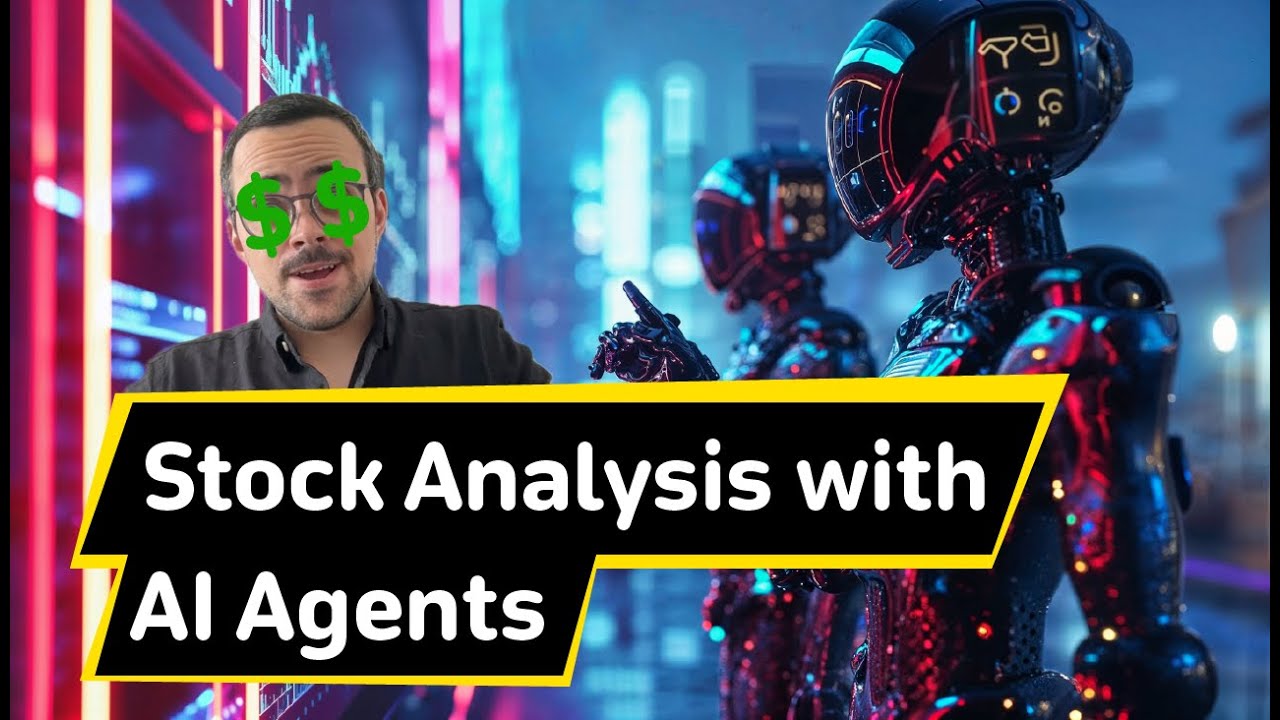](https://www.youtube.com/watch?v=e0Uj4yWdaAg "Stock Analysis")
|
||||
|
||||
## Connecting Your Crew to a Model
|
||||
|
||||
crewAI supports using various LLMs through a variety of connection options. By default your agents will use the OpenAI API when querying the model. However, there are several other ways to allow your agents to connect to models. For example, you can configure your agents to use a local model via the Ollama tool.
|
||||
|
||||
Please refer to the [Connect crewAI to LLMs](https://docs.crewai.com/how-to/LLM-Connections/) page for details on configuring you agents' connections to models.
|
||||
|
||||
## How CrewAI Compares
|
||||
|
||||
- **Autogen**: While Autogen does good in creating conversational agents capable of working together, it lacks an inherent concept of process. In Autogen, orchestrating agents' interactions requires additional programming, which can become complex and cumbersome as the scale of tasks grows.
|
||||
|
||||
- **ChatDev**: ChatDev introduced the idea of processes into the realm of AI agents, but its implementation is quite rigid. Customizations in ChatDev are limited and not geared towards production environments, which can hinder scalability and flexibility in real-world applications.
|
||||
|
||||
**CrewAI's Advantage**: CrewAI is built with production in mind. It offers the flexibility of Autogen's conversational agents and the structured process approach of ChatDev, but without the rigidity. CrewAI's processes are designed to be dynamic and adaptable, fitting seamlessly into both development and production workflows.
|
||||
|
||||
## Contribution
|
||||
|
||||
CrewAI is open-source and we welcome contributions. If you're looking to contribute, please:
|
||||
|
||||
- Fork the repository.
|
||||
- Create a new branch for your feature.
|
||||
- Add your feature or improvement.
|
||||
- Send a pull request.
|
||||
- We appreciate your input!
|
||||
|
||||
### Installing Dependencies
|
||||
## Development
|
||||
|
||||
```bash
|
||||
poetry lock
|
||||
poetry install
|
||||
# Clone repository
|
||||
git clone https://github.com/yourusername/email-processor.git
|
||||
|
||||
# Install development dependencies
|
||||
cd email-processor
|
||||
uv sync --dev --all-extras
|
||||
|
||||
# Run tests
|
||||
python -m pytest tests/
|
||||
```
|
||||
|
||||
### Virtual Env
|
||||
## Project Structure
|
||||
|
||||
```bash
|
||||
poetry shell
|
||||
```
|
||||
|
||||
### Pre-commit hooks
|
||||
|
||||
```bash
|
||||
pre-commit install
|
||||
email_processor/
|
||||
├── src/
|
||||
│ └── email_processor/
|
||||
│ ├── __init__.py
|
||||
│ ├── email_analysis_crew.py
|
||||
│ ├── response_crew.py
|
||||
│ ├── email_tool.py
|
||||
│ ├── gmail_tool.py
|
||||
│ ├── gmail_auth.py
|
||||
│ └── mock_email_data.py
|
||||
├── tests/
|
||||
├── requirements.txt
|
||||
├── setup.py
|
||||
└── README.md
|
||||
```
|
||||
|
||||
### Running Tests
|
||||
|
||||
```bash
|
||||
poetry run pytest
|
||||
```
|
||||
|
||||
### Running static type checks
|
||||
|
||||
```bash
|
||||
poetry run pyright
|
||||
```
|
||||
|
||||
### Packaging
|
||||
|
||||
```bash
|
||||
poetry build
|
||||
```
|
||||
|
||||
### Installing Locally
|
||||
|
||||
```bash
|
||||
pip install dist/*.tar.gz
|
||||
```
|
||||
|
||||
## Hire CrewAI
|
||||
|
||||
We're a company developing crewAI and crewAI Enterprise. We, for a limited time, are offering consulting with selected customers; to get them early access to our enterprise solution.
|
||||
If you are interested in having access to it, and hiring weekly hours with our team, feel free to email us at [joao@crewai.com](mailto:joao@crewai.com).
|
||||
|
||||
## Telemetry
|
||||
|
||||
CrewAI uses anonymous telemetry to collect usage data with the main purpose of helping us improve the library by focusing our efforts on the most used features, integrations and tools.
|
||||
|
||||
There is NO data being collected on the prompts, tasks descriptions agents backstories or goals nor tools usage, no API calls, nor responses nor any data that is being processed by the agents, nor any secrets and env vars.
|
||||
|
||||
Data collected includes:
|
||||
- Version of crewAI
|
||||
- So we can understand how many users are using the latest version
|
||||
- Version of Python
|
||||
- So we can decide on what versions to better support
|
||||
- General OS (e.g. number of CPUs, macOS/Windows/Linux)
|
||||
- So we know what OS we should focus on and if we could build specific OS related features
|
||||
- Number of agents and tasks in a crew
|
||||
- So we make sure we are testing internally with similar use cases and educate people on the best practices
|
||||
- Crew Process being used
|
||||
- Understand where we should focus our efforts
|
||||
- If Agents are using memory or allowing delegation
|
||||
- Understand if we improved the features or maybe even drop them
|
||||
- If Tasks are being executed in parallel or sequentially
|
||||
- Understand if we should focus more on parallel execution
|
||||
- Language model being used
|
||||
- Improved support on most used languages
|
||||
- Roles of agents in a crew
|
||||
- Understand high level use cases so we can build better tools, integrations and examples about it
|
||||
- Tools names available
|
||||
- Understand out of the publically available tools, which ones are being used the most so we can improve them
|
||||
|
||||
Users can opt-in sharing the complete telemetry data by setting the `share_crew` attribute to `True` on their Crews.
|
||||
|
||||
## License
|
||||
|
||||
CrewAI is released under the MIT License.
|
||||
MIT License
|
||||
|
||||
## Contributing
|
||||
|
||||
1. Fork the repository
|
||||
2. Create your feature branch
|
||||
3. Commit your changes
|
||||
4. Push to the branch
|
||||
5. Create a Pull Request
|
||||
@@ -1 +0,0 @@
|
||||
docs.crewai.com
|
||||
@@ -0,0 +1,146 @@
|
||||
# Email Processing System with CrewAI
|
||||
|
||||
A smart email processing system that uses CrewAI to analyze Gmail messages and automatically generate appropriate responses based on context and history.
|
||||
|
||||
## Quick Start
|
||||
|
||||
```bash
|
||||
# Install required packages
|
||||
pip install crewai 'crewai[tools]'
|
||||
pip install google-api-python-client google-auth-httplib2 google-auth-oauthlib
|
||||
```
|
||||
|
||||
## Example Usage
|
||||
|
||||
```python
|
||||
from email_analysis_crew import EmailAnalysisCrew
|
||||
from response_crew import ResponseCrew
|
||||
from gmail_tool import GmailTool
|
||||
|
||||
# Initialize Gmail connection
|
||||
gmail = GmailTool()
|
||||
gmail.authenticate()
|
||||
|
||||
# Create analysis crew
|
||||
analysis_crew = EmailAnalysisCrew(
|
||||
gmail_tool=gmail,
|
||||
config={
|
||||
"check_similar_threads": True,
|
||||
"analyze_sender_history": True
|
||||
}
|
||||
)
|
||||
|
||||
# Process new emails
|
||||
new_emails = gmail.get_new_emails()
|
||||
for email in new_emails:
|
||||
# Analyze email and decide on response
|
||||
analysis = analysis_crew.analyze_email(email)
|
||||
|
||||
# If analysis determines response is needed
|
||||
if analysis["response_needed"]:
|
||||
# Create new crew for response generation
|
||||
response_crew = ResponseCrew(
|
||||
email_context=analysis,
|
||||
gmail_tool=gmail
|
||||
)
|
||||
|
||||
# Generate and send response
|
||||
response = response_crew.generate_response()
|
||||
gmail.send_response(response)
|
||||
```
|
||||
|
||||
## How It Works
|
||||
|
||||
1. **Email Analysis**
|
||||
- System connects to Gmail
|
||||
- Retrieves new emails
|
||||
- Analyzes email context and history
|
||||
- Checks for similar threads
|
||||
- Researches sender and company
|
||||
|
||||
2. **Response Decision**
|
||||
The analysis crew decides whether to respond based on:
|
||||
- Email urgency
|
||||
- Sender relationship
|
||||
- Previous interactions
|
||||
- Business context
|
||||
- Similar thread history
|
||||
|
||||
3. **Response Generation**
|
||||
If a response is needed:
|
||||
- New response crew is created
|
||||
- Analyzes email context
|
||||
- Generates appropriate response
|
||||
- Reviews for tone and content
|
||||
- Sends through Gmail
|
||||
|
||||
## Setup Instructions
|
||||
|
||||
1. **Install Dependencies**
|
||||
```bash
|
||||
pip install crewai 'crewai[tools]'
|
||||
pip install google-api-python-client google-auth-httplib2 google-auth-oauthlib
|
||||
```
|
||||
|
||||
2. **Gmail Setup**
|
||||
- Visit [Google Cloud Console](https://console.cloud.google.com)
|
||||
- Create new project
|
||||
- Enable Gmail API
|
||||
- Create OAuth credentials
|
||||
- Download as `credentials.json`
|
||||
|
||||
3. **Configure Authentication**
|
||||
```python
|
||||
from gmail_tool import GmailTool
|
||||
|
||||
gmail = GmailTool()
|
||||
gmail.authenticate() # Opens browser for auth
|
||||
```
|
||||
|
||||
## Configuration
|
||||
|
||||
```python
|
||||
# Analysis configuration
|
||||
config = {
|
||||
"check_similar_threads": True, # Look for similar conversations
|
||||
"analyze_sender_history": True, # Check previous interactions
|
||||
"research_company": True, # Research sender's company
|
||||
"priority_threshold": 0.7 # Threshold for response
|
||||
}
|
||||
|
||||
# Create crews
|
||||
analysis_crew = EmailAnalysisCrew(
|
||||
gmail_tool=gmail,
|
||||
config=config
|
||||
)
|
||||
|
||||
response_crew = ResponseCrew(
|
||||
email_context=analysis,
|
||||
gmail_tool=gmail
|
||||
)
|
||||
```
|
||||
|
||||
## Components
|
||||
|
||||
- `EmailAnalysisCrew`: Analyzes emails and makes response decisions
|
||||
- `ResponseCrew`: Generates appropriate responses
|
||||
- `GmailTool`: Handles Gmail integration
|
||||
- `EmailTool`: Provides email processing utilities
|
||||
|
||||
## Error Handling
|
||||
|
||||
The system includes handling for:
|
||||
- Gmail API connection issues
|
||||
- Authentication errors
|
||||
- Rate limiting
|
||||
- Invalid email formats
|
||||
|
||||
## Contributing
|
||||
|
||||
1. Fork the repository
|
||||
2. Create feature branch
|
||||
3. Submit pull request
|
||||
|
||||
## License
|
||||
|
||||
MIT License
|
||||

|
Before Width: | Height: | Size: 272 KiB |

|
Before Width: | Height: | Size: 190 KiB |

|
Before Width: | Height: | Size: 176 KiB |
@@ -1,67 +0,0 @@
|
||||
---
|
||||
title: crewAI Agents
|
||||
description: What are crewAI Agents and how to use them.
|
||||
---
|
||||
|
||||
## What is an Agent?
|
||||
!!! note "What is an Agent?"
|
||||
An agent is an **autonomous unit** programmed to:
|
||||
<ul>
|
||||
<li class='leading-3'>Perform tasks</li>
|
||||
<li class='leading-3'>Make decisions</li>
|
||||
<li class='leading-3'>Communicate with other agents</li>
|
||||
</ul>
|
||||
<br/>
|
||||
Think of an agent as a member of a team, with specific skills and a particular job to do. Agents can have different roles like 'Researcher', 'Writer', or 'Customer Support', each contributing to the overall goal of the crew.
|
||||
|
||||
## Agent Attributes
|
||||
|
||||
| Attribute | Description |
|
||||
| :------------------------- | :--------------------------------------------------------------------------------------------------------------------------------------------------------------------------------------------------------------------------------------------- |
|
||||
| **Role** | Defines the agent's function within the crew. It determines the kind of tasks the agent is best suited for. |
|
||||
| **Goal** | The individual objective that the agent aims to achieve. It guides the agent's decision-making process. |
|
||||
| **Backstory** | Provides context to the agent's role and goal, enriching the interaction and collaboration dynamics. |
|
||||
| **LLM** *(optional)* | Represents the language model that will run the agent. It dynamically fetches the model name from the `OPENAI_MODEL_NAME` environment variable, defaulting to "gpt-4" if not specified. |
|
||||
| **Tools** *(optional)* | Set of capabilities or functions that the agent can use to perform tasks. Expected to be instances of custom classes compatible with the agent's execution environment. Tools are initialized with a default value of an empty list. |
|
||||
| **Function Calling LLM** *(optional)* | Specifies the language model that will handle the tool calling for this agent, overriding the crew function calling LLM if passed. Default is `None`. |
|
||||
| **Max Iter** *(optional)* | The maximum number of iterations the agent can perform before being forced to give its best answer. Default is `25`. |
|
||||
| **Max RPM** *(optional)* | The maximum number of requests per minute the agent can perform to avoid rate limits. It's optional and can be left unspecified, with a default value of `None`. |
|
||||
| **max_execution_time** *(optional)* | Maximum execution time for an agent to execute a task It's optional and can be left unspecified, with a default value of `None`, menaning no max execution time |
|
||||
| **Verbose** *(optional)* | Setting this to `True` configures the internal logger to provide detailed execution logs, aiding in debugging and monitoring. Default is `False`. |
|
||||
| **Allow Delegation** *(optional)* | Agents can delegate tasks or questions to one another, ensuring that each task is handled by the most suitable agent. Default is `True`. |
|
||||
| **Step Callback** *(optional)* | A function that is called after each step of the agent. This can be used to log the agent's actions or to perform other operations. It will overwrite the crew `step_callback`. |
|
||||
| **Cache** *(optional)* | Indicates if the agent should use a cache for tool usage. Default is `True`. |
|
||||
|
||||
## Creating an Agent
|
||||
|
||||
!!! note "Agent Interaction"
|
||||
Agents can interact with each other using crewAI's built-in delegation and communication mechanisms. This allows for dynamic task management and problem-solving within the crew.
|
||||
|
||||
To create an agent, you would typically initialize an instance of the `Agent` class with the desired properties. Here's a conceptual example including all attributes:
|
||||
|
||||
```python
|
||||
# Example: Creating an agent with all attributes
|
||||
from crewai import Agent
|
||||
|
||||
agent = Agent(
|
||||
role='Data Analyst',
|
||||
goal='Extract actionable insights',
|
||||
backstory="""You're a data analyst at a large company.
|
||||
You're responsible for analyzing data and providing insights
|
||||
to the business.
|
||||
You're currently working on a project to analyze the
|
||||
performance of our marketing campaigns.""",
|
||||
tools=[my_tool1, my_tool2], # Optional, defaults to an empty list
|
||||
llm=my_llm, # Optional
|
||||
function_calling_llm=my_llm, # Optional
|
||||
max_iter=15, # Optional
|
||||
max_rpm=None, # Optional
|
||||
verbose=True, # Optional
|
||||
allow_delegation=True, # Optional
|
||||
step_callback=my_intermediate_step_callback, # Optional
|
||||
cache=True # Optional
|
||||
)
|
||||
```
|
||||
|
||||
## Conclusion
|
||||
Agents are the building blocks of the CrewAI framework. By understanding how to define and interact with agents, you can create sophisticated AI systems that leverage the power of collaborative intelligence.
|
||||
@@ -1,39 +0,0 @@
|
||||
---
|
||||
title: How Agents Collaborate in CrewAI
|
||||
description: Exploring the dynamics of agent collaboration within the CrewAI framework, focusing on the newly integrated features for enhanced functionality.
|
||||
---
|
||||
|
||||
## Collaboration Fundamentals
|
||||
!!! note "Core of Agent Interaction"
|
||||
Collaboration in CrewAI is fundamental, enabling agents to combine their skills, share information, and assist each other in task execution, embodying a truly cooperative ecosystem.
|
||||
|
||||
- **Information Sharing**: Ensures all agents are well-informed and can contribute effectively by sharing data and findings.
|
||||
- **Task Assistance**: Allows agents to seek help from peers with the required expertise for specific tasks.
|
||||
- **Resource Allocation**: Optimizes task execution through the efficient distribution and sharing of resources among agents.
|
||||
|
||||
## Enhanced Attributes for Improved Collaboration
|
||||
The `Crew` class has been enriched with several attributes to support advanced functionalities:
|
||||
|
||||
- **Language Model Management (`manager_llm`, `function_calling_llm`)**: Manages language models for executing tasks and tools, facilitating sophisticated agent-tool interactions. Note that while `manager_llm` is mandatory for hierarchical processes to ensure proper execution flow, `function_calling_llm` is optional, with a default value provided for streamlined tool interaction.
|
||||
- **Process Flow (`process`)**: Defines the execution logic (e.g., sequential, hierarchical) to streamline task distribution and execution.
|
||||
- **Verbose Logging (`verbose`)**: Offers detailed logging capabilities for monitoring and debugging purposes. It supports both integer and boolean types to indicate the verbosity level. For example, setting `verbose` to 1 might enable basic logging, whereas setting it to True enables more detailed logs.
|
||||
- **Rate Limiting (`max_rpm`)**: Ensures efficient utilization of resources by limiting requests per minute. Guidelines for setting `max_rpm` should consider the complexity of tasks and the expected load on resources.
|
||||
- **Internationalization Support (`language`, `language_file`)**: Facilitates operation in multiple languages, enhancing global usability. Supported languages and the process for utilizing the `language_file` attribute for customization should be clearly documented.
|
||||
- **Execution and Output Handling (`full_output`)**: Distinguishes between full and final outputs for nuanced control over task results. Examples showcasing the difference in outputs can aid in understanding the practical implications of this attribute.
|
||||
- **Callback and Telemetry (`step_callback`, `task_callback`)**: Integrates callbacks for step-wise and task-level execution monitoring, alongside telemetry for performance analytics. The purpose and usage of `task_callback` alongside `step_callback` for granular monitoring should be clearly explained.
|
||||
- **Crew Sharing (`share_crew`)**: Enables sharing of crew information with CrewAI for continuous improvement and training models. The privacy implications and benefits of this feature, including how it contributes to model improvement, should be outlined.
|
||||
- **Usage Metrics (`usage_metrics`)**: Stores all metrics for the language model (LLM) usage during all tasks' execution, providing insights into operational efficiency and areas for improvement. Detailed information on accessing and interpreting these metrics for performance analysis should be provided.
|
||||
- **Memory Usage (`memory`)**: Indicates whether the crew should use memory to store memories of its execution, enhancing task execution and agent learning.
|
||||
- **Embedder Configuration (`embedder`)**: Specifies the configuration for the embedder to be used by the crew for understanding and generating language. This attribute supports customization of the language model provider.
|
||||
|
||||
## Delegation: Dividing to Conquer
|
||||
Delegation enhances functionality by allowing agents to intelligently assign tasks or seek help, thereby amplifying the crew's overall capability.
|
||||
|
||||
## Implementing Collaboration and Delegation
|
||||
Setting up a crew involves defining the roles and capabilities of each agent. CrewAI seamlessly manages their interactions, ensuring efficient collaboration and delegation, with enhanced customization and monitoring features to adapt to various operational needs.
|
||||
|
||||
## Example Scenario
|
||||
Consider a crew with a researcher agent tasked with data gathering and a writer agent responsible for compiling reports. The integration of advanced language model management and process flow attributes allows for more sophisticated interactions, such as the writer delegating complex research tasks to the researcher or querying specific information, thereby facilitating a seamless workflow.
|
||||
|
||||
## Conclusion
|
||||
The integration of advanced attributes and functionalities into the CrewAI framework significantly enriches the agent collaboration ecosystem. These enhancements not only simplify interactions but also offer unprecedented flexibility and control, paving the way for sophisticated AI-driven solutions capable of tackling complex tasks through intelligent collaboration and delegation.
|
||||
@@ -1,111 +0,0 @@
|
||||
---
|
||||
title: crewAI Crews
|
||||
description: Understanding and utilizing crews in the crewAI framework with comprehensive attributes and functionalities.
|
||||
---
|
||||
|
||||
## What is a Crew?
|
||||
A crew in crewAI represents a collaborative group of agents working together to achieve a set of tasks. Each crew defines the strategy for task execution, agent collaboration, and the overall workflow.
|
||||
|
||||
## Crew Attributes
|
||||
|
||||
| Attribute | Description |
|
||||
| :-------------------------- | :----------------------------------------------------------- |
|
||||
| **Tasks** | A list of tasks assigned to the crew. |
|
||||
| **Agents** | A list of agents that are part of the crew. |
|
||||
| **Process** *(optional)* | The process flow (e.g., sequential, hierarchical) the crew follows. |
|
||||
| **Verbose** *(optional)* | The verbosity level for logging during execution. |
|
||||
| **Manager LLM** *(optional)*| The language model used by the manager agent in a hierarchical process. **Required when using a hierarchical process.** |
|
||||
| **Function Calling LLM** *(optional)* | If passed, the crew will use this LLM to do function calling for tools for all agents in the crew. Each agent can have its own LLM, which overrides the crew's LLM for function calling. |
|
||||
| **Config** *(optional)* | Optional configuration settings for the crew, in `Json` or `Dict[str, Any]` format. |
|
||||
| **Max RPM** *(optional)* | Maximum requests per minute the crew adheres to during execution. |
|
||||
| **Language** *(optional)* | Language used for the crew, defaults to English. |
|
||||
| **Language File** *(optional)* | Path to the language file to be used for the crew. |
|
||||
| **Memory** *(optional)* | Utilized for storing execution memories (short-term, long-term, entity memory). |
|
||||
| **Cache** *(optional)* | Specifies whether to use a cache for storing the results of tools' execution. |
|
||||
| **Embedder** *(optional)* | Configuration for the embedder to be used by the crew. mostly used by memory for now |
|
||||
| **Full Output** *(optional)*| Whether the crew should return the full output with all tasks outputs or just the final output. |
|
||||
| **Step Callback** *(optional)* | A function that is called after each step of every agent. This can be used to log the agent's actions or to perform other operations; it won't override the agent-specific `step_callback`. |
|
||||
| **Task Callback** *(optional)* | A function that is called after the completion of each task. Useful for monitoring or additional operations post-task execution. |
|
||||
| **Share Crew** *(optional)* | Whether you want to share the complete crew information and execution with the crewAI team to make the library better, and allow us to train models. |
|
||||
| **Output Log File** *(optional)* | Whether you want to have a file with the complete crew output and execution. You can set it using True and it will default to the folder you are currently and it will be called logs.txt or passing a string with the full path and name of the file. |
|
||||
|
||||
|
||||
!!! note "Crew Max RPM"
|
||||
The `max_rpm` attribute sets the maximum number of requests per minute the crew can perform to avoid rate limits and will override individual agents' `max_rpm` settings if you set it.
|
||||
|
||||
## Creating a Crew
|
||||
|
||||
When assembling a crew, you combine agents with complementary roles and tools, assign tasks, and select a process that dictates their execution order and interaction.
|
||||
|
||||
### Example: Assembling a Crew
|
||||
|
||||
```python
|
||||
from crewai import Crew, Agent, Task, Process
|
||||
from langchain_community.tools import DuckDuckGoSearchRun
|
||||
|
||||
# Define agents with specific roles and tools
|
||||
researcher = Agent(
|
||||
role='Senior Research Analyst',
|
||||
goal='Discover innovative AI technologies',
|
||||
tools=[DuckDuckGoSearchRun()]
|
||||
)
|
||||
|
||||
writer = Agent(
|
||||
role='Content Writer',
|
||||
goal='Write engaging articles on AI discoveries',
|
||||
verbose=True
|
||||
)
|
||||
|
||||
# Create tasks for the agents
|
||||
research_task = Task(
|
||||
description='Identify breakthrough AI technologies',
|
||||
agent=researcher
|
||||
)
|
||||
write_article_task = Task(
|
||||
description='Draft an article on the latest AI technologies',
|
||||
agent=writer
|
||||
)
|
||||
|
||||
# Assemble the crew with a sequential process
|
||||
my_crew = Crew(
|
||||
agents=[researcher, writer],
|
||||
tasks=[research_task, write_article_task],
|
||||
process=Process.sequential,
|
||||
full_output=True,
|
||||
verbose=True,
|
||||
)
|
||||
```
|
||||
|
||||
## Memory Utilization
|
||||
|
||||
Crews can utilize memory (short-term, long-term, and entity memory) to enhance their execution and learning over time. This feature allows crews to store and recall execution memories, aiding in decision-making and task execution strategies.
|
||||
|
||||
## Cache Utilization
|
||||
|
||||
Caches can be employed to store the results of tools' execution, making the process more efficient by reducing the need to re-execute identical tasks.
|
||||
|
||||
## Crew Usage Metrics
|
||||
|
||||
After the crew execution, you can access the `usage_metrics` attribute to view the language model (LLM) usage metrics for all tasks executed by the crew. This provides insights into operational efficiency and areas for improvement.
|
||||
|
||||
```python
|
||||
# Access the crew's usage metrics
|
||||
crew = Crew(agents=[agent1, agent2], tasks=[task1, task2])
|
||||
crew.kickoff()
|
||||
print(crew.usage_metrics)
|
||||
```
|
||||
|
||||
## Crew Execution Process
|
||||
|
||||
- **Sequential Process**: Tasks are executed one after another, allowing for a linear flow of work.
|
||||
- **Hierarchical Process**: A manager agent coordinates the crew, delegating tasks and validating outcomes before proceeding. **Note**: A `manager_llm` is required for this process and it's essential for validating the process flow.
|
||||
|
||||
### Kicking Off a Crew
|
||||
|
||||
Once your crew is assembled, initiate the workflow with the `kickoff()` method. This starts the execution process according to the defined process flow.
|
||||
|
||||
```python
|
||||
# Start the crew's task execution
|
||||
result = my_crew.kickoff()
|
||||
print(result)
|
||||
```
|
||||
@@ -1,171 +0,0 @@
|
||||
---
|
||||
title: crewAI Memory Systems
|
||||
description: Leveraging memory systems in the crewAI framework to enhance agent capabilities.
|
||||
---
|
||||
|
||||
## Introduction to Memory Systems in crewAI
|
||||
!!! note "Enhancing Agent Intelligence"
|
||||
The crewAI framework introduces a sophisticated memory system designed to significantly enhance the capabilities of AI agents. This system comprises short-term memory, long-term memory, entity memory, and newly identified contextual memory, each serving a unique purpose in aiding agents to remember, reason, and learn from past interactions.
|
||||
|
||||
## Memory System Components
|
||||
|
||||
| Component | Description |
|
||||
| :------------------- | :----------------------------------------------------------- |
|
||||
| **Short-Term Memory**| Temporarily stores recent interactions and outcomes, enabling agents to recall and utilize information relevant to their current context. |
|
||||
| **Long-Term Memory** | Preserves valuable insights and learnings from past executions, allowing agents to build and refine their knowledge over time. |
|
||||
| **Entity Memory** | Captures and organizes information about entities (people, places, concepts) encountered during tasks, facilitating deeper understanding and relationship mapping. |
|
||||
| **Contextual Memory**| Maintains the context of interactions, aiding in the coherence and relevance of agent responses over a sequence of tasks or a conversation. |
|
||||
|
||||
## How Memory Systems Empower Agents
|
||||
|
||||
1. **Contextual Awareness**: With short-term and contextual memory, agents gain the ability to maintain context over a conversation or task sequence, leading to more coherent and relevant responses.
|
||||
|
||||
2. **Experience Accumulation**: Long-term memory allows agents to accumulate experiences, learning from past actions to improve future decision-making and problem-solving.
|
||||
|
||||
3. **Entity Understanding**: By maintaining entity memory, agents can recognize and remember key entities, enhancing their ability to process and interact with complex information.
|
||||
|
||||
## Implementing Memory in Your Crew
|
||||
|
||||
When configuring a crew, you can enable and customize each memory component to suit the crew's objectives and the nature of tasks it will perform.
|
||||
By default, the memory system is disabled, and you can ensure it is active by setting `memory=True` in the crew configuration.
|
||||
The memory will use OpenAI Embeddings by default, but you can change it by setting `embedder` to a different model.
|
||||
|
||||
### Example: Configuring Memory for a Crew
|
||||
|
||||
```python
|
||||
from crewai import Crew, Agent, Task, Process
|
||||
|
||||
# Assemble your crew with memory capabilities
|
||||
my_crew = Crew(
|
||||
agents=[...],
|
||||
tasks=[...],
|
||||
process=Process.sequential,
|
||||
memory=True,
|
||||
verbose=True
|
||||
)
|
||||
```
|
||||
|
||||
## Additional Embedding Providers
|
||||
|
||||
### Using OpenAI embeddings (already default)
|
||||
```python
|
||||
from crewai import Crew, Agent, Task, Process
|
||||
|
||||
my_crew = Crew(
|
||||
agents=[...],
|
||||
tasks=[...],
|
||||
process=Process.sequential,
|
||||
memory=True,
|
||||
verbose=True,
|
||||
embedder={
|
||||
"provider": "openai",
|
||||
"config":{
|
||||
"model": 'text-embedding-3-small'
|
||||
}
|
||||
}
|
||||
)
|
||||
```
|
||||
|
||||
### Using Google AI embeddings
|
||||
```python
|
||||
from crewai import Crew, Agent, Task, Process
|
||||
|
||||
my_crew = Crew(
|
||||
agents=[...],
|
||||
tasks=[...],
|
||||
process=Process.sequential,
|
||||
memory=True,
|
||||
verbose=True,
|
||||
embedder={
|
||||
"provider": "google",
|
||||
"config":{
|
||||
"model": 'models/embedding-001',
|
||||
"task_type": "retrieval_document",
|
||||
"title": "Embeddings for Embedchain"
|
||||
}
|
||||
}
|
||||
)
|
||||
```
|
||||
|
||||
### Using Azure OpenAI embeddings
|
||||
```python
|
||||
from crewai import Crew, Agent, Task, Process
|
||||
|
||||
my_crew = Crew(
|
||||
agents=[...],
|
||||
tasks=[...],
|
||||
process=Process.sequential,
|
||||
memory=True,
|
||||
verbose=True,
|
||||
embedder={
|
||||
"provider": "azure_openai",
|
||||
"config":{
|
||||
"model": 'text-embedding-ada-002',
|
||||
"deployment_name": "you_embedding_model_deployment_name"
|
||||
}
|
||||
}
|
||||
)
|
||||
```
|
||||
|
||||
### Using GPT4ALL embeddings
|
||||
```python
|
||||
from crewai import Crew, Agent, Task, Process
|
||||
|
||||
my_crew = Crew(
|
||||
agents=[...],
|
||||
tasks=[...],
|
||||
process=Process.sequential,
|
||||
memory=True,
|
||||
verbose=True,
|
||||
embedder={
|
||||
"provider": "gpt4all"
|
||||
}
|
||||
)
|
||||
```
|
||||
|
||||
### Using Vertex AI embeddings
|
||||
```python
|
||||
from crewai import Crew, Agent, Task, Process
|
||||
|
||||
my_crew = Crew(
|
||||
agents=[...],
|
||||
tasks=[...],
|
||||
process=Process.sequential,
|
||||
memory=True,
|
||||
verbose=True,
|
||||
embedder={
|
||||
"provider": "vertexai",
|
||||
"config":{
|
||||
"model": 'textembedding-gecko'
|
||||
}
|
||||
}
|
||||
)
|
||||
```
|
||||
|
||||
### Using Cohere embeddings
|
||||
```python
|
||||
from crewai import Crew, Agent, Task, Process
|
||||
|
||||
my_crew = Crew(
|
||||
agents=[...],
|
||||
tasks=[...],
|
||||
process=Process.sequential,
|
||||
memory=True,
|
||||
verbose=True,
|
||||
embedder={
|
||||
"provider": "cohere",
|
||||
"config":{
|
||||
"model": "embed-english-v3.0"
|
||||
"vector_dimension": 1024
|
||||
}
|
||||
}
|
||||
)
|
||||
```
|
||||
|
||||
## Benefits of Using crewAI's Memory System
|
||||
- **Adaptive Learning:** Crews become more efficient over time, adapting to new information and refining their approach to tasks.
|
||||
- **Enhanced Personalization:** Memory enables agents to remember user preferences and historical interactions, leading to personalized experiences.
|
||||
- **Improved Problem Solving:** Access to a rich memory store aids agents in making more informed decisions, drawing on past learnings and contextual insights.
|
||||
|
||||
## Getting Started
|
||||
Integrating crewAI's memory system into your projects is straightforward. By leveraging the provided memory components and configurations, you can quickly empower your agents with the ability to remember, reason, and learn from their interactions, unlocking new levels of intelligence and capability.
|
||||
@@ -1,62 +0,0 @@
|
||||
---
|
||||
title: Managing Processes in CrewAI
|
||||
description: Detailed guide on workflow management through processes in CrewAI, with updated implementation details.
|
||||
---
|
||||
|
||||
## Understanding Processes
|
||||
!!! note "Core Concept"
|
||||
In CrewAI, processes orchestrate the execution of tasks by agents, akin to project management in human teams. These processes ensure tasks are distributed and executed efficiently, in alignment with a predefined strategy.
|
||||
|
||||
## Process Implementations
|
||||
|
||||
- **Sequential**: Executes tasks sequentially, ensuring tasks are completed in an orderly progression.
|
||||
- **Hierarchical**: Organizes tasks in a managerial hierarchy, where tasks are delegated and executed based on a structured chain of command. A manager language model (`manager_llm`) must be specified in the crew to enable the hierarchical process, facilitating the creation and management of tasks by the manager.
|
||||
- **Consensual Process (Planned)**: Aiming for collaborative decision-making among agents on task execution, this process type introduces a democratic approach to task management within CrewAI. It is planned for future development and is not currently implemented in the codebase.
|
||||
|
||||
## The Role of Processes in Teamwork
|
||||
Processes enable individual agents to operate as a cohesive unit, streamlining their efforts to achieve common objectives with efficiency and coherence.
|
||||
|
||||
## Assigning Processes to a Crew
|
||||
To assign a process to a crew, specify the process type upon crew creation to set the execution strategy. For a hierarchical process, ensure to define `manager_llm` for the manager agent.
|
||||
|
||||
```python
|
||||
from crewai import Crew
|
||||
from crewai.process import Process
|
||||
from langchain_openai import ChatOpenAI
|
||||
|
||||
# Example: Creating a crew with a sequential process
|
||||
crew = Crew(
|
||||
agents=my_agents,
|
||||
tasks=my_tasks,
|
||||
process=Process.sequential
|
||||
)
|
||||
|
||||
# Example: Creating a crew with a hierarchical process
|
||||
# Ensure to provide a manager_llm
|
||||
crew = Crew(
|
||||
agents=my_agents,
|
||||
tasks=my_tasks,
|
||||
process=Process.hierarchical,
|
||||
manager_llm=ChatOpenAI(model="gpt-4")
|
||||
)
|
||||
```
|
||||
**Note:** Ensure `my_agents` and `my_tasks` are defined prior to creating a `Crew` object, and for the hierarchical process, `manager_llm` is also required.
|
||||
|
||||
## Sequential Process
|
||||
This method mirrors dynamic team workflows, progressing through tasks in a thoughtful and systematic manner. Task execution follows the predefined order in the task list, with the output of one task serving as context for the next.
|
||||
|
||||
To customize task context, utilize the `context` parameter in the `Task` class to specify outputs that should be used as context for subsequent tasks.
|
||||
|
||||
## Hierarchical Process
|
||||
Emulates a corporate hierarchy, CrewAI automatically creates a manager for you, requiring the specification of a manager language model (`manager_llm`) for the manager agent. This agent oversees task execution, including planning, delegation, and validation. Tasks are not pre-assigned; the manager allocates tasks to agents based on their capabilities, reviews outputs, and assesses task completion.
|
||||
|
||||
## Process Class: Detailed Overview
|
||||
The `Process` class is implemented as an enumeration (`Enum`), ensuring type safety and restricting process values to the defined types (`sequential`, `hierarchical`). The consensual process is planned for future inclusion, emphasizing our commitment to continuous development and innovation.
|
||||
|
||||
## Additional Task Features
|
||||
- **Asynchronous Execution**: Tasks can now be executed asynchronously, allowing for parallel processing and efficiency improvements. This feature is designed to enable tasks to be carried out concurrently, enhancing the overall productivity of the crew.
|
||||
- **Human Input Review**: An optional feature that enables the review of task outputs by humans to ensure quality and accuracy before finalization. This additional step introduces a layer of oversight, providing an opportunity for human intervention and validation.
|
||||
- **Output Customization**: Tasks support various output formats, including JSON (`output_json`), Pydantic models (`output_pydantic`), and file outputs (`output_file`), providing flexibility in how task results are captured and utilized. This allows for a wide range of output possibilities, catering to different needs and requirements.
|
||||
|
||||
## Conclusion
|
||||
The structured collaboration facilitated by processes within CrewAI is crucial for enabling systematic teamwork among agents. This documentation has been updated to reflect the latest features, enhancements, and the planned integration of the Consensual Process, ensuring users have access to the most current and comprehensive information.
|
||||
@@ -1,230 +0,0 @@
|
||||
---
|
||||
title: crewAI Tasks
|
||||
description: Detailed guide on managing and creating tasks within the crewAI framework, reflecting the latest codebase updates.
|
||||
---
|
||||
|
||||
## Overview of a Task
|
||||
!!! note "What is a Task?"
|
||||
In the crewAI framework, tasks are specific assignments completed by agents. They provide all necessary details for execution, such as a description, the agent responsible, required tools, and more, facilitating a wide range of action complexities.
|
||||
|
||||
Tasks within crewAI can be collaborative, requiring multiple agents to work together. This is managed through the task properties and orchestrated by the Crew's process, enhancing teamwork and efficiency.
|
||||
|
||||
## Task Attributes
|
||||
|
||||
| Attribute | Description |
|
||||
| :----------------------| :-------------------------------------------------------------------------------------------- |
|
||||
| **Description** | A clear, concise statement of what the task entails. |
|
||||
| **Agent** | The agent responsible for the task, assigned either directly or by the crew's process. |
|
||||
| **Expected Output** | A detailed description of what the task's completion looks like. |
|
||||
| **Tools** *(optional)* | The functions or capabilities the agent can utilize to perform the task. |
|
||||
| **Async Execution** *(optional)* | If set, the task executes asynchronously, allowing progression without waiting for completion.|
|
||||
| **Context** *(optional)* | Specifies tasks whose outputs are used as context for this task. |
|
||||
| **Config** *(optional)* | Additional configuration details for the agent executing the task, allowing further customization. |
|
||||
| **Output JSON** *(optional)* | Outputs a JSON object, requiring an OpenAI client. Only one output format can be set. |
|
||||
| **Output Pydantic** *(optional)* | Outputs a Pydantic model object, requiring an OpenAI client. Only one output format can be set. |
|
||||
| **Output File** *(optional)* | Saves the task output to a file. If used with `Output JSON` or `Output Pydantic`, specifies how the output is saved. |
|
||||
| **Callback** *(optional)* | A Python callable that is executed with the task's output upon completion. |
|
||||
| **Human Input** *(optional)* | Indicates if the task requires human feedback at the end, useful for tasks needing human oversight. |
|
||||
|
||||
## Creating a Task
|
||||
|
||||
Creating a task involves defining its scope, responsible agent, and any additional attributes for flexibility:
|
||||
|
||||
```python
|
||||
from crewai import Task
|
||||
|
||||
task = Task(
|
||||
description='Find and summarize the latest and most relevant news on AI',
|
||||
agent=sales_agent
|
||||
)
|
||||
```
|
||||
|
||||
!!! note "Task Assignment"
|
||||
Directly specify an `agent` for assignment or let the `hierarchical` CrewAI's process decide based on roles, availability, etc.
|
||||
|
||||
## Integrating Tools with Tasks
|
||||
|
||||
Leverage tools from the [crewAI Toolkit](https://github.com/joaomdmoura/crewai-tools) and [LangChain Tools](https://python.langchain.com/docs/integrations/tools) for enhanced task performance and agent interaction.
|
||||
|
||||
## Creating a Task with Tools
|
||||
|
||||
```python
|
||||
import os
|
||||
os.environ["OPENAI_API_KEY"] = "Your Key"
|
||||
os.environ["SERPER_API_KEY"] = "Your Key" # serper.dev API key
|
||||
|
||||
from crewai import Agent, Task, Crew
|
||||
from crewai_tools import SerperDevTool
|
||||
|
||||
research_agent = Agent(
|
||||
role='Researcher',
|
||||
goal='Find and summarize the latest AI news',
|
||||
backstory="""You're a researcher at a large company.
|
||||
You're responsible for analyzing data and providing insights
|
||||
to the business.""",
|
||||
verbose=True
|
||||
)
|
||||
|
||||
search_tool = SerperDevTool()
|
||||
|
||||
task = Task(
|
||||
description='Find and summarize the latest AI news',
|
||||
expected_output='A bullet list summary of the top 5 most important AI news',
|
||||
agent=research_agent,
|
||||
tools=[search_tool]
|
||||
)
|
||||
|
||||
crew = Crew(
|
||||
agents=[research_agent],
|
||||
tasks=[task],
|
||||
verbose=2
|
||||
)
|
||||
|
||||
result = crew.kickoff()
|
||||
print(result)
|
||||
```
|
||||
|
||||
This demonstrates how tasks with specific tools can override an agent's default set for tailored task execution.
|
||||
|
||||
## Referring to Other Tasks
|
||||
|
||||
In crewAI, the output of one task is automatically relayed into the next one, but you can specifically define what tasks' output, including multiple should be used as context for another task.
|
||||
|
||||
This is useful when you have a task that depends on the output of another task that is not performed immediately after it. This is done through the `context` attribute of the task:
|
||||
|
||||
```python
|
||||
# ...
|
||||
|
||||
research_ai_task = Task(
|
||||
description='Find and summarize the latest AI news',
|
||||
expected_output='A bullet list summary of the top 5 most important AI news',
|
||||
async_execution=True,
|
||||
agent=research_agent,
|
||||
tools=[search_tool]
|
||||
)
|
||||
|
||||
research_ops_task = Task(
|
||||
description='Find and summarize the latest AI Ops news',
|
||||
expected_output='A bullet list summary of the top 5 most important AI Ops news',
|
||||
async_execution=True,
|
||||
agent=research_agent,
|
||||
tools=[search_tool]
|
||||
)
|
||||
|
||||
write_blog_task = Task(
|
||||
description="Write a full blog post about the importance of AI and its latest news",
|
||||
expected_output='Full blog post that is 4 paragraphs long',
|
||||
agent=writer_agent,
|
||||
context=[research_ai_task, research_ops_task]
|
||||
)
|
||||
|
||||
#...
|
||||
```
|
||||
|
||||
## Asynchronous Execution
|
||||
|
||||
You can define a task to be executed asynchronously. This means that the crew will not wait for it to be completed to continue with the next task. This is useful for tasks that take a long time to be completed, or that are not crucial for the next tasks to be performed.
|
||||
|
||||
You can then use the `context` attribute to define in a future task that it should wait for the output of the asynchronous task to be completed.
|
||||
|
||||
```python
|
||||
#...
|
||||
|
||||
list_ideas = Task(
|
||||
description="List of 5 interesting ideas to explore for an article about AI.",
|
||||
expected_output="Bullet point list of 5 ideas for an article.",
|
||||
agent=researcher,
|
||||
async_execution=True # Will be executed asynchronously
|
||||
)
|
||||
|
||||
list_important_history = Task(
|
||||
description="Research the history of AI and give me the 5 most important events.",
|
||||
expected_output="Bullet point list of 5 important events.",
|
||||
agent=researcher,
|
||||
async_execution=True # Will be executed asynchronously
|
||||
)
|
||||
|
||||
write_article = Task(
|
||||
description="Write an article about AI, its history, and interesting ideas.",
|
||||
expected_output="A 4 paragraph article about AI.",
|
||||
agent=writer,
|
||||
context=[list_ideas, list_important_history] # Will wait for the output of the two tasks to be completed
|
||||
)
|
||||
|
||||
#...
|
||||
```
|
||||
|
||||
## Callback Mechanism
|
||||
|
||||
The callback function is executed after the task is completed, allowing for actions or notifications to be triggered based on the task's outcome.
|
||||
|
||||
```python
|
||||
# ...
|
||||
|
||||
def callback_function(output: TaskOutput):
|
||||
# Do something after the task is completed
|
||||
# Example: Send an email to the manager
|
||||
print(f"""
|
||||
Task completed!
|
||||
Task: {output.description}
|
||||
Output: {output.raw_output}
|
||||
""")
|
||||
|
||||
research_task = Task(
|
||||
description='Find and summarize the latest AI news',
|
||||
expected_output='A bullet list summary of the top 5 most important AI news',
|
||||
agent=research_agent,
|
||||
tools=[search_tool],
|
||||
callback=callback_function
|
||||
)
|
||||
|
||||
#...
|
||||
```
|
||||
|
||||
## Accessing a Specific Task Output
|
||||
|
||||
Once a crew finishes running, you can access the output of a specific task by using the `output` attribute of the task object:
|
||||
|
||||
```python
|
||||
# ...
|
||||
task1 = Task(
|
||||
description='Find and summarize the latest AI news',
|
||||
expected_output='A bullet list summary of the top 5 most important AI news',
|
||||
agent=research_agent,
|
||||
tools=[search_tool]
|
||||
)
|
||||
|
||||
#...
|
||||
|
||||
crew = Crew(
|
||||
agents=[research_agent],
|
||||
tasks=[task1, task2, task3],
|
||||
verbose=2
|
||||
)
|
||||
|
||||
result = crew.kickoff()
|
||||
|
||||
# Returns a TaskOutput object with the description and results of the task
|
||||
print(f"""
|
||||
Task completed!
|
||||
Task: {task1.output.description}
|
||||
Output: {task1.output.raw_output}
|
||||
""")
|
||||
```
|
||||
|
||||
## Tool Override Mechanism
|
||||
|
||||
Specifying tools in a task allows for dynamic adaptation of agent capabilities, emphasizing CrewAI's flexibility.
|
||||
|
||||
## Error Handling and Validation Mechanisms
|
||||
|
||||
While creating and executing tasks, certain validation mechanisms are in place to ensure the robustness and reliability of task attributes. These include but are not limited to:
|
||||
|
||||
- Ensuring only one output type is set per task to maintain clear output expectations.
|
||||
- Preventing the manual assignment of the `id` attribute to uphold the integrity of the unique identifier system.
|
||||
|
||||
These validations help in maintaining the consistency and reliability of task executions within the crewAI framework.
|
||||
|
||||
## Conclusion
|
||||
|
||||
Tasks are the driving force behind the actions of agents in crewAI. By properly defining tasks and their outcomes, you set the stage for your AI agents to work effectively, either independently or as a collaborative unit. Equipping tasks with appropriate tools, understanding the execution process, and following robust validation practices are crucial for maximizing CrewAI's potential, ensuring agents are effectively prepared for their assignments and that tasks are executed as intended.
|
||||
@@ -1,224 +0,0 @@
|
||||
---
|
||||
title: crewAI Tools
|
||||
description: Understanding and leveraging tools within the crewAI framework for agent collaboration and task execution.
|
||||
---
|
||||
|
||||
## Introduction
|
||||
CrewAI tools empower agents with capabilities ranging from web searching and data analysis to collaboration and delegating tasks among coworkers. This documentation outlines how to create, integrate, and leverage these tools within the CrewAI framework, including a new focus on collaboration tools.
|
||||
|
||||
## What is a Tool?
|
||||
!!! note "Definition"
|
||||
A tool in CrewAI is a skill or function that agents can utilize to perform various actions. This includes tools from the [crewAI Toolkit](https://github.com/joaomdmoura/crewai-tools) and [LangChain Tools](https://python.langchain.com/docs/integrations/tools), enabling everything from simple searches to complex interactions and effective teamwork among agents.
|
||||
|
||||
## Key Characteristics of Tools
|
||||
|
||||
- **Utility**: Crafted for tasks such as web searching, data analysis, content generation, and agent collaboration.
|
||||
- **Integration**: Boosts agent capabilities by seamlessly integrating tools into their workflow.
|
||||
- **Customizability**: Provides the flexibility to develop custom tools or utilize existing ones, catering to the specific needs of agents.
|
||||
- **Error Handling**: Incorporates robust error handling mechanisms to ensure smooth operation.
|
||||
- **Caching Mechanism**: Features intelligent caching to optimize performance and reduce redundant operations.
|
||||
|
||||
## Using crewAI Tools
|
||||
|
||||
To enhance your agents' capabilities with crewAI tools, begin by installing our extra tools package:
|
||||
|
||||
```bash
|
||||
pip install 'crewai[tools]'
|
||||
```
|
||||
|
||||
Here's an example demonstrating their use:
|
||||
|
||||
```python
|
||||
import os
|
||||
from crewai import Agent, Task, Crew
|
||||
# Importing crewAI tools
|
||||
from crewai_tools import (
|
||||
DirectoryReadTool,
|
||||
FileReadTool,
|
||||
SerperDevTool,
|
||||
WebsiteSearchTool
|
||||
)
|
||||
|
||||
# Set up API keys
|
||||
os.environ["SERPER_API_KEY"] = "Your Key" # serper.dev API key
|
||||
os.environ["OPENAI_API_KEY"] = "Your Key"
|
||||
|
||||
# Instantiate tools
|
||||
docs_tool = DirectoryReadTool(directory='./blog-posts')
|
||||
file_tool = FileReadTool()
|
||||
search_tool = SerperDevTool()
|
||||
web_rag_tool = WebsiteSearchTool()
|
||||
|
||||
# Create agents
|
||||
researcher = Agent(
|
||||
role='Market Research Analyst',
|
||||
goal='Provide up-to-date market analysis of the AI industry',
|
||||
backstory='An expert analyst with a keen eye for market trends.',
|
||||
tools=[search_tool, web_rag_tool],
|
||||
verbose=True
|
||||
)
|
||||
|
||||
writer = Agent(
|
||||
role='Content Writer',
|
||||
goal='Craft engaging blog posts about the AI industry',
|
||||
backstory='A skilled writer with a passion for technology.',
|
||||
tools=[docs_tool, file_tool],
|
||||
verbose=True
|
||||
)
|
||||
|
||||
# Define tasks
|
||||
research = Task(
|
||||
description='Research the latest trends in the AI industry and provide a summary.',
|
||||
expected_output='A summary of the top 3 trending developments in the AI industry with a unique perspective on their significance.',
|
||||
agent=researcher
|
||||
)
|
||||
|
||||
write = Task(
|
||||
description='Write an engaging blog post about the AI industry, based on the research analyst’s summary. Draw inspiration from the latest blog posts in the directory.',
|
||||
expected_output='A 4-paragraph blog post formatted in markdown with engaging, informative, and accessible content, avoiding complex jargon.',
|
||||
agent=writer,
|
||||
output_file='blog-posts/new_post.md' # The final blog post will be saved here
|
||||
)
|
||||
|
||||
# Assemble a crew
|
||||
crew = Crew(
|
||||
agents=[researcher, writer],
|
||||
tasks=[research, write],
|
||||
verbose=2
|
||||
)
|
||||
|
||||
# Execute tasks
|
||||
crew.kickoff()
|
||||
```
|
||||
|
||||
## Available crewAI Tools
|
||||
|
||||
- **Error Handling**: All tools are built with error handling capabilities, allowing agents to gracefully manage exceptions and continue their tasks.
|
||||
- **Caching Mechanism**: All tools support caching, enabling agents to efficiently reuse previously obtained results, reducing the load on external resources and speeding up the execution time, you can also define finner control over the caching mechanism, using `cache_function` attribute on the tool.
|
||||
|
||||
Here is a list of the available tools and their descriptions:
|
||||
|
||||
| Tool | Description |
|
||||
| :-------------------------- | :-------------------------------------------------------------------------------------------- |
|
||||
| **CodeDocsSearchTool** | A RAG tool optimized for searching through code documentation and related technical documents. |
|
||||
| **CSVSearchTool** | A RAG tool designed for searching within CSV files, tailored to handle structured data. |
|
||||
| **DirectorySearchTool** | A RAG tool for searching within directories, useful for navigating through file systems. |
|
||||
| **DOCXSearchTool** | A RAG tool aimed at searching within DOCX documents, ideal for processing Word files. |
|
||||
| **DirectoryReadTool** | Facilitates reading and processing of directory structures and their contents. |
|
||||
| **FileReadTool** | Enables reading and extracting data from files, supporting various file formats. |
|
||||
| **GithubSearchTool** | A RAG tool for searching within GitHub repositories, useful for code and documentation search.|
|
||||
| **SeperDevTool** | A specialized tool for development purposes, with specific functionalities under development. |
|
||||
| **TXTSearchTool** | A RAG tool focused on searching within text (.txt) files, suitable for unstructured data. |
|
||||
| **JSONSearchTool** | A RAG tool designed for searching within JSON files, catering to structured data handling. |
|
||||
| **MDXSearchTool** | A RAG tool tailored for searching within Markdown (MDX) files, useful for documentation. |
|
||||
| **PDFSearchTool** | A RAG tool aimed at searching within PDF documents, ideal for processing scanned documents. |
|
||||
| **PGSearchTool** | A RAG tool optimized for searching within PostgreSQL databases, suitable for database queries. |
|
||||
| **RagTool** | A general-purpose RAG tool capable of handling various data sources and types. |
|
||||
| **ScrapeElementFromWebsiteTool** | Enables scraping specific elements from websites, useful for targeted data extraction. |
|
||||
| **ScrapeWebsiteTool** | Facilitates scraping entire websites, ideal for comprehensive data collection. |
|
||||
| **WebsiteSearchTool** | A RAG tool for searching website content, optimized for web data extraction. |
|
||||
| **XMLSearchTool** | A RAG tool designed for searching within XML files, suitable for structured data formats. |
|
||||
| **YoutubeChannelSearchTool**| A RAG tool for searching within YouTube channels, useful for video content analysis. |
|
||||
| **YoutubeVideoSearchTool** | A RAG tool aimed at searching within YouTube videos, ideal for video data extraction. |
|
||||
|
||||
## Creating your own Tools
|
||||
|
||||
!!! example "Custom Tool Creation"
|
||||
Developers can craft custom tools tailored for their agent’s needs or utilize pre-built options:
|
||||
|
||||
|
||||
To create your own crewAI tools you will need to install our extra tools package:
|
||||
|
||||
```bash
|
||||
pip install 'crewai[tools]'
|
||||
```
|
||||
|
||||
Once you do that there are two main ways for one to create a crewAI tool:
|
||||
### Subclassing `BaseTool`
|
||||
|
||||
```python
|
||||
from crewai_tools import BaseTool
|
||||
|
||||
class MyCustomTool(BaseTool):
|
||||
name: str = "Name of my tool"
|
||||
description: str = "Clear description for what this tool is useful for, you agent will need this information to use it."
|
||||
|
||||
def _run(self, argument: str) -> str:
|
||||
# Implementation goes here
|
||||
return "Result from custom tool"
|
||||
```
|
||||
|
||||
### Utilizing the `tool` Decorator
|
||||
|
||||
```python
|
||||
from crewai_tools import tool
|
||||
@tool("Name of my tool")
|
||||
def my_tool(question: str) -> str:
|
||||
"""Clear description for what this tool is useful for, you agent will need this information to use it."""
|
||||
# Function logic here
|
||||
return "Result from your custom tool"
|
||||
```
|
||||
|
||||
### Custom Caching Mechanism
|
||||
!!! note "Caching"
|
||||
Tools can optionally implement a `cache_function` to fine-tune caching behavior. This function determines when to cache results based on specific conditions, offering granular control over caching logic.
|
||||
|
||||
```python
|
||||
from crewai_tools import tool
|
||||
|
||||
@tool
|
||||
def multiplication_tool(first_number: int, second_number: int) -> str:
|
||||
"""Useful for when you need to multiply two numbers together."""
|
||||
return first_number * second_number
|
||||
|
||||
def cache_func(args, result):
|
||||
# In this case, we only cache the result if it's a multiple of 2
|
||||
cache = result % 2 == 0
|
||||
return cache
|
||||
|
||||
multiplication_tool.cache_function = cache_func
|
||||
|
||||
writer1 = Agent(
|
||||
role="Writer",
|
||||
goal="You write lesssons of math for kids.",
|
||||
backstory="You're an expert in writting and you love to teach kids but you know nothing of math.",
|
||||
tools=[multiplcation_tool],
|
||||
allow_delegation=False,
|
||||
)
|
||||
#...
|
||||
```
|
||||
|
||||
## Using LangChain Tools
|
||||
!!! info "LangChain Integration"
|
||||
CrewAI seamlessly integrates with LangChain’s comprehensive toolkit for search-based queries and more, here are the available built-in tools that are offered by Langchain [LangChain Toolkit](https://python.langchain.com/docs/integrations/tools/)
|
||||
:
|
||||
|
||||
```python
|
||||
from crewai import Agent
|
||||
from langchain.agents import Tool
|
||||
from langchain.utilities import GoogleSerperAPIWrapper
|
||||
|
||||
# Setup API keys
|
||||
os.environ["SERPER_API_KEY"] = "Your Key"
|
||||
|
||||
search = GoogleSerperAPIWrapper()
|
||||
|
||||
# Create and assign the search tool to an agent
|
||||
serper_tool = Tool(
|
||||
name="Intermediate Answer",
|
||||
func=search.run,
|
||||
description="Useful for search-based queries",
|
||||
)
|
||||
|
||||
agent = Agent(
|
||||
role='Research Analyst',
|
||||
goal='Provide up-to-date market analysis',
|
||||
backstory='An expert analyst with a keen eye for market trends.',
|
||||
tools=[serper_tool]
|
||||
)
|
||||
|
||||
# rest of the code ...
|
||||
```
|
||||
|
||||
## Conclusion
|
||||
Tools are pivotal in extending the capabilities of CrewAI agents, enabling them to undertake a broad spectrum of tasks and collaborate effectively. When building solutions with CrewAI, leverage both custom and existing tools to empower your agents and enhance the AI ecosystem. Consider utilizing error handling, caching mechanisms, and the flexibility of tool arguments to optimize your agents' performance and capabilities.
|
||||

|
Before Width: | Height: | Size: 427 KiB |

|
Before Width: | Height: | Size: 94 KiB |

|
Before Width: | Height: | Size: 97 KiB |
@@ -1,72 +0,0 @@
|
||||
---
|
||||
title: (AgentOps) Observability using AgentOps
|
||||
description: Understanding and logging your agent performance with AgentOps.
|
||||
---
|
||||
|
||||
# Intro
|
||||
Observability is a key aspect of developing and deploying conversational AI agents. It allows developers to understand how the agent is performing, how users are interacting with the agent, and how the agent is responding to user inputs.
|
||||
|
||||
AgentOps is a product, idependent of crewAI that provides a comprehensive observability solution for agents.
|
||||
|
||||
This notebook will provide an overview of AgentOps and how to use it with crewAI.
|
||||
|
||||
## AgentOps
|
||||
|
||||
[AgentOps](https://agentops.ai) provides session replays, metrics, and monitoring for agents.
|
||||
[AgentOps Repo](https://github.com/AgentOps-AI/agentops)
|
||||
|
||||
### Overview
|
||||
AgentOps provides monotoring for agents in development and production. It provides a dashboard for monitoring agent performance, session replays, and custom reporting.
|
||||
|
||||

|
||||
|
||||
Additionally, AgentOps provides session drilldowns that allows users to view the agent's interactions with users in real-time. This feature is useful for debugging and understanding how the agent interacts with users.
|
||||
|
||||

|
||||

|
||||
|
||||
### Features
|
||||
- LLM Cost management and tracking
|
||||
- Replay Analytics
|
||||
- Recursive thought detection
|
||||
- Custom Reporting
|
||||
- Analytics Dashboard
|
||||
- Public Model Testing
|
||||
- Custom Tests
|
||||
- Time Travel Debugging
|
||||
- Compliance and Security
|
||||
|
||||
### Using AgentOps
|
||||
|
||||
Create a user API key here: app.agentops.ai/account
|
||||
|
||||
Add your API key to your environment variables
|
||||
|
||||
```
|
||||
AGENTOPS_API_KEY=<YOUR_AGENTOPS_API_KEY>
|
||||
```
|
||||
|
||||
Install AgentOps with:
|
||||
```
|
||||
pip install crewai[agentops]
|
||||
```
|
||||
or
|
||||
```
|
||||
pip install agentops
|
||||
```
|
||||
|
||||
Before using `Crew` in your script, include these lines:
|
||||
|
||||
```python
|
||||
import agentops
|
||||
agentops.init()
|
||||
```
|
||||
|
||||
### Crew + AgentOps Examples
|
||||
- [Job Posting](https://github.com/joaomdmoura/crewAI-examples/tree/main/job-posting)
|
||||
- [Markdown Validator](https://github.com/joaomdmoura/crewAI-examples/tree/main/markdown_validator)
|
||||
- [Instagram Post](https://github.com/joaomdmoura/crewAI-examples/tree/main/instagram_post)
|
||||
|
||||
|
||||
### Futher Information
|
||||
To implement more features and better observability, please see the [AgentOps Repo](https://github.com/AgentOps-AI/agentops)
|
||||
@@ -1,62 +0,0 @@
|
||||
---
|
||||
title: Creating and Utilizing Tools in crewAI
|
||||
description: Comprehensive guide on crafting, using, and managing custom tools within the crewAI framework, including new functionalities and error handling.
|
||||
---
|
||||
|
||||
## Creating and Utilizing Tools in crewAI
|
||||
This guide provides detailed instructions on creating custom tools for the crewAI framework and how to efficiently manage and utilize these tools, incorporating the latest functionalities such as tool delegation, error handling, and dynamic tool calling. It also highlights the importance of collaboration tools, enabling agents to perform a wide range of actions.
|
||||
|
||||
### Prerequisites
|
||||
Before creating your own tools, ensure you have the crewAI extra tools package installed:
|
||||
|
||||
```bash
|
||||
pip install 'crewai[tools]'
|
||||
```
|
||||
|
||||
### Subclassing `BaseTool`
|
||||
|
||||
To create a personalized tool, inherit from `BaseTool` and define the necessary attributes and the `_run` method.
|
||||
|
||||
```python
|
||||
from crewai_tools import BaseTool
|
||||
|
||||
class MyCustomTool(BaseTool):
|
||||
name: str = "Name of my tool"
|
||||
description: str = "What this tool does. It's vital for effective utilization."
|
||||
|
||||
def _run(self, argument: str) -> str:
|
||||
# Your tool's logic here
|
||||
return "Tool's result"
|
||||
```
|
||||
|
||||
### Using the `tool` Decorator
|
||||
|
||||
Alternatively, use the `tool` decorator for a direct approach to create tools. This requires specifying attributes and the tool's logic within a function.
|
||||
|
||||
```python
|
||||
from crewai_tools import tool
|
||||
|
||||
@tool("Tool Name")
|
||||
def my_simple_tool(question: str) -> str:
|
||||
"""Tool description for clarity."""
|
||||
# Tool logic here
|
||||
return "Tool output"
|
||||
```
|
||||
### Defining a Cache Function for the Tool
|
||||
|
||||
To optimize tool performance with caching, define custom caching strategies using the `cache_function` attribute.
|
||||
|
||||
```python
|
||||
@tool("Tool with Caching")
|
||||
def cached_tool(argument: str) -> str:
|
||||
"""Tool functionality description."""
|
||||
return "Cachable result"
|
||||
|
||||
def my_cache_strategy(arguments: dict, result: str) -> bool:
|
||||
# Define custom caching logic
|
||||
return True if some_condition else False
|
||||
|
||||
cached_tool.cache_function = my_cache_strategy
|
||||
```
|
||||
|
||||
By adhering to these guidelines and incorporating new functionalities and collaboration tools into your tool creation and management processes, you can leverage the full capabilities of the crewAI framework, enhancing both the development experience and the efficiency of your AI agents.
|
||||
@@ -1,123 +0,0 @@
|
||||
---
|
||||
title: Assembling and Activating Your CrewAI Team
|
||||
description: A comprehensive guide to creating a dynamic CrewAI team for your projects, with updated functionalities including verbose mode, memory capabilities, asynchronous execution, output customization, language model configuration, and more.
|
||||
|
||||
---
|
||||
|
||||
## Introduction
|
||||
Embark on your CrewAI journey by setting up your environment and initiating your AI crew with the latest features. This guide ensures a smooth start, incorporating all recent updates for an enhanced experience.
|
||||
|
||||
## Step 0: Installation
|
||||
Install CrewAI and any necessary packages for your project. CrewAI is compatible with Python >=3.10,<=3.13.
|
||||
|
||||
```shell
|
||||
pip install crewai
|
||||
pip install 'crewai[tools]'
|
||||
```
|
||||
|
||||
## Step 1: Assemble Your Agents
|
||||
Define your agents with distinct roles, backstories, and enhanced capabilities like verbose mode and memory usage. These elements add depth and guide their task execution and interaction within the crew.
|
||||
|
||||
```python
|
||||
import os
|
||||
os.environ["SERPER_API_KEY"] = "Your Key" # serper.dev API key
|
||||
os.environ["OPENAI_API_KEY"] = "Your Key"
|
||||
|
||||
from crewai import Agent
|
||||
from crewai_tools import SerperDevTool
|
||||
search_tool = SerperDevTool()
|
||||
|
||||
# Creating a senior researcher agent with memory and verbose mode
|
||||
researcher = Agent(
|
||||
role='Senior Researcher',
|
||||
goal='Uncover groundbreaking technologies in {topic}',
|
||||
verbose=True,
|
||||
memory=True,
|
||||
backstory=(
|
||||
"Driven by curiosity, you're at the forefront of"
|
||||
"innovation, eager to explore and share knowledge that could change"
|
||||
"the world."
|
||||
),
|
||||
tools=[search_tool],
|
||||
allow_delegation=True
|
||||
)
|
||||
|
||||
# Creating a writer agent with custom tools and delegation capability
|
||||
writer = Agent(
|
||||
role='Writer',
|
||||
goal='Narrate compelling tech stories about {topic}',
|
||||
verbose=True,
|
||||
memory=True,
|
||||
backstory=(
|
||||
"With a flair for simplifying complex topics, you craft"
|
||||
"engaging narratives that captivate and educate, bringing new"
|
||||
"discoveries to light in an accessible manner."
|
||||
),
|
||||
tools=[search_tool],
|
||||
allow_delegation=False
|
||||
)
|
||||
```
|
||||
|
||||
## Step 2: Define the Tasks
|
||||
Detail the specific objectives for your agents, including new features for asynchronous execution and output customization. These tasks ensure a targeted approach to their roles.
|
||||
|
||||
```python
|
||||
from crewai import Task
|
||||
|
||||
# Research task
|
||||
research_task = Task(
|
||||
description=(
|
||||
"Identify the next big trend in {topic}."
|
||||
"Focus on identifying pros and cons and the overall narrative."
|
||||
"Your final report should clearly articulate the key points,"
|
||||
"its market opportunities, and potential risks."
|
||||
),
|
||||
expected_output='A comprehensive 3 paragraphs long report on the latest AI trends.',
|
||||
tools=[search_tool],
|
||||
agent=researcher,
|
||||
)
|
||||
|
||||
# Writing task with language model configuration
|
||||
write_task = Task(
|
||||
description=(
|
||||
"Compose an insightful article on {topic}."
|
||||
"Focus on the latest trends and how it's impacting the industry."
|
||||
"This article should be easy to understand, engaging, and positive."
|
||||
),
|
||||
expected_output='A 4 paragraph article on {topic} advancements formatted as markdown.',
|
||||
tools=[search_tool],
|
||||
agent=writer,
|
||||
async_execution=False,
|
||||
output_file='new-blog-post.md' # Example of output customization
|
||||
)
|
||||
```
|
||||
|
||||
## Step 3: Form the Crew
|
||||
Combine your agents into a crew, setting the workflow process they'll follow to accomplish the tasks. Now with options to configure language models for enhanced interaction and additional configurations for optimizing performance.
|
||||
|
||||
```python
|
||||
from crewai import Crew, Process
|
||||
|
||||
# Forming the tech-focused crew with some enhanced configurations
|
||||
crew = Crew(
|
||||
agents=[researcher, writer],
|
||||
tasks=[research_task, write_task],
|
||||
process=Process.sequential, # Optional: Sequential task execution is default
|
||||
memory=True,
|
||||
cache=True,
|
||||
max_rpm=100,
|
||||
share_crew=True
|
||||
)
|
||||
```
|
||||
|
||||
## Step 4: Kick It Off
|
||||
Initiate the process with your enhanced crew ready. Observe as your agents collaborate, leveraging their new capabilities for a successful project outcome. Input variables will be interpolated into the agents and tasks for a personalized approach.
|
||||
|
||||
```python
|
||||
# Starting the task execution process with enhanced feedback
|
||||
result = crew.kickoff(inputs={'topic': 'AI in healthcare'})
|
||||
print(result)
|
||||
```
|
||||
|
||||
## Conclusion
|
||||
Building and activating a crew in CrewAI has evolved with new functionalities. By incorporating verbose mode, memory capabilities, asynchronous task execution, output customization, language model configuration, and enhanced crew configurations, your AI team is more equipped than ever to tackle challenges efficiently. The depth of agent backstories and the precision of their objectives enrich collaboration, leading to successful project outcomes. This guide aims to provide you with a clear and detailed understanding of setting up and utilizing the CrewAI framework to its full potential.
|
||||
@@ -1,79 +0,0 @@
|
||||
---
|
||||
title: Customizing Agents in CrewAI
|
||||
description: A comprehensive guide to tailoring agents for specific roles, tasks, and advanced customizations within the CrewAI framework.
|
||||
---
|
||||
|
||||
## Customizable Attributes
|
||||
Crafting an efficient CrewAI team hinges on the ability to dynamically tailor your AI agents to meet the unique requirements of any project. This section covers the foundational attributes you can customize.
|
||||
|
||||
### Key Attributes for Customization
|
||||
- **Role**: Specifies the agent's job within the crew, such as 'Analyst' or 'Customer Service Rep'.
|
||||
- **Goal**: Defines what the agent aims to achieve, in alignment with its role and the overarching objectives of the crew.
|
||||
- **Backstory**: Provides depth to the agent's persona, enriching its motivations and engagements within the crew.
|
||||
- **Tools**: Represents the capabilities or methods the agent uses to perform tasks, from simple functions to intricate integrations.
|
||||
|
||||
## Advanced Customization Options
|
||||
Beyond the basic attributes, CrewAI allows for deeper customization to enhance an agent's behavior and capabilities significantly.
|
||||
|
||||
### Language Model Customization
|
||||
Agents can be customized with specific language models (`llm`) and function-calling language models (`function_calling_llm`), offering advanced control over their processing and decision-making abilities. It's important to note that setting the `function_calling_llm` allows for overriding the default crew function-calling language model, providing a greater degree of customization.
|
||||
|
||||
## Performance and Debugging Settings
|
||||
Adjusting an agent's performance and monitoring its operations are crucial for efficient task execution.
|
||||
|
||||
### Verbose Mode and RPM Limit
|
||||
- **Verbose Mode**: Enables detailed logging of an agent's actions, useful for debugging and optimization. Specifically, it provides insights into agent execution processes, aiding in the optimization of performance.
|
||||
- **RPM Limit**: Sets the maximum number of requests per minute (`max_rpm`). This attribute is optional and can be set to `None` for no limit, allowing for unlimited queries to external services if needed.
|
||||
|
||||
### Maximum Iterations for Task Execution
|
||||
The `max_iter` attribute allows users to define the maximum number of iterations an agent can perform for a single task, preventing infinite loops or excessively long executions. The default value is set to 15, providing a balance between thoroughness and efficiency. Once the agent approaches this number, it will try its best to give a good answer.
|
||||
|
||||
## Customizing Agents and Tools
|
||||
Agents are customized by defining their attributes and tools during initialization. Tools are critical for an agent's functionality, enabling them to perform specialized tasks. The `tools` attribute should be an array of tools the agent can utilize, and it's initialized as an empty list by default. Tools can be added or modified post-agent initialization to adapt to new requirements.
|
||||
|
||||
```shell
|
||||
pip install 'crewai[tools]'
|
||||
```
|
||||
|
||||
### Example: Assigning Tools to an Agent
|
||||
```python
|
||||
import os
|
||||
from crewai import Agent
|
||||
from crewai_tools import SerperDevTool
|
||||
|
||||
# Set API keys for tool initialization
|
||||
os.environ["OPENAI_API_KEY"] = "Your Key"
|
||||
os.environ["SERPER_API_KEY"] = "Your Key"
|
||||
|
||||
# Initialize a search tool
|
||||
search_tool = SerperDevTool()
|
||||
|
||||
# Initialize the agent with advanced options
|
||||
agent = Agent(
|
||||
role='Research Analyst',
|
||||
goal='Provide up-to-date market analysis',
|
||||
backstory='An expert analyst with a keen eye for market trends.',
|
||||
tools=[search_tool],
|
||||
memory=True, # Enable memory
|
||||
verbose=True,
|
||||
max_rpm=None, # No limit on requests per minute
|
||||
max_iter=15, # Default value for maximum iterations
|
||||
allow_delegation=False
|
||||
)
|
||||
```
|
||||
|
||||
## Delegation and Autonomy
|
||||
Controlling an agent's ability to delegate tasks or ask questions is vital for tailoring its autonomy and collaborative dynamics within the CrewAI framework. By default, the `allow_delegation` attribute is set to `True`, enabling agents to seek assistance or delegate tasks as needed. This default behavior promotes collaborative problem-solving and efficiency within the CrewAI ecosystem. If needed, delegation can be disabled to suit specific operational requirements.
|
||||
|
||||
### Example: Disabling Delegation for an Agent
|
||||
```python
|
||||
agent = Agent(
|
||||
role='Content Writer',
|
||||
goal='Write engaging content on market trends',
|
||||
backstory='A seasoned writer with expertise in market analysis.',
|
||||
allow_delegation=False # Disabling delegation
|
||||
)
|
||||
```
|
||||
|
||||
## Conclusion
|
||||
Customizing agents in CrewAI by setting their roles, goals, backstories, and tools, alongside advanced options like language model customization, memory, performance settings, and delegation preferences, equips a nuanced and capable AI team ready for complex challenges.
|
||||
@@ -1,67 +0,0 @@
|
||||
---
|
||||
title: Implementing the Hierarchical Process in CrewAI
|
||||
description: A comprehensive guide to understanding and applying the hierarchical process within your CrewAI projects, updated to reflect the latest coding practices and functionalities.
|
||||
---
|
||||
|
||||
## Introduction
|
||||
The hierarchical process in CrewAI introduces a structured approach to task management, simulating traditional organizational hierarchies for efficient task delegation and execution. This systematic workflow enhances project outcomes by ensuring tasks are handled with optimal efficiency and accuracy.
|
||||
|
||||
!!! note "Complexity and Efficiency"
|
||||
The hierarchical process is designed to leverage advanced models like GPT-4, optimizing token usage while handling complex tasks with greater efficiency.
|
||||
|
||||
## Hierarchical Process Overview
|
||||
By default, tasks in CrewAI are managed through a sequential process. However, adopting a hierarchical approach allows for a clear hierarchy in task management, where a 'manager' agent coordinates the workflow, delegates tasks, and validates outcomes for streamlined and effective execution. This manager agent is automatically created by crewAI so you don't need to worry about it.
|
||||
|
||||
### Key Features
|
||||
- **Task Delegation**: A manager agent allocates tasks among crew members based on their roles and capabilities.
|
||||
- **Result Validation**: The manager evaluates outcomes to ensure they meet the required standards.
|
||||
- **Efficient Workflow**: Emulates corporate structures, providing an organized approach to task management.
|
||||
|
||||
## Implementing the Hierarchical Process
|
||||
To utilize the hierarchical process, it's essential to explicitly set the process attribute to `Process.hierarchical`, as the default behavior is `Process.sequential`. Define a crew with a designated manager and establish a clear chain of command.
|
||||
|
||||
!!! note "Tools and Agent Assignment"
|
||||
Assign tools at the agent level to facilitate task delegation and execution by the designated agents under the manager's guidance. Tools can also be specified at the task level for precise control over tool availability during task execution.
|
||||
|
||||
!!! note "Manager LLM Requirement"
|
||||
Configuring the `manager_llm` parameter is crucial for the hierarchical process. The system requires a manager LLM to be set up for proper function, ensuring tailored decision-making.
|
||||
|
||||
```python
|
||||
from langchain_openai import ChatOpenAI
|
||||
from crewai import Crew, Process, Agent
|
||||
|
||||
# Agents are defined with attributes for backstory, cache, and verbose mode
|
||||
researcher = Agent(
|
||||
role='Researcher',
|
||||
goal='Conduct in-depth analysis',
|
||||
backstory='Experienced data analyst with a knack for uncovering hidden trends.',
|
||||
cache=True,
|
||||
verbose=False,
|
||||
# tools=[] # This can be optionally specified; defaults to an empty list
|
||||
)
|
||||
writer = Agent(
|
||||
role='Writer',
|
||||
goal='Create engaging content',
|
||||
backstory='Creative writer passionate about storytelling in technical domains.',
|
||||
cache=True,
|
||||
verbose=False,
|
||||
# tools=[] # Optionally specify tools; defaults to an empty list
|
||||
)
|
||||
|
||||
# Establishing the crew with a hierarchical process and additional configurations
|
||||
project_crew = Crew(
|
||||
tasks=[...], # Tasks to be delegated and executed under the manager's supervision
|
||||
agents=[researcher, writer],
|
||||
manager_llm=ChatOpenAI(temperature=0, model="gpt-4"), # Mandatory for hierarchical process
|
||||
process=Process.hierarchical, # Specifies the hierarchical management approach
|
||||
memory=True, # Enable memory usage for enhanced task execution
|
||||
)
|
||||
```
|
||||
|
||||
### Workflow in Action
|
||||
1. **Task Assignment**: The manager assigns tasks strategically, considering each agent's capabilities and available tools.
|
||||
2. **Execution and Review**: Agents complete their tasks with the option for asynchronous execution and callback functions for streamlined workflows.
|
||||
3. **Sequential Task Progression**: Despite being a hierarchical process, tasks follow a logical order for smooth progression, facilitated by the manager's oversight.
|
||||
|
||||
## Conclusion
|
||||
Adopting the hierarchical process in crewAI, with the correct configurations and understanding of the system's capabilities, facilitates an organized and efficient approach to project management.
|
||||
@@ -1,93 +0,0 @@
|
||||
---
|
||||
title: Human Input on Execution
|
||||
description: Integrating CrewAI with human input during execution in complex decision-making processes and leveraging the full capabilities of the agent's attributes and tools.
|
||||
---
|
||||
|
||||
# Human Input in Agent Execution
|
||||
|
||||
Human input is critical in several agent execution scenarios, allowing agents to request additional information or clarification when necessary. This feature is especially useful in complex decision-making processes or when agents require more details to complete a task effectively.
|
||||
|
||||
## Using Human Input with CrewAI
|
||||
|
||||
To integrate human input into agent execution, set the `human_input` flag in the task definition. When enabled, the agent prompts the user for input before delivering its final answer. This input can provide extra context, clarify ambiguities, or validate the agent's output.
|
||||
|
||||
### Example:
|
||||
|
||||
```shell
|
||||
pip install crewai
|
||||
```
|
||||
|
||||
```python
|
||||
import os
|
||||
from crewai import Agent, Task, Crew
|
||||
from crewai_tools import SerperDevTool
|
||||
|
||||
os.environ["SERPER_API_KEY"] = "Your Key" # serper.dev API key
|
||||
os.environ["OPENAI_API_KEY"] = "Your Key"
|
||||
|
||||
# Loading Tools
|
||||
search_tool = SerperDevTool()
|
||||
|
||||
# Define your agents with roles, goals, tools, and additional attributes
|
||||
researcher = Agent(
|
||||
role='Senior Research Analyst',
|
||||
goal='Uncover cutting-edge developments in AI and data science',
|
||||
backstory=(
|
||||
"You are a Senior Research Analyst at a leading tech think tank."
|
||||
"Your expertise lies in identifying emerging trends and technologies in AI and data science."
|
||||
"You have a knack for dissecting complex data and presenting actionable insights."
|
||||
),
|
||||
verbose=True,
|
||||
allow_delegation=False,
|
||||
tools=[search_tool],
|
||||
max_rpm=100
|
||||
)
|
||||
writer = Agent(
|
||||
role='Tech Content Strategist',
|
||||
goal='Craft compelling content on tech advancements',
|
||||
backstory=(
|
||||
"You are a renowned Tech Content Strategist, known for your insightful and engaging articles on technology and innovation."
|
||||
"With a deep understanding of the tech industry, you transform complex concepts into compelling narratives."
|
||||
),
|
||||
verbose=True,
|
||||
allow_delegation=True,
|
||||
tools=[search_tool],
|
||||
cache=False, # Disable cache for this agent
|
||||
)
|
||||
|
||||
# Create tasks for your agents
|
||||
task1 = Task(
|
||||
description=(
|
||||
"Conduct a comprehensive analysis of the latest advancements in AI in 2024."
|
||||
"Identify key trends, breakthrough technologies, and potential industry impacts."
|
||||
"Compile your findings in a detailed report."
|
||||
"Make sure to check with a human if the draft is good before finalizing your answer."
|
||||
),
|
||||
expected_output='A comprehensive full report on the latest AI advancements in 2024, leave nothing out',
|
||||
agent=researcher,
|
||||
human_input=True,
|
||||
)
|
||||
|
||||
task2 = Task(
|
||||
description=(
|
||||
"Using the insights from the researcher's report, develop an engaging blog post that highlights the most significant AI advancements."
|
||||
"Your post should be informative yet accessible, catering to a tech-savvy audience."
|
||||
"Aim for a narrative that captures the essence of these breakthroughs and their implications for the future."
|
||||
),
|
||||
expected_output='A compelling 3 paragraphs blog post formatted as markdown about the latest AI advancements in 2024',
|
||||
agent=writer
|
||||
)
|
||||
|
||||
# Instantiate your crew with a sequential process
|
||||
crew = Crew(
|
||||
agents=[researcher, writer],
|
||||
tasks=[task1, task2],
|
||||
verbose=2
|
||||
)
|
||||
|
||||
# Get your crew to work!
|
||||
result = crew.kickoff()
|
||||
|
||||
print("######################")
|
||||
print(result)
|
||||
```
|
||||
@@ -1,173 +0,0 @@
|
||||
---
|
||||
title: Connect CrewAI to LLMs
|
||||
description: Comprehensive guide on integrating CrewAI with various Large Language Models (LLMs), including detailed class attributes and methods.
|
||||
---
|
||||
|
||||
## Connect CrewAI to LLMs
|
||||
!!! note "Default LLM"
|
||||
By default, CrewAI uses OpenAI's GPT-4 model for language processing. You can configure your agents to use a different model or API. This guide shows how to connect your agents to various LLMs through environment variables and direct instantiation.
|
||||
|
||||
CrewAI offers flexibility in connecting to various LLMs, including local models via [Ollama](https://ollama.ai) and different APIs like Azure. It's compatible with all [LangChain LLM](https://python.langchain.com/docs/integrations/llms/) components, enabling diverse integrations for tailored AI solutions.
|
||||
|
||||
## CrewAI Agent Overview
|
||||
The `Agent` class is the cornerstone for implementing AI solutions in CrewAI. Here's an updated overview reflecting the latest codebase changes:
|
||||
|
||||
- **Attributes**:
|
||||
- `role`: Defines the agent's role within the solution.
|
||||
- `goal`: Specifies the agent's objective.
|
||||
- `backstory`: Provides a background story to the agent.
|
||||
- `llm`: The language model that will run the agent. By default, it uses the GPT-4 model defined in the environment variable "OPENAI_MODEL_NAME".
|
||||
- `function_calling_llm`: The language model that will handle the tool calling for this agent, overriding the crew function_calling_llm. Optional.
|
||||
- `max_iter`: Maximum number of iterations for an agent to execute a task, default is 15.
|
||||
- `memory`: Enables the agent to retain information during and a across executions. Default is `False`.
|
||||
- `max_rpm`: Maximum number of requests per minute the agent's execution should respect. Optional.
|
||||
- `verbose`: Enables detailed logging of the agent's execution. Default is `False`.
|
||||
- `allow_delegation`: Allows the agent to delegate tasks to other agents, default is `True`.
|
||||
- `tools`: Specifies the tools available to the agent for task execution. Optional.
|
||||
- `step_callback`: Provides a callback function to be executed after each step. Optional.
|
||||
- `cache`: Determines whether the agent should use a cache for tool usage. Default is `True`.
|
||||
|
||||
```python
|
||||
# Required
|
||||
os.environ["OPENAI_MODEL_NAME"]="gpt-4-0125-preview"
|
||||
|
||||
# Agent will automatically use the model defined in the environment variable
|
||||
example_agent = Agent(
|
||||
role='Local Expert',
|
||||
goal='Provide insights about the city',
|
||||
backstory="A knowledgeable local guide.",
|
||||
verbose=True,
|
||||
memory=True
|
||||
)
|
||||
```
|
||||
|
||||
## Ollama Integration
|
||||
Ollama is preferred for local LLM integration, offering customization and privacy benefits. To integrate Ollama with CrewAI, set the appropriate environment variables as shown below. Note: Detailed Ollama setup is beyond this document's scope, but general guidance is provided.
|
||||
|
||||
### Setting Up Ollama
|
||||
- **Environment Variables Configuration**: To integrate Ollama, set the following environment variables:
|
||||
```sh
|
||||
OPENAI_API_BASE='http://localhost:11434/v1'
|
||||
OPENAI_MODEL_NAME='openhermes' # Adjust based on available model
|
||||
OPENAI_API_KEY=''
|
||||
```
|
||||
|
||||
## HuggingFace Integration
|
||||
There are a couple of different ways you can use HuggingFace to host your LLM.
|
||||
|
||||
### Your own HuggingFace endpoint
|
||||
```python
|
||||
from langchain_community.llms import HuggingFaceEndpoint
|
||||
|
||||
llm = HuggingFaceEndpoint(
|
||||
endpoint_url="<YOUR_ENDPOINT_URL_HERE>",
|
||||
huggingfacehub_api_token="<HF_TOKEN_HERE>",
|
||||
task="text-generation",
|
||||
max_new_tokens=512
|
||||
)
|
||||
|
||||
agent = Agent(
|
||||
role="HuggingFace Agent",
|
||||
goal="Generate text using HuggingFace",
|
||||
backstory="A diligent explorer of GitHub docs.",
|
||||
llm=llm
|
||||
)
|
||||
```
|
||||
|
||||
### From HuggingFaceHub endpoint
|
||||
```python
|
||||
from langchain_community.llms import HuggingFaceHub
|
||||
|
||||
llm = HuggingFaceHub(
|
||||
repo_id="HuggingFaceH4/zephyr-7b-beta",
|
||||
huggingfacehub_api_token="<HF_TOKEN_HERE>",
|
||||
task="text-generation",
|
||||
)
|
||||
```
|
||||
|
||||
## OpenAI Compatible API Endpoints
|
||||
Switch between APIs and models seamlessly using environment variables, supporting platforms like FastChat, LM Studio, and Mistral AI.
|
||||
|
||||
### Configuration Examples
|
||||
#### FastChat
|
||||
```sh
|
||||
OPENAI_API_BASE="http://localhost:8001/v1"
|
||||
OPENAI_MODEL_NAME='oh-2.5m7b-q51'
|
||||
OPENAI_API_KEY=NA
|
||||
```
|
||||
|
||||
#### LM Studio
|
||||
```sh
|
||||
OPENAI_API_BASE="http://localhost:8000/v1"
|
||||
OPENAI_MODEL_NAME=NA
|
||||
OPENAI_API_KEY=NA
|
||||
```
|
||||
|
||||
#### Mistral API
|
||||
```sh
|
||||
OPENAI_API_KEY=your-mistral-api-key
|
||||
OPENAI_API_BASE=https://api.mistral.ai/v1
|
||||
OPENAI_MODEL_NAME="mistral-small"
|
||||
```
|
||||
|
||||
### Solar
|
||||
```sh
|
||||
from langchain_community.chat_models.solar import SolarChat
|
||||
# Initialize language model
|
||||
os.environ["SOLAR_API_KEY"] = "your-solar-api-key"
|
||||
llm = SolarChat(max_tokens=1024)
|
||||
|
||||
Free developer API key available here: https://console.upstage.ai/services/solar
|
||||
Langchain Example: https://github.com/langchain-ai/langchain/pull/18556
|
||||
```
|
||||
### text-gen-web-ui
|
||||
```sh
|
||||
OPENAI_API_BASE=http://localhost:5000/v1
|
||||
OPENAI_MODEL_NAME=NA
|
||||
OPENAI_API_KEY=NA
|
||||
```
|
||||
|
||||
### Cohere
|
||||
```sh
|
||||
from langchain_community.chat_models import ChatCohere
|
||||
# Initialize language model
|
||||
os.environ["COHERE_API_KEY"] = "your-cohere-api-key"
|
||||
llm = ChatCohere()
|
||||
|
||||
Free developer API key available here: https://cohere.com/
|
||||
Langchain Documentation: https://python.langchain.com/docs/integrations/chat/cohere
|
||||
```
|
||||
|
||||
|
||||
### Azure Open AI Configuration
|
||||
For Azure OpenAI API integration, set the following environment variables:
|
||||
```sh
|
||||
AZURE_OPENAI_VERSION="2022-12-01"
|
||||
AZURE_OPENAI_DEPLOYMENT=""
|
||||
AZURE_OPENAI_ENDPOINT=""
|
||||
AZURE_OPENAI_KEY=""
|
||||
```
|
||||
|
||||
### Example Agent with Azure LLM
|
||||
```python
|
||||
from dotenv import load_dotenv
|
||||
from crewai import Agent
|
||||
from langchain_openai import AzureChatOpenAI
|
||||
|
||||
load_dotenv()
|
||||
|
||||
azure_llm = AzureChatOpenAI(
|
||||
azure_endpoint=os.environ.get("AZURE_OPENAI_ENDPOINT"),
|
||||
api_key=os.environ.get("AZURE_OPENAI_KEY")
|
||||
)
|
||||
|
||||
azure_agent = Agent(
|
||||
role='Example Agent',
|
||||
goal='Demonstrate custom LLM configuration',
|
||||
backstory='A diligent explorer of GitHub docs.',
|
||||
llm=azure_llm
|
||||
)
|
||||
```
|
||||
|
||||
## Conclusion
|
||||
Integrating CrewAI with different LLMs expands the framework's versatility, allowing for customized, efficient AI solutions across various domains and platforms.
|
||||
@@ -1,58 +0,0 @@
|
||||
---
|
||||
title: Using the Sequential Processes in crewAI
|
||||
description: A comprehensive guide to utilizing the sequential processes for task execution in crewAI projects.
|
||||
---
|
||||
|
||||
## Introduction
|
||||
CrewAI offers a flexible framework for executing tasks in a structured manner, supporting both sequential and hierarchical processes. This guide outlines how to effectively implement these processes to ensure efficient task execution and project completion.
|
||||
|
||||
## Sequential Process Overview
|
||||
The sequential process ensures tasks are executed one after the other, following a linear progression. This approach is ideal for projects requiring tasks to be completed in a specific order.
|
||||
|
||||
### Key Features
|
||||
- **Linear Task Flow**: Ensures orderly progression by handling tasks in a predetermined sequence.
|
||||
- **Simplicity**: Best suited for projects with clear, step-by-step tasks.
|
||||
- **Easy Monitoring**: Facilitates easy tracking of task completion and project progress.
|
||||
## Implementing the Sequential Process
|
||||
Assemble your crew and define tasks in the order they need to be executed.
|
||||
|
||||
```python
|
||||
from crewai import Crew, Process, Agent, Task
|
||||
|
||||
# Define your agents
|
||||
researcher = Agent(
|
||||
role='Researcher',
|
||||
goal='Conduct foundational research',
|
||||
backstory='An experienced researcher with a passion for uncovering insights'
|
||||
)
|
||||
analyst = Agent(
|
||||
role='Data Analyst',
|
||||
goal='Analyze research findings',
|
||||
backstory='A meticulous analyst with a knack for uncovering patterns'
|
||||
)
|
||||
writer = Agent(
|
||||
role='Writer',
|
||||
goal='Draft the final report',
|
||||
backstory='A skilled writer with a talent for crafting compelling narratives'
|
||||
)
|
||||
|
||||
# Define the tasks in sequence
|
||||
research_task = Task(description='Gather relevant data...', agent=researcher)
|
||||
analysis_task = Task(description='Analyze the data...', agent=analyst)
|
||||
writing_task = Task(description='Compose the report...', agent=writer)
|
||||
|
||||
# Form the crew with a sequential process
|
||||
report_crew = Crew(
|
||||
agents=[researcher, analyst, writer],
|
||||
tasks=[research_task, analysis_task, writing_task],
|
||||
process=Process.sequential
|
||||
)
|
||||
```
|
||||
|
||||
### Workflow in Action
|
||||
1. **Initial Task**: In a sequential process, the first agent completes their task and signals completion.
|
||||
2. **Subsequent Tasks**: Agents pick up their tasks based on the process type, with outcomes of preceding tasks or manager directives guiding their execution.
|
||||
3. **Completion**: The process concludes once the final task is executed, leading to project completion.
|
||||
|
||||
## Conclusion
|
||||
The sequential and hierarchical processes in CrewAI offer clear, adaptable paths for task execution. They are well-suited for projects requiring logical progression and dynamic decision-making, ensuring each step is completed effectively, thereby facilitating a cohesive final product.
|
||||
@@ -1,128 +0,0 @@
|
||||
<img src='./crew_only_logo.png' width='250' class='mb-10'/>
|
||||
|
||||
# crewAI Documentation
|
||||
|
||||
Cutting-edge framework for orchestrating role-playing, autonomous AI agents. By fostering collaborative intelligence, CrewAI empowers agents to work together seamlessly, tackling complex tasks.
|
||||
|
||||
<div style="display:flex; margin:0 auto; justify-content: center;">
|
||||
<div style="width:25%">
|
||||
<h2>Core Concepts</h2>
|
||||
<ul>
|
||||
<li>
|
||||
<a href="./core-concepts/Agents">
|
||||
Agents
|
||||
</a>
|
||||
</li>
|
||||
<li>
|
||||
<a href="./core-concepts/Tasks">
|
||||
Tasks
|
||||
</a>
|
||||
</li>
|
||||
<li>
|
||||
<a href="./core-concepts/Tools">
|
||||
Tools
|
||||
</a>
|
||||
</li>
|
||||
<li>
|
||||
<a href="./core-concepts/Processes">
|
||||
Processes
|
||||
</a>
|
||||
</li>
|
||||
<li>
|
||||
<a href="./core-concepts/Crews">
|
||||
Crews
|
||||
</a>
|
||||
</li>
|
||||
<li>
|
||||
<a href="./core-concepts/Memory">
|
||||
Memory
|
||||
</a>
|
||||
</li>
|
||||
</ul>
|
||||
</div>
|
||||
<div style="width:30%">
|
||||
<h2>How-To Guides</h2>
|
||||
<ul>
|
||||
<li>
|
||||
<a href="./how-to/Creating-a-Crew-and-kick-it-off">
|
||||
Getting Started
|
||||
</a>
|
||||
</li>
|
||||
<li>
|
||||
<a href="./how-to/Create-Custom-Tools">
|
||||
Create Custom Tools
|
||||
</a>
|
||||
</li>
|
||||
<li>
|
||||
<a href="./how-to/Sequential">
|
||||
Using Sequential Process
|
||||
</a>
|
||||
</li>
|
||||
<li>
|
||||
<a href="./how-to/Hierarchical">
|
||||
Using Hierarchical Process
|
||||
</a>
|
||||
</li>
|
||||
<li>
|
||||
<a href="./how-to/LLM-Connections">
|
||||
Connecting to LLMs
|
||||
</a>
|
||||
</li>
|
||||
<li>
|
||||
<a href="./how-to/Customizing-Agents">
|
||||
Customizing Agents
|
||||
</a>
|
||||
</li>
|
||||
<li>
|
||||
<a href="./how-to/Human-Input-on-Execution">
|
||||
Human Input on Execution
|
||||
</a>
|
||||
</li>
|
||||
<li>
|
||||
<a href="./how-to/AgentOps-Observability.md">
|
||||
Agent Observability using AgentOps
|
||||
</a>
|
||||
</li>
|
||||
</ul>
|
||||
</div>
|
||||
<div style="width:30%">
|
||||
<h2>Examples</h2>
|
||||
<ul>
|
||||
<li>
|
||||
<a target='_blank' href="https://github.com/joaomdmoura/crewAI-examples/tree/main/prep-for-a-meeting">
|
||||
Prepare for meetings
|
||||
</a>
|
||||
</li>
|
||||
<li>
|
||||
<a target='_blank' href="https://github.com/joaomdmoura/crewAI-examples/tree/main/trip_planner">
|
||||
Trip Planner Crew
|
||||
</a>
|
||||
</li>
|
||||
<li>
|
||||
<a target='_blank' href="https://github.com/joaomdmoura/crewAI-examples/tree/main/instagram_post">
|
||||
Create Instagram Post
|
||||
</a>
|
||||
</li>
|
||||
<li>
|
||||
<a target='_blank' href="https://github.com/joaomdmoura/crewAI-examples/tree/main/stock_analysis">
|
||||
Stock Analysis
|
||||
</a>
|
||||
</li>
|
||||
<li>
|
||||
<a target='_blank' href="https://github.com/joaomdmoura/crewAI-examples/tree/main/game-builder-crew">
|
||||
Game Generator
|
||||
</a>
|
||||
</li>
|
||||
<li>
|
||||
<a target='_blank' href="https://github.com/joaomdmoura/crewAI-examples/tree/main/CrewAI-LangGraph">
|
||||
Drafting emails with LangGraph
|
||||
</a>
|
||||
</li>
|
||||
<li>
|
||||
<a target='_blank' href="https://github.com/joaomdmoura/crewAI-examples/tree/main/landing_page_generator">
|
||||
Landing Page Generator
|
||||
</a>
|
||||
</li>
|
||||
</ul>
|
||||
</div>
|
||||
</div>
|
||||
@@ -1,3 +0,0 @@
|
||||
module.exports = {
|
||||
plugins: [require('tailwindcss'), require('autoprefixer')]
|
||||
}
|
||||
@@ -1,3 +0,0 @@
|
||||
.md-typeset .admonition-title {
|
||||
margin-bottom: 10px;
|
||||
}
|
||||
@@ -1,565 +0,0 @@
|
||||
/*
|
||||
! tailwindcss v3.4.1 | MIT License | https://tailwindcss.com
|
||||
*/
|
||||
|
||||
/*
|
||||
1. Prevent padding and border from affecting element width. (https://github.com/mozdevs/cssremedy/issues/4)
|
||||
2. Allow adding a border to an element by just adding a border-width. (https://github.com/tailwindcss/tailwindcss/pull/116)
|
||||
*/
|
||||
|
||||
*,
|
||||
::before,
|
||||
::after {
|
||||
box-sizing: border-box;
|
||||
/* 1 */
|
||||
border-width: 0;
|
||||
/* 2 */
|
||||
border-style: solid;
|
||||
/* 2 */
|
||||
border-color: #e5e7eb;
|
||||
/* 2 */
|
||||
}
|
||||
|
||||
::before,
|
||||
::after {
|
||||
--tw-content: '';
|
||||
}
|
||||
|
||||
/*
|
||||
1. Use a consistent sensible line-height in all browsers.
|
||||
2. Prevent adjustments of font size after orientation changes in iOS.
|
||||
3. Use a more readable tab size.
|
||||
4. Use the user's configured `sans` font-family by default.
|
||||
5. Use the user's configured `sans` font-feature-settings by default.
|
||||
6. Use the user's configured `sans` font-variation-settings by default.
|
||||
7. Disable tap highlights on iOS
|
||||
*/
|
||||
|
||||
html,
|
||||
:host {
|
||||
line-height: 1.5;
|
||||
/* 1 */
|
||||
-webkit-text-size-adjust: 100%;
|
||||
/* 2 */
|
||||
-moz-tab-size: 4;
|
||||
/* 3 */
|
||||
-o-tab-size: 4;
|
||||
tab-size: 4;
|
||||
/* 3 */
|
||||
font-family: ui-sans-serif, system-ui, sans-serif, "Apple Color Emoji", "Segoe UI Emoji", "Segoe UI Symbol", "Noto Color Emoji";
|
||||
/* 4 */
|
||||
font-feature-settings: normal;
|
||||
/* 5 */
|
||||
font-variation-settings: normal;
|
||||
/* 6 */
|
||||
-webkit-tap-highlight-color: transparent;
|
||||
/* 7 */
|
||||
}
|
||||
|
||||
/*
|
||||
1. Remove the margin in all browsers.
|
||||
2. Inherit line-height from `html` so users can set them as a class directly on the `html` element.
|
||||
*/
|
||||
|
||||
body {
|
||||
margin: 0;
|
||||
/* 1 */
|
||||
line-height: inherit;
|
||||
/* 2 */
|
||||
}
|
||||
|
||||
/*
|
||||
1. Add the correct height in Firefox.
|
||||
2. Correct the inheritance of border color in Firefox. (https://bugzilla.mozilla.org/show_bug.cgi?id=190655)
|
||||
3. Ensure horizontal rules are visible by default.
|
||||
*/
|
||||
|
||||
hr {
|
||||
height: 0;
|
||||
/* 1 */
|
||||
color: inherit;
|
||||
/* 2 */
|
||||
border-top-width: 1px;
|
||||
/* 3 */
|
||||
}
|
||||
|
||||
/*
|
||||
Add the correct text decoration in Chrome, Edge, and Safari.
|
||||
*/
|
||||
|
||||
abbr:where([title]) {
|
||||
-webkit-text-decoration: underline dotted;
|
||||
text-decoration: underline dotted;
|
||||
}
|
||||
|
||||
/*
|
||||
Remove the default font size and weight for headings.
|
||||
*/
|
||||
|
||||
h1,
|
||||
h2,
|
||||
h3,
|
||||
h4,
|
||||
h5,
|
||||
h6 {
|
||||
font-size: inherit;
|
||||
font-weight: inherit;
|
||||
}
|
||||
|
||||
/*
|
||||
Reset links to optimize for opt-in styling instead of opt-out.
|
||||
*/
|
||||
|
||||
a {
|
||||
color: inherit;
|
||||
text-decoration: inherit;
|
||||
}
|
||||
|
||||
/*
|
||||
Add the correct font weight in Edge and Safari.
|
||||
*/
|
||||
|
||||
b,
|
||||
strong {
|
||||
font-weight: bolder;
|
||||
}
|
||||
|
||||
/*
|
||||
1. Use the user's configured `mono` font-family by default.
|
||||
2. Use the user's configured `mono` font-feature-settings by default.
|
||||
3. Use the user's configured `mono` font-variation-settings by default.
|
||||
4. Correct the odd `em` font sizing in all browsers.
|
||||
*/
|
||||
|
||||
code,
|
||||
kbd,
|
||||
samp,
|
||||
pre {
|
||||
font-family: ui-monospace, SFMono-Regular, Menlo, Monaco, Consolas, "Liberation Mono", "Courier New", monospace;
|
||||
/* 1 */
|
||||
font-feature-settings: normal;
|
||||
/* 2 */
|
||||
font-variation-settings: normal;
|
||||
/* 3 */
|
||||
font-size: 1em;
|
||||
/* 4 */
|
||||
}
|
||||
|
||||
/*
|
||||
Add the correct font size in all browsers.
|
||||
*/
|
||||
|
||||
small {
|
||||
font-size: 80%;
|
||||
}
|
||||
|
||||
/*
|
||||
Prevent `sub` and `sup` elements from affecting the line height in all browsers.
|
||||
*/
|
||||
|
||||
sub,
|
||||
sup {
|
||||
font-size: 75%;
|
||||
line-height: 0;
|
||||
position: relative;
|
||||
vertical-align: baseline;
|
||||
}
|
||||
|
||||
sub {
|
||||
bottom: -0.25em;
|
||||
}
|
||||
|
||||
sup {
|
||||
top: -0.5em;
|
||||
}
|
||||
|
||||
/*
|
||||
1. Remove text indentation from table contents in Chrome and Safari. (https://bugs.chromium.org/p/chromium/issues/detail?id=999088, https://bugs.webkit.org/show_bug.cgi?id=201297)
|
||||
2. Correct table border color inheritance in all Chrome and Safari. (https://bugs.chromium.org/p/chromium/issues/detail?id=935729, https://bugs.webkit.org/show_bug.cgi?id=195016)
|
||||
3. Remove gaps between table borders by default.
|
||||
*/
|
||||
|
||||
table {
|
||||
text-indent: 0;
|
||||
/* 1 */
|
||||
border-color: inherit;
|
||||
/* 2 */
|
||||
border-collapse: collapse;
|
||||
/* 3 */
|
||||
}
|
||||
|
||||
/*
|
||||
1. Change the font styles in all browsers.
|
||||
2. Remove the margin in Firefox and Safari.
|
||||
3. Remove default padding in all browsers.
|
||||
*/
|
||||
|
||||
button,
|
||||
input,
|
||||
optgroup,
|
||||
select,
|
||||
textarea {
|
||||
font-family: inherit;
|
||||
/* 1 */
|
||||
font-feature-settings: inherit;
|
||||
/* 1 */
|
||||
font-variation-settings: inherit;
|
||||
/* 1 */
|
||||
font-size: 100%;
|
||||
/* 1 */
|
||||
font-weight: inherit;
|
||||
/* 1 */
|
||||
line-height: inherit;
|
||||
/* 1 */
|
||||
color: inherit;
|
||||
/* 1 */
|
||||
margin: 0;
|
||||
/* 2 */
|
||||
padding: 0;
|
||||
/* 3 */
|
||||
}
|
||||
|
||||
/*
|
||||
Remove the inheritance of text transform in Edge and Firefox.
|
||||
*/
|
||||
|
||||
button,
|
||||
select {
|
||||
text-transform: none;
|
||||
}
|
||||
|
||||
/*
|
||||
1. Correct the inability to style clickable types in iOS and Safari.
|
||||
2. Remove default button styles.
|
||||
*/
|
||||
|
||||
button,
|
||||
[type='button'],
|
||||
[type='reset'],
|
||||
[type='submit'] {
|
||||
-webkit-appearance: button;
|
||||
/* 1 */
|
||||
background-color: transparent;
|
||||
/* 2 */
|
||||
background-image: none;
|
||||
/* 2 */
|
||||
}
|
||||
|
||||
/*
|
||||
Use the modern Firefox focus style for all focusable elements.
|
||||
*/
|
||||
|
||||
:-moz-focusring {
|
||||
outline: auto;
|
||||
}
|
||||
|
||||
/*
|
||||
Remove the additional `:invalid` styles in Firefox. (https://github.com/mozilla/gecko-dev/blob/2f9eacd9d3d995c937b4251a5557d95d494c9be1/layout/style/res/forms.css#L728-L737)
|
||||
*/
|
||||
|
||||
:-moz-ui-invalid {
|
||||
box-shadow: none;
|
||||
}
|
||||
|
||||
/*
|
||||
Add the correct vertical alignment in Chrome and Firefox.
|
||||
*/
|
||||
|
||||
progress {
|
||||
vertical-align: baseline;
|
||||
}
|
||||
|
||||
/*
|
||||
Correct the cursor style of increment and decrement buttons in Safari.
|
||||
*/
|
||||
|
||||
::-webkit-inner-spin-button,
|
||||
::-webkit-outer-spin-button {
|
||||
height: auto;
|
||||
}
|
||||
|
||||
/*
|
||||
1. Correct the odd appearance in Chrome and Safari.
|
||||
2. Correct the outline style in Safari.
|
||||
*/
|
||||
|
||||
[type='search'] {
|
||||
-webkit-appearance: textfield;
|
||||
/* 1 */
|
||||
outline-offset: -2px;
|
||||
/* 2 */
|
||||
}
|
||||
|
||||
/*
|
||||
Remove the inner padding in Chrome and Safari on macOS.
|
||||
*/
|
||||
|
||||
::-webkit-search-decoration {
|
||||
-webkit-appearance: none;
|
||||
}
|
||||
|
||||
/*
|
||||
1. Correct the inability to style clickable types in iOS and Safari.
|
||||
2. Change font properties to `inherit` in Safari.
|
||||
*/
|
||||
|
||||
::-webkit-file-upload-button {
|
||||
-webkit-appearance: button;
|
||||
/* 1 */
|
||||
font: inherit;
|
||||
/* 2 */
|
||||
}
|
||||
|
||||
/*
|
||||
Add the correct display in Chrome and Safari.
|
||||
*/
|
||||
|
||||
summary {
|
||||
display: list-item;
|
||||
}
|
||||
|
||||
/*
|
||||
Removes the default spacing and border for appropriate elements.
|
||||
*/
|
||||
|
||||
blockquote,
|
||||
dl,
|
||||
dd,
|
||||
h1,
|
||||
h2,
|
||||
h3,
|
||||
h4,
|
||||
h5,
|
||||
h6,
|
||||
hr,
|
||||
figure,
|
||||
p,
|
||||
pre {
|
||||
margin: 0;
|
||||
}
|
||||
|
||||
fieldset {
|
||||
margin: 0;
|
||||
padding: 0;
|
||||
}
|
||||
|
||||
legend {
|
||||
padding: 0;
|
||||
}
|
||||
|
||||
ol,
|
||||
ul,
|
||||
menu {
|
||||
list-style: none;
|
||||
margin: 0;
|
||||
padding: 0;
|
||||
}
|
||||
|
||||
/*
|
||||
Reset default styling for dialogs.
|
||||
*/
|
||||
|
||||
dialog {
|
||||
padding: 0;
|
||||
}
|
||||
|
||||
/*
|
||||
Prevent resizing textareas horizontally by default.
|
||||
*/
|
||||
|
||||
textarea {
|
||||
resize: vertical;
|
||||
}
|
||||
|
||||
/*
|
||||
1. Reset the default placeholder opacity in Firefox. (https://github.com/tailwindlabs/tailwindcss/issues/3300)
|
||||
2. Set the default placeholder color to the user's configured gray 400 color.
|
||||
*/
|
||||
|
||||
input::-moz-placeholder, textarea::-moz-placeholder {
|
||||
opacity: 1;
|
||||
/* 1 */
|
||||
color: #9ca3af;
|
||||
/* 2 */
|
||||
}
|
||||
|
||||
input::placeholder,
|
||||
textarea::placeholder {
|
||||
opacity: 1;
|
||||
/* 1 */
|
||||
color: #9ca3af;
|
||||
/* 2 */
|
||||
}
|
||||
|
||||
/*
|
||||
Set the default cursor for buttons.
|
||||
*/
|
||||
|
||||
button,
|
||||
[role="button"] {
|
||||
cursor: pointer;
|
||||
}
|
||||
|
||||
/*
|
||||
Make sure disabled buttons don't get the pointer cursor.
|
||||
*/
|
||||
|
||||
:disabled {
|
||||
cursor: default;
|
||||
}
|
||||
|
||||
/*
|
||||
1. Make replaced elements `display: block` by default. (https://github.com/mozdevs/cssremedy/issues/14)
|
||||
2. Add `vertical-align: middle` to align replaced elements more sensibly by default. (https://github.com/jensimmons/cssremedy/issues/14#issuecomment-634934210)
|
||||
This can trigger a poorly considered lint error in some tools but is included by design.
|
||||
*/
|
||||
|
||||
img,
|
||||
svg,
|
||||
video,
|
||||
canvas,
|
||||
audio,
|
||||
iframe,
|
||||
embed,
|
||||
object {
|
||||
display: block;
|
||||
/* 1 */
|
||||
vertical-align: middle;
|
||||
/* 2 */
|
||||
}
|
||||
|
||||
/*
|
||||
Constrain images and videos to the parent width and preserve their intrinsic aspect ratio. (https://github.com/mozdevs/cssremedy/issues/14)
|
||||
*/
|
||||
|
||||
img,
|
||||
video {
|
||||
max-width: 100%;
|
||||
height: auto;
|
||||
}
|
||||
|
||||
/* Make elements with the HTML hidden attribute stay hidden by default */
|
||||
|
||||
[hidden] {
|
||||
display: none;
|
||||
}
|
||||
|
||||
*, ::before, ::after {
|
||||
--tw-border-spacing-x: 0;
|
||||
--tw-border-spacing-y: 0;
|
||||
--tw-translate-x: 0;
|
||||
--tw-translate-y: 0;
|
||||
--tw-rotate: 0;
|
||||
--tw-skew-x: 0;
|
||||
--tw-skew-y: 0;
|
||||
--tw-scale-x: 1;
|
||||
--tw-scale-y: 1;
|
||||
--tw-pan-x: ;
|
||||
--tw-pan-y: ;
|
||||
--tw-pinch-zoom: ;
|
||||
--tw-scroll-snap-strictness: proximity;
|
||||
--tw-gradient-from-position: ;
|
||||
--tw-gradient-via-position: ;
|
||||
--tw-gradient-to-position: ;
|
||||
--tw-ordinal: ;
|
||||
--tw-slashed-zero: ;
|
||||
--tw-numeric-figure: ;
|
||||
--tw-numeric-spacing: ;
|
||||
--tw-numeric-fraction: ;
|
||||
--tw-ring-inset: ;
|
||||
--tw-ring-offset-width: 0px;
|
||||
--tw-ring-offset-color: #fff;
|
||||
--tw-ring-color: rgb(59 130 246 / 0.5);
|
||||
--tw-ring-offset-shadow: 0 0 #0000;
|
||||
--tw-ring-shadow: 0 0 #0000;
|
||||
--tw-shadow: 0 0 #0000;
|
||||
--tw-shadow-colored: 0 0 #0000;
|
||||
--tw-blur: ;
|
||||
--tw-brightness: ;
|
||||
--tw-contrast: ;
|
||||
--tw-grayscale: ;
|
||||
--tw-hue-rotate: ;
|
||||
--tw-invert: ;
|
||||
--tw-saturate: ;
|
||||
--tw-sepia: ;
|
||||
--tw-drop-shadow: ;
|
||||
--tw-backdrop-blur: ;
|
||||
--tw-backdrop-brightness: ;
|
||||
--tw-backdrop-contrast: ;
|
||||
--tw-backdrop-grayscale: ;
|
||||
--tw-backdrop-hue-rotate: ;
|
||||
--tw-backdrop-invert: ;
|
||||
--tw-backdrop-opacity: ;
|
||||
--tw-backdrop-saturate: ;
|
||||
--tw-backdrop-sepia: ;
|
||||
}
|
||||
|
||||
::backdrop {
|
||||
--tw-border-spacing-x: 0;
|
||||
--tw-border-spacing-y: 0;
|
||||
--tw-translate-x: 0;
|
||||
--tw-translate-y: 0;
|
||||
--tw-rotate: 0;
|
||||
--tw-skew-x: 0;
|
||||
--tw-skew-y: 0;
|
||||
--tw-scale-x: 1;
|
||||
--tw-scale-y: 1;
|
||||
--tw-pan-x: ;
|
||||
--tw-pan-y: ;
|
||||
--tw-pinch-zoom: ;
|
||||
--tw-scroll-snap-strictness: proximity;
|
||||
--tw-gradient-from-position: ;
|
||||
--tw-gradient-via-position: ;
|
||||
--tw-gradient-to-position: ;
|
||||
--tw-ordinal: ;
|
||||
--tw-slashed-zero: ;
|
||||
--tw-numeric-figure: ;
|
||||
--tw-numeric-spacing: ;
|
||||
--tw-numeric-fraction: ;
|
||||
--tw-ring-inset: ;
|
||||
--tw-ring-offset-width: 0px;
|
||||
--tw-ring-offset-color: #fff;
|
||||
--tw-ring-color: rgb(59 130 246 / 0.5);
|
||||
--tw-ring-offset-shadow: 0 0 #0000;
|
||||
--tw-ring-shadow: 0 0 #0000;
|
||||
--tw-shadow: 0 0 #0000;
|
||||
--tw-shadow-colored: 0 0 #0000;
|
||||
--tw-blur: ;
|
||||
--tw-brightness: ;
|
||||
--tw-contrast: ;
|
||||
--tw-grayscale: ;
|
||||
--tw-hue-rotate: ;
|
||||
--tw-invert: ;
|
||||
--tw-saturate: ;
|
||||
--tw-sepia: ;
|
||||
--tw-drop-shadow: ;
|
||||
--tw-backdrop-blur: ;
|
||||
--tw-backdrop-brightness: ;
|
||||
--tw-backdrop-contrast: ;
|
||||
--tw-backdrop-grayscale: ;
|
||||
--tw-backdrop-hue-rotate: ;
|
||||
--tw-backdrop-invert: ;
|
||||
--tw-backdrop-opacity: ;
|
||||
--tw-backdrop-saturate: ;
|
||||
--tw-backdrop-sepia: ;
|
||||
}
|
||||
|
||||
.mb-10 {
|
||||
margin-bottom: 2.5rem;
|
||||
}
|
||||
|
||||
.transform {
|
||||
transform: translate(var(--tw-translate-x), var(--tw-translate-y)) rotate(var(--tw-rotate)) skewX(var(--tw-skew-x)) skewY(var(--tw-skew-y)) scaleX(var(--tw-scale-x)) scaleY(var(--tw-scale-y));
|
||||
}
|
||||
|
||||
.leading-3 {
|
||||
line-height: .75rem;
|
||||
}
|
||||
|
||||
.transition {
|
||||
transition-property: color, background-color, border-color, text-decoration-color, fill, stroke, opacity, box-shadow, transform, filter, -webkit-backdrop-filter;
|
||||
transition-property: color, background-color, border-color, text-decoration-color, fill, stroke, opacity, box-shadow, transform, filter, backdrop-filter;
|
||||
transition-property: color, background-color, border-color, text-decoration-color, fill, stroke, opacity, box-shadow, transform, filter, backdrop-filter, -webkit-backdrop-filter;
|
||||
transition-timing-function: cubic-bezier(0.4, 0, 0.2, 1);
|
||||
transition-duration: 150ms;
|
||||
}
|
||||
@@ -1,3 +0,0 @@
|
||||
@import 'tailwindcss/base';
|
||||
@import 'tailwindcss/components';
|
||||
@import 'tailwindcss/utilities';
|
||||